Government Software Comparison Website Template
The Ledger landing page template is built for government asset management platforms that need to prove their value fast. It combines a scrolling agency logo bar, an interactive comparison table filtered by agency type, animated outcome metrics, and a sticky app download call to action. The result is a command-center experience that turns visitors into confident downloaders.
by Rocket studio
Quick summary
Ledger is a single-page landing page template designed for public-sector asset management platforms. It opens with a scrolling logo bar of agency seals, moves into a filterable comparison table that reshapes by agency type, surfaces outcome metrics through animated counters, and closes with a sticky app download prompt. Every section earns the next click.
Who this template is for
This template serves GovTech businesses that need to prove platform value to government buyers quickly. Asset management tools with multiple audience segments will get the most from its interactive filtering system.
- City fleet managers and county facilities directors who track fixed assets against replacement schedules and maintenance backlogs
- State procurement officers and agency directors who need to demonstrate compliance before audits
- Finance professionals and department leads evaluating tools that manage fixed asset management at scale
What problem this template solves
Government agencies often manage thousands of assets across separate spreadsheets, siloed databases, and disconnected department records. Without a single source of truth, staff cannot easily locate assets, identify gaps in asset health, or generate audit-ready reports. Meticulous asset management requires visibility that scattered tools simply cannot provide.
- Fleet managers lose hours reconciling mileage records against replacement date schedules stored in different systems
- Facilities directors struggle to navigate deferred maintenance backlogs and track the Facility Condition Index across real estate holdings and other assets like computer hardware and equipment
- Procurement officers cannot create reliable reports on asset value or demonstrate compliance from fragmented data
What you get with this template
This template gives teams a fully designed landing page that communicates platform value through proof, not promises. Every section is built to move a skeptical government visitor from awareness to app download.
- A scrolling agency logo bar featuring county shields, city emblems, and state department wordmarks as social proof
- An interactive comparison table that reshapes by agency type, with hover drawer expansions and feature-to-outcome column shifts
- Animated outcome metric counters, a sticky call to action with an app download modal, and a linear single-row footer
Feature list
This template includes several purpose-built components for asset tracking platforms targeting public agencies.
Agency Type Selector and Adaptive Comparison Table
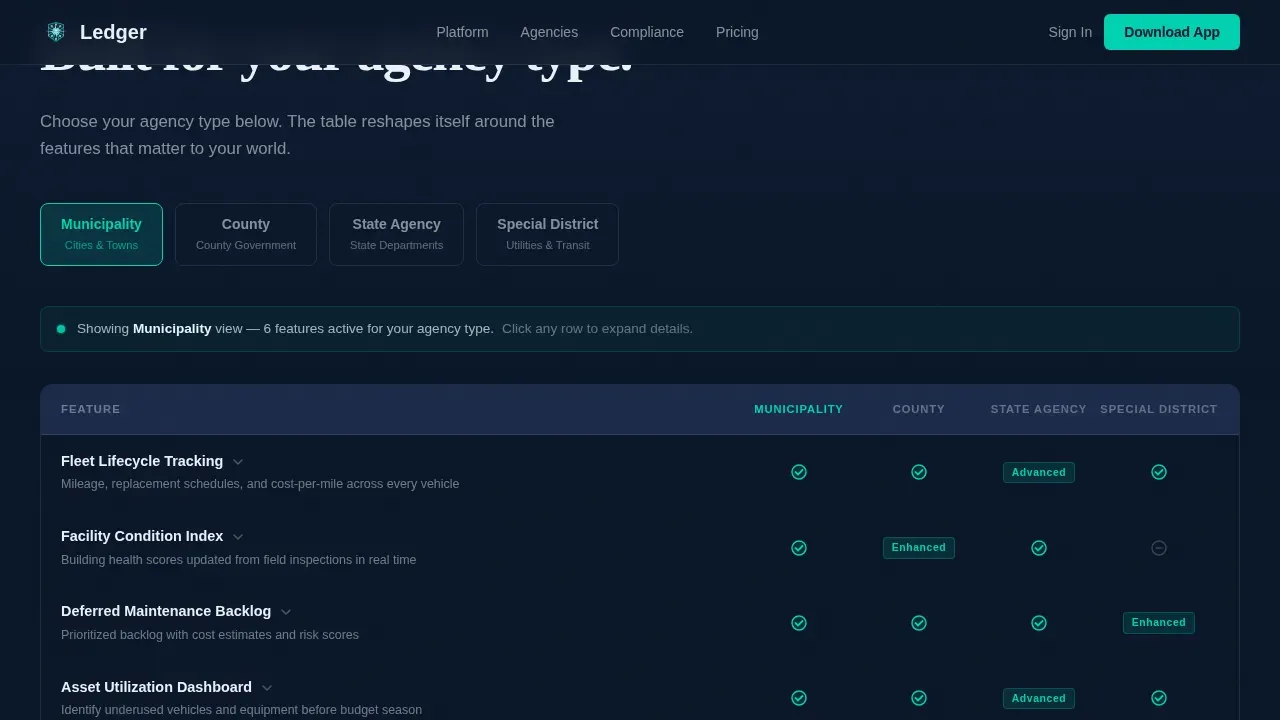
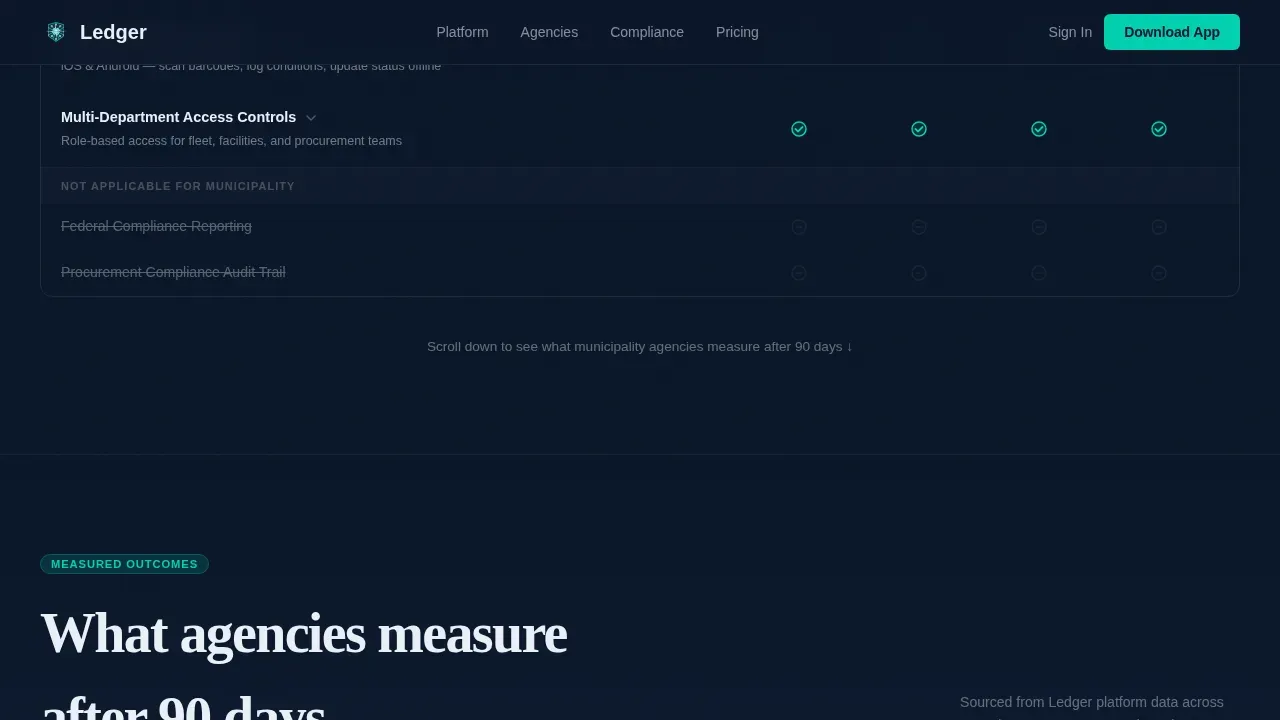
Visitors choose their agency category, and the comparison table instantly reshapes to surface the asset tracking features most relevant to their world. Fleet lifecycle tracking appears for county users. Facility condition indexing surfaces for city users. Federal reporting compliance details appear for state agencies. Each row supports hover interactions that expand a detail drawer, letting every user explore asset details at their own depth.
Scrolling Agency Logo Marquee
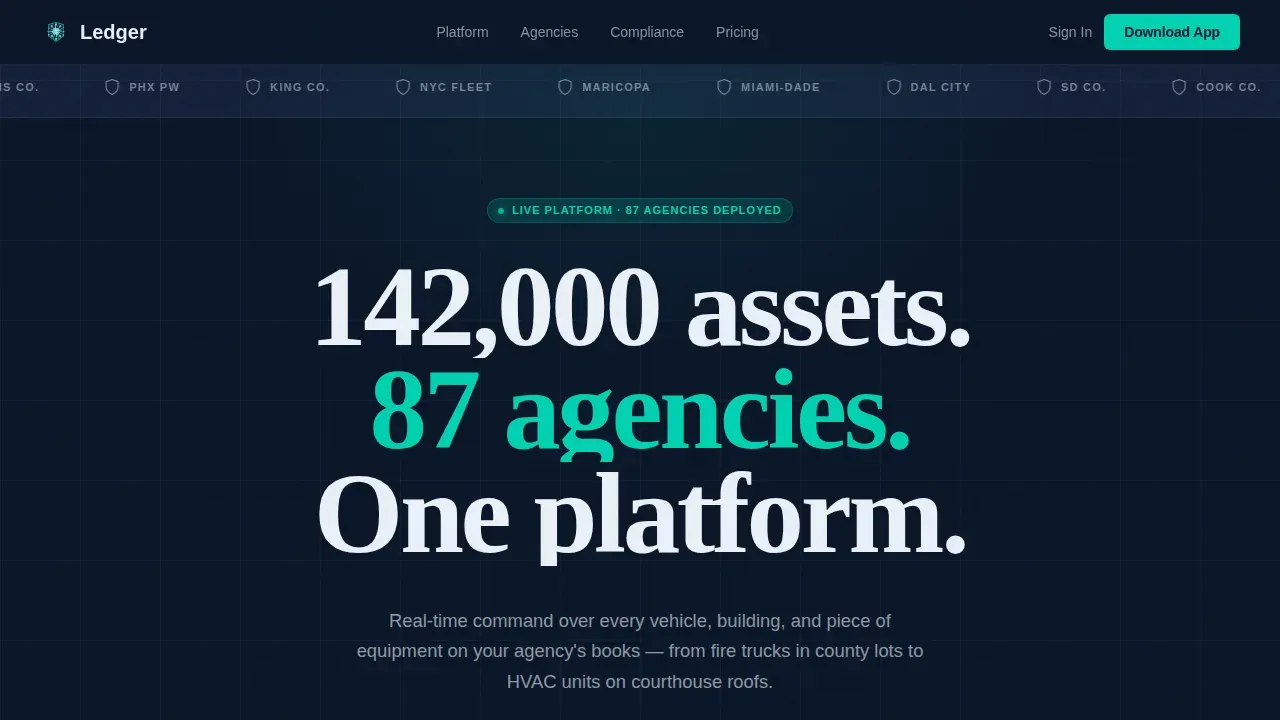
The header hosts a steady horizontal scroll of real agency seals rendered in monochrome white on a deep navy background. These logos function as proof of active deployment, not decoration. Government visitors scan for a peer they recognize, and recognition builds trust faster than any written description. The marquee creates immediate credibility before a single feature is read.
Animated Outcome Metrics Section
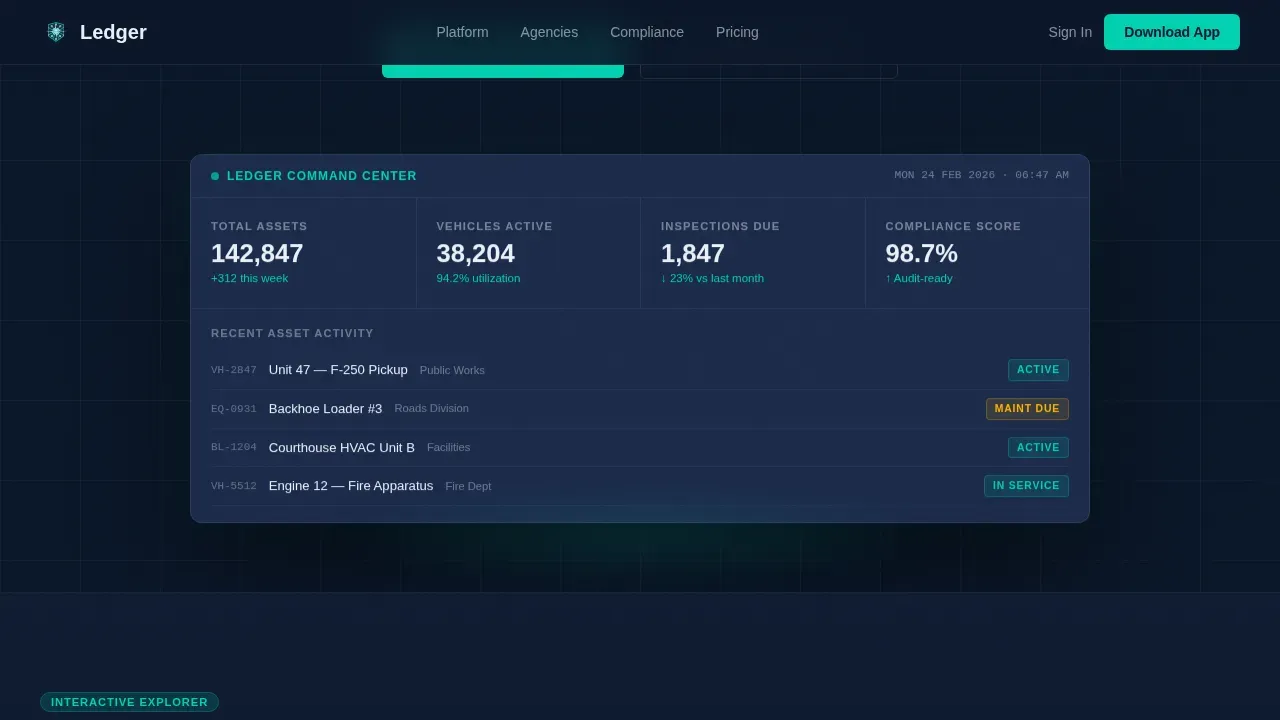
After the comparison table, animated counters display key metrics: hours saved per audit cycle, percentage reduction in deferred maintenance backlog, and asset utilization lift. These numbers shift asset tracking conversations from feature lists to business outcomes. Finance professionals and department directors can screenshot this section and forward it to decision makers to support their case.
Sticky App Download Call to Action
After the visitor interacts with their first table filter, a sticky bar appears at the bottom of the viewport. The primary call to action reads "Download the Field App." Tapping it presents a fork between iOS and Android badges, plus an optional email field for desktop users on locked-down government machines. This moment arrives at peak relevance, right after the platform has proven its value.
Command-Center Dark Interface
The entire template uses a deep navy and tactical slate color system with electric teal accents reserved for active states, call-to-action buttons, and status indicators. DM Sans handles body text and interface labels. Fraunces carries oversized hero headline weight. The visual result feels like a naval bridge at night: calm, authoritative, and every illuminated element earning its glow.
Hero Section with Status Typography
The hero opens with an oversized headline in signal white: "142,000 assets. 87 agencies. One platform." Below it, status indicators reinforce the platform's real-time data tracking posture. This section immediately communicates scale and control, setting the authority tone before the visitor scrolls into the comparison table.
Page sections overview
| Section | Purpose |
|---|---|
| Hero and Logo Bar | Establish scale, authority, and agency social proof |
| Agency Type Selector | Let visitors filter the table by their organization type |
| Interactive Comparison Table | Reshape features and outcomes by agency category |
| Outcome Metrics Counters | Animate key results to support informed decisions |
| Sticky App Download call to action | Capture downloads at peak relevance after table interaction |
| Footer Linear Row | Close the page with clean navigation and links |
Design & branding system
The visual identity follows the Startup Velocity theme through a Midnight Blue color system. Every design decision reinforces authority and reduces visual noise, ensuring that data and status indicators stand out clearly.
- Deep command-center navy (#0A1628) anchors all backgrounds; tactical slate (#1B2A4A) surfaces card rows and table cells; signal white (#EAF0F7) carries all text and data labels
- Electric teal (#00D1B2) appears exclusively on call-to-action buttons, active filter states, and real-time status indicators to draw the eye precisely where action is needed
- DM Sans handles all body copy, interface labels, and data descriptions; Fraunces carries the hero headline for authoritative typographic contrast
Mobile & speed optimization
This template is designed desktop-first, matching the reality that fleet managers and facilities directors often access asset management tools at a fixed workstation early in the day. Mobile readiness is preserved for field use.
- Static sections use server-side rendering patterns to keep initial page load fast, while interactive components like the comparison table and animated counters load as client elements
- The sticky call to action and app download modal are fully functional on smaller screens, supporting field employees who need to access the download prompt from a parking lot or job site
- Touch-friendly hover drawer expansions ensure that mobile users can still access expanded asset details without a mouse
How this template helps you convert
This template is structured to build a compliance-safe case for download, progressively proving platform value at each scroll depth.
- The scrolling agency logo bar creates instant peer recognition. Visitors trust the platform before reading a single feature, because they see their own category of agency already represented in the database of clients.
- The interactive comparison table makes the visit feel like configuring a system rather than reading a brochure. Visitors who filter by their own agency type see tailored features and outcome metrics, making their decision making faster and more confident.
- The sticky app download call to action arrives at the exact moment of highest relevance. The iOS and Android fork, plus an email field for locked-down government machines, removes every friction point between intent and action.
Other information about this template
This template is the ledger real time government asset management landing page template built for GovTech businesses that manage complex data across multiple agency types. It can support workflows for organizations tracking fixed assets like vehicles, real estate holdings, computer hardware, and equipment from purchase price through end-of-life disposal.
- Asset tokenization concepts apply here: each asset in the platform represents a unique, traceable entry on an authoritative ledger, giving teams an immutable record of all asset value changes and transactions
- The template can help businesses position their platform for government clients who need to account for fixed asset management across categories including inventory management, task management, and project management workflows
- Digital assets like documents, inspection photos, and compliance records are part of what a centralized digital asset management system helps teams track, maintain, and manage alongside physical assets
- The Smartsheet platform and similar tools demonstrate that asset tracking templates save organizations time, resources, and money by providing a single source of information across departments
- Organizations can use asset tracking templates to streamline workflows, improve collaboration, and create a competitive advantage when bidding for government services contracts
- This template is a perfect solution for companies building GovTech platforms that need to communicate value to multiple stakeholder types including operations staff, finance professionals, and executive decision makers
Theme
Startup Velocity
Creative direction
Interactive Explorer
Color system
Midnight Blue
Style
Comparison Table
Direction
App Download
Page Sections
Agency Type Selector and Adaptive Table
Scrolling Agency Logo Marquee
Animated Outcome Metrics Counters
Sticky App Download Call to Action
Command-center Dark Visual System
Hero Section with Status Indicators
Related questions
What agency types does the comparison table support?
Can field employees use this landing page on a mobile device?
Does the template cover the full asset lifecycle?
How does the outcome metrics section help with internal approvals?
Is this template suitable for platforms managing multiple asset categories?



