Accounting Firm Software Cost Estimator Website Template
Ledger is a forensic accounting landing page template built for asset management firms serving mid-market companies. It leads with a live Asset Depreciation Snapshot calculator, then unfolds into a feature matrix of glass cards covering multi-entity consolidation, audit-trail versioning, and more. The design runs on a Void and Violet Tech Glass palette, driving visitors toward an app download.
by Rocket studio
Quick summary
Ledger is a single-page, dashboard-style landing page template for accounting firms that manage complex asset portfolios. It opens with a real-time depreciation estimator that proves competence before asking for anything. A scrollable feature matrix of frosted-glass cards follows, and a persistent bottom bar drives app downloads throughout the session.
Who this template is for
This template is built for accounting firms and financial software teams that serve the operational finance layer of mid-market companies. If your audience needs to see numbers working before they trust a pitch, this layout earns that trust instantly.
- Chief financial officers managing quarterly close deadlines and multi-asset reconciliation
- Controllers inheriting disorganized fixed-asset registers from acquisitions
- Private-equity operations teams who need clean, auditor-ready portfolio asset rolls
What problem this template solves
Finance buyers are skeptical. A paragraph about "forensic-grade accuracy" means nothing to a controller staring at a mismatched depreciation schedule. This template replaces abstract claims with a live, interactive tool that delivers real calculated output in seconds.
- Static marketing pages fail to demonstrate technical capability to numbers-driven audiences
- Long-form narrative copy loses CFOs and controllers who evaluate tools column by column, not story by story
- Generic call-to-action flows ask for commitment before proving value, causing high drop-off from qualified visitors
What you get with this template
You get a complete, conversion-focused landing page layout designed specifically for accounting firm asset management software. Every section is purposeful, and the interactive header does the heavy lifting before the visitor reaches a single marketing claim.
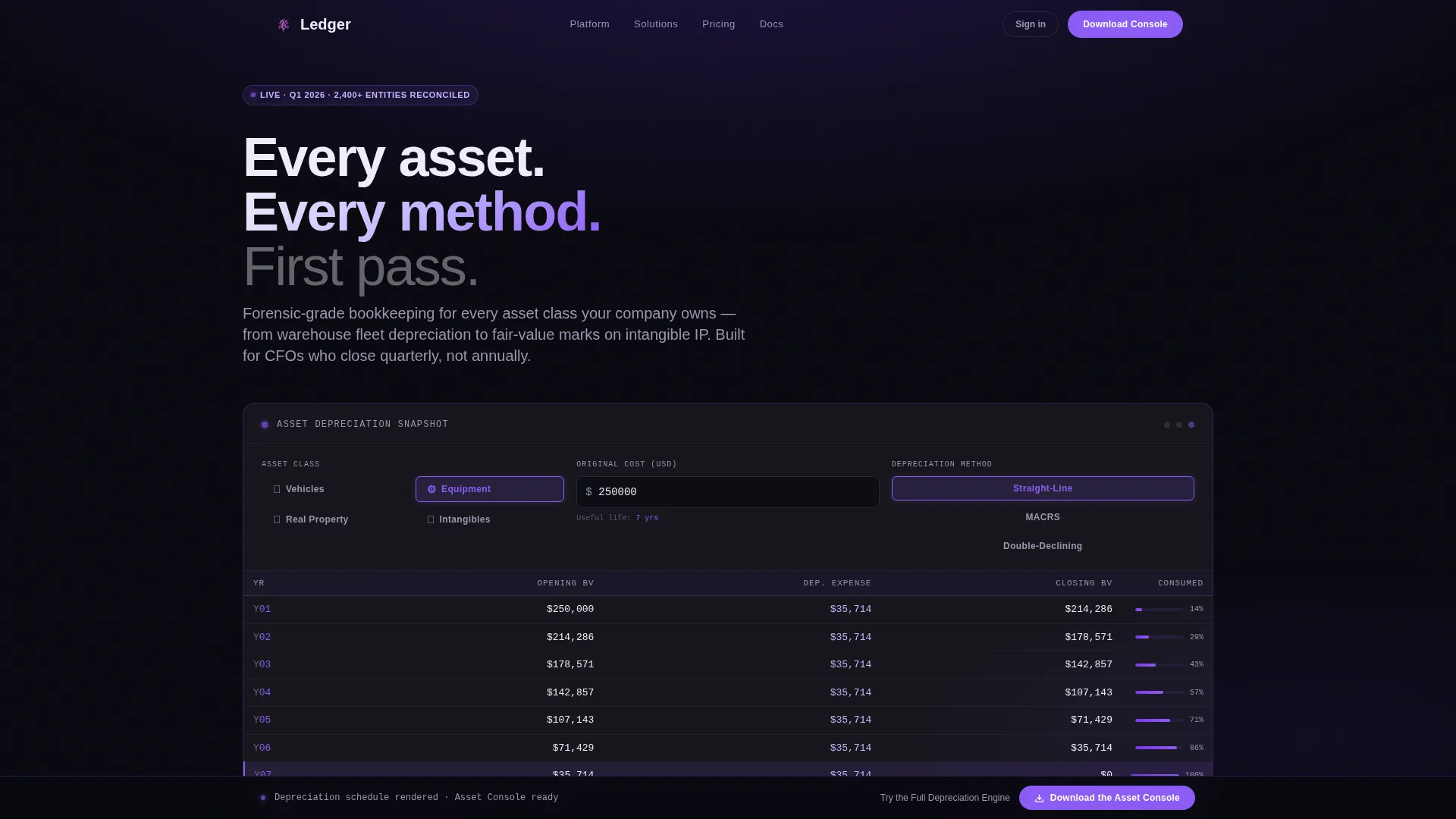
- A live Asset Depreciation Snapshot calculator embedded above the fold, supporting straight-line, MACRS, and double-declining methods
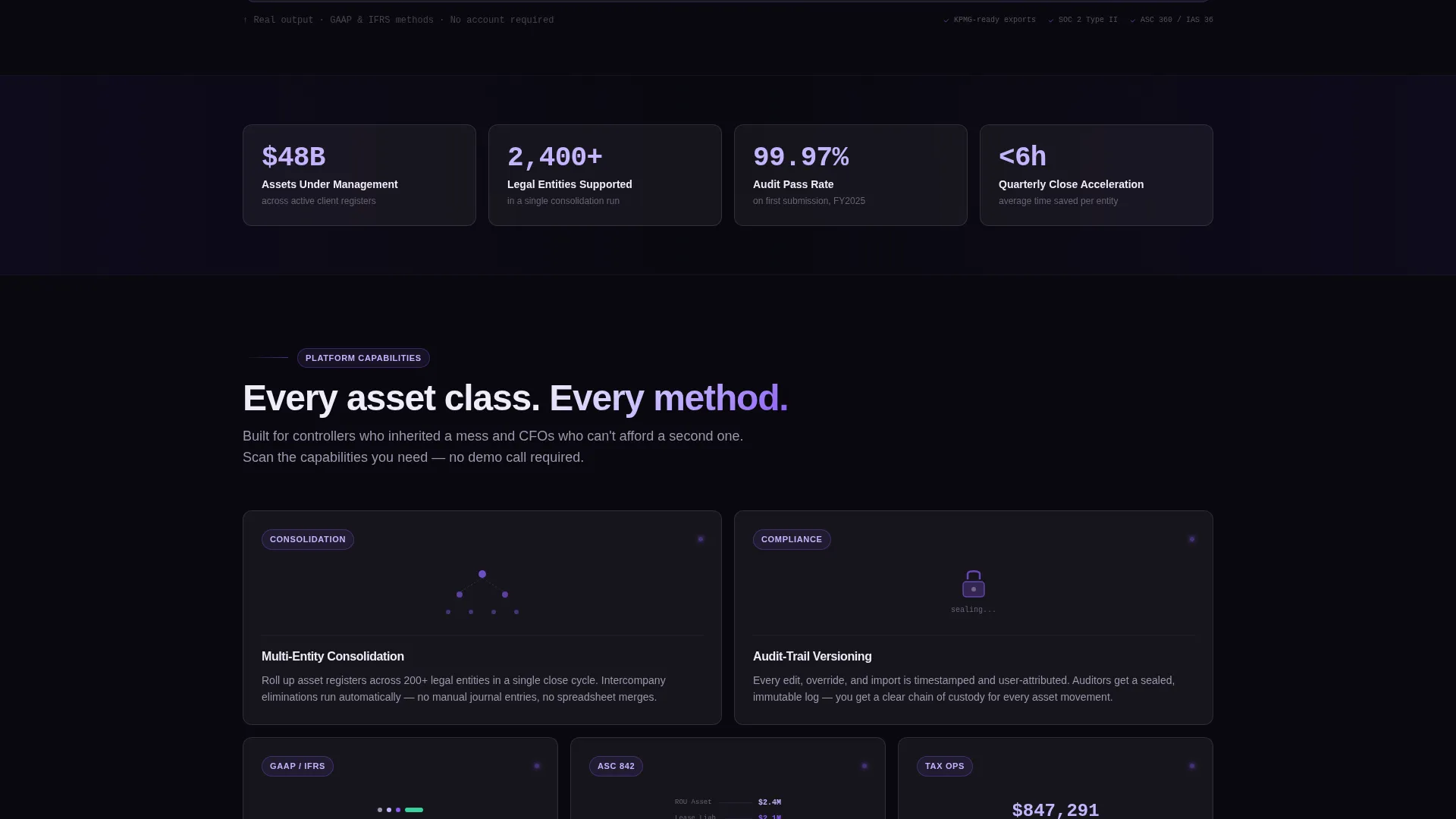
- A responsive feature matrix of frosted-glass cards, each with a micro-animation tied to a specific capability
- A persistent app download bar and a mid-page secondary call to action linking to the app store
Feature list
This template packages several precise, brief-backed capabilities into one cohesive layout. Each feature below reflects what the template delivers as described in the source brief.
Live Depreciation Snapshot Calculator
Visitors select an asset type (vehicles, equipment, real property, or intangibles), enter an original cost, and choose a depreciation method. A miniature amortization schedule renders in real time, showing year, opening book value, depreciation expense, and closing book value row by row with violet highlights.
Feature Matrix Grid Layout
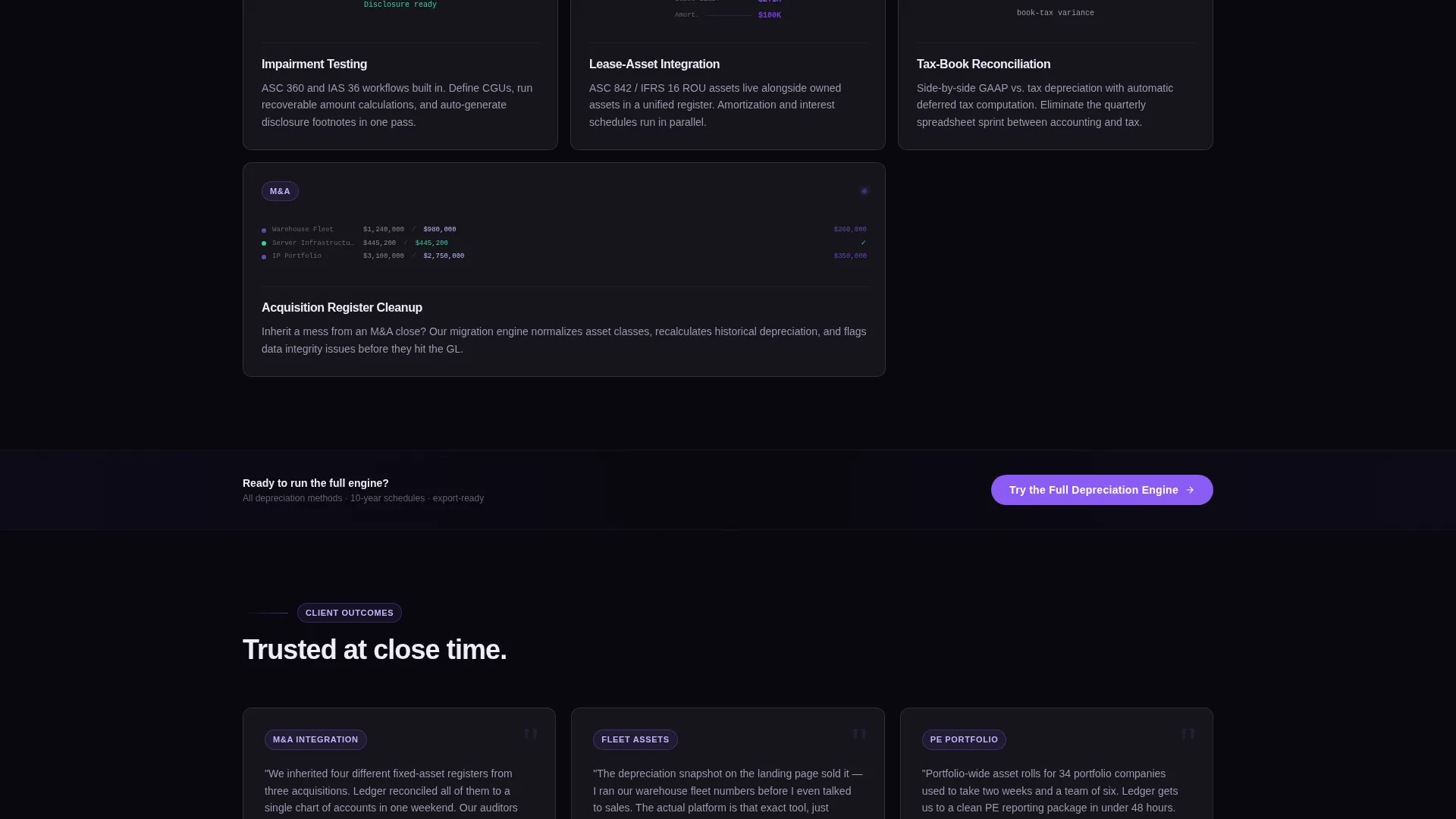
Scrolling past the estimator reveals a data-grid layout where each capability occupies its own glass card on a responsive grid. The non-linear structure lets visitors scan and self-select the features relevant to their specific pain, the way a controller actually evaluates software.
Capability-Specific Micro-Animations
Each feature card includes a focused micro-animation: a number ticking to zero for reconciliation, a branching tree for entity roll-ups, and a lock icon snapping shut for audit seal. These animations make abstract accounting functions immediately tangible.
Persistent App Download Bar
A slim bottom bar appears after the estimator interaction and stays pinned throughout the scroll. It holds the primary call to action, "Download the Asset Console," in an electric-violet pill button, keeping the conversion path visible at every stage.
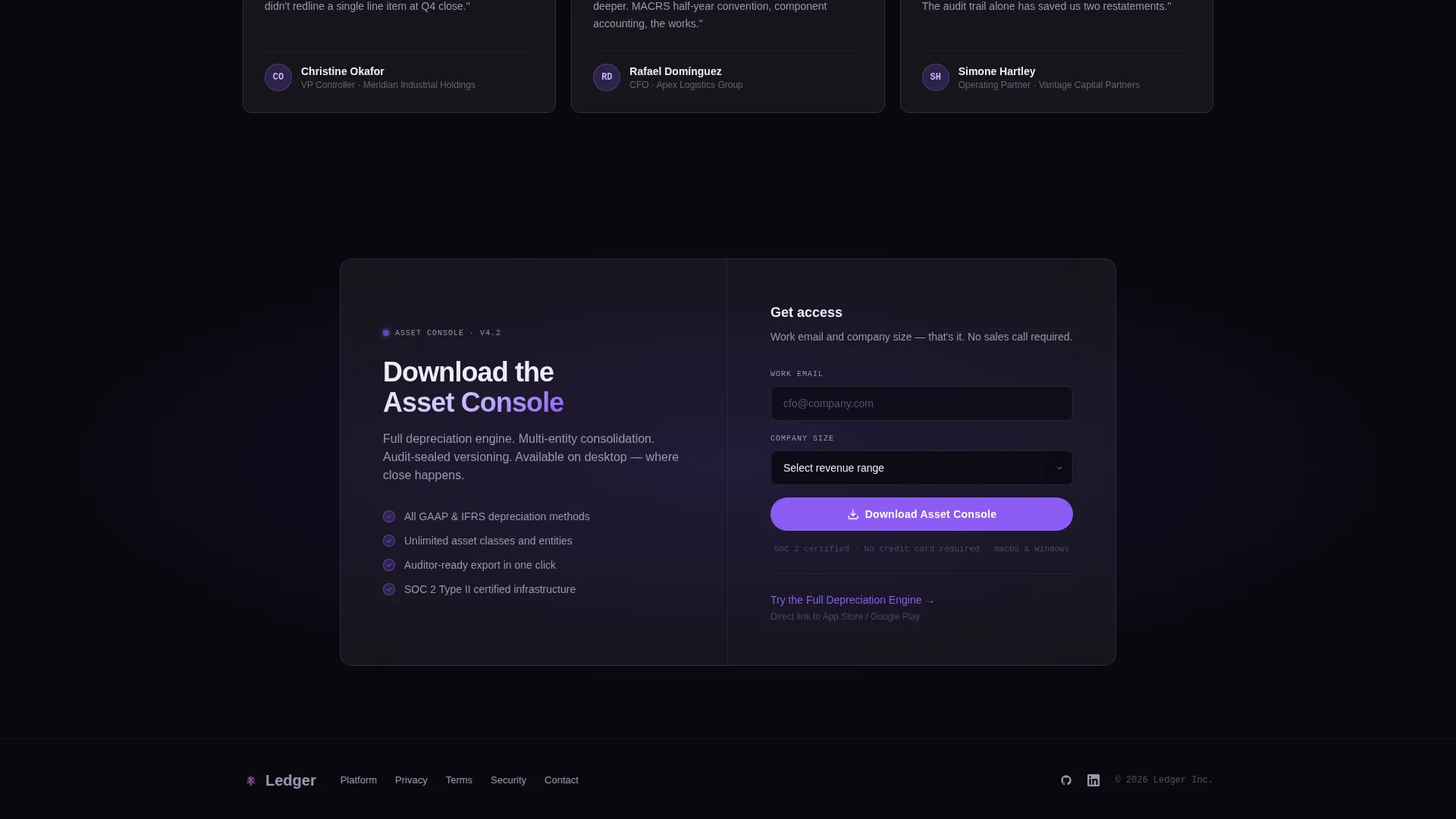
Gated Desktop Download Form
On desktop, a minimal download form captures work email and company size before delivering the app. On mobile, the tap bypasses the form and routes directly to the app store, reducing friction for on-the-go visitors.
Frosted-Glass Card System
Every content block floats as a glassmorphic card layered above a void-to-phantom gradient background. Cards use frosted white text, muted lavender-gray secondary labels, and electric violet hover states, creating a clinical, data-room aesthetic that resonates with finance professionals.
Page sections overview
| Section | Purpose |
|---|---|
| Depreciation Snapshot Calculator | Above-the-fold interactive estimator proving competence before the scroll |
| Feature Matrix Grid | Scrollable glass-card grid for scanning and comparing firm capabilities |
| Mid-Grid Secondary call to action | "Try the Full Depreciation Engine" prompt linking to the app store |
| Persistent Download Bar | Pinned bottom bar with primary app download call to action |
| Download Gate Form | Minimal desktop form collecting work email and company size |
Design & branding system
The visual identity is built on a Tech Glass theme with a Void and Violet color system. The palette is deliberately clinical, referencing the atmosphere of a data room rather than a typical SaaS marketing page.
- Core colors: absolute void black (#09090F), deep phantom violet (#2D1B69), frosted glass panel (#E8E3F3 at 60% opacity), frosted white text (#F0ECF9), muted lavender-gray secondary labels (#9B97B0), and electric audit-trail violet (#8B5CF6) for all hover and active states
- Interactive elements including sort arrows, filter chips, and download icons all flare electric violet on contact, reinforcing the data-grid metaphor throughout
- Backgrounds layer void into phantom with subtle glassmorphic cards floating above, creating depth without imagery; no stock photos or hero visuals are used anywhere on the page
Mobile & speed optimization
The template is structured to serve different device contexts intentionally rather than just scaling down. The mobile experience is streamlined to remove friction at the point of highest intent.
- Mobile taps on the app download call to action route directly to the app store, bypassing the desktop email gate entirely
- The feature matrix grid is responsive, allowing cards to reflow cleanly for tablet and phone viewports
- The persistent download bar remains accessible across all screen sizes, ensuring the primary conversion action is never out of reach
How this template helps you convert
The conversion strategy here is earned trust, not forced urgency. The estimator delivers real value before making any ask, which shifts the psychological dynamic from pitch to proof.
- The live depreciation calculator provides immediate, personalized output, converting passive curiosity into active engagement before the visitor has read a single feature claim
- The feature matrix grid lets analytically minded buyers evaluate capabilities on their own terms, reducing the resistance that comes from feeling sold to
- The persistent download bar and mid-grid secondary call to action keep the conversion path visible and low-friction at every scroll depth, capturing intent whenever it peaks
Other information about this template
This template was designed at the intersection of accounting firm software and asset management platform marketing. It is categorized under Technology and reflects the specific expectations of finance-sector buyers who demand demonstrated precision.
- The template style is Dashboard and Data Grid, chosen to mirror the tools its audience uses daily
- The creative direction follows a Feature Matrix approach, prioritizing lateral scanning over linear narrative
- The header concept is a Calculator and Estimator, making the interactive tool the true hero of the page rather than imagery or copy
- The landing page direction is App Download, with every design decision serving that conversion endpoint
- The theme is Tech Glass, and the Void and Violet color system is fully specified with hex values throughout the brief
Theme
Tech Glass
Creative direction
Feature Matrix
Color system
Void & Violet
Style
Dashboard/Data Grid
Direction
App Download
Page Sections
Live Asset Depreciation Calculator
Scrollable Feature Matrix Grid
Capability Micro-animations
Persistent Download Call to Action
Adaptive Mobile Download Flow
Tech Glass Card System
Related questions
What kind of firms is this template designed for?
How does the depreciation calculator work?
Is the download flow different on mobile versus desktop?
What is the visual theme and color system used in this template?
Why does the template use a calculator instead of a traditional hero section?



