Blockchain-Based Enterprise Software Privacy Policy Website Template
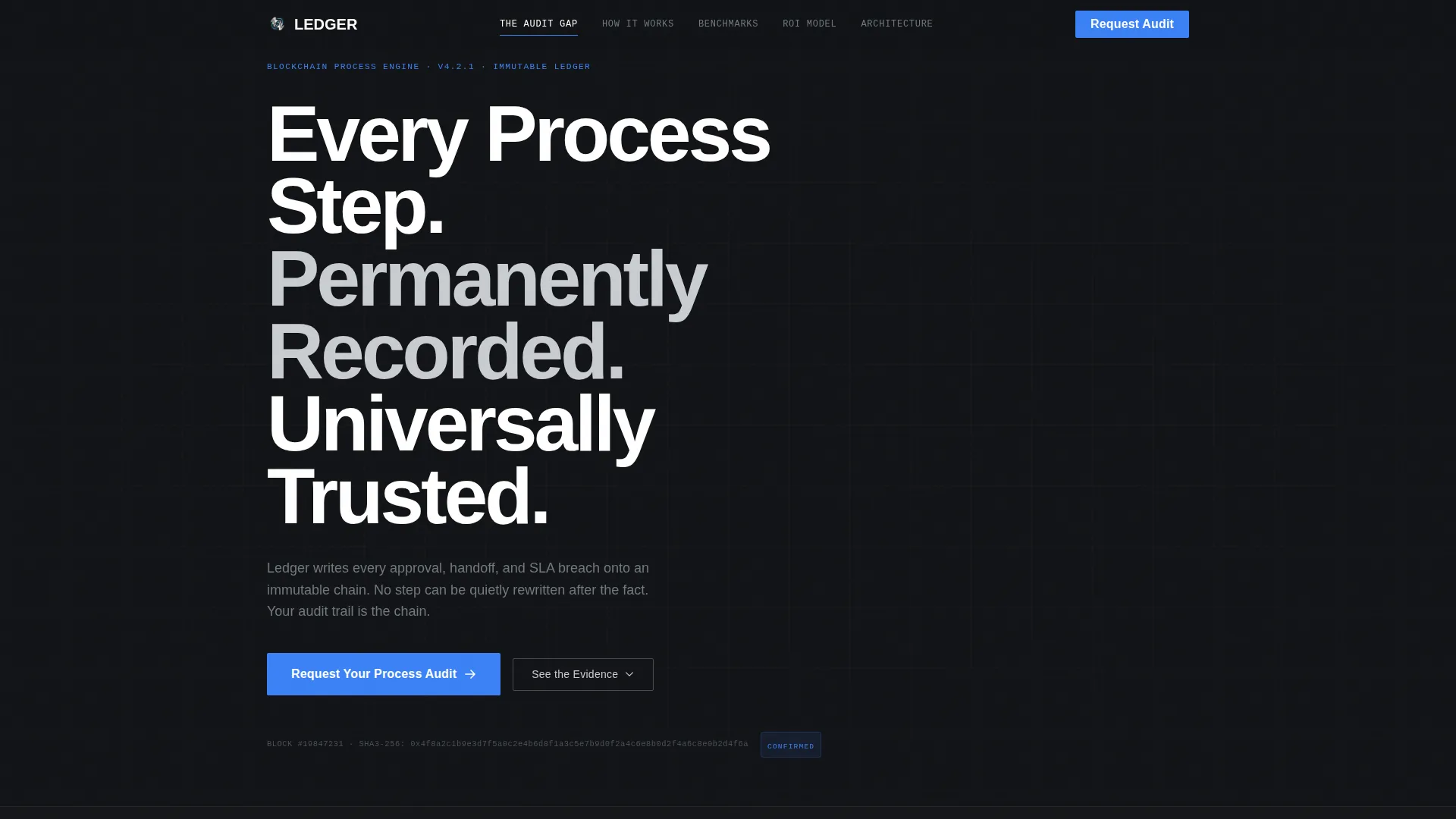
Ledger is a hub-and-spoke landing page template built for a blockchain-based business process management platform. It uses an anchor-navigated, Industry Report layout to walk compliance-focused buyers through auditable workflow evidence. The Monochrome Steel palette, animated data sections, and a single click-through call to action make institutional credibility feel immediate and inevitable.
by Rocket studio
Quick summary
Ledger is a single-page, anchor-navigated template designed for a blockchain-based business process management platform. It presents an evidence-led narrative across five spoke sections, building the case for immutable audit trails with animated statistics, process diagrams, and compliance framework references. The sole conversion goal is one high-trust click to a demo scheduling page.
Who this template is for
This template is built for enterprise software companies whose buyers need proof before they act. It speaks directly to regulated-industry decision-makers who evaluate on evidence, not enthusiasm.
- Compliance officers at mid-tier banks managing fragmented audit trails across multiple disconnected systems
- Operations leads at pharmaceutical manufacturers where an undocumented process deviation can trigger a regulatory warning letter
- Procurement directors at defense contractors who require tamper-proof vendor approval chains
What problem this template solves
Regulated-industry buyers do not trust landing pages that feel like brochures. They need a page that reads like an audit report and moves like a product demonstration. Ledger solves the credibility gap between a bold software claim and the institutional confidence required to book a meeting.
- Audit trail reconciliation across disconnected systems wastes time and introduces compliance risk
- A single undocumented workflow deviation can trigger costly regulatory consequences
- Generic software landing pages fail to communicate the depth that compliance buyers expect before engaging
What you get with this template
You get a fully structured, single-page layout with five anchor-linked spoke sections, each designed to deliver a specific layer of evidence. The template is ready to populate with your platform content and client logos.
- A horizontal logo bar header with a scrolling enterprise client ribbon and a bold typographic headline
- Five anchor-navigated spoke sections covering the audit gap, platform mechanics, compliance benchmarks, return-on-investment model, and architecture
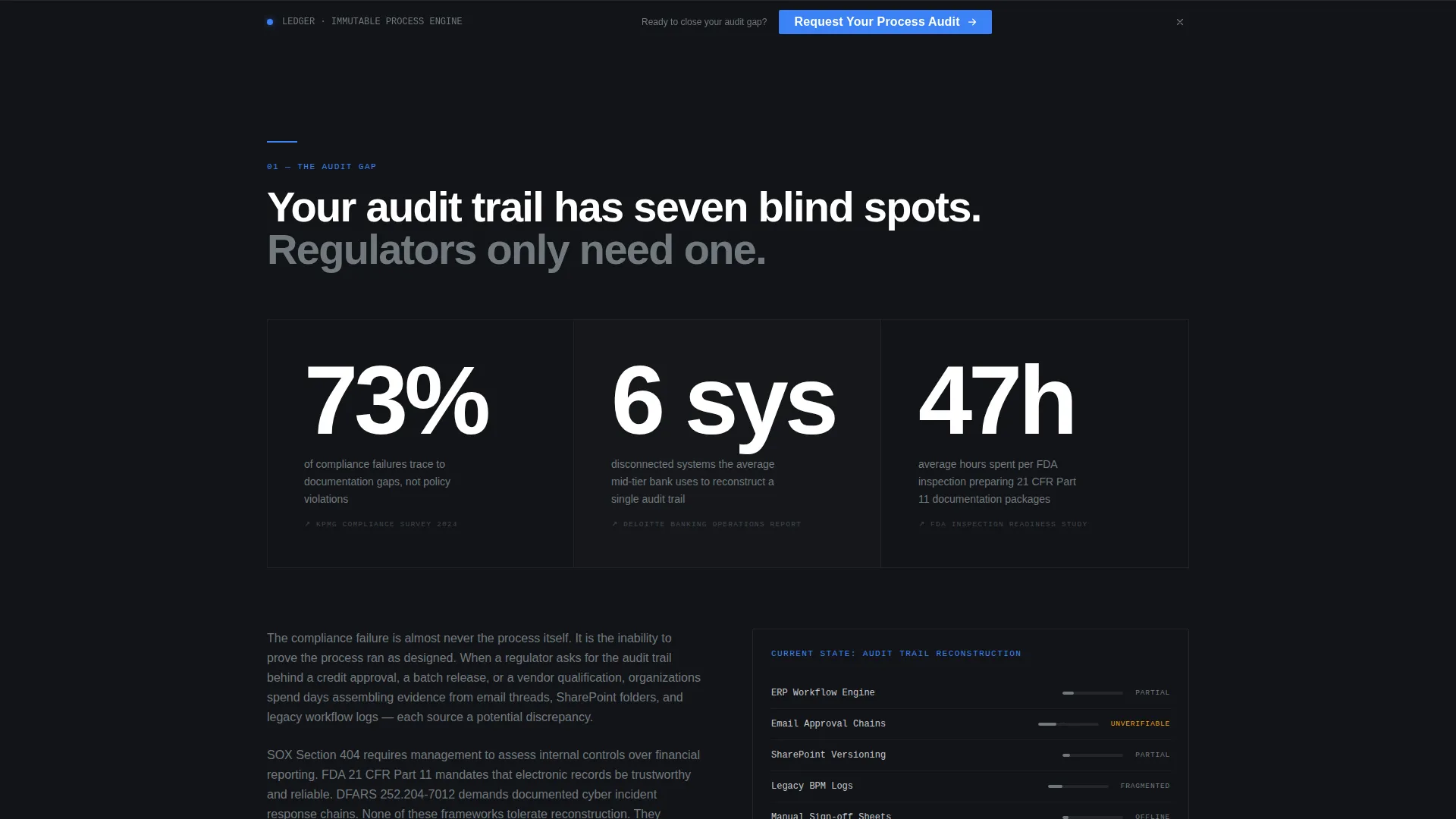
- A persistent sticky bar carrying the primary call to action after the second spoke, plus a full-width conversion button in the final section
Feature list
This section describes the core built-in components and layout capabilities delivered by the Ledger template.
Anchor Navigation Hub and Spoke Layout
The sticky anchor navigation pins to the top of the page as visitors scroll. Each spoke label links directly to its section. This structure lets analytical buyers jump to the evidence most relevant to their role without losing their place in the overall narrative.
Animated Entry Statistics
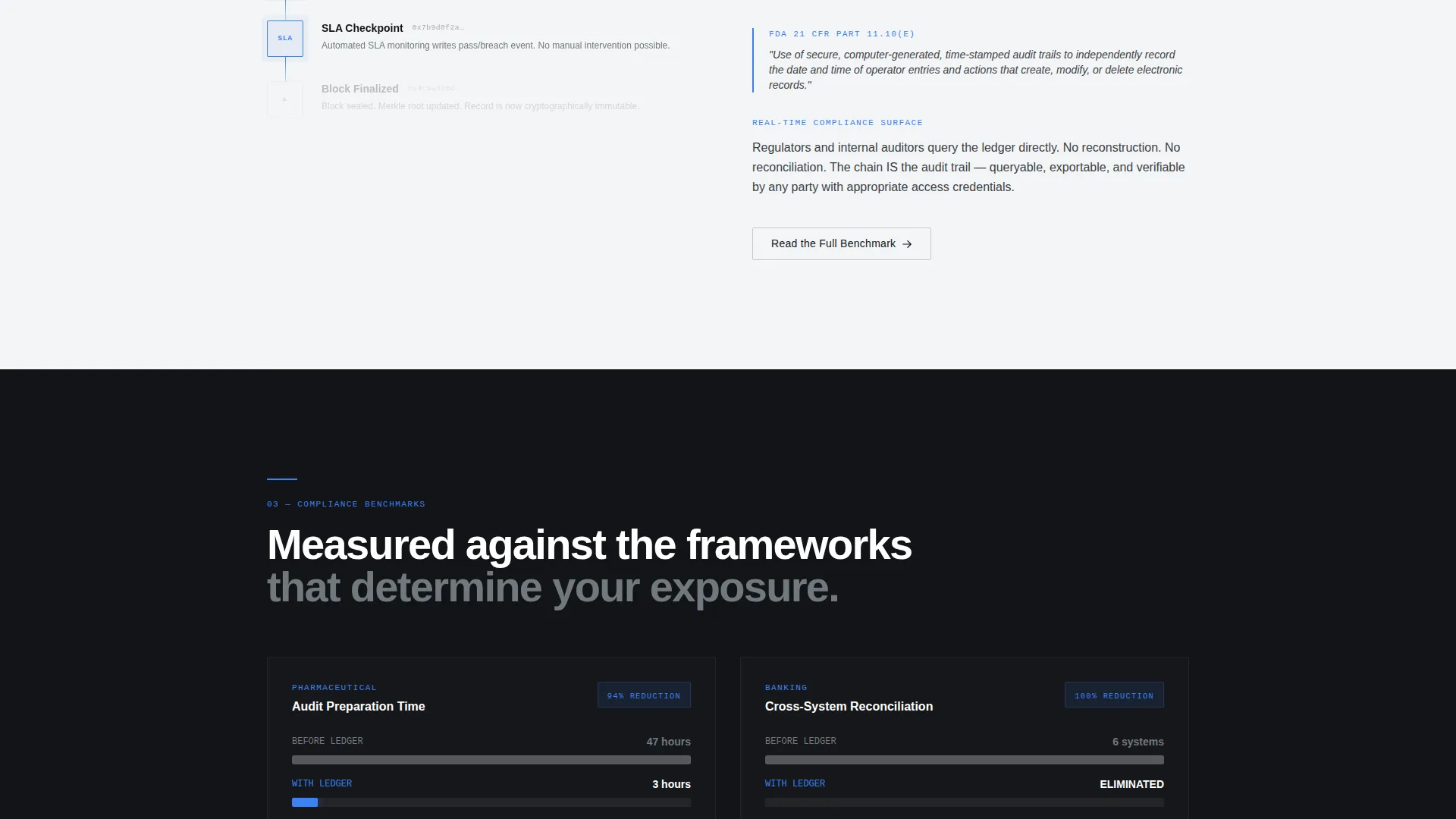
Every spoke section opens with a single striking statistic that animates on entry. A counter spins up or a bar chart draws itself in arc-weld blue, creating a moment of visual emphasis that frames the analytical content that follows.
Node-by-Node Process Diagrams
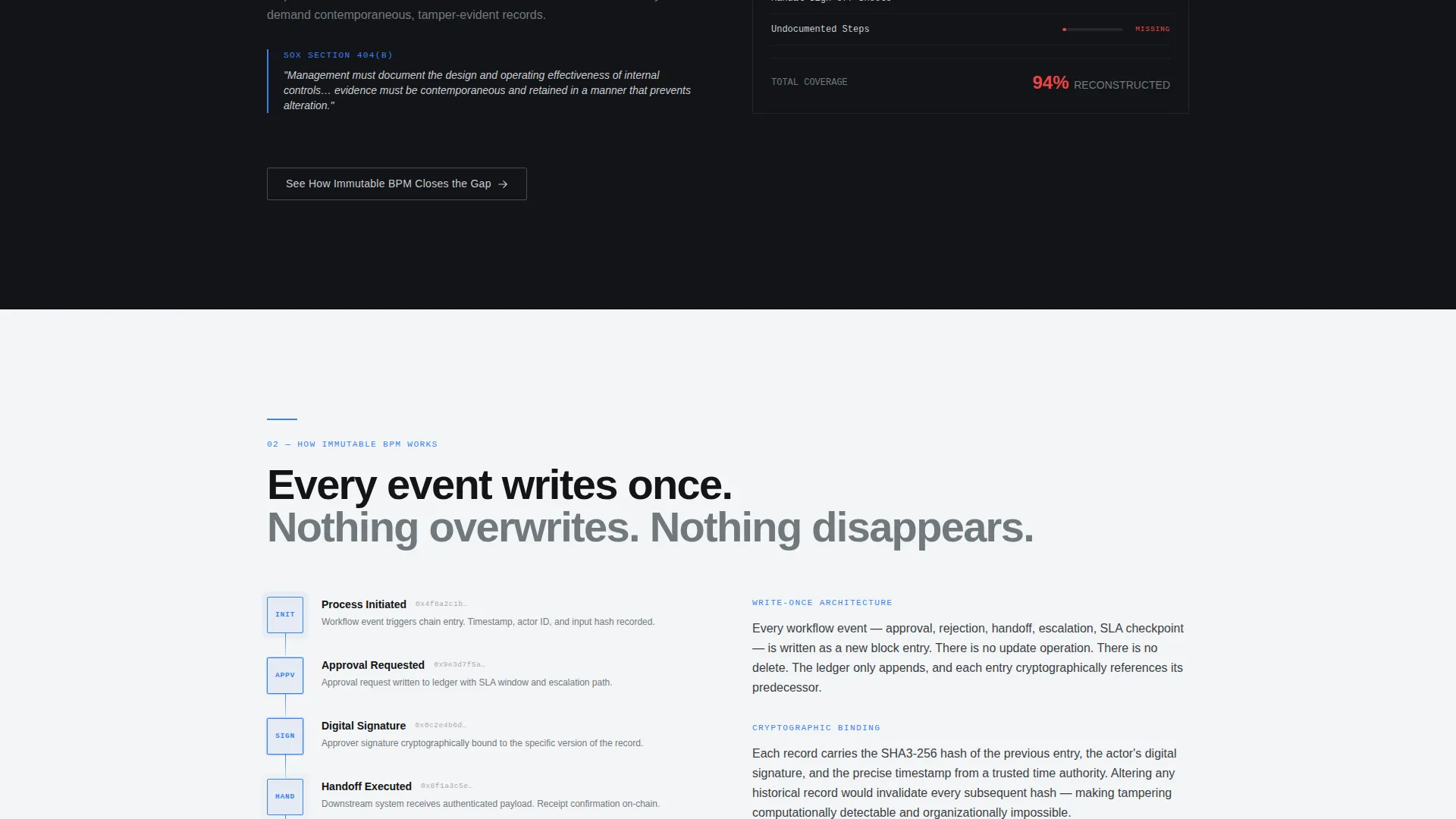
Workflow and architecture diagrams animate progressively as they enter the viewport. Each node appears in sequence, giving visitors time to follow the logic of the immutable process chain step by step.
Compliance Framework Pull Quotes
The template includes styled pull-quote blocks referencing named compliance frameworks. These blocks give the analytical prose the authority of an industry report without requiring separate design work.
Contextual Ghost Button Navigation
Each spoke section ends with a ghost button carrying a contextual label. These buttons keep visitors moving deeper into the evidence narrative before they reach the final conversion moment.
Persistent Sticky Conversion Bar
After the second spoke, a low-profile sticky bar appears at the top of the viewport. It carries the primary call-to-action button at reduced size, ensuring the exit to the demo page is always one tap away without competing with the content below.
Page sections overview
| Section | Purpose |
|---|---|
| Logo Bar Header | Establishes enterprise credibility with a scrolling monochrome client ribbon and bold headline |
| The Audit Gap | Opens with an animated statistic that frames the compliance problem driving the platform |
| How Immutable BPM Works | Explains the blockchain-based process engine with node-by-node animated diagrams |
| Compliance Benchmarks | Presents benchmark data with animated charts and compliance framework references |
| ROI Model | Breaks down return-on-investment evidence with analytical prose and pull quotes |
| Architecture | Details the technical foundation with animated diagrams and contextual ghost button |
| Request Process Audit | Delivers the full-width primary call-to-action button linking to the demo scheduling page |
Design & branding system
The visual identity follows a Dynamic Motion theme rendered through a Monochrome Steel color system. Every design decision is functional. Color signals interactivity, not decoration.
- Core palette: forge black (#121417), brushed chromium (#71797E), cold-rolled silver (#C9CCD1), with arc-weld blue (#3B82F6) reserved strictly for interactive states, active navigation indicators, and the primary call-to-action button
- Backgrounds alternate between forge black and a near-neutral light silver (#F4F5F6), with text in chromium on dark surfaces and forge black on light surfaces
- Typography is set in a condensed grotesque at heavy weight, reinforcing the machined-precision aesthetic throughout every section
Mobile & speed optimization
The Ledger template is structured with a mobile-first layout hierarchy. Anchor navigation and sticky elements are adapted to work cleanly at smaller viewport sizes.
- The anchor nav collapses gracefully on mobile so spoke labels remain accessible without crowding the screen
- Animated entry components are designed to trigger on scroll at every screen size, preserving the evidence-reveal experience on phones and tablets
How this template helps you convert
Ledger is engineered around a single conversion action: the click to request a process audit. Every layout decision builds toward that moment.
- The hub-and-spoke structure guides analytical buyers through five layers of deepening evidence, so by the time they reach the final spoke, the click feels like a logical conclusion rather than a cold commitment
- The persistent sticky bar introduced after the second spoke means the call to action is always visible without interrupting the evidence narrative, reducing exit risk at every scroll depth
- The absence of an on-page form removes friction entirely; the page builds enough institutional trust that clicking through to a dedicated demo scheduling page feels like the obvious and natural next step
Other information about this template
Ledger is a purpose-built template for the blockchain-based business process management category. It is designed to support platforms where immutable workflow records are the core product differentiator.
- The template style is Hub and Spoke with Anchor Navigation, categorized under the Dynamic Motion theme and Industry Report creative direction
- Compliance framework references in the template correspond to real regulatory standards: SOX Section 404, FDA 21 CFR Part 11 (Title 21 of the Code of Federal Regulations, Part 11), and DFARS 252.204-7012 (Defense Federal Acquisition Regulation Supplement)
- The page type is a click-through landing page; no lead capture form is included by design, keeping the page focused on credibility delivery rather than early-stage data collection
- The template sits within the Technology category, under the Blockchain-Based Enterprise Software subcategory, with niche alignment to the Blockchain-Based BPM market
Theme
Dynamic Motion
Creative direction
Industry Report
Color system
Monochrome Steel
Style
Hub & Spoke (Anchor Nav)
Direction
Click-Through
Page Sections
Anchor Navigation Hub and Spoke Layout
Animated Entry Statistics
Node-by-node Process Diagrams
Compliance Framework Pull Quotes
Contextual Ghost Button Navigation
Persistent Sticky Conversion Bar
Related questions
Who is the intended audience for this template?
Does this template include a lead capture form?
Can I customize the spoke section labels and statistics?
What compliance frameworks are referenced in the template?
How does the sticky conversion bar behave?



