Ledger - Intelligent Advisor Landing Page Template
Ledger is a bento grid landing page template built for financial services appointment scheduling platforms. It opens with an interactive advisor-match calculator, guides visitors through a structured directory of licensed professionals, and channels every click toward a scheduling flow. The design uses a dark iridescent palette that feels precise, modern, and reassuringly competent.
by Rocket studio
Quick summary
Ledger is a single-page bento grid template designed for platforms that connect people with licensed financial advisors, tax strategists, and retirement planners. It leads with a calculator tile, builds trust through credential displays and regulatory badges, and ends every path at a booking flow. The visual identity is dark, iridescent, and deliberately calm.
Who this template is for
This template is built for financial services platforms that want to turn curious visitors into booked appointments. It suits teams that serve non-expert clients who need guidance before they can commit.
- Financial advisor matching platforms and concierge scheduling services
- Independent advisory firms offering tax planning, retirement, and estate services
- Small business financial services portals helping owners find vetted professionals
What problem this template solves
Most financial services landing pages ask for trust before they demonstrate competence. Visitors arrive uncertain, skim a wall of credentials they cannot evaluate, and leave without booking. Ledger reverses that sequence.
- Visitors leave before engaging because the page leads with a pitch instead of a useful tool
- Prospective clients cannot distinguish between advisors without seeing real credentials and availability upfront
- The gap between interest and action is too wide when a long form stands between the visitor and the booking page
What you get with this template
You get a complete, ready-to-customize bento grid landing page that prioritizes the user experience of someone who is financially uncertain but motivated to act. Every section is intentional and sequenced to reduce hesitation.
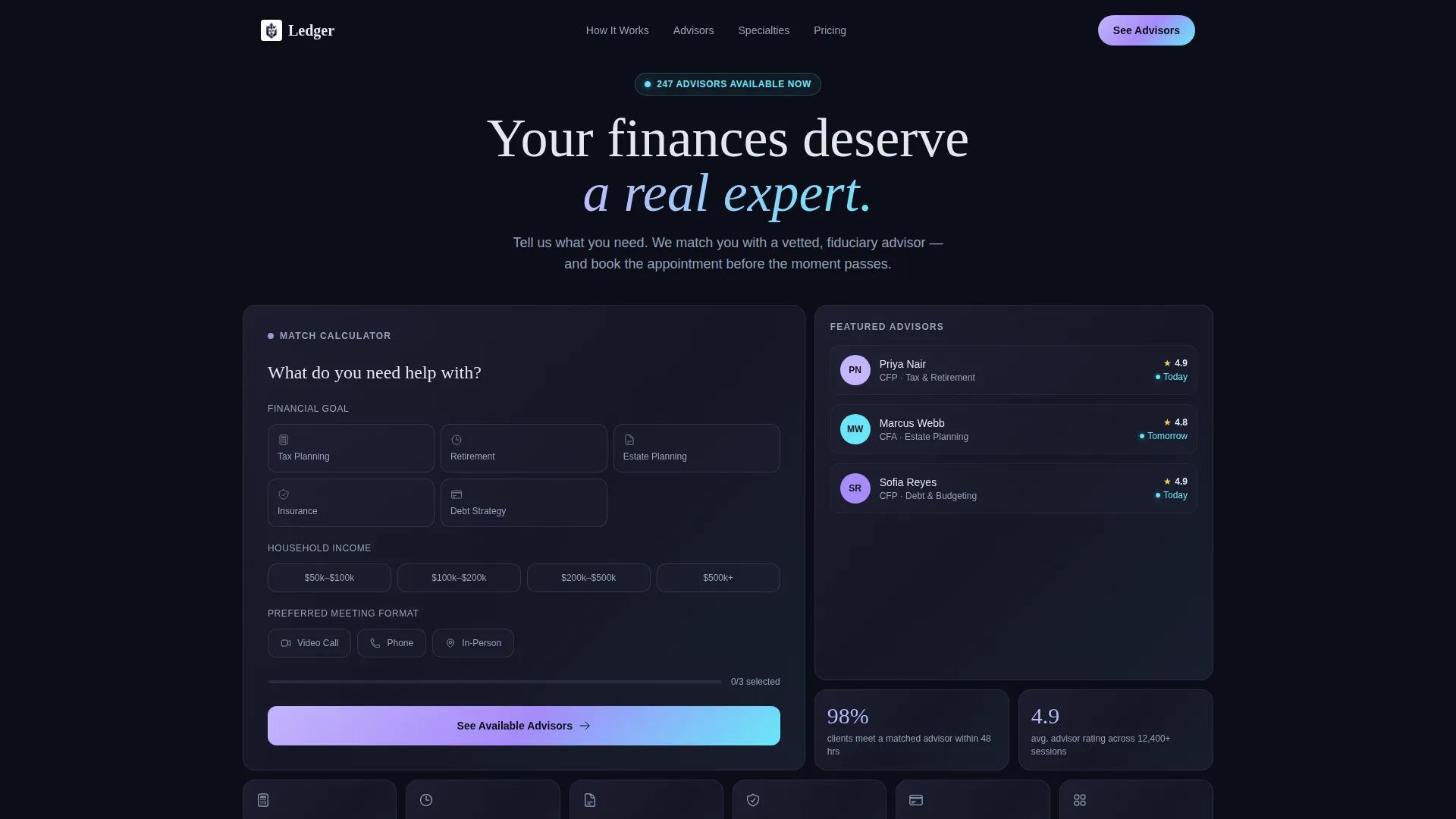
- A live advisor-match calculator tile that collects financial goal, household income range, and preferred meeting format
- Frosted dark glass panel header sections organized by service category (Tax Planning, Retirement, Estate, Insurance, Debt Strategy)
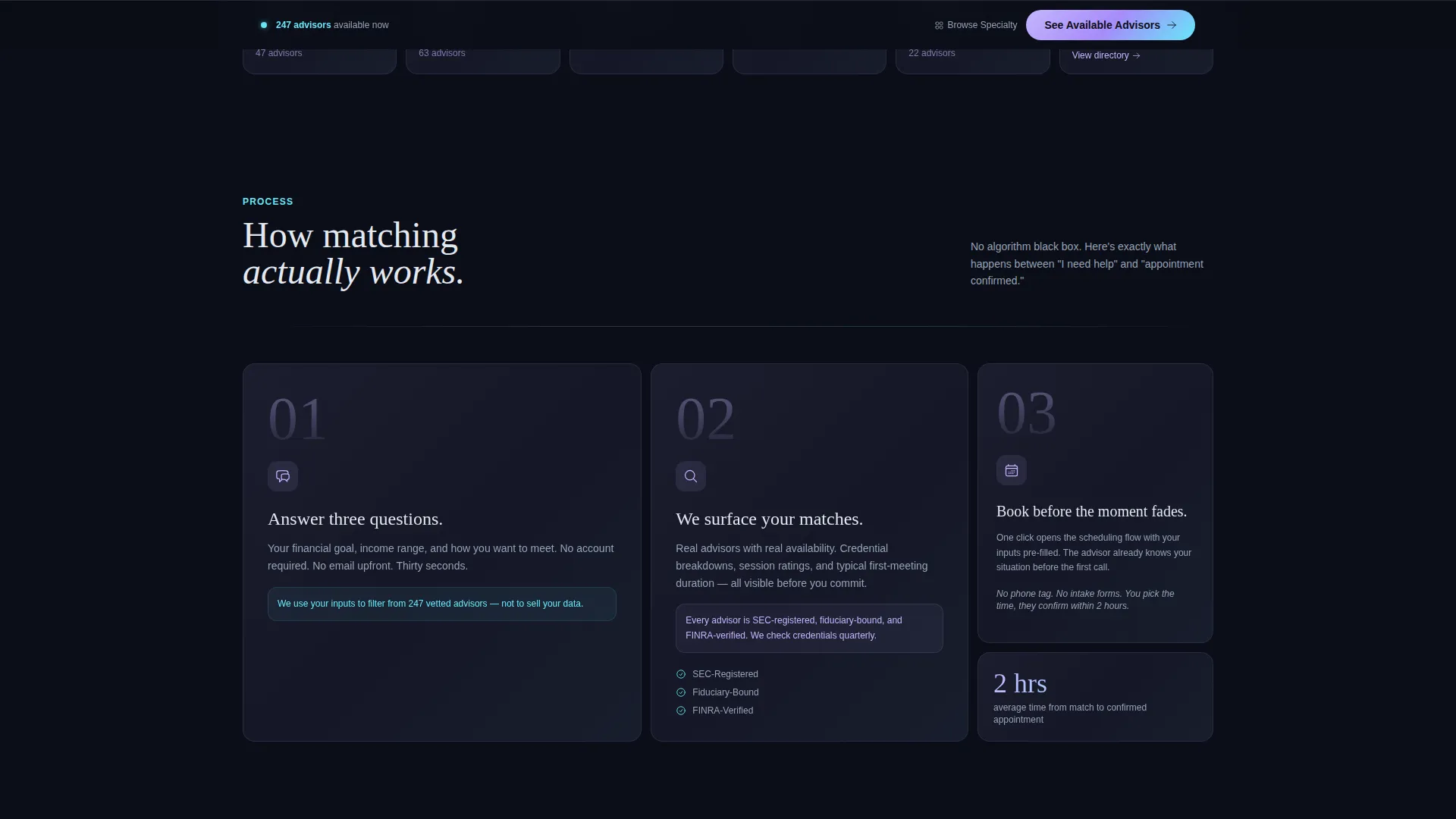
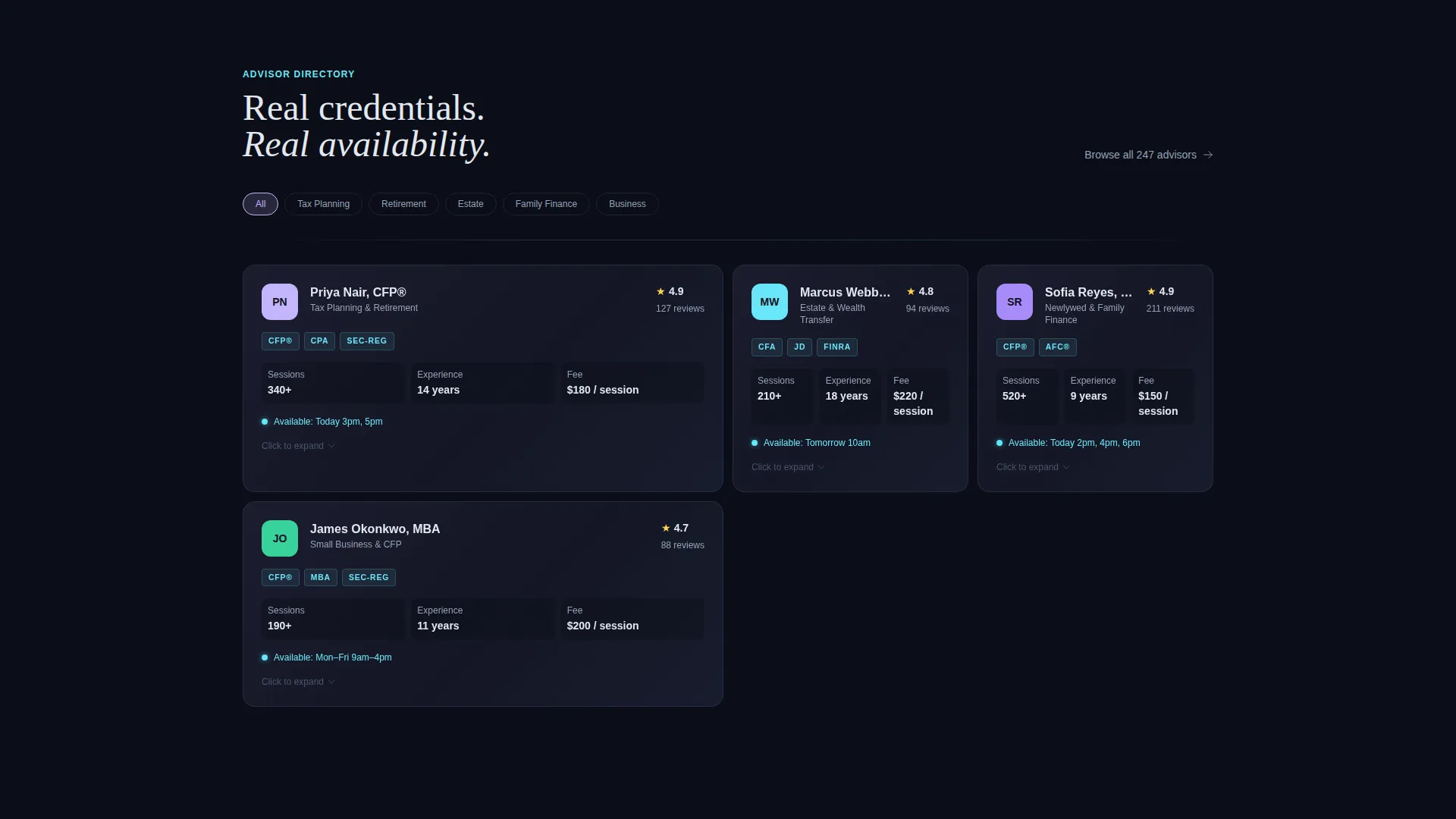
- Advisor credential cards, session rating displays, availability indicators, and a "How Matching Works" three-tile animated sequence
- A persistent bottom-bar call to action and a secondary "Browse by Specialty" directory path for visitors who need more time
Feature list
This section covers the core built-in components that define how Ledger works as a landing page template.
Interactive Advisor-Match Calculator
The page opens with a prominent bento tile asking "What do you need help with?" Visitors select a financial goal, a household income range, and a preferred meeting format. As soon as they engage, surrounding panels populate with relevant advisor cards, specialties, availability windows, and estimated first-meeting duration.
Dark Glass Bento Panel Header
The header presents frosted, translucent bento cards floating on a near-black background. Each panel holds a distinct financial service category. One panel is sized larger than the others and houses the calculator. The layout feels like a command center viewed through tinted glass.
Advisor Credential and Stats Display
Advisor profiles render as glass stat cards showing credential breakdowns, specialties, average session ratings, and availability. Visitors see real proof of competence before they ever click a call to action. This structure is designed to replace vague social proof with specific, scannable facts.
Regulatory Trust Badge Row
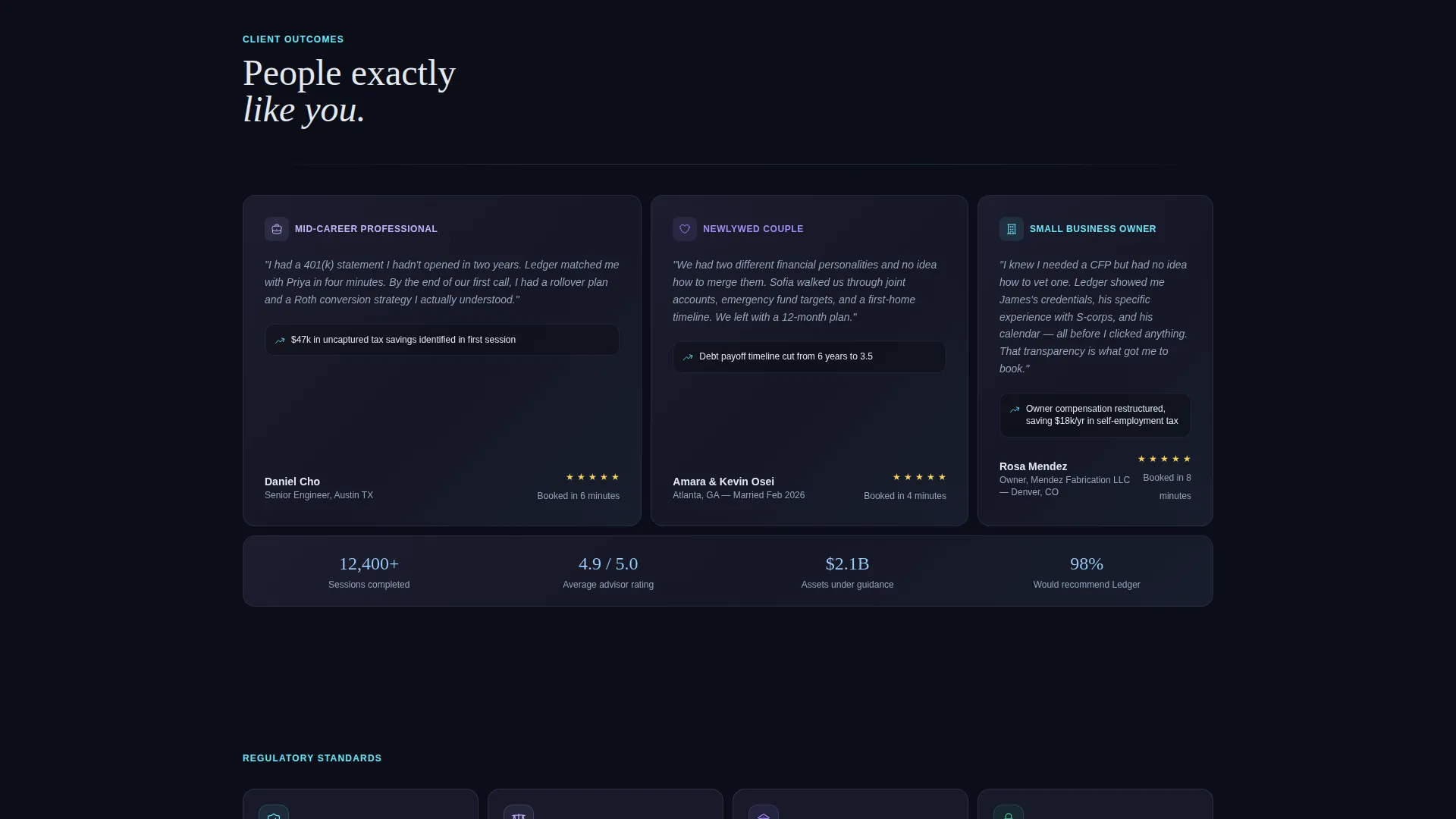
A dedicated trust row displays regulatory markers such as SEC-registered status, fiduciary designation, and FINRA verification. The badges render with a faint iridescent glow, making them visually prominent without disrupting the dark palette.
Click-Through call to action Architecture
The primary call to action, "See Available Advisors," appears first inside the calculator result tile. It then reappears as a persistent bottom bar after the first scroll. No form exists on the landing page itself. Calculator inputs are passed forward so the booking page arrives pre-filled and personalized.
"How Matching Works" Animated Sequence
Three bento tiles animate on scroll entry to explain the matching process step by step. The sequence teaches visitors what to expect before they commit, reducing hesitation without requiring them to read a long explanation.
Page sections overview
| Section | Purpose |
|---|---|
| Dark Glass Header | Organizes service categories as frosted bento panels |
| Calculator Match Tile | Collects goal, income, and meeting format inputs |
| Advisor Results Panel | Shows matched advisor cards with availability |
| Credential Stats Cards | Displays qualifications and session rating data |
| How Matching Works | Explains the three-step matching sequence |
| Regulatory Trust Row | Shows SEC, fiduciary, and FINRA badge indicators |
| Browse by Specialty | Lets cautious visitors self-direct through the directory |
| Persistent call to action Bar | Keeps the booking action visible after first scroll |
Design & branding system
The visual identity follows a Directory and Discovery theme built on an AI Iridescent color system. The palette is dark by default and only reveals color through interaction, creating a sense of precision and responsiveness.
- Core backgrounds use void black (#0B0D17) and liquid graphite (#1A1D2E); body text renders in cool silver-white (#E2E8F0)
- Holographic lilac (#C4B5FD) and shifting cyan (#67E8F9) appear exclusively on hover states, active calculator inputs, and call-to-action surfaces
- Frosted glass panel styling, subtle holographic edge shimmer, and on-scroll tile animations reinforce the iridescent theme throughout
Mobile & speed optimization
The bento grid layout is structured to adapt across screen sizes without losing its visual hierarchy. Interactive elements are sized and spaced for touch input.
- Bento tiles reflow naturally for narrower viewports, keeping the calculator tile prominent at every screen width
- The persistent call to action bottom bar is especially effective on mobile, where it stays within thumb reach throughout the scroll
- The dark background system reduces visual noise on smaller screens, keeping focus on the calculator and advisor cards
How this template helps you convert
Ledger is engineered around a single insight: people book appointments when they feel informed, not just persuaded. Every design decision moves the visitor one step closer to that moment of confidence.
- The calculator-first structure means visitors begin doing something useful before they read a single line of sales copy, which lowers resistance and increases time on page
- Showing real advisor credentials, availability, and session ratings answers the three questions every prospective client silently asks before booking: Is this person qualified? Are they available? Will this be worth my time?
- The pre-filled booking handoff removes the friction of repeating inputs, so the moment a visitor clicks "See Available Advisors," the scheduling page already feels like it was built for them
Other information about this template
This template is built inside a bento grid structure, which is well suited for financial services platforms that need to present multiple types of professionals and service categories without creating a cluttered or overwhelming layout.
- The template style is Bento Grid with a Directory and Discovery theme, making it adaptable for any advisor marketplace or appointment scheduling product in the financial services space
- The Calculator-First creative direction is a deliberate departure from traditional financial landing pages that lead with testimonials or advisor bios
- The lightly animated tile entries and iridescent interactive states are part of the AI Iridescent color system, giving the page a modern technology feel without sacrificing professionalism
- This template is well suited for platforms built with tools like Framer, where dark-mode bento layouts and interactive calculator components are natively supported
Theme
Directory & Discovery
Creative direction
Calculator/Tool First
Color system
AI Iridescent
Style
Bento Grid
Direction
Click-Through
Page Sections
Interactive Advisor-match Calculator
Dark Glass Bento Panel Header
Advisor Credential and Stats Cards
Regulatory Trust Badge Row
Click-through Call to Action Architecture
How Matching Works Animated Sequence
Related questions
Who is the Ledger template designed for?
Does the template include a contact form?
Can I customize the service category panels in the header?
What does the Browse by Specialty path do?
Is this template suitable for a single advisor practice?



