Financial Services Software Privacy Policy Website Template
Ledger is a scroll-reveal landing page template built for financial services contract management platforms. It combines a Feature Tab Switcher header, progressive Industry Report storytelling, and a click-driven conversion flow. Deep graphite, aurora violet, and spectral teal create a dashboard-grade visual experience that earns trust from compliance officers, procurement leads, and fintech finance executives before they ever click a call to action.
by Rocket studio
Quick summary
Ledger is a single-page, scroll-reveal landing page template designed for financial services contract intelligence platforms. It opens with a three-tab interactive header, unfolds like a proprietary research brief, and drives conversions through two distinct call-to-action paths. The design system uses deep graphite, aurora violet, and spectral teal to communicate data density and analytical confidence.
Who this template is for
This template is built for teams selling contract intelligence software into regulated financial institutions. It speaks directly to operators who live inside complex vendor portfolios and compliance calendars.
- Compliance officers and general counsel tracking regulatory amendment exposure across multiple jurisdictions
- Operations directors at regional banks managing hundreds of active vendor agreements simultaneously
- Fintech chief financial officers who inherited disorganized contract archives and need clarity fast
What problem this template solves
Financial services organizations routinely lose value to auto-renewed contracts, missed deadlines, and buried clause risk. A generic software landing page cannot credibly address that level of operational consequence. Ledger closes that gap.
- Visitors arrive skeptical; the Industry Report cadence gives them genuine analytical insight before asking for anything in return
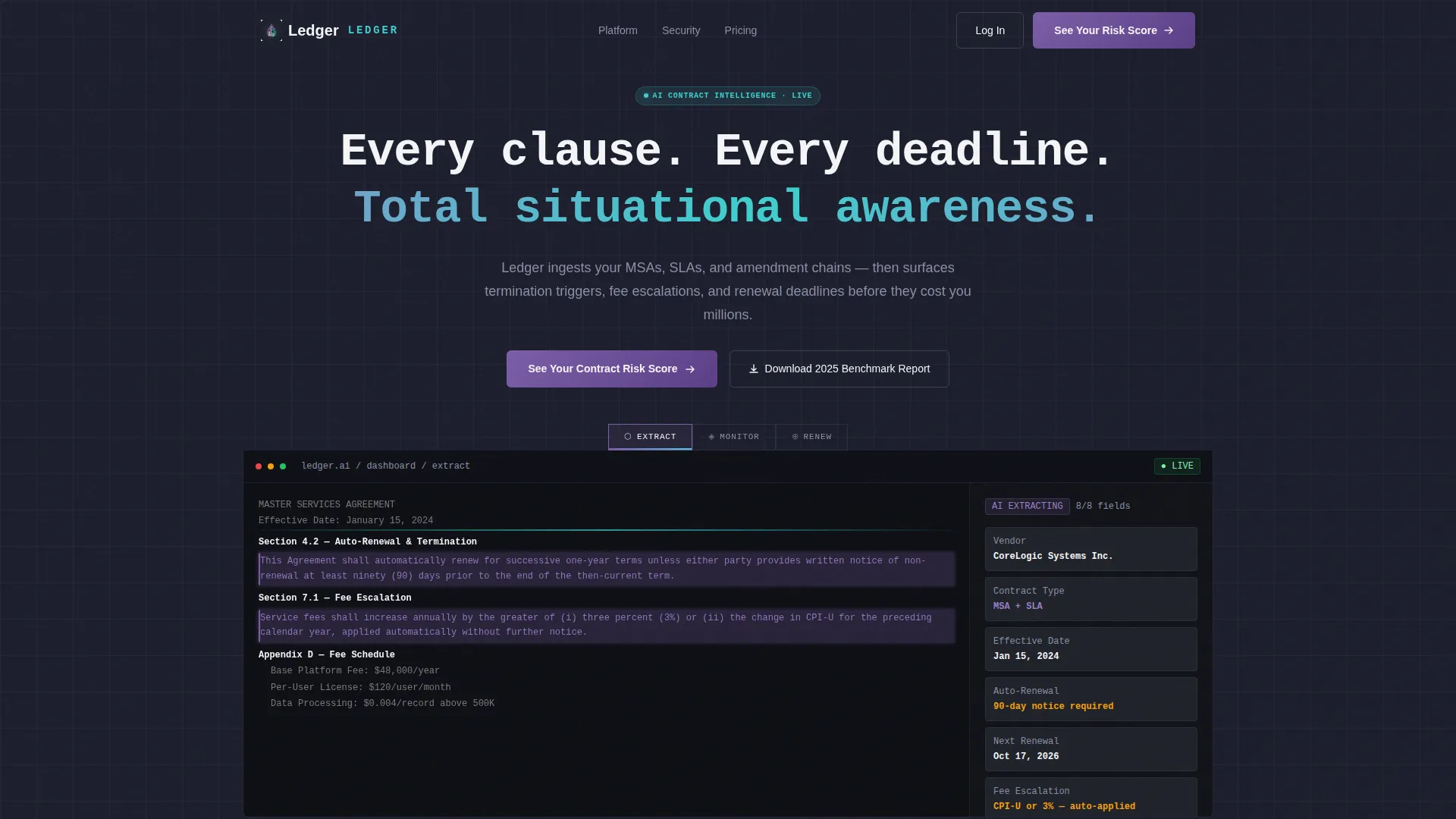
- The Feature Tab Switcher shows Extract, Monitor, and Renew workflows in one viewport, removing the need to describe features in text alone
- Two conversion paths capture both demo-ready visitors and high-intent researchers who need more evidence first
What you get with this template
Ledger delivers a fully structured, single-page layout with every section pre-built for a contract intelligence narrative. Nothing needs to be invented from scratch.
- A header section with a three-tab Feature Tab Switcher above a live-fidelity dashboard mockup showing real typography and data density
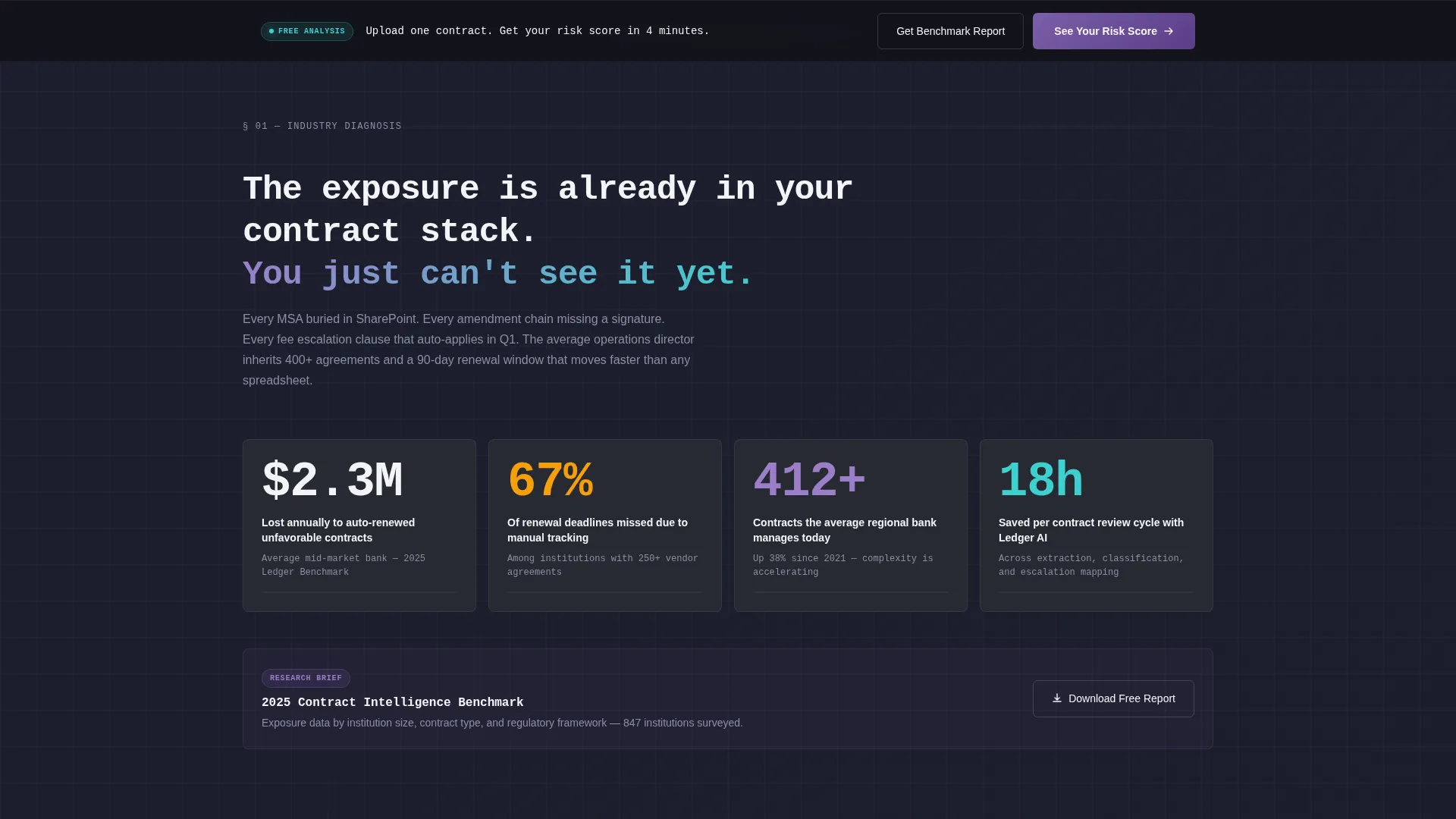
- A progressive scroll flow that moves from diagnostic statistics through methodology disclosure to benchmark data and anonymized case study cards
- A persistent bottom-bar call to action, a full-width mid-page call to action block, and a closing hero call to action, all wired to two distinct conversion paths
Feature list
This template is built around a set of components that work together to build credibility and drive action across the full scroll journey.
Three-Tab Feature Switcher Header
The header presents three labeled tabs: Extract, Monitor, and Renew. Each tab reveals a distinct dashboard view. The default Extract state shows a contract PDF alongside AI-highlighted clauses and structured data fields populating in real time.
Progressive Scroll Reveal Layout
Content sections animate into view as the visitor scrolls downward. This pacing mirrors an Industry Report reading experience and makes each new data point feel earned rather than dumped.
Stat Block and Benchmark Data Sections
Section one opens with a high-stakes financial statistic to anchor the cost of inaction. Section three then presents benchmark data by institution size, with each row animating into view to simulate receiving privileged intelligence.
Flipping Case Study Cards
Four data cards present anonymized case studies. Each card flips on interaction to reveal quantified outcomes, shifting the narrative from product claims to demonstrated proof.
Dual Conversion Path Architecture
The primary call to action routes visitors to a product demo environment. A secondary email-gated path offers a downloadable benchmark report, capturing high-intent researchers who are not yet ready to book a demo.
Persistent Call-to-Action Bottom Bar
After the second scroll section, a bottom bar locks into view and stays visible throughout the remainder of the page. This ensures the primary conversion action is always reachable without requiring the visitor to scroll back up.
Page sections overview
| Section | Purpose |
|---|---|
| Feature Tab Header | Introduce Extract, Monitor, Renew workflows via interactive tabs |
| Stat Block | Anchor the cost of inaction with a concrete financial statistic |
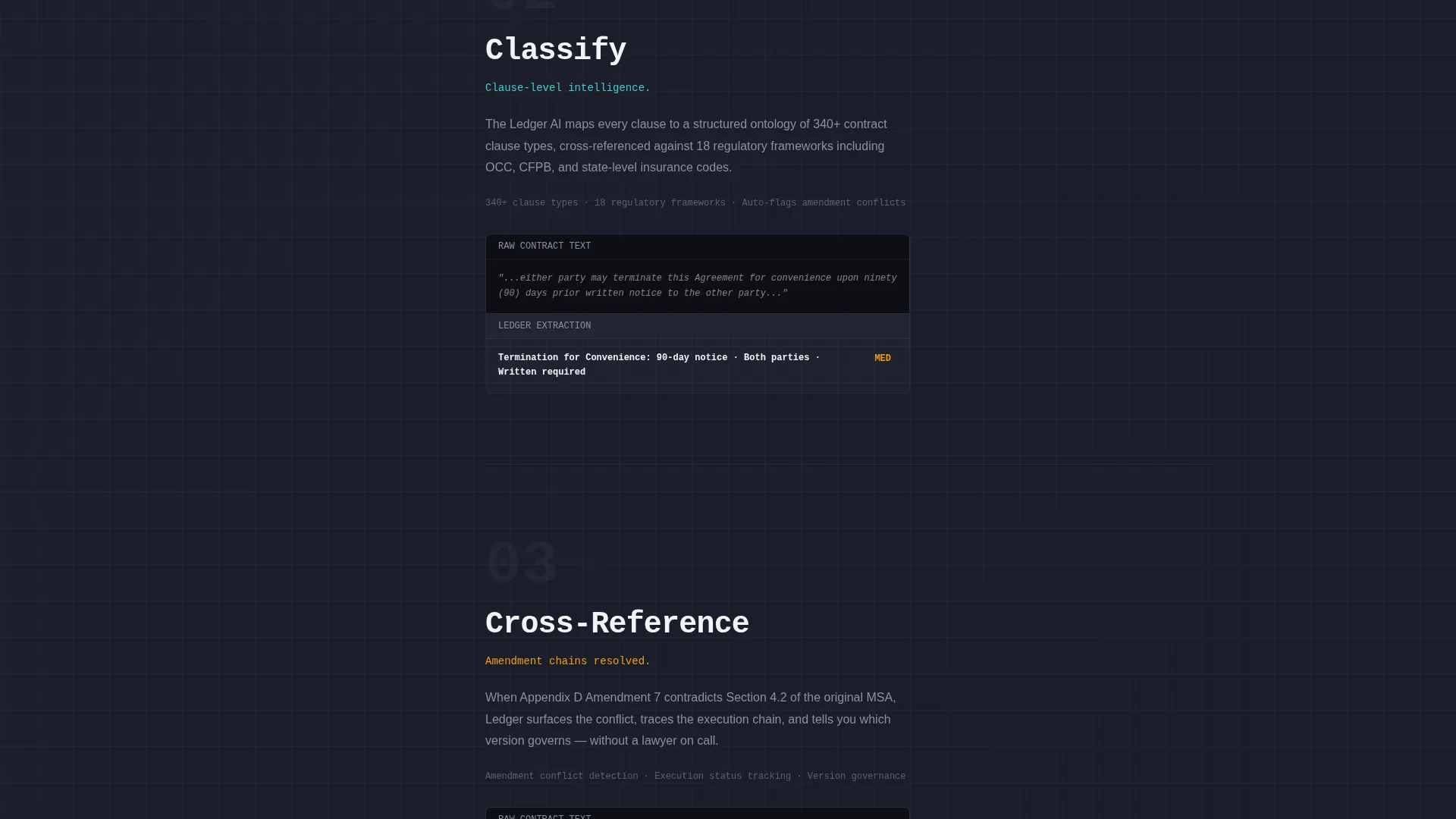
| Methodology Disclosure | Progressively reveal how the AI ingests and classifies contract data |
| Benchmark Data Table | Animate institution-size rows to simulate receiving proprietary intelligence |
| Mid-Page call to action Block | Full-width conversion prompt placed before social proof sections |
| Case Study Cards | Flip cards presenting anonymized financial institution outcomes |
| Closing Hero call to action | Final full-width conversion block reinforcing the primary demo action |
| Email Gate Section | Single-field form offering the 2025 Contract Intelligence Benchmark download |
Design & branding system
The visual identity follows a Dashboard Pro theme built on the AI Iridescent color system. The palette draws from bioluminescent design references to feel alive and information-dense without becoming cluttered.
- Deep graphite (#1B1D23) forms the primary background, allowing data elements to surface cleanly without visual noise
- Aurora violet (#7B5EA7) marks AI-driven insight states, hover interactions, and highlighted clause overlays across dashboard mockups
- Spectral teal (#3ECFCF) signals actionable deadlines and live data indicators, while interface white (#F4F5F7) keeps card surfaces and body text crisp and readable
Mobile & speed optimization
The scroll-reveal structure and dashboard-fidelity mockups are designed with a mobile-conscious layout in mind. Progressive disclosure naturally compresses well across smaller viewports.
- Scroll-triggered animations are scoped to sections rather than individual elements, keeping the reveal effect readable on touch screens
- The Feature Tab Switcher adapts its dashboard mockup display so that product clarity is preserved at narrower widths
- Card-based sections such as the benchmark rows and case study flips maintain their structure and spacing on mobile without requiring horizontal scrolling
How this template helps you convert
Ledger is architected around a specific conversion philosophy: give the visitor genuine insight first, then ask for their time. This sequence builds the trust needed to convert high-stakes B2B buyers.
- The Industry Report scroll cadence moves visitors from problem awareness through methodology and proof before any hard conversion ask, so the demo request feels logical rather than premature.
- The dual call-to-action architecture means no visitor leaves empty-handed. Demo-ready prospects go directly to the product environment, while research-mode visitors exchange a single email address for the benchmark download and enter a warmer follow-up sequence.
Other information about this template
Ledger is a strong fit for any financial services software marketing team that needs a template reflecting the complexity and stakes of their product category.
- The template style is Scroll Reveal (Progressive), meaning sections surface one at a time as the visitor moves down the page
- The creative direction follows an Industry Report cadence, which is a proven format for building credibility with institutional buyers who are trained to evaluate research briefs
- The header concept is a Feature Tab Switcher, a component pattern that replaces multiple screenshots with a single interactive viewport
- The landing page direction is Click-Through, optimized to move visitors toward a demo or a content download rather than a lengthy form fill
- This template is categorized under Financial Services Software within the Technology category, making it directly relevant to contract lifecycle management, vendor risk management, and compliance workflow tooling

Theme
Dashboard Pro
Creative direction
Industry Report
Color system
AI Iridescent
Style
Scroll Reveal (Progressive)
Direction
Click-Through
Page Sections
Three-tab Feature Switcher Header
Scroll Reveal Progressive Layout
Stat Block and Animated Benchmark Rows
Flipping Case Study Data Cards
Dual Conversion Path Architecture
Persistent Bottom-bar Call to Action
Related questions
Who is this template designed for?
Can I relabel the three tabs in the Feature Tab Switcher header?
How does the dual conversion path work in practice?
Does the template include pre-built dashboard mockup visuals?
Can this template work for a B2B software product outside financial services?



