IRS-Ready Crypto Tax Software Landing Page Template
The Ledger IRS-ready crypto tax software landing page template is a bento grid, single-page layout built for crypto tax software products. It combines a terminal-style hero animation, interactive feature cells, a progressive lead-capture form, and a tiered pricing section. The design speaks directly to retail traders, DeFi yield farmers, and crypto-native accountants who need clean tax reports fast.
by Rocket studio
Quick summary
This template gives crypto tax software products a focused, conversion-driven landing page. It opens with a live terminal animation showing wallet addresses resolving into sorted transactions, then guides visitors through a bento grid of features, social proof, a three-step how-it-works flow, and tiered pricing. Every section is built to move traders, yield farmers, and accountants toward submitting their first wallet.
Who this template is for
This template is purpose-built for crypto tax software products targeting US-based users who need IRS-ready reports without the chaos. It suits teams who want a high-information, visually dense page that converts on desktop and holds up on mobile.
- Retail crypto traders with five-figure portfolios and hundreds of unlogged swaps across multiple exchanges
- Crypto-native accountants managing all my wallets across many client accounts during tax season
- DeFi yield farmers whose transaction history spans liquidity pools, staking rewards, and hard fork receipts
What problem this template solves
Managing crypto taxes is genuinely difficult. The IRS classifies digital assets as property, meaning every trade, swap, staking reward, airdrop, and NFT sale is a taxable event. Most traders have no organized records, no cost basis tracking, and no clear picture of their tax liability until it is too late.
- Traders drown in thousands of crypto transactions spread across wallets, exchanges, and DeFi protocols with no way to calculate gains cleanly
- Accountants waste tax season manually reconciling exchange records from different platforms just to generate accurate tax reports
- DeFi users cannot explain their own transaction history, let alone produce the documentation the IRS requires for a clean tax return
What you get with this template
You get a complete, single-page layout built around a bento grid structure. Every section is designed to show capability, build trust, and drive email capture. The page moves from a dramatic terminal hero straight into detailed feature cells, then through social proof and pricing.
- A terminal-style hero with animated wallet parsing, a headline, and an embedded lead-capture call to action
- An interactive bento grid with hover-expanding cells covering chain support, CSV import, DeFi decoding, and error detection
- A three-step how-it-works section, a stats and testimonial social proof block, three-tier pricing cards, and a linear footer
Feature list
This template is built around the idea that a crypto tax software landing page must bridge the gap between complex blockchain transactions and strict IRS compliance. Every component earns its place.
Terminal Hero with Animated Wallet Parser
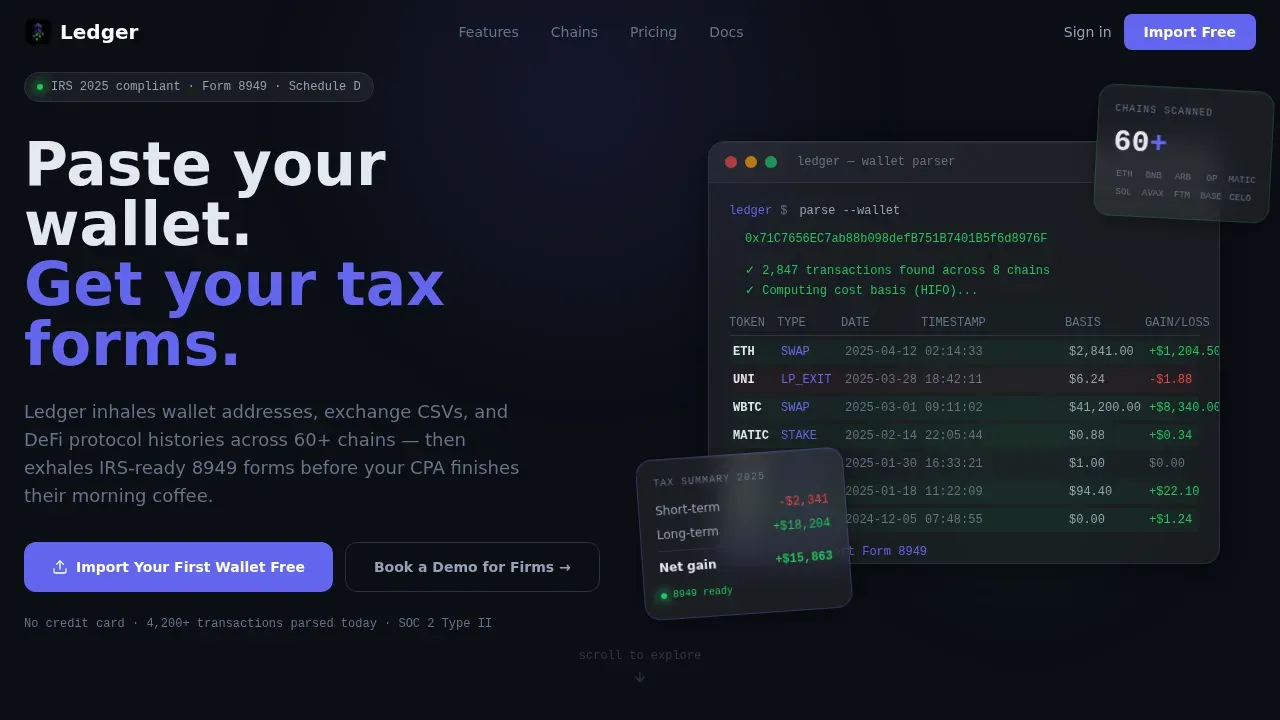
The header opens with a stylized terminal block. A wallet address is pasted in, and transactions populate line by line: token symbol, date, cost basis, and gain or loss per row. The animation uses monospaced typography, a blinking cursor, and frosted glass row snapping to make the software feel live and real. A primary call to action sits inside the snippet itself.
Interactive Bento Grid Feature Matrix
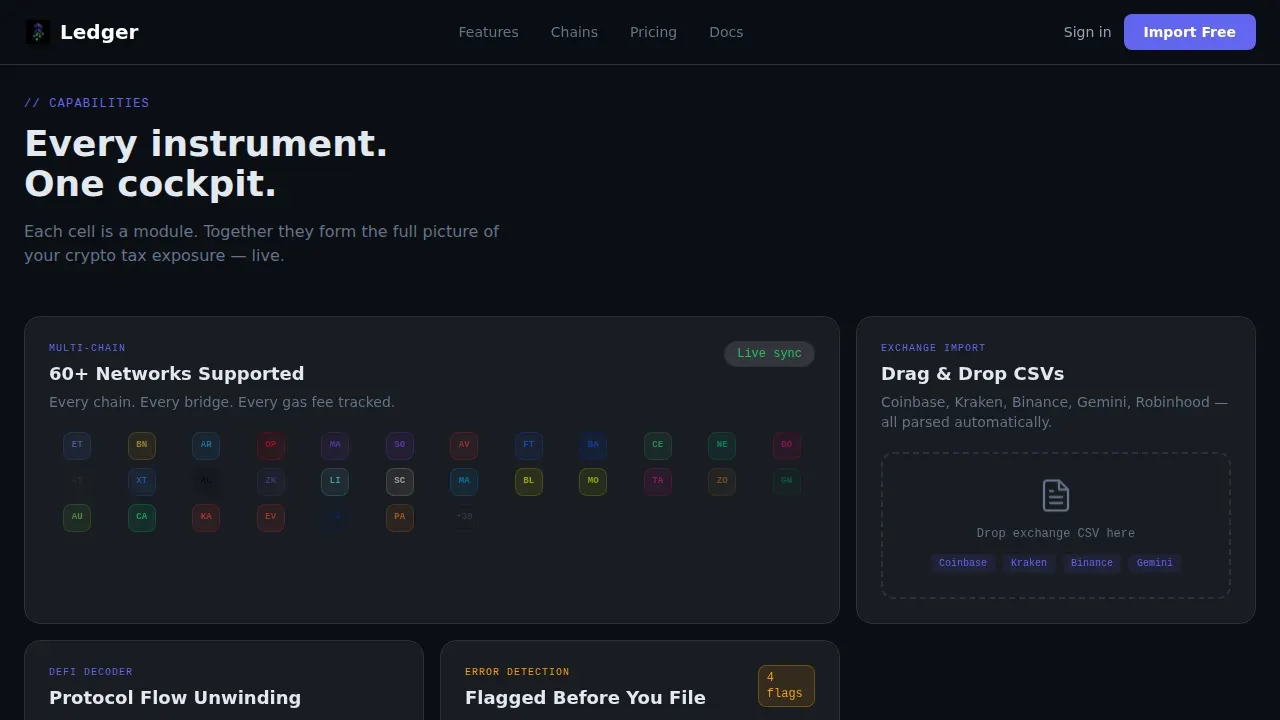
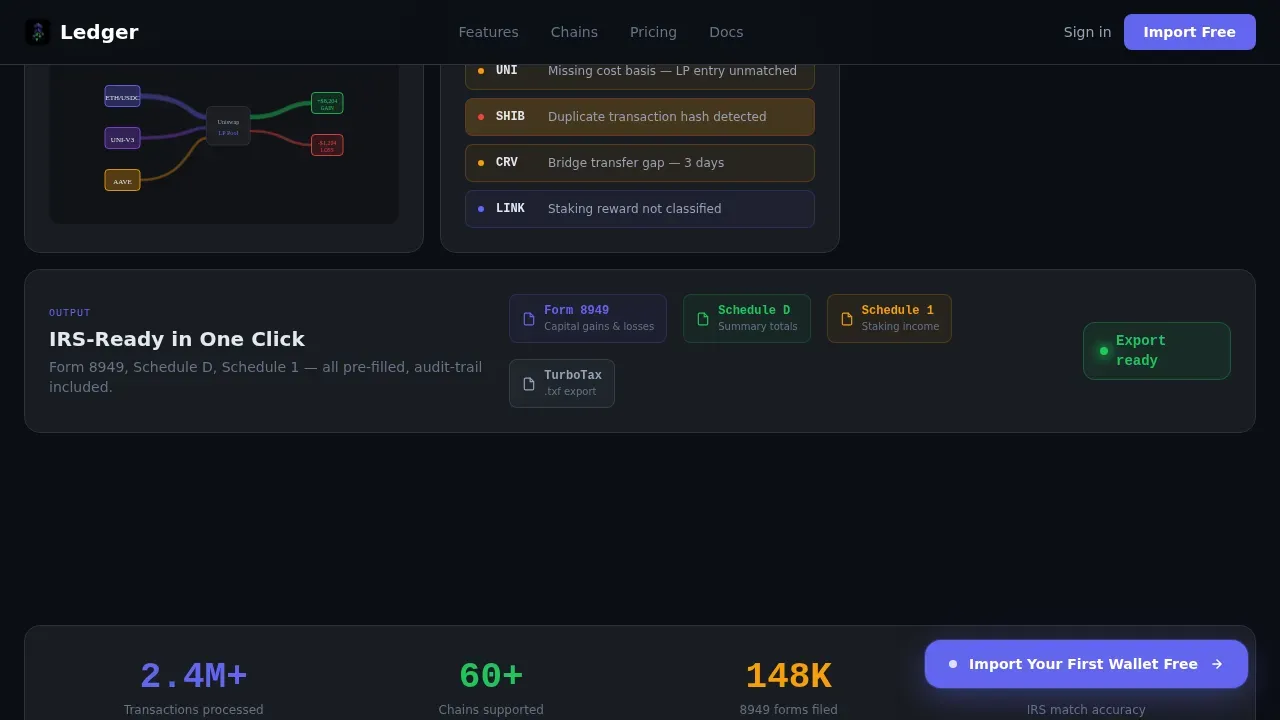
Scrolling past the hero reveals a grid of feature cells. Each cell covers one capability: sixty-plus network icons for chain support, a drag-and-drop CSV animation for exchange import, a Sankey diagram visualizing DeFi liquidity pool flows unwinding into taxable events, and amber-pulsing flagged rows for error detection. Every cell expands slightly on hover and reveals a secondary detail layer through the frosted glass panel.
Progressive Three-Step Lead Capture Form
The primary call to action reads "Import Your First Wallet Free." The form runs in three steps: email only at step one, wallet address or exchange CSV upload at step two, and a preview of detected transactions with an estimated tax liability range at step three. Visitors get immediate value before account creation is requested.
Persistent Floating Action Button
After the second scroll fold, a floating button stays on screen. It keeps the primary call to action visible as visitors review the feature cells and social proof without having to scroll back to the hero. A secondary path beneath the accountant-focused bento cell captures firm name, client volume, and preferred filing jurisdiction for "Book a Demo for Firms."
Social Proof Stats and Testimonial Block
A stats bar displays usage numbers: chains supported, transactions processed, and tax forms filed. Below the stats, a testimonial mosaic shows cards from retail traders and accountants. Both components are designed to give new visitors the confidence that the software handles real-world crypto activity at scale.
Three-Tier Pricing Cards
The pricing section presents Trader, Pro, and Firm tiers side by side. Each card is styled as a frosted glass panel with indigo accents on the recommended tier and gain-green on confirmed states. Visitors can review what each tier covers and choose a path that fits their portfolio size or client volume.
Page sections overview
| Section | Purpose |
|---|---|
| Terminal Hero | Animate wallet parsing and capture email leads |
| Bento Feature Grid | Showcase core software capabilities interactively |
| Social Proof Block | Build trust with usage stats and testimonials |
| How It Works | Explain three-step wallet-to-form process |
| Pricing Tier Cards | Present Trader, Pro, and Firm plan options |
| Linear Footer | Provide navigation links and compliance references |
Design & branding system
The visual identity follows a Dashboard Pro theme with a glassmorphic color system. The result feels like a Bloomberg terminal rebuilt by someone who grew up on Discord: information-dense, breathable, and purposeful. Every glow is earned by interaction, not decoration.
- Base layer is void black (#0B0E14); frosted glass panels run at 8% white opacity with 1px luminous slate (#2A3142) borders
- Electric indigo (#6366F1) drives primary actions and active states; gain-green (#22C55E) signals resolved status and success confirmations
- Typography splits between JetBrains Mono for all terminal and data displays and Plus Jakarta Sans for interface copy and headings
Mobile & speed optimization
The template is designed desktop-first, reflecting the reality that accountants and power users review tax software on large screens. Full mobile support is included so retail traders on phones can still engage with the page and submit their first wallet without friction.
- Server Components handle all static sections to keep initial load lean; Client Components drive the terminal animation, hover bento expansion, and progressive form steps
- High-animation sections use staggered row reveals, cursor blink, and hover bento expansion that degrade gracefully on smaller viewports
How this template helps you convert
This page is structured around a single goal: turning a skeptical crypto trader or accountant into a lead before they close the tab. The design, copy hierarchy, and form flow all serve that outcome.
- The terminal hero makes the software feel real and immediate. Visitors see their own transaction data resolved into clean rows before they read a single feature bullet, which builds trust faster than any testimonial.
- The progressive form reduces friction by asking only for an email first, then delivering a transaction count and estimated tax bill preview at step three. Visitors receive value before they commit to account creation, which increases form completion rates.
Other information about this template
This template is the ledger IRS ready crypto tax software landing page template, a purpose-built asset for blockchain and cryptocurrency tax software products. The following points cover additional context relevant to builders and marketers using it.
- The IRS enforces capital gains tax on cryptocurrencies by classifying them as property, not currency. All crypto transactions, including NFT transactions, staking rewards, airdrops, and hard fork receipts, are taxable events that must be reported.
- Accurate recordkeeping is critical for audit readiness. The IRS expects all taxable events to be reported, and taxpayers should reconcile their records with IRS data to avoid discrepancies.
- Mandatory fields for every transaction include asset description, acquisition and disposal dates, cost basis and proceeds, and transaction fees. The template is designed to display all this information clearly in the terminal animation and bento cells.
- The software this template represents generates ready-to-file Form 8949 and Schedule D, including transaction descriptions and fair market values in US dollars. IRS ready reports are the core deliverable.
- Tax loss harvesting is a critical strategy for high-volume traders to save money by identifying loss-making trades across a tax year. The template can surface this capability inside the feature bento grid.
- The integration model uses read-only access and does not require private keys, which supports security and privacy for users who store assets in hardware wallets. A visual guide for syncing a ledger device with tax software can be incorporated to assist users.
- Seamless ledger integration captures all hardware-stored transactions via direct read-only connection or CSV export. This means all your transactions are accounted for, whether they originated on-chain or through exchange records.
- Digital asset traders frequently transact across multiple wallets, exchanges, and decentralized finance platforms. The template's bento grid is designed to communicate multi-chain and multi-exchange support at a glance.
- Automated cost basis tracking supports FIFO, Specific Identification, and LIFO methods, giving traders and their tax professional the flexibility to select an IRS-compliant accounting method.
- The template references a crypto tax calculator experience inside the progressive form: after step two, visitors see a preview of detected transactions and an estimated tax liability range. This acts as a live crypto tax calculator moment that drives form completion.
- This template is classified under the Technology category, Blockchain and Cryptocurrency subcategory. It is built for the US market, using USD currency, MM/DD/YYYY date formatting, and IRS and US tax jurisdiction references throughout.
- The IRS has significantly increased digital asset reporting requirements, including mandatory use of Form 1099-DA. Landing pages for crypto tax software must address this compliance reality directly to earn visitor trust.

Theme
Dashboard Pro
Creative direction
Feature Matrix
Color system
Glassmorphic
Style
Bento Grid
Direction
Lead Generation
Page Sections
Terminal Hero with Live Wallet Animation
Interactive Bento Grid Feature Matrix
Progressive Three-step Lead Capture
Persistent Floating Action Button
Social Proof Stats and Testimonial Mosaic
Three-tier Glassmorphic Pricing Cards
Related questions
What sections are included in this landing page template?
Who is this template designed for?
Can this template support both individual traders and accounting firms?
How does the progressive lead capture form work?
Does the template show how the software handles DeFi transactions?



