Pension Admin Command Center Landing Page Template
The Ledger pension admin command center landing page template is a split-screen, single-page design built for pension CRM platforms. It pairs a bold, dark mission-control visual identity with an industry-report scroll cadence, stat, then solution, repeat. Scheme administrators, trustees, and consultancies get a professional, conversion-ready landing page that pushes visitors toward a free interactive demo without a single form field.
by Rocket studio
Quick summary
The Ledger template is a single-page, 50/50 split-screen landing page created for pension administration software platforms. It uses an industry-report scroll structure, alternating data findings with feature screenshots, to build trust and drive demo sign-ups. The page is desktop-first, dark-themed, and conversion-focused, with no form barrier before the click-through.
Who this template is for
This template was created for pension vertical SaaS teams who need a high-credibility landing page fast. It speaks directly to the daily reality of pension professionals, so visitors recognize their own problems within seconds of arriving.
- Scheme administrators managing defined benefit (DB) and defined contribution (DC) portfolios who need one place to track member records, contributions, and filings
- Trustees who require audit-ready reports on tight deadlines and need to see compliance status at a glance
- Consultancies onboarding new employer schemes and looking to demonstrate platform speed and professionalism to prospective clients
What problem this template solves
Most pension administration platforms lose visitors before they ever reach a demo. Generic website templates fail to reflect the complexity and professionalism of financial services. Visitors land, skim a vague value proposition, and leave. The Ledger template solves this by leading with industry data points that administrators recognize from their own Monday mornings, then immediately pairing each pain point with a concrete platform screenshot.
- Disconnected spreadsheets and fragmented account records make it hard to demonstrate the value of a unified platform
- Compliance-heavy audiences need proof of audit readiness before they will trust a new tool
- Generic retirement planning website themes do not signal the operational depth that DB and DC scheme professionals expect
What you get with this template
The Ledger template includes a fully built-out single-page layout with every section pre-structured and ready to customize. Every component was created to support a click-through conversion goal, so no unnecessary form fields slow the visitor journey.
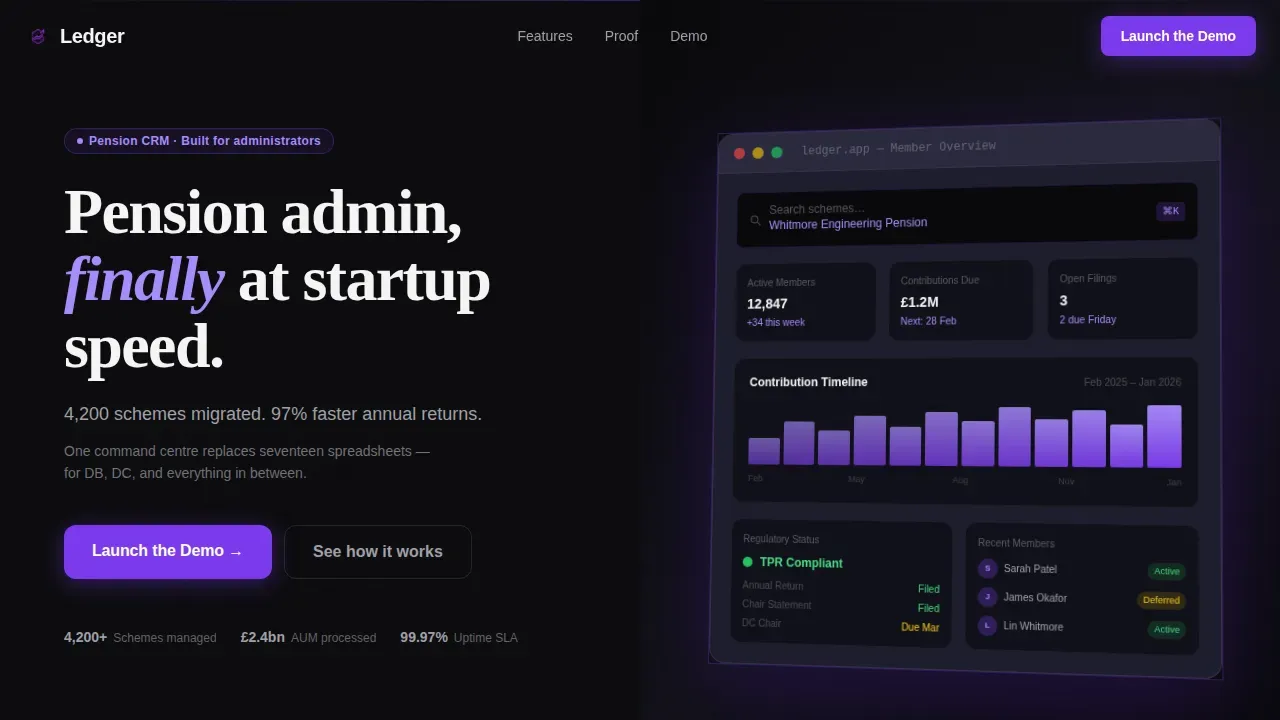
- A 50/50 split-screen hero with headline, hard-metric subhead, primary call-to-action button, and a rotated 3D-style dashboard screenshot with violet drop shadow
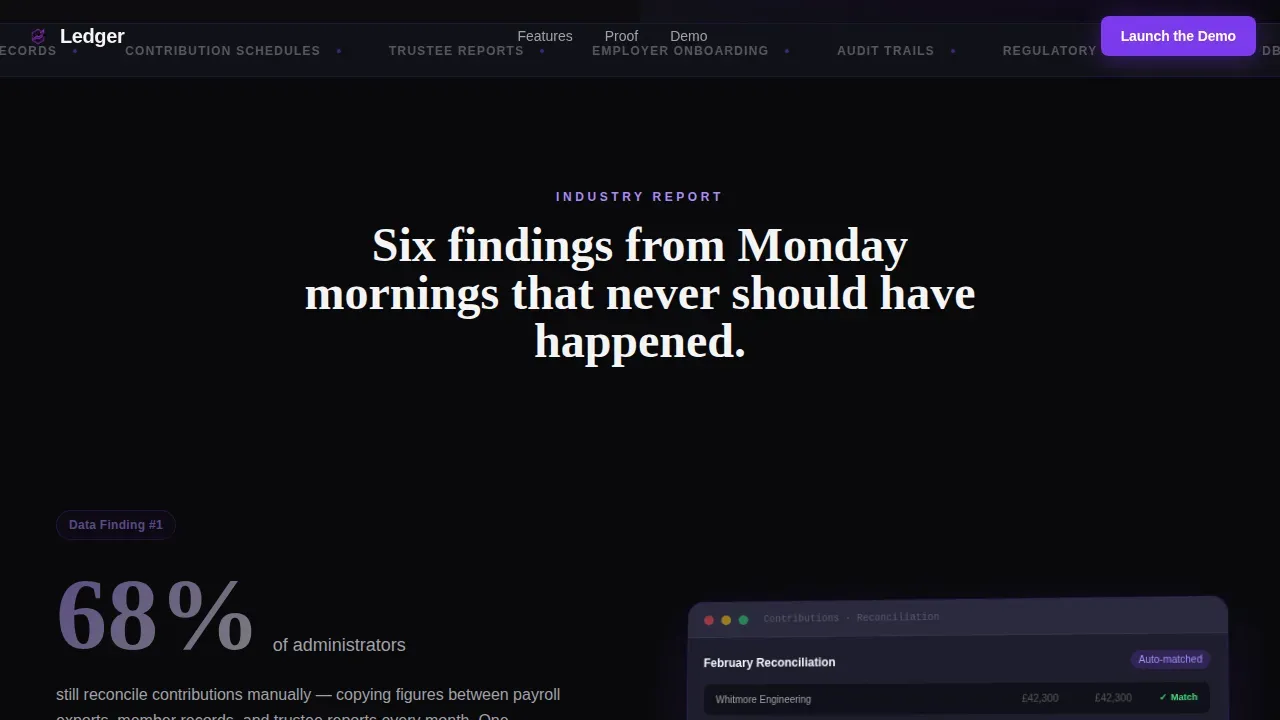
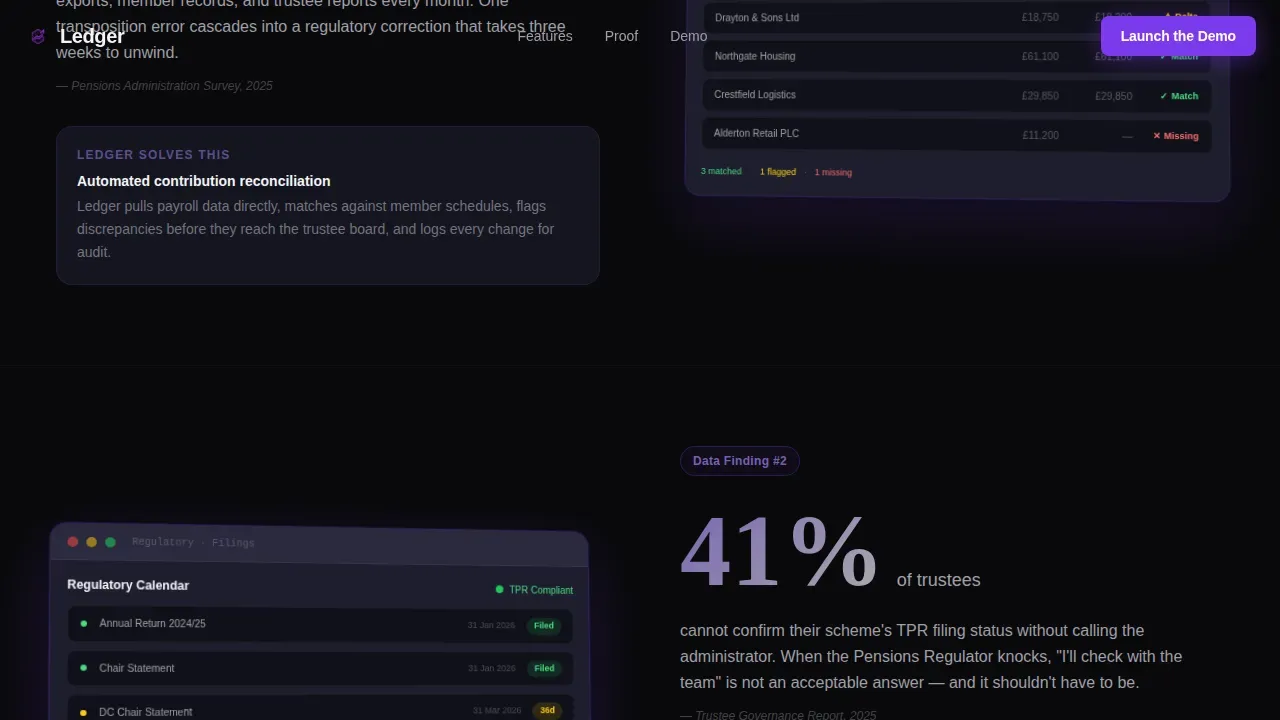
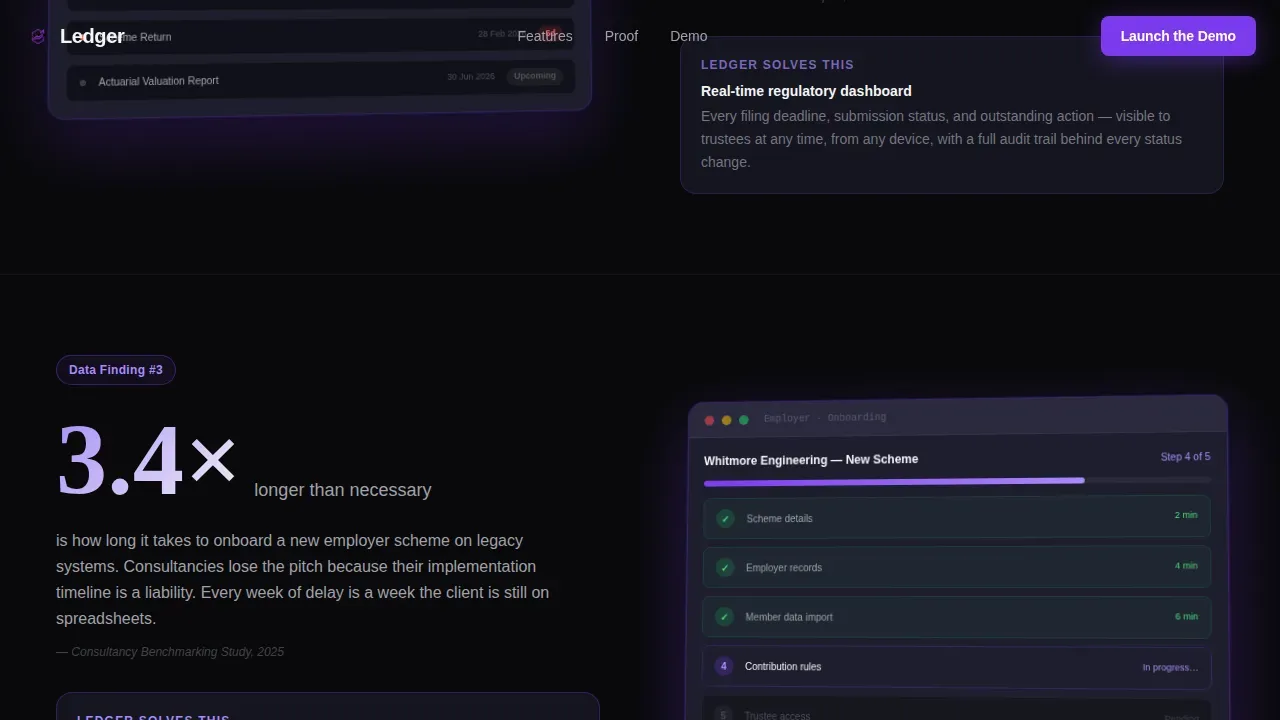
- Three alternating industry-report scroll pairs, each showing a pension pain-point statistic on the left and a platform feature screenshot on the right, with urgency escalating as visitors scroll
- A social proof bar with hard metrics, a testimonial block, and a full-width demo call-to-action section featuring a looping screen recording embed and a sticky mobile call-to-action bar
Feature list
The main features of this template are built around one goal: converting informed, skeptical pension professionals into demo participants. Below are the core feature components included in this landing page.
Split-Screen Hero with Dashboard Screenshot
The header section divides into two equal columns. The left column holds the primary headline and a single-line subhead citing hard performance figures. The right column displays a high-fidelity product screenshot of a member-overview dashboard, rotated slightly on the Z-axis, floating above the void black background with a soft violet glow. The screenshot shows a contribution timeline chart, a compliance-status badge, and a live search bar mid-query. This instant visual proof sets the tone before visitors scroll.
Industry-Report Scroll Cadence
Three alternating content pairs follow the hero. Each pair presents a real pension-industry statistic on one side, framing a daily operational pain, and a corresponding platform screenshot on the other. The scroll reads like a white paper interrupted by evidence. Violet accent intensity increases with each pair, visually mirroring the rising stakes from daily annoyances to regulatory risk. This structure mirrors how general ledger and account record challenges compound over time, building urgency naturally.
Action-Oriented Call-to-Action System
The primary call-to-action button, "Launch the Demo," appears in the hero, repeats in the final full-width demo section, and anchors a sticky bottom bar on mobile. No form appears on this page. Visitors click through to a demo sign-up page that asks only for a work email. This frictionless click-through design is optimized for audiences who need to determine value before committing any personal details.
Social Proof and Metrics Bar
A dedicated social proof section displays hard platform metrics alongside a testimonial from a named scheme administrator. The metrics bar uses animated stat counters to record key figures as visitors scroll into view. This section helps visitors match the platform's track record against their own organization's needs before they reach the demo call-to-action.
Full-Width Demo Section with Screen Recording
The final conversion section spans the full page width and centers on a 12-second looping screen recording that shows a pension scheme being onboarded in real time. This live-motion proof closes the industry-report argument. By the time visitors reach this section, they have seen six data points and six screenshots. The "Launch the Demo" anchor here is the natural next step.
Sticky Mobile Call-to-Action Bar
On smaller screens, the primary call-to-action persists as a fixed bar at the bottom of the viewport. This keeps the conversion path accessible throughout the entire scroll journey without interrupting the reading experience. The bar uses the violet primary color to draw attention against the void black background.
Page sections overview
| Section | Purpose |
|---|---|
| Split-Screen Hero | Headline, metric subhead, primary call to action, rotated dashboard screenshot |
| Industry Report Pair 1 | First pain-point statistic paired with platform feature screenshot |
| Industry Report Pair 2 | Second escalating statistic paired with compliance feature screenshot |
| Industry Report Pair 3 | Third high-stakes regulatory risk statistic with corresponding screenshot |
| Social Proof Bar | Animated hard metrics and scheme administrator testimonial |
| Demo call to action Section | Full-width looping screen recording with "Launch the Demo" anchor |
| Minimal Footer | Single-row copyright, navigation links, and social icons |
Design & branding system
The Ledger template uses a Startup Velocity theme with a Void & Violet color system. The palette is deliberately cinematic, a mission control room at 2 a.m., screens glowing violet against matte-black surfaces. Every color choice earns its place by directing attention or signaling urgency.
- Color system: absolute void black (#09090B) for full-width backgrounds; deep interstellar violet (#7C3AED) for calls-to-action, hover states, and data-visualization accents; cool scaffold gray (#1E1E2E) for card and panel surfaces; reactive white (#F4F4F5) for body copy and user interface text
- Typography: Fraunces display fonts for editorial-weight headlines that give the page an industry-report authority; DM Sans for body copy, labels, and user interface elements, both fonts chosen for sharp legibility against dark backgrounds
- Visual motion: GSAP ScrollTrigger powers scroll-triggered section reveals, animated stat counters, and the floating 3D screenshot in the hero; subtle violet glow pulses on compliance badges and call-to-action buttons reinforce the mission-control aesthetic
Mobile & speed optimization
The Ledger template is fully responsive, built desktop-first to match how scheme administrators actually work, on large monitors, side by side with other tools. The mobile layout adapts cleanly to smaller screens without losing the dark-terminal aesthetic.
- The split-screen hero stacks vertically on mobile, keeping the headline and call-to-action above the fold before the dashboard screenshot appears below
- The sticky mobile call-to-action bar keeps "Launch the Demo" accessible throughout the entire scroll without covering content
- Static sections use server-rendered components for fast initial load; animated and interactive elements use client components so scroll-triggered effects do not block page rendering
How this template helps you convert
The Ledger template is optimized specifically for click-through conversion to a demo environment. Every design and content decision removes friction between a skeptical visitor and the moment they click "Launch the Demo."
- The industry-report cadence builds trust before asking for anything, by the final section, visitors have absorbed six credible data points and six platform screenshots that speak directly to their daily workflow, so the call-to-action feels like the obvious next step rather than a sales pitch
- The zero-form click-through model removes the biggest barrier in B2B SaaS conversion: visitors reach the demo sign-up page with only a work email field waiting, not a ten-field qualification form that signals the vendor values their own data over the visitor's time
- The sticky mobile call-to-action bar and the repeated "Launch the Demo" anchor at the final section ensure that wherever a visitor decides they have seen enough, the conversion path is one tap away
Other information about this template
The Ledger template is part of a broader collection of professional website templates and themes built for financial services and vertical SaaS products. It was created to sit alongside other elegant, modern dashboards and landing page themes in a template kit designed for fast deployment.
- This template is fully compatible with common web development workflows. Developers can customize it using standard HTML and integrate it within WordPress environments or other content management systems. It supports popular plugins and page-builder workflows without requiring modifications to default settings.
- The template's component library and layout system make it straightforward to add additional pages if the project grows beyond a single landing page. The modular layouts allow teams to rearrange or extend sections while keeping the Void & Violet branding consistent across new pages.
- Themes download is available directly from the marketplace. Once you download the template, you have full access to all source files, fonts, and user interface kit components. The kit includes every element shown in the live preview, with no hidden tiers or locked features behind a separate account upgrade.
- The general ledger concept underpins the Ledger template's identity. A general ledger is a record of the income and expenses that affect your organization's bottom line. Using a general ledger template provides insight into your business's financial health by helping you track debit and credit transactions accurately. The general ledger includes data from subledgers such as accounts receivable, accounts payable, fixed assets, cash management, and purchasing. A well-structured general ledger template should include details such as transaction date, description, journal reference, transaction amount, and debit and credit balances. Tracking each journal entry and debit balance precisely is what separates compliant pension administration from the chaos this platform template is designed to replace.
- Admin dashboard templates help manage and visualize data effectively for financial services. Role-based dashboards customize views so administrators, auditors, and plan participants only see information relevant to their account role. A well-designed admin dashboard can track various metrics such as sales, revenue, profits, and user engagement in one place. Customization options in admin dashboard templates allow users to tailor the interface to match their preferences and organization's reporting standards. The Data Health Dashboard provides a visual check on data quality, flagging issues such as missing addresses and incomplete birth dates before they affect a report or regulatory filing. Funded Status and Net Position displays the total fiduciary net position, highlighting assets versus liabilities for immediate funding oversight. Audit Trail Logs provide a permanent, unalterable record of all actions taken, including timestamps and the identity of the actor, so every account change is traceable. Benefit Payment Timeliness tracks the percentage of service, disability, and survivor payments issued within agreed service-level timeframes. Total Assets and Liability Position provides an immediate overview of the funding position, including asset-liability modeling metrics that trustees need to determine scheme health at a glance. Action-Oriented Design features clear, clickable widgets that enable operations such as "Process Retirement" or "Update Contribution" without navigating away from the main dashboard view. Secure Authentication mandates multi-factor authentication at login to protect sensitive member data and plan records.
- Retirement planning website templates are designed to help users create websites that serve the needs of clients planning for retirement. These templates often include features that enhance user engagement, such as customizable layouts and easy navigation. Many retirement planning website templates are built using popular page builders, allowing for easy customization without deep coding skills. Responsive design is a common feature in retirement planning website templates, ensuring they function well on various devices. Templates for retirement planning websites often include sections for services, testimonials, and team information to enhance credibility. Using retirement planning website templates can significantly reduce the time and effort needed to launch a professional online presence for financial services firms. The Ledger template sits firmly within this category as an optimized, elegant starting point for any pension platform that needs to communicate trust and capability to its site visitors quickly.
- The ledger pension admin command center landing page template is listed under the Technology category, Pension Vertical SaaS subcategory, and Pension CRM Platform niche. It is a modern, professional web template created for financial services teams who need a site that converts informed visitors into active demo users without compromising on design quality or credibility.
Theme
Startup Velocity
Creative direction
Industry Report
Color system
Void & Violet
Direction
Click-Through
Page Sections
Split-screen Hero with 3D Dashboard Screenshot
Industry-report Scroll Pairs
Frictionless Click-through Call to Action System
Social Proof Bar with Animated Metrics
Full-width Looping Screen Recording Section
GSAP Scroll-triggered Animation System
Related questions
Can I customize the colors and fonts in this template?
Does this template include a form on the landing page?
Is this template compatible with WordPress and standard plugins?
What sections are included in this landing page template?
Who is this template best suited for?



