Ledger - Powerful Agriculture Landing Page Template
Ledger is a split-screen agriculture billing and invoicing landing page template built for farm operators, cooperative accountants, and ag service providers. It pairs a Feature Tab Switcher header with an Interactive Explorer scroll flow, guiding visitors through real billing workflows before asking for contact details. The design uses an Acid Digital color system for a bold, field-ready feel.
by Rocket studio
Quick summary
Ledger is a single-page template for an agriculture billing and invoicing platform. It uses a 50/50 split-screen layout, a three-tab header switcher, and a scenario-driven scroll flow. Visitors explore invoice creation, delivery tracking, and payment reconciliation at their own pace. The lead-generation path earns trust before collecting a single field of data.
Who this template is for
This template is built for teams marketing digital billing tools to the agricultural sector. It speaks directly to the people doing the invoicing work, not just the decision-makers above them.
- Family farm operators reconciling fuel, seed, and harvest invoices at the kitchen table
- Cooperative accountants chasing payment from multiple grain buyers before fiscal close
- Agricultural service providers billing custom spraying or harvesting jobs across multiple counties
What problem this template solves
Harvest-season billing is messy. Handwritten delivery tickets, scribbled bushel counts, and delayed payments from grain elevators create real cash-flow pain. Most farm billing software landing pages either oversimplify the problem or bury the solution in generic SaaS copy.
- Visitors arrive skeptical and leave before the form because the page never shows real workflows
- Complex tools look intimidating when the landing page leads with pricing instead of value
- Broad agricultural software pages fail to address the specific language of grain, custom work, and cooperative billing
What you get with this template
You get a fully structured, single-page layout that walks visitors through the product before asking anything of them. Every section is purposeful and paired to a specific farming billing scenario.
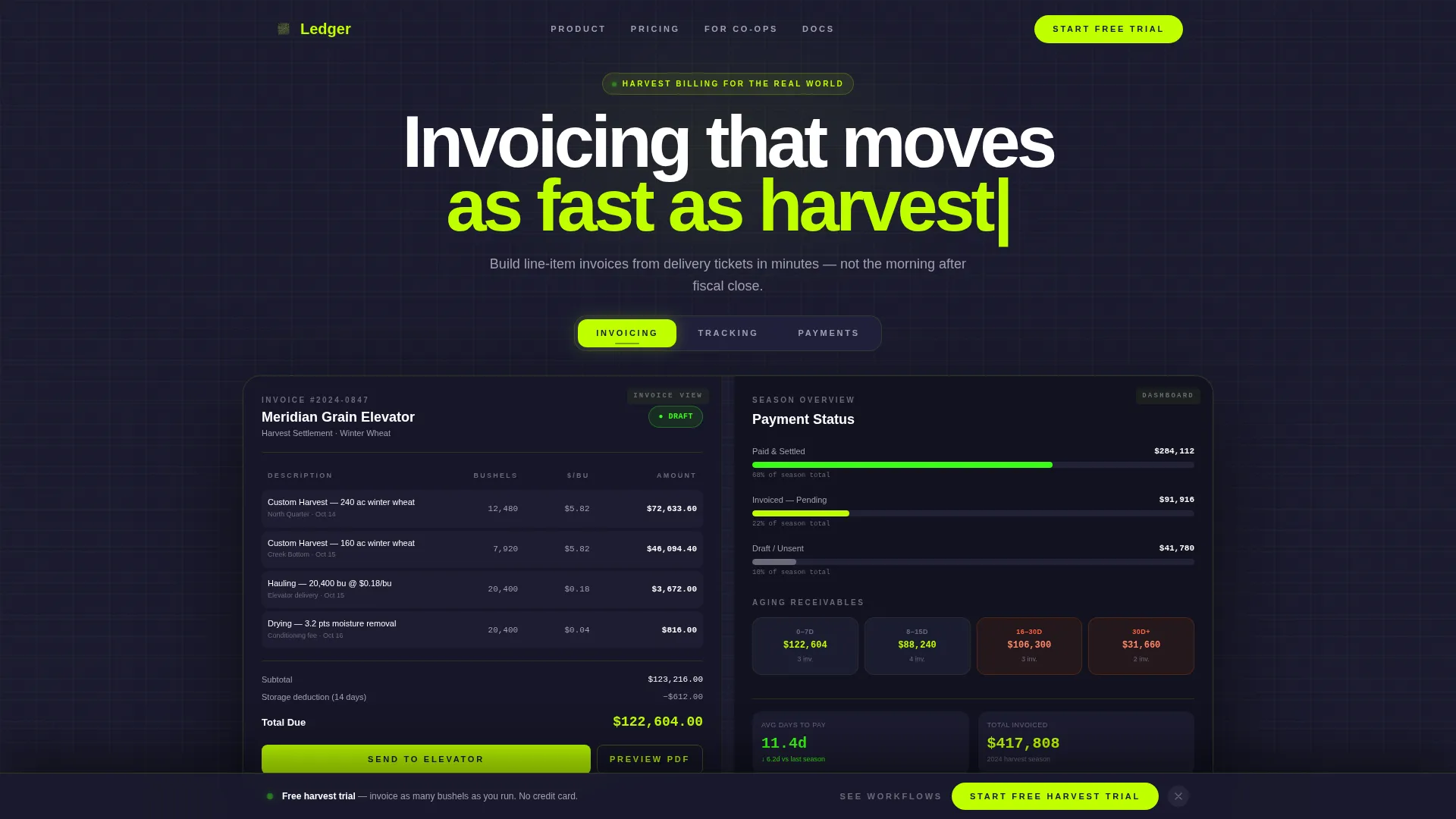
- A three-tab Feature Tab Switcher header showing Invoicing, Tracking, and Payments panels side by side
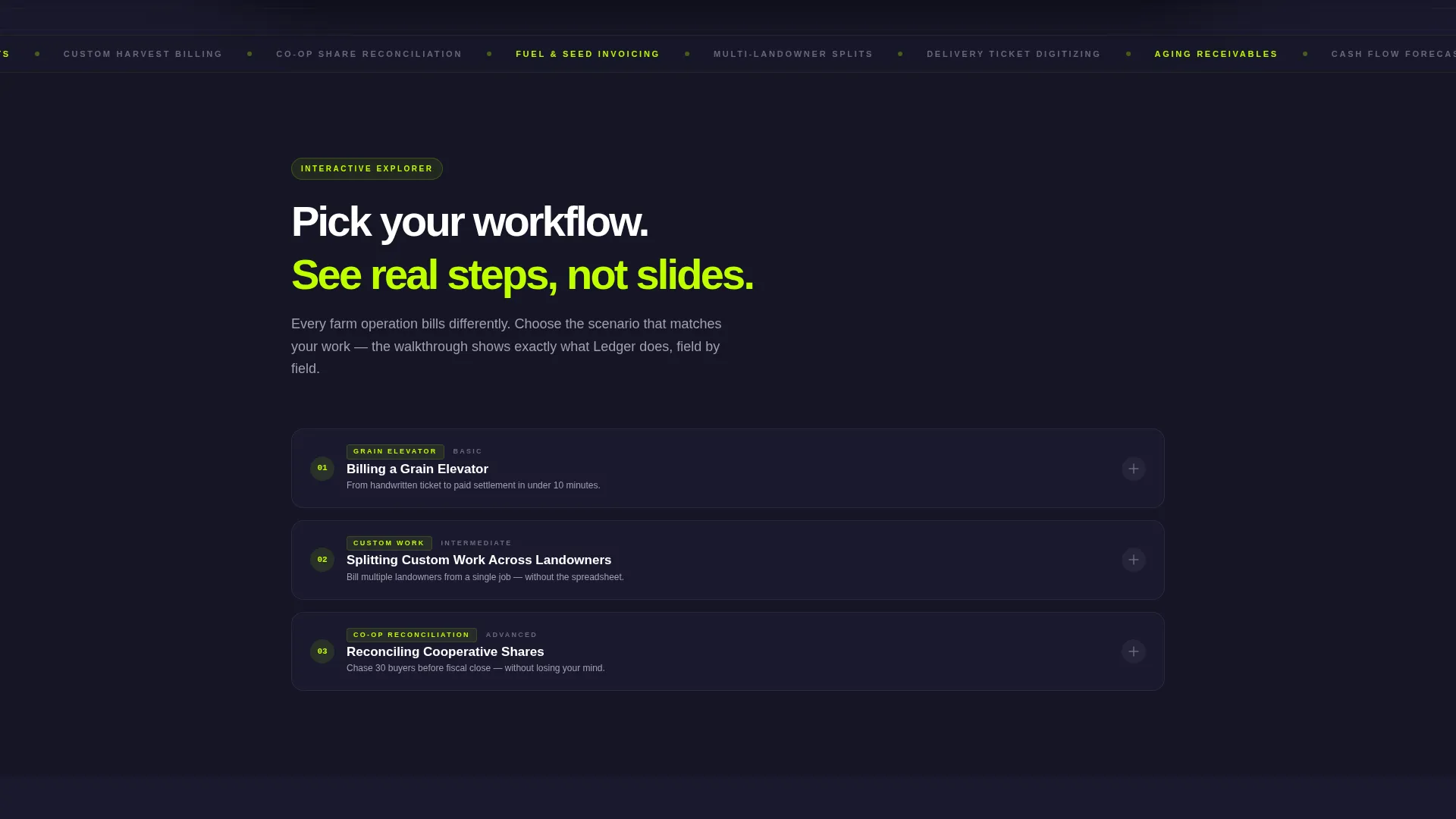
- An Interactive Explorer scroll flow with clickable billing scenarios and half-screen walkthroughs
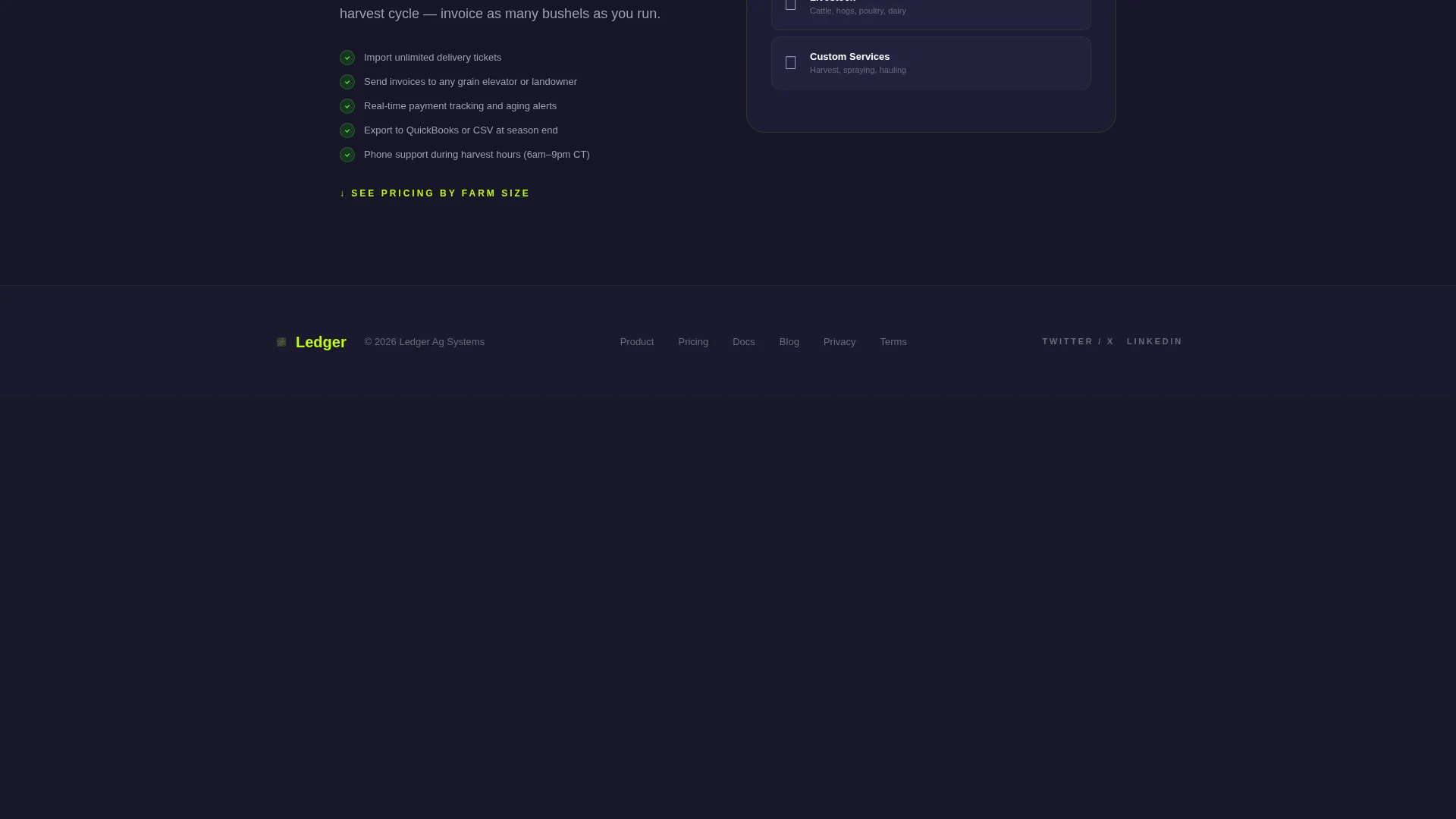
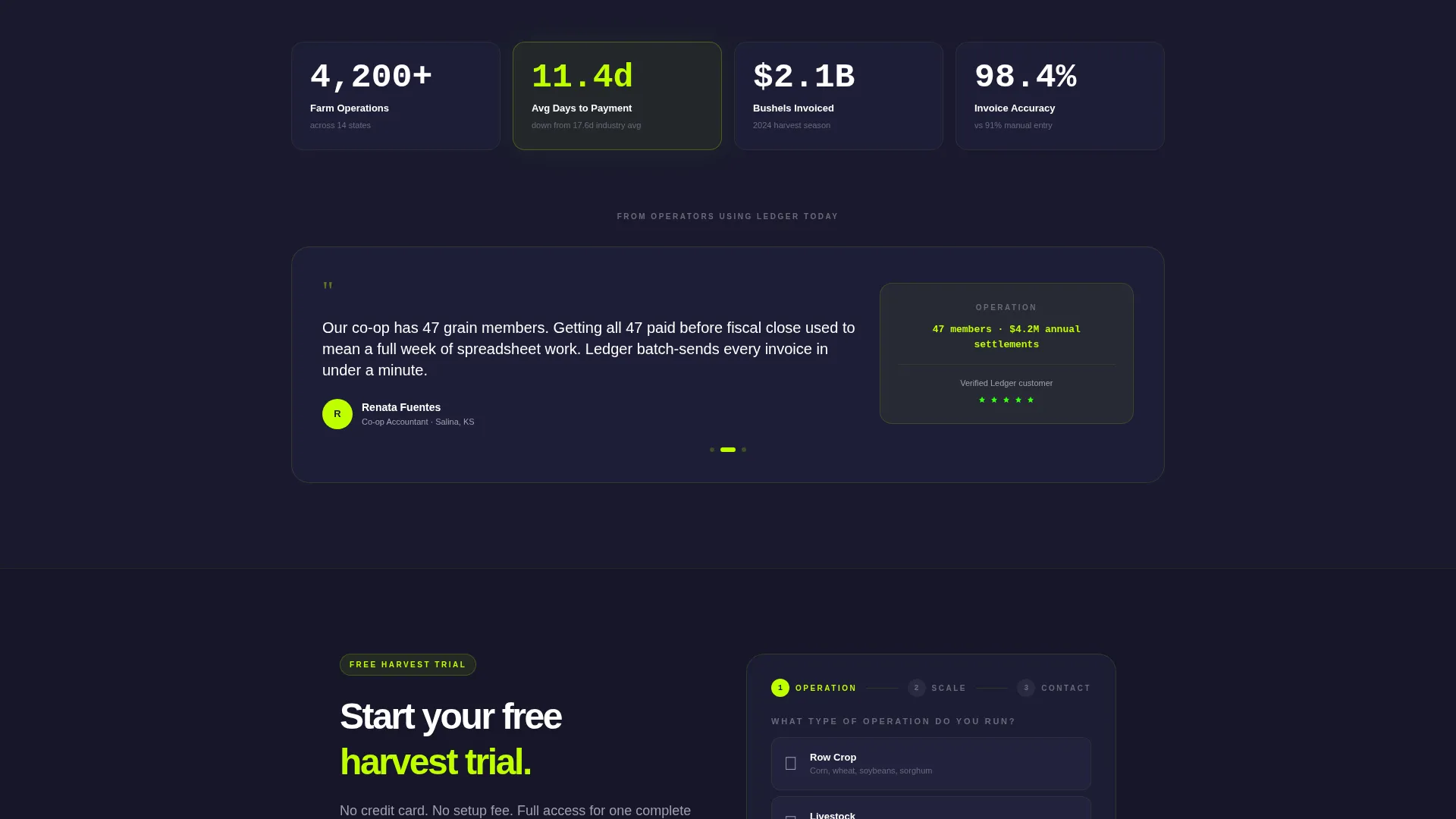
- A sticky lead-generation bar with a sequenced form and a secondary "See Pricing by Farm Size" calculator path
Feature list
This template bundles several distinct interactive components, each designed around how agricultural billing decisions actually get made.
Feature Tab Switcher Header
Three labeled tabs sit across the top of a split viewport. The left panel displays a stylized invoice with line items for custom harvest work, delivery dates, and bushel totals. The right panel shows a live-updating dashboard with payment status bars and aging receivables. Clicking each tab swaps both panels simultaneously, and the chartreuse active-tab underline pulses once on load to invite the first interaction.
Interactive Explorer Scroll Flow
Past the header, each section presents a clickable billing scenario. Options include "Billing a Grain Elevator," "Splitting Custom Work Across Landowners," and "Reconciling Cooperative Shares." Selecting a scenario expands a half-screen walkthrough with real interface steps on the left and annotated explanations on the right. Complexity builds gradually, from a single invoice to multi-entity reconciliation.
Sticky Lead-Generation Bar
A sticky bottom bar appears after the first tab interaction. The primary call to action reads "Start Your Free Harvest Trial" in electric chartreuse on deep loam black. The form collects operation type first, then acres or head count, then email and name. This sequencing reduces friction by starting with context before asking for contact details.
Secondary Pricing Calculator Path
A secondary conversion path labeled "See Pricing by Farm Size" links to a calculator that qualifies the lead by revenue tier before collecting contact information. This gives price-sensitive visitors a useful tool and gives the platform a pre-qualified lead.
Split-Screen 50/50 Layout
The entire page is built on a split viewport. Left panels consistently carry the interface or document view; right panels carry data context or explanations. This visual grammar stays consistent across the header and every scrollable scenario block, so visitors always know where to look.
Page sections overview
| Section | Purpose |
|---|---|
| Tab Switcher Header | Introduce core product features via interactive invoice and dashboard panels |
| Invoicing Scenario Block | Show single invoice creation with a grain elevator workflow walkthrough |
| Custom Work Splitter | Demonstrate splitting a job across multiple landowners with annotated steps |
| Cooperative Shares Block | Walk through multi-entity reconciliation for cooperative accountants |
| Sticky call to action Bar | Capture leads with a sequenced form after the visitor has explored the product |
| Pricing Calculator Path | Qualify leads by farm size and revenue tier before collecting contact details |
Design & branding system
The visual identity follows a Directory and Discovery theme rendered through an Acid Digital color system. The palette is deliberately synthetic and precise, evoking the glow of a GPS guidance screen inside a dark tractor cab at five in the morning.
- Electric chartreuse (#BFFF00) drives primary actions, hover states, and the active-tab underline
- Deep loam black (#1A1A2E) fills backgrounds and panel surfaces throughout the page
- Phosphor green (#39FF14) marks data highlights and payment status indicators
- Dusty terminal gray (#A0A0B0) handles body text and divider lines for legibility without harshness
Mobile & speed optimization
The template is structured with a responsive split-screen layout in mind. The 50/50 panel format adapts to narrower viewports without losing the left-panel/right-panel visual grammar that defines the experience.
- Tab switcher interactions are touch-friendly, so mobile users can swap panels with a tap
- The sticky call to action bar sits at the bottom of the viewport on all screen sizes for consistent lead capture
- Scenario blocks stack vertically on smaller screens, keeping the walkthrough content readable without horizontal scrolling
How this template helps you convert
Every design and content decision in this template is oriented toward earning the lead, not demanding it. The page is built on the principle that a visitor who has explored real workflows is far more likely to submit a form.
- The tab switcher creates an immediate, low-commitment interaction that draws visitors into the product before any copy asks them to sign up.
- The Interactive Explorer lets each visitor self-select their scenario, so the walkthrough they see feels personally relevant to their operation type.
- The sequenced lead form collects operation context before email, which reduces abandonment and delivers more qualified data to the platform team.
Other information about this template
This template is designed as a self-contained landing page for an agriculture billing and invoicing software product. It is part of the Ledger template family and sits within the Technology category under the Agriculture Software and SaaS subcategory.
- The template style is Split Screen (50/50), consistent with the matched intersection configuration for this niche
- The theme is Directory and Discovery, which shapes the scenario-based scroll architecture and tab navigation
- The creative direction is Interactive Explorer, meaning the page rewards curiosity and visitor-driven navigation
- The header concept is a Feature Tab Switcher, a component specifically suited to multi-feature SaaS products where showing is more persuasive than telling
- The landing page direction is Lead Generation, with both a primary form path and a secondary calculator path built in
Theme
Directory & Discovery
Creative direction
Interactive Explorer
Color system
Acid Digital
Style
Split Screen (50/50)
Direction
Lead Generation
Page Sections
Feature Tab Switcher Header
Interactive Explorer Scroll Flow
Sticky Lead-generation Bar
Secondary Pricing Calculator Path
Split-screen 50/50 Layout
Related questions
Who is this template designed for?
Can I replace the billing scenarios in the Interactive Explorer?
What does the lead form collect and why in that order?
Does the template include the pricing calculator?
Is this template limited to grain farming use cases?



