Decentralized POS Landing Page Template
Ledger is a decentralized point-of-sale landing page template built for merchants who accept crypto payments without bank middlemen or processor fees. The design uses a high-contrast acid digital palette, a live stats header, an interactive savings calculator, and a filterable merchant directory to guide visitors toward downloading the payment app.
by Rocket studio
Quick summary
Ledger is a single-page dashboard template for a blockchain-based payment terminal. It opens with a full-width metrics wall, drops immediately into a savings calculator, and flows through a merchant discovery directory before closing with a mobile app download prompt. The template is built for the decentralized point-of-sale niche.
Who this template is for
This template is designed for founders and operators building crypto payment products that serve real merchants in real markets. The visual language and content structure speak directly to people who understand on-chain settlement and want a landing page that matches that confidence.
- Street market vendors and food stall operators who accept stablecoins instead of cash or card
- Coffee shop owners and small retailers looking to eliminate card processor fees entirely
- Pop-up founders and mobile merchants who want one dashboard view for fiat and crypto activity
What problem this template solves
Most payment landing pages are built around trust signals for traditional banking. A decentralized point-of-sale product needs a completely different kind of proof: live network data, zero-fee confirmation, and visible merchant adoption. This template replaces generic pitch copy with live numbers and an interactive calculator that makes the financial case instantly.
- Merchants cannot quickly see what they save by switching, so the savings calculator closes that gap in seconds
- Generic payment templates lack the visual authority to communicate on-chain finality and real settlement speed
- Visitors who are not ready to download still need a path deeper into the product, which the merchant directory provides
What you get with this template
You get a full dashboard-style landing page with a structured section flow that moves from proof to tool to social proof to download. Every section is purposeful and sequenced to reduce friction at each stage of a visitor's decision.
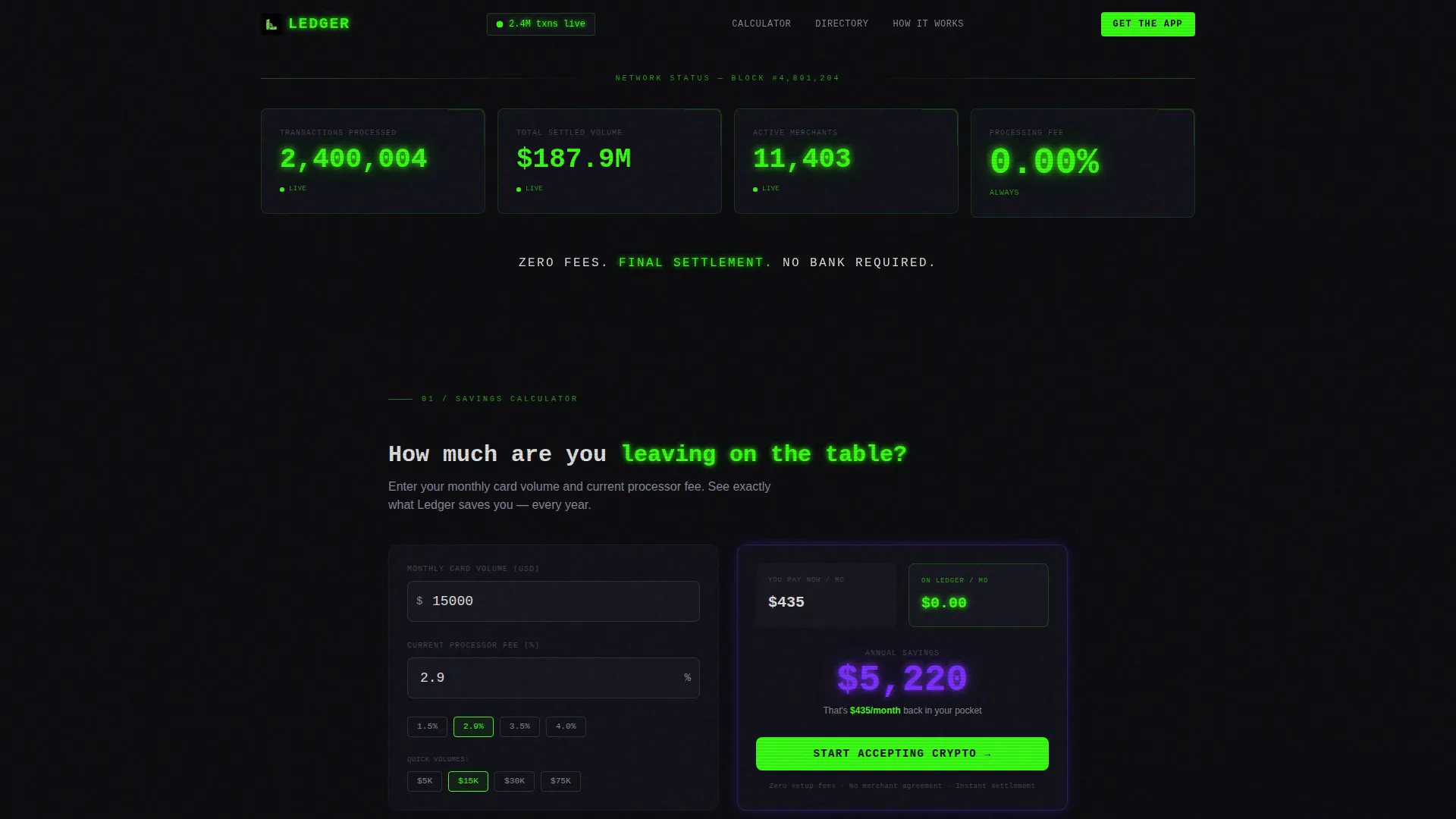
- A full-width live stats header displaying transaction volume, settled value, active merchant count, and processing fee
- An interactive savings calculator that computes annual savings versus current processor fees in real time
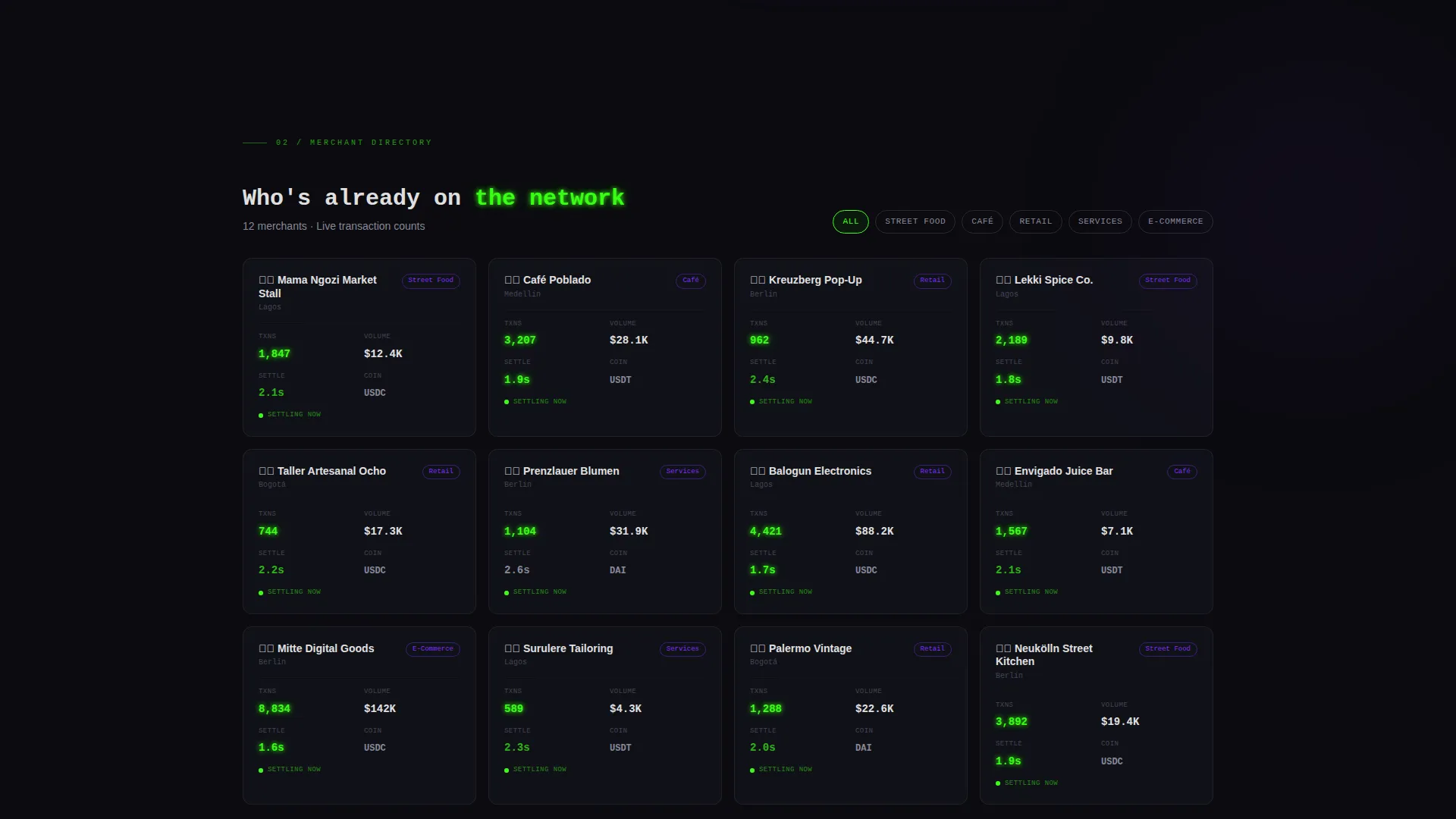
- A filterable merchant directory with category cards showing live transaction counts and settlement times
Feature list
This template packages several purpose-built components that work together across the page. Each one is designed to communicate trust, speed, and zero-cost settlement to a merchant audience.
Live Stats Metrics Wall
A full-width header grid displays four key network figures: 2.4 million transactions processed, $187 million in settled volume, 11,400 active merchants, and a 0.00% processing fee. All figures render in oversized phosphor green monospace type. Each metric includes a micro-animation: the transaction counter ticks upward, the volume figure refreshes periodically, and the merchant count climbs in real time.
Interactive Savings Calculator
Visitors enter their monthly card transaction volume and current processor fee percentage. The tool instantly renders a split data card showing current costs versus zero-fee processing on the network. The annual savings figure pulses in electric ultraviolet, making the financial argument personal and immediate before any further scrolling.
Filterable Merchant Directory
A discovery grid lets visitors filter merchant categories already using the network: street food, retail, services, and e-commerce. Each category card displays live transaction counts and settlement times, turning adoption data into visible social proof at a glance.
Transaction Timeline Animation
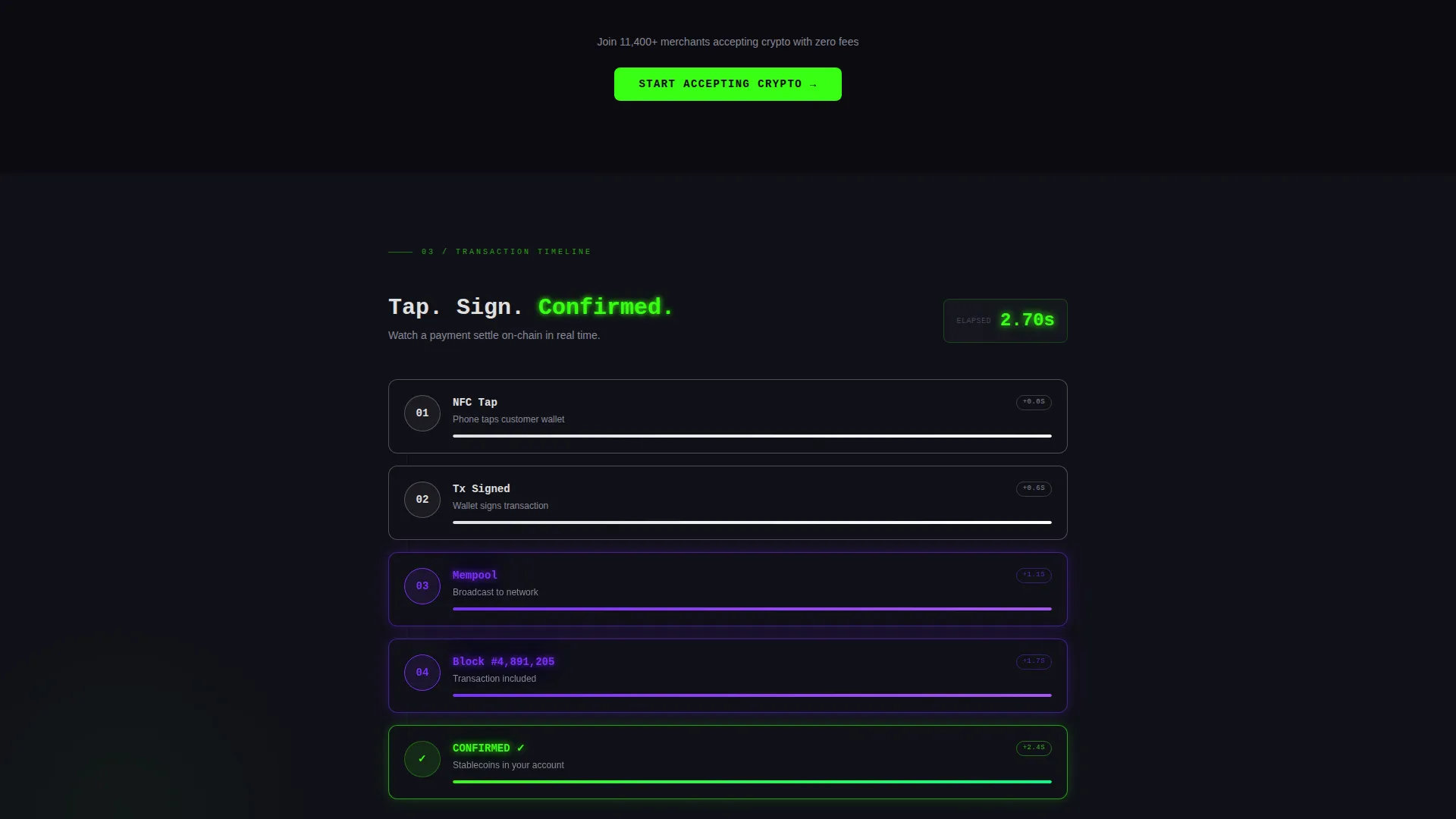
A step-by-step block animation shows a payment completing in under three seconds. Each block finalizes in sequence, giving visitors a visual sense of on-chain settlement speed without requiring any technical explanation.
App Download Modal with Platform Detection
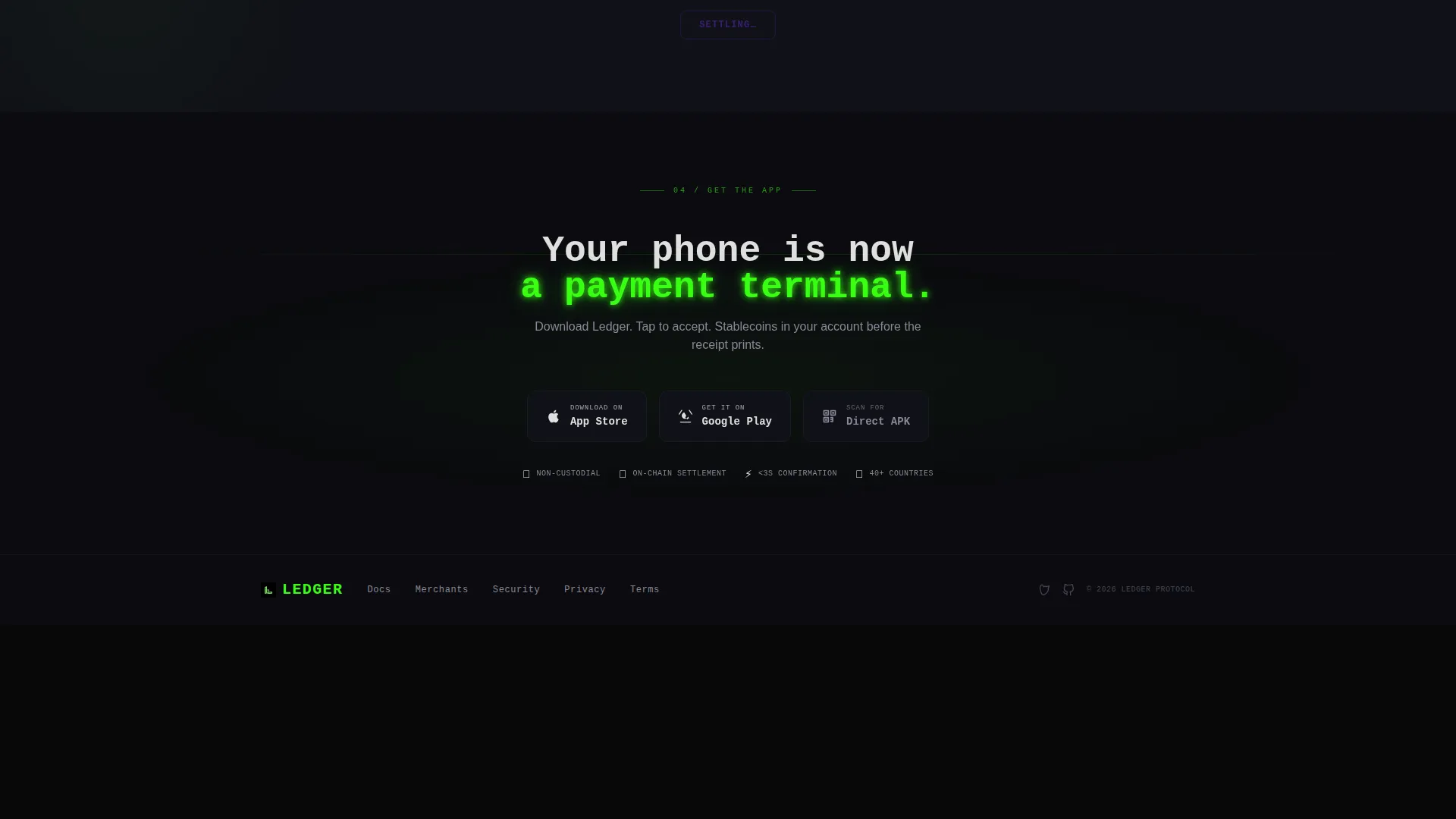
The primary call to action triggers a platform-detect modal. iOS visitors are routed to the App Store, Android visitors to Google Play, and a third option provides a scannable QR code for direct download. This keeps the conversion flow frictionless across all devices.
Persistent Mobile Download Bar
On mobile screens, the primary call-to-action button appears as a fixed bottom bar throughout the page scroll. This ensures the download prompt is always within reach regardless of which section the visitor is currently reading.
Page sections overview
| Section | Purpose |
|---|---|
| Live Stats Header | Anchors trust with real network metrics above the fold |
| Savings Calculator | Converts visitors by showing personal annual fee savings |
| Calculator Results Card | Surfaces the primary download call to action after savings are revealed |
| Merchant Discovery Directory | Proves adoption with a filterable live-data category grid |
| Transaction Timeline | Visualizes on-chain payment speed block by block |
| Directory End call to action | Re-surfaces the download prompt after directory social proof |
| Mobile Persistent Bar | Keeps the download action accessible throughout scroll |
Design & branding system
The visual identity is built on an Acid Digital color system that references the feeling of staring into a CRT monitor late at night. Every color choice is functional: black backgrounds push data forward, green signals confirmation, ultraviolet marks secondary actions, and white body text stays readable at all times.
- Void black (#0B0B0F) as the dominant background, keeping all data elements visually prominent
- Terminal phosphor green (#39FF14) for confirmed transaction states, active indicators, and primary call-to-action elements
- Electric ultraviolet (#7B2FFF) for secondary actions, category tags, chart gradients, and the pulsing savings figure
- Scanner-line white (#E0E0E0) for body text and ticker-style data labels, floating clean against the dark background
Mobile & speed optimization
The template is structured with a mobile-first conversion path in mind. The persistent bottom bar and platform-detect modal are purpose-built for visitors arriving on a phone, which reflects the product's core use case: a merchant's phone tapping against a customer's wallet.
- The persistent bottom bar keeps the download call to action fixed at the bottom of the screen during mobile scroll
- The savings calculator and directory grid are structured for touch interaction without layout compromise
- Platform detection in the download modal routes mobile visitors directly to their native app store
How this template helps you convert
The conversion architecture is layered. Each section adds a new layer of proof before the next call to action appears, so visitors who are not ready to download at the top of the page are gradually convinced by data, savings, and social proof further down.
- The live stats header establishes immediate credibility with real network figures, so the first impression is proof not pitch
- The savings calculator makes the financial case personal: once a visitor sees their own annual savings rendered in glowing violet, the download decision feels obvious
- The merchant directory and timeline animation handle late-stage doubt by showing real adoption and real settlement speed before the final download prompt appears
Other information about this template
This template is categorized under decentralized enterprise software and is designed specifically for the decentralized point-of-sale niche. It fits within a Directory and Discovery theme, meaning the page is structured like a live data terminal rather than a traditional marketing page. The Dashboard and Data Grid template style means every section carries a data-forward visual weight, consistent with how merchants already think about transactions and settlements.
- The template style is Dashboard and Data Grid, aligned with the Calculator/Tool First creative direction
- The landing page direction targets app downloads as the primary conversion goal
- The header concept is a Stats and Metrics wall, setting the tone for the entire page flow
- Color system is Acid Digital, with all four palette values defined and applied across every component
Theme
Directory & Discovery
Creative direction
Calculator/Tool First
Color system
Acid Digital
Style
Dashboard/Data Grid
Direction
App Download
Page Sections
Live Stats Metrics Wall
Interactive Savings Calculator
Filterable Merchant Directory
Transaction Timeline Animation
Platform-detect Download Modal
Persistent Mobile Call to Action Bar
Related questions
What type of businesses is this template designed for?
Does the savings calculator require any setup or coding?
Can I use this template for desktop visitors as well as mobile?
How does the merchant directory section work?
What happens when a visitor taps the download button?



