Ledger - Powerful ERP Landing Page Template
Ledger is a food and beverage ERP landing page template built around a dashboard and data grid layout. It is designed for operations directors, production managers, and supply chain leads who need a credible, data-forward page to showcase real-time inventory control, procurement tracking, and batch recipe management across multi-location food and beverage operations.
by Rocket studio
Quick summary
Ledger is a single-page ERP landing page template for food and beverage platforms. It combines a scrolling logo bar, live-styled dashboard tiles, module cards with micro-charts, and an app download call to action into one clinical, high-trust design. The Midnight Blue color system gives it the authoritative feel of an operations monitoring screen.
Who this template is for
This template is built for software companies and platforms serving the food and beverage industry. If your product helps operators manage inventory, procurement, or production at scale, Ledger was designed with your buyer in mind.
- Operations directors at regional restaurant groups managing multiple vendor invoices daily
- Production managers at craft beverage companies tracking raw material cost trends
- Supply chain leads at consumer packaged goods startups who have outgrown spreadsheet-based tracking
What problem this template solves
Food and beverage operations teams deal with fragmented data, perishable inventory risk, and vendor complexity every single day. A generic SaaS landing page fails to speak their language or earn their trust quickly. Ledger solves this by presenting your platform the way your buyers think: as a command center, not a brochure.
- Visitors lose trust when a page shows lifestyle imagery instead of real operational proof
- Procurement and inventory buyers need to see module-level capability before they will engage
- App download conversions suffer when there is no mid-page demonstration of mobile value
What you get with this template
Ledger delivers a complete, ready-to-customize landing page structure built specifically for food and beverage ERP platforms. Every section is purposefully sequenced to build credibility and drive the visitor toward a single conversion action.
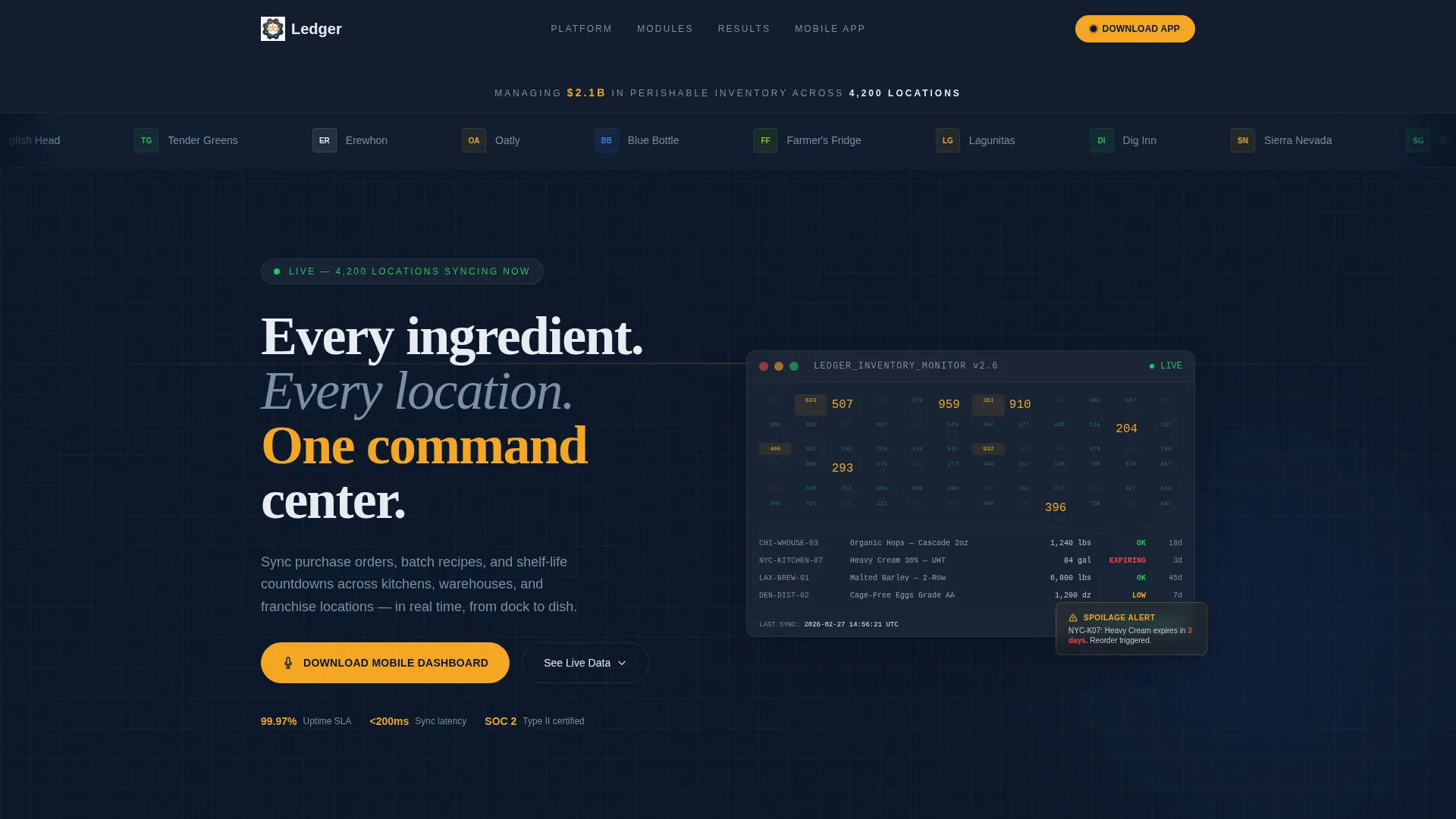
- A scrolling logo bar header with a live credibility stat and a cost-of-goods dashboard tile
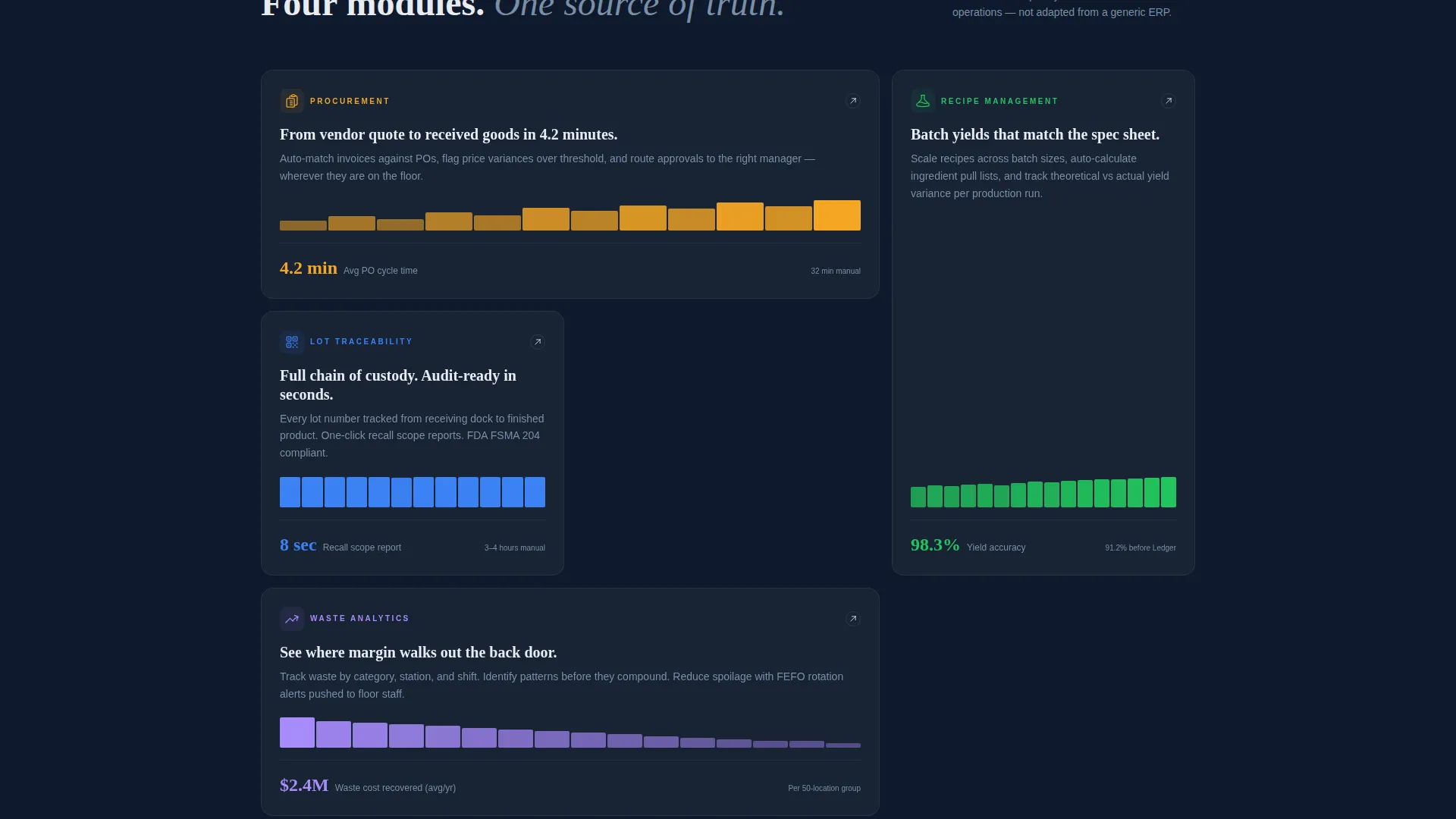
- A grid of module cards covering procurement, recipe management, lot traceability, and waste analytics
- A benchmarking table, three animated phone screen panels, and an app download call to action with iOS and Android toggle
Feature list
This template packages several purpose-built components. Each one is grounded in the operational language and visual expectations of food and beverage buyers.
Scrolling Logo Bar Header
A horizontal ribbon of food and beverage brand logos scrolls at a calm, deliberate pace. A single stat line anchors credibility above the fold: "Managing $2.1B in perishable inventory across 4,200 locations." No hero image is needed because the logos and the number do the work.
Live-Styled Dashboard Tile
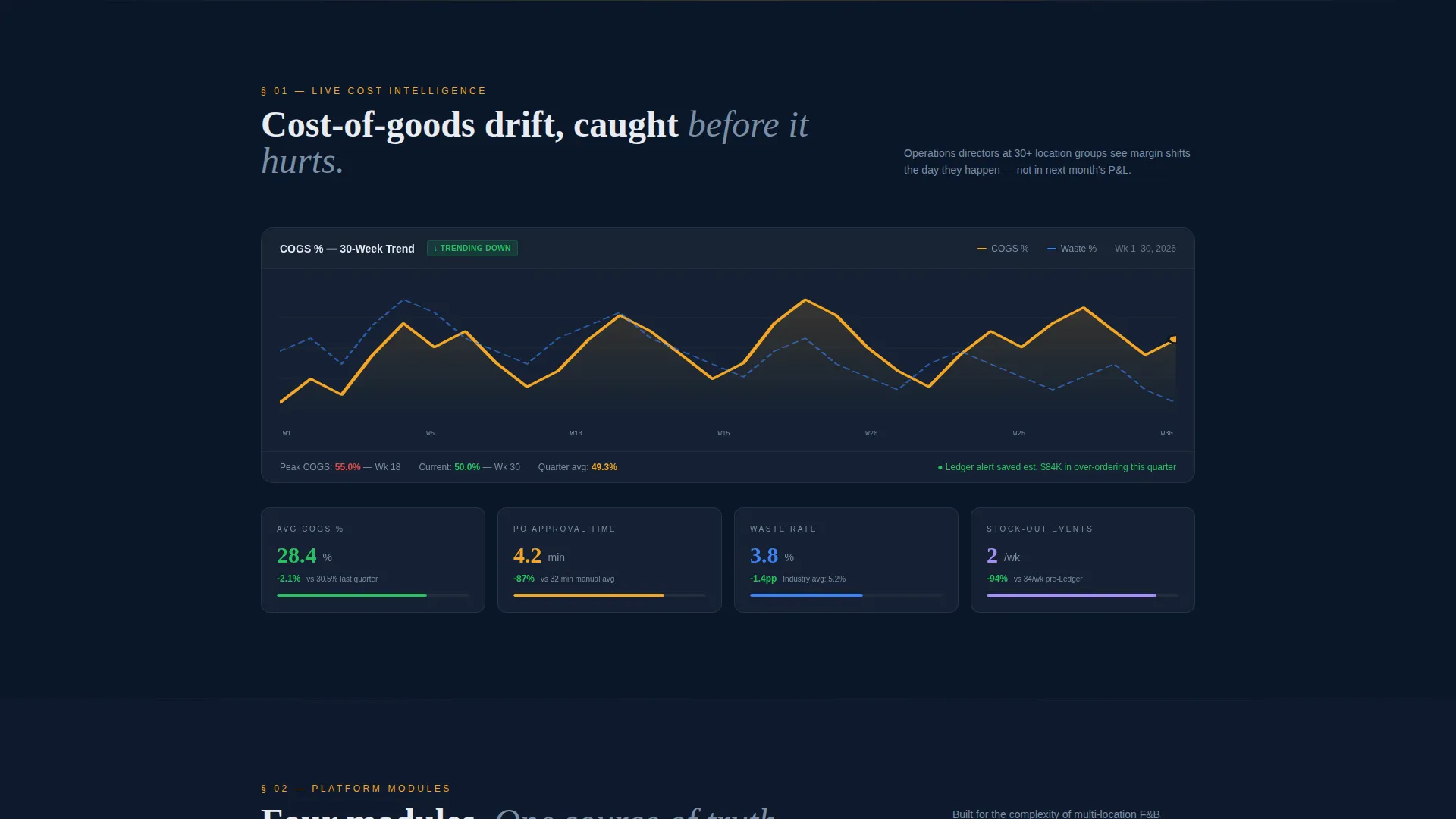
The first content section surfaces a dashboard tile showing cost-of-goods trends in a live data visual style. It sets the tone of the page as an industry data briefing rather than a marketing pitch, immediately speaking the language of operations buyers.
Module Card Grid with Micro-Charts
Four module cards cover procurement, recipe management, lot traceability, and waste analytics. Each card carries a micro-chart and a single key performance indicator, giving visitors a fast, scannable view of platform capability without scrolling through long feature lists.
Manual versus. Platform Benchmarking Table
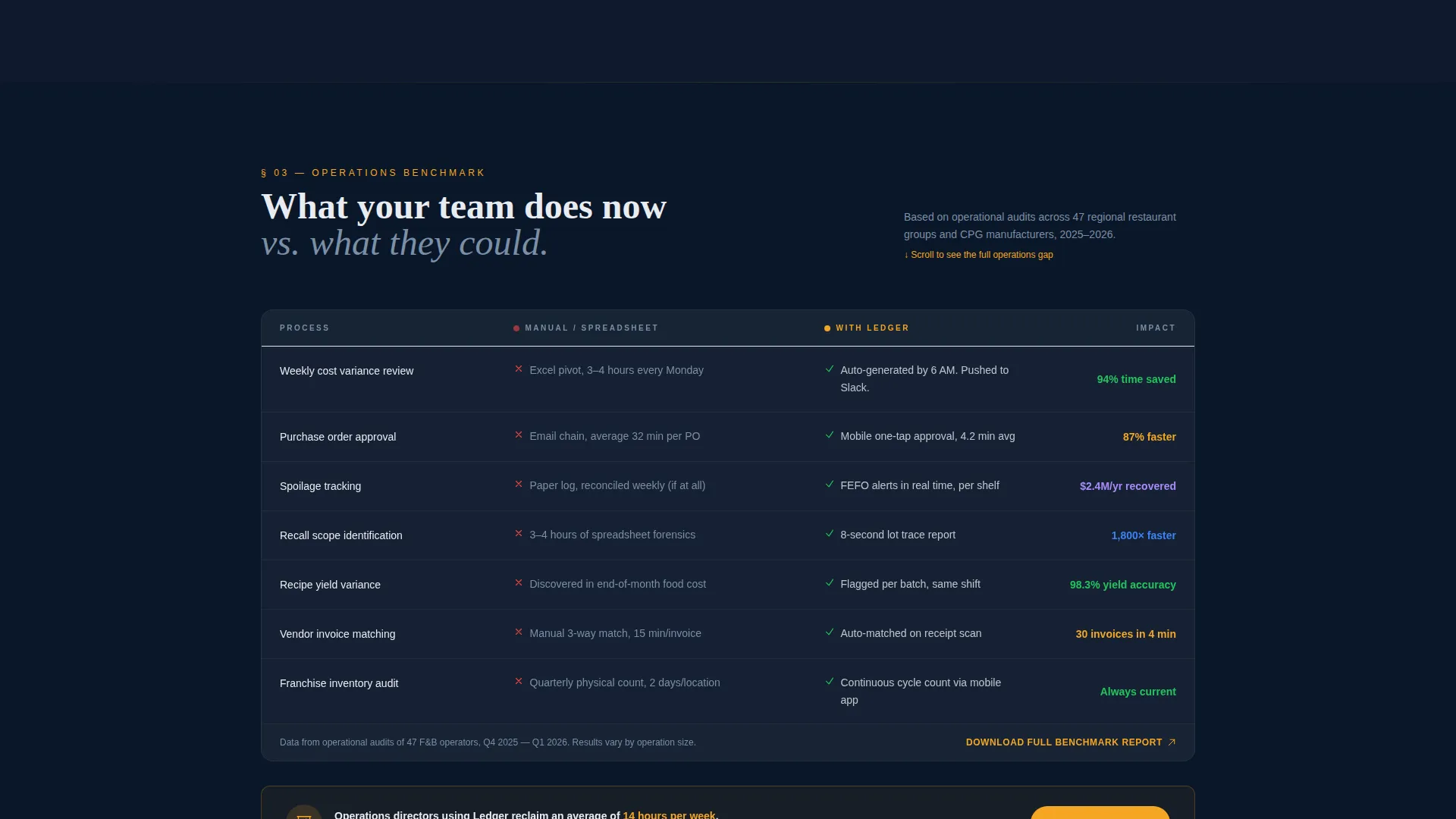
A structured comparison table contrasts manual operational processes against platform-powered workflows. This section functions like a quarterly review slide, letting the data make the argument before the visitor reaches the call to action.
Animated Mobile App Preview
Three phone screens appear mid-scroll showing live inventory alerts, purchase order approvals from the floor, and a spoilage flag notification. This sequence proves that the mobile app delivers real-time value, not just a companion view of the desktop platform.
App Download call to action with Platform Toggle
The primary call to action reads "Download the Mobile Dashboard." It includes a phone-number input for an SMS download link, a secondary QR code for immediate scan, and a toggle so visitors can select iOS or Android before submitting.
Page sections overview
| Section | Purpose |
|---|---|
| Logo Bar Header | Establishes social proof and credibility above the fold |
| Credibility Stat Line | Anchors scale with a single perishable inventory number |
| Cost-of-Goods Tile | Opens the data briefing narrative with a live-styled trend visual |
| Module Card Grid | Showcases four core platform capabilities with KPIs and micro-charts |
| Benchmarking Table | Compares manual processes against the platform side by side |
| Mobile App Preview | Demonstrates real-time app value through three animated phone screens |
| App Download call to action | Drives conversion with SMS input, QR code, and platform toggle |
Design & branding system
The visual identity follows a Directory and Discovery theme using a Midnight Blue color system. The palette is designed to feel like a monitoring screen in a darkened operations room: clinical, trustworthy, and always active.
- Deep terminal navy (#0A1628) and steel-panel gray (#1E2A3A) form the base layer, giving the page weight and authority
- Cold-case white (#E8ECF1) handles all primary text and data labels for sharp legibility against dark backgrounds
- Alert citrus (#F5A623) is reserved for interactive elements, live data highlights, and call-to-action buttons to draw the eye without noise
Mobile & speed optimization
The template is designed with the mobile operator in mind. The app download flow, the animated phone screens, and the SMS input field are all built to feel at home on a small screen as well as a desktop monitor.
- The three animated phone screen panels render cleanly in the mid-scroll mobile view, preserving the demonstration sequence
- The phone-number input, QR code, and iOS and Android toggle are sized and spaced for easy thumb interaction on mobile devices
How this template helps you convert
The page is built to earn the download, not just ask for it. Every section adds a layer of evidence before the call to action appears, following the logic of a data briefing that builds toward a recommendation.
- The logo bar and credibility stat convert skeptical buyers above the fold by showing who already trusts the platform, before the visitor has read a single feature claim.
- The module cards with micro-charts and the benchmarking table build a quantified, visual case for switching, so the visitor arrives at the download call to action already convinced.
Other information about this template
Ledger fits naturally within a broader food and beverage software and SaaS marketing stack. It is well-suited for teams building or relaunching a platform presence in the food and beverage ERP category.
- The template style is a Dashboard and Data Grid layout, making it well-suited for platforms that lead with operational data rather than brand storytelling
- The Industry Report creative direction means the scroll experience reads like a data briefing, which aligns with how enterprise food and beverage buyers evaluate software
- The header concept, the Logo Bar, is particularly effective for platforms with recognizable customer logos across breweries, fast-casual chains, juice companies, and contract manufacturers
- The App Download landing page direction is distinct from a lead generation form, making Ledger a strong fit for mobile-first ERP platforms seeking direct activation
- The template lives in the Technology category under the Food and Beverage Software and SaaS subcategory, making it niche-specific and immediately relevant without heavy customization
Theme
Directory & Discovery
Creative direction
Industry Report
Color system
Midnight Blue
Style
Dashboard/Data Grid
Direction
App Download
Page Sections
Scrolling Logo Bar with Credibility Stat
Live-styled Cost-of-goods Dashboard Tile
Module Card Grid with Micro-charts
Manual Versus. Platform Benchmarking Table
Animated Mobile App Screen Sequence
App Download Call to Action with Platform Toggle
Related questions
What type of platform is Ledger best suited for?
Can I customize the module cards and benchmarking table?
Does the template support both iOS and Android app promotion?
Is this template suitable if my platform does not have a mobile app yet?
How many sections does this landing page include?



