Government Software Portfolio & Case Study Website Template
Ledger is a government property management landing page template built on a dark Tech Glass aesthetic. It presents a live-data dashboard experience for county facility directors, state real estate officers, and public works managers. The template combines a product screenshot hero, scrolling data-driven sections, and two clear conversion paths, a free app download and an enterprise portfolio audit request.
by Rocket studio
Quick summary
Ledger is a single-page template designed for a government property management platform. It opens with a floating dashboard screenshot, walks visitors through a data-driven case for replacing manual tracking, and closes every scroll with a clear download call to action. The Monochrome Steel color system and Tech Glass theme give the page the authority of an operations center.
Who this template is for
This template is built for teams that manage large, complex public property portfolios and need a landing page that speaks directly to procurement decision-makers. It fits organizations where credibility and data transparency close deals faster than flashy visuals.
- County facility directors managing deferred maintenance across aging courthouses and civic buildings
- State real estate officers consolidating redundant leases across multiple agencies
- Municipal public works managers who currently rely on manual spreadsheet tracking for building conditions
What problem this template solves
Government property teams struggle to communicate the scale of their operational challenge to leadership and vendors alike. A generic landing page fails to capture the urgency of a 1,247-property portfolio running on disconnected tools. Ledger is designed to make that urgency visible and the solution immediately credible.
- No clear way to show decision-makers the real cost of deferred maintenance backlogs and redundant leases
- Landing pages that feel too commercial for a government software audience expecting data density and precision
- Weak conversion paths that cannot serve both individual app downloaders and enterprise procurement teams at once
What you get with this template
You get a fully structured, single-page layout tuned for a government property management platform launch. Every section is pre-built with a specific persuasion role, and the visual system is ready to drop in your own dashboard screenshots and statistics.
- A floating product screenshot hero with a headline fade-in effect and a primary download call to action
- Three escalating data-driven content sections, each pairing a hard statistic with an embedded product proof screenshot
- A sticky download bar, a platform selector with government email input, and a secondary enterprise audit request path
Feature list
The template includes six core design and layout features grounded in the source brief.
Floating Dashboard Hero
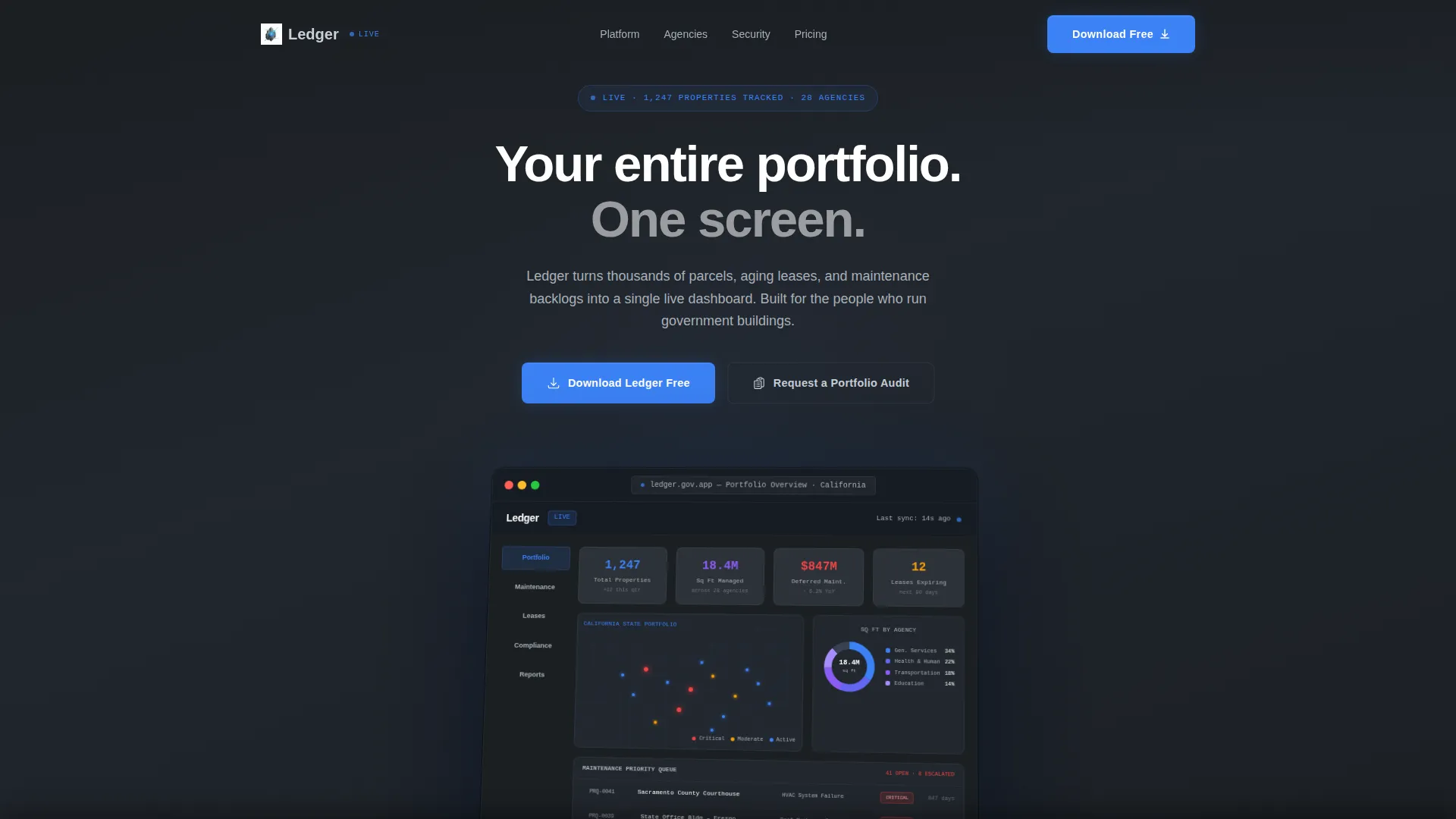
The header displays a pixel-perfect product screenshot on a minimal monitor render. The image is slightly rotated on a Z-axis with a frosted-glass shadow beneath it, giving the impression that the dashboard is floating above the gunmetal background.
Industry Report Scroll Structure
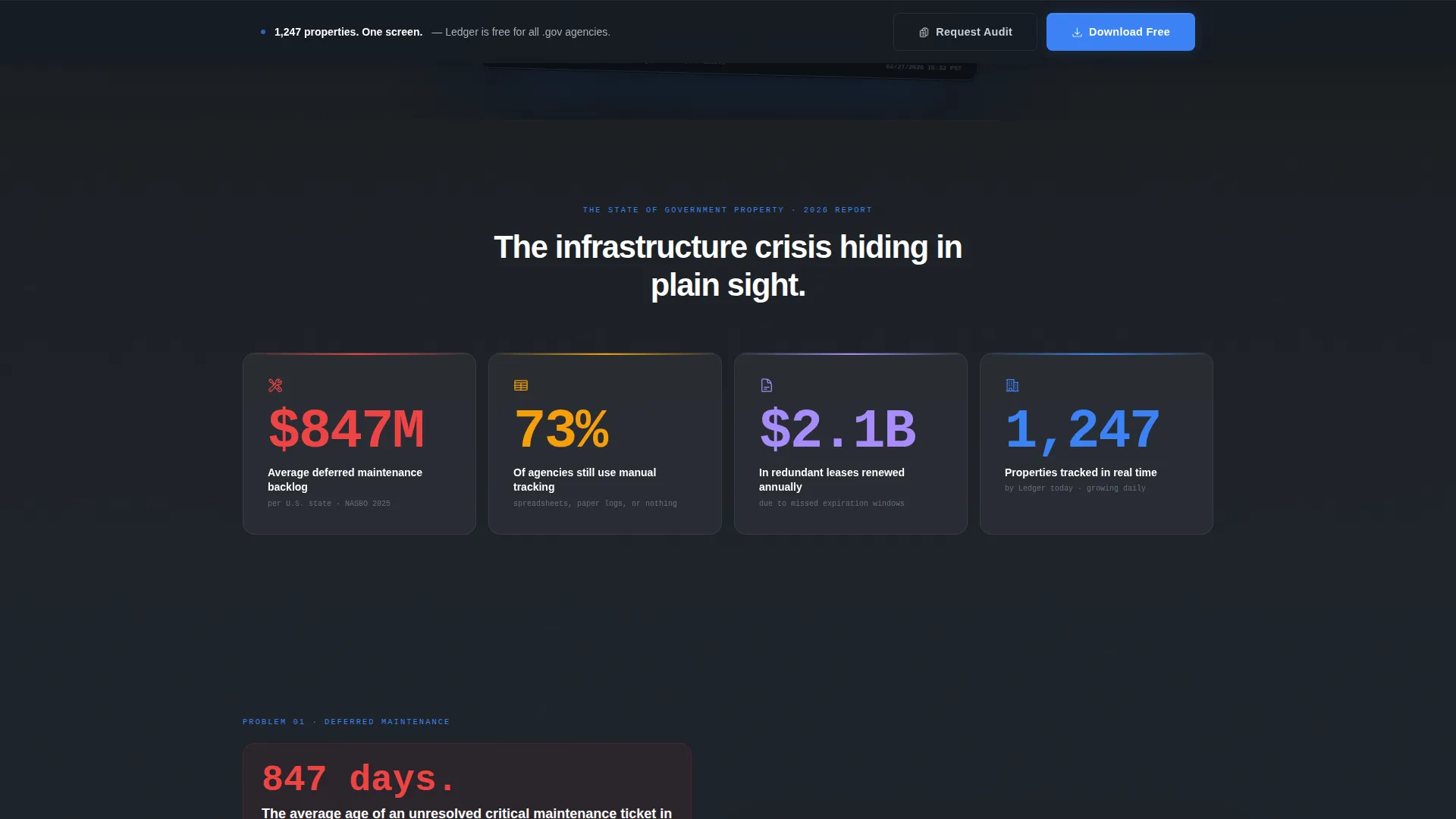
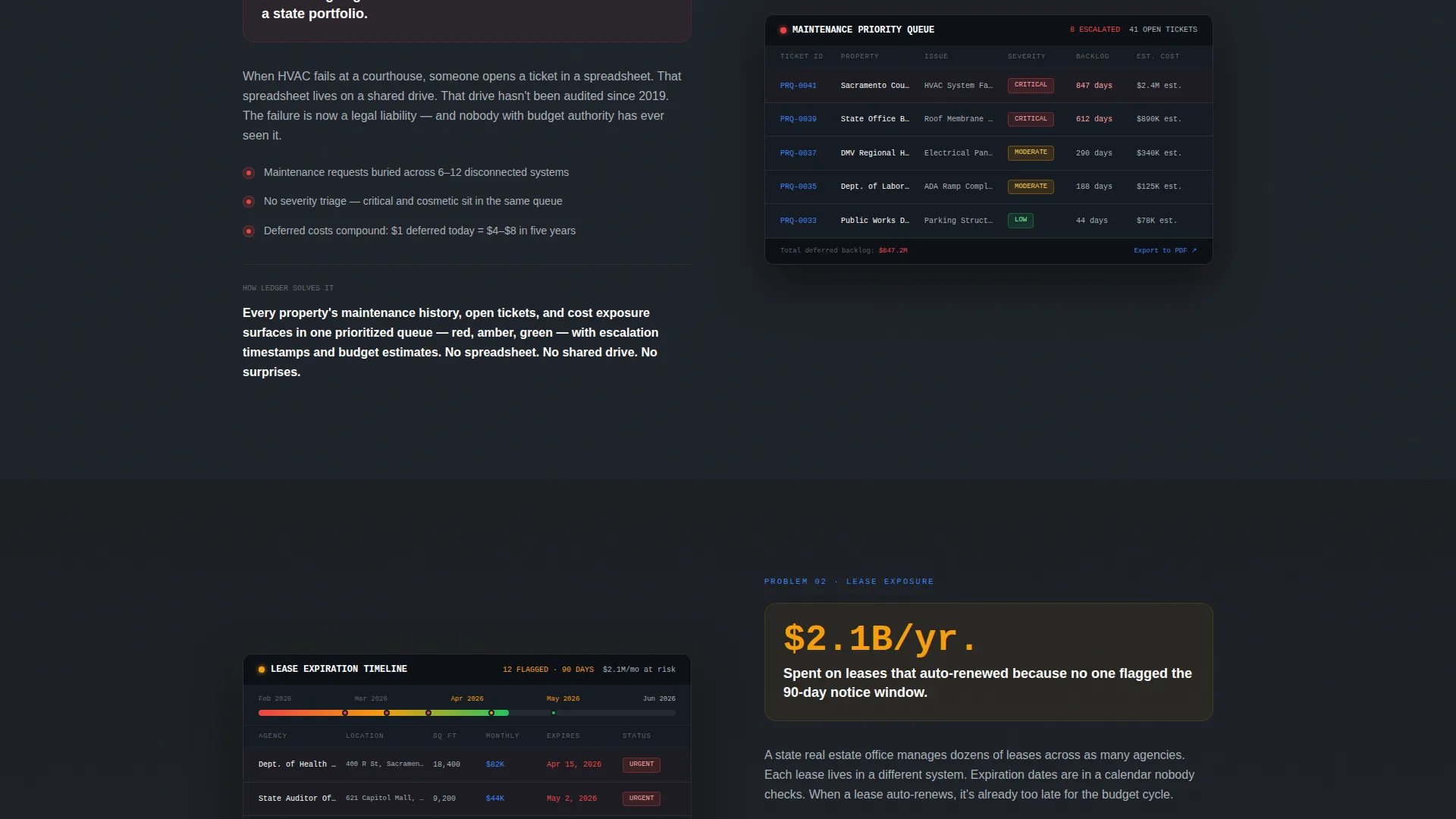
Each content section follows a deliberate rhythm: an alarming statistic on the left column, then a product proof screenshot on the right. Stakes escalate from operational inefficiency through compliance risk to budget impact, building a cumulative case for the download.
Dual Conversion Path Layout
The primary call to action, "Download Ledger Free," appears beneath the hero and resurfaces in a sticky bar after the second data section. A secondary path, "Request a Portfolio Audit," serves enterprise prospects who need procurement justification.
Platform Selector with Email Input
The download flow includes a platform selector covering iOS, Android, and Desktop. A single-field government email input auto-detects the dot-gov domain and pre-fills the agency name, reducing sign-up friction to seconds.
Monochrome Steel Color System
The palette uses deep gunmetal, brushed aluminum, and panel-line charcoal as the base. Signal blue appears exclusively on interactive states, live data indicators, and primary action buttons, so every blue element communicates intent.
Live Data Visual Components
The hero screenshot includes a donut chart breaking square footage by agency, a maintenance priority queue with red-amber-green severity badges, and a lease expiration timeline flagging twelve leases due within 90 days. These components reinforce platform credibility at first glance.
Page sections overview
| Section | Purpose |
|---|---|
| Hero Header | Floating dashboard screenshot with headline and primary download call to action |
| Data Section One | Operational inefficiency statistic paired with product proof screenshot |
| Data Section Two | Compliance risk statistic paired with embedded dashboard view |
| Data Section Three | Budget impact statistic paired with lease and maintenance screenshot |
| Sticky Download Bar | Persistent call to action that resurfaces after second data section |
| Platform Selector | iOS, Android, Desktop choice with government email input field |
| Enterprise call to action | Secondary path for portfolio audit requests from procurement teams |
Design & branding system
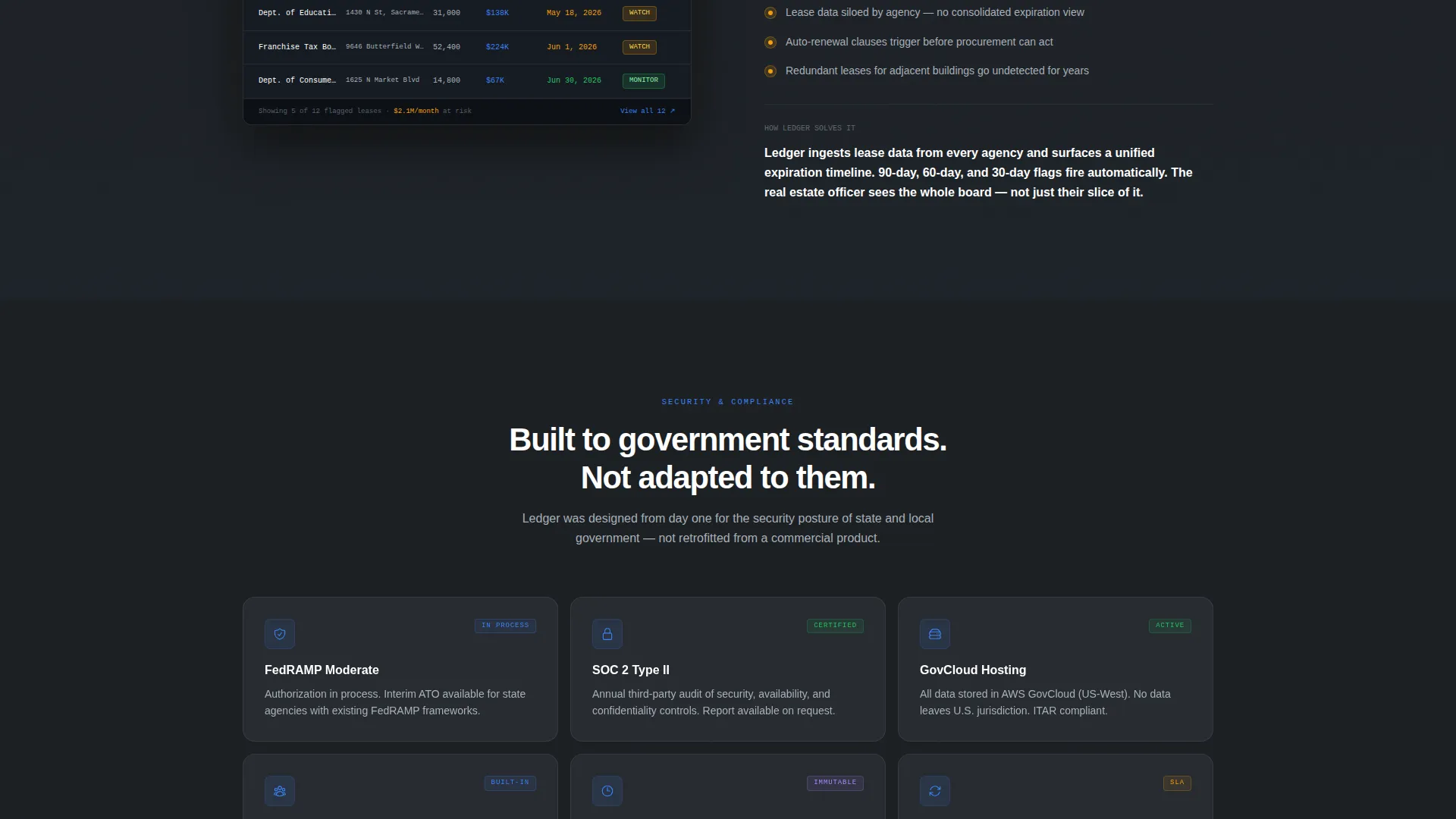
The visual identity uses a Tech Glass theme built on the Monochrome Steel color system. Every surface, shadow, and accent has a defined role, so the page feels like a precision instrument rather than a marketing brochure.
- Base layers use deep gunmetal (#1B1F23) and panel-line charcoal (#2D3239) with gunmetal-to-charcoal gradients and subtle transparency layers that mimic frosted glass panels
- Text is set in aluminum white (#A8B0B8) against dark backgrounds, maintaining strong contrast without feeling clinical
- Signal blue (#3B82F6) appears only on clickable elements and live data points, creating an immediate visual language where blue always means action or activity
Mobile & speed optimization
The template is structured for lean, fast rendering across devices. The layout prioritizes the most critical conversion elements at every scroll depth, so nothing important gets buried on a smaller screen.
- The sticky download bar and platform selector are designed to remain accessible on mobile viewports without obscuring content
- The two-column statistic-and-screenshot layout collapses gracefully into a single-column stacked view for tablet and phone screens
How this template helps you convert
The page is architected around a single persuasion arc: show the scale of the problem, prove the solution exists, then remove every barrier to the download.
- The floating hero screenshot and headline "Your entire portfolio. One screen." establish platform credibility within the first three seconds of a visit, before the visitor has scrolled at all.
- The three escalating data sections build cumulative urgency, ending with budget impact, which is the argument most likely to justify a procurement decision or an immediate free download.
- The dual call to action structure means the page never loses a visitor who is not ready to download. The enterprise audit path captures high-value leads who need a slower procurement process.
Other information about this template
This template is categorized under Technology and Government Software, making it suitable for any platform targeting public sector property teams. The Dashboard and Data Grid template style means the visual language communicates operational density and professional data management from the first scroll.
- The template style is classified as Dashboard and Data Grid, which reflects the data-heavy, operations-center aesthetic throughout the page
- The creative direction follows an Industry Report format, meaning the copy and layout rhythm are designed to read like a credible white paper rather than a sales pitch
- The header concept is a Product Screenshot, which is particularly effective for government software audiences who want to evaluate the interface before committing to a download
- The landing page direction is App Download, with the platform selector and government email detection built specifically to serve both individual users and agency procurement teams
Theme
Tech Glass
Creative direction
Industry Report
Color system
Monochrome Steel
Style
Dashboard/Data Grid
Direction
App Download
Page Sections
Floating Dashboard Hero Section
Escalating Industry Report Layout
Dual Call-to-action Structure
Platform Selector with Email Detection
Monochrome Steel Visual System
Live Data Dashboard Components
Related questions
Who is this landing page template designed for?
Can I replace the dashboard screenshots with my own product images?
What are the two conversion paths included in this template?
How does the sticky download bar work in this template?
Does the template work for both individual users and enterprise buyers?



