Expert Accounting Firm Software Professional Website Template
Ledger is a split-screen landing page template built for nonprofit accounting firms. It features an interactive donor management dashboard preview, animated fund restriction toggles, and a scroll-driven layout that moves visitors from daily bookkeeping pain points to confident, audit-ready outcomes. The design uses a Slate and Sky color system with Dynamic Motion transitions throughout.
by Rocket studio
Quick summary
Ledger is a single-page, split-screen landing page template designed for accounting firms serving nonprofits. It opens with a live-feel donor dashboard preview, then walks visitors through four escalating pain-point-to-resolution sections. Every layout decision supports one goal: turning a skeptical development director or CFO into a confident, ready-to-book client.
Who this template is for
This template is built for accounting firms that specialize in nonprofit financial management. It speaks directly to the professionals those firms serve every day.
- Development directors who spend hours reconciling spreadsheets before every board meeting
- Chief financial officers at mid-size foundations managing grant drawdowns across multiple fiscal years
- Nonprofit executive directors who need a clean Form 990 filing without last-minute panic
What problem this template solves
Nonprofit finance teams often struggle to communicate the complexity of their work to potential clients. A generic agency landing page fails to show donors, boards, or audit partners that the numbers are truly under control.
- Visitors cannot see the real value of specialized nonprofit accounting without a tangible demonstration
- Pain points like restricted fund tracking and pledge reconciliation feel abstract on a plain text page
- Standard templates do not build the trust that compliance-focused clients need before they commit
What you get with this template
You get a fully structured, single-page layout that does the selling through interaction and visual clarity. The template is ready to customize with your firm's branding, copy, and service details.
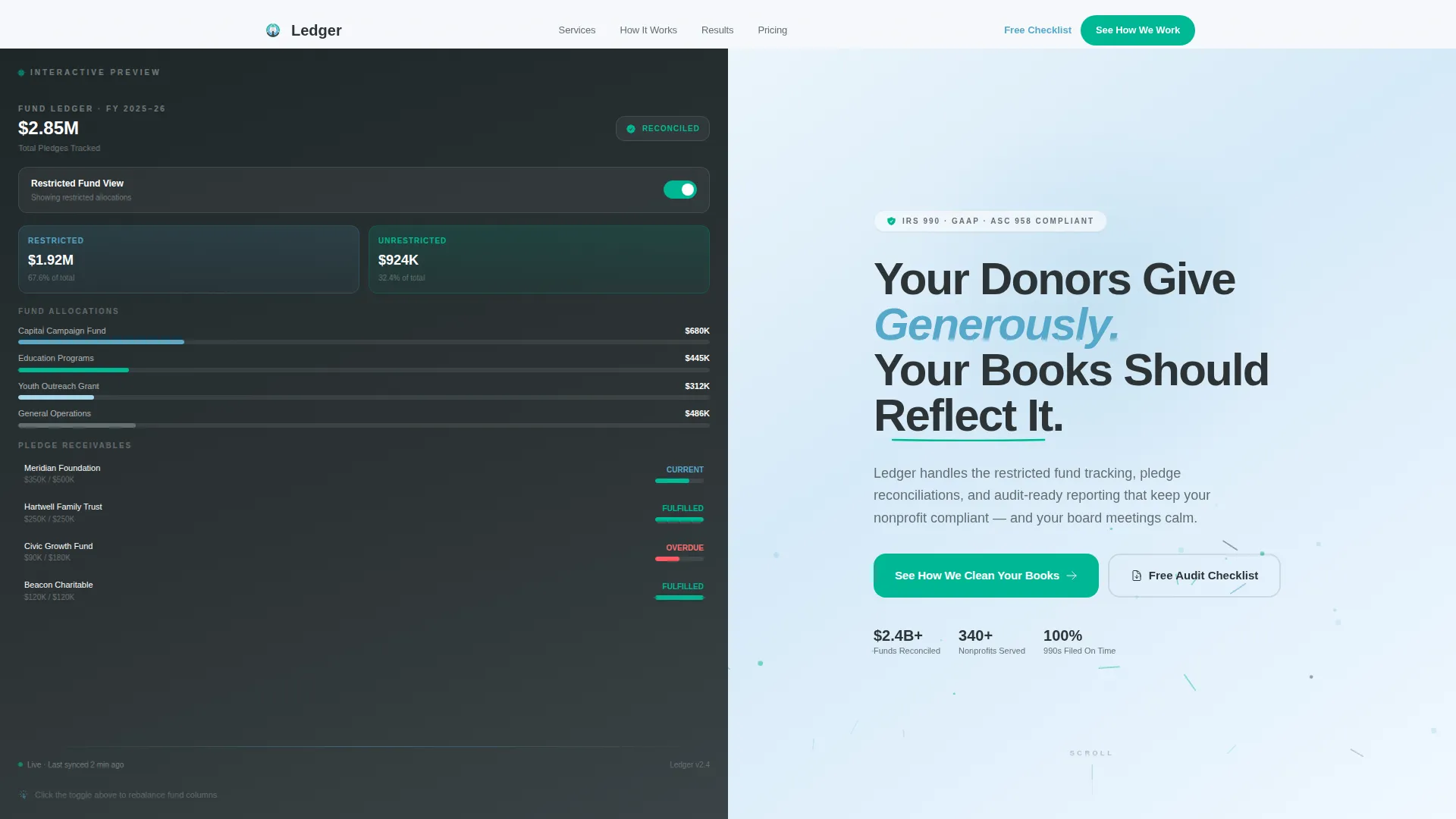
- An interactive split-screen header with a simulated donor management dashboard and clickable fund restriction toggle
- Four scroll-driven content sections pairing real pain points with resolved, dashboard-clean outcomes
- Two built-in conversion paths: a primary call-to-action button and a secondary email-capture offer
Feature list
This template ships with purpose-built components designed around nonprofit accounting workflows and the specific expectations of finance-focused buyers.
Interactive Donor Dashboard Preview
The header left panel displays a simulated donor management dashboard. Visitors can click a fund restriction toggle and watch pledge totals and gift allocation bars animate in real time. The interaction makes the firm's value tangible before a word of copy is read.
Split-Screen Section Layout
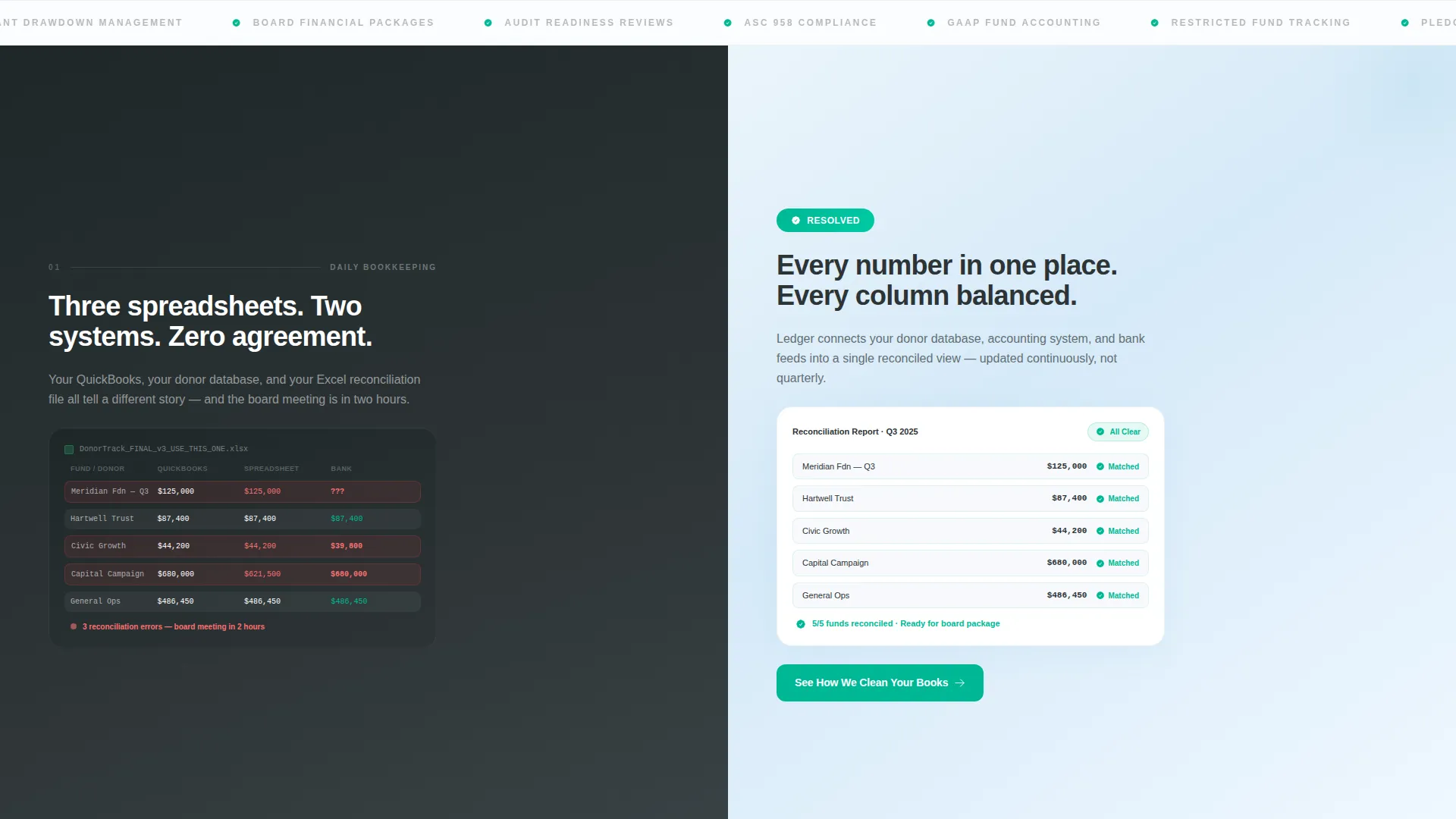
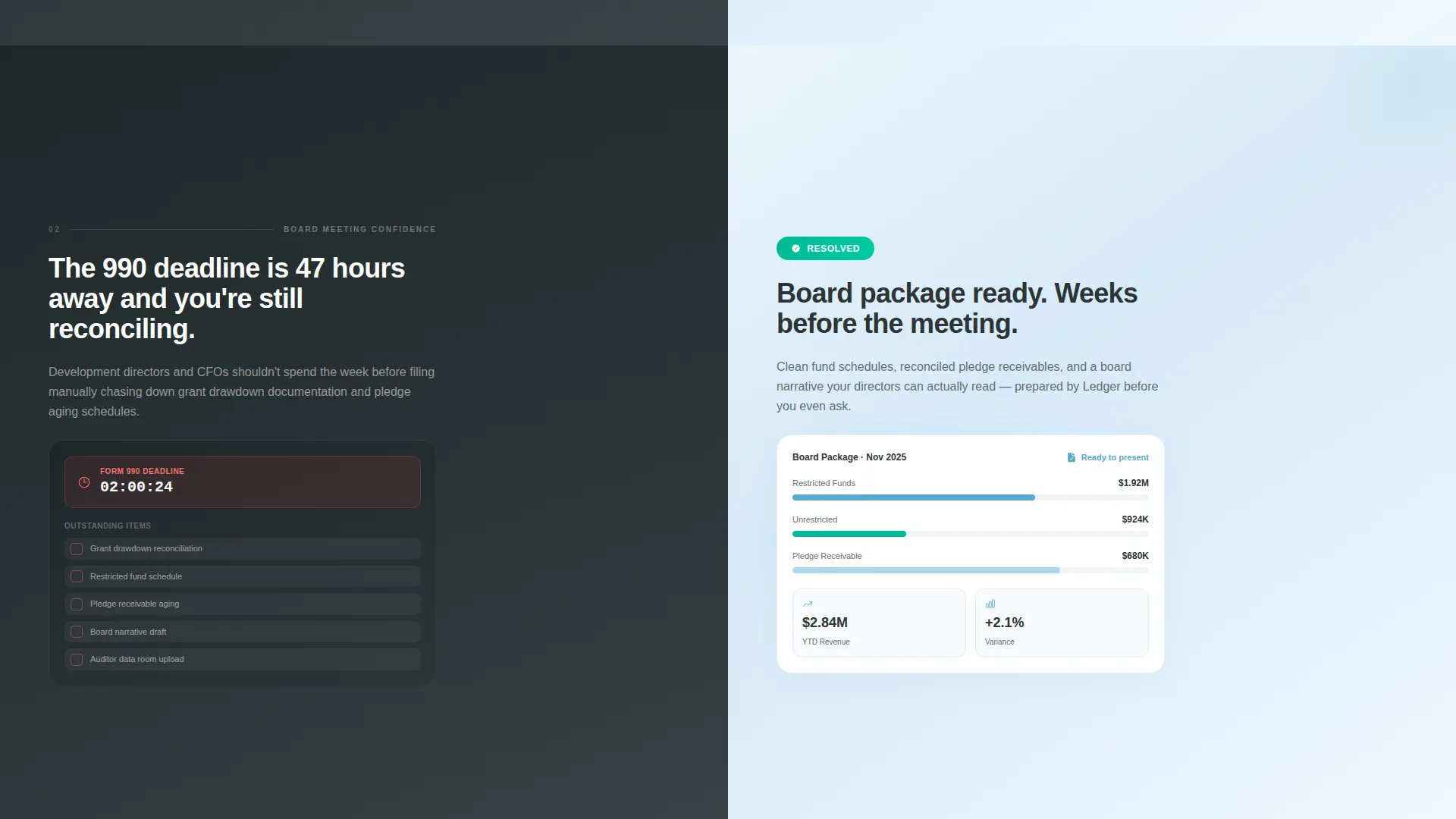
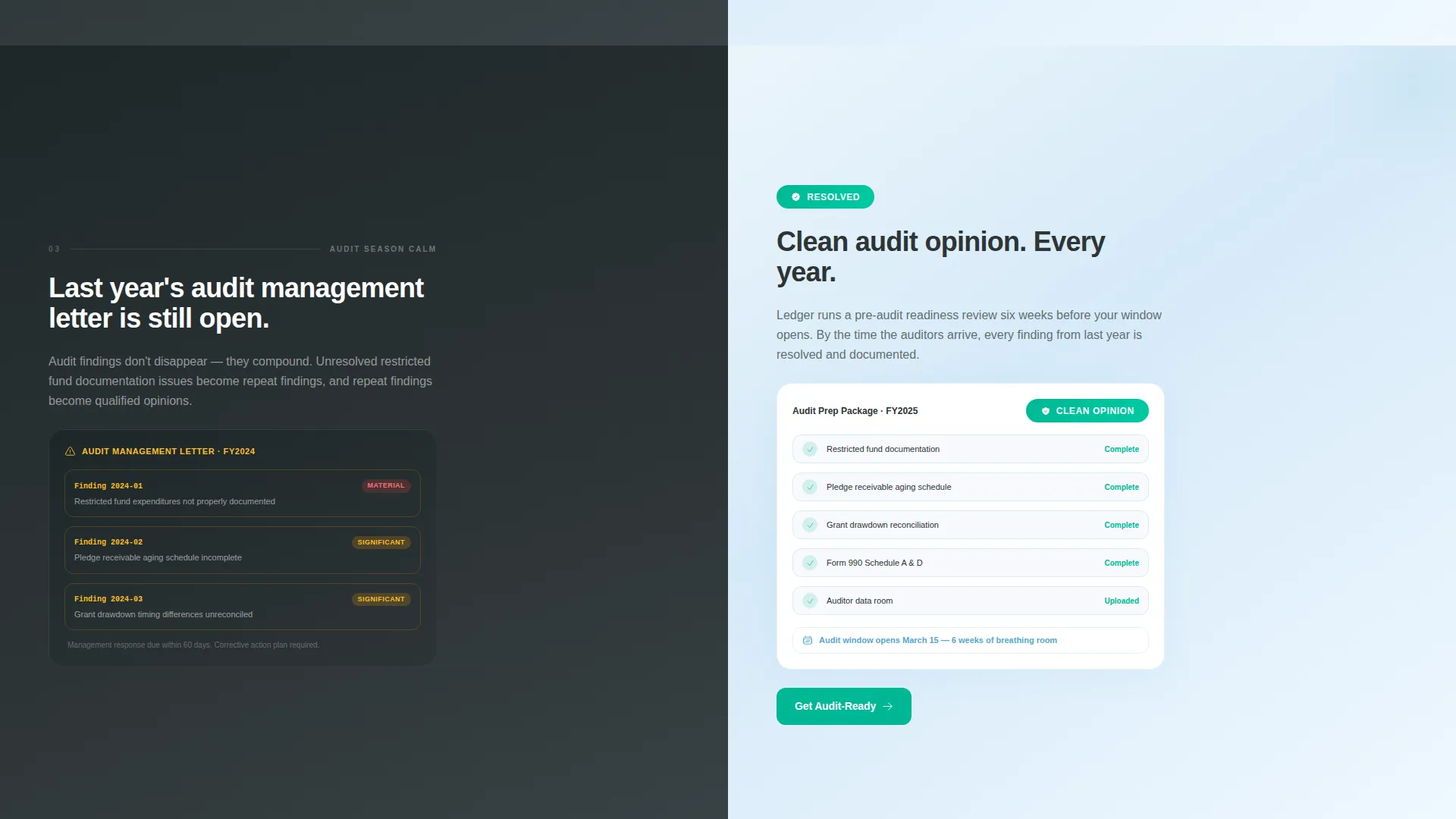
Each content section divides the screen 50/50. The left side shows a familiar pain state, such as a messy spreadsheet or a countdown to a filing deadline. The right side shows the resolved version, a clean dashboard view or a compliance badge. The contrast is immediate and persuasive.
Scroll-Driven Horizontal Motion
Sections slide in with horizontal momentum as the visitor scrolls. The motion follows a Launch Energy principle, escalating from daily bookkeeping relief through board-meeting confidence, audit-season calm, and strategic growth. Progress feels physical and forward-moving.
Anchored and Floating Call-to-Action
The primary call-to-action, "See How We Clean Your Books," appears fixed in the right panel after the interactive header. It resurfaces as a floating button after the second section, keeping the conversion path visible without interrupting the story.
Secondary Lead Capture Path
A secondary offer, "Download Our Nonprofit Audit-Readiness Checklist," captures email addresses from visitors who are not yet ready to book. This gives the firm a second conversion path for prospects in the research phase.
Dynamic Motion Theme with Slate and Sky Palette
Micro-animated data points drift upward in the header right panel, reinforcing the visual language of rising figures and financial progress. The full color system, deep charcoal slate, open-sky blue, cloud white, and signal teal, is applied consistently across all states and transitions.
Page sections overview
| Section | Purpose |
|---|---|
| Interactive Header Panel | Demonstrates donor dashboard with live toggle interaction |
| Primary call to action Block | Anchors main conversion path after the header |
| Daily Bookkeeping Relief | Pairs spreadsheet pain with clean dashboard resolution |
| Board Meeting Confidence | Shows audit-ready reporting in a high-stakes context |
| Audit Season Calm | Contrasts a redacted audit finding with a compliance badge |
| Strategic Growth Vision | Positions the firm as a long-term financial partner |
| Floating call to action Button | Resurfaces primary conversion path mid-scroll |
| Email Capture Offer | Collects leads via the audit-readiness checklist download |
Design & branding system
The visual identity follows a Dynamic Motion theme grounded in the Slate and Sky color system. Every color choice carries a deliberate meaning tied to the work of nonprofit accounting.
- Deep charcoal slate (#2D3436) anchors left panels, referencing the weight and permanence of a balanced ledger
- Open-sky blue (#56A8CB) lifts right panels with the optimism of a cleared audit, while cloud white (#F7F9FC) provides breathing room across backgrounds
- Signal teal (#00B894) activates on hover states and confirmation moments, the color of a checkmark, of numbers that finally agree
Mobile & speed optimization
The template layout is designed to translate the split-screen experience to smaller viewports without losing impact. Stacked sections maintain the pain-to-resolution narrative on mobile screens.
- Horizontal split panels reflow into vertical stacks on narrow screens, preserving the before-and-after storytelling structure
- Micro-animations and scroll transitions are scoped to meaningful moments, keeping visual motion purposeful rather than decorative
How this template helps you convert
The conversion strategy is built into the layout itself. Visitors are not asked to trust a claim. They are invited to experience the value directly.
- The interactive dashboard in the header lets visitors toggle fund restrictions and watch numbers rebalance, so the firm's expertise is felt before the sales pitch begins
- The floating call-to-action button keeps the primary conversion path visible throughout the scroll journey, reducing the friction of having to search for the next step
- The secondary checklist download captures leads from visitors in the research phase, giving the firm a lower-commitment entry point that still builds the relationship
Other information about this template
This template is built for firms that need their landing page to work as hard as their accountants do. A few additional details worth knowing before you customize it.
- The page type is a single-page landing page, not a multi-page website
- Clicking the primary call-to-action is designed to route visitors to a separate services and pricing page
- The template style is Split Screen (50/50), meaning every section is architecturally divided into a problem state and a resolution state
- The header concept is an Interactive Preview, a design pattern that reduces buyer skepticism by letting prospects engage with the product concept before committing
- The template sits within the accounting firm software and nonprofit donor management niche, making it highly specific rather than broadly generic
Theme
Dynamic Motion
Creative direction
Launch Energy
Color system
Slate & Sky
Style
Split Screen (50/50)
Direction
Click-Through
Page Sections
Interactive Donor Dashboard Header
Split-screen Pain and Resolution Layout
Scroll-driven Horizontal Transitions
Anchored and Floating Call-to-action
Secondary Email Capture Path
Dynamic Motion and Slate and Sky Branding
Related questions
Who is this landing page template designed for?
Can I customize the copy and colors to match my firm's brand?
What are the two conversion paths built into this template?
Does the interactive dashboard require a real data connection?
What makes this template different from a general accounting firm template?



