Payment Processing Landing Page Template
Ledger is a bento grid landing page template built for financial services payment processing platforms. It pairs a Data Command visual theme with an interactive explorer layout, letting visitors probe live-feel modules before committing. The design targets fintech CTOs, SaaS CFOs, and marketplace founders who need to see the product working before they sign up.
by Rocket studio
Quick summary
Ledger is a single-page bento grid template for payment processing platforms. It opens with a real-time dashboard screenshot, then drops visitors into an interactive grid of self-contained cards covering routing logic, fee transparency, and global coverage. Every element is built to show the product in motion, not describe it from a distance.
Who this template is for
This template is built for technical and financial decision-makers in the payments space. If your buyers need evidence before they engage, this layout gives it to them immediately.
- Fintech CTOs evaluating payment API integration options for their engineering stack
- CFOs at mid-market software-as-a-service companies looking to cut legacy processor fees
- Marketplace founders who need to demonstrate split payout support across multiple countries
What problem this template solves
Most payment platform pages bury their best proof inside datasheets or demo request flows. Visitors leave before they ever see the product work. Ledger flips that dynamic by making the product the first thing a visitor sees and interacts with.
- Visitors lose trust when a payments page feels generic and light on real data
- Enterprise buyers need to explore specific capabilities before talking to sales
- High-friction signup flows push qualified leads away before they convert
What you get with this template
You get a fully structured bento grid landing page designed specifically for financial services payment processing. Every section is purposeful, and the layout rewards visitors who explore rather than scroll passively.
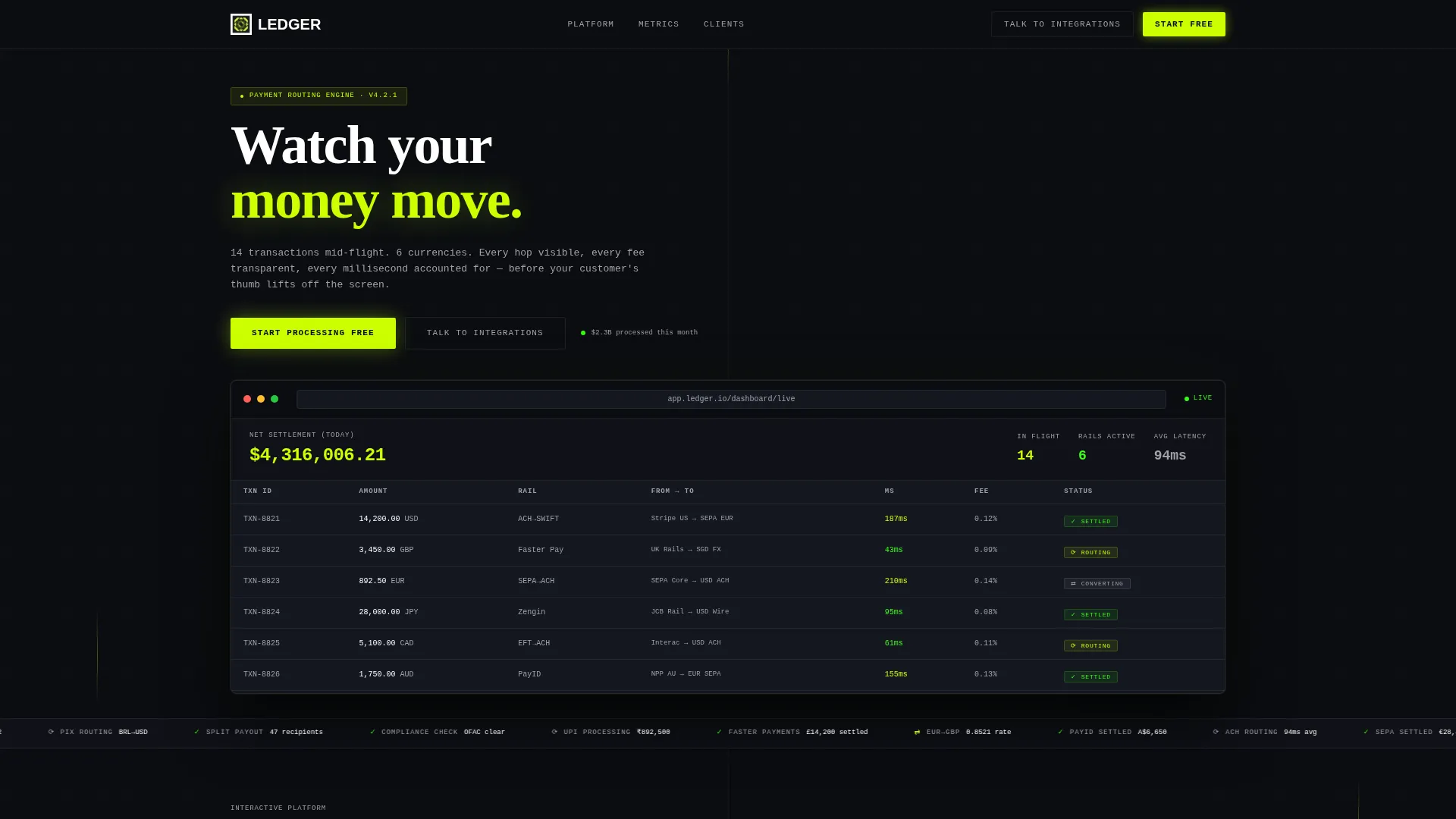
- A hero section built around a pixel-perfect product dashboard screenshot with a live transaction waterfall display
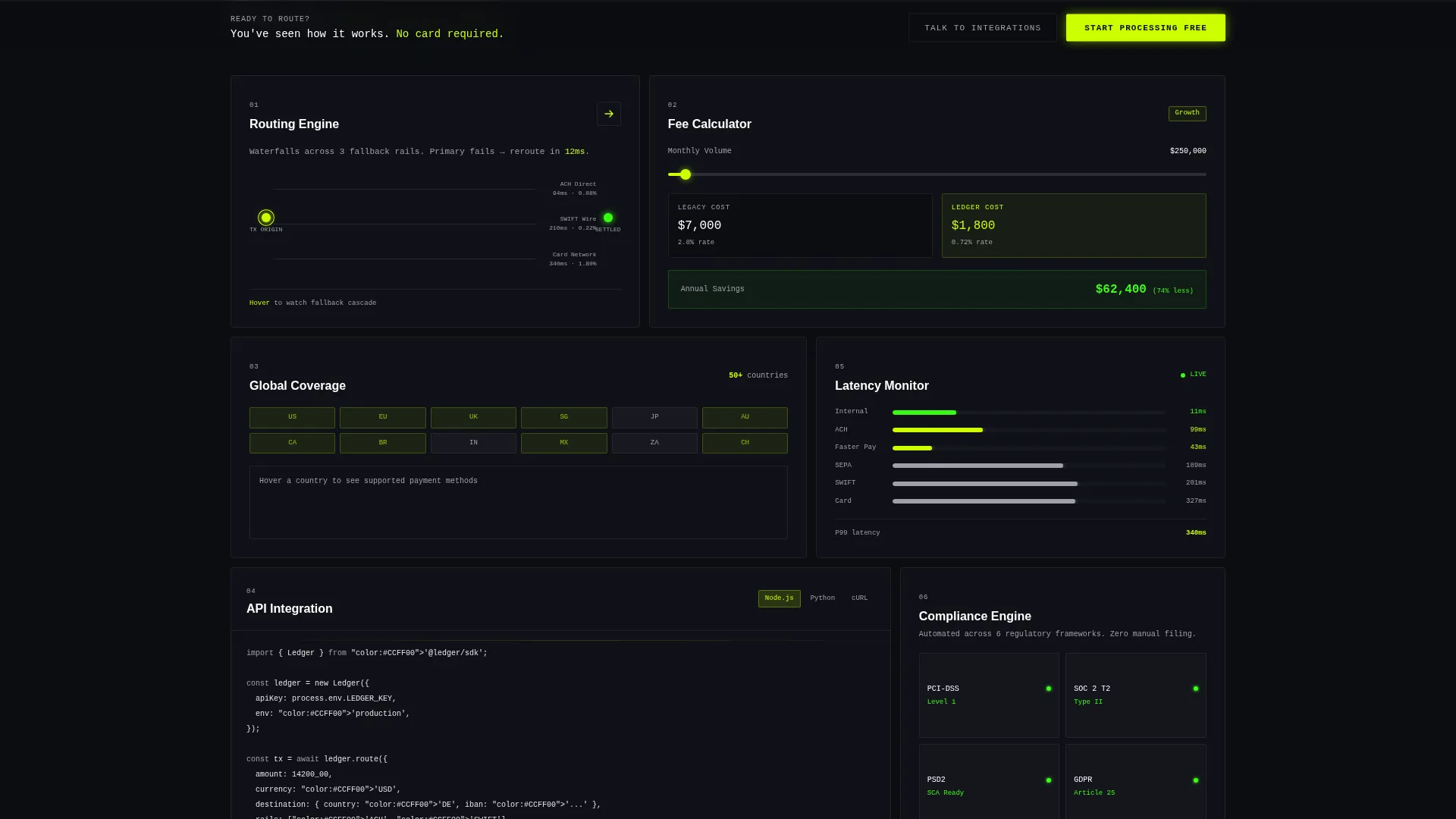
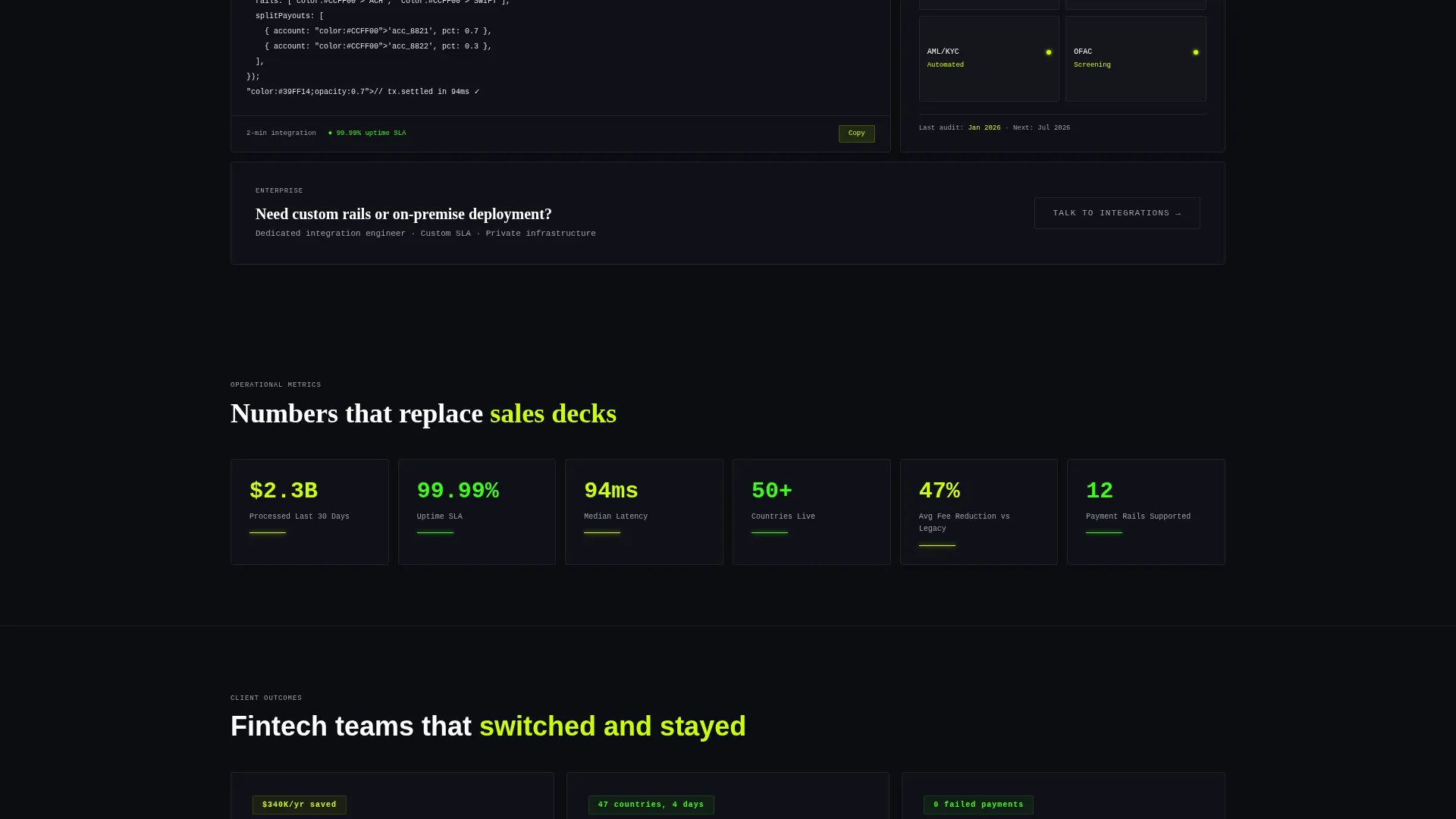
- An interactive bento grid with self-contained cards for routing, fee calculation, and global coverage
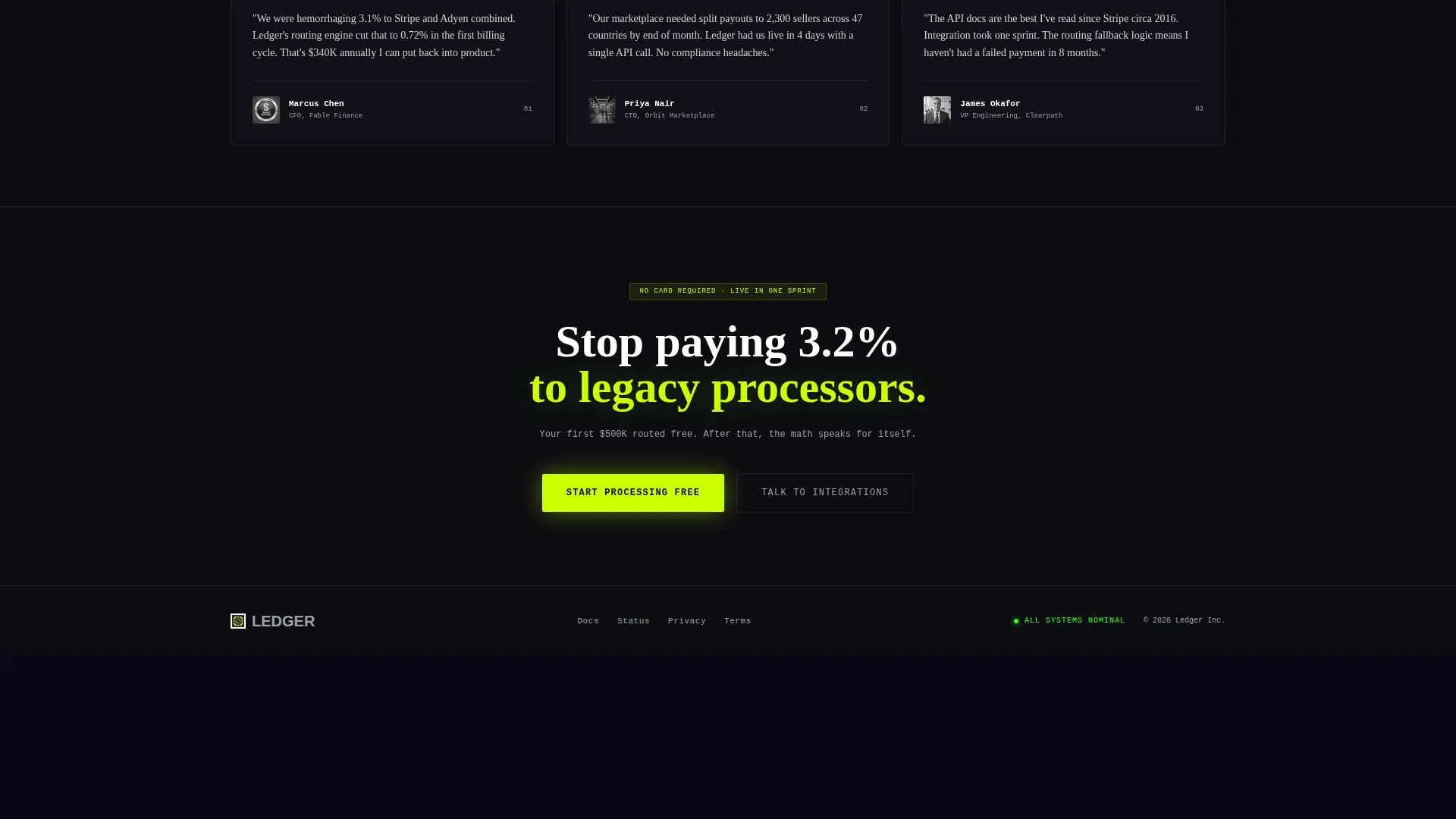
- A sticky bottom conversion bar and a dual call-to-action path tailored to both self-serve and enterprise buyers
Feature list
This template ships with a set of tightly scoped interactive components. Each one reflects a specific capability that payments buyers want to verify before they commit.
Real-Time Transaction Dashboard Header
The header uses a product screenshot showing 14 payments in flight across six currencies. Conversion rates tick live and a net settlement counter climbs in chartreuse. This positions the product as the hero without a single piece of stock imagery.
Interactive Bento Grid Layout
The grid below the header is navigable, not decorative. Each card is a self-contained module. Visitors can explore in any order, and each card rewards interaction with motion and real data rather than static text.
Routing Engine Card
Hovering the Routing Engine card animates a transaction moving through three fallback payment rails. This lets technical buyers understand the system's resilience logic without reading a single line of documentation.
Live Fee Calculator Card
The Fee Calculator card includes a draggable volume slider. As visitors adjust it, interchange costs recalculate in real time. This directly addresses the concern that legacy processors charge opaque fees.
Global Coverage Map Card
Expanding the Global Coverage card lights up a world map country by country, showing supported payment methods per region. Marketplace founders targeting multi-country payouts can verify coverage before speaking to anyone.
Sticky Conversion Bar with Smart call to action
A sticky bottom bar appears after a visitor interacts with any two bento cards. The primary call-to-action reads "Start Processing Free" and routes to a signup flow that pre-selects a plan based on which cards the visitor engaged most.
Page sections overview
| Section | Purpose |
|---|---|
| Hero Dashboard Header | Anchors credibility with a live-data product screenshot and a single direct headline |
| Routing Engine Card | Shows transaction fallback logic through hover-triggered animation |
| Fee Calculator Card | Lets visitors drag a volume slider to see real-time fee recalculation |
| Global Coverage Card | Expands to a lit map of supported countries and payment methods |
| Sticky Conversion Bar | Surfaces the primary call to action after two card interactions to prove engagement first |
| Secondary Ghost Button | Offers an enterprise path to speak with an integrations specialist |
Design & branding system
The visual identity follows a Data Command theme built on the Acid Digital color system. The palette reads like a Bloomberg terminal running at full signal, where every glowing element signals live activity.
- Void black (#0B0D11) forms the primary background, creating maximum contrast for data elements
- Electric chartreuse (#CCFF00) marks live data points and primary action elements including the main call-to-action button
- Terminal phosphor green (#39FF14) indicates success states and confirmed transactions, while cold zinc (#A1A1AA) handles secondary text and grid borders
Mobile & speed optimization
The bento grid structure adapts across screen sizes without losing the data-dense feel that makes this template work for its audience. Interactive cards are touch-compatible so mobile visitors can still engage with the routing, fee, and coverage modules.
- Cards reflow into a single-column stack on smaller screens while preserving the module-by-module exploration pattern
- The sticky conversion bar stays anchored at the bottom on mobile, keeping the primary call-to-action within thumb reach at all times
How this template helps you convert
Every structural decision in this template is aimed at reducing friction between a visitor's first impression and their first action.
- The interactive bento grid lets visitors self-qualify by exploring the features they care about most, so they arrive at the signup flow already informed and engaged.
- The sticky conversion bar only appears after two card interactions, meaning it surfaces at exactly the moment a visitor has demonstrated real intent rather than passive browsing.
- The signup flow receives interaction data from the bento grid and pre-selects a plan based on which cards the visitor engaged, removing a key decision point from the conversion path.
Other information about this template
This template is suited for payment processing platforms that serve both developers and financial operators. It is designed to work as a standalone landing page rather than as part of a larger site structure.
- Template style: Bento Grid, suitable for platforms with multiple distinct feature areas to showcase
- Theme: Data Command, matched to audiences who are comfortable reading dense data interfaces
- Creative direction: Interactive Explorer, meaning the page rewards curiosity rather than guiding visitors through a fixed narrative sequence
- Header concept: Product Screenshot, using a real dashboard capture as the hero rather than illustration or photography
- The conversion direction is Click-Through, optimized for a low-friction path to a signup flow rather than a lead capture form on the page itself
- This template sits in the Financial Services Software subcategory under Technology, making it a strong fit for payment API providers, processor platforms, and multi-currency payout infrastructure products
Theme
Data Command
Creative direction
Interactive Explorer
Color system
Acid Digital
Style
Bento Grid
Direction
Click-Through
Page Sections
Interactive Bento Grid Modules
Live Fee Calculator with Volume Slider
Routing Engine Animation
Global Coverage Map
Real-time Dashboard Hero
Sticky Call to Action Bar with Smart Routing
Related questions
Who is this landing page template designed for?
Does this template include a form for capturing leads?
Can I customize the bento grid cards for different feature areas?
How does the sticky conversion bar work?
Is this template suitable for a platform that supports multiple currencies?



