Quarry Vertical SaaS Specialist Booking Website Template
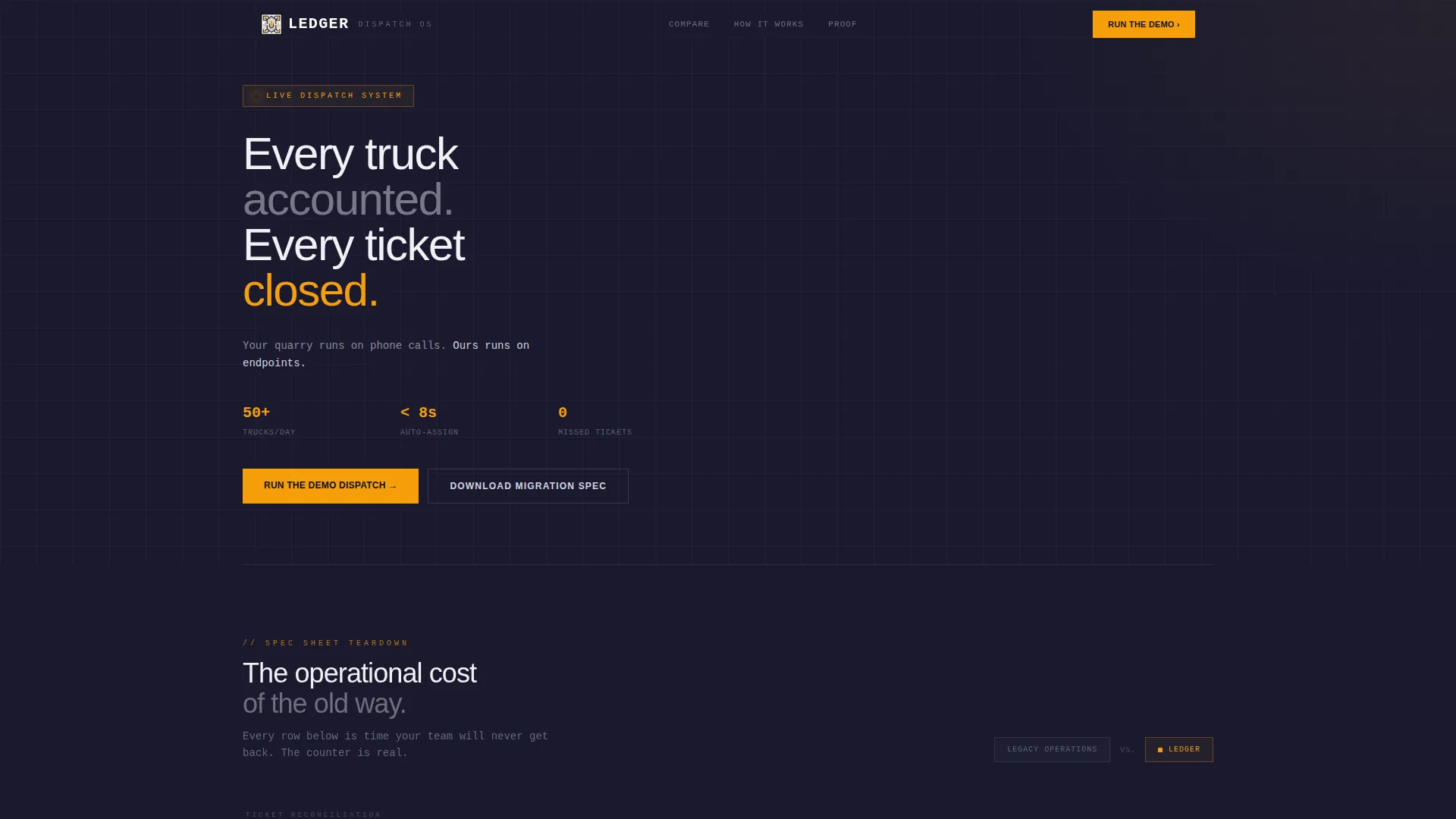
Ledger is a comparison-focused landing page template built for quarry booking system products. It combines a terminal-style code snippet header, a feature-versus table structure, and a Monochrome Steel visual identity to show operations managers exactly what they lose by staying on phone calls and whiteboards, and exactly what they gain by switching.
by Rocket studio
Quick summary
Ledger is a single-page template designed for quarry vertical SaaS products. It opens with a live-API code snippet and moves through a scrolling comparison table that isolates real operational costs, manual ticket reconciliation, radio dispatch, end-of-month invoicing, against a modern digital dispatch board. Every row makes the case before the call-to-action ever appears.
Who this template is for
This template is built for teams selling software to the aggregate and quarry industry. If your product replaces whiteboards, phone queues, or spreadsheet invoicing, this layout was made for your pitch.
- Quarry operations managers who coordinate fifty or more trucks per shift
- Dispatchers juggling contractor call queues and last-minute material changes
- Regional aggregate sales representatives quoting tonnage while moving between sites
What problem this template solves
Quarry scheduling software is a hard sell when buyers live inside the old process. The challenge is not explaining the features, it is making the operational cost of the current workflow undeniable before asking for a meeting.
- Visitors leave before understanding the value because the page leads with features, not consequences
- Phone-call and whiteboard workflows feel familiar, so switching friction is high without a clear cost comparison
- Sales cycles stall when decision-makers cannot quantify the time lost to manual reconciliation and radio dispatch
What you get with this template
Ledger gives you a structured, conversion-oriented landing page that speaks the language of quarry operations from the first pixel. The layout earns trust through specificity, then asks for the click.
- A syntax-highlighted terminal header block showing a real API booking call with a
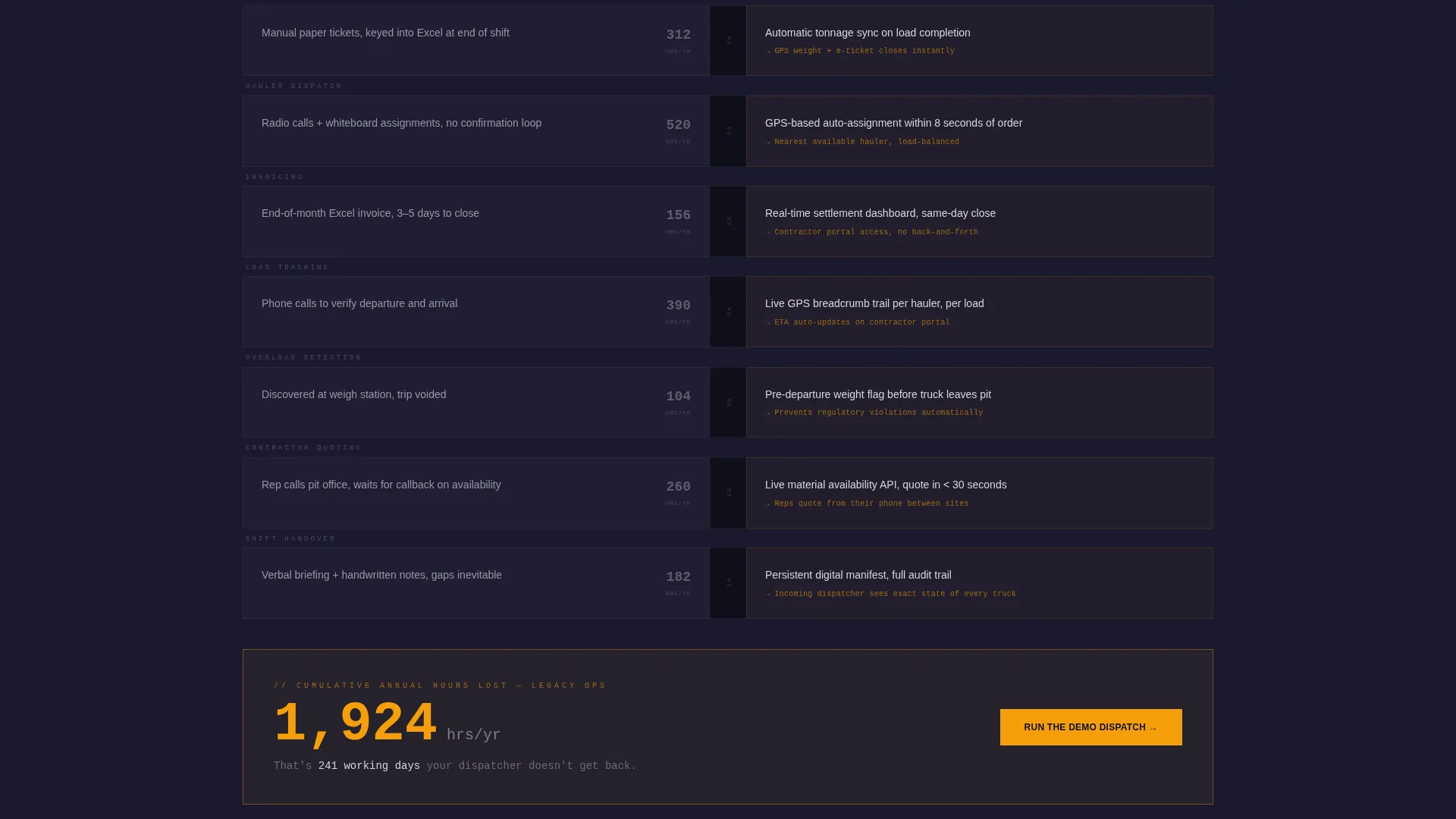
201 CREATEDresponse and hauler ETA array - A scrolling comparison table with time-loss counters beside each legacy workflow row and a cumulative hours-saved figure at the bottom
- A primary call-to-action pinned after the first table row linking to a sandbox dispatch environment, plus a gated secondary path for a migration specification document
Feature list
This section outlines the key built-in components and structural capabilities delivered with the Ledger template.
Terminal-Style API Header Block
The header renders a styled code snippet showing a POST /bookings call with a realistic JSON payload. Fields include material type, tonnage, pickup window, and a 201 CREATED response returning a booking ID and a three-hauler ETA array. Syntax highlighting uses zinc and amber against mill-scale black, with a blinking cursor for live-data effect.
Feature-Versus Comparison Table
Each table row isolates one operational reality and compares the legacy approach against the modern dispatch board approach. Rows cover manual ticket reconciliation versus automatic tonnage sync, radio dispatch versus GPS-based auto-assignment, and end-of-month Excel invoicing versus real-time settlement dashboards.
Time-Loss Counter Column
Every legacy-side table cell includes a small counter estimating annual hours wasted on that specific workflow. The counters stack as the visitor scrolls, and a cumulative time-saved figure closes the table section. The effect turns an abstract feature list into a concrete cost calculation.
Pinned Primary Call-to-Action
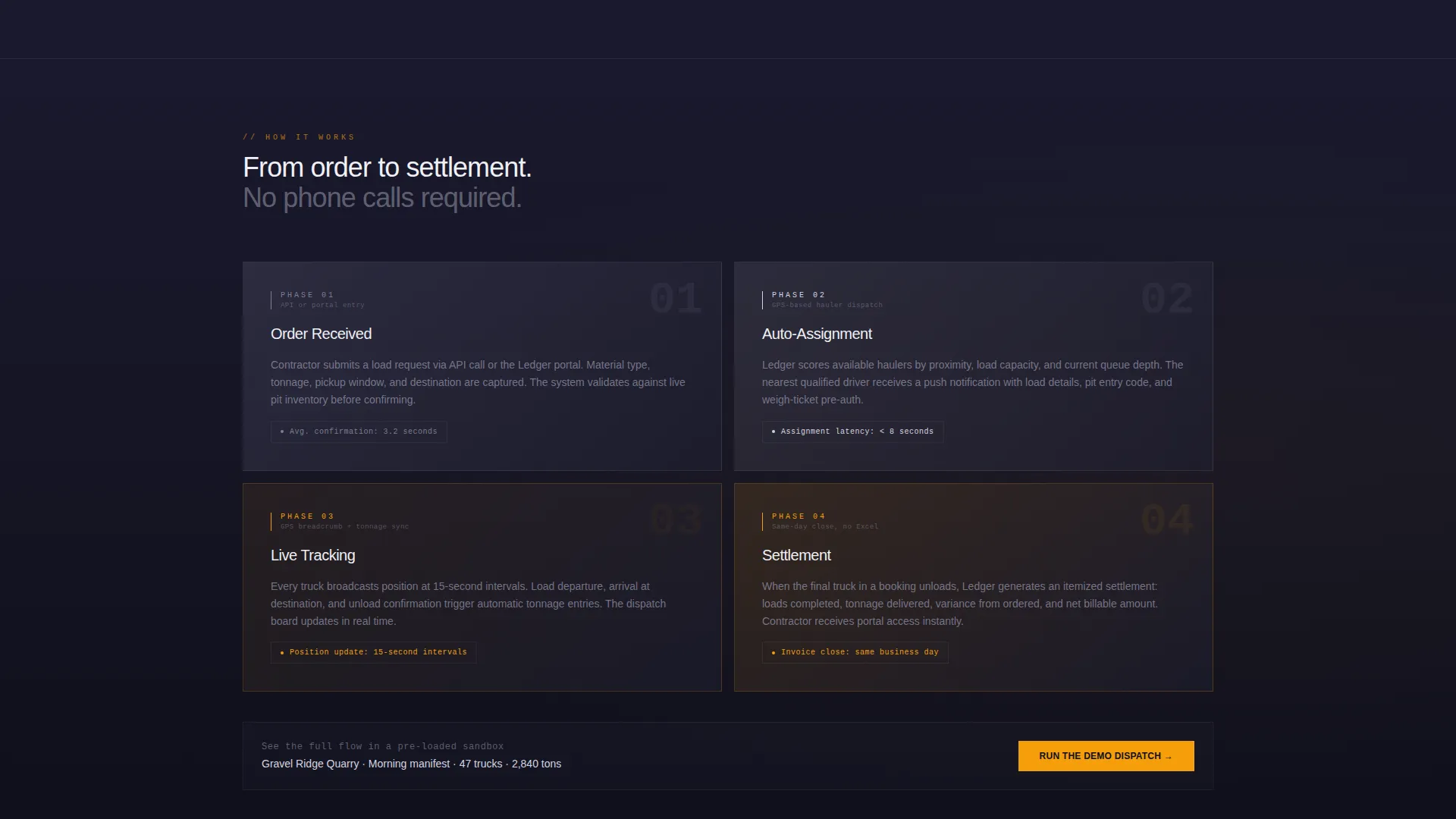
The primary call-to-action button reads "Run the Demo Dispatch" and stays visible after the first comparison row. It links to a sandbox environment pre-loaded with a fictional quarry's morning manifest, giving visitors a hands-on experience without a sales call.
Gated Migration Specification Download
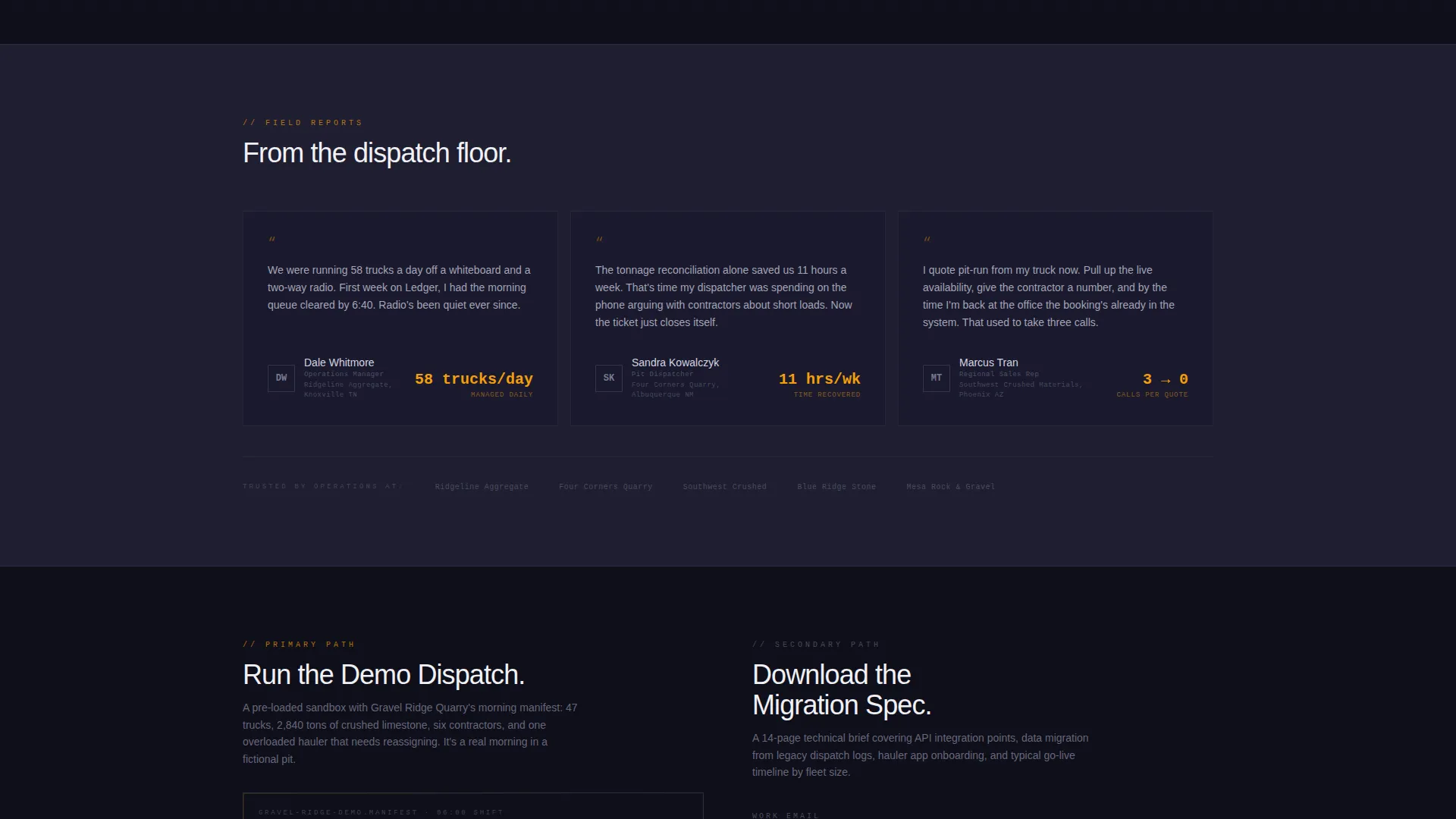
A secondary conversion path offers a downloadable migration specification document behind a two-field gate, work email and daily average truck count. The gate is intentionally lightweight to reduce friction while capturing a qualified lead signal.
Progressive Scroll Pacing
The comparison rows are designed to accelerate as the visitor moves down the page. Rows get shorter, amber highlights stack, and momentum builds toward the cumulative punchline. The scroll rhythm reinforces the sense that operational debt is compounding.
Page sections overview
| Section | Purpose |
|---|---|
| API Header Block | Opens with a live booking call snippet to establish technical credibility immediately |
| Tagline Copy Row | Delivers the single positioning line beneath the header to frame the comparison |
| First Comparison Table | Presents the first feature-versus rows and triggers the pinned primary call to action |
| Time-Loss Summary | Surfaces the cumulative hours-wasted figure as a closing argument |
| Demo call to action Block | Pins the "Run the Demo Dispatch" button and links to the sandbox environment |
| Gated Download Gate | Captures work email and truck count in exchange for the migration spec document |
Design & branding system
The visual identity follows a Startup Velocity theme interpreted through a Monochrome Steel palette. Every color choice reinforces the industrial, functional feeling of a real dispatch environment.
- Core palette: mill-scale black (
#1A1A2E) for backgrounds, galvanized zinc (#A4A4BF) and belt-conveyor silver (#D5D5E0) for text and secondary surfaces - Accent color: safety-cone amber (
#F59E0B) used exclusively for calls-to-action and live-data highlights, never decorative - Alternating background sections switch between mill-scale black and a subtle zinc wash, keeping the page readable without softening the industrial tone
Mobile & speed optimization
The Ledger template is structured to remain functional and legible on smaller screens without sacrificing the comparison table's core purpose.
- The comparison table is designed to scroll horizontally on mobile so no column data is hidden or collapsed
- The pinned call-to-action button adapts to mobile viewport heights so it remains reachable without disrupting the scroll rhythm
- The terminal header block scales responsively, keeping the syntax-highlighted code snippet readable at any screen width
How this template helps you convert
Ledger is built around a specific conversion logic: make the cost of the old way undeniable before asking for anything. The page structure enforces that logic at every scroll position.
- The comparison table with time-loss counters lets visitors calculate their own operational debt, removing the need for a salesperson to build the case
- The pinned "Run the Demo Dispatch" call-to-action appears only after the visitor has absorbed the first cost-comparison row, so the ask feels earned rather than premature
- The gated migration specification download captures a qualified lead with minimal friction by offering a document that is only useful to someone already evaluating a switch
Other information about this template
Ledger is part of a broader template collection designed around industry-specific SaaS positioning. A few additional details worth knowing before you build:
- The template is categorized under Technology, specifically the Quarry Vertical SaaS subcategory, making it a precise fit for aggregate dispatch and load-tracking products
- The Comparison Table template style and Spec Sheet creative direction are matched intersection fields, meaning the layout, copy structure, and visual rhythm are all aligned to the same conversion intent
- The Startup Velocity theme and Monochrome Steel color system are a defined pairing in this collection, swapping one without the other may affect the intended visual weight
- The fictional quarry manifest pre-loaded in the sandbox demo environment is a placeholder; your actual product team would replace it with real or representative dispatch data
Theme
Startup Velocity
Creative direction
Spec Sheet
Color system
Monochrome Steel
Style
Comparison Table
Direction
Comparison/Versus
Page Sections
Terminal API Header Block
Feature-versus Comparison Table
Time-loss Counter Column
Pinned Demo Dispatch Call to Action
Gated Migration Spec Download
Progressive Scroll Acceleration
Related questions
Can I change the comparison table rows to match my product's specific features?
Is the terminal code snippet in the header a live API connection?
Who is the gated download form designed to capture?
Does the pinned call-to-action button stay visible for the full page scroll?
Can this template support aggregate materials other than crushed limestone?



