Real Estate Inventory Management Landing Page
Ledger is a bold brutalist split-screen landing page template built for real estate inventory management platforms. It pairs a live-data dashboard preview with high-intensity copy to target property managers, commercial brokers, and asset teams. The layout drives leads through a two-step form, a persistent unit counter, and a "See Your Portfolio Live" call to action.
by Rocket studio
Quick summary
Ledger is a single-page lead generation template designed for real estate inventory management software. It uses a 50/50 split-screen layout, a bold brutalist visual identity, and a Midnight Blue color system to position the product as a command-center tool. Every section is built to show the platform working, not just describe it.
Who this template is for
This template is built for software teams and product marketers promoting real estate inventory platforms. It speaks directly to high-volume operators who need to justify switching tools fast.
- Property managers overseeing portfolios of 200 or more units who need a clear pipeline view
- Commercial brokers and real estate investment trust asset teams tracking vacancies, absorption rates, and lease cycles
- SaaS founders and marketing teams launching or repositioning a real estate inventory management product
What problem this template solves
Managing large property portfolios across spreadsheets, email threads, and disconnected tools creates blind spots. Visitors arriving at this page already feel that pain. The template makes the old workflow look obsolete before a single word of body copy lands.
- No clear way to show real-time occupancy, flagged vacancies, and revenue data in one place
- Lead capture forms that ask for commitment before proving product value
- Landing pages that rely on stock imagery instead of letting the actual software do the selling
What you get with this template
You get a fully structured single-page layout ready to be customized for a real estate inventory management platform. Every section has a defined role and a defined visual treatment.
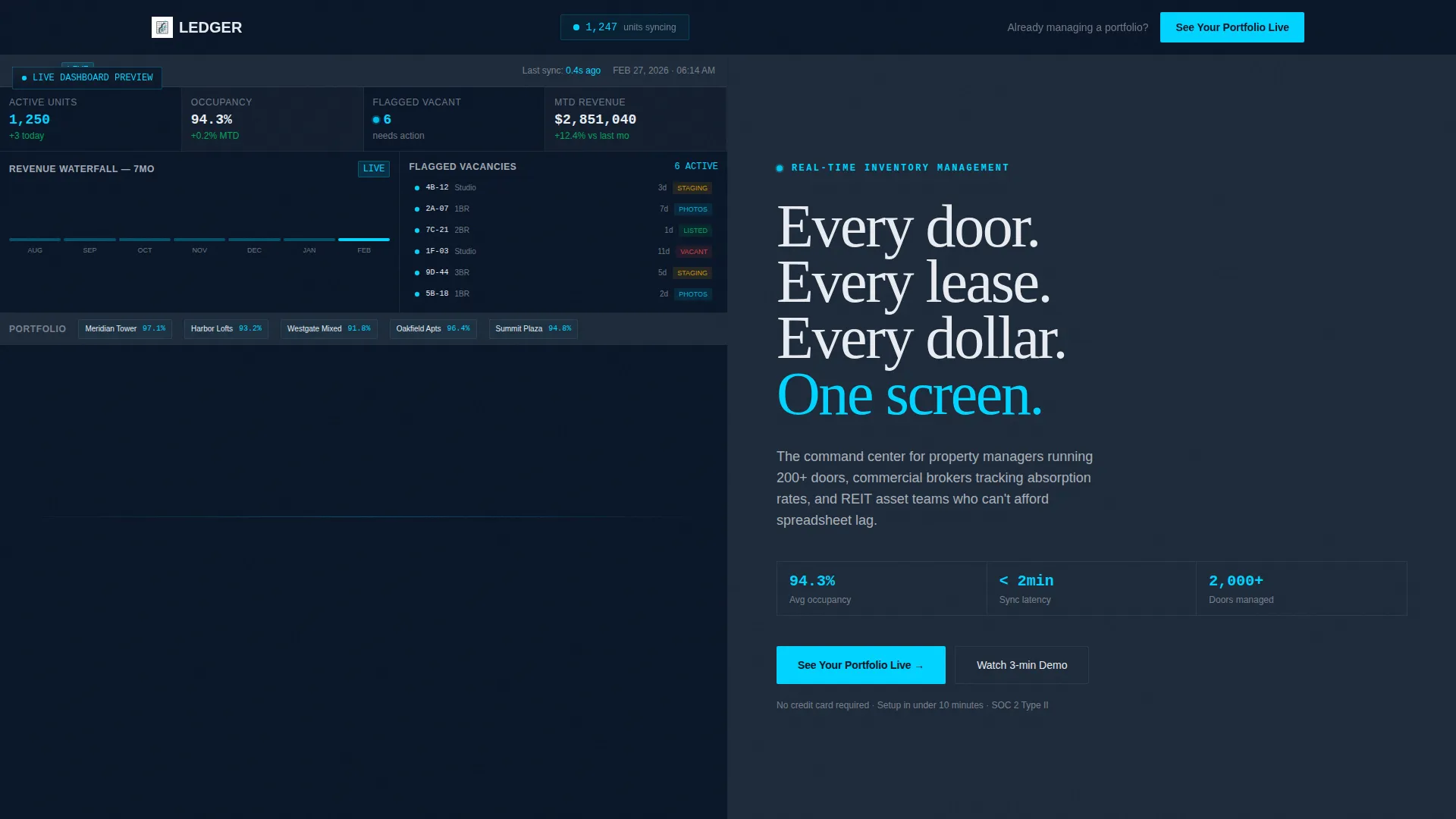
- A full-fidelity dashboard preview header showing 1,247 active units, 94.3% occupancy, six flagged vacancies in signal cyan, and a revenue waterfall chart
- A split-screen section flow that contrasts the old workflow with the platform experience across multiple capability reveals
- A two-step lead generation form capturing portfolio size, property type, name, email, and a free-text field for the visitor's biggest inventory challenge
Feature list
This template delivers a focused set of built-in components grounded in the source brief. Each one earns its place on the page.
Full-Fidelity Dashboard Hero
The left panel of the header renders an actual interface at full detail. It shows live-looking unit counts, occupancy rates, flagged vacancies pulsing in cyan, and a revenue waterfall chart mid-cascade. The product becomes the visual before a visitor reads a single headline.
Split-Screen Capability Reveals
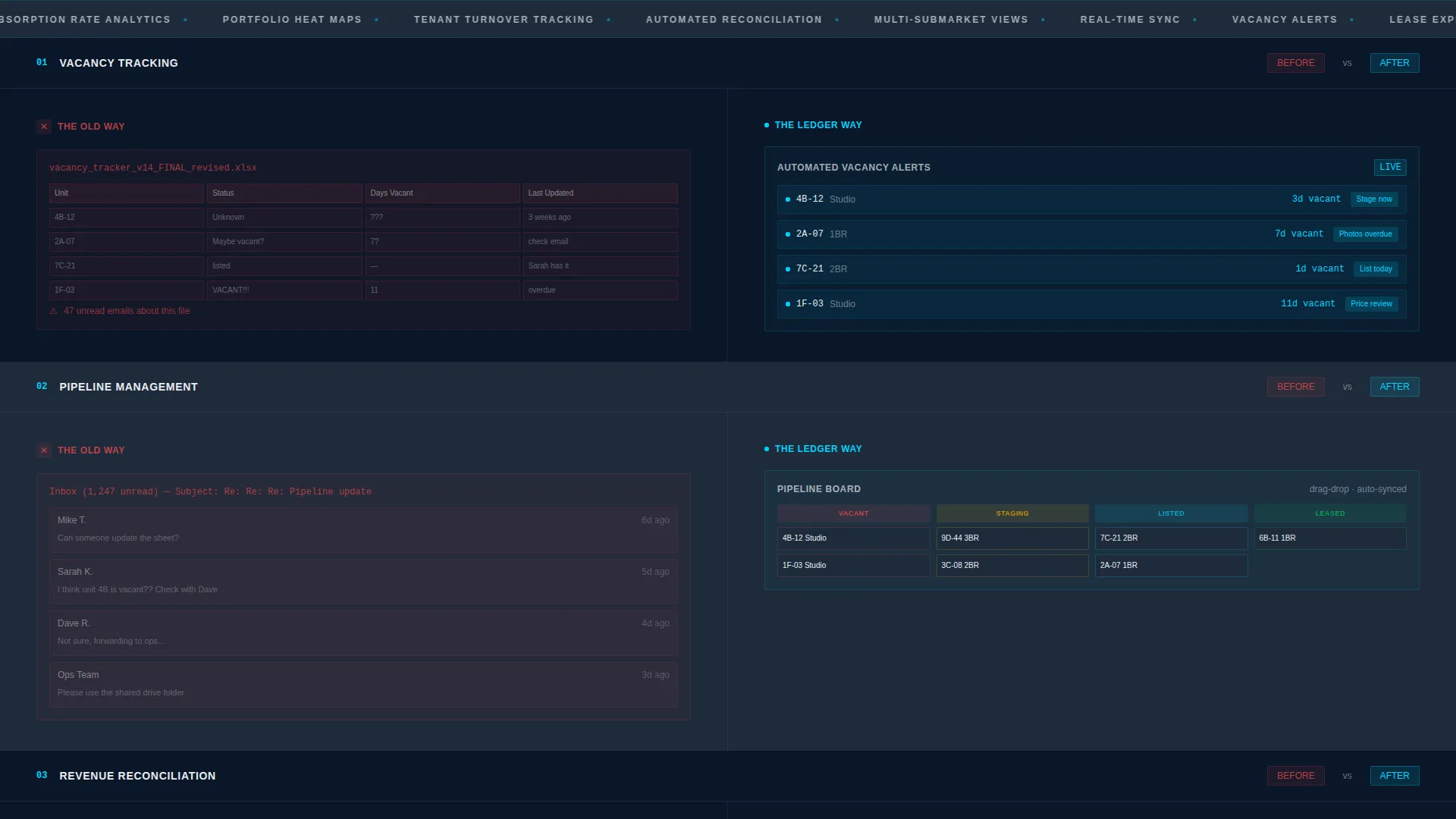
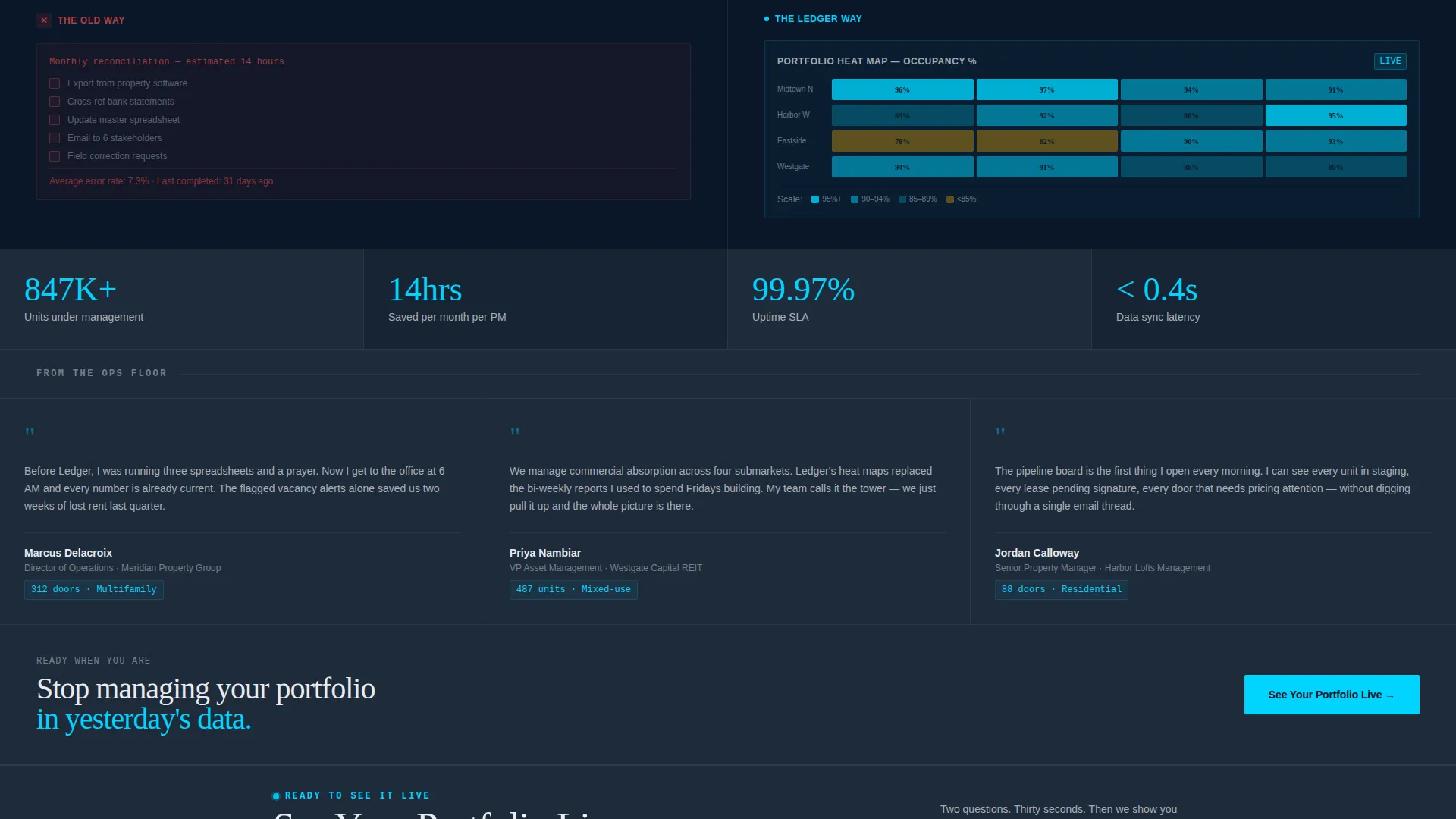
Each scroll section uses a strict 50/50 layout. The left side shows the old workflow, spreadsheet chaos, manual reconciliation, email threads. The right side shows the platform response, automated vacancy alerts, drag-and-drop pipeline boards, and portfolio heat maps.
Persistent Unit Counter in Navigation
A unit counter sits in the navigation bar and ticks upward as the visitor scrolls. It simulates real-time inventory syncing and keeps the sense of a live, always-on system active throughout the page experience.
Two-Step Lead Generation Form
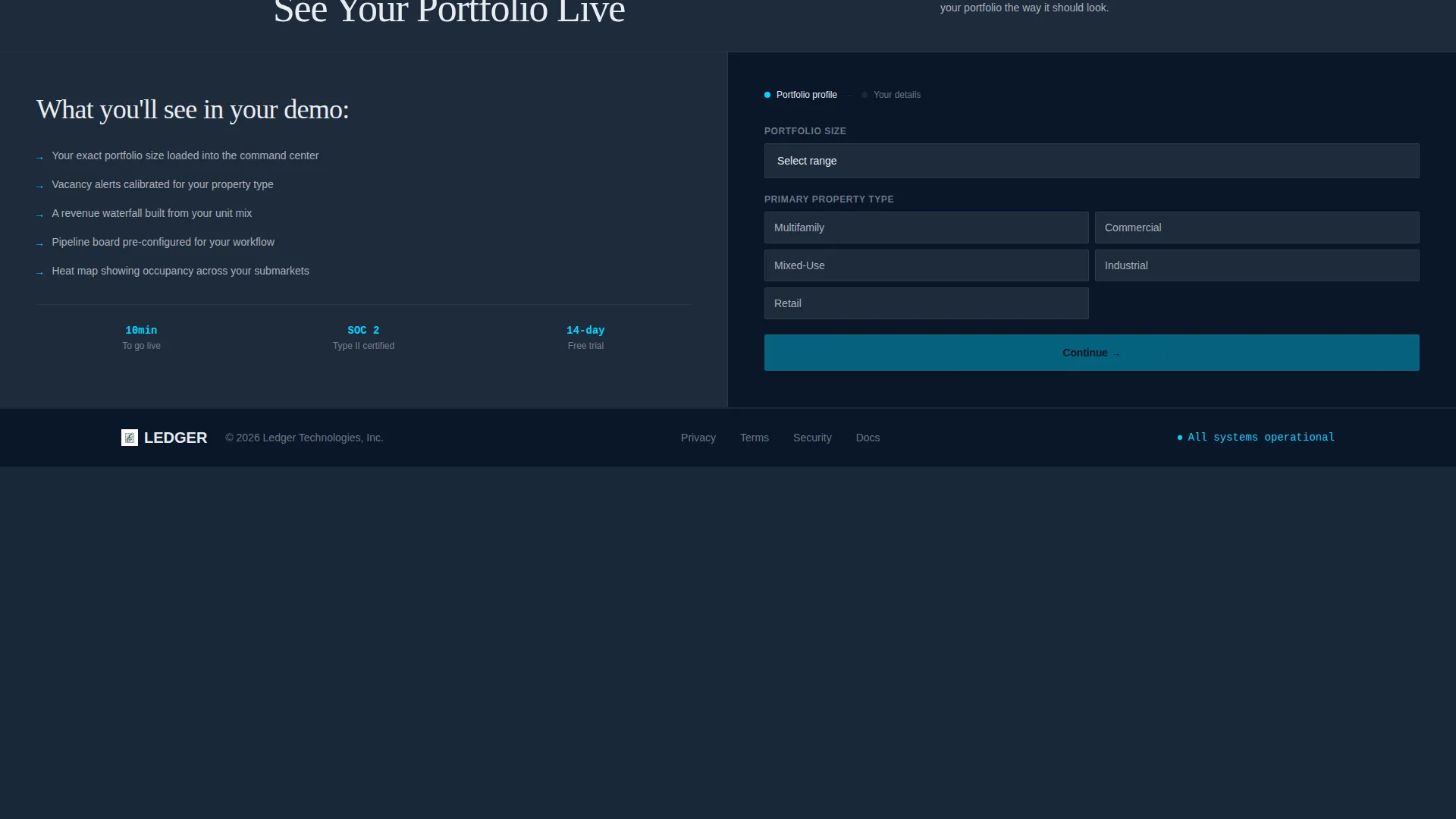
Step one asks for portfolio size via a dropdown (50 to 200, 200 to 500, 500 to 2,000, and 2,000-plus units) and property type (multifamily, commercial, or mixed-use). Step two captures name, email, and a free-text field labeled "Biggest inventory headache right now."
Dual Call-to-Action Placement
The primary call to action, "See Your Portfolio Live," appears twice: once directly after the hero header and once anchored above the lead capture form at the bottom of the page. Placement is intentional and timed to visitor readiness.
Hard-Cut Section Transitions
Animations are snappy and transitions are hard cuts rather than fades. The pace compounds as sections progress, reinforcing the sense of a fast, precise system rather than a polished but passive marketing page.
Page sections overview
| Section | Purpose |
|---|---|
| Dashboard Hero Header | Establishes the product as the visual centerpiece with live-data metrics |
| First call to action Block | Captures early intent with the "See Your Portfolio Live" action |
| Vacancy Alert Reveal | Contrasts manual tracking with automated vacancy alerting |
| Pipeline Board Reveal | Shows drag-and-drop pipeline management against email-thread chaos |
| Portfolio Heat Map Reveal | Demonstrates submarket visibility versus manual spreadsheet reconciliation |
| Two-Step Lead Form | Qualifies leads by portfolio size and property type before capturing contact details |
| Bottom call to action Anchor | Reinforces the primary call to action directly above the form |
Design & branding system
The visual identity follows a Bold Brutalist theme built entirely around the Midnight Blue color system. There is no decoration here, every color and typographic choice is functional.
- Deep terminal navy (#0A1628) and reinforced slab gray (#1E2A3A) alternate as section backgrounds, text lives in cold fluorescent white (#E8ECF1), and signal cyan (#00D4FF) appears only on live data points, active toggles, and hover states
- Oversized slab-serif type carries the hero headline: "Every door. Every lease. Every dollar. One screen.", no stock photography, no lifestyle imagery
- Hard-cut transitions and snappy animations replace soft fades, keeping the visual rhythm dense, precise, and consistent with the operations-floor tone
Mobile & speed optimization
The template is designed with a layout that can scale down to smaller screens without losing the intensity of the brutalist grid. The split-screen structure adapts to stacked panels on mobile viewports.
- Split-screen 50/50 panels restack vertically on smaller screens so dashboard previews and contrast panels remain fully legible
- Slab typography and high-contrast color ratios between cold white text and dark navy backgrounds remain readable at every viewport width
- The persistent nav counter and dual call to action blocks are sized and positioned to stay visible and tappable on touch devices
How this template helps you convert
Every structural decision in this template is aimed at reducing hesitation and increasing form completions. The page builds evidence before it asks for anything.
- The dashboard hero shows the platform working at full fidelity before a visitor reads a headline, removing the need to imagine the product
- Each split-screen capability section makes the visitor's current workflow feel visibly inadequate, creating urgency without a single pressure-sales line
- The two-step form eases commitment by starting with context questions about portfolio size and property type, making the final contact capture feel like a natural next step
Other information about this template
This template is suited to teams positioning a real estate inventory management platform in a competitive SaaS market. A few additional details worth noting before you build:
- The template is single-page and section-led, making it a focused lead generation landing page rather than a multi-page product site
- The Bold Brutalist theme and Midnight Blue palette are designed to stand apart from the lifestyle-heavy aesthetics common in real estate marketing
- Color customization can be applied by replacing the four core palette values: #0A1628, #1E2A3A, #E8ECF1, and #00D4FF
- The free-text form field labeled "Biggest inventory headache right now" is designed to surface sales intelligence, not just contact data
- This template is built for the Real Estate Software and SaaS subcategory under the Technology category, with a niche focus on real estate inventory management
Theme
Bold Brutalist
Creative direction
Launch Energy
Color system
Midnight Blue
Style
Split Screen (50/50)
Direction
Lead Generation
Page Sections
Full-fidelity Dashboard Hero Panel
Split-screen Capability Contrast Sections
Persistent Scrolling Unit Counter
Qualified Two-step Lead Form
Dual Call to Action Placement Strategy
Hard-cut Transition Animations
Related questions
Who is this landing page template built for?
Does this template use stock photography?
What does the two-step lead capture form collect?
Can I adjust the color palette to fit my brand?
Is this a single-page or multi-page template?



