Real Estate Payment Processing Landing Page Template
Ledger is a split-screen landing page template built for real estate payment platforms. It pairs a glassmorphic dark visual system with a dynamic feature matrix layout, guiding property managers, brokerages, and title companies through ACH processing, escrow splitting, and automated reconciliation tools. A progressive lead-capture form drives qualified inquiries from the first scroll.
by Rocket studio
Quick summary
Ledger is a single-page, split-screen landing page template designed for real estate payment processing platforms. It uses a glassmorphic dark visual identity, a scrolling feature matrix, and a progressive lead generation form to convert property managers, commercial brokerages, and title companies into qualified sales conversations.
Who this template is for
This template is built for payment platforms and fintech products that serve the real estate industry. If your product handles high-volume, deadline-sensitive transactions, Ledger speaks directly to your buyers.
- Property managers overseeing multi-unit residential portfolios
- Commercial brokerages and title companies managing large disbursements and wire transfers
- Real estate payment platforms targeting operational decision-makers ready to evaluate fee structures
What problem this template solves
Real estate finance professionals need to trust a platform before they hand over a wire transfer. Generic software landing pages feel too lightweight for that responsibility. Ledger closes that gap by showing operational depth before asking for a commitment.
- Visitors see their exact workflows reflected back at them through feature-specific animations and live-data visuals
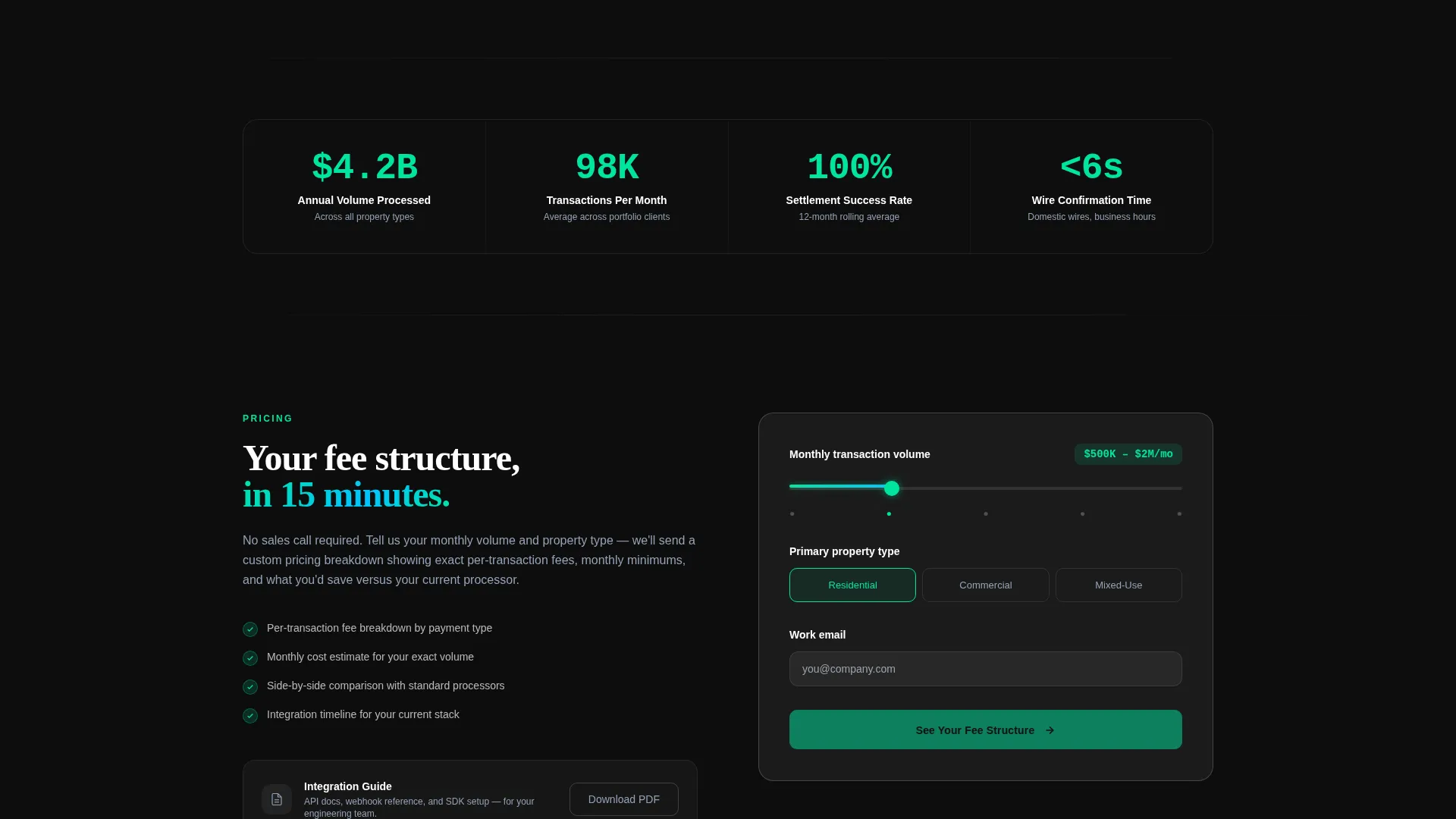
- The progressive form removes friction by collecting volume and property type before asking for contact details
- The page earns the click through proof, not promises, building confidence section by section
What you get with this template
Ledger delivers a fully structured, single-page layout with every section predefined and ready to customize. The design system, motion behavior, and copy structure all ship together.
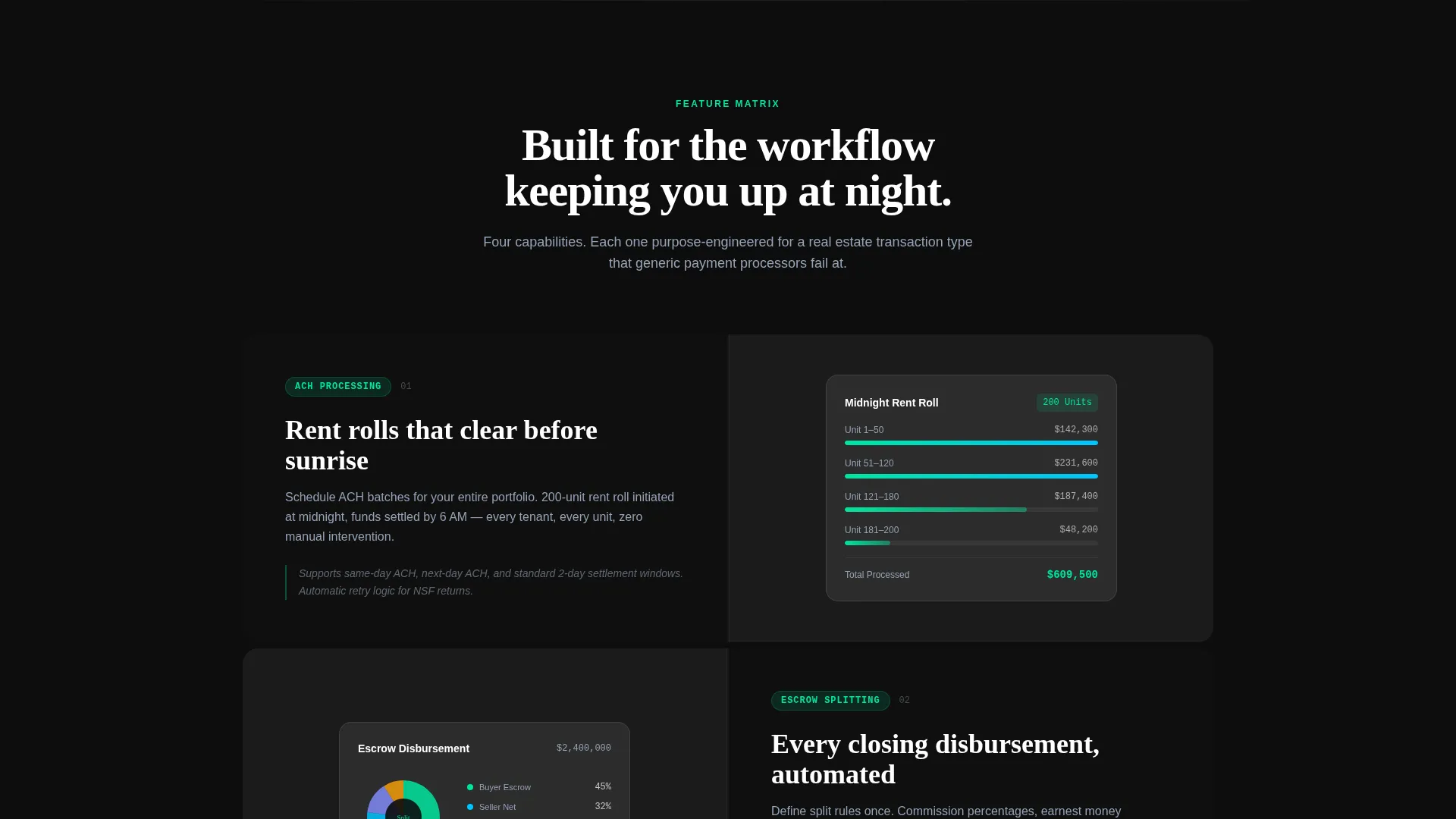
- A 50/50 split-screen layout with left-side feature cards and right-side live-data proof panels
- A scrolling logo bar, a multi-step lead form with a volume slider, and dual call-to-action placements
- A glassmorphic color system built on deep obsidian, frosted white panels, electric mint accents, and cool slate typography
Feature list
This template is designed around six core capabilities drawn directly from the brief. Each one serves the operational reality of real estate payment platforms.
Split-Screen Feature Matrix Layout
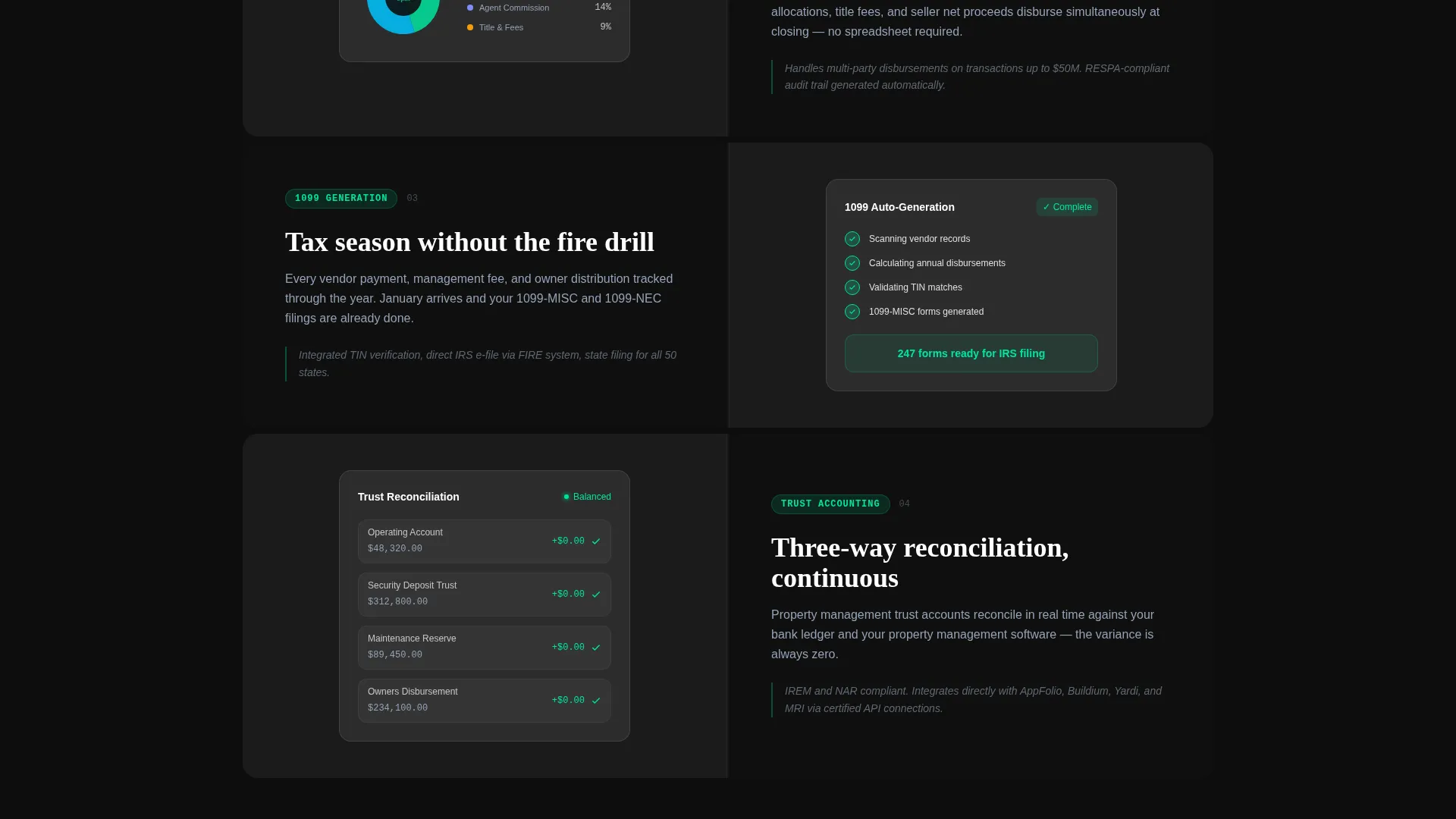
The page divides into two equal columns on scroll. The left side presents frosted glass feature cards. The right side mirrors each feature with a corresponding live-data animation, building a case row by row as the visitor scrolls deeper.
Progressive Lead Capture Form
The lead form collects information across three steps. A slider captures monthly transaction volume, a selector identifies property type (residential, commercial, or mixed-use), and a final field takes a work email. This sequencing reduces drop-off and qualifies leads before submission.
Scrolling Logo Bar Header
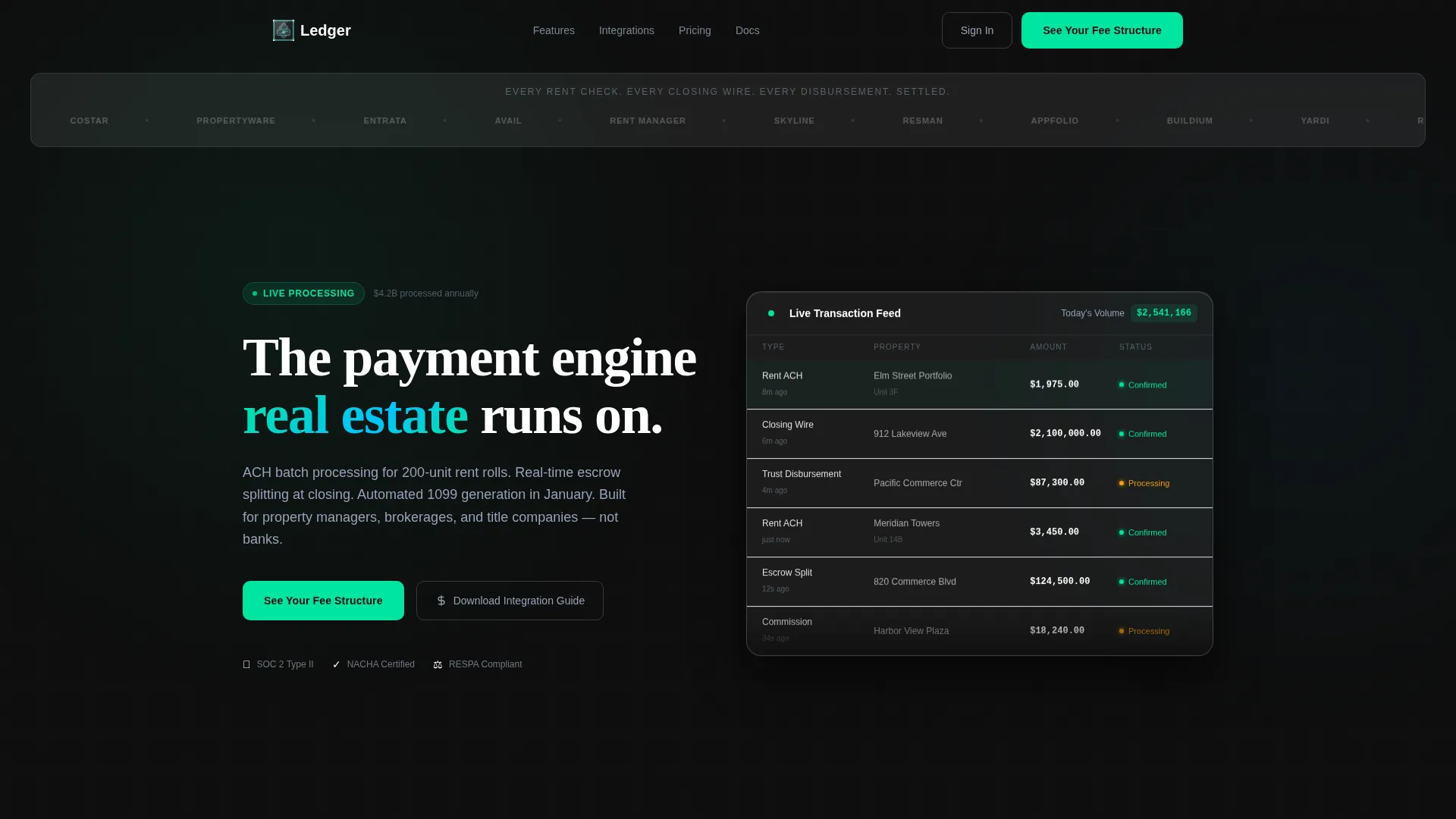
The header opens with a horizontal, looping scroll of partner logos rendered in monochrome against a frosted glass strip. A headline sits above: "Every rent check. Every closing wire. Every disbursement. Settled." The motion is slow and institutional, communicating volume without stating a number.
Glassmorphic Dark Visual System
The color palette uses deep obsidian (#0D0D0D) as the base, frosted translucent white at 12% opacity for card surfaces, electric mint (#00E5A0) for active states and confirmations, and cool slate (#94A3B8) for secondary text. Backgrounds layer in depth: solid base, blurred gradients, then floating glass panels with luminous borders.
Dual Call-to-Action Placement
The primary call to action, "See Your Fee Structure," appears mid-page inside a glass card and again pinned at the bottom of the page. A secondary path, "Download the Integration Guide," provides a low-commitment option for technical evaluators not ready to speak with sales.
Dynamic Motion and Interactive States
Every interactive element carries the mint accent. Buttons glow faintly on hover. Toggles snap with color. Progress bars fill as if funds are settling. The motion theme is consistent across the page, reinforcing the wire-transfer metaphor at the visual level.
Page sections overview
| Section | Purpose |
|---|---|
| Logo Bar Header | Establishes credibility through partner logos and a headline |
| Feature Matrix Left | Presents platform capabilities as frosted glass cards on scroll |
| Feature Matrix Right | Mirrors each feature with live-data animations and proof visuals |
| Lead Generation Form | Captures volume, property type, and work email progressively |
| Mid-Page call to action Card | Drives primary conversions with "See Your Fee Structure" |
| Secondary Download call to action | Offers the Integration Guide for technical evaluators |
| Bottom Pinned call to action | Anchors the primary call to action at page end |
Design & branding system
The visual identity is built around a Dynamic Motion theme executed through a glassmorphic layering system. The result feels like a rain-streaked glass high-rise lobby at night: dark, reflective, and precise.
- Color palette: obsidian base (#0D0D0D), frosted white panels (12% opacity), electric mint (#00E5A0) for confirmations and active states, cool slate (#94A3B8) for secondary text and dividers
- Typography uses medium-weight sans-serif for headlines, with a tone that is institutional and unhurried
- Depth is built through stacked layers: solid background, blurred gradient mid-layer, and glass panels with subtle border luminance floating above
Mobile & speed optimization
The template is structured with a responsive layout in mind. The split-screen design adapts to narrower viewports without sacrificing the depth and layering of the glassmorphic system.
- The 50/50 split reflows cleanly for tablet and mobile screen widths
- Interactive elements such as the volume slider and mint-accented toggles are sized and spaced for touch interaction
- Motion elements are implemented with a restrained, scroll-triggered approach that keeps the page feeling purposeful on any device
How this template helps you convert
Ledger is designed around a specific conversion logic: show operational proof before asking for anything. The layout enforces this sequence deliberately.
- The logo bar and feature matrix build trust and recognition early, so visitors arrive at the form already convinced the platform understands their workflow.
- The progressive form reduces friction by collecting high-intent signals (transaction volume and property type) before requesting personal contact details, which improves lead quality at the point of submission.
Other information about this template
Ledger fits naturally within real estate software product marketing, particularly for platforms competing in the real estate payment processing space. A few additional details worth knowing before you build with it.
- The template is categorized under Technology and Real Estate Software, making it a strong fit for product-led growth pages targeting operational buyers
- The "Download the Integration Guide" secondary path is pre-positioned for technical evaluators, which supports both sales and developer-relations use cases
- The intersection match between the Dynamic Motion theme, glassmorphic color system, and Feature Matrix creative direction is intentional and produces a visually cohesive single-page experience
- The template style is explicitly Single Page, so all conversion paths, sections, and calls to action are contained within one scrollable landing page
Theme
Dynamic Motion
Creative direction
Feature Matrix
Color system
Glassmorphic
Style
Split Screen (50/50)
Direction
Lead Generation
Page Sections
Split-screen Feature Matrix
Progressive Lead Capture Form
Scrolling Partner Logo Bar
Glassmorphic Layered Design System
Dual Call-to-action Architecture
Dynamic Motion and Interactive States
Related questions
Who is this landing page template designed for?
What does the progressive lead form collect?
Does the template include a secondary conversion path?
How does the split-screen layout behave on smaller screens?
Can I update the feature cards and branding to match my platform?



