Real Estate Software & SaaS Cost Calculator Website Template
Ledger is a scroll reveal landing page template built for real estate point-of-sale software targeting managing brokers and ops directors. It features a Feature Tab Switcher hero, a Stats-First Impact scroll flow, a progressive comparison table, and an interactive ROI calculator. The Dashboard Pro design uses a dark terminal aesthetic with teal and coral accents.
by Rocket studio
Quick summary
Ledger is a high-impact landing page template for a real estate point-of-sale system. It targets managing brokers and brokerage ops directors who need to see automated commission reconciliation in action fast. The page opens with a live-styled dashboard, builds trust through data-led scroll reveals, and converts with a personalized ROI calculator.
Who this template is for
This template is built for B2B SaaS teams selling real estate brokerage operations software. If your buyers make decisions based on numbers, not narratives, this layout speaks their language from the first scroll.
- Managing brokers running 40 or more agents across multiple office locations
- Ops directors buried in manual commission reconciliation at month-end
- Franchise owners who need real-time gross commission income visible on mobile
What problem this template solves
Brokerage ops teams waste significant time every month reconciling commission splits, tracking escrow disbursements, and chasing down gross commission income (GCI) reports. Generic SaaS landing pages fail to address these specific pain points with the precision buyers expect.
- Legacy stacks like bolt-on add-ons and spreadsheet trackers create reconciliation delays and errors
- Prospects cannot quickly visualize the operational gap between their current workflow and an automated solution
- Sales teams lose warm leads who never reach the ROI conversation because the page fails to make the case fast
What you get with this template
You get a fully structured, scroll reveal landing page designed to move a skeptical brokerage operator from curiosity to conversion. Every section is purpose-built around a specific moment in the buyer's decision journey.
- A three-tab hero section with animated, live-styled commission dashboard screenshots
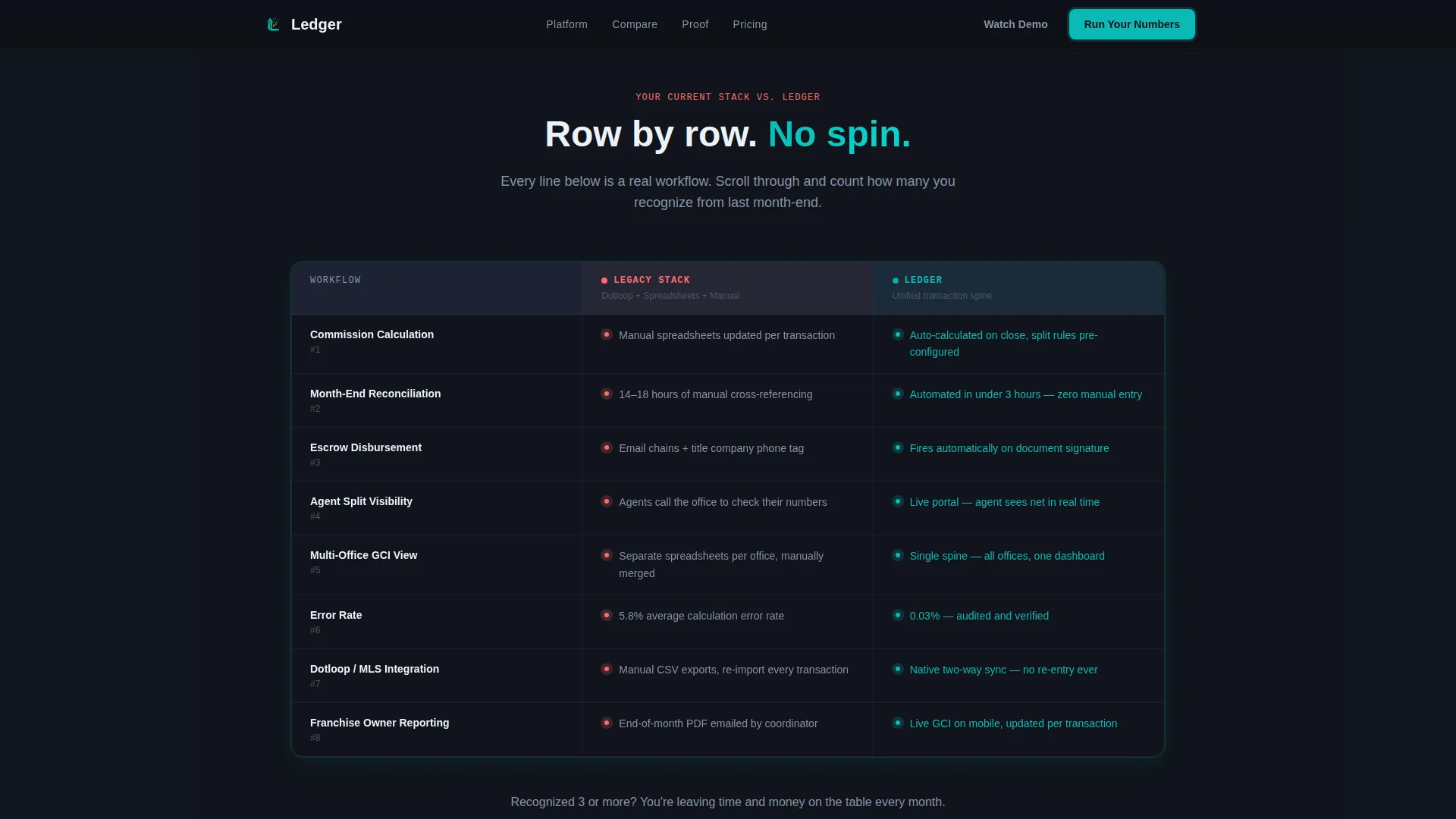
- A progressive comparison table revealing row-by-row pain points in legacy systems
- A three-field interactive ROI calculator that outputs a personalized monthly savings estimate
Feature list
This template includes six purpose-built components, each earning its place in the conversion flow.
Feature Tab Switcher Hero
The header uses three clickable tabs labeled Commission Engine, Escrow Tracking, and Agent Portal. Each tab reveals a different dashboard screenshot with animated data populating in real time. The default view shows a commission split waterfall with specific figures and pulsing teal status badges.
Stats-First Scroll Reveals
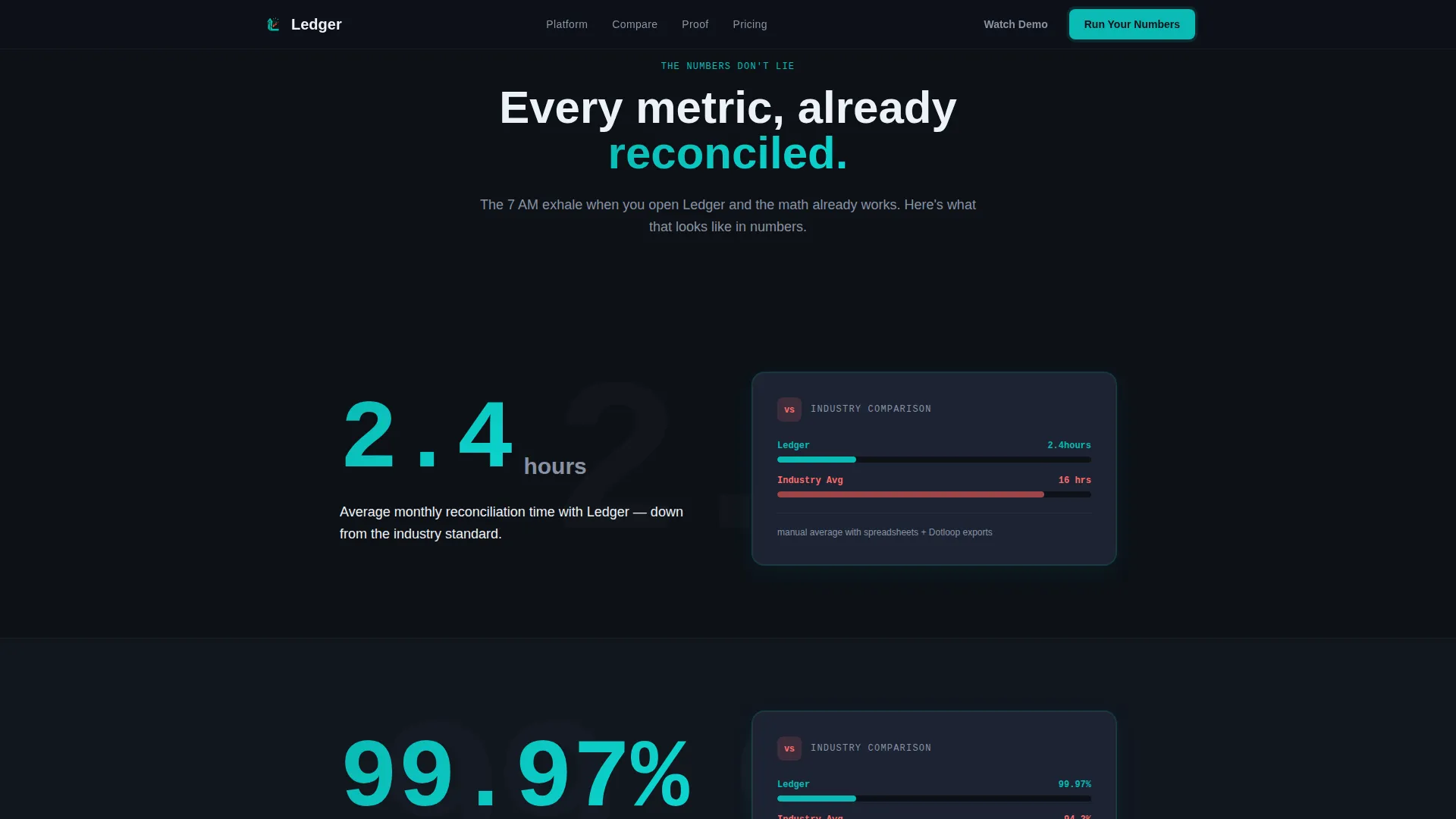
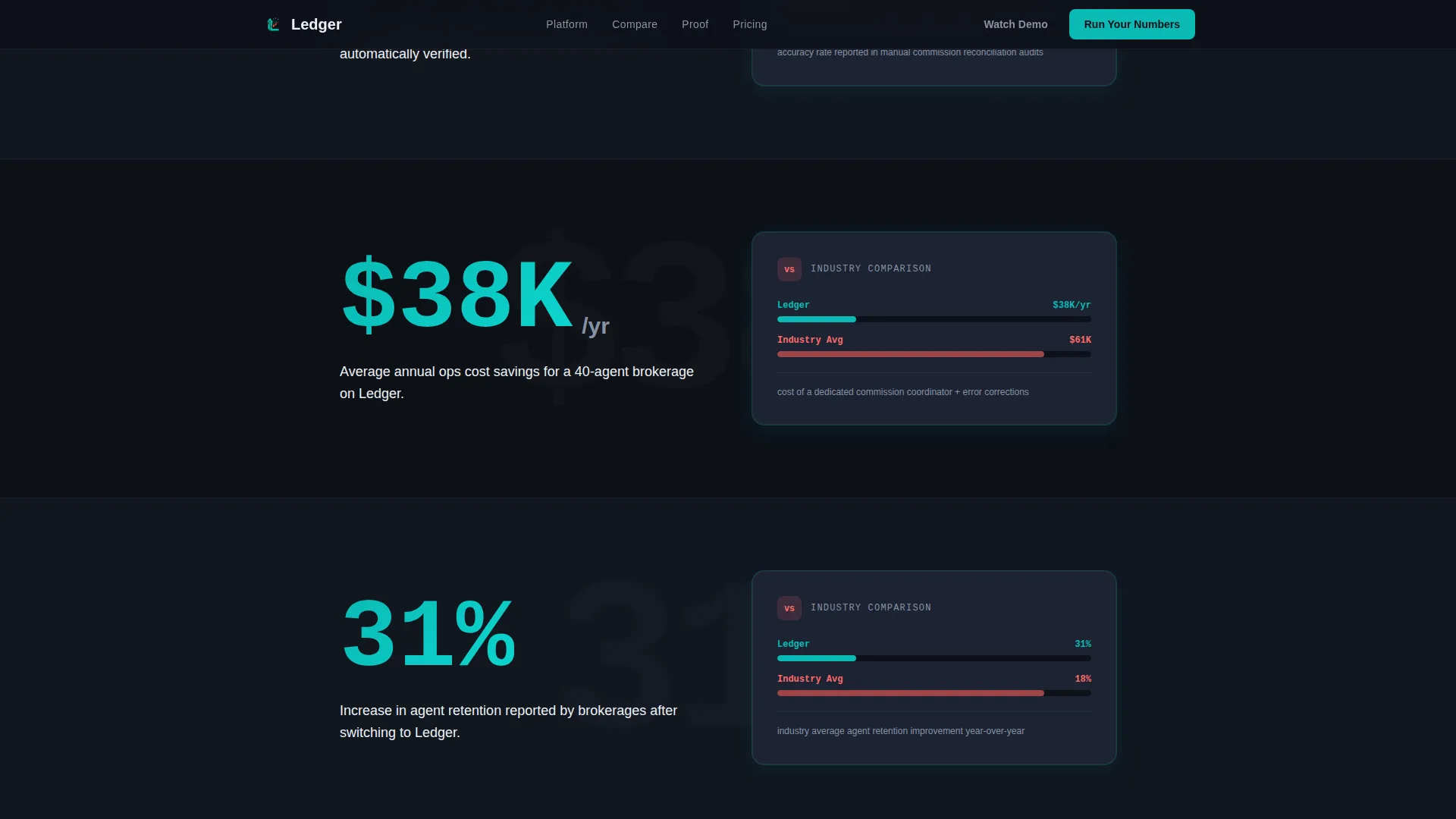
Every section opens with a single oversized metric before context appears. The first reveal shows "2.4 hours" in isolation, then fades in the comparison: average monthly reconciliation time versus the 16-hour industry manual average. Each subsequent stat escalates the comparison across speed, accuracy, cost, and agent retention.
Progressive Comparison Table
A persistent two-column table anchors the mid-page with the header "Your Current Stack versus. Ledger." Rows reveal progressively on scroll, exposing specific pain points in legacy reconciliation workflows. Accent coral highlights competitor weaknesses to sharpen the contrast.
Interactive ROI Calculator
A three-field calculator asks for agent count, average transaction volume, and current reconciliation method. It outputs a personalized monthly savings estimate before any sales conversation begins. The result page carries a soft call-to-action to book a live migration walkthrough.
Social Proof Section
This section includes testimonial blocks from managing brokers with specific outcome metrics alongside a logo wall of brokerages. Specificity here reinforces the credibility built by the stats sections above.
Scroll Reveal Animation System
The template uses GSAP ScrollTrigger for staggered section reveals, counter animations on key metrics, and tab-switching transitions. Each animation is timed to create a closing-argument rhythm, where every exhibit lands harder than the one before.
Page sections overview
| Section | Purpose |
|---|---|
| Hero Tab Switcher | Showcase commission, escrow, and agent portal dashboards with animated data |
| Stats Impact Block | Reveal oversized metrics first, then industry comparison context on scroll |
| Comparison Table | Expose legacy stack pain points row by row against Ledger capabilities |
| Social Proof Block | Build credibility with broker testimonials and specific outcome metrics |
| ROI Calculator | Deliver a personalized savings estimate using three prospect-provided inputs |
| Footer Row | Single-row linear footer with secondary navigation and soft call-to-action links |
Design & branding system
The visual identity follows a Dashboard Pro theme styled like a Bloomberg terminal rebuilt for real estate operations. It is dense with information but never cluttered, with every element earning its place.
- Color palette: deep operations black (#0D1117) for background, primary teal (#0ABAB5) for active indicators, slate panel gray (#1C2333) for card surfaces, ledger white (#EDF2F7) for typography, and accent coral (#FF6B6B) reserved for competitive callouts only
- Typography: DM Sans in bold for headings and IBM Plex Mono for all data values and numbers, reinforcing the terminal aesthetic throughout
Mobile & speed optimization
The template is built desktop-first, reflecting the primary use case of a managing broker reviewing numbers on a workstation at the start of the day. Mobile support is included for franchise owners who need GCI visibility on the go.
- Interactive sections, including the tab switcher and ROI calculator, are built as client components to keep static content loading fast
- Server components handle all static sections, separating rendering responsibilities to support a smooth experience across device sizes
How this template helps you convert
The page is structured as a progressive closing argument. Each scroll reveal adds a new layer of evidence, building an undeniable case before the prospect reaches the calculator.
- The tab switcher hero puts real-looking commission numbers in front of the buyer immediately, creating the "lean in" moment before a single paragraph is read.
- The stats-first scroll flow accumulates comparison evidence across four dimensions, speed, accuracy, cost, and agent retention, so the prospect arrives at the comparison table already primed.
- The ROI calculator converts abstract savings into a personalized dollar figure, making the next step, booking a migration walkthrough, feel like a logical conclusion rather than a sales ask.
Other information about this template
This template is scoped as a single-page scroll reveal experience, not a multi-page site. All six sections are designed to work together as one continuous conversion flow.
- The primary call-to-action "Run Your Numbers" links to the ROI calculator; the secondary path "Watch the 4-Minute Demo" serves prospects not ready to input data
- The template style is Scroll Reveal (Progressive) using the Teal Catalyst color system and the Dashboard Pro theme
- Animation is handled via GSAP ScrollTrigger with staggered reveals, counter animations, and tab transitions built in as client-side components
- Localization is set to English, USD currency, and MM/DD/YYYY date formatting throughout

Theme
Dashboard Pro
Creative direction
Stats-First Impact
Color system
Teal Catalyst
Style
Scroll Reveal (Progressive)
Direction
Comparison/Versus
Page Sections
Feature Tab Switcher Hero
Stats-first Scroll Reveals
Progressive Comparison Table
Interactive ROI Calculator
Social Proof with Metrics
GSAP Scroll Animation System
Related questions
Who is this landing page template built for?
What sections are included in this template?
How does the ROI calculator work in this template?
Can I customize the dashboard figures shown in the hero?
Is this template suitable for a desktop-first audience?



