Ledger - Powerful SaaS Asset Landing Page Template
Ledger is a single-page comparison table landing page template built for salon and spa asset management platforms. It uses a Data Command visual theme with a Teal Catalyst color system to guide visitors from the pain of manual tracking to the clarity of a live dashboard. The design converts on a freemium model with a low-friction three-field sign-up.
by Rocket studio
Quick summary
Ledger is a focused comparison table landing page for a salon and spa asset management platform. It walks visitors through the cost of manual equipment tracking before revealing the automated alternative. The template is built around a freemium sign-up flow, a Problem-to-Solution scroll arc, and a dark, data-forward visual identity that feels like a professional back-office command center.
Who this template is for
This template is designed for teams marketing software to the salon and spa industry. It speaks directly to buyers who manage physical equipment portfolios and need to justify switching away from spreadsheets.
- Multi-location spa owners tracking equipment value across several sites
- Solo estheticians managing their first financed device and watching depreciation closely
- Franchise operators who must deliver quarterly asset audits to a corporate office
What problem this template solves
Salon and spa operators often rely on sticky notes, shared spreadsheets, and memory to track expensive equipment. That approach leads to missed maintenance windows, surprise repair costs, and inaccurate depreciation figures. This template makes the cost of that chaos visible, then presents the platform as the direct solution.
- Manual tracking hides real depreciation and inflates surprise repair bills
- Expired warranties and forgotten maintenance schedules create avoidable downtime
- Multi-location businesses have no single view of their full equipment portfolio
What you get with this template
The template delivers a structured, single-page layout built around a scrollable comparison table. Every section has a defined job, from the data-rich header through to the final call to action.
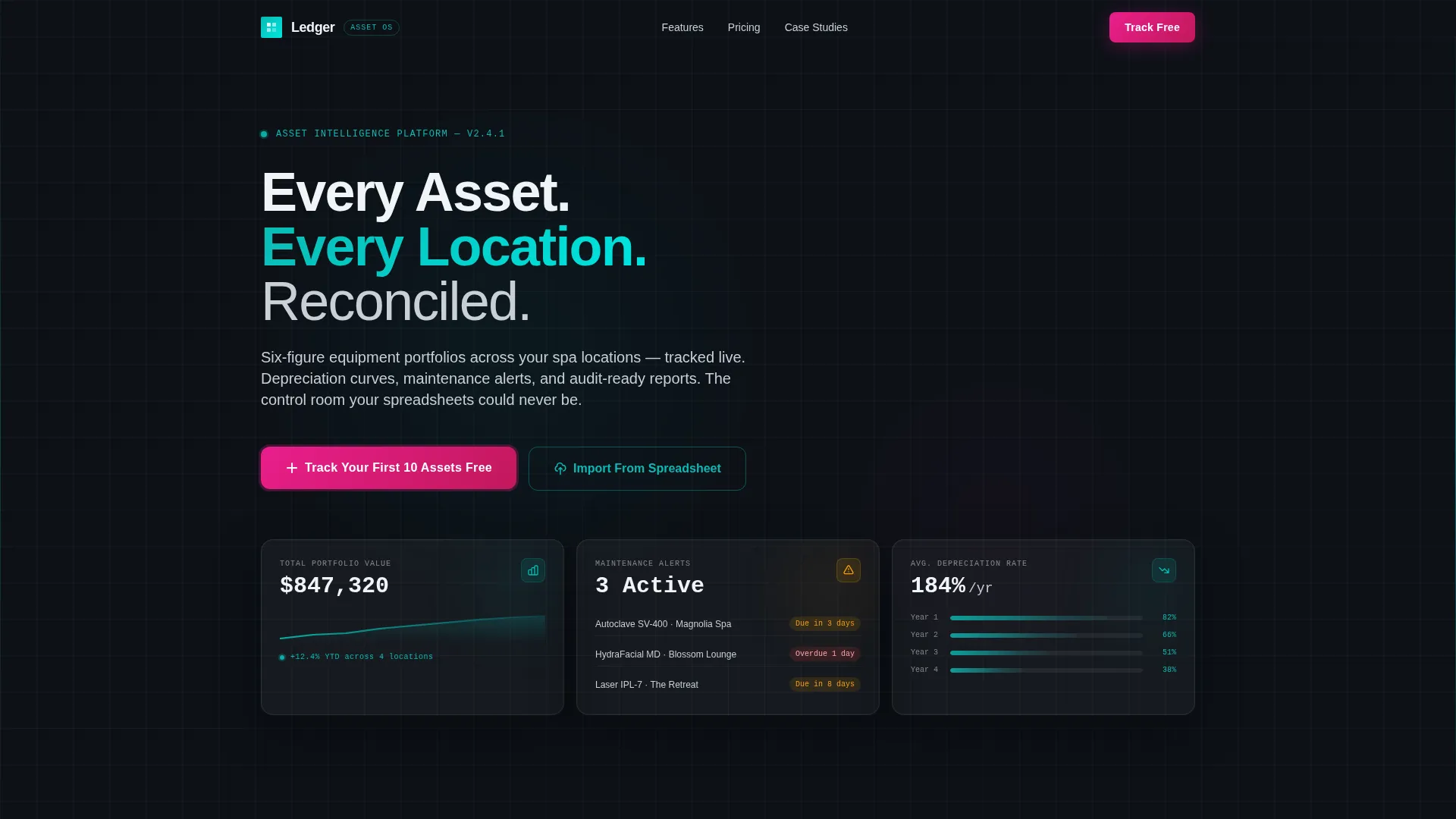
- A three-panel Dark Glass header showing live-style metrics for asset value, maintenance alerts, and depreciation curves
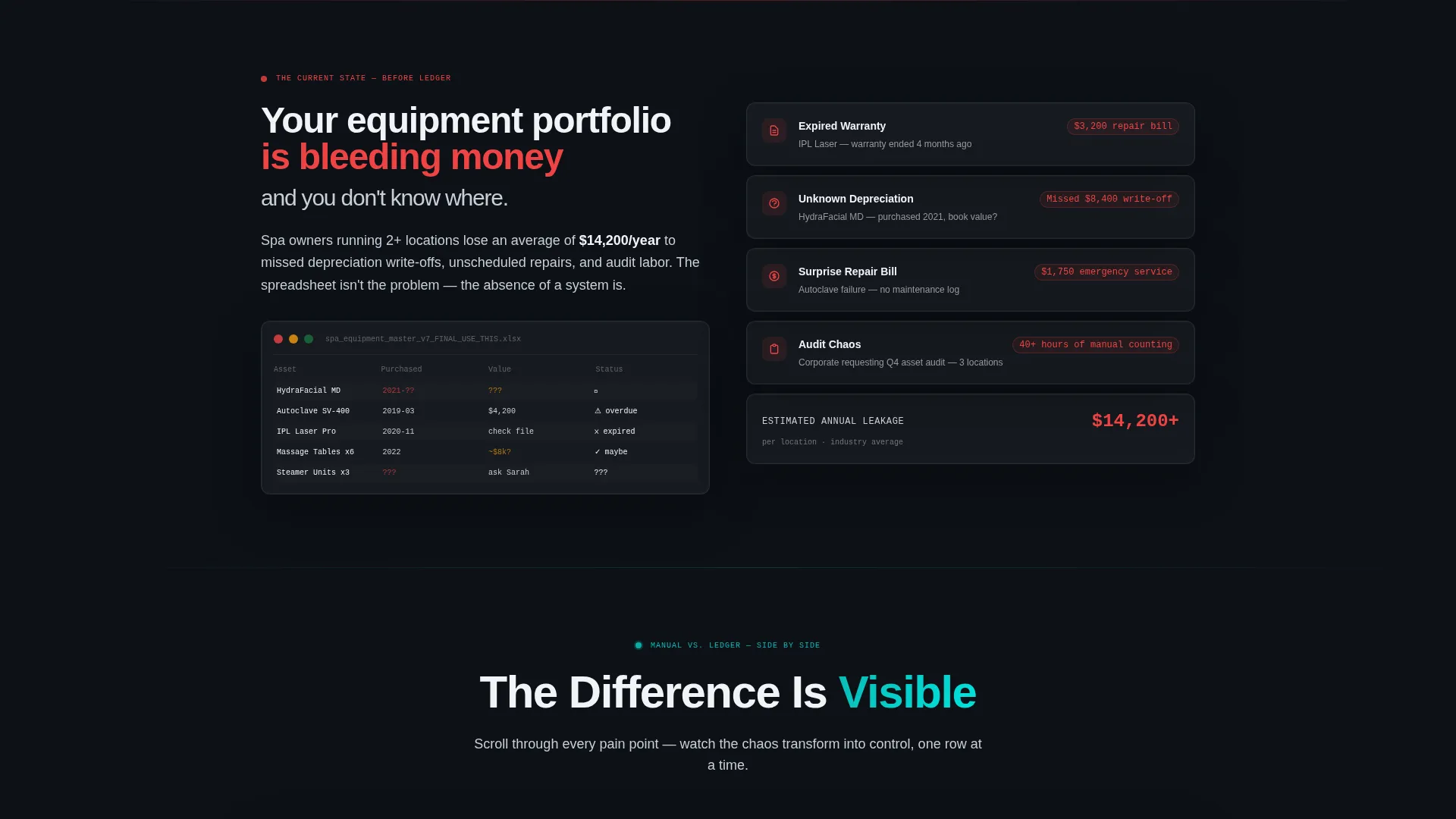
- A full Problem-to-Solution comparison table with red manual-tracking cells transitioning to teal automated-solution cells as the visitor scrolls
- A freemium sign-up form with three fields and a secondary spreadsheet import path to reduce activation friction
Feature list
This section covers the core components built into the Ledger landing page template.
Dark Glass Panel Header
Three translucent metric cards float over a near-black background. Each panel displays a different data point: total asset value across locations, upcoming maintenance alerts with amber indicators, and depreciation curves rendered as smooth teal gradients. The frosted-glass depth effect gives the header a high-end, data-command feel without using any stock photography.
Scrollable Comparison Table
The comparison table is the structural core of the page. The left column shows the manual tracking state, including sticky notes on equipment, expired warranty records, and dollar figures representing surprise repair costs. The right column reveals teal solution cells as the visitor scrolls, replacing each pain point with an automated answer. The arc escalates from single-location chaos to multi-site portfolio command.
Floating Call-to-Action Bar
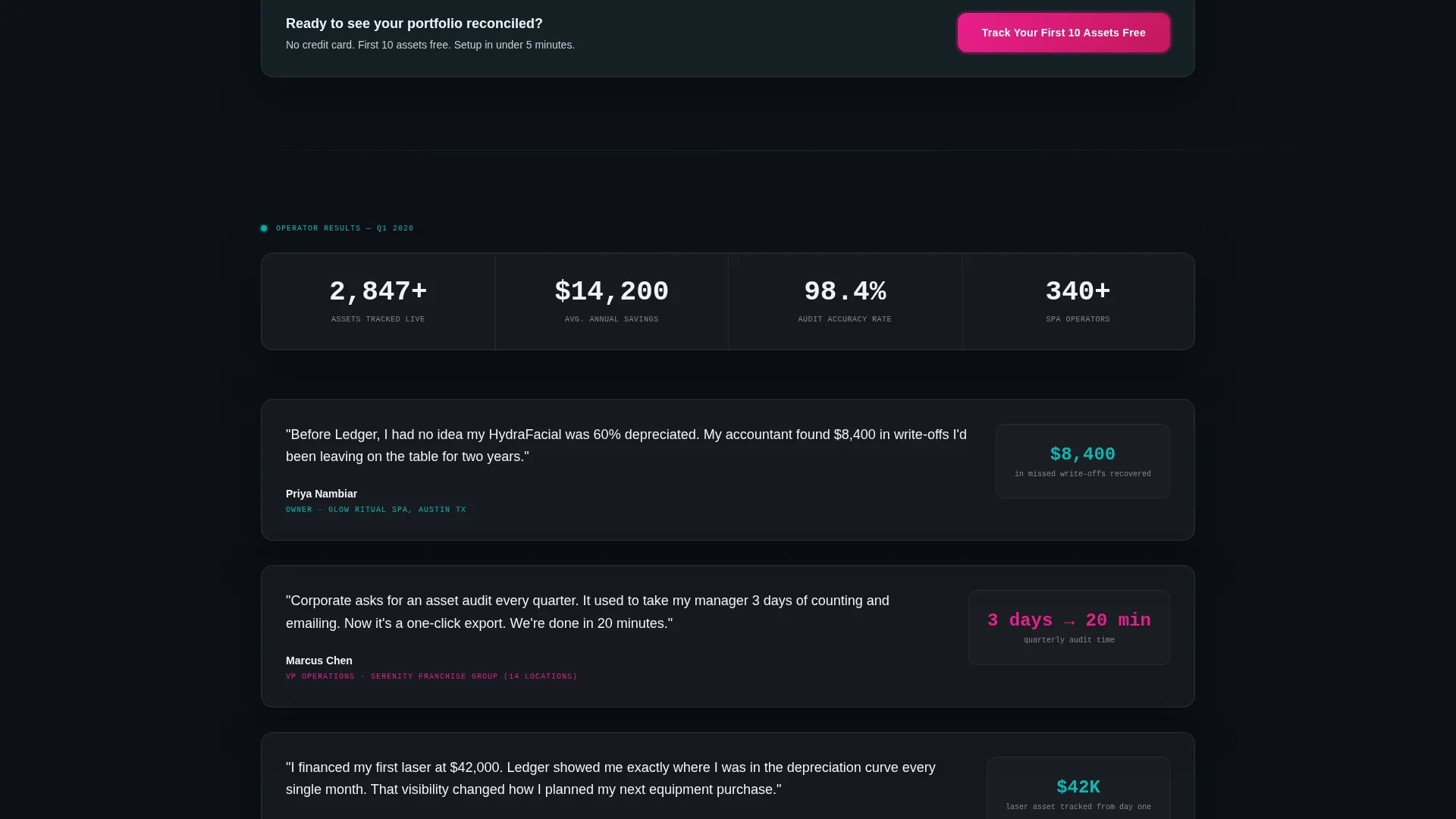
After the visitor passes the second scroll fold, a catalyst magenta call-to-action bar pins to the screen. The primary prompt reads "Track Your First 10 Assets Free." It stays visible throughout the rest of the page, keeping the conversion path accessible without interrupting the scroll experience.
Freemium Sign-Up Form
The sign-up form asks for three fields only: business name, number of locations via a single dropdown (1, 2 to 5, or 6 and above), and email address. No credit card is required. The form is positioned at the conclusion of the comparison table, where purchase intent is highest.
Spreadsheet Import Secondary Path
A secondary conversion path labeled "Import From Spreadsheet" targets prospects who already have data in a messy format. It reduces activation friction to a single file upload, giving hesitant visitors an immediate proof-of-value moment before they commit to the platform.
Catalyst Magenta Alert System
The template uses catalyst magenta exclusively for calls to action and alert states. This creates a clear visual hierarchy: teal for live data and positive states, magenta for urgency and action. The restricted color use prevents visual noise and keeps the visitor's eye on the next step.
Page sections overview
| Section | Purpose |
|---|---|
| Dark Glass Header | Display real-time asset metrics across three floating panels |
| Problem Column | Show the cost and chaos of manual equipment tracking |
| Solution Column | Reveal automated answers as the visitor scrolls the table |
| Portfolio Dashboard View | Demonstrate multi-site command and CFO-level data visibility |
| Freemium Sign-Up Form | Capture leads with three fields and no credit card requirement |
| Spreadsheet Import Path | Offer a low-friction alternative entry point for data-ready prospects |
| Floating call to action Bar | Keep the primary call to action visible after the second scroll fold |
Design & branding system
The Teal Catalyst color system creates a med-spa-after-hours atmosphere: clinical, precise, and faintly futuristic. Every color in the palette has a specific role, preventing visual drift and keeping the data readable at a glance.
- Deep treatment-room black (#0D1117) as the base background, keeping the interface focused and immersive
- Clinical teal (#0ABAB5) for live data indicators, solution-state table cells, and gradient depreciation curves
- Muted platinum (#C9CED6) for secondary text and table borders, providing contrast without competing with the core palette
- Catalyst magenta (#E91E8C) reserved exclusively for calls to action and alert states, ensuring those elements always stand out
Mobile & speed optimization
The Ledger template is structured so that its most critical conversion elements remain visible and functional on smaller screens. The floating call-to-action bar and the comparison table are both designed with a mobile-first reading flow in mind.
- The floating magenta call to action bar stays pinned on mobile so the sign-up path is never buried
- The comparison table columns stack cleanly on narrow viewports to preserve readability
- The three-panel Dark Glass header adapts to a single-column card layout on smaller screens
How this template helps you convert
The page is engineered around a single conversion goal: getting a salon or spa operator to start a free trial. Every structural decision supports that goal.
- The comparison table builds urgency by quantifying the pain of manual tracking before introducing the solution, making the free trial feel like an obvious next step rather than a sales ask.
- The three-field sign-up form and the spreadsheet import path each remove a specific barrier to entry, so prospects with different levels of readiness both have a clear, low-effort way to start.
Other information about this template
The Ledger template sits at the intersection of the Technology category and the Salon and Spa Software subcategory, with a specific focus on the Salon and Spa Asset Management niche. It is built around a Comparison Table template style, which is well suited for platforms where the value proposition depends on a clear before-and-after contrast.
- The template style is single-page and section-led, making it a landing page rather than a multi-page website
- The Data Command theme and Teal Catalyst color system are consistent with software platforms targeting professional operators, not consumer wellness audiences
- The Problem-to-Solution Arc creative direction is built into the scroll sequence, not applied as a surface-level stylistic choice
- The freemium landing page direction means the page is optimized for trial sign-ups, not demo requests or sales calls
- The Intersection Match Score for this template is 13, reflecting a high alignment between the template style, theme, and niche requirements

Theme
Data Command
Creative direction
Problem→Solution Arc
Color system
Teal Catalyst
Style
Comparison Table
Direction
Freemium/Trial
Page Sections
Dark Glass Panel Header
Scrollable Comparison Table
Floating Call-to-action Bar
Freemium Three-field Sign-up Form
Spreadsheet Import Secondary Path
Restricted Catalyst Magenta Alerts
Related questions
Who is the Ledger landing page template designed for?
What is the primary call to action on this template?
Does the sign-up form require a credit card?
Can this template work for a single-location salon?
What makes the comparison table different from a standard feature list?



