Pet Care Billing & Invoicing Landing Page Template
Ledger is a hub-and-spoke landing page template built for pet care billing platforms. It targets veterinary clinics, grooming shops, and boarding facilities. An interactive invoice dashboard headlines the page, while a Problem-to-Solution scroll arc guides visitors through five spoke sections. The freemium conversion flow lets visitors touch the product before signing up.
by Rocket studio
Quick summary
Ledger is a single-page landing page template designed for pet care billing and invoicing platforms. It combines a live, browser-rendered invoice dashboard with a five-spoke anchor navigation structure. The dark glassmorphic design and freemium conversion model work together to build trust quickly and move visitors toward a no-credit-card signup.
Who this template is for
This template is built for founders, product teams, and marketers promoting billing or invoicing software in the pet care space. It speaks directly to the people managing financial workflows inside clinics, grooming vans, and kennels.
- Practice managers handling multi-vet schedules and split billing across services
- Mobile groomers who need to send invoices between appointments without a desk
- Kennel operators still relying on handwritten receipts and manual reconciliation
What problem this template solves
Pet care businesses lose revenue not because they do bad work, but because their billing process cannot keep up with the pace of the day. Missed charges, uncollected balances, and time spent chasing small invoices add up fast. This template communicates that reality clearly before showing how the platform resolves it.
- Visitors arrive with billing frustration already built in; the page names it immediately
- The Problem-to-Solution Arc turns each operational pain point into a platform reveal
- The interactive header lets visitors see the product working before they read a single feature claim
What you get with this template
You get a fully structured, scroll-driven landing page with five themed spoke sections radiating from a persistent left-rail hub navigation. Every section builds on the last, escalating the problem before resolving it with a platform feature. The layout is built around a glassmorphic dark design system with interactive micro-animations baked in.
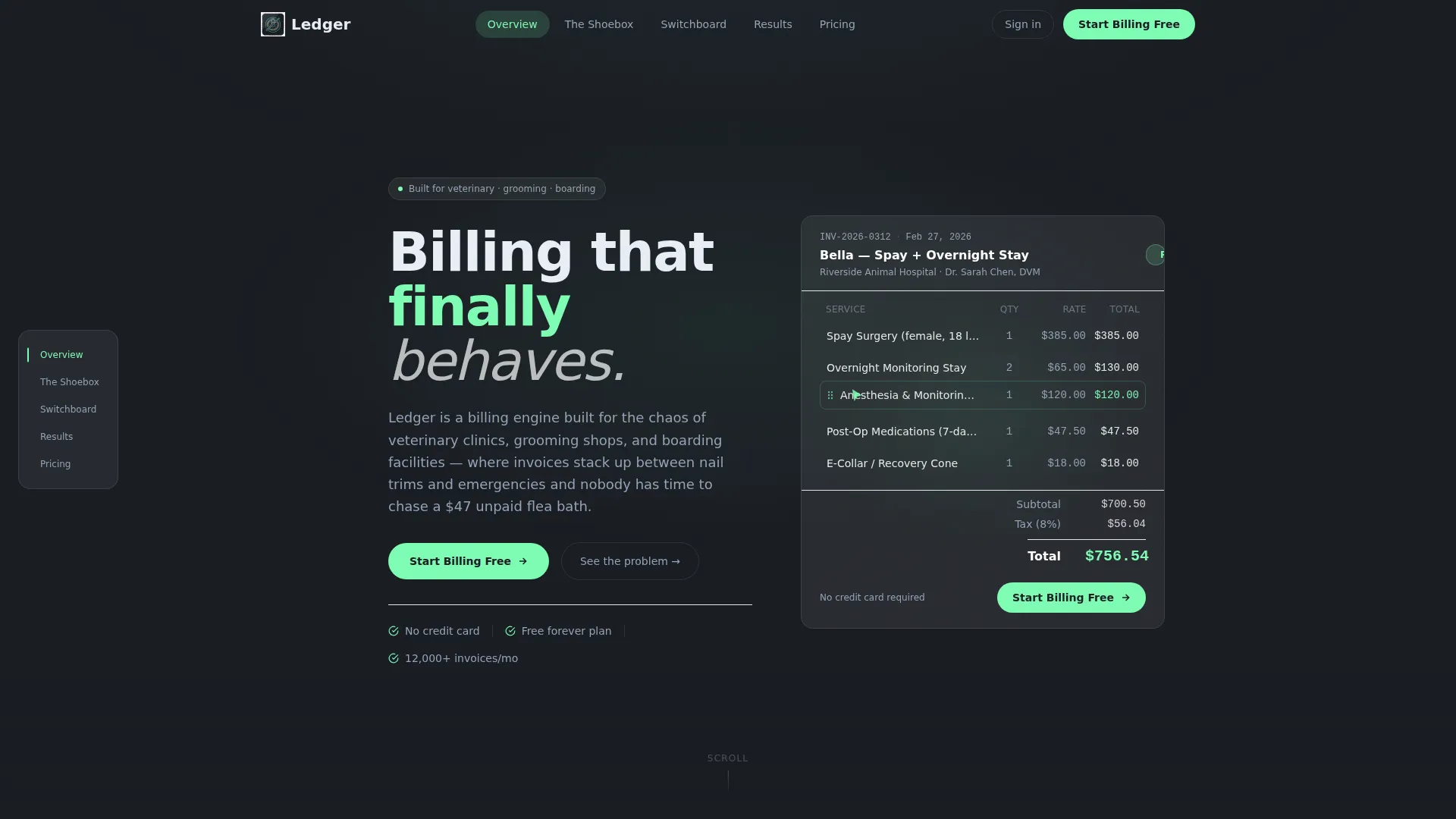
- A browser-rendered invoice dashboard in the header, complete with looping status animation and cursor ghost interaction
- Five anchor-nav spoke sections covering revenue leakage, multi-provider billing complexity, and unified workflow resolution
- A freemium signup flow with a three-field form and a secondary guided import path requiring no credit card
Feature list
This section covers the core capabilities delivered inside the Ledger template.
Interactive Invoice Dashboard Header
The header renders a functioning invoice preview directly in the browser. It shows a sample invoice for a veterinary visit with auto-calculating line items, a live tax calculation, and a payment status badge that loops between a coral "Overdue" state and a mint "Paid" confirmation. A cursor ghost demonstrates line-item reordering to signal product interactivity.
Hub-and-Spoke Anchor Navigation
A persistent navigation rail pins to the left side of the page. It connects five spoke sections through anchor links, letting visitors jump to any section without losing context. This structure keeps the page organized for both linear readers and scanners who already know what they need.
Problem-to-Solution Scroll Arc
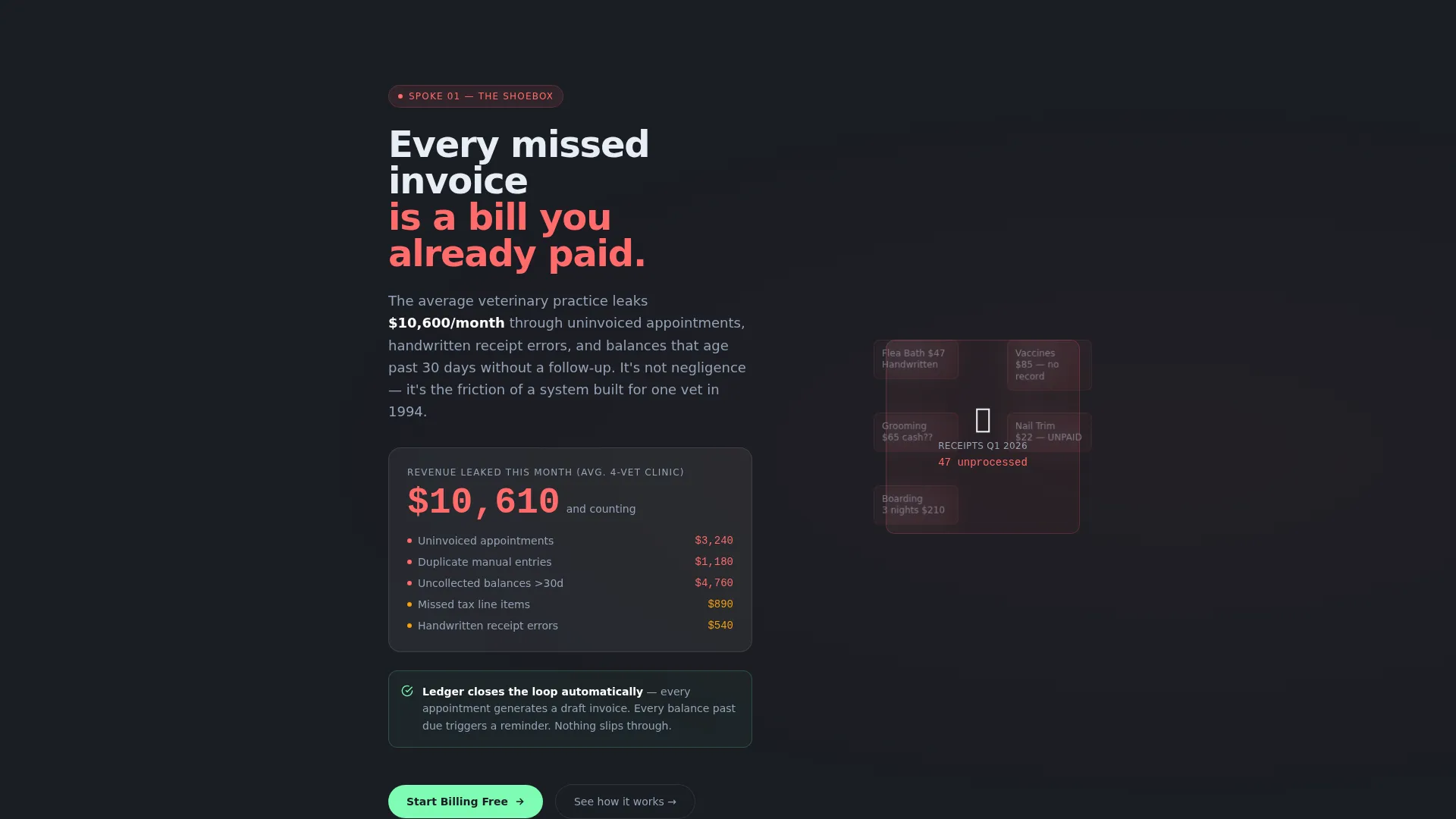
Each of the five spoke sections follows a deliberate sequence: surface the operational pain, quantify it, then reveal the platform feature that removes it. The first spoke visualizes scattered receipts and revenue leakage with an animated counter. The second shows multi-location billing complexity dissolving into clean automated workflows. The arc escalates, then resolves.
Glassmorphic Dark Design System
The template uses a deep charcoal background with frosted glass card panels layered above it. Mint activates on interactive states and confirmation signals. Coral marks overdue flags and attention states. Subtle parallax shifts and panel animations give the interface depth without distracting from the billing content.
Freemium Conversion Flow
The primary call to action, "Start Billing Free," appears first inside the interactive header and recurs at each spoke's resolution point. Clicking opens a three-field signup form collecting clinic name, email, and a role selector. No credit card is required. A secondary path, "See It With Your Data," offers a guided import of one real invoice to demonstrate value before full commitment.
Reassembled Command Dashboard Final View
By the final spoke section, every solved problem reappears as a glowing module inside a unified dashboard view. This closing visual reassembles the full platform from the pieces introduced across the page, giving visitors a complete picture of the product before they reach the signup prompt.
Page sections overview
| Section | Purpose |
|---|---|
| Interactive Header Dashboard | Renders a live invoice preview with animated payment status and line-item reordering |
| Hub Navigation Rail | Pins to left rail and anchors all five spoke sections for persistent wayfinding |
| The Shoebox Spoke | Visualizes scattered receipts and missed payments with an animated revenue-leakage counter |
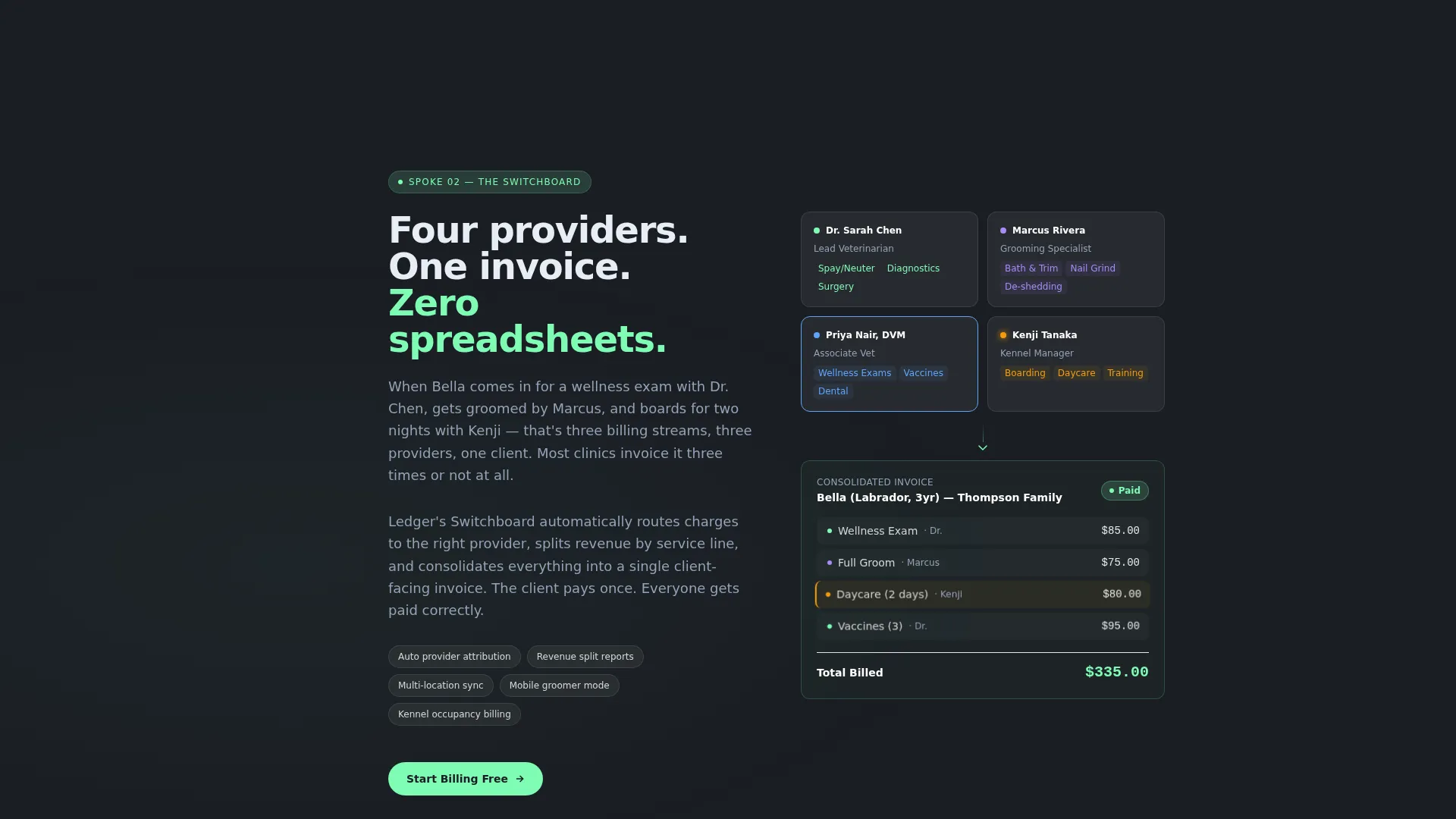
| The Switchboard Spoke | Shows multi-location, multi-provider billing complexity resolving into clean workflows |
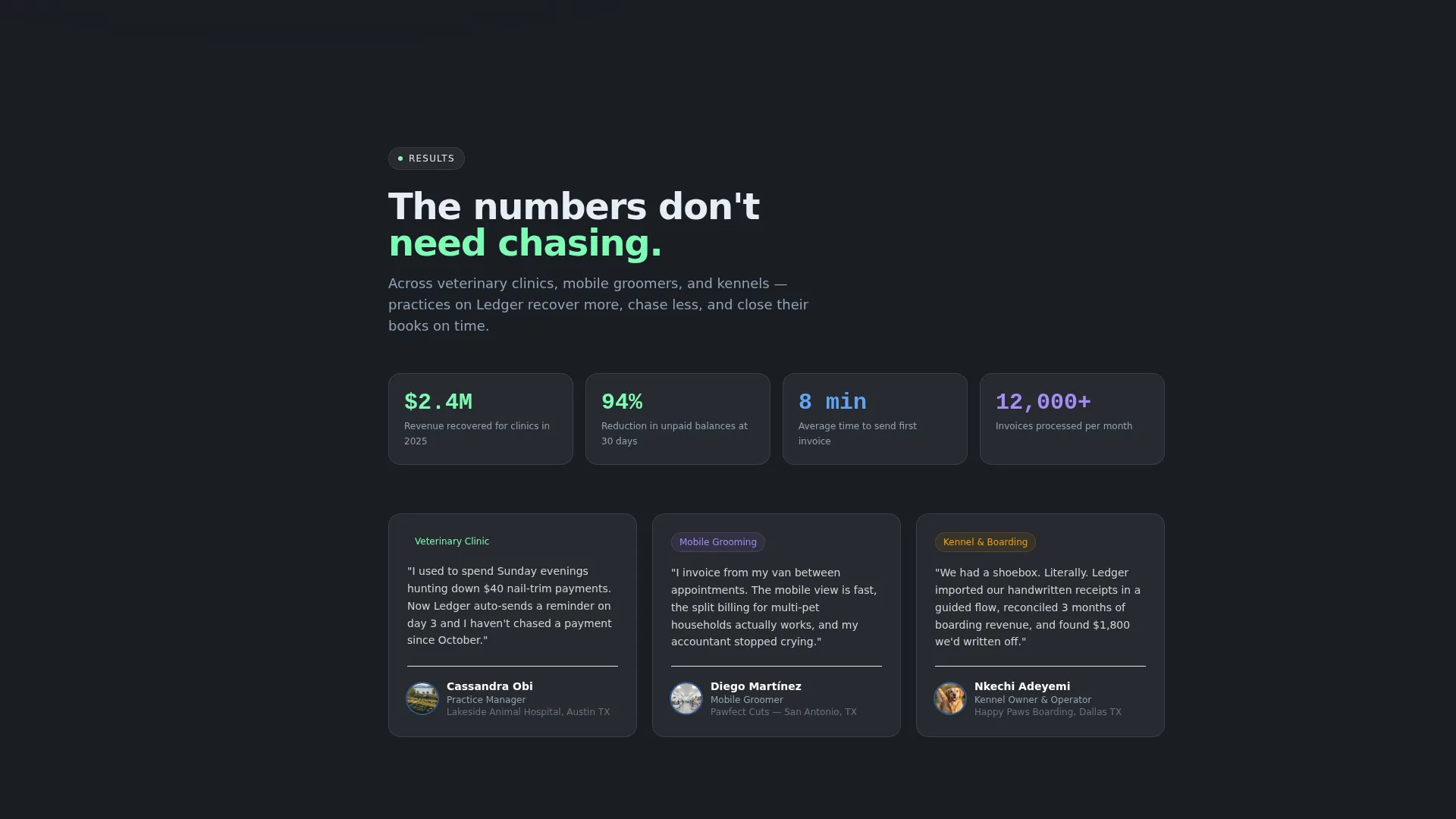
| Spoke Resolution Panels | Each spoke closes with the platform feature that eliminates the pain just surfaced |
| Freemium Signup Form | Three-field form collecting clinic name, email, and role; no credit card required |
| Guided Import Path | Secondary conversion path offering a real invoice import to prove value before full signup |
| Unified Command View | Final section reassembles every solved problem as a module in one dashboard |
Design & branding system
The visual identity follows a Data Command theme built on glassmorphism. The palette feels like a control room at night: deep and recessive in the background, glowing and precise in the foreground. Every color serves a specific functional role inside the billing interface.
- Deep charcoal base (#1A1D23), frosted glass panels at 12% white opacity, soft mint (#7EFCB4) for active and confirmed states
- Cool slate (#94A3B8) for secondary text and supporting labels
- Warm coral (#FF6B6B) reserved for overdue flags and attention-required states, with mint blooming on hover and coral firing on action triggers
Mobile & speed optimization
The layout is designed for use across screen sizes, with the hub navigation and spoke structure adapting to narrower viewports. The interactive elements and micro-animations are built to work within the browser without requiring external media assets.
- The frosted glass panels and parallax depth effects are rendered through CSS and browser-native behavior, not image-heavy assets
- The three-field signup form is compact and touch-friendly, reducing friction on mobile devices
How this template helps you convert
Ledger earns the click by reducing the distance between curiosity and commitment. Visitors are not asked to trust a feature list. They are shown a working product first.
- The interactive dashboard header puts the platform directly in the visitor's hands before any copy makes a claim, building confidence through experience rather than persuasion.
- The freemium model removes the credit card barrier, and the guided import path offers a second, lower-stakes entry point for visitors who want to see results with their own data before committing.
Other information about this template
This template suits any SaaS team building a landing page for a pet care billing or invoicing product. The design system and conversion structure are ready to customize for specific clinic types, pricing tiers, or regional markets.
- The template is categorized under Technology, Pet Care Software and SaaS, with a niche focus on pet care billing and invoicing
- The hub-and-spoke layout with anchor navigation supports long-form landing pages where multiple audience segments need their own spoke entry point
- The Data Command theme and glassmorphic color system are well suited to financial software, where a sense of precision and control builds buyer confidence
Theme
Data Command
Creative direction
Problem→Solution Arc
Color system
Glassmorphic
Style
Hub & Spoke (Anchor Nav)
Direction
Freemium/Trial
Page Sections
Interactive Browser-rendered Invoice Dashboard
Hub-and-spoke Anchor Navigation
Problem-to-solution Scroll Arc
Glassmorphic Dark Design System
Freemium Conversion Flow with Dual Entry Paths
Related questions
Who is the Ledger template designed for?
Does the interactive header use a real dashboard or a static image?
What does the freemium signup flow include?
Can the five spoke sections be adapted for different product features?
Why does a billing template use a dark, glassmorphic design?



