Accounting Firm Software Professional Website Template
Ledger is a dark-themed, card grid landing page template built for accounting firm volunteer management platforms. It pairs a Tech Glass visual identity with a Spec Sheet creative direction, presenting every feature as a precise, scannable module. The template drives toward app downloads through a persistent call-to-action and an embedded live demo path for decision-makers who need proof before committing.
by Rocket studio
Quick summary
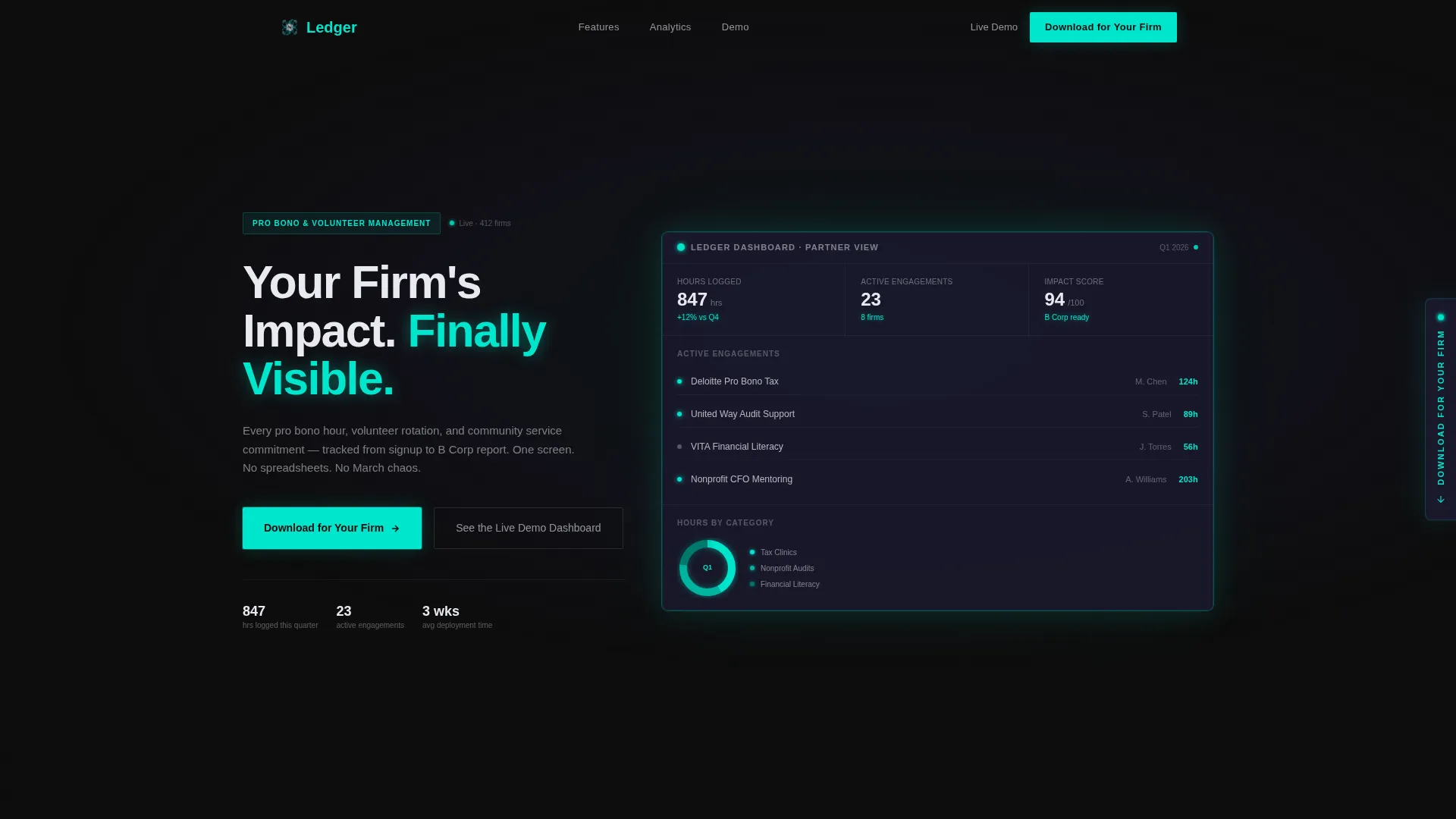
Ledger is a single-page landing page template designed for accounting firm volunteer management software. It uses a Carbon Fiber color system, modular card grid layout, and a dark full-bleed header that glows with real dashboard data. Every section is built to move managing partners, HR directors, and CSR coordinators from curious visitor to app download.
Who this template is for
This template is built for teams selling software into the accounting sector. It speaks directly to the people who feel the pain of untracked volunteer hours and incomplete impact reports.
- Managing partners at mid-size accounting firms who balance board commitments with busy-season staffing
- Corporate social responsibility coordinators drowning in spreadsheets of unfulfilled volunteer pledges
- HR directors who need community engagement data for recruiting decks and certification applications
What problem this template solves
Accounting firms generate real volunteer impact across tax clinics, nonprofit audits, and financial literacy workshops. But without a single place to track it, that impact stays invisible. This template gives a software platform the right page to communicate that it solves exactly this problem.
- Scattered volunteer data across multiple spreadsheets makes impact reporting nearly impossible
- No clear view of who signed up, who showed up, and how many hours were actually logged
- Firms lose credibility in certification and recruiting conversations when engagement numbers are missing or inconsistent
What you get with this template
You get a fully structured, dark-themed landing page ready to showcase an accounting firm volunteer management platform. The layout is modular, so each section stands on its own and the overall page reads cleanly from top to bottom.
- A dark full-bleed header with an embedded glowing dashboard preview showing real metrics like 847 volunteer hours and 23 active engagements
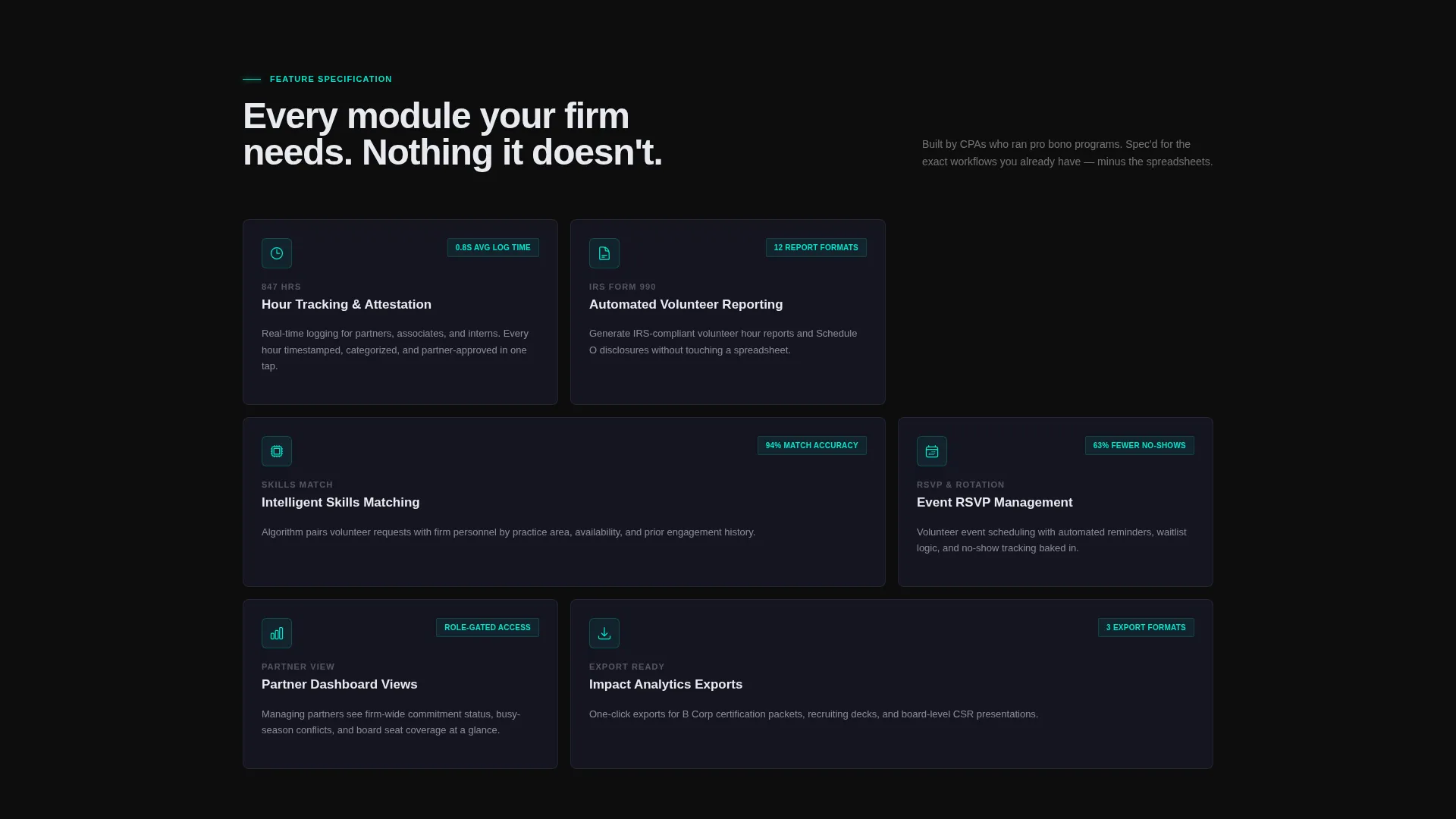
- A responsive card grid of feature modules, each with a teal-outlined icon, a bold capability name, and two lines of precise functionality text
- Dual conversion paths: a primary app download flow and a secondary live demo dashboard for cautious decision-makers
Feature list
This template ships with a focused set of components, each designed around what accounting firm decision-makers actually need to see before they trust a new platform.
Glowing Dashboard Header
The header opens on a pitch-black viewport where a live-looking dashboard materializes from darkness. Edges glow in soft teal. Real data points, including a donut chart and engagement counters, are rendered directly in the scene to build immediate credibility.
Modular Feature Card Grid
Each card in the grid is a self-contained spec module. It holds a teal-outlined icon, one bold metric or capability label, and two lines of precise description. Cards animate upward on scroll and expand subtly on hover to reveal a secondary detail layer.
Persistent App Download Call to Action
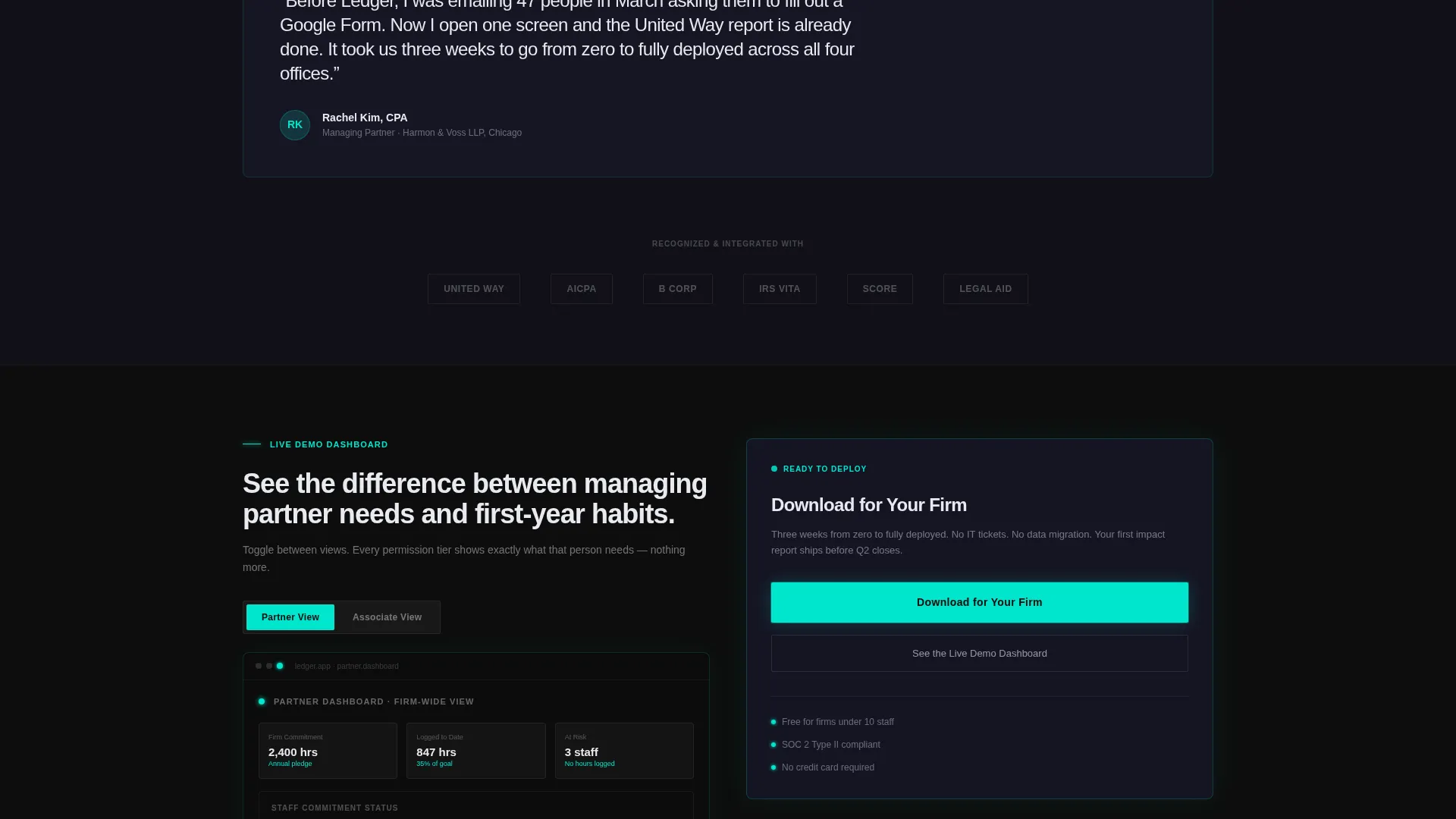
The primary call to action pulses in electric teal across every scroll position. On mobile it appears as a floating bottom bar. On desktop it anchors as a glass-panel sidebar badge. Both open a minimal download form with firm name, firm size dropdown, and platform selection fields.
Live Demo Dashboard Embed
A secondary conversion path offers "See the Live Demo Dashboard" for decision-makers who need proof before provisioning. The embedded preview lets visitors toggle between a managing partner view and a first-year associate view, demonstrating that the platform understands both roles.
Impact Analytics and Reporting Modules
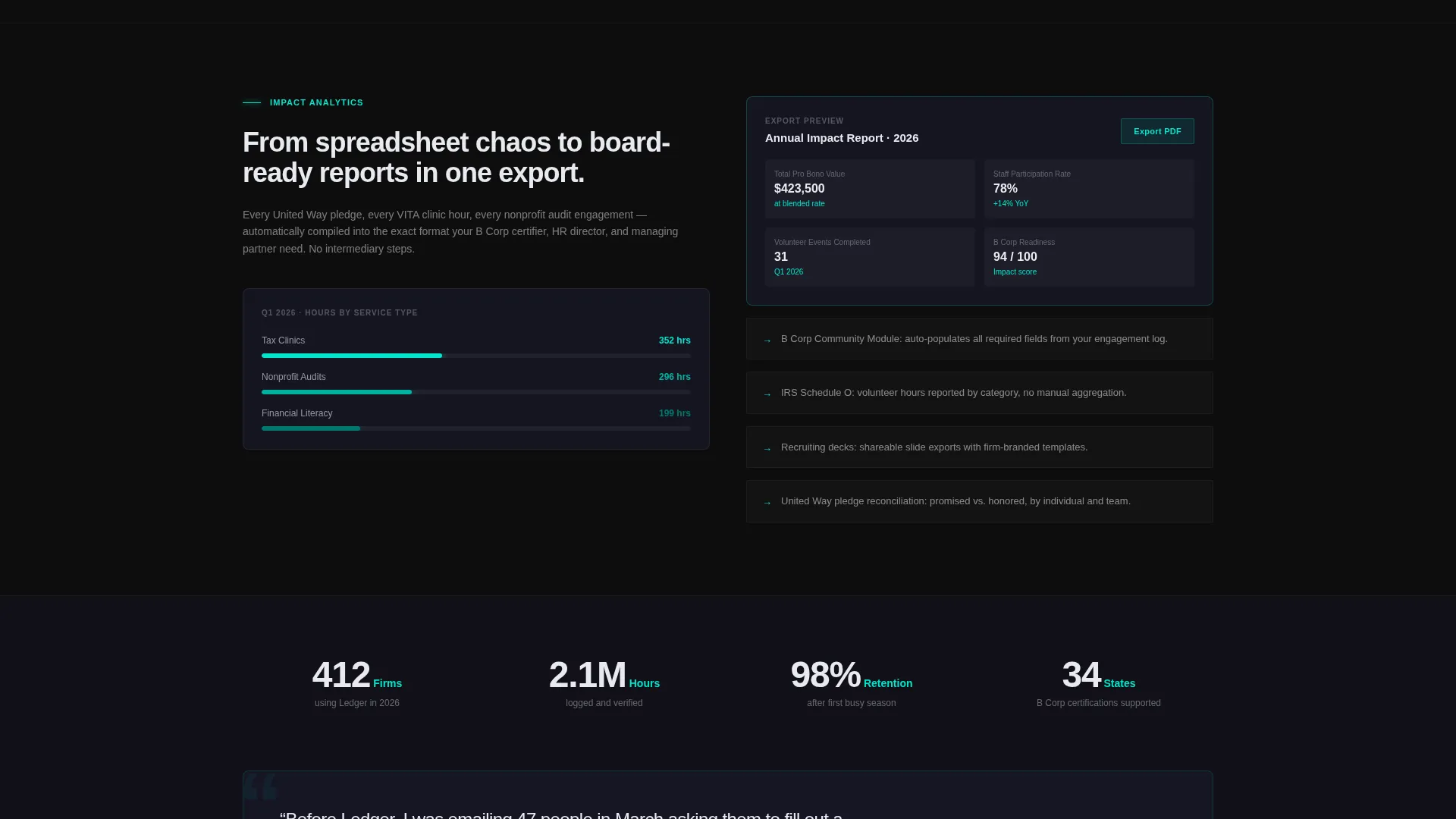
Dedicated feature cards cover automated IRS volunteer reporting, skills-matching logic, event RSVP management, partner dashboard views, and impact analytics exports. Each card presents one capability with the precision of a product spec sheet.
Page sections overview
| Section | Purpose |
|---|---|
| Dark Header Scene | Introduces the platform with a glowing dashboard and headline |
| Dashboard Data Display | Shows real metrics to establish credibility immediately |
| Feature Card Grid | Presents each platform capability as a discrete spec module |
| App Download call to action | Drives the primary conversion action with a pulsing teal bar |
| Live Demo Path | Offers a secondary proof path via embedded dashboard preview |
| Demo Toggle Views | Lets visitors switch between partner and associate perspectives |
| Download Form Panel | Captures firm name, size, and platform preference on one screen |
Design & branding system
The visual identity runs on a Carbon Fiber color system that feels like a precision instrument panel. Every color choice is deliberate, and every interactive state is unmistakable.
- Deep carbon black (#0D0D0D) and woven graphite (#1A1A2E) form all backgrounds, keeping the page dark and focused
- Frosted glass white (#E8EAF0) renders all body text and card surfaces, floating on translucent layers with subtle backdrop blur
- Electric teal (#00E5CC) fires exclusively on glowing accents, active states, button pulses, hover states, and call-to-action elements
Mobile & speed optimization
The template is built with mobile conversion in mind. The floating bottom bar keeps the primary call to action reachable on any screen size without interrupting the reading flow.
- The modular card grid reflows cleanly for smaller viewports, preserving the spec-sheet scan experience on mobile
- Scroll-triggered animations use a subtle upward drift to keep the page feeling responsive without overwhelming smaller devices
How this template helps you convert
This template is engineered around two types of buyers: those ready to download and those who need one more proof point first. Both are served without friction.
- The persistent pulsing call to action and minimal three-field form remove every barrier between intent and download, capturing ready buyers at any scroll depth
- The embedded demo dashboard with role-toggle views gives cautious decision-makers the hands-on proof they need, turning skeptics into confirmed users before a single sales call
Other information about this template
Ledger fits naturally into any product marketing workflow for accounting or professional services software. A few additional details worth knowing before you build with it.
- The template style is Card Grid (Modular), meaning individual feature blocks can be reordered or updated without rebuilding the full page layout
- The Tech Glass theme and Carbon Fiber palette are designed to signal precision and trust, making them well suited for professional B2B software audiences
- The Spec Sheet creative direction means copy should stay functional and direct, avoiding storytelling filler in favor of capability-led descriptions
- The dark full-bleed header concept works best when paired with high-contrast dashboard imagery or live user interface previews that reinforce the glowing cockpit aesthetic
Theme
Tech Glass
Creative direction
Spec Sheet
Color system
Carbon Fiber
Style
Card Grid (Modular)
Direction
App Download
Page Sections
Glowing Full-bleed Dashboard Header
Modular Spec-sheet Card Grid
Persistent Pulsing App Download Call to Action
Interactive Live Demo Dashboard
Impact and Reporting Feature Modules
Carbon Fiber Visual Identity System
Related questions
Who is this landing page template designed for?
Can I update the feature cards without rebuilding the layout?
What does the app download form collect from visitors?
Does the template include both mobile and desktop call-to-action layouts?
What is the live demo dashboard path for?



