Ledger - Precision Banking Landing Page Template
Ledger is a scroll-reveal landing page template built for banking booking systems. It showcases branch appointment scheduling, multi-branch calendar orchestration, compliance-locked calendar zones, and core platform integrations inside a dark, instrument-panel visual identity. The page flows from a cinematic header to a teal-accented call to action, guiding back-office banking teams toward deployment or a demo booking.
by Rocket studio
Quick summary
Ledger is a single-page, scroll-reveal landing page template designed for back-office banking booking systems. It presents appointment scheduling, multi-branch coordination, compliance calendar locking, and platform integration in escalating sections. The visual identity draws from a cockpit-style Carbon Fiber palette, building tension and trust with every scroll until the visitor reaches a decisive call to action.
Who this template is for
This template speaks directly to the teams managing daily appointment volume across banking networks. It is built for operations professionals, not general SaaS audiences.
- Regional banking operations teams managing appointments across dozens of branches
- Private wealth advisors and branch managers who need calendar control and shift claiming
- IT directors and enterprise buyers evaluating a system that connects to existing core banking platforms
What problem this template solves
Back-office banking teams face a scheduling problem that generic booking tools cannot solve. Audit cycles, teller shift blocks, and high-volume client queues demand a system built specifically for banking workflows.
- Teams struggle to coordinate client appointments, shift schedules, and compliance lockouts in one place
- IT directors have no clean way to demonstrate platform compatibility to procurement stakeholders
- Enterprise buyers need a page that reflects operational depth before they commit to a demo or deployment
What you get with this template
Ledger delivers a complete scroll-reveal landing page with a defined visual identity, structured section flow, and two conversion paths. Every section is purpose-built for a banking operations audience.
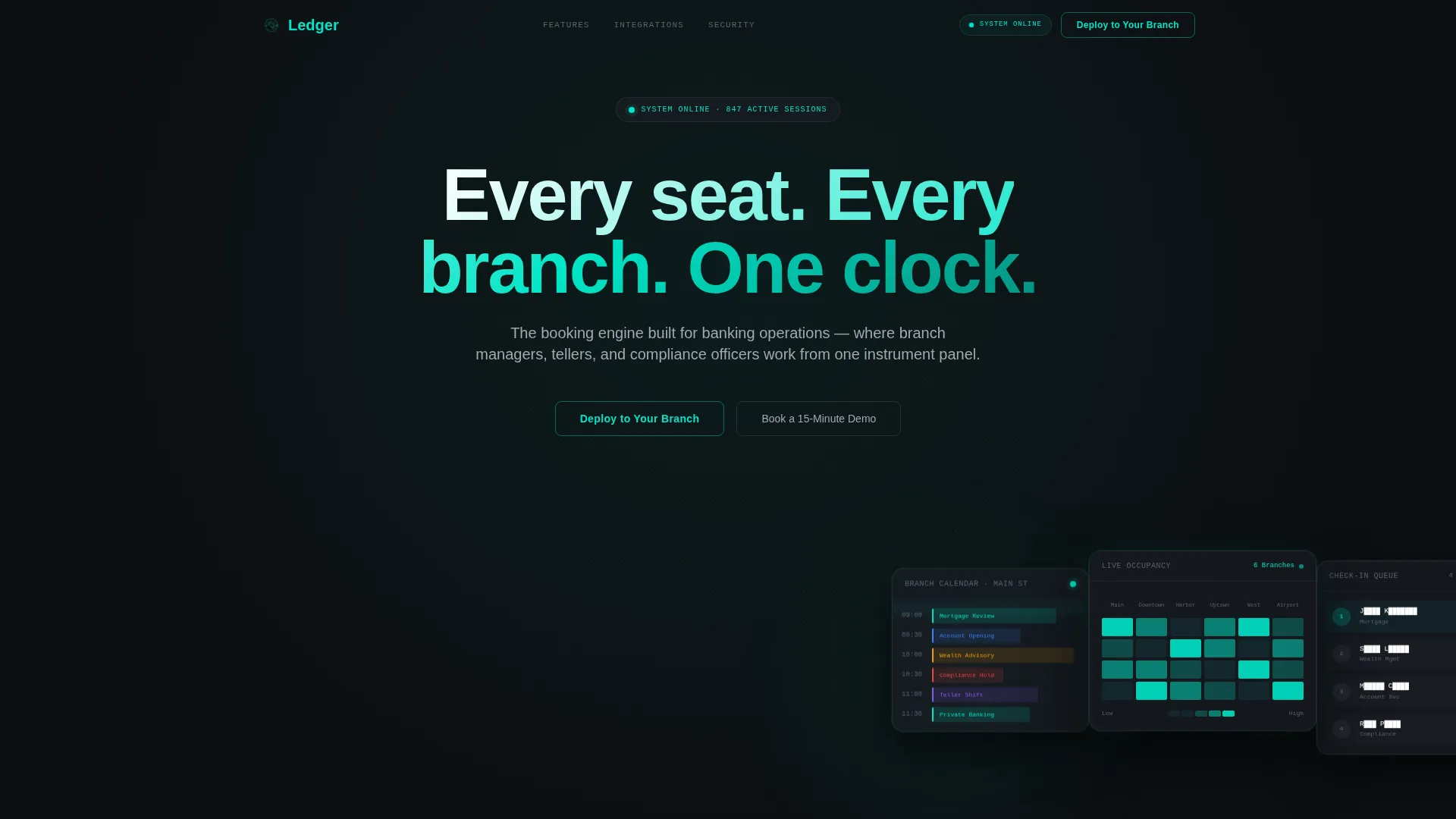
- A cinematic Dark Glass Panels header with three frosted-glass user interface cards and an animated headline
- Six progressive content sections that each introduce a new layer of the booking system's capabilities
- A dual call-to-action structure: a "Deploy to Your Branch" primary path and a "Book a 15-Minute Demo" secondary path for enterprise procurement workflows
Feature list
This template is structured around six capability reveals. Each section builds on the last, creating a sense of a full operational system coming online.
Scroll-Reveal Progressive Layout
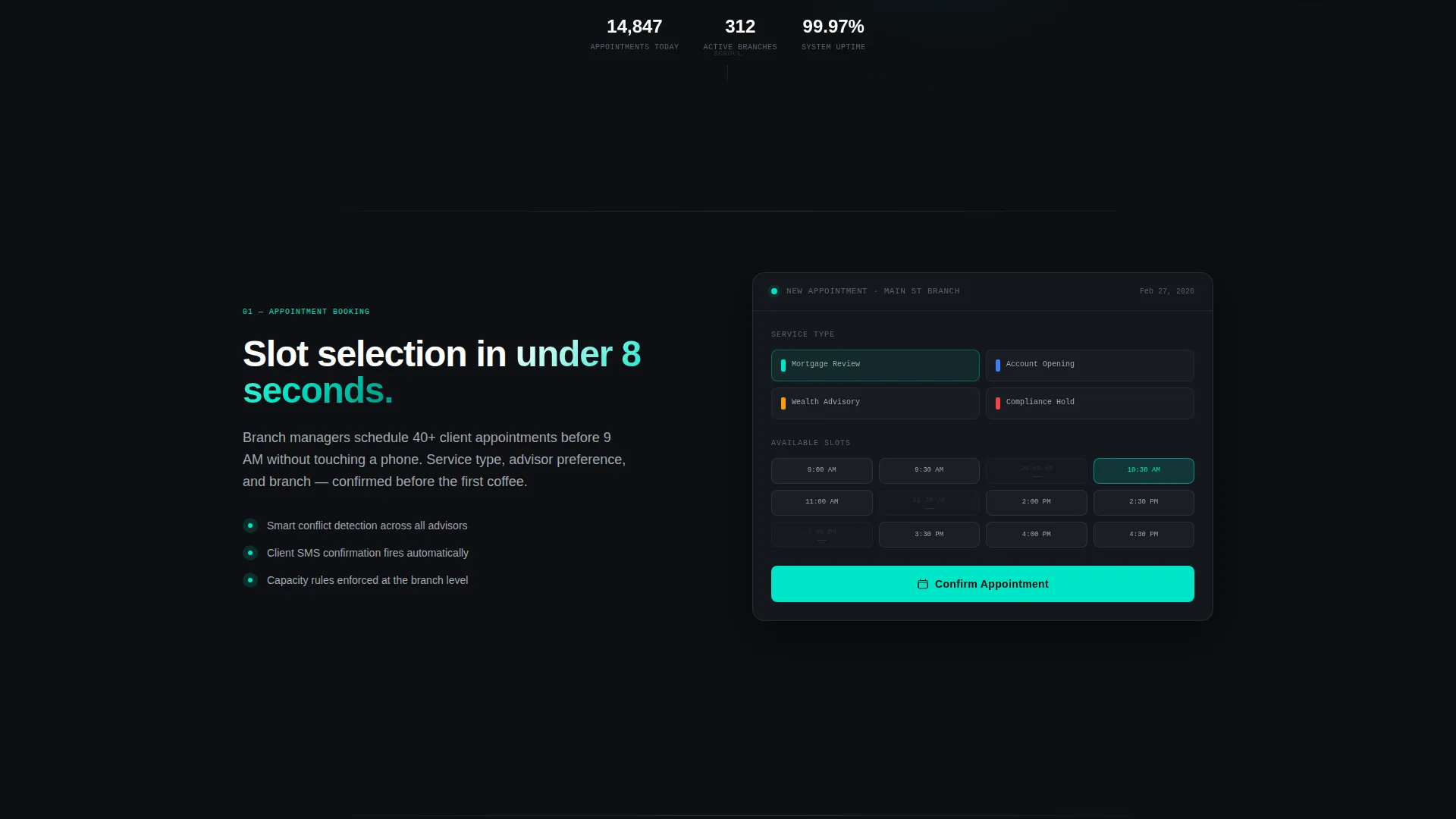
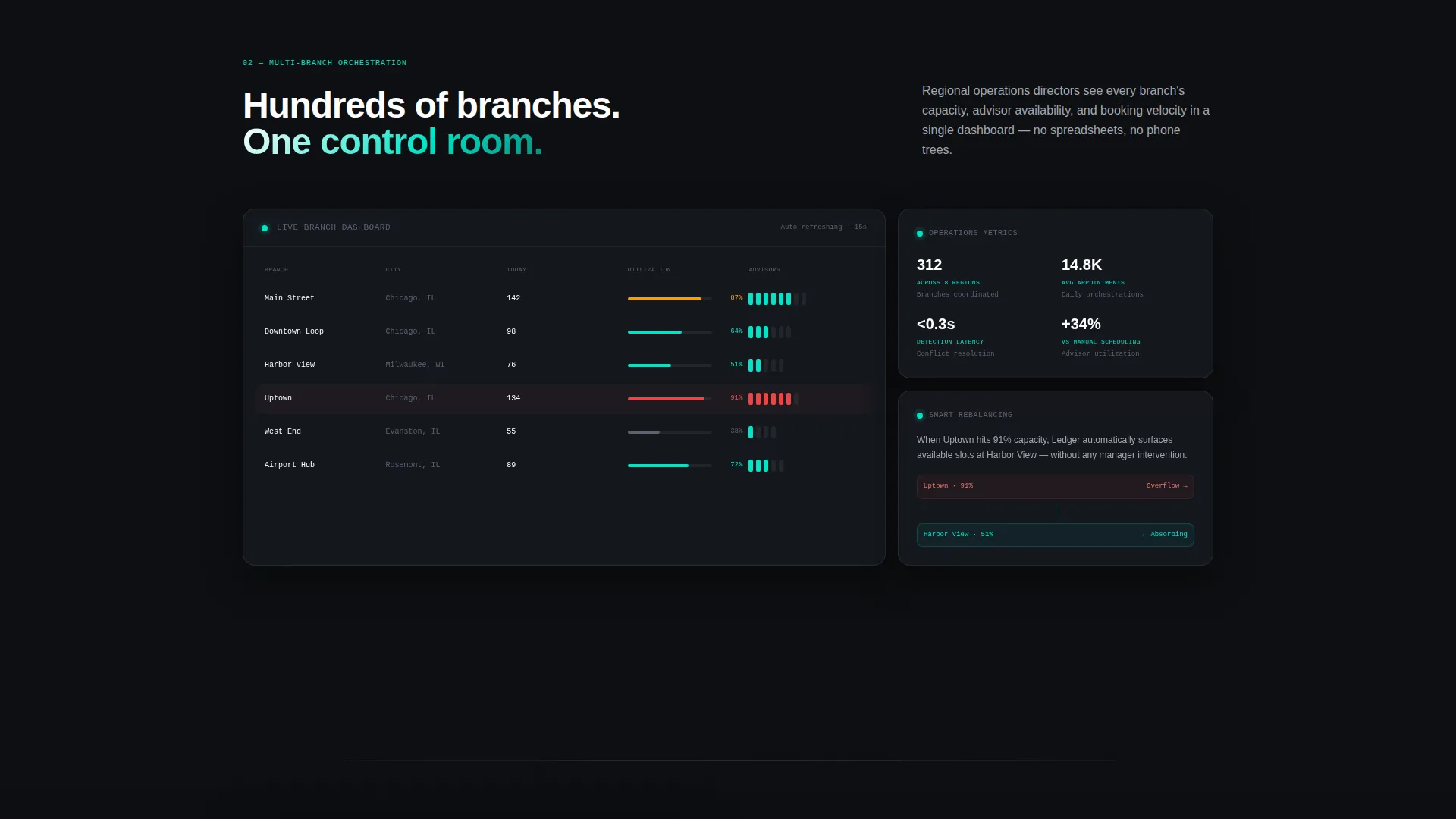
Each section animates into view with a scale-and-fade effect as the visitor scrolls. The rhythm is deliberate: simple appointment booking appears first, then multi-branch orchestration, then compliance zones, then integration proof. Momentum builds with each reveal.
Dark Glass Panels Header
The header features three translucent, frosted-glass user interface cards tilted at parallax angles against a black void. The left card shows a branch calendar, the center card displays a real-time occupancy heatmap across six branches, and the right card holds a blurred client check-in queue. A soft ambient pulse animates behind the cards.
Compliance-Locked Calendar Zones
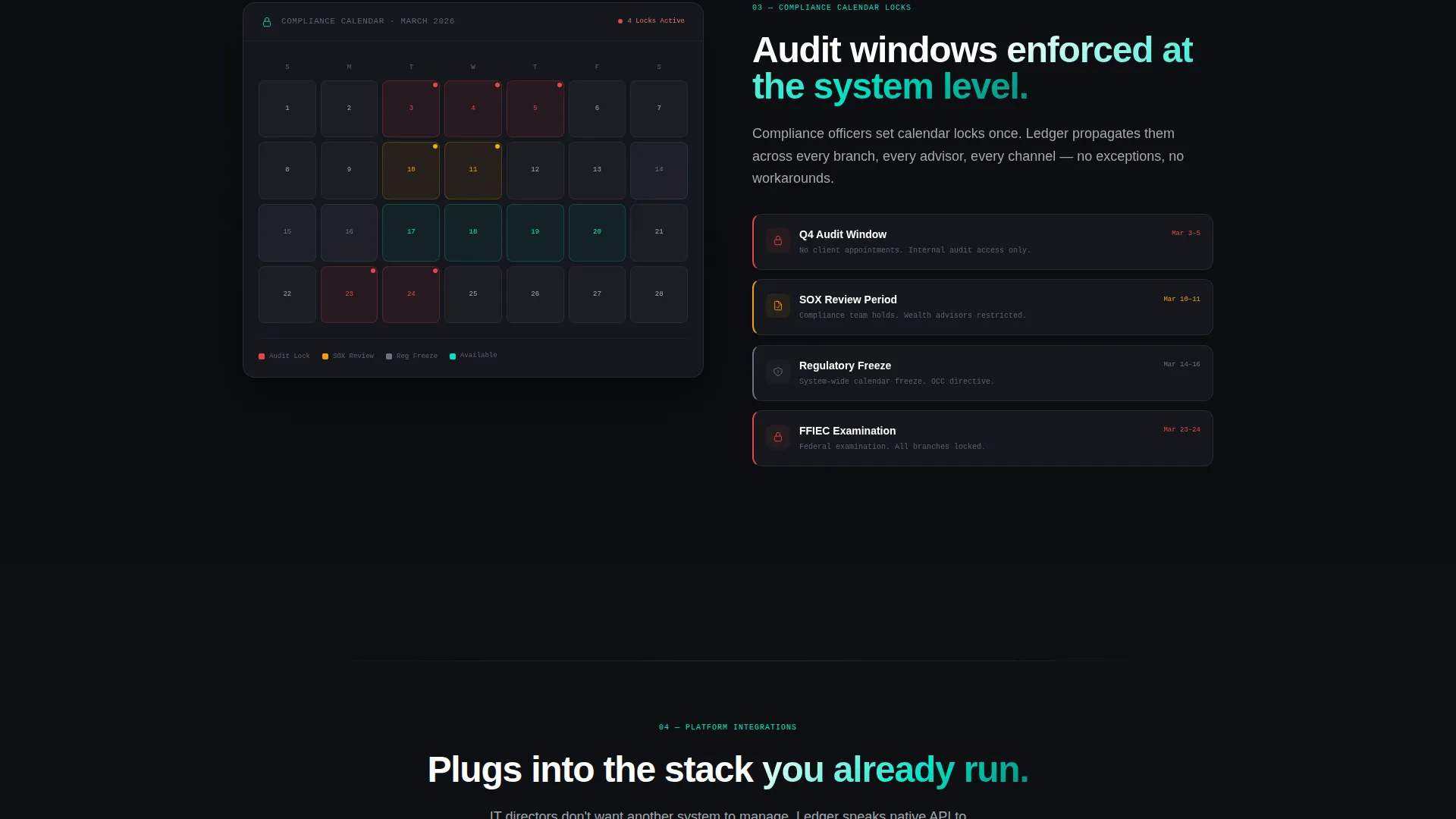
A dedicated section shows calendar windows locked around audit cycles. This speaks directly to compliance officers who need to protect specific date ranges. The visual treatment reinforces the idea of controlled, non-negotiable scheduling.
Core Platform Integration Diagram
An integration section displays core banking platform logos snapping into a connection diagram as the visitor scrolls. This visual proof of compatibility is designed to reduce procurement friction for IT directors and enterprise evaluators.
Smart App Download Selector
The primary call-to-action flow includes a device-detecting smart selector that surfaces iOS, Android, or desktop admin console links in a single interaction. The download flow is introduced as a ghost button in the header and solidifies into a full electric-teal bar after the integration section.
Dual Conversion Path Structure
The page supports two distinct buyer journeys without splitting focus. "Deploy to Your Branch" targets teams ready to act. "Book a 15-Minute Demo" gives enterprise buyers a lower-commitment entry point while procurement approvals move forward.
Page sections overview
| Section | Purpose |
|---|---|
| Dark Glass Header | Cinematic intro with three frosted-glass user interface cards and animated self-typing headline |
| Appointment Booking | Introduces core client appointment scheduling as the foundational capability |
| Multi-Branch Orchestration | Expands scope to show calendar coordination across multiple branch locations |
| Compliance Calendar Zones | Demonstrates audit-cycle lockouts and compliance-controlled calendar windows |
| Integration Connection Diagram | Shows core banking platform compatibility through a visual snap-in diagram |
| App Download call to action | Delivers the primary "Deploy to Your Branch" call to action with smart device selector and demo booking option |
Design & branding system
The visual identity uses a Carbon Fiber color system that feels like a darkened control room instrument panel. Every surface absorbs light except the elements demanding attention.
- Core palette: deep cockpit black (#0D0F12) for backgrounds, gunmetal panel (#1A1D23) for card surfaces, and brushed titanium (#A3A8B0) for supporting text and inactive user interface elements
- Electric teal (#00E5C7) is reserved exclusively for live-state indicators, active toggles, and primary call-to-action elements
- The Dashboard Pro theme governs spacing, card composition, and the frosted-glass panel treatment used throughout the header and feature sections
Mobile & speed optimization
The template is built with a scroll-reveal interaction model that works across device sizes. The smart app download selector adapts its output based on the detected device.
- Scale-and-fade scroll animations are designed to feel responsive and immediate on both desktop and mobile viewports
- The smart call to action selector surfaces the correct download link (iOS, Android, or desktop admin console) without requiring the visitor to choose manually
- The dual call to action layout stacks cleanly on smaller screens, keeping both conversion paths accessible without visual crowding
How this template helps you convert
Ledger earns the conversion by demonstrating depth before it asks for the tap. The page is structured so that every section resolves one problem and introduces the next.
- The scroll-reveal sequence mirrors the visitor's own mental checklist: appointment basics, then branch scale, then compliance, then integration proof. By the time the call to action appears, it feels like the only logical next step.
- The dual conversion structure captures both ready-to-deploy teams and enterprise buyers still in procurement. Neither path is treated as secondary; both are designed to close.
Other information about this template
Ledger is categorized under Technology and specifically within the Banking Vertical SaaS niche. It is a strong fit for teams evaluating purpose-built booking infrastructure over general-purpose scheduling tools.
- The template is built as a single scroll-reveal landing page, not a multi-page site, making it fast to deploy and easy to customize for a specific branch network or product launch
- The integration section references core banking platform connection as a design concept, making it suitable for products built to connect with platforms already in a banking technology stack
- The Launch Energy creative direction means the page is intentionally paced: each section introduces escalating complexity, so visitors who scroll to the bottom have already absorbed the full system value proposition
- The Carbon Fiber color system and Dashboard Pro theme are the defining visual signature of this template, separating it from generic fintech landing page designs
Theme
Dashboard Pro
Creative direction
Launch Energy
Color system
Carbon Fiber
Style
Scroll Reveal (Progressive)
Direction
App Download
Page Sections
Scroll-reveal Progressive Section Layout
Dark Glass Panels Header
Compliance-locked Calendar Zone Section
Core Platform Integration Diagram
Smart App Download Selector
Dual Conversion Path Structure
Related questions
Who is the Ledger template designed for?
Does this template support two different calls to action?
How does the scroll-reveal animation work in this template?
Can the smart app download selector be customized?
Is this template suitable for an enterprise sales context?



