Smart Senior Care POS Landing Page Template
Ledger is a hub-and-spoke landing page template built for senior care point-of-sale platforms. It combines a Data Command visual identity with an Interactive Explorer structure, giving operations directors, CFOs, and facility administrators a focused, professional page that showcases census sync, dining POS, pharmacy billing, family portal, and multi-facility reporting in one clean flow.
by Rocket studio
Quick summary
Ledger is a single-page, anchor-nav landing page template designed for senior care POS software. It gives assisted living operators, nursing home finance leads, and care group CFOs a focused website that replaces Sunday-night spreadsheet chaos with a confident product presentation built around real workflows and real data.
Who this template is for
This care template speaks directly to the people running senior living operations day to day. It is built for professionals who manage billing complexity across multiple payer sources and resident types.
- Operations directors at assisted living and memory care communities
- CFOs and finance leads at multi-facility senior care groups
- Administrators at continuing care retirement communities (CCRCs) and skilled nursing facilities (SNFs) juggling complex payer mixes
What problem this template solves
Senior care billing is genuinely hard. Census data, dining charges, pharmacy copays, and family payments live in separate systems, forcing teams to reconcile everything manually every week. This elderly care landing page template is designed to show prospects that one platform can solve all of it.
- Eliminates the need for fragmented spreadsheet reconciliation across dining, pharmacy, and census data
- Addresses the pain of Medicaid versus private-pay splits that nursing home finance teams handle manually
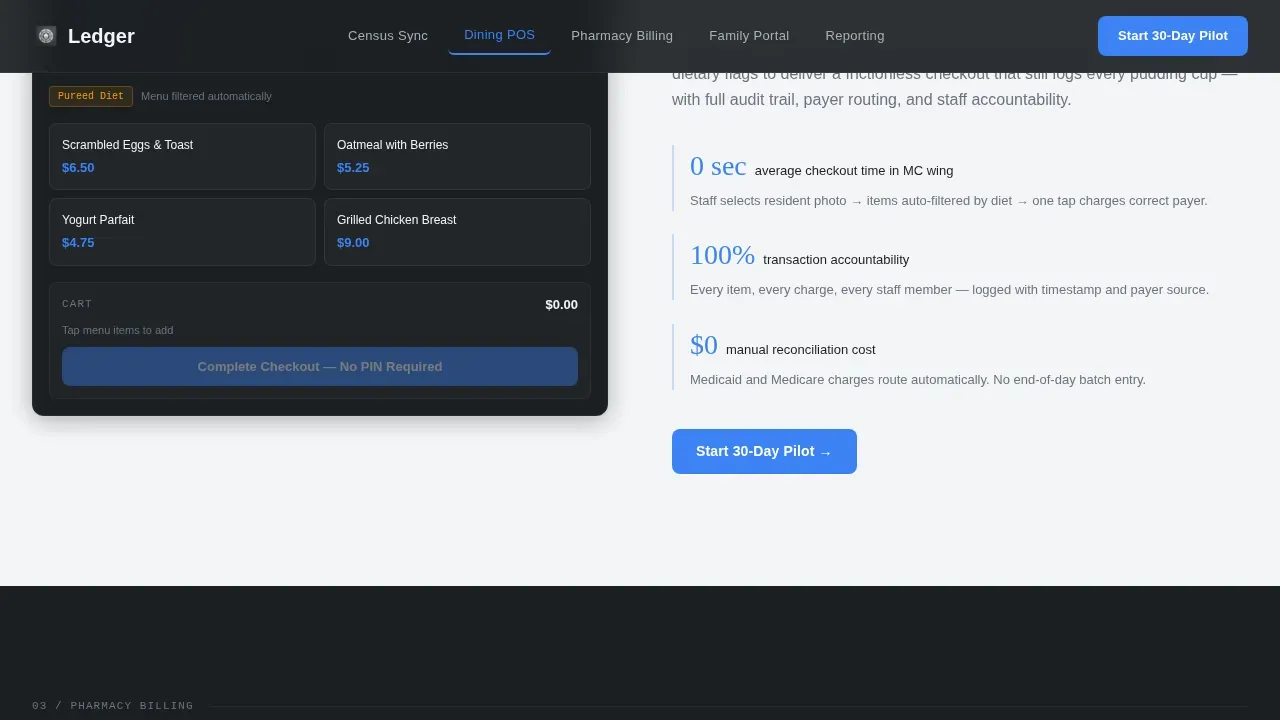
- Removes friction for memory-care services that require zero-PIN checkout without losing transaction detail
What you get with this template
This landing page delivers a full hub-and-spoke structure with five anchor-nav spokes, each dedicated to a specific module. Every section of the care landing page is designed to educate and convert professional visitors before they ever fill out a form.
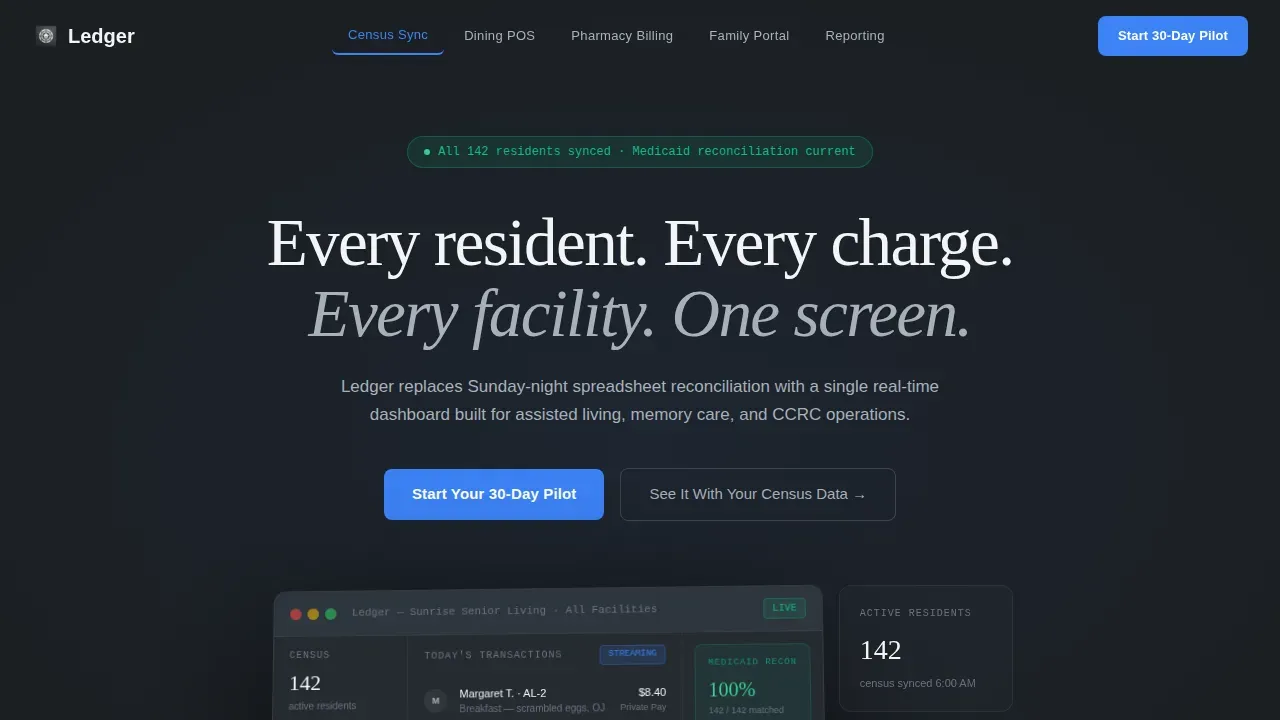
- A hero section with a 3D-tilted product screenshot, live stats sidebar, and the primary "Start Your 30-Day Pilot" call to action
- Five interactive spoke sections covering Census Sync, Dining POS, Pharmacy Billing, Family Portal, and Reporting
- A progressive three-step signup form and a secondary "See It With Your Census Data" personalized demo booking path
Feature list
This template gives builders a focused set of capabilities grounded in senior care operational reality.
Anchor Navigation Spine
Five fixed hub labels at the top of the page ("Census Sync," "Dining POS," "Pharmacy Billing," "Family Portal," "Reporting") let visitors jump to the module most relevant to their role. The anchor nav is the structural spine of the entire landing page experience.
Interactive Module Explorers
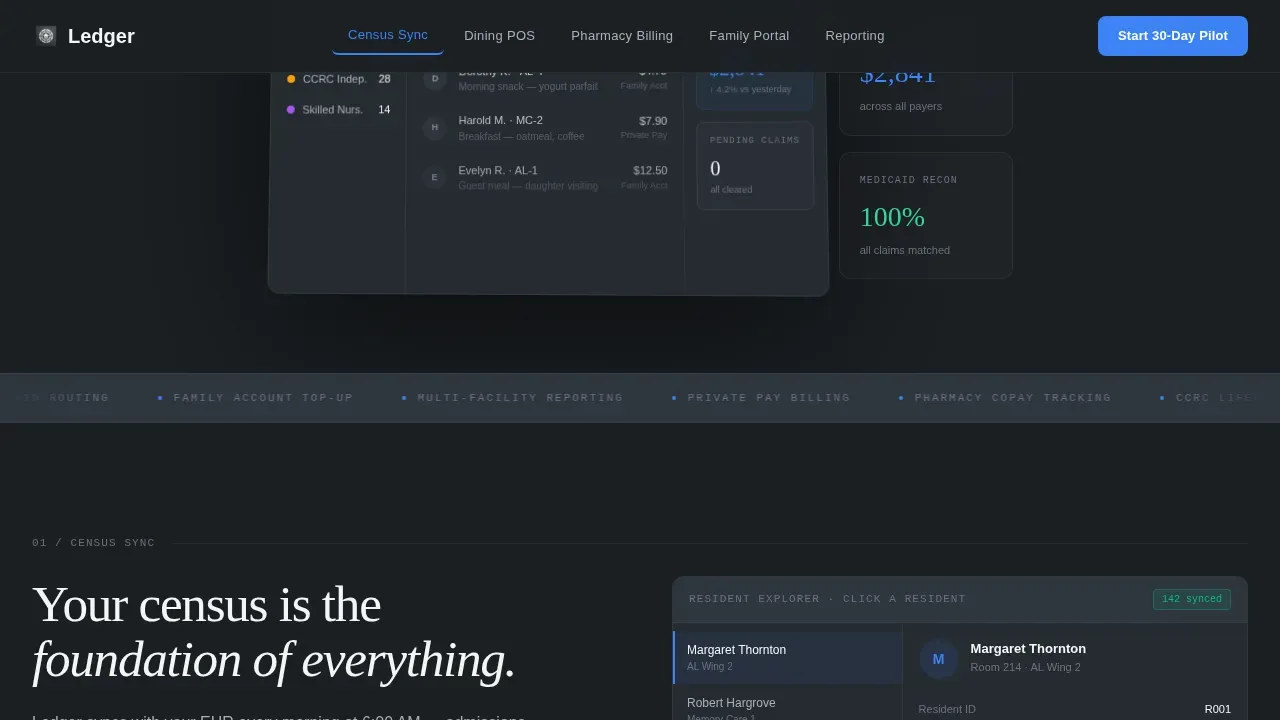
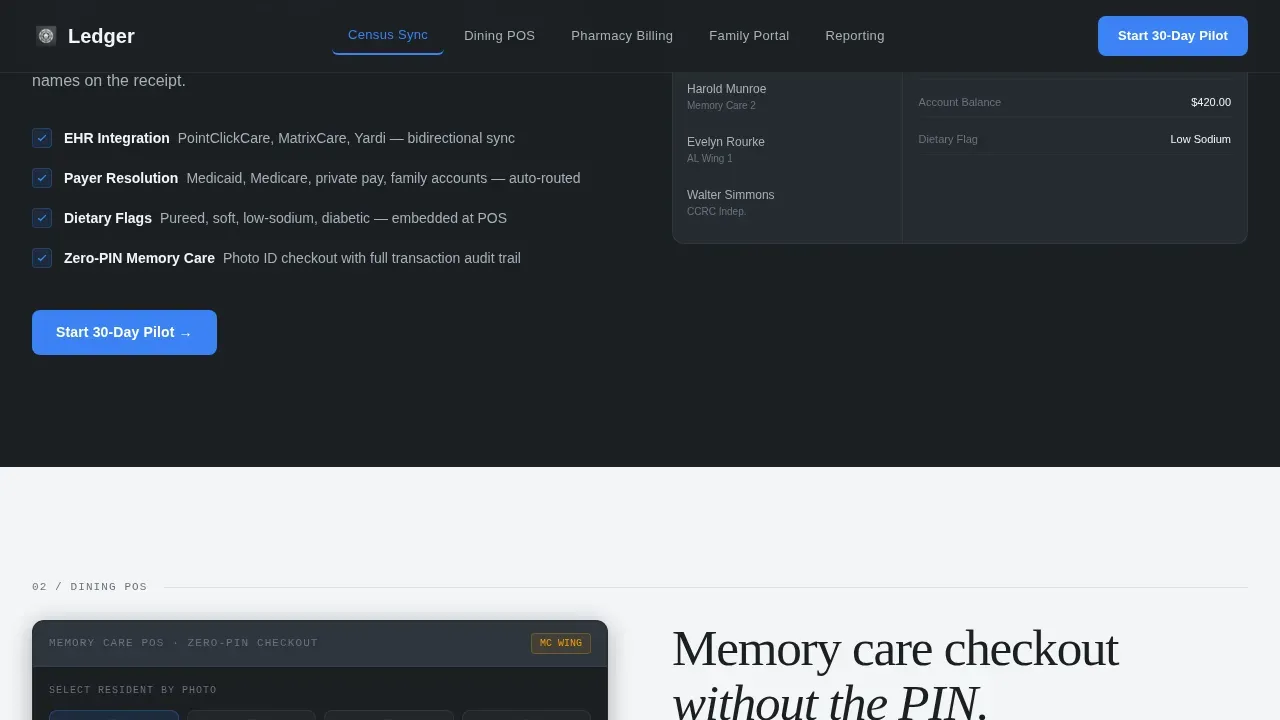
Each spoke section opens with a focused product screenshot and an interactive widget. Visitors can toggle between resident views, run a billing scenario simulator showing Medicaid versus private-pay splits, and review a sample family portal notification without leaving the page.
Progressive Signup Form
The three-step form collects facility name and type, number of residents, and a work email, in that order. Keeping fields minimal reduces friction and increases completion rates, with no credit card required at signup.
Dual Conversion Paths
The primary call to action drives 30-day pilot signups. A secondary path, "See It With Your Census Data," lets operators book a personalized demo using their own resident roster. Both paths appear at the header, at the end of each spoke section, and in a sticky mobile bottom bar.
Data Command Visual Design
The Monochrome Steel color system uses deep gunmetal, brushed aluminum, and clinical white for structure and hierarchy. Signal blue is reserved exclusively for interactive elements and primary calls to action, so every blue instance on the page feels purposeful and easy to act on.
Social Proof Integration
The template includes a facility-specific metrics strip, operator testimonial blocks with role and facility type, and a logo strip for care group brands. Trust-building elements like these help administrators and nursing home finance teams feel confident before they commit to a trial.
Page sections overview
| Section | Purpose |
|---|---|
| Hero Dashboard | Display 3D product screenshot with anchor nav and primary call to action |
| Census Sync | Show resident roster sync with interactive toggle widget |
| Dining POS | Demonstrate zero-PIN checkout and billing scenario simulator |
| Pharmacy Billing | Illustrate Medicaid and private-pay split simulator |
| Family Portal | Preview remote account top-up and sample notification |
| Reporting Module | Present multi-facility reconciliation dashboard preview |
| Social Proof Strip | Reinforce trust with testimonials, metrics, and logos |
| Pilot Signup Form | Capture leads via progressive three-step enrollment |
Design & branding system
The design follows a Data Command theme that feels like a stainless-steel commercial kitchen counter: hygienic, precise, and built to handle pressure. Whitespace is used deliberately to guide visitors through the information without overwhelming them, keeping the care landing page clean and scannable.
- Colors: deep gunmetal (#1B1F23) backgrounds, brushed aluminum (#A8B0B8) secondary text, clinical white (#F4F5F7) panels, and signal blue (#3B82F6) used only for interactive elements and calls to action
- Typography: Fraunces display serif for headlines paired with DM Sans for body and user interface text, ensuring large, readable type and high contrast across every section
- Backgrounds alternate between gunmetal and white to create section separation without decorative elements, keeping the design modern and structurally clear
Mobile & speed optimization
The landing page is fully responsive across all breakpoints, from desktop workstations to tablets and phones. Mobile-friendly design is essential here because facility directors often review software options while moving between buildings or between meetings.
- A sticky bottom bar on mobile keeps the primary call to action visible at all times, ensuring visitors on every device can convert without scrolling back to the top
- Responsive layouts maintain readability and hierarchy across different screen sizes, so the page works as well on a tablet in the dining room as it does on a desktop at 6 AM
- Optimized images and lightweight section components help maintain fast loading times, which are important for professional users who expect the page to perform as well as the software it represents
How this template helps you convert
This care landing page is built as a targeted sales tool that earns the click by letting visitors interact with the product before asking for a single keystroke of commitment.
- The interactive explorer approach removes distractions and keeps visitors focused on their specific module of interest, which can significantly increase conversion rates compared to generic brochure-style pages
- Action-oriented calls to action appear above the fold, at the end of each spoke section, and in a persistent mobile bar, so the path to signup is always easy to find regardless of where a visitor pauses on the page
- The minimal three-step form, combined with a no-credit-card policy, reduces signup anxiety and drives higher completion rates among busy senior care administrators who do not have time to fill out lengthy forms
Other information about this template
This template sits in the senior care software and SaaS category, designed for health care technology businesses and agencies serving the assisted living and skilled nursing sectors. It is a professional, easy-to-use starting point for any team launching a care health platform online.
- The Ledger Smart Senior Care POS Landing Page Template is the specific template name for this product, and it is built for the senior care POS system niche within the health care technology category
- Senior care Webflow template options like Eldero offer versatile pages for care agencies, covering home care and home health services; Ledger is purpose-built for POS and billing-specific use cases that go beyond general senior care website template designs
- The Senior Care Webflow Template category includes templates optimized to promote trust and senior health care services; Ledger extends this by adding interactive billing simulators and real-time census displays that general senior care website designs do not include
- Builders can customize colors, edit typography, and make global design changes in one place using the included Style Guide, making it easy to adapt the template to specific agency branding without extensive coding knowledge
- The template is built to protect visitor trust through social proof, clear data presentation, and benefit-driven messaging focused on operational outcomes for seniors and the teams who care for them
Theme
Data Command
Creative direction
Interactive Explorer
Color system
Monochrome Steel
Style
Hub & Spoke (Anchor Nav)
Direction
Freemium/Trial
Page Sections
Anchor Navigation Spine
Interactive Module Explorers
Progressive Signup Form
Dual Conversion Paths
Data Command Visual Design
Social Proof Integration
Related questions
What type of facility is this landing page template built for?
Can I edit the template without coding experience?
Does the template support mobile visitors?
What conversion paths does the template include?
Is this template suitable for agencies building senior care software websites?



