Financial Services Software Directory Website Template
Ledger is a Bold Brutalist landing page template built for financial services document management platforms. It combines a dark full-bleed header, modular spec-sheet card grid, and a fixed lead-capture bar to convert compliance-driven buyers. Designed for operations directors, compliance officers, and back-office mortgage teams who need to project authority and generate qualified leads fast.
by Rocket studio
Quick summary
Ledger is a single-page, card-grid landing page template for financial services document management platforms. It uses a Bold Brutalist visual system, a glowing dark header, and a spec-sheet layout to speak directly to operations and compliance professionals. The fixed bottom bar drives lead generation through a structured intake form.
Who this template is for
This template is built for teams selling document management software into regulated financial institutions. The layout speaks the language of technical buyers who evaluate platforms on capability, not aesthetics.
- Operations directors at regional banks managing high volumes of trailing documents
- Compliance officers at credit unions preparing for regulatory examinations
- Back-office managers at mortgage servicers chasing signatures across multiple systems
What problem this template solves
Financial services software buyers are skeptical of polished marketing pages. They want specifications, proof, and a clear path to a compliance conversation. Generic SaaS templates fail here because they look like every other vendor.
- Compliance-driven buyers skip soft copy and scan for hard numbers and capability lists
- Operations teams need to see exactly what the platform handles before they request a demo
- Lead capture forms that ask too much upfront cause drop-off before a conversation begins
What you get with this template
Ledger delivers a structured, single-page layout that reads like a product datasheet for serious buyers. Every section is engineered to build credibility before asking for commitment.
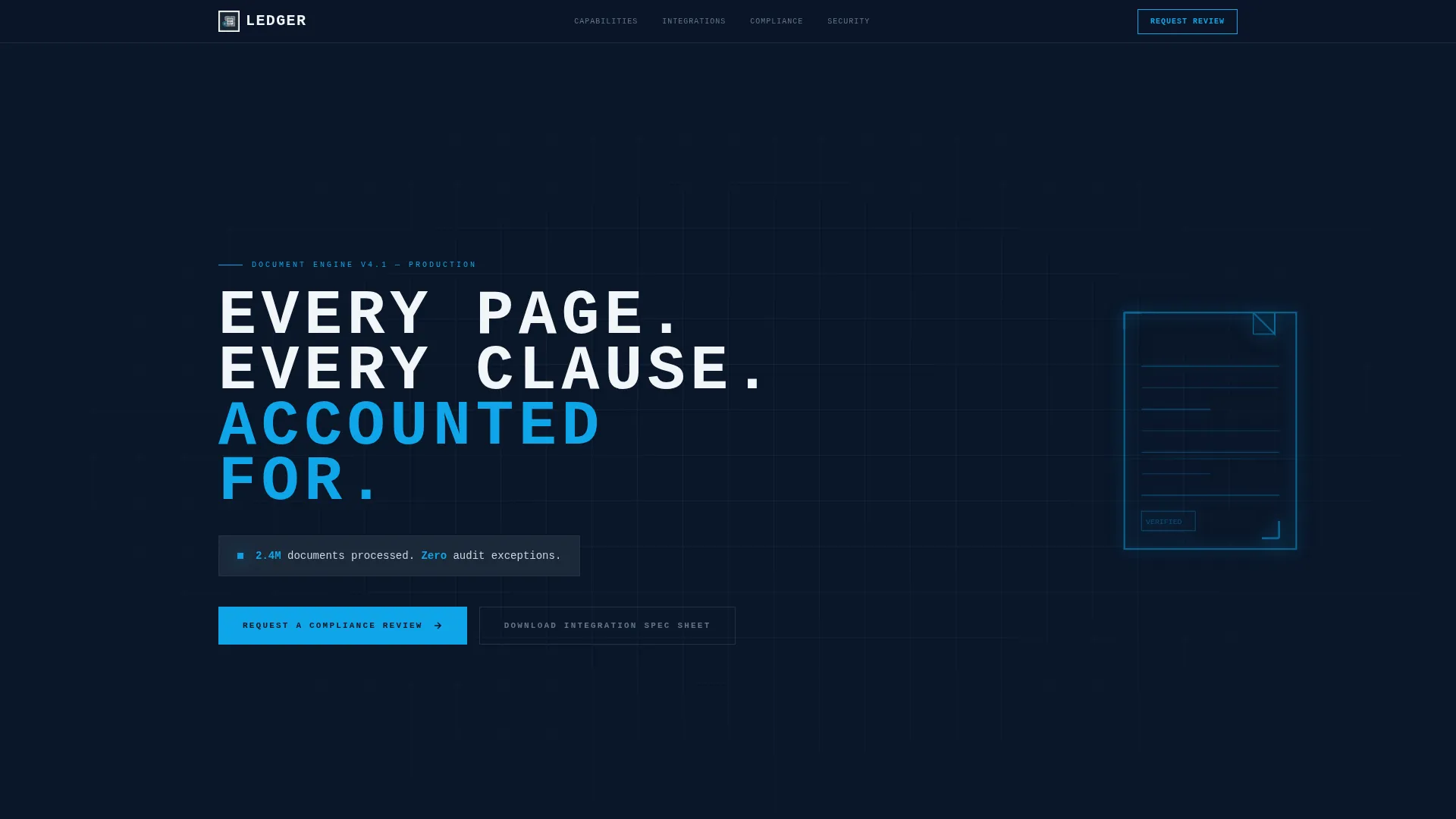
- A dark full-bleed header with an animated isometric document icon and a high-impact monospaced headline
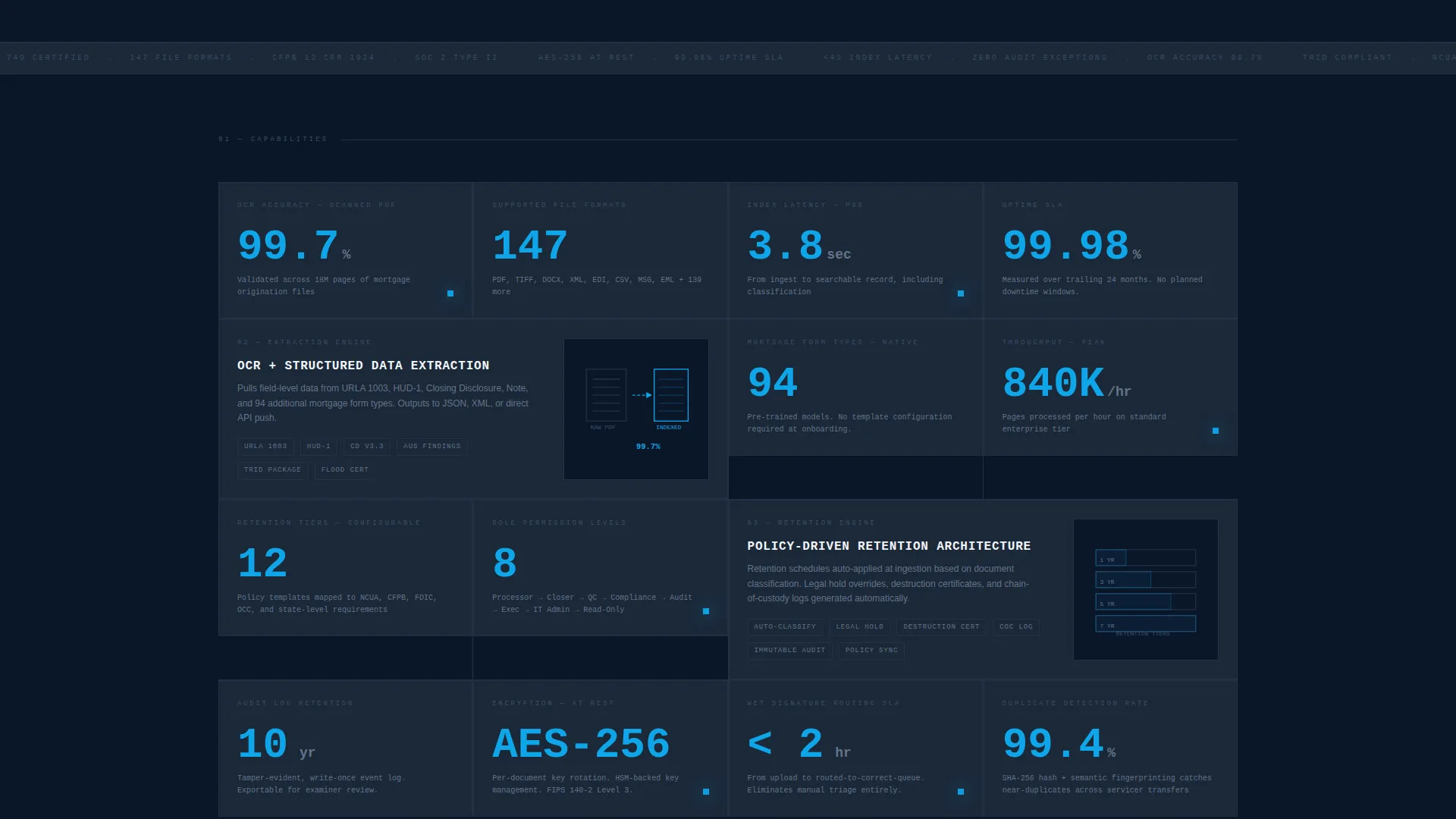
- A modular card grid alternating single-width stat cards and double-width feature cards with minimal diagrams
- A fixed bottom lead-capture bar with a multi-field intake form and a secondary gated PDF download path
Feature list
This section covers the core template capabilities included in Ledger, each grounded in the source brief.
Animated Dark Full-Bleed Header
The header fills the full viewport in abyssal navy. A thin cerulean wireframe document icon rotates slowly in isometric space with a soft pulse glow. After two seconds, an oversized all-caps monospaced headline punches in, followed by a single glowing stat line to establish immediate credibility.
Modular Spec-Sheet Card Grid
The body layout is a card grid where each card acts as a capability block. Single-width stat cards display large numbers with terse labels. Double-width feature cards include minimal diagrams and raw specification copy. The grid alternates between these two formats to create a cumulative technical manifest effect.
Fixed Bottom Lead-Generation Bar
A sticky bottom bar appears after the visitor scrolls past the second card row. It contains a structured intake form collecting institution type, monthly document volume via a slider, core banking system via a dropdown, and a work email field in that order.
Gated PDF Secondary Conversion Path
A lower-friction alternative conversion path lets technical evaluators download an integration spec sheet. It captures only email address and institution name, reducing commitment before a sales conversation starts.
Bold Brutalist Visual Identity
Every element is squared off with no gradients, no rounded corners, and no decorative softness. Cards sit on the dark field separated by thin luminous cerulean rules. The palette and layout together project the quiet authority of a mainframe console.
Oversized Specification Typography
Numbers are rendered at large scale to command attention. Descriptions are kept deliberately terse. This mirrors the format of a technical datasheet for industrial equipment, making the buying decision feel like an engineering conclusion rather than a marketing interaction.
Page sections overview
| Section | Purpose |
|---|---|
| Full-Bleed Header | Establishes platform authority with animated icon and headline stat |
| Stat Card Row | Displays key capability numbers at a glance |
| Feature Card Grid | Details platform capabilities as raw specification blocks |
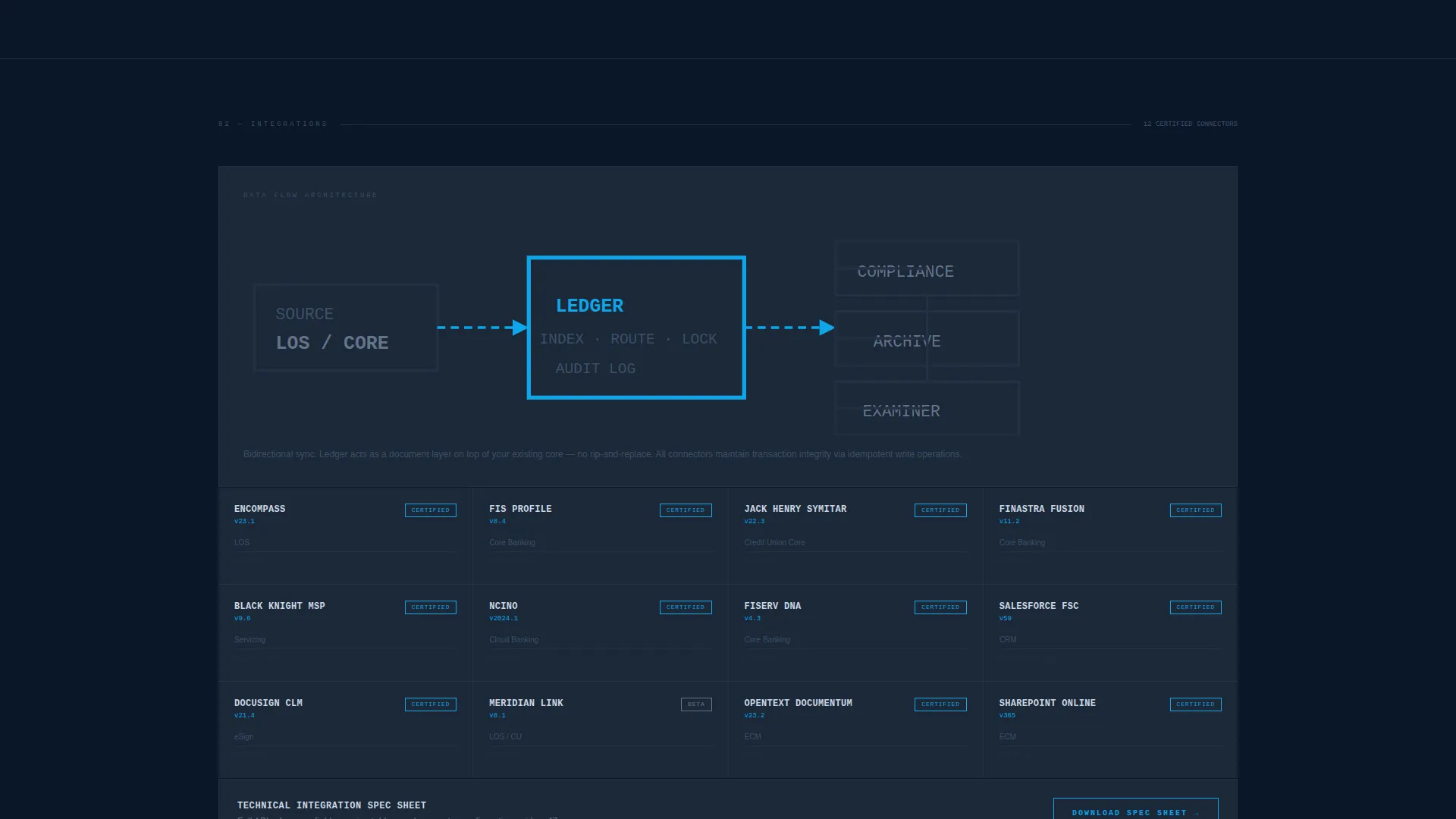
| Integration Spec Row | Lists supported system integrations with version context |
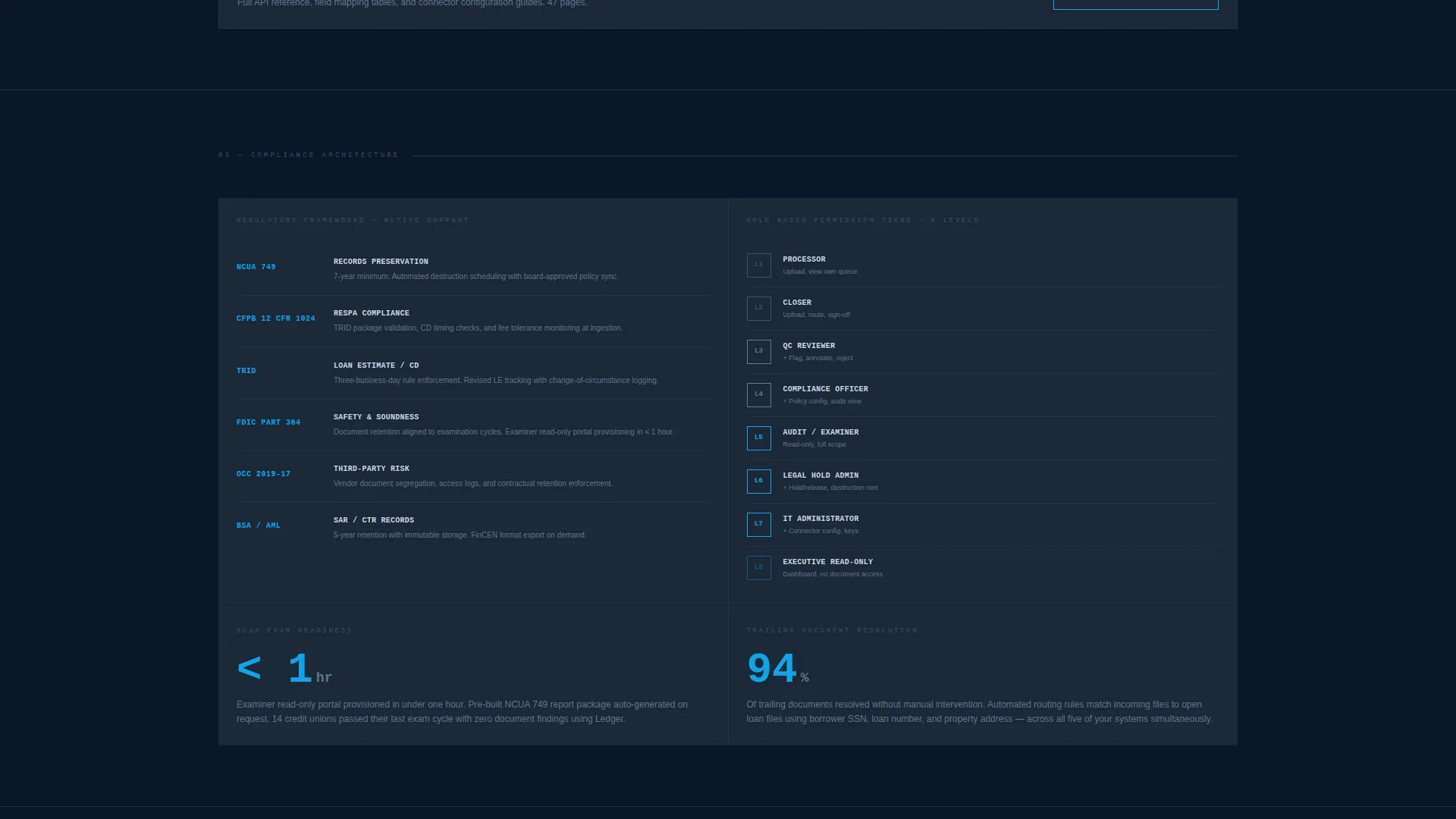
| Retention Policy Cards | Outlines configurable document retention and permission tiers |
| Fixed call to action Bar | Captures leads via structured intake form after second card row |
| PDF Download Prompt | Provides gated spec sheet for lower-friction technical entry |
Design & branding system
The visual system is built around a Midnight Blue color palette and a Bold Brutalist design philosophy. Every design decision reinforces the feeling of a secure, organized records environment.
- Color roles: abyssal navy (#0A1628) for the background, gunmetal slab (#1B2838) for card surfaces, pale terminal glow (#CBD5E1) for body text, and electric cerulean (#0EA5E9) for buttons, borders, and interactive states
- Typography is monospaced and oversized for headlines, with all-caps treatment on the primary headline and terse label-style copy throughout
- No gradients, no rounded corners, and no decorative elements; every component is squared off and treated as load-bearing
Mobile & speed optimization
The modular card grid is structured to reflow cleanly from a multi-column desktop layout to a single-column mobile view. The fixed bottom bar remains accessible on smaller screens.
- Single-column card stacking on mobile keeps the spec-sheet reading flow intact
- The fixed call to action bar is sized and positioned to remain usable without obscuring content on small viewports
- Minimal decorative assets keep the layout lean; the header animation uses lightweight wireframe rendering
How this template helps you convert
Ledger is designed to move skeptical, compliance-minded buyers from first scroll to a qualified lead submission. The layout builds trust progressively before asking for commitment.
- The animated header and opening stat line establish credibility in the first five seconds, reducing early bounce from technical buyers
- The card grid accumulates specification evidence row by row, so by the time the fixed call to action bar appears, the visitor already feels informed enough to act
- The two-path conversion model lets technical evaluators choose their own entry point, capturing both sales-ready leads and early-stage researchers in one page
Other information about this template
Ledger is a single landing page template, not a multi-page site. It is designed specifically for the financial services document management niche, where buyers are operations and compliance professionals with high scrutiny and low tolerance for vague claims.
- The template style is a Card Grid (Modular) layout, optimized for spec-heavy content that benefits from visual separation between capability blocks
- The creative direction follows a Spec Sheet approach, meaning copy and layout mimic a technical product datasheet rather than a traditional marketing page
- The header concept is a Dark Full-Bleed with a Glow effect, using the cerulean accent to create a sense of active scanning or live system activity
- The lead-generation direction supports two conversion paths: a full intake form for sales-qualified leads and a gated PDF download for technical evaluators at an earlier stage of evaluation
Theme
Bold Brutalist
Creative direction
Spec Sheet
Color system
Midnight Blue
Style
Card Grid (Modular)
Direction
Lead Generation
Page Sections
Animated Isometric Document Header
Modular Spec-sheet Card Grid
Fixed Bottom Lead-capture Bar
Gated PDF Secondary Path
Bold Brutalist Visual System
Oversized Specification Typography
Related questions
What kind of business is this template designed for?
Can I customize the stat numbers and spec copy on the cards?
How does the two-path conversion system work?
Does the intake form support different institution types?
Is Ledger a single landing page or a full website template?



