Photography Studio 404 Error Portfolio Discovery Website Template
Shutter is a cinematic split-screen 404 landing page built for photography studios. Instead of losing visitors to a dead link, it turns the error state into an interactive portfolio explorer. A dashboard-style header, a dark Carbon Fiber color system, and a comparison engine guide brides, creative directors, and small business owners straight to the booking options they actually need.
by Rocket studio
Quick summary
Shutter transforms a photography studio's 404 error page into a fully navigable mission control center. The split-screen layout pairs a dramatic "FILE NOT FOUND" dashboard display with a live portfolio mosaic. Visitors self-select their photography need, browse session types, and reach a frictionless three-field booking form without ever leaving the page.
Who this template is for
This template is built for photography studios that lose real business every time a visitor lands on a broken or expired link. It works especially well for studios running social media promotions, seasonal mini-sessions, or vendor listings that can go stale.
- Bridal and wedding photographers who get traffic from expired venue or Instagram links
- Commercial and headshot studios fielding deadline-driven creative directors
- Small business photographers whose mini-session or promo links circulate beyond their expiry date
What problem this template solves
A standard 404 page ends the visit. This template prevents that loss by giving the visitor an immediate, rewarding path forward. The design reframes the error as an entry point rather than a dead end.
- Visitors who clicked a broken or outdated link bounce instead of converting
- Studios have no way to redirect that intent toward active services or open booking slots
- Lost traffic from social posts, vendor directories, and old email campaigns goes unrecovered
What you get with this template
You get a complete, single-page 404 landing page layout built around a split-screen interactive structure. Every visual and functional element described below comes from the template design itself.
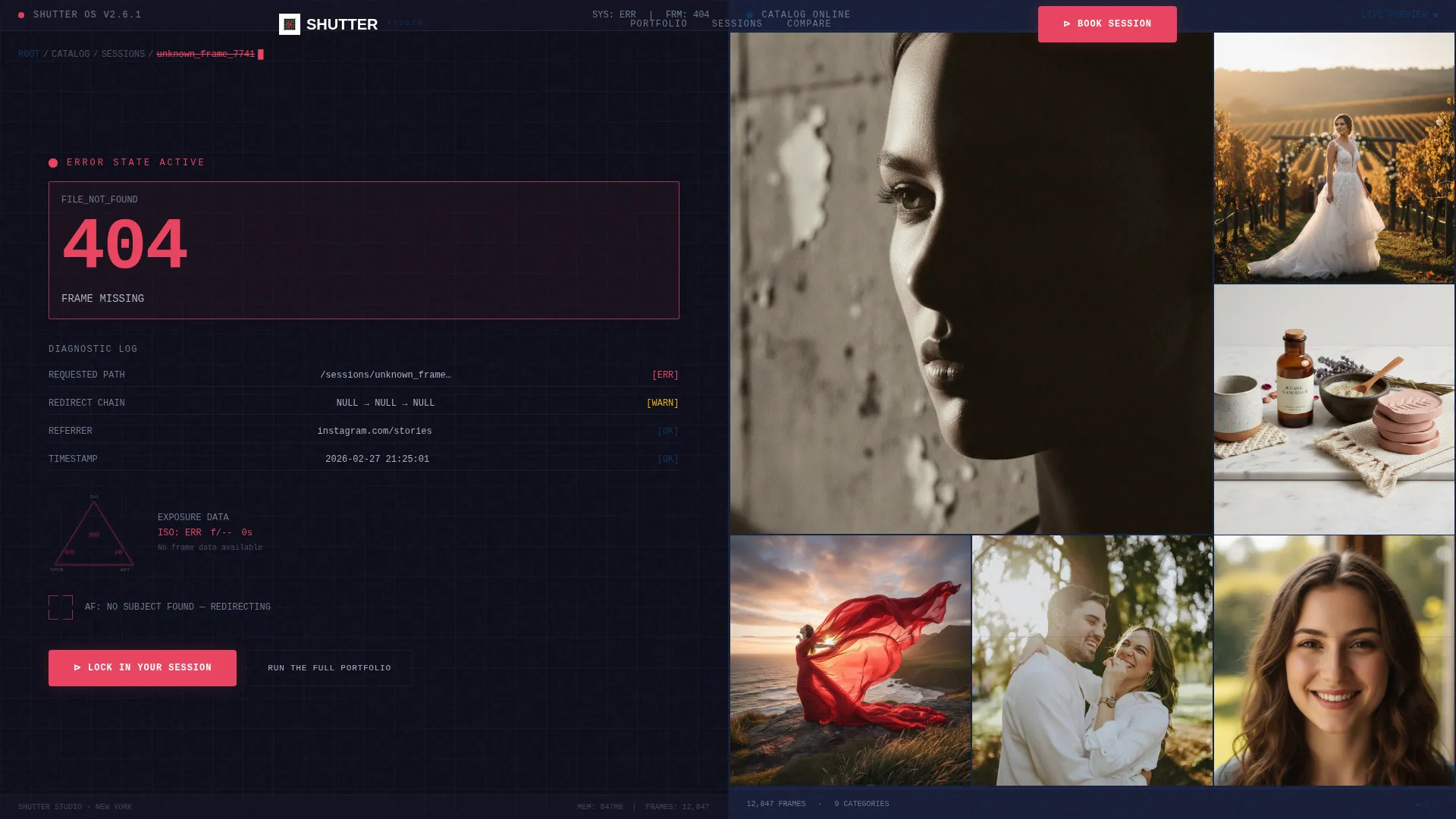
- A dashboard header with a simulated camera operating system displaying the 404 error state alongside an auto-cycling portfolio mosaic
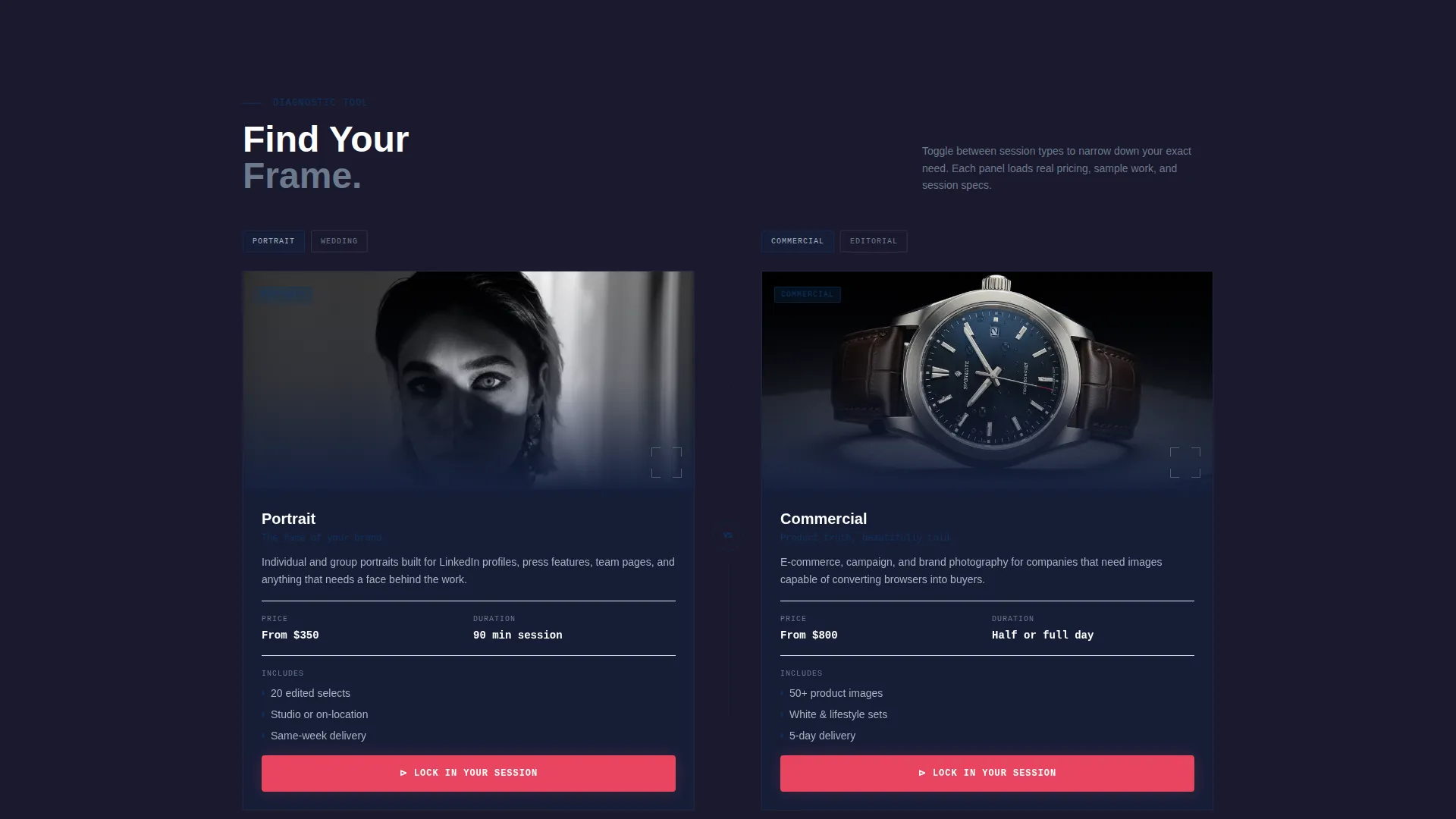
- A scrollable comparison engine that lets visitors toggle between portrait, commercial, wedding, and editorial session types
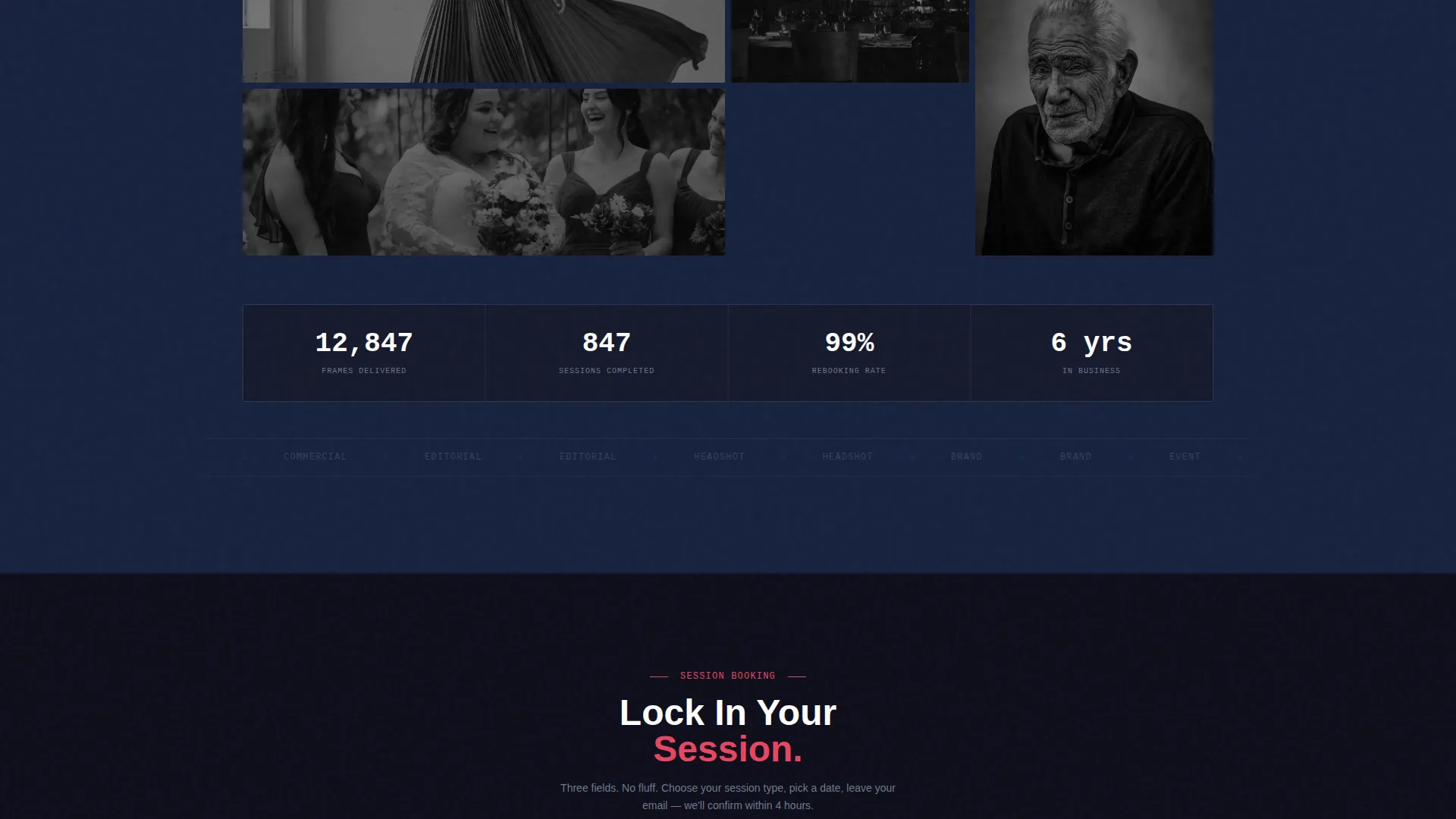
- A minimal three-field booking form (date, session type, and email) that only appears after a category is chosen
Feature list
This section details the core interactive and visual features built into the Shutter template.
Split-Screen 404 Dashboard Header
The header divides the viewport into two equal 50/50 panels. The left panel renders a simulated camera operating system with a "FILE NOT FOUND, FRAME 404" error state, a blinking cursor, a fake file path breadcrumb, and an exposure triangle graphic with zeroed-out values. The right panel immediately fills with an auto-cycling mosaic grid of portfolio thumbnails, creating instant visual contrast between the broken state and the studio's strongest work.
Interactive Session Comparison Engine
Below the header, the page operates as a scroll-driven comparison tool. Left and right panels present opposing session types side by side, such as portrait versus commercial or studio-lit versus natural-light work. Each panel loads sample images, pricing tiers, and session details as the visitor toggles, making every scroll depth feel like a reward rather than a redirect.
Contextual Booking Form
No form appears on load. Once a visitor selects a session category, a streamlined form surfaces asking only for date, session type, and email. The three-field design keeps entry friction as low as pressing a shutter release, and the form placement stays anchored to whichever panel the visitor engages with most.
Pinned Panel calls to action
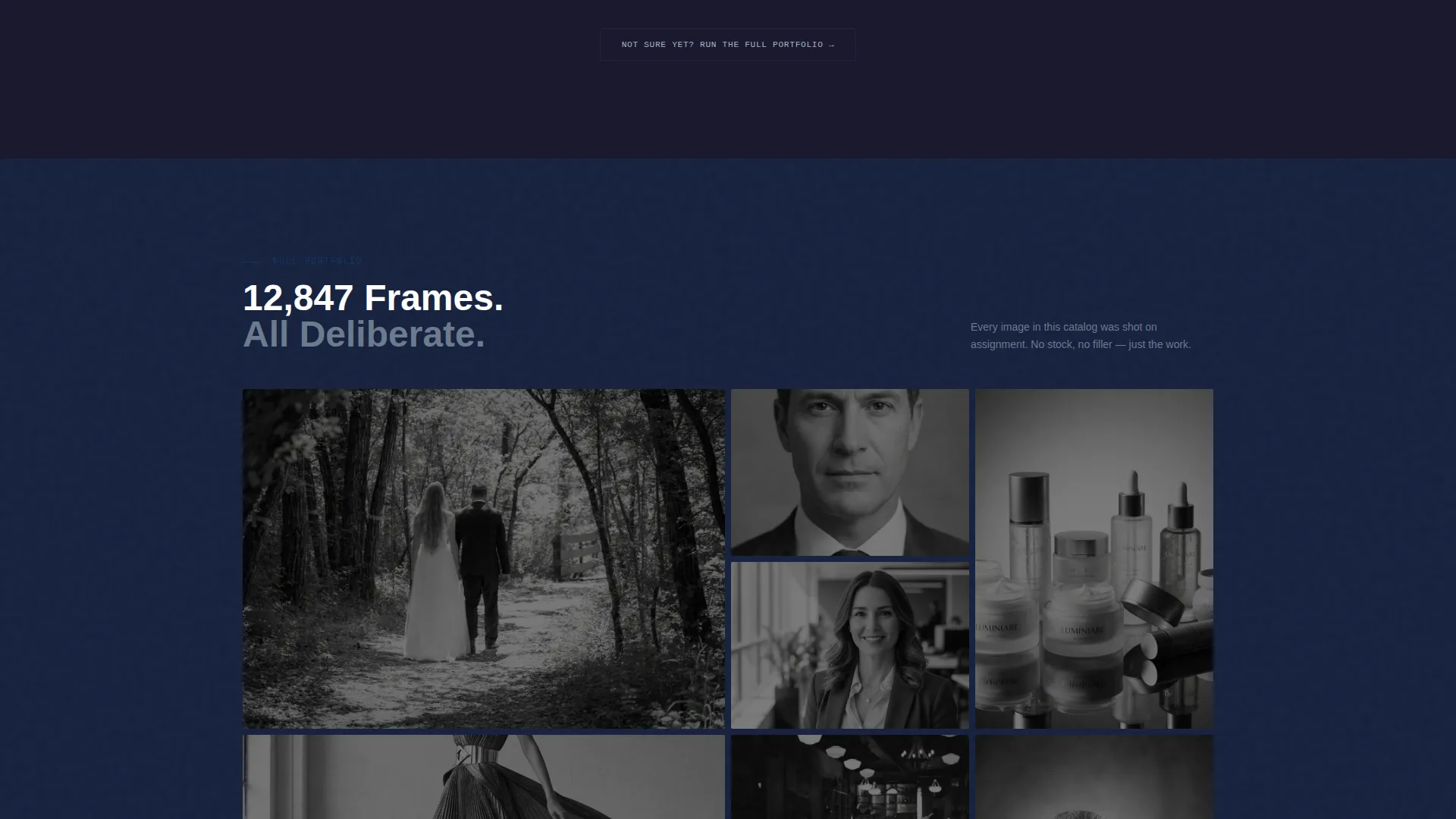
The primary call to action, "Lock In Your Session," is rendered in shutter-fire red and pinned to the bottom of the active panel. A secondary option, "Run the Full Portfolio," stays visible for visitors who are still browsing. Both calls to action remain accessible without requiring a scroll back to the top.
Data Command Visual Theme
The entire interface is styled around a cinema camera back-panel aesthetic. Dark carbon black backgrounds, gunmetal panel gray sections, and sensor-green hover states create a matte, technical environment where every surface signals purpose. The palette is consistent across all interactive states.
Page sections overview
| Section | Purpose |
|---|---|
| 404 Dashboard Header | Displays the error state on the left and a live portfolio mosaic on the right |
| Comparison Explorer Panels | Lets visitors toggle between session types with images, pricing, and details |
| Contextual Booking Form | Appears after category selection with only three required fields |
| Pinned call to action Bar | Keeps "Lock In Your Session" and "Run the Full Portfolio" always in reach |
Design & branding system
The Shutter template uses a Carbon Fiber color system that mirrors the matte, functional aesthetic of a professional cinema camera body. Every color choice carries a specific role in the interface hierarchy.
- Deep carbon black (#1A1A2E) and gunmetal panel gray (#16213E) form the base layer, while cool silver (#A8B2C1) handles body text for legibility against dark fields
- Sensor-green (#0F3460) powers hover states throughout, pulsing like an autofocus confirmation light on panel interactions and toggle elements
- Shutter-fire red (#E94560) is reserved exclusively for calls to action and error state indicators, keeping its visual weight high and its meaning clear
Mobile & speed optimization
The split-screen layout is designed to translate cleanly across screen sizes. The 50/50 panel structure adapts so that mobile visitors still move through the comparison and booking flow without losing the core interactive experience.
- Panel pairs reflow into a stacked vertical layout on smaller screens, preserving the toggle and comparison mechanics
- The auto-cycling portfolio mosaic and pinned call to action bar are structured to remain functional and visible at mobile viewport widths
How this template helps you convert
Shutter converts lost visitors by replacing the dead-end experience with an intentional, self-guided discovery flow. The design removes guesswork at every step.
- The immediate split-screen contrast between the error panel and the portfolio mosaic recaptures attention before the visitor decides to leave, turning the first impression from frustration into curiosity.
- The scroll-driven comparison engine lets visitors self-select their session need, so by the time the booking form appears it feels like a natural next step rather than an unsolicited ask.
Other information about this template
Shutter fits naturally into a photography studio's broader digital presence. The following points cover practical usage context that buyers commonly ask about.
- The template is categorized under Photography Studio Website Templates in the Technology category, making it easy to locate in template marketplaces focused on creative studio builds
- The Data Command theme and Carbon Fiber color system are designed to feel distinct from pastel or minimalist photography templates, which makes it a strong choice for studios that want a bold, technical brand identity
- The niche focus on the 404 error page use case means this template works as a standalone recovery page that can be dropped into any existing studio site structure
- The "Run the Full Portfolio" secondary path is built for visitors who are not ready to book, supporting both immediate converters and longer research cycles
Theme
Data Command
Creative direction
Interactive Explorer
Color system
Carbon Fiber
Style
Split Screen (50/50)
Direction
Comparison/Versus
Page Sections
Split-screen 404 Dashboard Header
Scroll-driven Comparison Engine
Contextual Three-field Booking Form
Pinned Panel Call-to-action Bar
Data Command Visual Identity
Related questions
Is this template designed for a single page or a full website?
Can I use this template if my studio covers multiple photography niches?
What does the booking form ask for?
How does the template handle visitors who are not ready to book?
Does the 404 error state look intentional or accidental?



