Smart Photography Client Management Landing Page Template
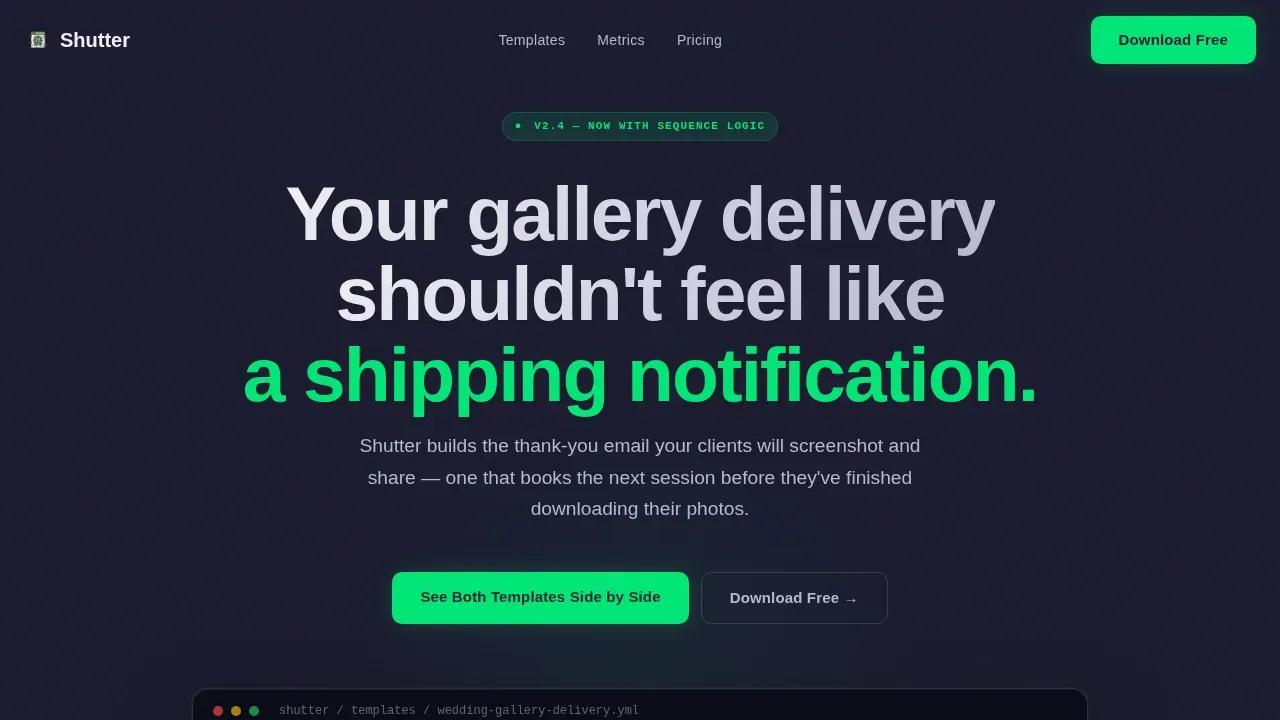
Shutter is a dashboard-style landing page template built for photographers who lose repeat bookings simply because their post-session follow up feels generic. It showcases a ready-to-use thank-you email sequence through a striking code-to-beauty reveal, a versus grid with live-looking metrics, and a free download flow that captures leads without extra cost or friction.
by Rocket studio
Quick summary
Shutter is a single-page template designed to sell one thing clearly: the idea that a well-crafted follow up email is worth more than any marketing campaign. It opens with a terminal code reveal, escalates through a data-driven versus grid, and closes with a role-segmented free download. Every section is built to make the cost of silence feel real before the ask ever appears.
Who this template is for
This template fits photographers who already deliver excellent photos but struggle to turn satisfied clients into repeat bookings or warm referrals. It speaks directly to the people who need it most.
- Wedding photographers managing 30 or more client galleries each season who miss rebooking windows because follow up slips through the cracks
- Portrait studio owners who want to convert one-session families into annual photography packages and need a professional sequence to do it
- Commercial photographers who need to stay visible to art directors between briefs, keeping their services and brand top of mind
What problem this template solves
Most photographers treat the delivery email as the finish line. Clients receive a link to their photos, and then silence follows. That silence costs real money in lost leads, missed referrals, and potential clients who simply forgot to recommend you.
- Photographers lack a structured, repeatable workflow for post-session communication that feels personal rather than automated
- Generic auto responder messages fail to create an emotional moment or set clear expectations for what clients should do next
- There is little time after a busy shoot season to write fresh follow up copy from scratch for every client gallery delivered
What you get with this template
You get a fully built landing page that demonstrates the value of smart follow up through layered, scroll-driven storytelling. The layout does the selling before you ask for anything in return.
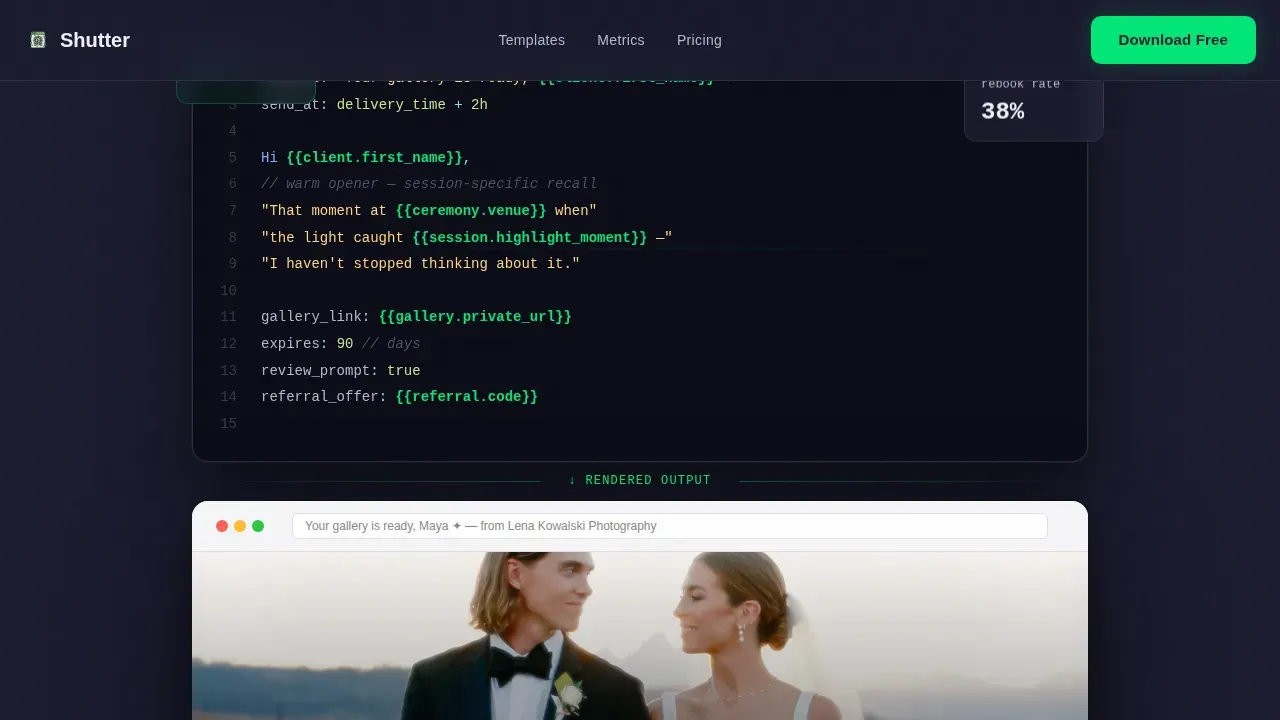
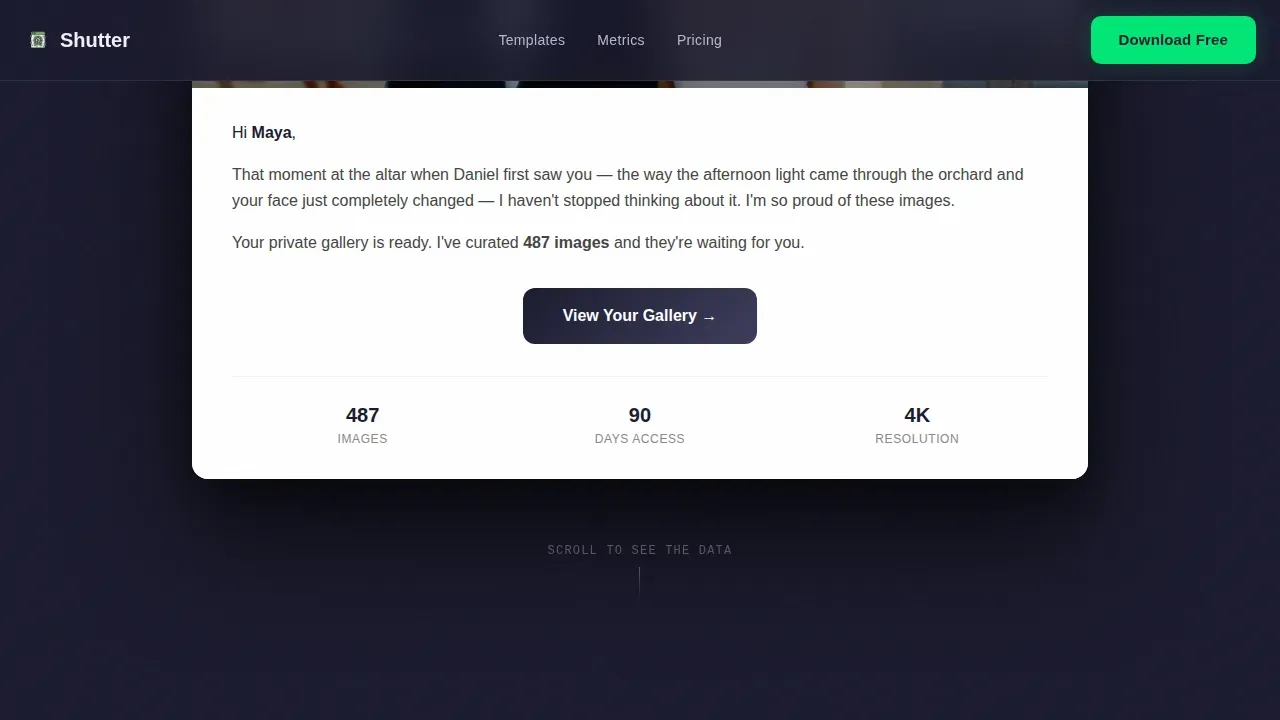
- A hero section with a syntax-highlighted code block and a rendered email preview side by side, showing exactly what the prospect sees in their inbox
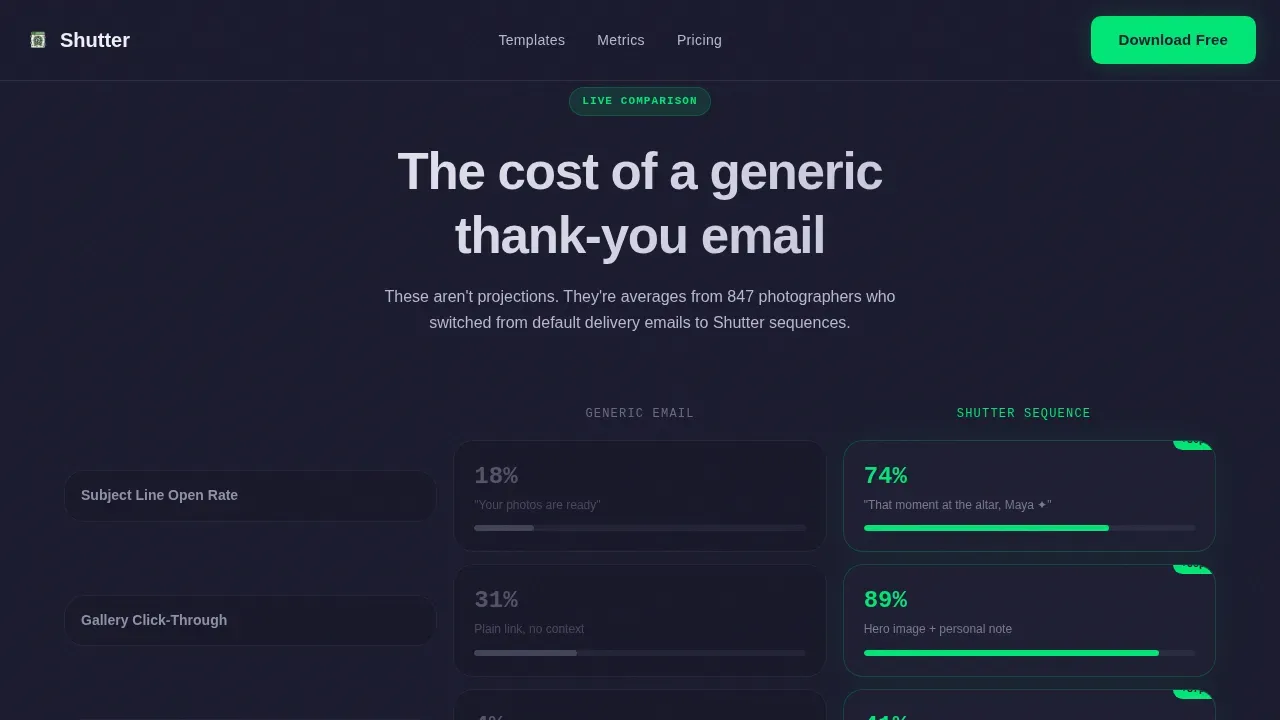
- A versus grid comparing bare-minimum thank-you messages against an optimized sequence, with dashboard cards showing open rates, rebooking figures, and referral details
- An interactive toggle letting visitors compare both email versions, followed by a terminal call-to-action with an email capture form and a role selector for wedding, portrait, and commercial photographers
Feature list
The template packs focused, high-impact features into a single scrollable journey. Each component is designed to build interest and move the prospect toward a download.
Code-to-Beauty Header Reveal
The header opens with a syntax-highlighted email block floating against a forge black background. Merge tags like client first name, gallery link, and session date glow in chrome and signal green like a terminal readout. Beneath it, a warm rendered email preview shows what clients actually see, making the product's purpose immediately clear.
Versus Grid with Live-Looking Metrics
A two-column comparison grid sets a generic post-session email against the optimized sequence. Dashboard cards display open rates, rebooking percentages, and referral numbers that animate in as the visitor scrolls. Each row escalates the stakes, turning the comparison into a practical lesson on what good follow up actually delivers.
Interactive Template Toggle
Visitors can toggle between the bare-minimum thank-you and the fully optimized sequence inside an embedded preview. This interactivity lets the prospect experience the difference directly rather than just reading about it, making the idea of better communication feel tangible and worth the download.
Role-Segmented Download Form
The terminal call-to-action includes a single email field paired with a role selector covering wedding, portrait, and commercial photographers. This allows the template to feel relevant to each audience segment. The download is free, with no credit card required, so the form itself is the delivery mechanism.
Scroll-Driven Animation System
The layout uses staggered metric counters, word-by-word text reveals, and GPU-accelerated transforms triggered by scroll position. Sections compress toward the bottom, proof stacks, and the rhythm builds momentum so visitors feel the page moving them forward rather than waiting for content to load.
Niche-Specific Social Proof Section
Photographer testimonials are grouped by niche, with specific metrics attached. A wedding photographer might comment on rebooking rates; a portrait studio owner might share referral counts. This specificity makes social proof feel like evidence rather than decoration, reassuring each prospect that this template is a good fit for their situation.
Page sections overview
| Section | Purpose |
|---|---|
| Hero Code Reveal | Show the code-to-beauty gap and establish the product's core promise |
| Versus Metrics Grid | Compare generic versus optimized emails using animated dashboard data |
| Interactive Toggle Preview | Let visitors experience both template versions side by side |
| Social Proof Block | Build trust with niche-specific photographer testimonials and metrics |
| Terminal Download call to action | Capture email and role with a free, friction-free download form |
| Footer Pattern | Close the page with a clean horizontal flow layout |
Design & branding system
The visual identity follows a Directory and Discovery theme built on a Monochrome Steel palette. It feels like a photographer's editing suite late at night, dark and focused, with luminous data points drawing the eye exactly where attention is needed.
- Color system uses forge black (#1A1A2E) as the primary background, brushed gunmetal (#3D3D5C) for mid-layer surfaces, polished chrome (#B8B8D1) for body text and code highlights, and cold white (#F0F0F5) for headings, with signal green (#00E676) reserved strictly for call-to-action states and live metric accents
- Typography pairs JetBrains Mono for all code and terminal elements with DM Sans for body copy and headings, creating a clear visual contrast between the technical and the human layers of the page
Mobile & speed optimization
The template is built desktop-first to match how photographers actually work, editing images on large screens late into the night. Mobile responsiveness is included so the page remains usable across devices.
- Animations rely on GPU-accelerated transforms only, keeping scroll performance smooth even when multiple metric counters and reveal effects are active simultaneously in the browser
- Lazy scroll triggers ensure that heavy animation sequences do not fire until the relevant section enters the viewport, protecting page load speed and keeping the experience sharp from the first moment a visitor lands on the site
How this template helps you convert
The page is engineered around a Comparison and Versus conversion strategy. Every section earns the next click by making the problem feel costly before presenting the solution.
- The hero's code-to-beauty juxtaposition immediately communicates the gap this product closes, creating instant interest and giving the prospect a clear reason to keep scrolling down through the page
- The versus grid and animated metrics reframe follow up as a measurable business decision, not a courtesy, so by the time the download form appears, the visitor already understands the value and is ready to fill it in
Other information about this template
This section covers additional context that helps photographers and studio owners decide whether Shutter is a good fit for their specific needs and existing workflow.
- Usage rights are included with the free download, so photographers can implement the sequence across their business without worrying about extra cost or licensing restrictions
- The layout and copy structure follow best practices seen in tools like HoneyBook, which combines smart files, contracts, proposals, and documents with automation for lead follow-up and invoicing, and Dubsado, recognized as a highly customizable platform for creative professionals who want detailed workflow automation based on client actions
- Platforms like Sprout Studio provide a portfolio website integrated with client management features, while Pixieset's Studio Manager helps photographers manage bookings and invoicing alongside client galleries; Shutter's landing page is designed to complement any of these services by capturing leads and directing them into whatever follow-up system a photographer already uses
- An effective photography landing page, including this one, should connect to a clear call-to-action and an inquiry form so that interested prospects can be routed into a nurturing sequence immediately; tools like Keap are well suited for automating delivery of lead magnets, while HoneyBook and Sprout Studio enable landing pages that capture leads and schedule follow-up messages
- The page can also support a blog link or additional educational content in the footer area, giving photographers a natural way to share tips, build audience trust, and attract new clients who are still in the research phase of their journey
- Landingi offers over 400 templates for photographer presentations, making it a useful reference point for understanding what a professional photography landing page can include; Shutter takes that idea further by focusing entirely on the post-session follow-up moment rather than general portfolio presentation
Theme
Directory & Discovery
Creative direction
Launch Energy
Color system
Monochrome Steel
Style
Dashboard/Data Grid
Direction
Comparison/Versus
Page Sections
Code-to-beauty Header Reveal
Versus Grid with Animated Metrics
Interactive Template Toggle
Role-segmented Free Download Form
Scroll-driven Animation System
Niche-specific Social Proof Section
Related questions
Do I need a separate CRM to use this template?
Is the download really free with no hidden fees?
Can I customize the email copy for my own brand?
Who gets the most value from this template?



