Certified Ham Radio Landing Page Template
A single-page ham radio license course landing page built for complete beginners. The hub and spoke layout guides visitors from curiosity to enrollment through a persona-led experience, animated curriculum sections, a real-time cohort calendar, and a pinned "Reserve My Seat" call to action. It captures leads at two levels: committed students and early-stage learners who want a free study resource first.
by Rocket studio
Quick summary
This is a hub and spoke landing page for a weekend ham radio license course targeting complete beginners. A persona selector header lets visitors self-identify, then the page reorders its spoke sections to match their context. The goal is simple: shrink the unknown at every scroll stop and move visitors toward reserving a seat in the next cohort.
Who this template is for
This template is built for instructors, training organizers, and amateur radio clubs who run beginner licensing courses. It works especially well when your audience arrives with hesitation rather than prior knowledge.
- Ham radio instructors running FCC Technician license prep weekends
- Preppers, Scout leaders, and retired engineers looking for a structured path to their first callsign
- Amateur radio clubs or community educators promoting upcoming cohort-style classes
What problem this template solves
Most licensing course pages bury critical information in walls of text. Potential students land on the page unsure whether the course suits them, unsure what the exam actually covers, and unsure when the next class starts. Doubt converts to abandonment.
- Visitors leave without enrolling because the page never establishes trust or relevance
- Beginners fear the exam is harder than it is, and nothing on the page corrects that fear
- Instructors lose warm leads who were ready to study but not yet ready to pay
What you get with this template
You get a fully structured single-page layout designed to guide three distinct visitor types from first impression to form submission. Every section is a deliberate step in a confidence-building sequence.
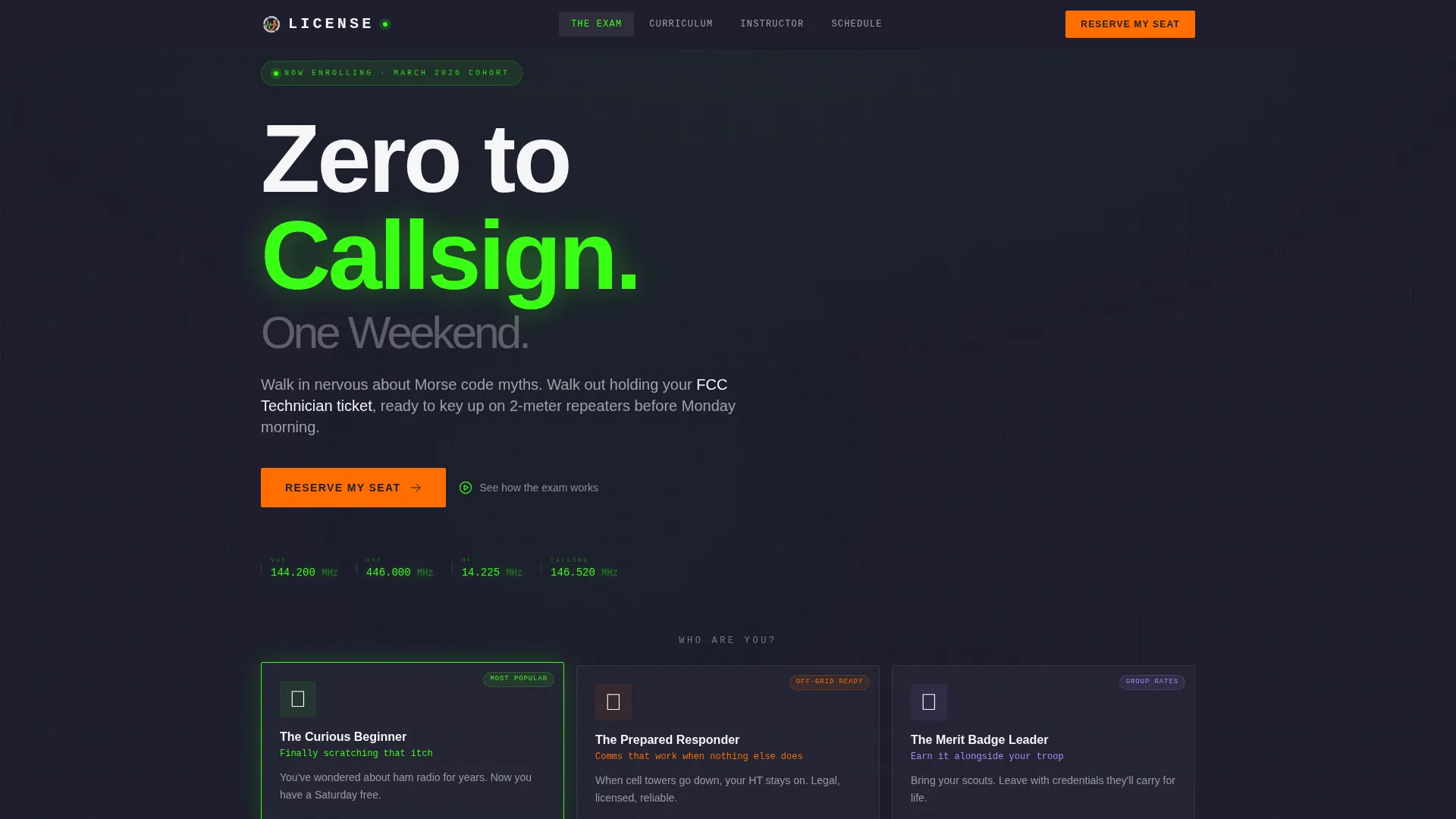
- A persona selector header with three illustrated cards that recolor the anchor nav and reorder spoke sections on click
- Five animated curriculum modules, a real-time cohort calendar with seat-count badges, and an instructor profile section
- Two lead capture paths: a short enrollment form and a free band-plan cheat sheet behind an email gate
Feature list
This section details the built-in components and interactive behaviors included in this landing page template.
Persona Selector Header
Three illustrated cards sit side by side against the deep charcoal background. Each card represents a visitor type: the curious beginner, the prepared responder, and the merit badge leader. Clicking a card recolors the anchor navigation in that persona's accent and reorders the spoke sections to surface the most relevant content first.
Animated Exam Countdown
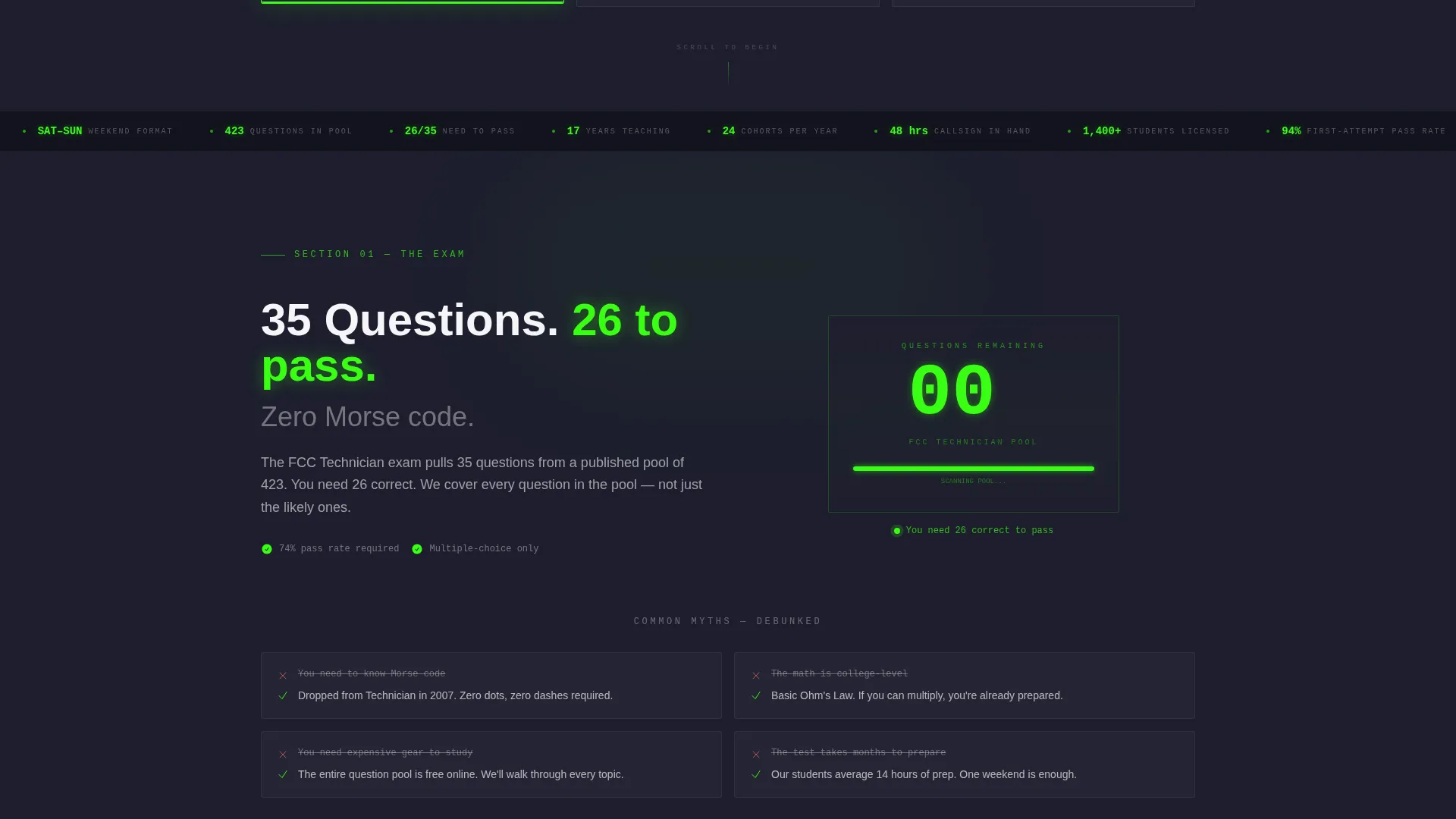
The exam demystification section includes an animated question counter that ticks down from 35, visually showing how manageable the FCC Technician exam pool actually is. This component is designed to reduce anxiety before a visitor ever reads a single curriculum detail.
Five-Module Curriculum Display
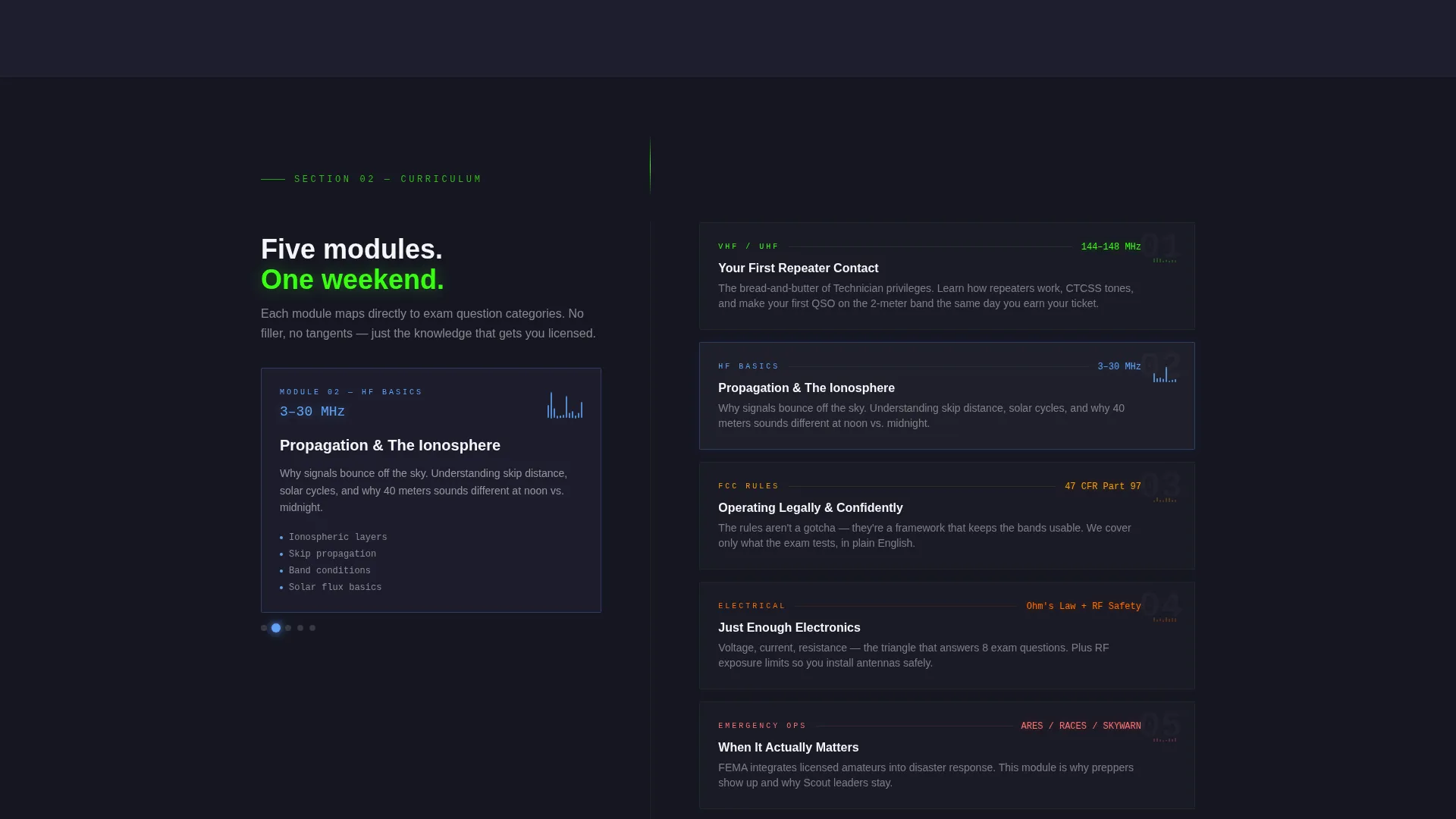
The curriculum spoke breaks content into five frequency-band modules. Each module includes a small waveform animation that triggers on scroll, giving the page a live, radio-active feel while communicating the course structure at a glance.
Real-Time Cohort Calendar
A calendar grid displays upcoming class dates. Each date carries a seat-count badge that decrements in real time, communicating genuine scarcity and encouraging earlier enrollment decisions.
Pinned Anchor Navigation with call to action
The anchor navigation bar travels with the visitor throughout the entire scroll. The primary call to action, "Reserve My Seat," is displayed in hot transmission orange and remains visible at all times. Clicking it smooth-scrolls to the enrollment form.
Dual Lead Capture Forms
The enrollment form collects first name, email, preferred class date via a dropdown synced to the calendar, and one optional checkbox for visitors studying beyond the Technician level. A secondary email gate captures leads who prefer to download the free band-plan cheat sheet instead of committing to a seat.
Page sections overview
| Section | Purpose |
|---|---|
| Persona Selector Header | Lets visitors self-identify and personalizes the page order |
| Exam Demystification | Animated counter reduces fear about the FCC exam |
| Curriculum Modules | Five frequency-band modules with scroll-triggered waveforms |
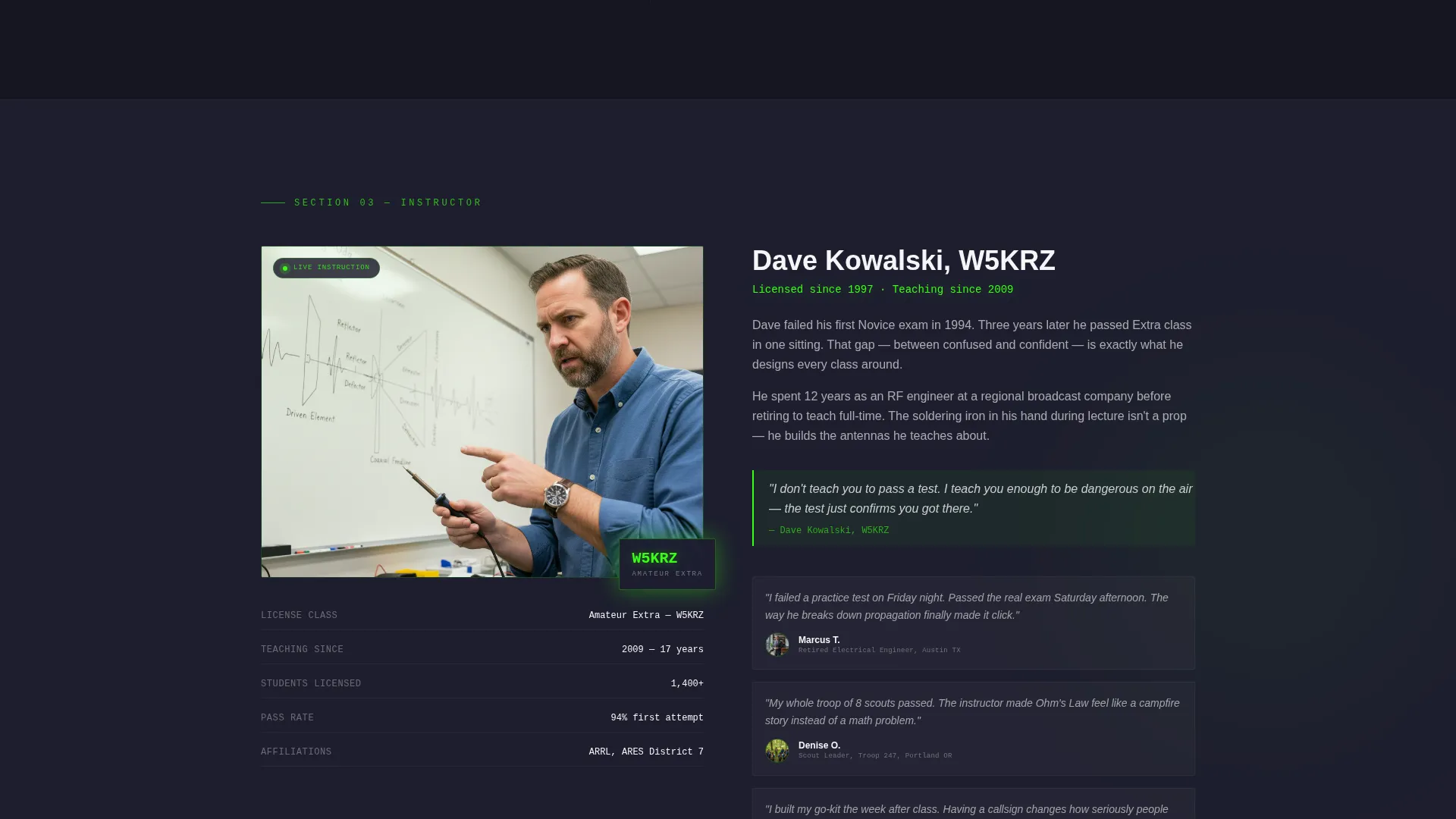
| Instructor Profile | Candid photo mid-lecture builds credibility and trust |
| Cohort Calendar | Live seat-count badges drive urgency for upcoming classes |
| Enrollment Form | Short form captures committed leads ready to reserve a seat |
| Cheat Sheet Gate | Email capture for visitors not yet ready to enroll |
Design & branding system
The visual identity follows a Corporate Precision theme executed through a Dopamine Pop color system. The palette mimics a high-end receiver faceplate at night: a dark housing with glowing readouts that direct attention precisely.
- Deep charcoal chassis (#1E1E2E) as the page background, signal-green (#39FF14) for active states and progress indicators, hot transmission orange (#FF6D00) on all calls to action and milestone markers, and clean panel white (#F5F5F7) for content cards
- Illustrated persona cards with soft edge glows, waveform animations on curriculum modules, and a real-time seat counter all reinforce the high-precision, high-energy visual tone
- The overall effect feels like powering on a new transceiver: dark, purposeful, with every glowing element earning its place on the panel
Mobile & speed optimization
The layout is structured for comfortable reading and interaction on smaller screens. Every interactive element is sized for touch use, and the pinned navigation remains functional across device widths.
- The anchor nav and pinned call to action button remain accessible on mobile without obscuring content
- Persona selector cards stack gracefully on narrower viewports while retaining their illustrated detail and click behavior
- The cohort calendar and enrollment form are designed to display cleanly on a single column without horizontal scrolling
How this template helps you convert
Every design decision on this page points toward one outcome: a visitor who arrived uncertain leaves either enrolled or captured as a lead.
- The persona selector makes visitors feel the page was built for them specifically, increasing the time they spend engaging with spoke sections and reducing early bounce.
- The animated exam counter and curriculum modules replace vague course descriptions with concrete, scannable proof that the material is approachable, which lowers the psychological barrier to clicking "Reserve My Seat."
- The dual lead capture structure means visitors who are not ready to commit still enter a follow-up path via the free band-plan cheat sheet download, so no warm prospect leaves empty-handed.
Other information about this template
This template is part of the Education and Training category under Specialized Certification and Programs. It is purpose-built for the ham radio license course niche and is not a general education template repurposed for this context.
- The step-by-step guide creative direction means each spoke section is numbered and sequenced, functioning as a mini flight plan from zero knowledge to callsign
- The hub and spoke structure with anchor navigation means visitors can jump directly to the section most relevant to their persona without losing their orientation on the page
- The free downloadable band-plan cheat sheet is a built-in secondary offer, giving instructors a low-friction lead magnet without needing to build a separate opt-in page
- This template is suitable for both independent instructors and organized amateur radio clubs running recurring weekend cohorts
Theme
Corporate Precision
Creative direction
Step-by-Step Guide
Color system
Dopamine Pop
Style
Hub & Spoke (Anchor Nav)
Direction
Lead Generation
Page Sections
Persona Selector with Dynamic Reordering
Animated FCC Exam Counter
Five Frequency-band Curriculum Modules
Real-time Cohort Calendar with Seat Badges
Pinned Anchor Navigation and Call to Action
Dual Lead Capture Structure
Related questions
Do I need technical knowledge to use this template?
Can I change the color scheme to match my club's branding?
How does the persona selector work for visitors?
Is this template suitable for courses beyond the Technician level?
What is the band-plan cheat sheet section?



