Micro-SaaS & Developer Tools Professional Website Template
Linkcommand is a bold brutalist bio link landing page template built for creators, freelancers, and side-hustlers who want a single URL that does serious work. It features a live interactive builder, real-time preview, data grid metrics, and a direct app download path, all wrapped in a raw electric indigo and void black visual system.
by Rocket studio
Quick summary
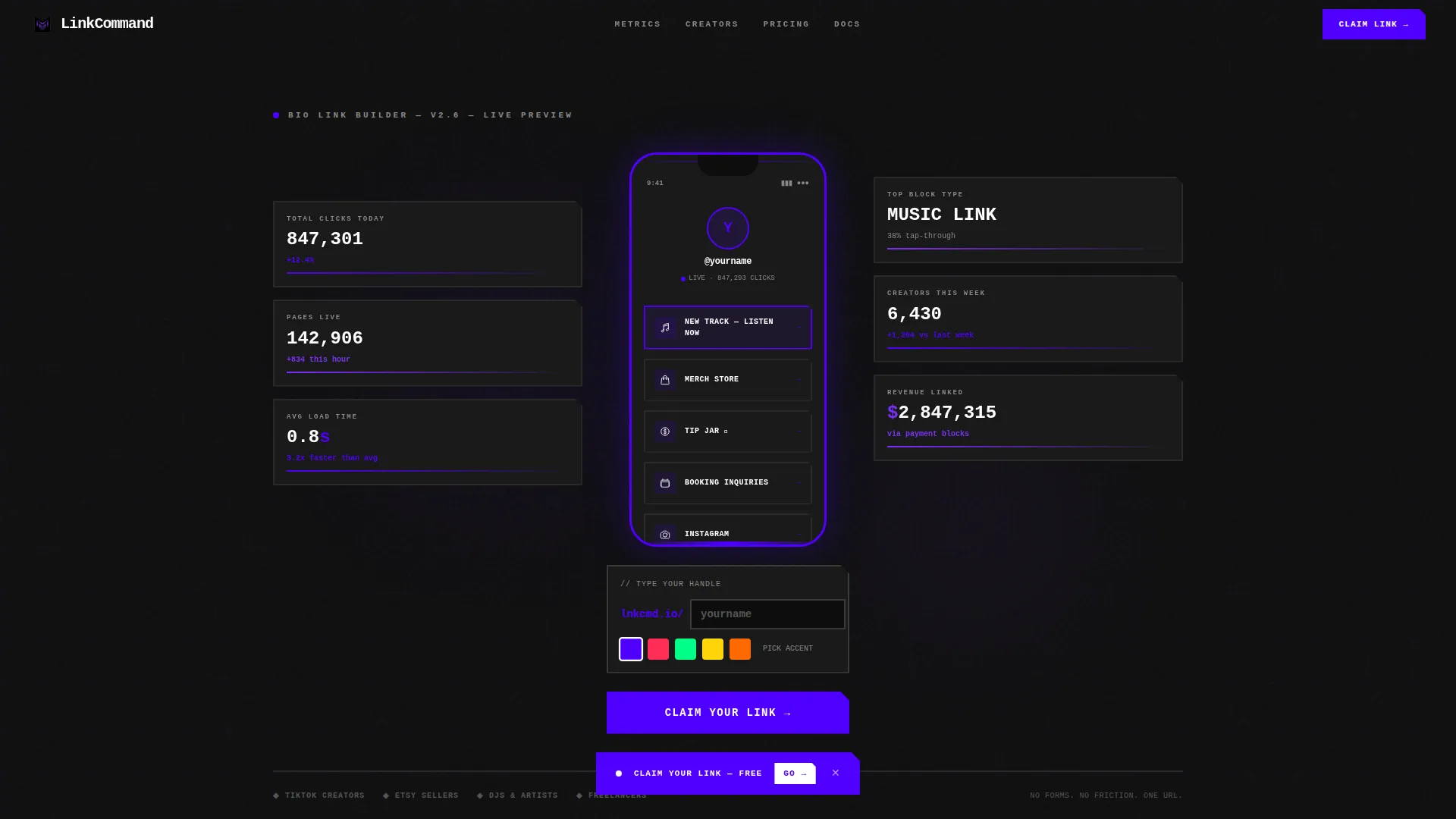
Linkcommand is a brutalist bio link landing page template that puts the product front and center. Visitors land inside a live builder, drag blocks, type their handle, and watch a phone-frame preview update instantly. Below it, a data grid of real anonymized metrics makes the case. The whole experience drives toward one action: claiming a link.
Who this template is for
This template is built for people who need more than a plain grid of links. It suits creators and independent operators who want a page that reflects their actual personality.
- TikTok and short-form video creators juggling multiple links with no clean home for them
- Etsy sellers, freelancers, and side-hustlers who want a custom bio link page without a generic look
- Underground DJs, musicians, and independent artists who want a page as bold as their brand
What problem this template solves
Most bio link tools give every user the same plain layout. The result is a page that looks like everyone else's and does nothing to build trust or identity. Linkcommand is designed to fix that gap.
- Creators lose clicks because their bio link page feels disconnected from their actual brand
- Generic tools offer no real-time feedback, so users build in the dark and hope for the best
- There is no proof layer showing whether a bio link setup actually performs well
What you get with this template
This template delivers a full single-page flow built around interaction first and persuasion second. Every section is intentional and prompt-grounded.
- A live interactive builder in the header with a phone-frame preview, real-time block editing, and ticking stat tiles
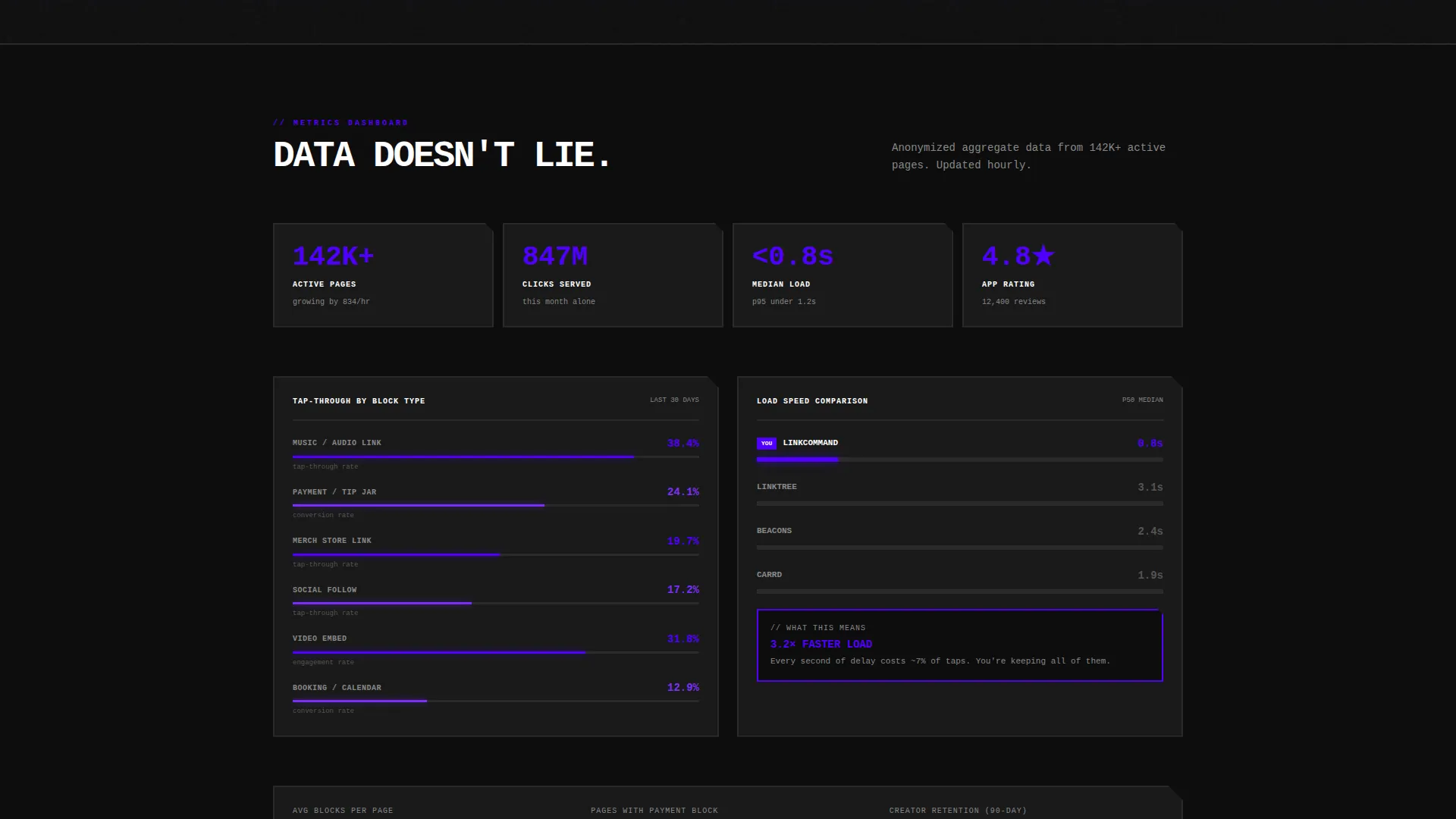
- A scrollable data grid section with anonymized tap-through rates, load speed comparisons, and per-block metrics in brutalist cards
- A username reservation field that renders the handle live on the preview above, creating a sense of ownership before any download
Feature list
This template ships with a focused set of components designed to move visitors from curiosity to commitment.
Live In-Viewport Builder
The header is a fully functional preview. Visitors type a name, drag content blocks, and toggle colors. The phone-shaped frame updates instantly, so the tool itself becomes the most persuasive element on the page.
Real-Time Username Reservation
A single input field lets visitors type their preferred handle. That handle renders live on the preview above it. The moment they see their name on the card, they feel ownership before the download even begins.
Data Grid Metrics Section
Below the builder, a brutalist data grid displays real anonymized performance data. Tap-through rates by block type, average links per page, and load speed comparisons are each housed in their own thick-bordered card with indigo progress bars and monospaced numbers.
Floating and Anchored call to action System
The primary call to action, labeled "Claim Your Link," appears as a floating pill after ten seconds of interaction. It then anchors inside the bottom grid cell alongside app store badges for both major mobile platforms.
Desktop QR Code Block
On desktop screens, a brutalist-framed QR code appears alongside the primary download path. It invites visitors to scan immediately, creating a second conversion route without adding form friction.
Brutalist Card Layout
Every section snaps into thick-bordered grid cells that feel like a control panel. Nothing is decorative without purpose. The layout communicates structure, confidence, and raw utility at a glance.
Page sections overview
| Section | Purpose |
|---|---|
| Interactive Builder Header | Live bio link preview with draggable blocks and stat tiles |
| Real-Time Preview Frame | Phone-shaped display that reflects input changes instantly |
| Stat Tiles Row | Fake-ticking click counters flanking the preview frame |
| Data Grid Section | Anonymized metrics cards with progress bars and numbers |
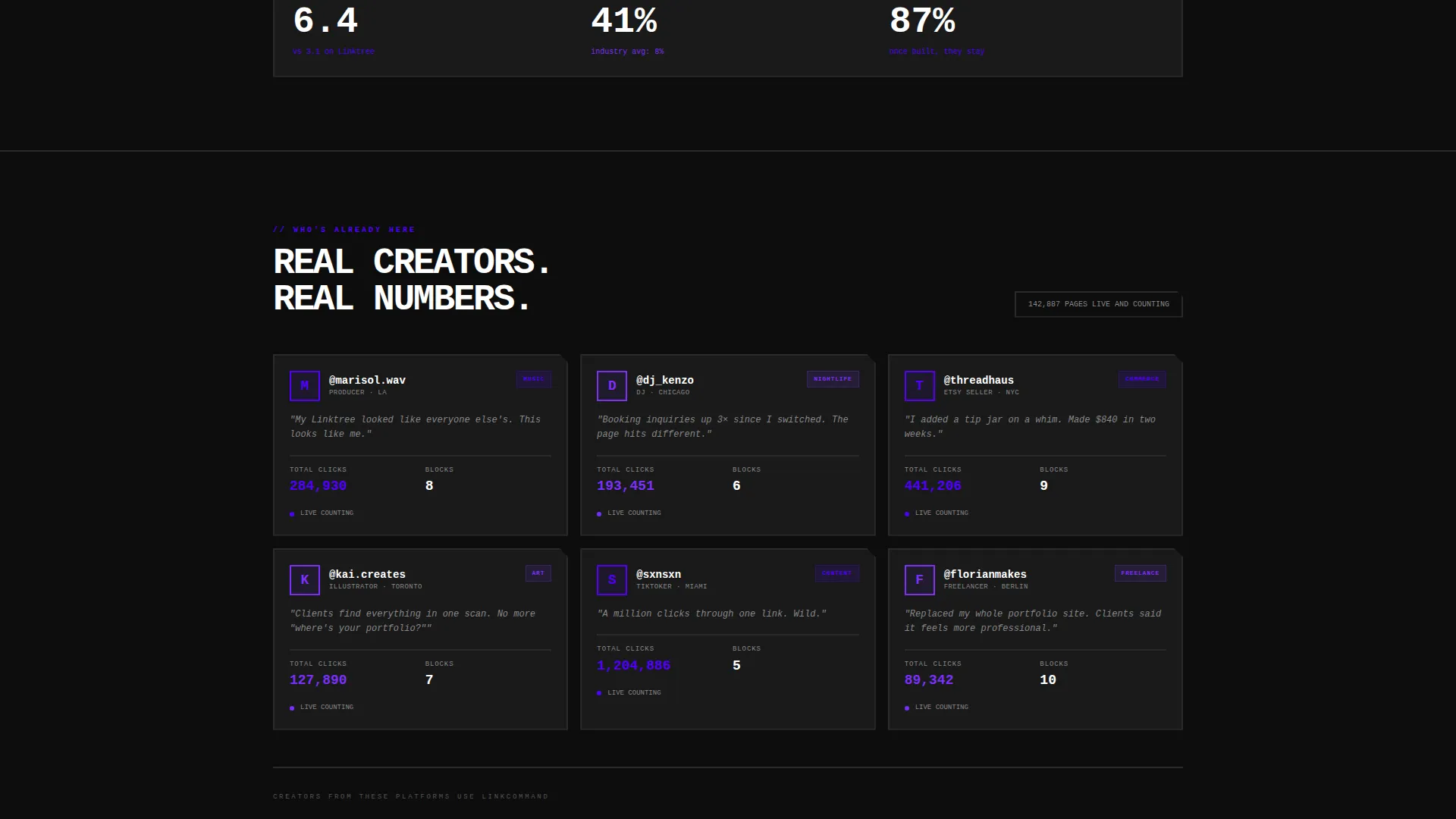
| Social Proof Strip | Real user context showing who else relies on the builder |
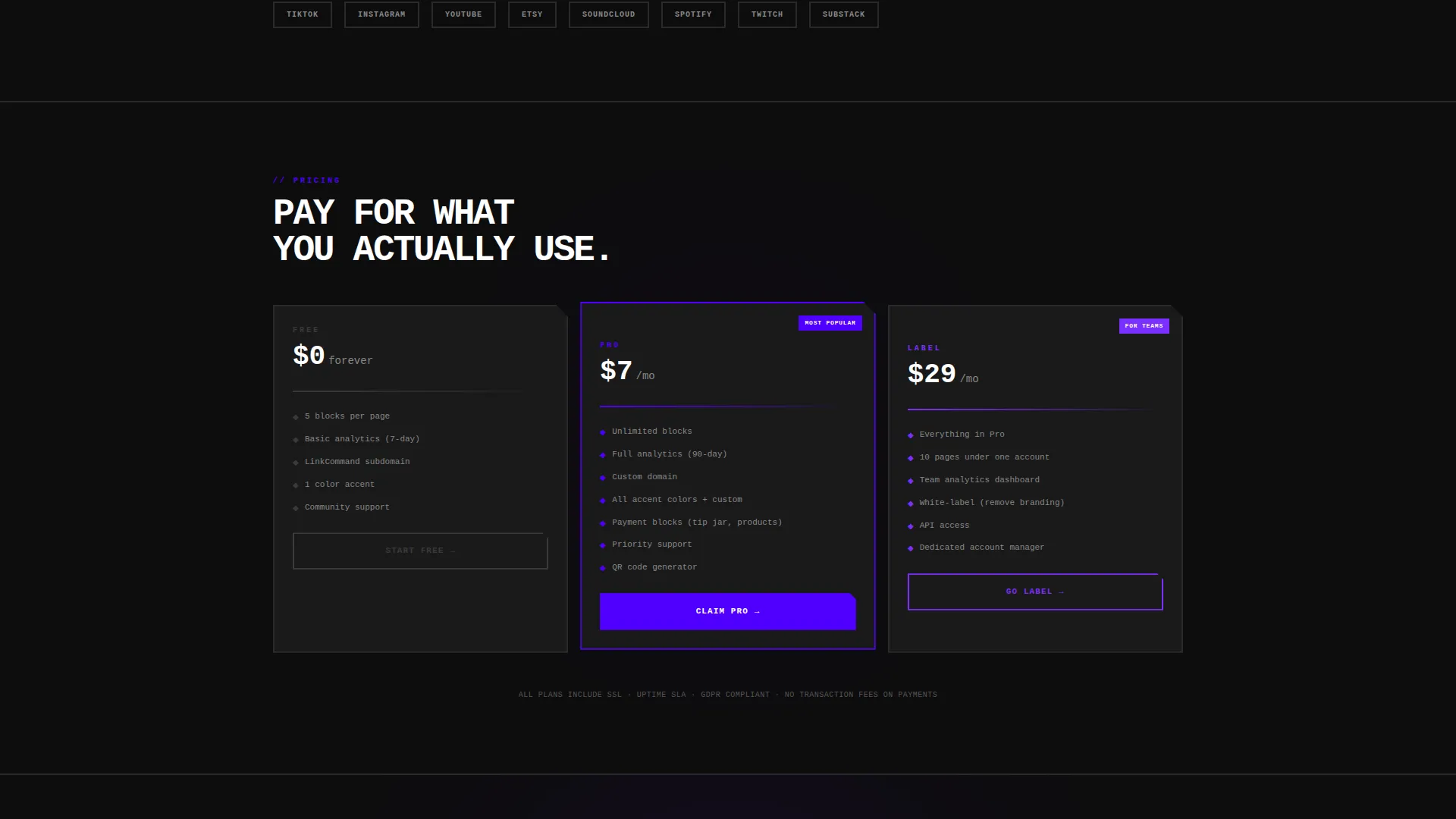
| Claim Your Link call to action | Floating pill and anchored bottom cell driving app download |
| QR Code Block | Desktop-only scan path framed in brutalist border style |
| App Download Footer | iOS and Android badges anchored in the final grid cell |
Design & branding system
The visual identity follows a Bold Brutalist theme with no soft edges and no decorative filler. Every color choice is intentional and high-contrast.
- Deep void black (#0D0D0D) forms the base canvas, electric indigo (#4F00FF) floods interactive surfaces and hover states, and ultraviolet accent (#7B2FFF) highlights stat counters and data cells
- Raw white monospaced type punches hard against dark panels, reinforcing the control-panel aesthetic throughout every section
- Thick-bordered grid cells, indigo progress bars, and neon-adjacent glow effects give the layout a raw, immediate energy without relying on illustration or soft gradients
Mobile & speed optimization
The template is structured for a fast, responsive experience across screen sizes. The phone-frame preview is native to the design, so mobile visitors see exactly what the builder produces.
- The brutalist grid layout adapts cleanly to narrow viewports without collapsing the thick-border aesthetic
- The QR code block is conditionally shown on desktop only, keeping the mobile flow focused on the "Claim Your Link" action
How this template helps you convert
The conversion path is sequenced deliberately. Visitors engage before they are asked to commit, and every step forward feels like their own choice.
- The live builder creates hands-on engagement in the first seconds, which means visitors have already invested effort before reading a single persuasive sentence.
- The data grid below the builder shifts the frame from "this looks cool" to "this actually performs," using anonymized metrics to answer the unspoken question of whether bio link pages actually drive results.
- The username reservation field transforms a generic sign-up into a personal claim, making the "Claim Your Link" call to action feel like the final step of something already started.
Other information about this template
This template fits squarely in the Micro-SaaS and developer tools category, designed for teams building or marketing a bio link page builder product. A few additional details worth knowing:
- The template style is a Dashboard and Data Grid layout, making it well suited for products that want to lead with proof rather than promises
- The creative direction is Calculator and Tool First, meaning the interactive element precedes all persuasive copy by design
- The header concept is an Interactive Preview, not a static hero, which sets this template apart from standard marketing page structures
- The app download direction means the primary conversion goal is a mobile install, not a form submission or a free trial click
Theme
Bold Brutalist
Creative direction
Calculator/Tool First
Color system
Electric Indigo
Style
Dashboard/Data Grid
Direction
App Download
Page Sections
Live In-viewport Builder
Real-time Username Reservation
Data Grid Metrics Section
Floating and Anchored Call to Action
Desktop QR Code Block
Brutalist Dashboard Grid Layout
Related questions
Who is this template designed for?
Does this template include a working bio link builder?
What is the primary call to action on this landing page?
Is there a secondary conversion path for desktop visitors?
What makes this layout different from a standard marketing landing page?



