Real Estate AI Landing Page Template
Listify is a scroll-reveal landing page template built for real estate AI content tools. It targets solo agents, boutique brokerages, and prop-tech marketing teams who need property descriptions generated at scale. The template pairs a Bold Brutalist visual identity with a progressive Spec Sheet layout to make a compelling, evidence-driven case for AI-powered listing copy.
by Rocket studio
Quick summary
Listify is a single-page, scroll-reveal landing page template designed for real estate AI writing tools. It uses a Bold Brutalist aesthetic, an AI Iridescent color system, and a Spec Sheet creative direction to convert high-volume listing professionals into qualified leads. Every section is built to stack proof and reduce friction until the sign-up decision feels inevitable.
Who this template is for
This template is built for teams and individuals who produce real estate listing copy at scale. If writing descriptions is a bottleneck in your workflow, this layout was designed around your specific situation.
- Solo agents managing thirty or more new listings each month who need descriptions fast
- Boutique brokerages that want consistent, non-generic copy across every property type
- Marketing directors at property technology platforms who need thousands of unique descriptions on tight deadlines
What problem this template solves
Writing compelling property descriptions by hand does not scale. Agents repeat the same phrases. Brokerages produce inconsistent tone. Platforms miss publishing windows. This template gives an AI real estate writing tool a landing page that communicates its value before a visitor ever fills out a form.
- It removes the credibility gap that slows sign-ups when a product is new or unfamiliar
- It replaces vague benefit claims with concrete data blocks, input examples, and live output previews
- It qualifies leads progressively so only serious, high-volume users complete the full form
What you get with this template
The template delivers a fully structured, single-page layout with every section pre-built and ready to customize. The scroll-reveal progression guides visitors from awareness to conversion without any dead space.
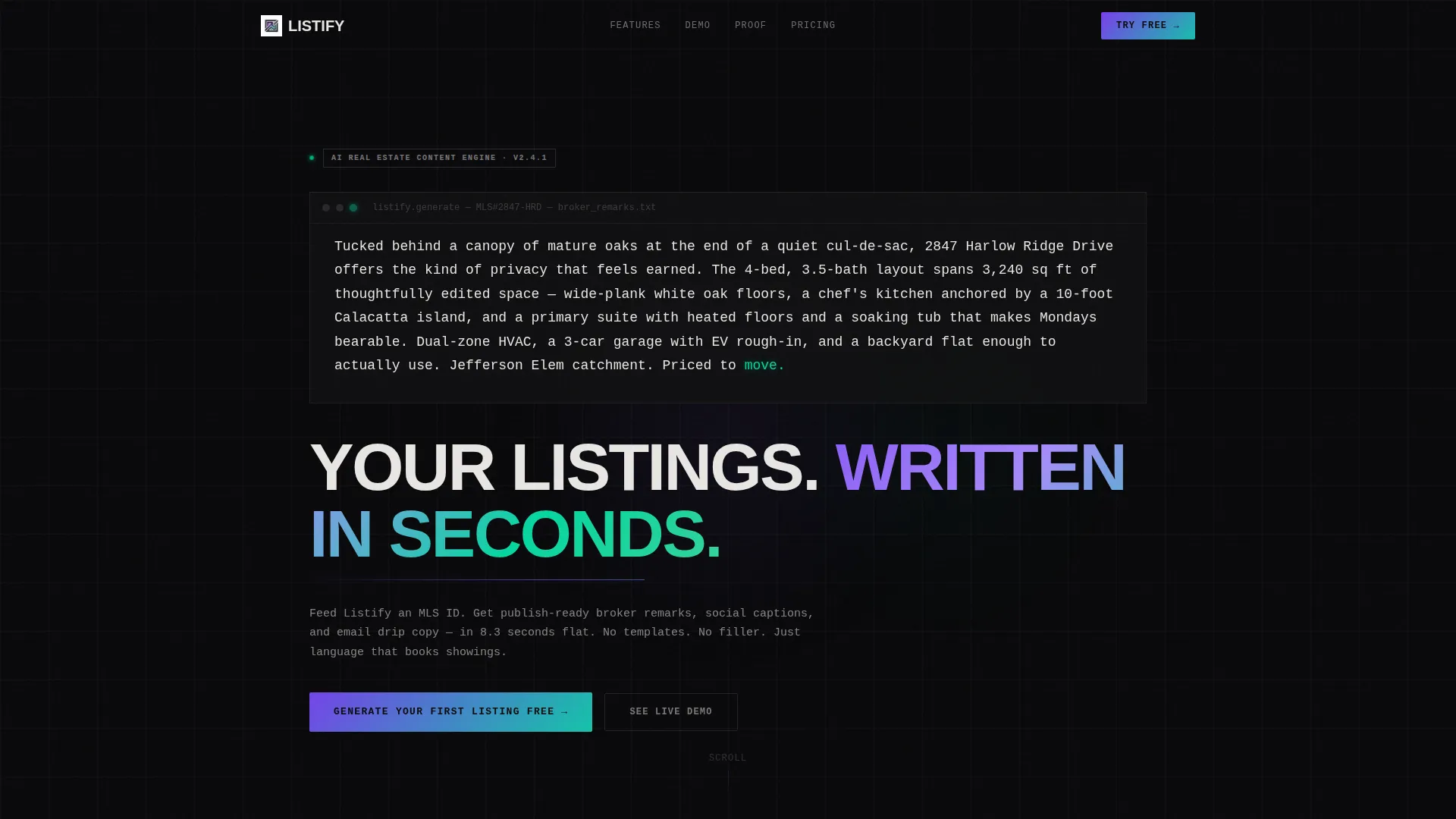
- A full-bleed dark header with a typewriter-style animated listing description and a brutalist slab-serif headline
- A two-step progressive lead capture form with a sticky conversion bar that appears after the third scroll reveal
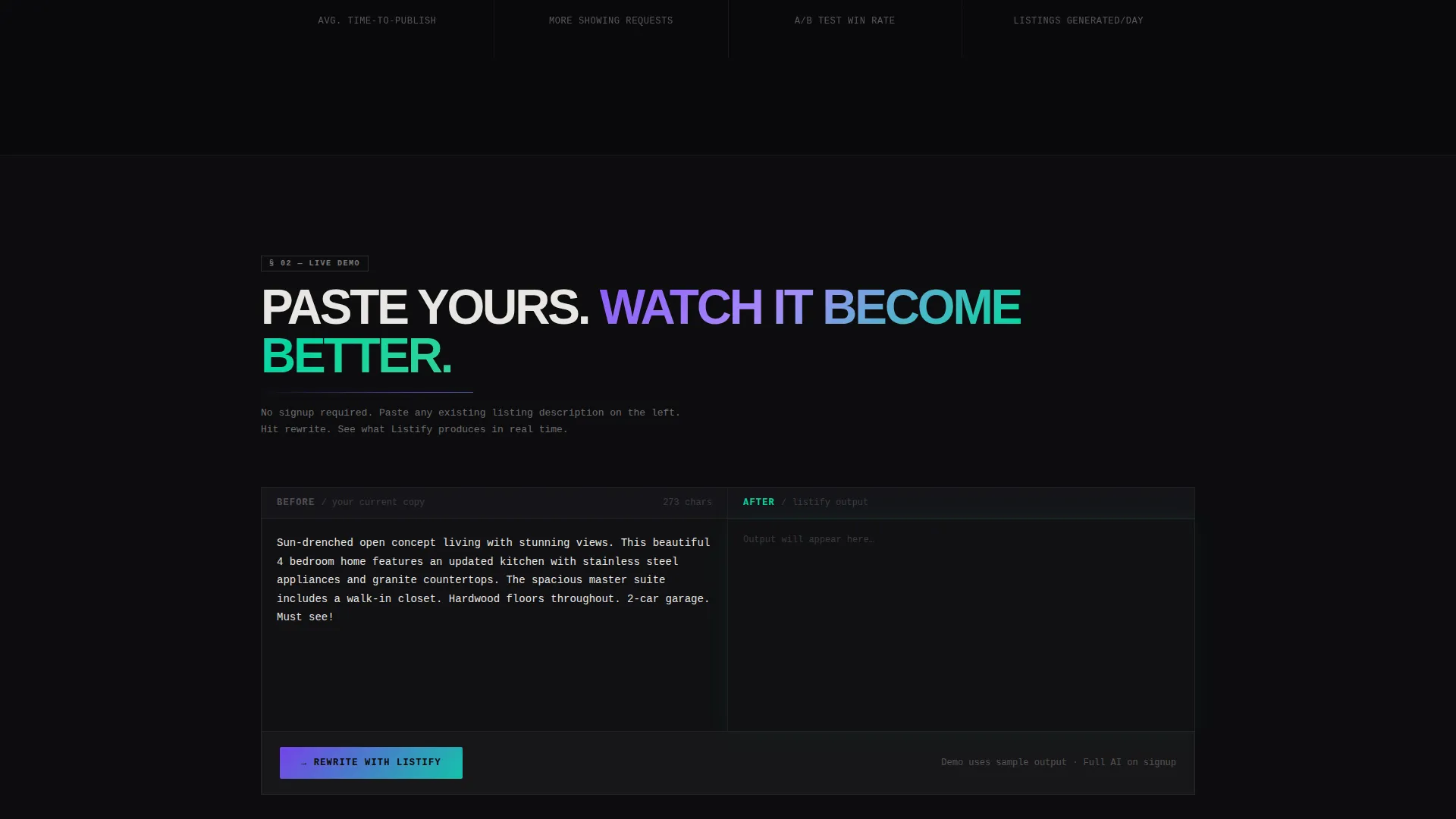
- A live comparison box that rewrites a pasted listing description on-screen, demonstrating value before any form interaction
Feature list
This template includes a focused set of components, each designed to support a specific moment in the visitor's decision journey.
Typewriter Header Animation
The header opens with a single property description materializing word by word in oversized monospaced type. Each character arrives with a faint cyan glow that fades to off-white, simulating the AI generating copy in real time. No stock photography is used; the language itself is the hero.
Scroll-Reveal Spec Sheet Blocks
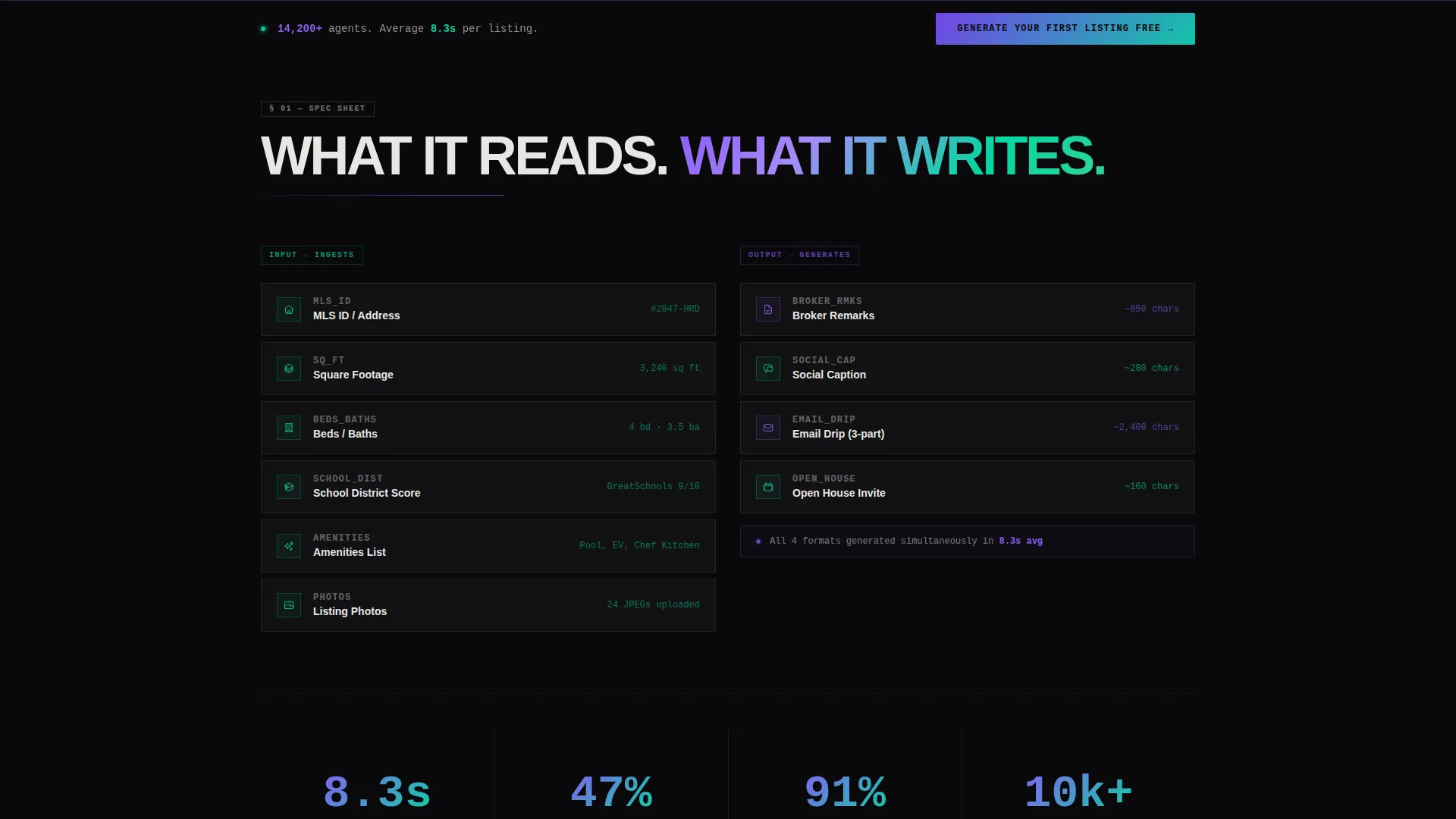
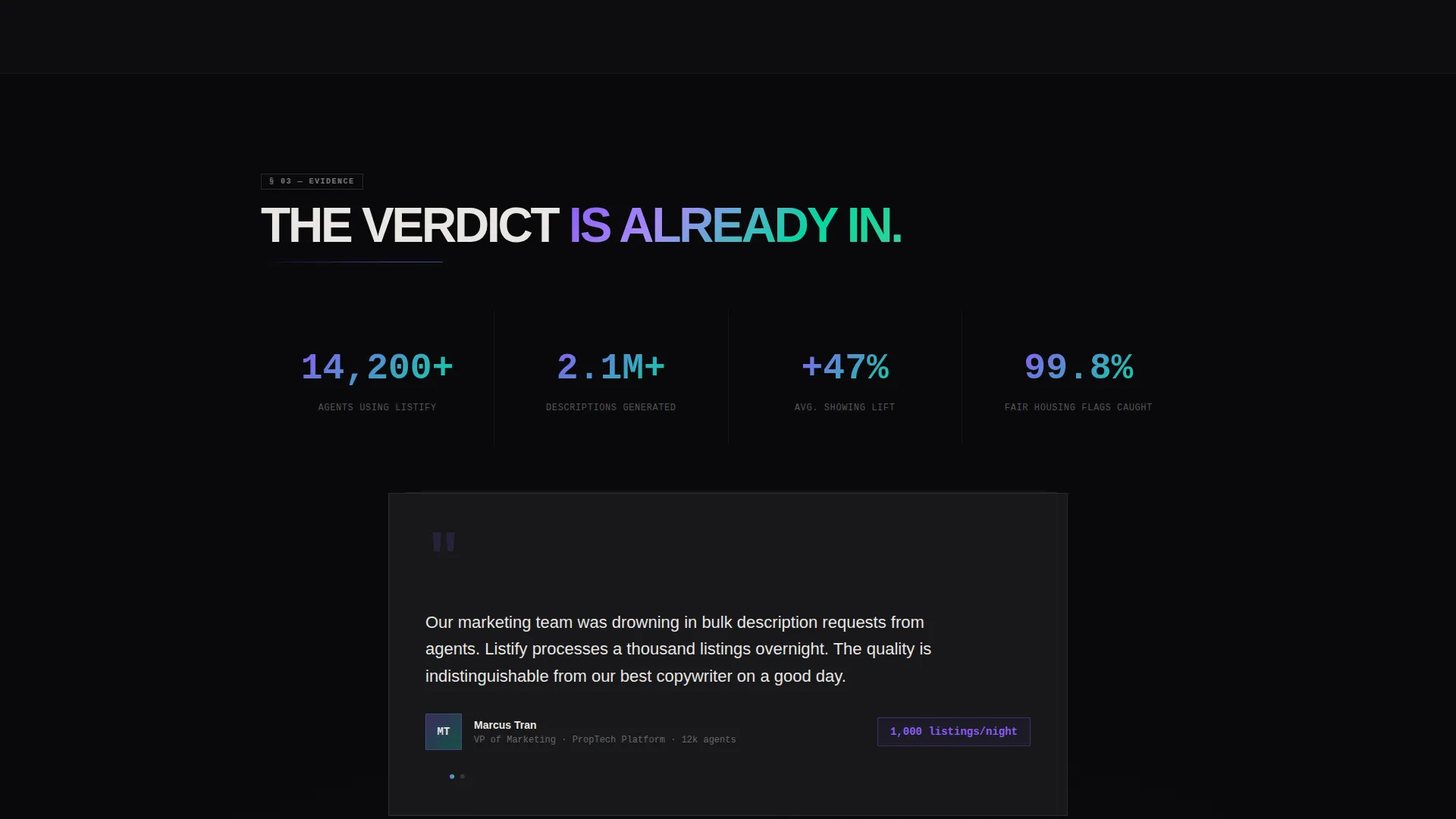
Each scroll section drops a new data block onto the screen like a dossier being assembled. Blocks display input fields the AI reads, output formats it produces, and performance metrics it hits. Brutalist borders and oversized violet stat numbers give every block visual weight.
Two-Step Progressive Lead Form
The primary conversion path uses a low-friction first step that asks only for an MLS identifier or property address. After submission, a second step captures name, brokerage, and monthly listing volume to qualify the lead. The form is anchored at the bottom and echoed as a sticky bar after the third reveal.
Live Listing Rewrite Comparison Box
Visitors can paste any existing listing description into a comparison box and watch it rewrite on-screen. This secondary conversion path proves the tool's value before any commitment is required. It functions as a hands-on product demo embedded directly in the page.
Iridescent Micro-Animation System
Borders, underlines, and hover states carry violet-to-cyan gradients that shift on interaction. Buttons pulse with the same gradient, creating a sense that the interface is processing. All animations are mechanical in feel rather than decorative, reinforcing the AI-driven product narrative.
Page sections overview
| Section | Purpose |
|---|---|
| Full-Bleed Header | Opens with animated listing copy and brutalist headline |
| Animated Type Block | Demonstrates real-time AI writing to hook attention |
| Input Spec Block | Shows MLS fields and data the AI reads |
| Output Format Block | Lists broker remarks, social captions, email copy |
| Performance Metrics Block | Displays stat numbers for publish time and click lift |
| Live Rewrite Box | Lets visitors test the AI before signing up |
| Sticky Conversion Bar | Echoes the primary call to action after the third reveal |
| Two-Step Lead Form | Captures and qualifies leads at the bottom of the page |
Design & branding system
The visual identity uses a Bold Brutalist theme with an AI Iridescent color palette. The result is a stark, high-contrast interface that feels technical and authoritative without being cold.
- Void black (#09090B) fills every background; holographic violet (#8B5CF6) and shimmer cyan (#06D6A0) appear only as gradients on borders, underlines, and hover states, never as solid fills
- Raw concrete off-white (#E8E6E3) carries all body text, reading like terminal output against the dark canvas
- Typography uses oversized monospaced type in the header and brutalist slab serif for primary headlines, reinforcing the mechanical, data-driven tone
Mobile & speed optimization
The scroll-reveal layout is structured to perform cleanly on smaller viewports without losing the progressive reveal logic. The stripped-back visual system, which avoids heavy image assets, supports fast load behavior by design.
- No hero images or stock photography are used anywhere on the page, keeping asset weight minimal from the first viewport
- Micro-animations are driven by CSS and lightweight interactions rather than video or large media files
- The sticky conversion bar and two-step form are designed to remain accessible and functional on mobile screen sizes
How this template helps you convert
Every design and layout decision in this template is oriented toward a single outcome: turning a skeptical, high-volume real estate professional into a qualified lead.
- The live rewrite comparison box lets visitors experience the product's core value before any sign-up friction appears, building trust through demonstration rather than claims.
- The two-step form reduces abandonment by asking for only one field upfront, then surfacing qualification questions after the visitor has already taken the first action.
- The sticky conversion bar keeps the primary call to action visible throughout the scroll journey, so no interested visitor has to scroll back up to act.
Other information about this template
This template is category-matched to the Technology vertical, specifically the AI for Real Estate subcategory. It is designed as a lead generation landing page, not a content hub or multi-page site.
- The creative direction follows a Spec Sheet cadence, meaning content is presented as evidence blocks rather than narrative marketing copy
- The header concept is a Dark Full-Bleed with Glow treatment, using only typographic elements and color animation to create visual impact
- The template style is Scroll Reveal (Progressive), meaning each content block enters the viewport on scroll rather than loading all at once
- This layout is well-suited for real estate AI content writer products targeting agents, brokerages, and prop-tech platforms at any stage of growth
Theme
Bold Brutalist
Creative direction
Spec Sheet
Color system
AI Iridescent
Style
Scroll Reveal (Progressive)
Direction
Lead Generation
Page Sections
Typewriter Header Animation
Scroll-reveal Spec Sheet Layout
Two-step Progressive Lead Form
Live Listing Rewrite Box
Iridescent Micro-animation System
Related questions
What type of product is this template designed to promote?
Does the template include the actual AI writing functionality?
How does the two-step form work in practice?
Is this a single-page layout or a multi-page site?
Can I customize the color system and typography?



