Lookup - Powerful Homeservices Landing Page Template
Lookup is a dashboard-style landing page template built for home services knowledge bases. It leads with a live repair cost estimator, delivers stats-first data sections, and drives visitors toward an app download. The monochrome steel palette with signal-orange accents gives it the feel of a well-organized garage, serious, fast, and immediately useful.
by Rocket studio
Quick summary
Lookup is a single-page, data-driven landing page template designed for home services platforms. It opens with a working repair cost estimator, then moves through bold stat callouts, knowledge-module cards, and a persistent app download prompt. Every section is built to let visitors use the product before they are ever asked to commit.
Who this template is for
This template is built for founders and product teams running home services knowledge platforms. It speaks directly to the audiences those platforms serve, while giving the business a polished, high-trust page to drive app adoption.
- First-time homeowners who need instant repair guidance and cost benchmarks
- Weekend do-it-yourself homeowners comparing rental tools against professional service costs
- Property managers who need quick repair timelines and permit reference data across multiple units
What problem this template solves
Most home services landing pages bury their value behind a tagline and a stock photo. Visitors arrive with an urgent question and leave before finding an answer. Lookup flips that pattern entirely.
- Visitors get a working estimator the moment the page loads, so trust is earned before the pitch begins
- Stat-first section design removes the need to read paragraphs before understanding why the platform matters
- The app download flow is introduced naturally after the visitor has already used the tool, reducing friction at the conversion point
What you get with this template
Lookup delivers a complete, single-page layout with layered interaction design and a disciplined visual system. Every component has a clear job to do.
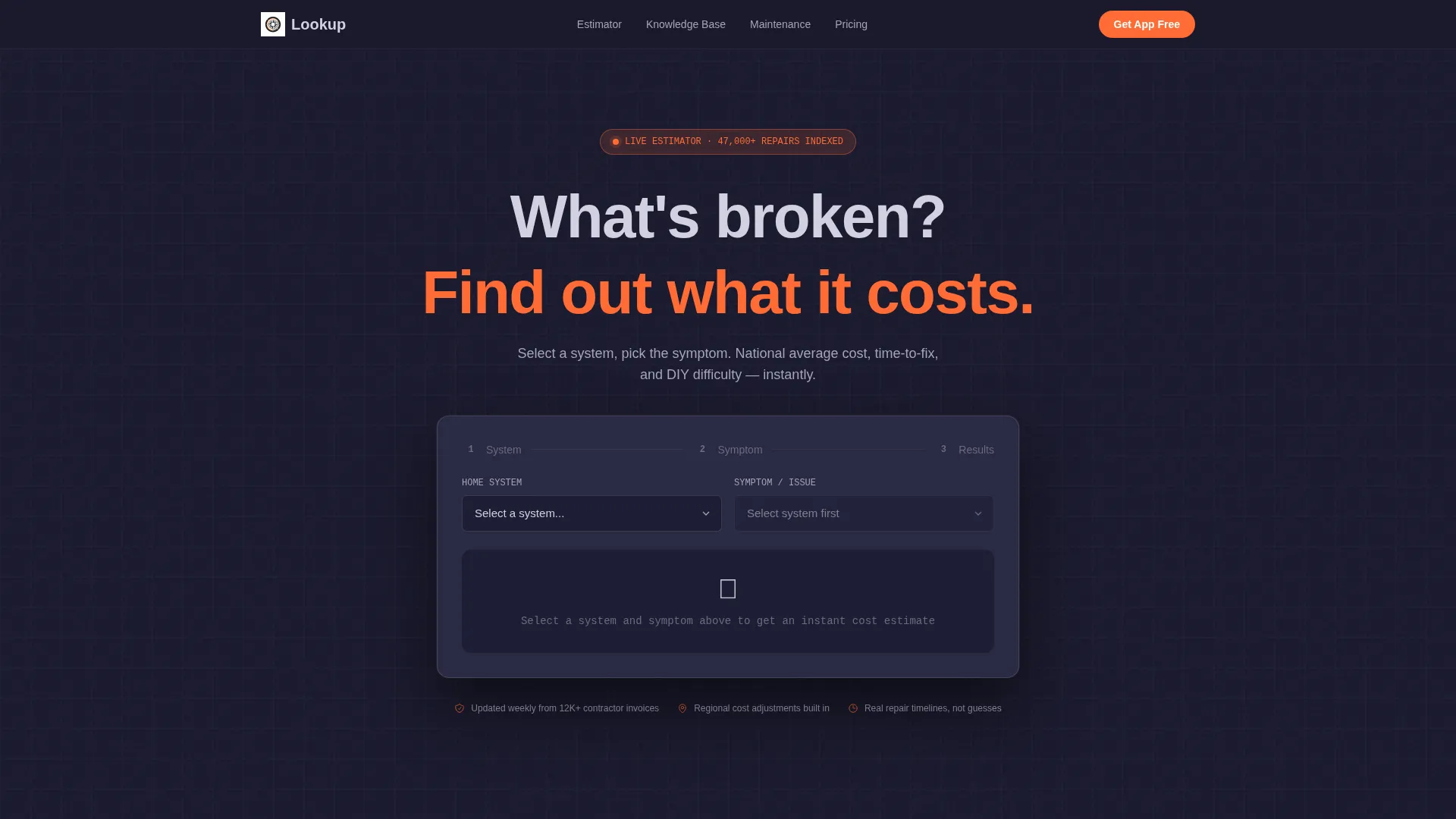
- A header estimator with animated dropdown diagnostics, kinetic cost counters, and a DIY-versus-professional difficulty rating
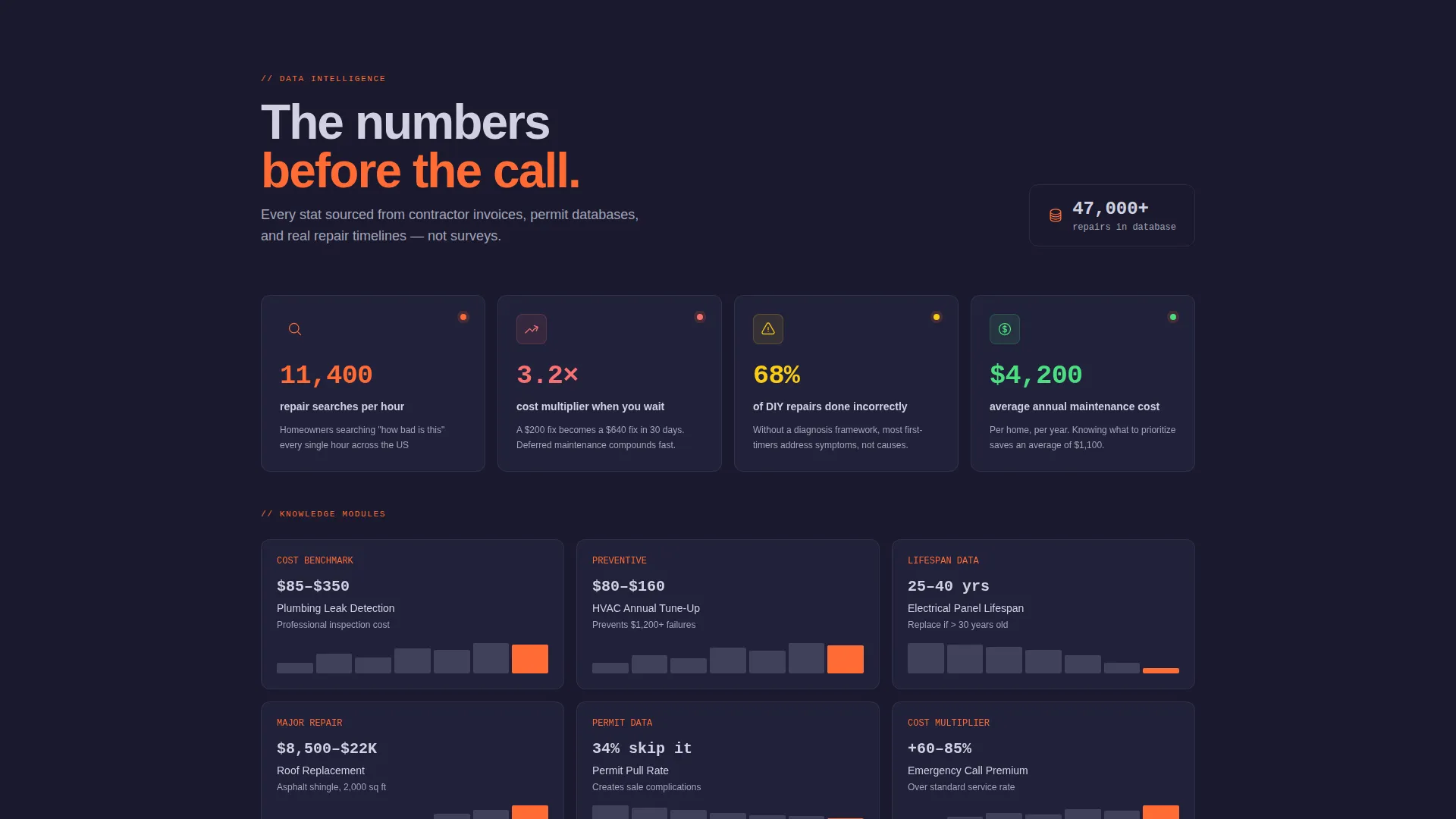
- Data grid sections with scroll-triggered card animations, micro-charts, and progress ring indicators
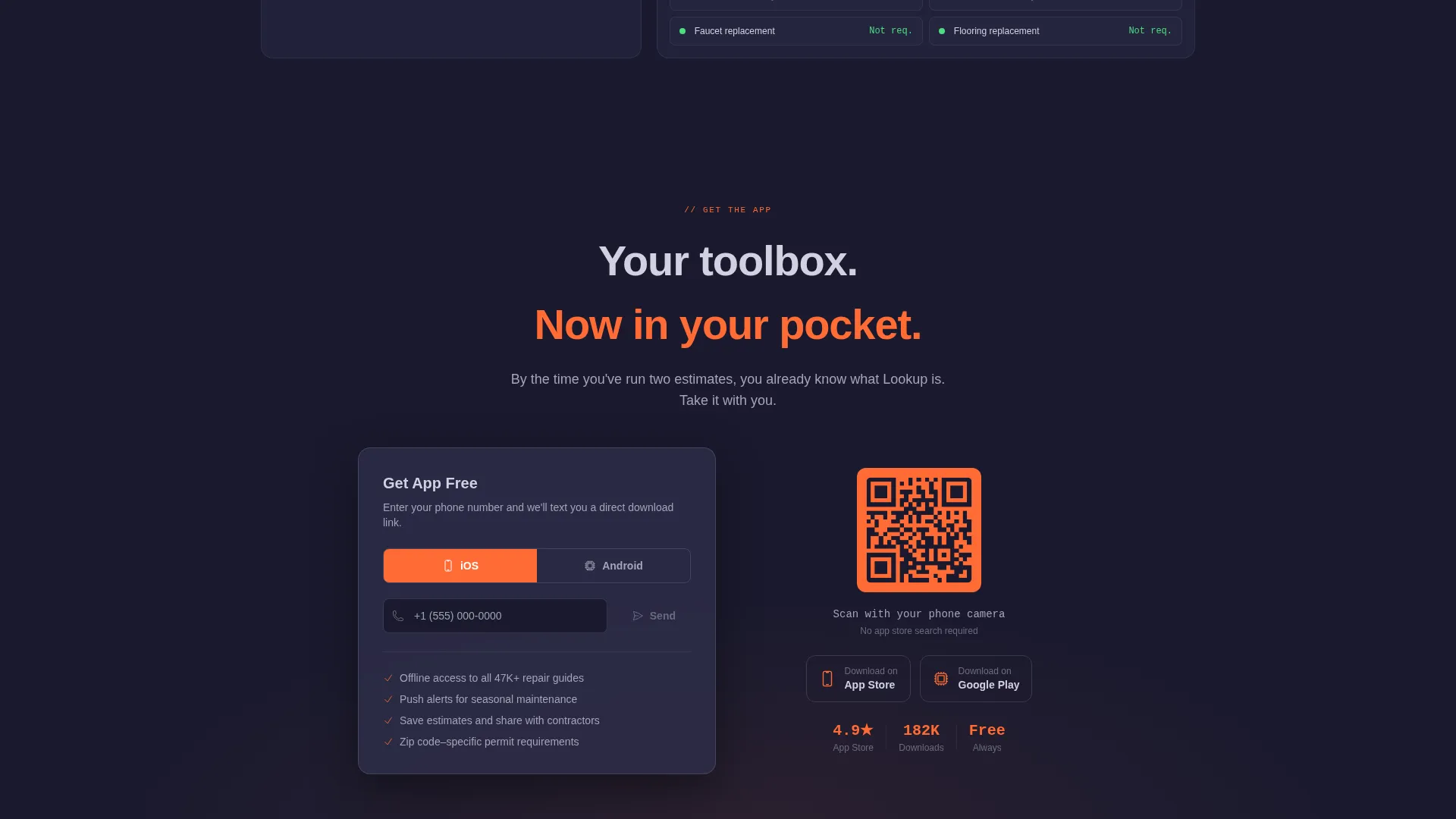
- A persistent app download bar with phone number input, platform toggle for iOS and Android, and a desktop QR code rendered in signal orange
Feature list
This template is built around interactive components that earn user attention before asking for anything in return. Each feature listed below maps directly to a section or behavior described in the brief.
Live Repair Cost Estimator Header
The header is a fully functional estimator, not a static hero. Visitors select a home system such as plumbing, electrical, HVAC, or structural, then choose a symptom from a cascading animated dropdown. The result displays a national average cost range, a typical time-to-fix value, and a DIY-versus-professional difficulty rating. Digits roll into place using kinetic odometer-style counters.
Stats-First Section Rhythm
Every scroll section opens with a large, bold data point before any explanatory text appears. Numbers like repair search volume per hour or cost multipliers for delayed action hit the screen first. Context cards and micro-charts then unfold beneath each stat, creating a repeating pattern of impact followed by evidence.
Animated Data Grid Cards
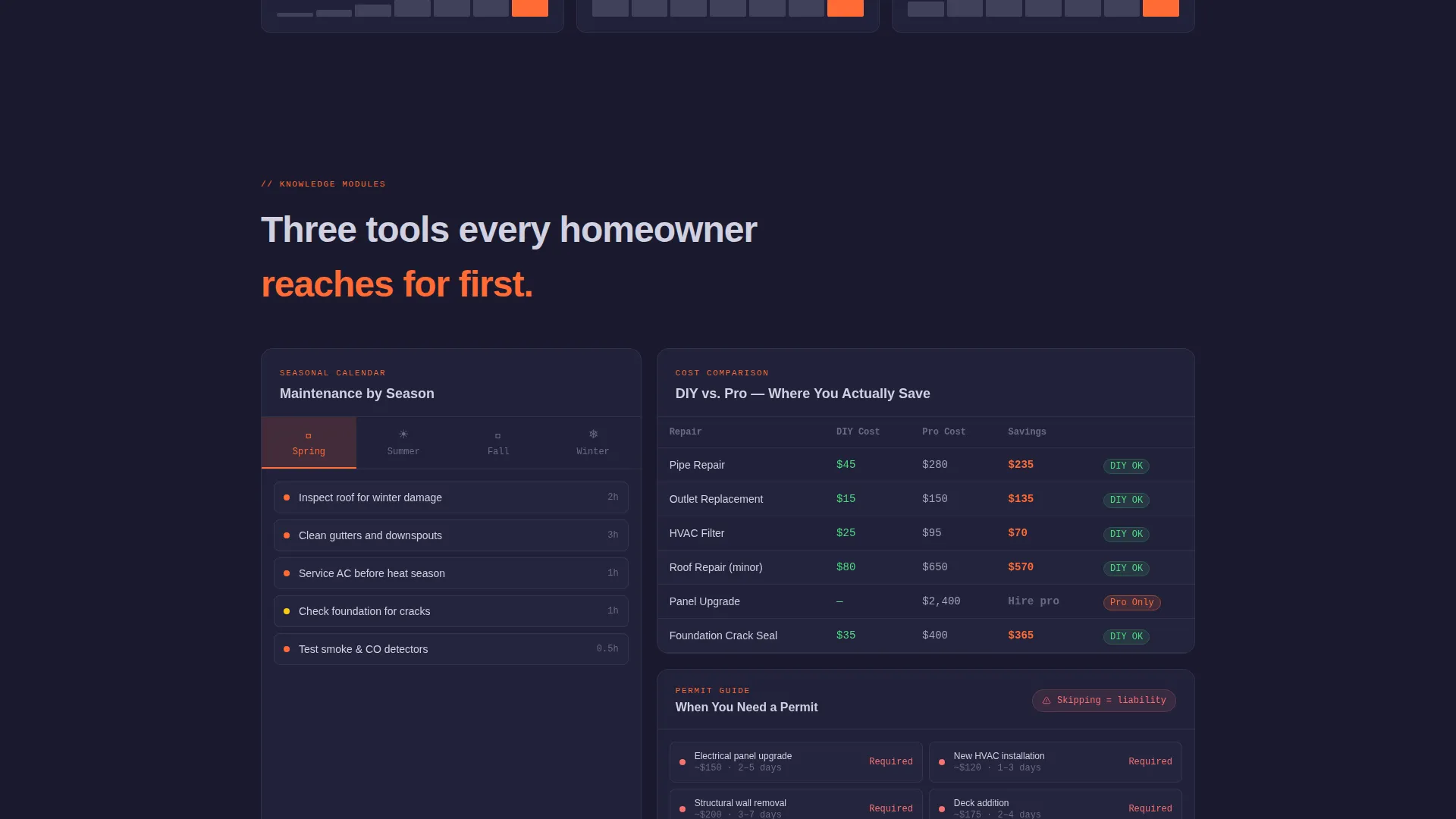
Knowledge modules are arranged in a tight data grid layout. Cards cover cost comparisons, seasonal maintenance calendars, and permit requirement references. Each card slides into view on scroll entry, and small embedded charts animate as they enter the viewport.
Persistent App Download Bar
After the second scroll section, a sticky bottom bar appears and stays visible for the remainder of the page. It contains a phone number input field and a platform toggle between iOS and Android. Submitting a number sends a direct download link via text message.
Desktop QR Code Component
On desktop viewports, a signal-orange QR code is rendered against a forge-black background directly on the page. Visitors can scan it without clicking anything, providing a frictionless path to the app for users who prefer not to type a phone number.
Isometric Background Grid
The header background features a subtle isometric grid that pulses outward from the estimator like sonar. The animation is constant but restrained, reinforcing the data-intelligence theme without distracting from the estimator interface.
Page sections overview
| Section | Purpose |
|---|---|
| Header Estimator | Lets visitors run a repair cost estimate immediately on arrival |
| Stat Impact Opener | Delivers a bold data point to anchor each scroll section |
| Knowledge Module Grid | Presents cost, calendar, and permit data in scannable cards |
| Persistent Download Bar | Keeps the app download call to action visible after the second section |
| Desktop QR Block | Provides a scan-to-download path for desktop visitors |
Design & branding system
The visual identity follows a Dynamic Motion theme built on a Monochrome Steel color system. The palette is drawn from industrial materials and communicates authority, precision, and readability at a glance.
- Core colors: forge black (#1A1A2E), brushed aluminum (#A4A4B8), rivet silver (#D1D1E0), and signal orange (#FF6B35) reserved for interactive hotspots and live data highlights
- Motion design: scroll-triggered card slides, viewport-entry chart animations, odometer-style digit counters, and a breathing isometric grid in the header
- Typography and layout follow a data grid structure, keeping information dense but organized, similar to a well-labeled workshop pegboard
Mobile & speed optimization
The template is designed with mobile-first usage patterns in mind. The core audience reaches for their phone mid-repair, so the layout and interaction model are tuned for that context.
- The phone number input and platform toggle in the download bar are optimized for thumb-friendly interaction on small screens
- Kinetic counters and scroll animations are kept disciplined so motion enhances rather than slows the experience
- The QR code component switches context appropriately, appearing on desktop while the SMS input path handles mobile visitors
How this template helps you convert
Lookup earns the download by letting visitors experience the product first. Conversion pressure is introduced only after value has already been delivered.
- The estimator runs before any sign-up prompt appears, so visitors associate the platform with usefulness rather than a sales ask
- Bold stat callouts create immediate credibility at each section, reinforcing why the platform is worth downloading
- The persistent download bar and the inline estimator result both carry the primary call to action, giving visitors two natural moments to convert without feeling pushed
Other information about this template
This template is categorized under the Technology category with a Home Services Digital Presence subcategory. It is built specifically for the Home Services Knowledge Base niche, where the audience expects instant answers rather than marketing language.
- The template style is Dashboard and Data Grid, making it well suited for platforms that lead with data rather than brand narrative
- The creative direction is Stats-First Impact, meaning large numbers precede every explanatory block throughout the page
- The header concept is a Calculator and Estimator, a relatively rare pattern in home services marketing that differentiates the page from standard brochure-style layouts
- The landing page direction targets App Download as the primary conversion goal, with SMS delivery and QR code as the two delivery mechanisms
Theme
Dynamic Motion
Creative direction
Stats-First Impact
Color system
Monochrome Steel
Style
Dashboard/Data Grid
Direction
App Download
Page Sections
Live Repair Cost Estimator
Stats-first Section Design
Animated Data Grid Layout
Persistent App Download Bar
Desktop QR Code Block
Breathing Isometric Header Grid
Related questions
Who is the primary audience for this template?
Can the estimator display real data or is it a static mockup?
How does the app download flow work on mobile versus desktop?
Is this template suitable for a property management business?
What makes this different from a standard home services landing page?



