Maintain - Dynamic School Landing Page Template
Maintain is a split-screen landing page template built for school and academy maintenance services. It uses a Problem→Solution Arc, a Feature Tab Switcher for Electrical, Plumbing, and Grounds, and an Electric Indigo color system to guide facility directors and operations managers toward a free site survey booking.
by Rocket studio
Quick summary
Maintain is a single-page, split-screen landing page template designed for school and academy maintenance providers. It opens with a three-tab Feature Tab Switcher, escalates from cosmetic fixes to compliance-level concerns as the visitor scrolls, and closes with a clear call-to-action that routes facility managers to a dedicated booking page.
Who this template is for
This template is built for maintenance companies that serve the education sector. If your clients are the people responsible for keeping school buildings safe, functional, and inspection-ready, this layout speaks directly to them.
- Facility directors managing ageing infrastructure across one or more school buildings
- Head teachers and school business managers fielding day-to-day maintenance complaints
- Academy trust operations managers overseeing multiple sites on a single stretched budget
What problem this template solves
School maintenance providers often struggle to communicate the full scope and seriousness of what they do. A generic service page fails to connect with a facility manager who is staring down a compliance deadline or a 40-year-old boiler room.
- Visitors land on a page that does not reflect the real urgency of their building problems
- Service lists without before-and-after evidence make it hard to justify a budget decision
- No clear next step means a motivated facility manager leaves without booking
What you get with this template
You get a fully structured, single-page layout that tells a compelling story from first scroll to final call-to-action. Every section is purpose-built for the school maintenance niche and ready to populate with your own photography and copy.
- A three-tab header with animated split-screen transformations for Electrical, Plumbing, and Grounds
- A scrolling Problem→Solution Arc with three escalating sections, from cosmetic issues to full compliance planning
- Two conversion touchpoints: a primary booking button and a secondary compliance checklist download link
Feature list
This template includes a focused set of layout features drawn directly from the brief. Each one serves a specific role in moving a facility manager from recognition to action.
Animated Feature Tab Switcher
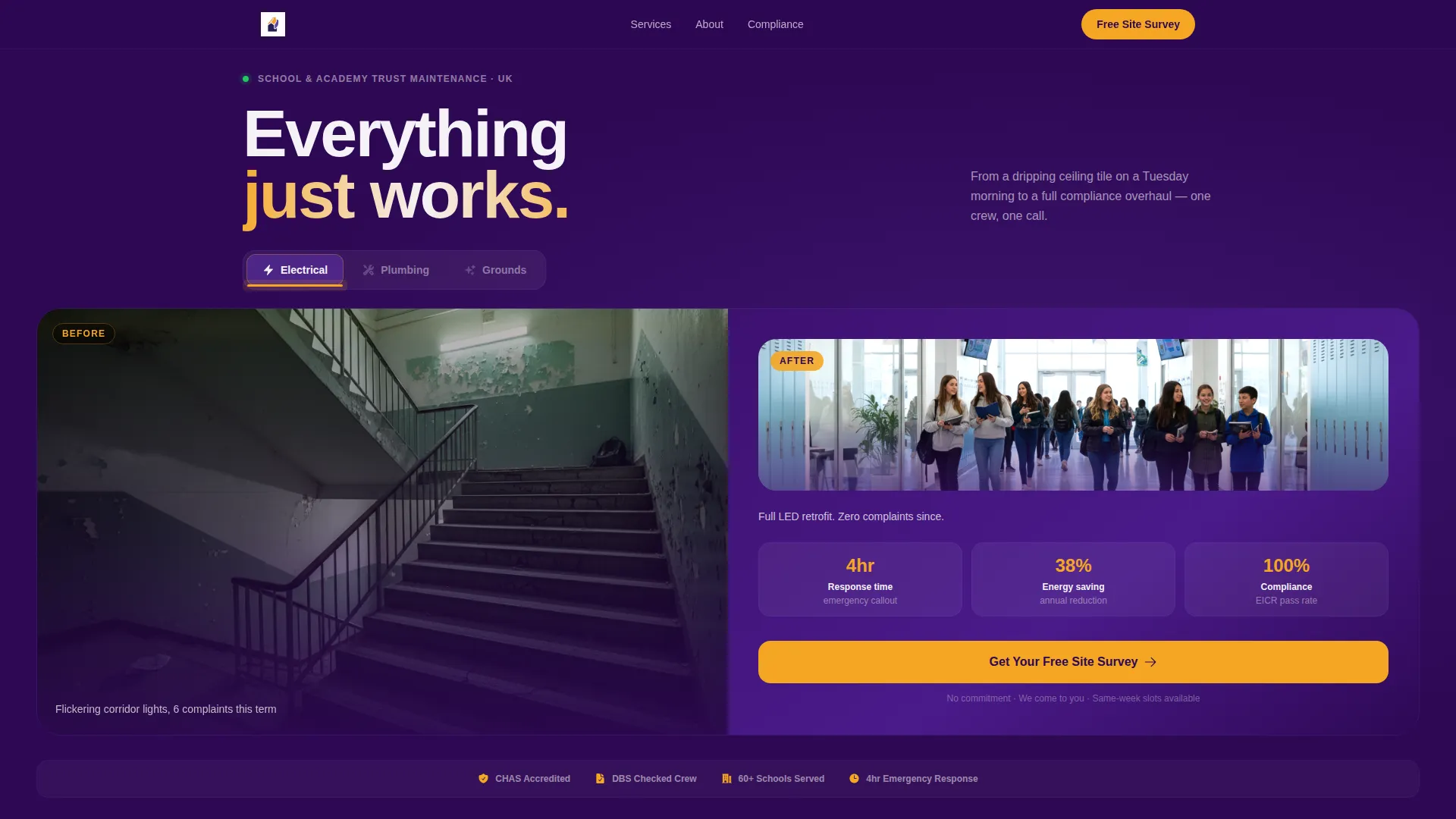
Three clickable tabs sit inside the header: Electrical, Plumbing, and Grounds. Each tab triggers a split-screen transformation. The left panel shows a real school problem, the right panel shows the resolved space. The active tab is highlighted with the alert amber accent, and switching tabs animates the outgoing problem image while the solution panel holds steady.
Split-Screen Problem-to-Solution Layout
Every major section uses a 50/50 split. The left side holds a gritty close-up photograph of the unresolved issue. The right side pairs clean iconography with outcome data such as reactive call-out times, annual cost savings, and inspection pass rates. This side-by-side format makes the value of the service immediately visible.
Scroll-Driven Motion Effects
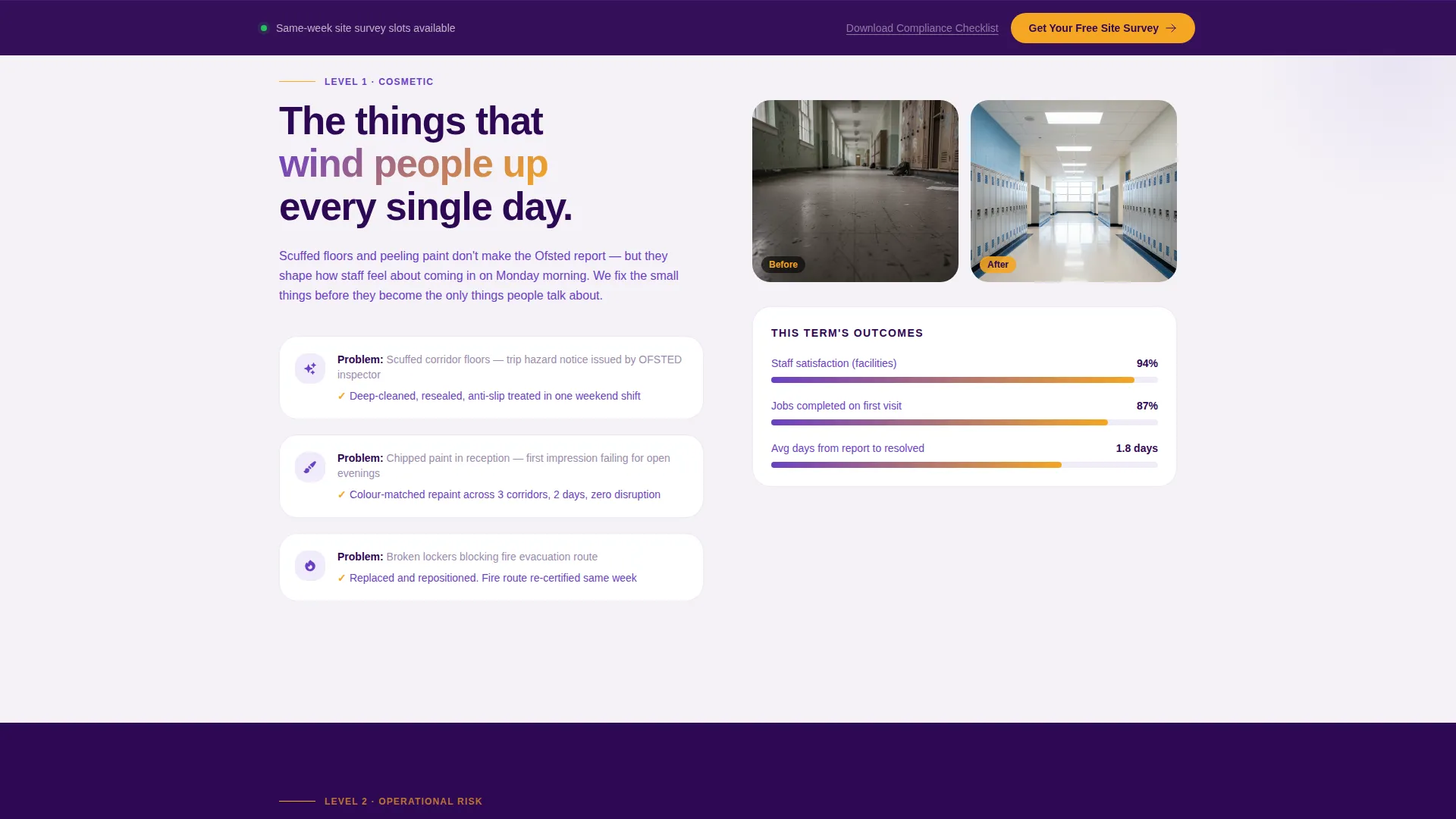
Panels slide in from opposite screen edges as the visitor scrolls. Progress bars fill on scroll to reinforce momentum. A subtle parallax effect on the left-side problem images keeps them feeling urgent and unresolved until the right-side solution visually catches up.
Escalating Three-Section Content Arc
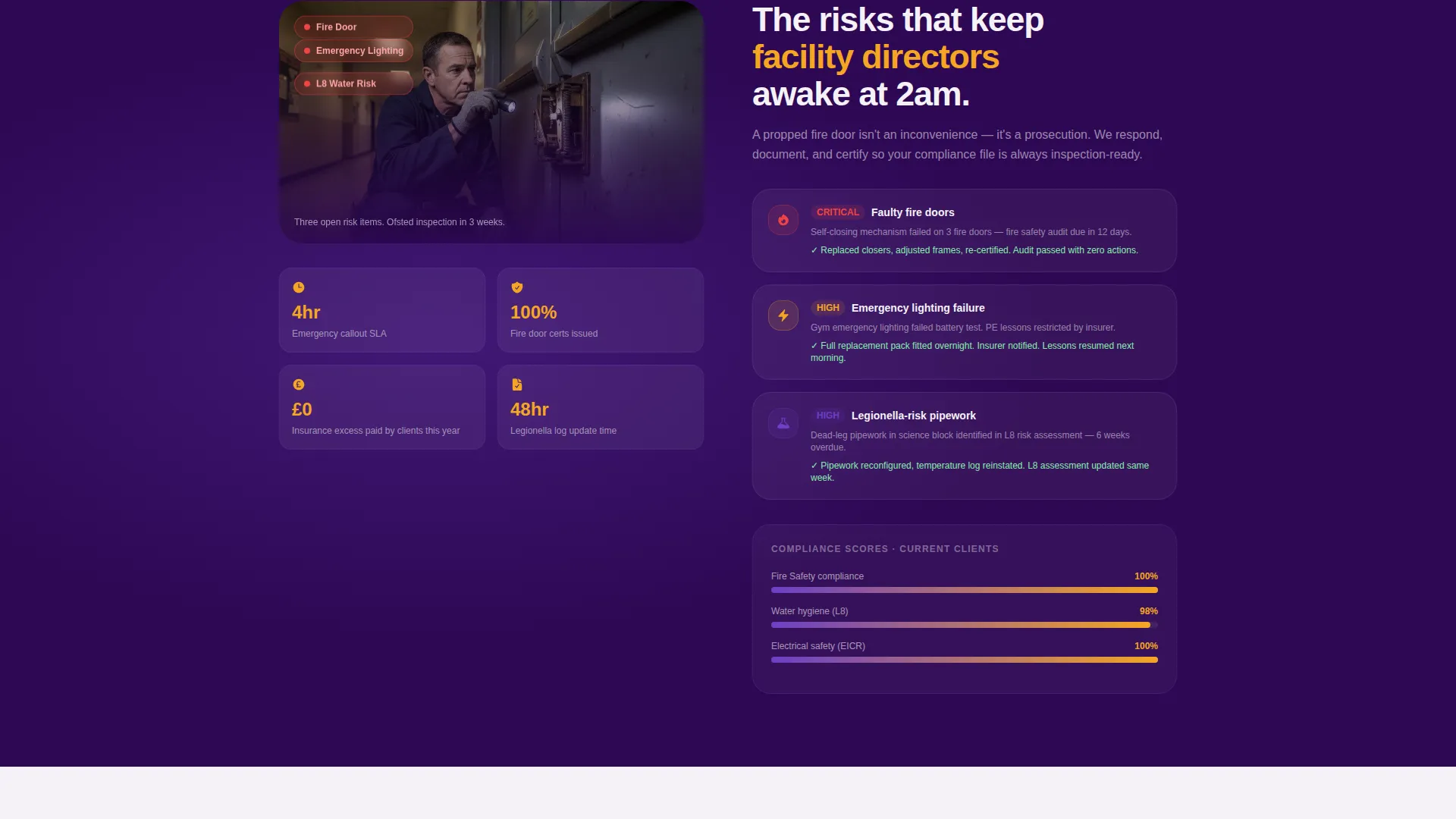
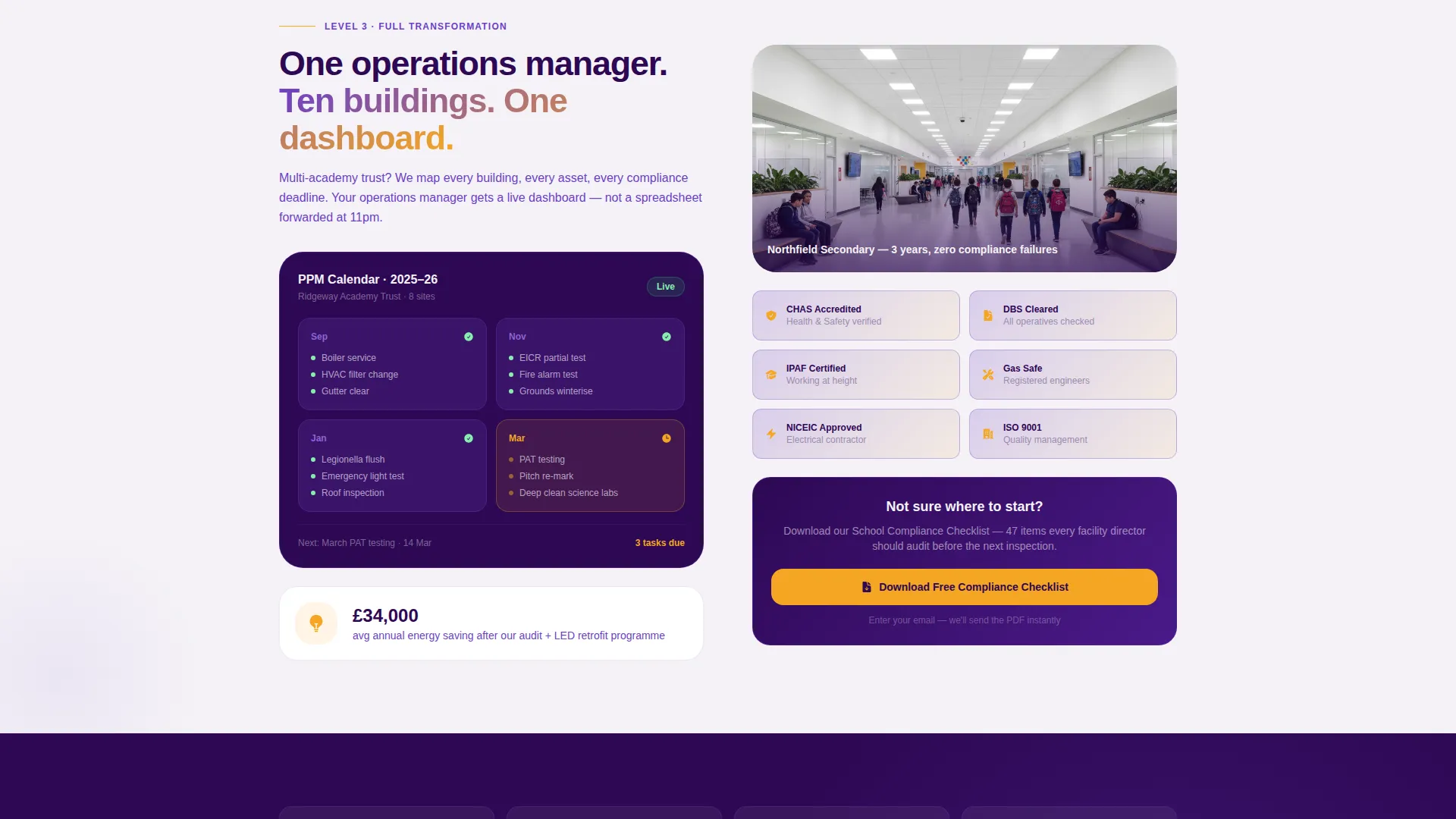
The page moves through three deliberate stages. Section one covers cosmetic nuisances such as scuffed floors and chipped paint. Section two raises the stakes with operational risks including faulty fire doors, failing emergency lighting, and legionella-risk pipework. Section three presents full facility transformation: energy audits, planned preventive maintenance calendars, and compliance dashboards.
Fixed Bottom Call-to-Action Bar
After the visitor passes the second scroll section, a fixed bar appears at the bottom of the screen carrying the primary call-to-action. This keeps the booking prompt visible without interrupting the reading experience. It disappears when the visitor reaches the dedicated booking link at the end of the page.
Secondary Compliance Checklist Download
A soft conversion path sits beneath the final content section. A text link invites visitors to download a School Compliance Checklist in exchange for their email address. This captures contacts who are not yet ready to book a survey but are clearly engaged with compliance concerns.
Page sections overview
| Section | Purpose |
|---|---|
| Header Tab Switcher | Introduces three service categories with animated before-and-after split screens |
| Cosmetic Issues Section | Opens the problem arc with relatable, low-stakes visual problems |
| Operational Risks Section | Raises urgency with compliance-critical maintenance failures |
| Full Facility Transformation | Presents planned maintenance, energy audits, and compliance dashboards |
| Fixed call to action Bar | Keeps the booking call-to-action visible after the second scroll section |
| Checklist Download Link | Offers a softer conversion path via a compliance PDF in exchange for email |
Design & branding system
The Electric Indigo color system creates a clinical yet institutional atmosphere. It signals precision and reliability without feeling cold or corporate, which is exactly the tone a facility director needs to trust a maintenance partner.
- Deep lecture-hall indigo (#2E0854) anchors backgrounds; charged violet (#6C3FC5) appears on section transitions and hover states; corridor-white (#F4F2F7) fills content panels
- Alert amber (#F5A623) is reserved for call-to-action buttons, active tab indicators, and status highlights to draw the eye at the right moment
- The Dynamic Motion theme governs all animation: sliding panels, scroll-triggered progress bars, and parallax image depth give the layout an active, resolved energy
Mobile & speed optimization
The layout is designed with a responsive structure so the split-screen format adapts cleanly to smaller screens. Stacked panels on mobile preserve the before-and-after storytelling without requiring side-by-side space.
- Split-screen panels reflow to a vertical stack on mobile so problem and solution images remain paired and readable
- The fixed bottom call-to-action bar is retained on mobile, keeping the booking prompt accessible at all screen sizes
- Scroll-triggered animations are structured to activate within natural thumb-scroll distances on a phone screen
How this template helps you convert
The page is built around a single conversion goal: getting a facility manager to book a free site survey. Every layout decision supports that goal, and nothing on the page pulls attention away from it.
- The escalating content arc mirrors how facility managers think. It starts with problems they see every day and builds toward the compliance and budget concerns that keep them up at night, so by the final section the call-to-action feels like a natural next step rather than a sales push.
- The two-path conversion structure serves different buyer stages. The primary booking button captures decision-ready visitors. The compliance checklist download captures earlier-stage visitors who need more time, keeping them in the funnel without pressure.
Other information about this template
This template is filed under the School and Academy Website Templates subcategory within the Technology category on the platform. It is specifically matched to the School and Academy Maintenance Page niche, making it one of the more targeted options available for maintenance providers in the education sector.
- The template style is Split Screen (50/50) and the theme is Dynamic Motion, both of which are rare combinations in the education niche
- The booking page linked from the primary call-to-action is a separate, dedicated page where visitors choose building type (primary, secondary, or multi-academy trust), enter their postcode, and select a preferred survey date
- No contact form appears on this landing page itself; all lead capture happens either through the external booking page or the checklist email exchange
- The template is designed to be populated with real photography; the brief calls for actual school environment images rather than stock placeholders, which strengthens the before-and-after credibility
Theme
Dynamic Motion
Creative direction
Problem→Solution Arc
Color system
Electric Indigo
Style
Split Screen (50/50)
Direction
Click-Through
Page Sections
Animated Feature Tab Switcher
Split-screen Problem and Solution Layout
Scroll-driven Motion and Parallax
Three-stage Escalating Content Arc
Fixed Bottom Call-to-action Bar
Secondary Compliance Checklist Download
Related questions
Who is this landing page template designed for?
Does this template include a contact form?
Can I use this template for a multi-site academy trust?
What photography do I need to make this template work?
Can I change the three tab labels in the header?



