Advanced Government Software Professional Website Template
Mandate is a bento grid landing page template built for federal procurement platforms. It uses a dark Data Command visual system with phosphor green, signal cyan, and caution amber to present complex government order management capabilities. The layout inventories procurement workflows, from obligation tracking to set-aside dashboards, in a scannable, high-trust format designed for contracting professionals.
by Rocket studio
Quick summary
Mandate is a single-page bento grid template purpose-built for government order management platforms. It opens with a live terminal header, moves through a structured feature matrix, and closes with a persistent call-to-action bar. Every design decision, color, typography, layout rhythm, is calibrated for federal procurement audiences who read data faster than marketing copy.
Who this template is for
This template speaks directly to teams building or marketing federal procurement software. It assumes the buyer already understands procurement vocabulary and wants proof of capability, not an explanation of why procurement is hard.
- Contracting officers and GS-12 contract specialists evaluating workflow tools
- Program managers overseeing multiple Indefinite Delivery, Indefinite Quantity (IDIQ) contracts across agencies
- Small-business liaison officers who need real-time set-aside tracking visibility
What problem this template solves
Federal procurement teams live inside fragmented systems. Requisitions, compliance checks, multi-agency approvals, and obligation records rarely live in one place. Most software landing pages in this space look like every other enterprise SaaS page, generic, slow to communicate value, and unconvincing to technical buyers.
- There is no existing template built around the visual language of government data environments
- Standard templates cannot carry procurement-specific terminology with credibility
- Generic layouts fail to communicate depth of capability to experienced contracting professionals
What you get with this template
Mandate delivers a fully structured landing page layout that communicates procurement platform depth without overwhelming a first-time visitor. The design guides the reader from a striking terminal header through escalating capability tiers in the bento grid.
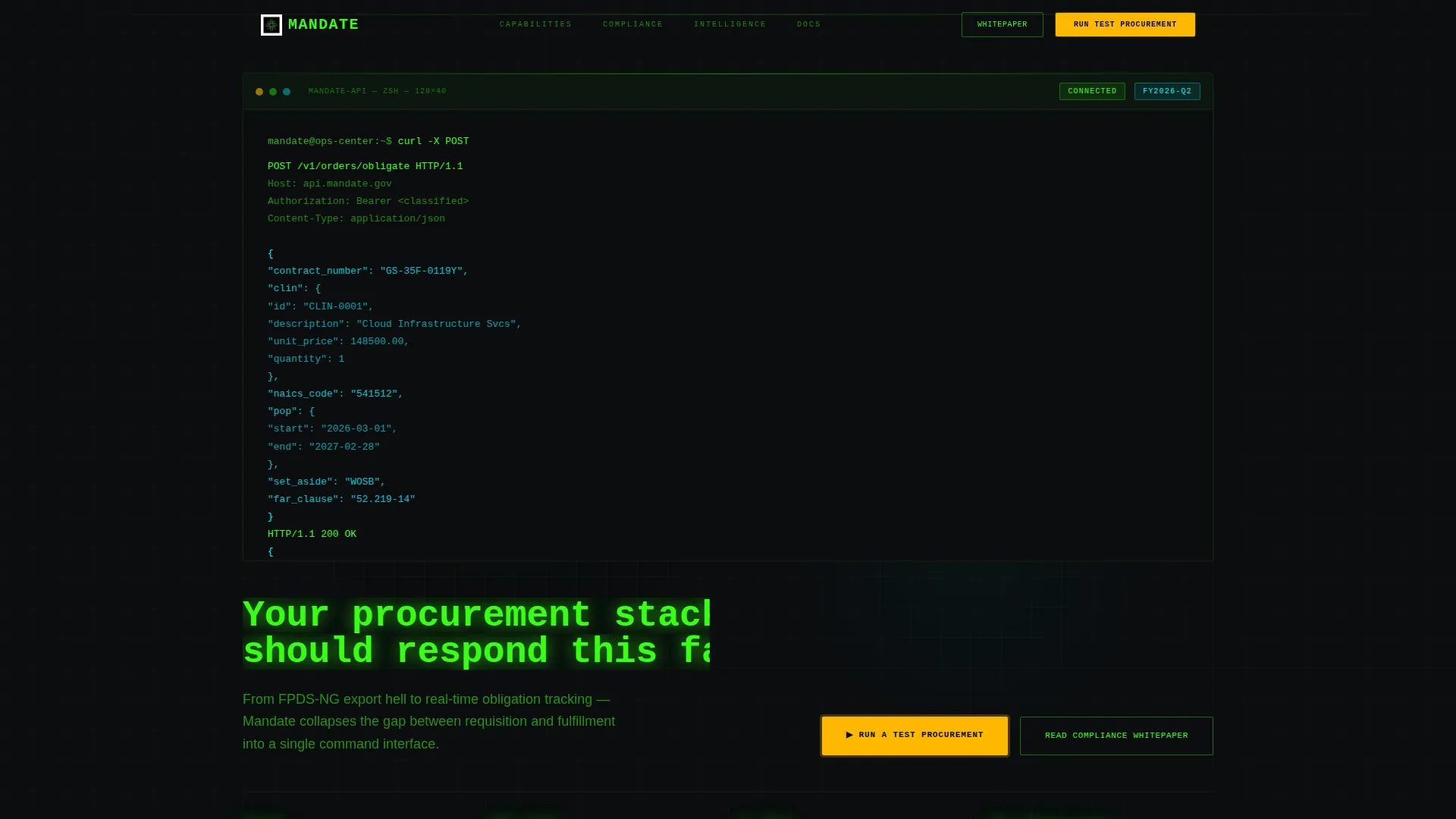
- A styled terminal header block showing a live API call with a realistic Contract Line Item Number (CLIN) structure, North American Industry Classification System (NAICS) code, and period-of-performance object
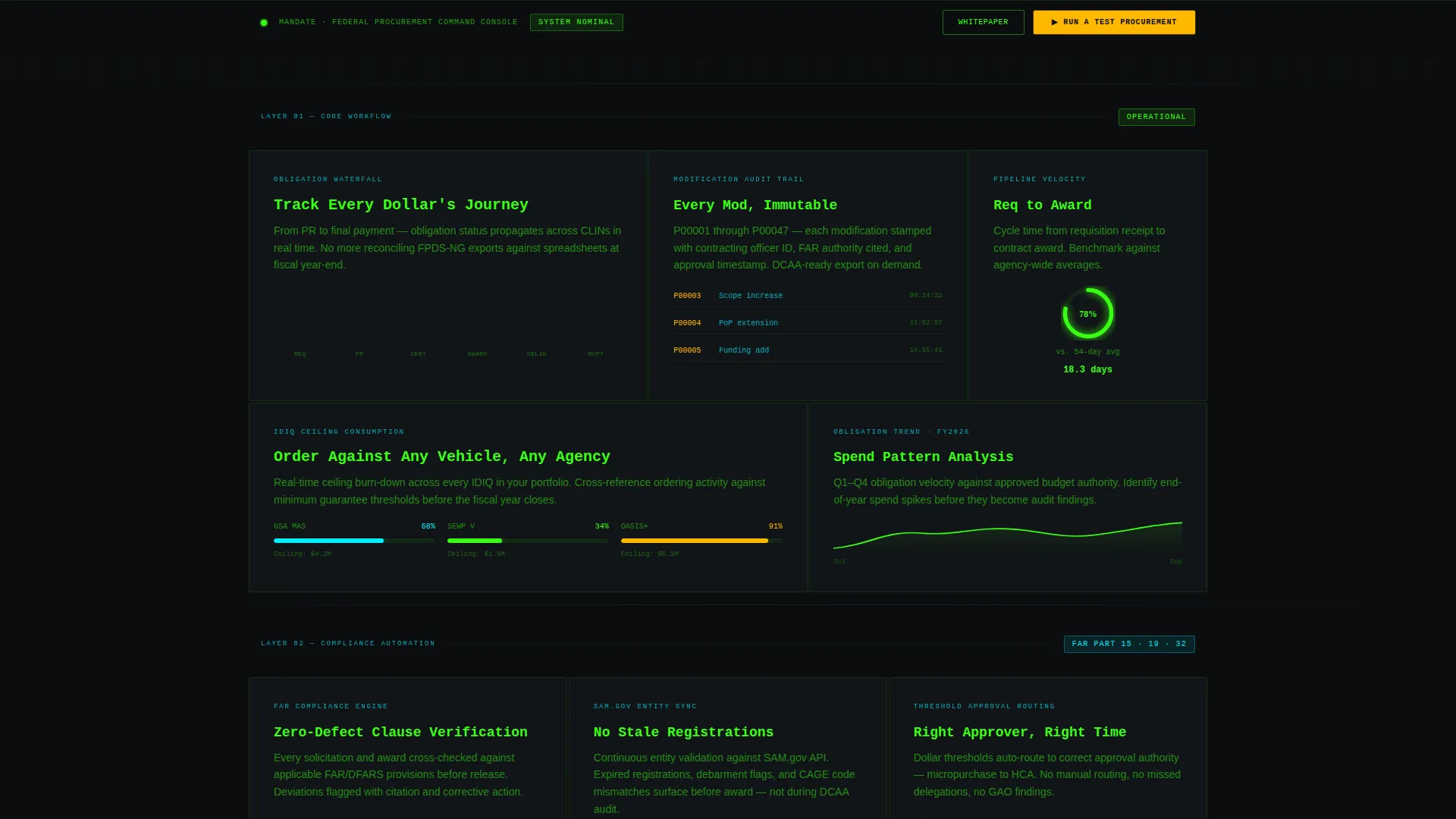
- A multi-row bento grid organizing capabilities from basic workflow through compliance automation to cross-agency intelligence
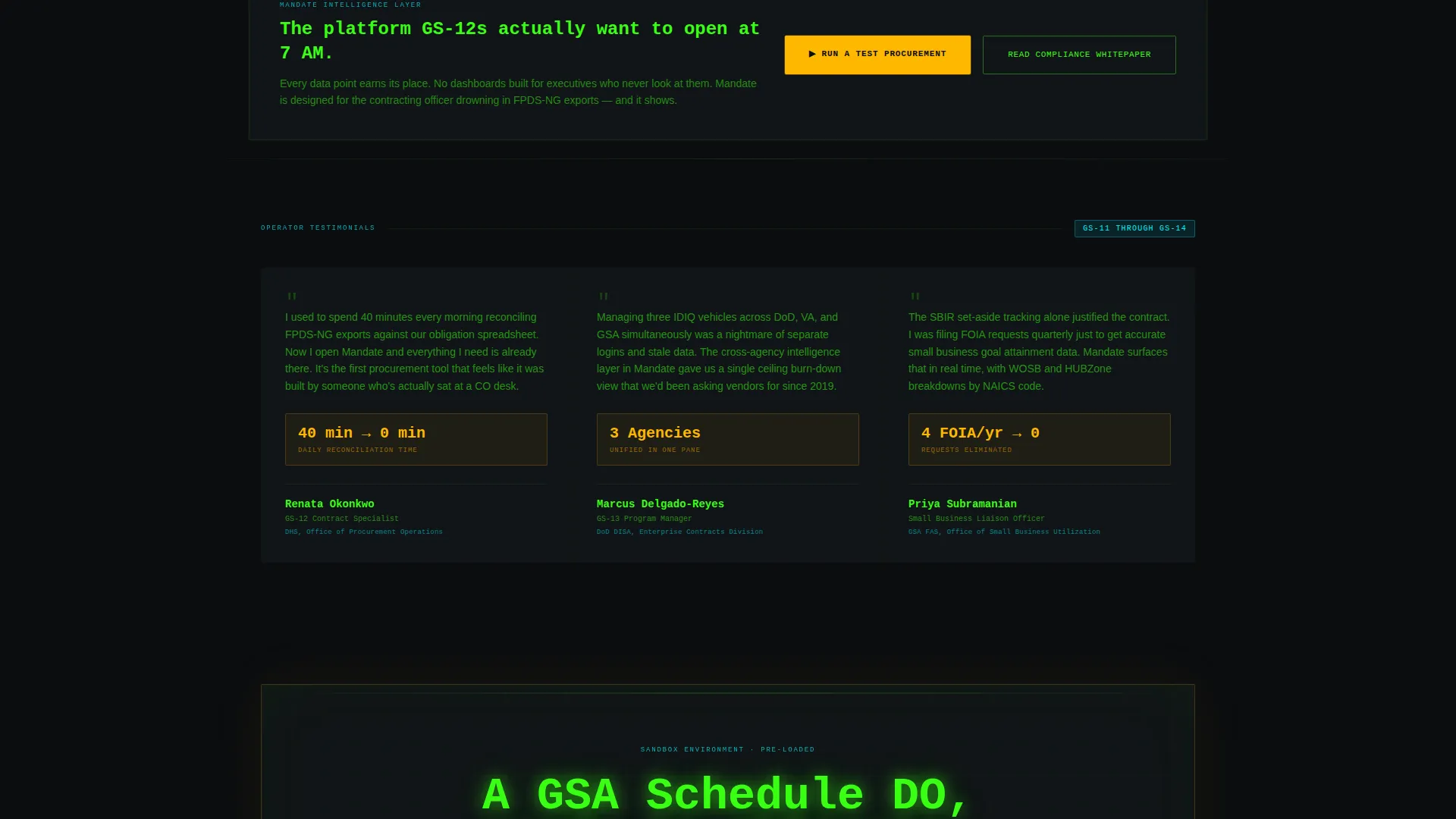
- A persistent call-to-action bottom bar and a secondary ghost-button for cautious buyers who need internal justification
Feature list
This section covers the core functional and design capabilities built into the Mandate template.
Animated Terminal Header Block
The header fills the top third of the viewport with a styled code block. It simulates a live API call to /v1/orders/obligate and animates a JSON response line by line, including obligation status, funds certification, and processing time. A headline types itself out below in monospace: "Your procurement stack should respond this fast."
Bento Grid Feature Matrix
Each grid cell is a self-contained capability card. Cards include a micro-illustration, a three-line description using actual procurement vocabulary, and a subtle data visualization such as a sparkline, a progress ring, or a compliance badge. Rows escalate in complexity so visitors self-select their depth of engagement.
Obligation Waterfall and Audit Trail Cards
Dedicated bento cells cover obligation waterfall tracking and modification audit trails. Each card presents the concept as a discrete, visual unit rather than a bullet point inside a paragraph, giving technical buyers an immediate sense of system depth.
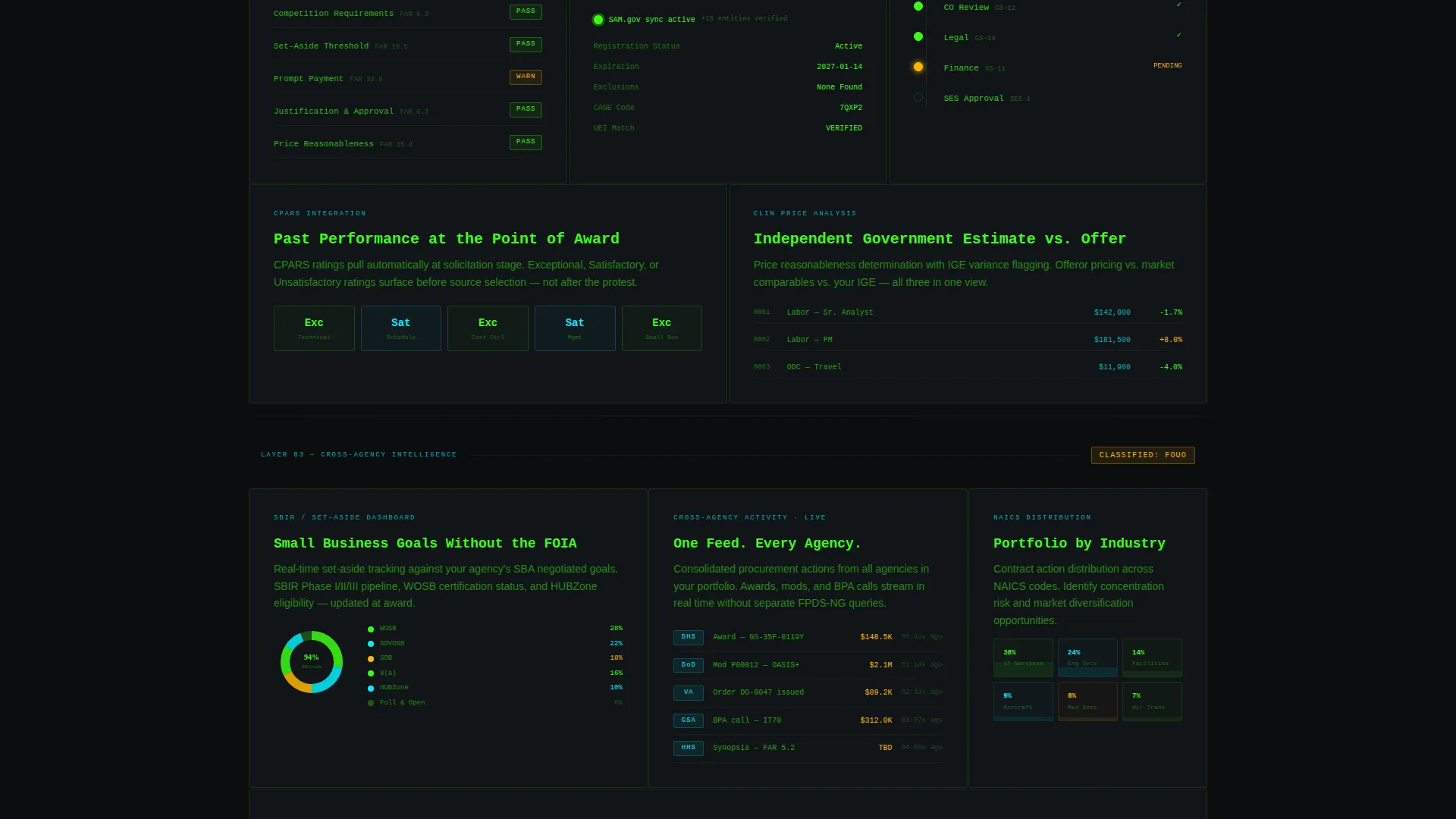
Threshold-Based Approval Routing Card
A bento cell explains approval routing logic triggered by contract value thresholds. The card uses procurement vocabulary and a compact data visualization to convey automation sophistication in a single glance.
Dual Call-to-Action System
The primary call to action, "Run a Test Procurement," appears first as a blinking cursor prompt inside the terminal header. It reappears as a persistent amber bottom bar after the second grid row. A secondary ghost-button, "Read the Compliance Whitepaper," captures buyers who need internal approval before committing.
Set-Aside and Entity Sync Dashboard Cards
Bento cells cover System for Award Management (SAM.gov) entity sync and Small Business Innovation Research (SBIR) set-aside dashboards. These cards use real tracking vocabulary and visual indicators to demonstrate the platform's compliance intelligence layer.
Page sections overview
| Section | Purpose |
|---|---|
| Terminal Header Block | Hooks attention with a live animated API call and sets platform tone |
| Typed Headline Row | Delivers the core value message in monospace below the terminal |
| Primary call to action Prompt | Blinking cursor prompt inside the header drives first click to sandbox |
| Basic Workflow Row | First bento grid row introduces foundational procurement capabilities |
| Compliance Automation Row | Second grid row escalates to Federal Acquisition Regulation (FAR) compliance and approval routing |
| Cross-Agency Intelligence Row | Third grid row presents IDIQ management, entity sync, and set-aside tracking |
| Persistent call to action Bar | Amber bottom bar reappears after the second grid row and stays visible |
| Ghost-Button call to action | Secondary action captures compliance-focused or risk-averse buyers |
Design & branding system
The template uses a Data Command theme built on the Acid Digital color system. Every color carries a specific information role, nothing is decorative.
- Void black (#0B0D0F) as the background; phosphor green (#39FF14) at 12% opacity for faint grid cell borders; signal cyan (#00F0FF) for all data labels and body text
- Caution amber (#FFB800) reserved exclusively for alerts, call-to-action elements, and hover states that pulse like a system demanding acknowledgment
- Monospace typeface throughout the terminal header and headline; the overall palette evokes a radar console in a darkened operations center
Mobile & speed optimization
The bento grid layout is structured to translate cleanly to narrower viewports. The escalating row logic means mobile visitors encounter the most fundamental capabilities first, with complexity increasing as they scroll.
- Grid cells reflow into a single-column stack on smaller screens, preserving card integrity and data visualizations
- The persistent bottom bar remains anchored on mobile, keeping the primary call to action accessible at every scroll depth
- The terminal animation is lightweight by design, relying on styled text and timed rendering rather than video or heavy assets
How this template helps you convert
Mandate is built around a no-form, click-through conversion model. Every structural decision reduces friction for a technically sophisticated buyer.
- The terminal header creates immediate credibility with real API syntax and realistic procurement data, so contracting professionals trust the platform before reading a single marketing sentence.
- The bento grid lets visitors self-select their entry point, a program manager scanning for IDIQ intelligence lands on the right card without scrolling past irrelevant content.
- The dual call-to-action system captures both the ready buyer ("Run a Test Procurement") and the cautious buyer ("Read the Compliance Whitepaper"), increasing total conversion opportunities without adding a form.
Other information about this template
Mandate is a focused, single-page layout with no internal navigation or multi-page structure. It is designed to be deployed as a standalone campaign page or product landing destination.
- The sandbox destination linked from the primary call to action is pre-loaded with a sample Delivery Order (DO) against a General Services Administration (GSA) Schedule contract, giving first-time visitors an immediate hands-on experience
- The template includes a Federal Procurement Data System Next Generation (FPDS-NG) vocabulary layer baked into card copy, making it credible to experienced contract specialists without explanation
- The Contractor Performance Assessment Reporting System (CPARS) integration card and the modification audit trail cell are designed to resonate with buyers managing performance-based contracts
Theme
Data Command
Creative direction
Feature Matrix
Color system
Acid Digital
Style
Bento Grid
Direction
Click-Through
Page Sections
Animated Terminal Header
Escalating Bento Grid Layout
Obligation and Audit Trail Cards
Dual Call-to-action System
Set-aside and Entity Sync Cards
No-form Conversion Architecture
Related questions
Who is this template built for?
Does the template include a contact form or sign-up flow?
Can the bento grid cards be customized for different platform capabilities?
What makes the design system appropriate for a government software audience?
Is the persistent call-to-action bar visible throughout the entire page?



