Mandate - Sovereign Government Landing Page Template
Mandate is a bold brutalist landing page template built for a government AI image generator. It uses a split-screen layout, a void-black and electric-violet color system, and a freemium trial flow that lets visitors generate official-style imagery before signing up. Designed for federal, state, and municipal communications teams who need compliant visual assets fast.
by Rocket studio
Quick summary
Mandate is a single-page landing page template for a sovereign AI image generation tool aimed at government communicators. It pairs a 50/50 split-screen layout with a bold brutalist design system in void black and electric violet. The freemium conversion model lets visitors generate their first assets without entering an email, then gates further use behind a.gov or.mil address.
Who this template is for
This template is built for teams inside government who need official visual assets quickly and affordably. It speaks directly to the people managing communications at all levels of public service.
- Communications officers at federal agencies handling high-volume asset requests
- Municipal marketing teams operating on flat or shrinking budgets
- Policy directors who need a press-ready visual in under an hour
What problem this template solves
Government communications teams face a frustrating gap: the need for compliant, professional imagery and the absence of fast, affordable tools to produce it. Stock libraries carry licensing risks, and retainer designers are slow and costly.
- No practical way to generate official-style imagery without stock fees or a designer
- Asset requests pile up while press deadlines move forward
- Budget constraints make traditional creative workflows unsustainable
What you get with this template
You get a fully structured landing page built around a live, interactive product experience. Every section earns the visitor's trust before asking for their details.
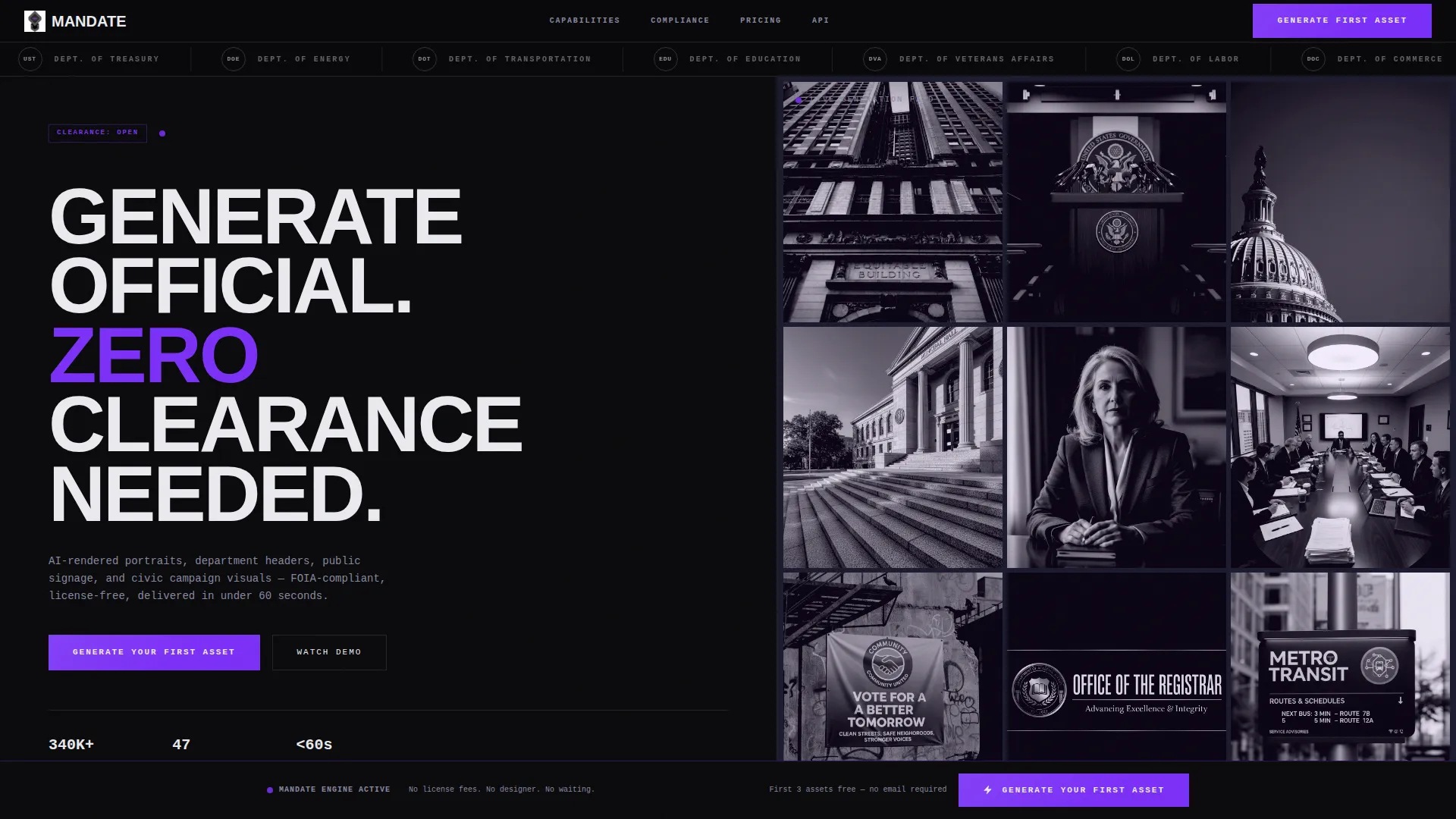
- A 50/50 split-screen hero with a brutalist headline and a real-time AI image mosaic
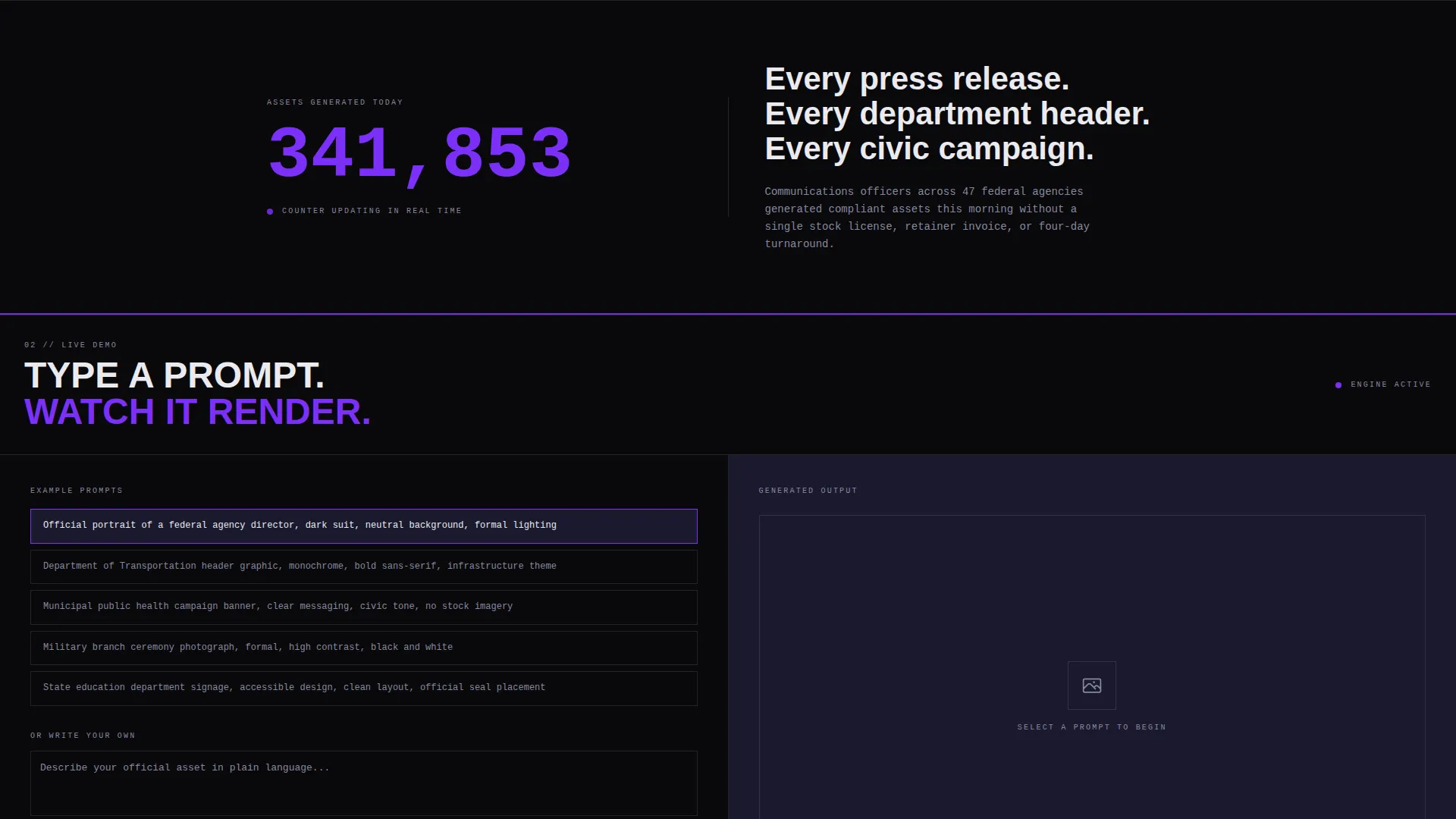
- A live prompt-and-preview demo section where visitors type and watch results appear
- A fixed bottom call-to-action bar that activates after the second scroll
- A department-type dropdown and minimal signup gate triggered only after three free generations
- A horizontal logo bar header scrolling government seals and agency wordmarks
Feature list
This template is organized around a clear directional flow: show the product first, explain the capability second, and ask for commitment only after the visitor has already seen results.
Split-Screen Hero Section
The hero divides the viewport evenly. The left side holds a single ultra-heavy grotesque headline. The right side shows a live-preview mosaic of AI-generated government-style images tiling into place in real time. The contrast between raw typography and active imagery is immediate and confident.
Real-Time Generation Counter
A live counter displays the number of images generated today. This single element builds credibility without a word of copy. It signals that the tool is active, trusted, and in use right now.
Interactive Prompt and Preview Demo
Visitors type a prompt on the left side and watch the generated image appear on the right. This is the core conversion moment. The product sells itself before any signup is requested.
Freemium Trial Gate
The first three generations require no email address. After the third image, a minimal gate asks for a.gov or.mil email and a role title. The gate appears only after the visitor has already experienced the product, reducing friction at the most critical moment.
Escalating Capability Sections
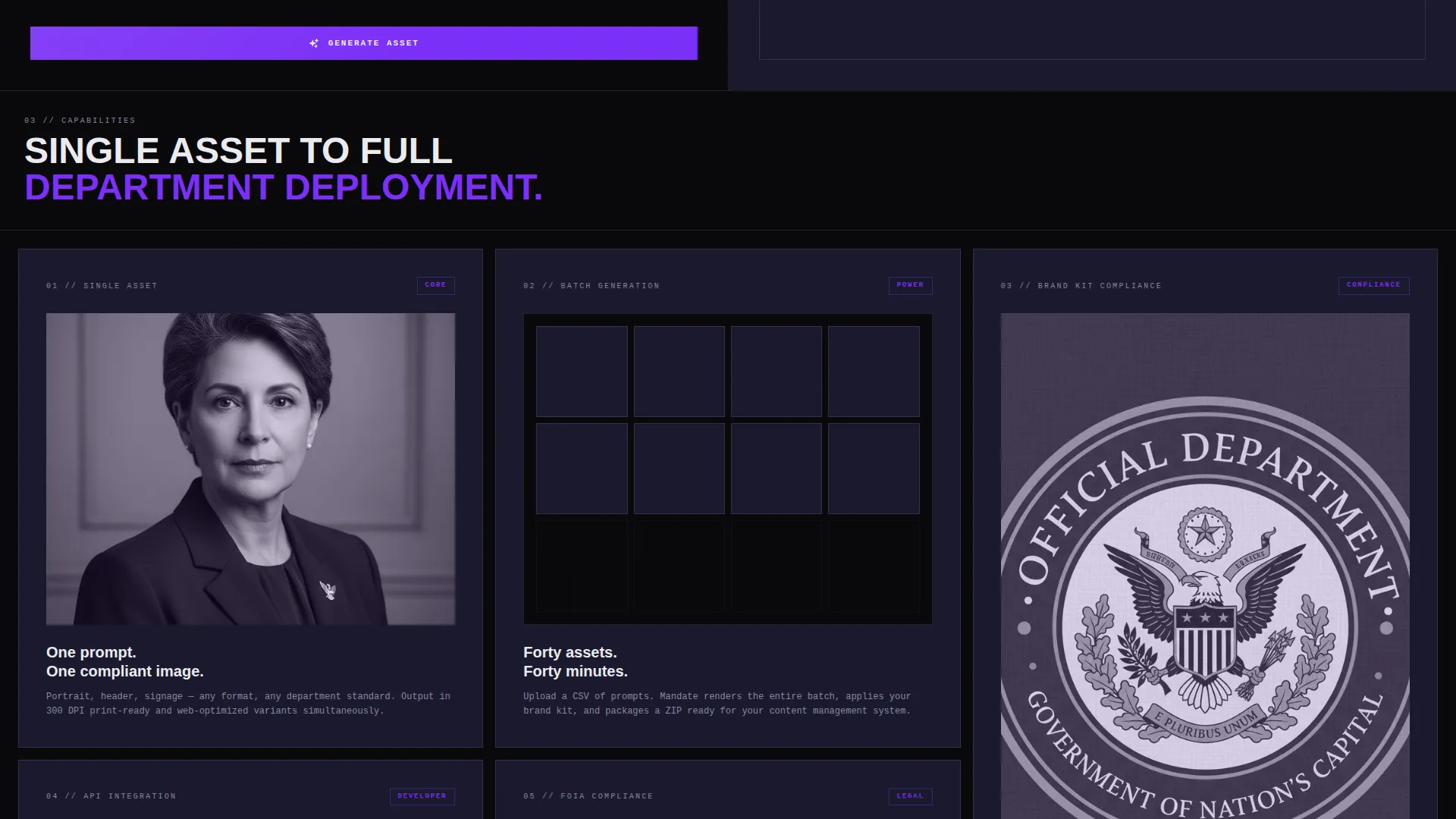
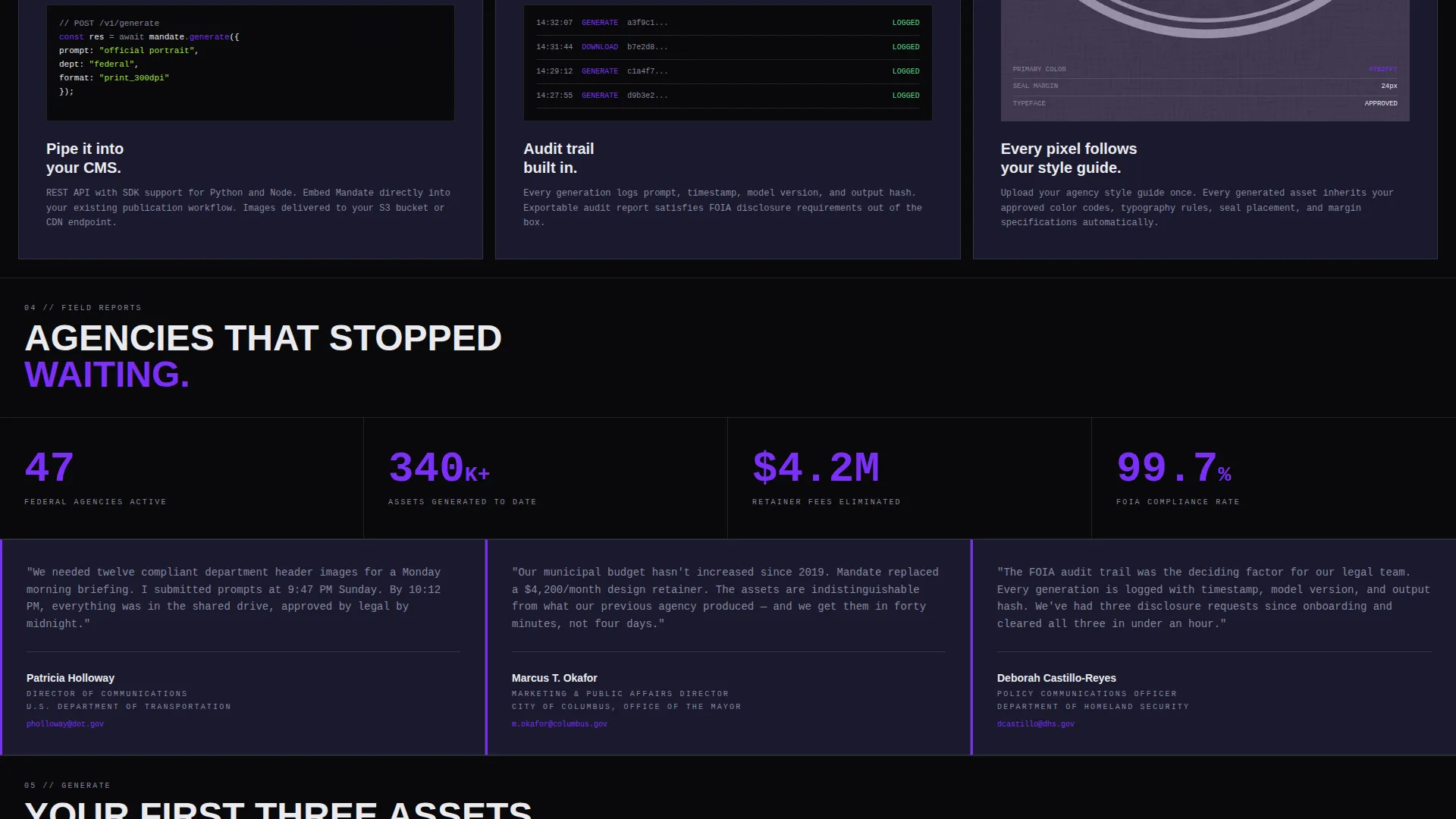
Each section below the hero adds a new layer of proof: single asset generation, then batch generation, then brand-kit compliance, then API integration. The sequence builds confidence that the tool scales with the team's needs.
Fixed Bottom Call-to-Action Bar
After the second scroll, a persistent bottom bar appears with the primary call to action. It stays visible throughout the rest of the page without interrupting the reading flow, keeping the conversion path always within reach.
Page sections overview
| Section | Purpose |
|---|---|
| Logo Bar Header | Scrolls government seals and agency wordmarks in monochrome white |
| Split-Screen Hero | Pairs brutalist headline with live AI image mosaic on right |
| Generation Counter | Displays real-time count of images created today |
| Prompt Demo Area | Lets visitors type a prompt and preview results instantly |
| Single Asset Section | Introduces individual image generation capability |
| Batch Generation Section | Shows high-volume asset creation workflow |
| Brand Kit Compliance | Demonstrates department-aligned visual output |
| API Integration Section | Highlights developer and systems access capability |
| Fixed call to action Bar | Persists after second scroll with primary conversion button |
| Signup Gate | Triggers after third free generation with email and role field |
Design & branding system
The visual identity follows a bold brutalist theme built around a four-color Void and Violet system. Every design decision reinforces institutional authority and operational confidence.
- Void black (#09090B) dominates all backgrounds, with deep federalist charcoal (#1A1A2E) defining section breaks and card surfaces
- Electric violet (#7B2FF7) fires exclusively on call-to-action buttons, hover states, and generation progress bars
- Administrative white (#EAEAEF) handles all typography, borders, and structural lines with zero decorative treatment
- Typography is set in an ultra-heavy grotesque typeface that reads like a government directive
- Motion is minimal and deliberate: sections enter with hard cuts, no easing, no parallax
Mobile & speed optimization
The template is structured for clean rendering across screen sizes, with a layout that adapts the split-screen into a stacked format on smaller viewports.
- The 50/50 split reflows into a vertical stack on mobile without breaking the demo interaction
- Motion effects are kept minimal by design, reducing rendering overhead on lower-powered devices
- The fixed bottom call-to-action bar is sized for thumb reach on mobile screens
How this template helps you convert
Every structural decision on this page is aimed at lowering the cost of saying yes for a visitor who is already skeptical and short on time.
- The freemium model removes the first barrier entirely: visitors generate three images without entering any contact information, so the product earns trust through direct experience rather than promises.
- The fixed bottom call-to-action bar keeps the primary action visible at all times after the second scroll, ensuring the conversion path is never more than one tap away regardless of where the visitor stops reading.
Other information about this template
Mandate is designed as a ready-to-launch foundation for any government-focused AI image generation product. It is built to be adapted quickly by a developer or no-code builder without redesigning the core structure.
- The department-type dropdown includes five preset options: federal, state, municipal, military, and education
- The logo bar header is designed to accept any set of monochrome government seal or agency wordmark assets
- The escalating section structure can be reordered or trimmed to match the actual feature set of the live product
- The signup gate logic is described at the template level and requires implementation by the development team
- This template fits within the broader category of AI for government tools, a growing space where speed and compliance are the primary buyer concerns
Theme
Bold Brutalist
Creative direction
Launch Energy
Color system
Void & Violet
Style
Split Screen (50/50)
Direction
Freemium/Trial
Page Sections
Split-screen Hero with Live Mosaic
Interactive Prompt and Preview Demo
Freemium Trial Gate
Escalating Capability Sections
Fixed Bottom Call-to-action Bar
Scrolling Government Logo Bar
Related questions
Does this template require a designer to customize?
What triggers the signup gate for visitors?
Can the department-type dropdown options be edited?
Is the live prompt and preview demo connected to a backend?
Who is this landing page template designed for?



