Software & SaaS Cost Estimator Website Template
Manifest is a scroll reveal landing page template built for warehouse management software. It opens with a stat-first hero, guides visitors through progressive metric reveals, and drives lead generation through a structured assessment form and an ROI calculator path. The Data Command visual theme creates the feel of a live operations dashboard, built for enterprise credibility.
by Rocket studio
Quick summary
Manifest is a single-page, scroll reveal landing page template designed for warehouse management software. It leads with a billboard-size accuracy stat, progressively reveals operational metrics as visitors scroll, and closes with a lead capture form built around low-friction inputs. The layout communicates precision, authority, and operational control from the first pixel.
Who this template is for
This template speaks directly to decision-makers in warehouse and supply chain operations. If you are selling warehouse management software to serious buyers, this layout matches their mindset.
- Operations directors and supply chain VPs evaluating software to replace manual tracking
- Third-party logistics (3PL) managers handling multi-client inventory at scale
- Software founders and marketing teams positioning a warehouse management platform to enterprise buyers
What problem this template solves
Warehouse software landing pages often fail because they lead with features instead of outcomes. Buyers in this space have been burned before. They need proof, not promises.
- Generic hero sections do not communicate the real cost of mispicks, slow putaway, or dock delays
- Long feature lists bury the ROI signal that operations leaders actually need to see first
- Lead forms that ask too many questions upfront create friction before trust is established
What you get with this template
You get a fully structured, single-page layout built around a progressive scroll reveal experience. Every section is designed to deliver one metric or proof point at a time, building confidence before asking for anything in return.
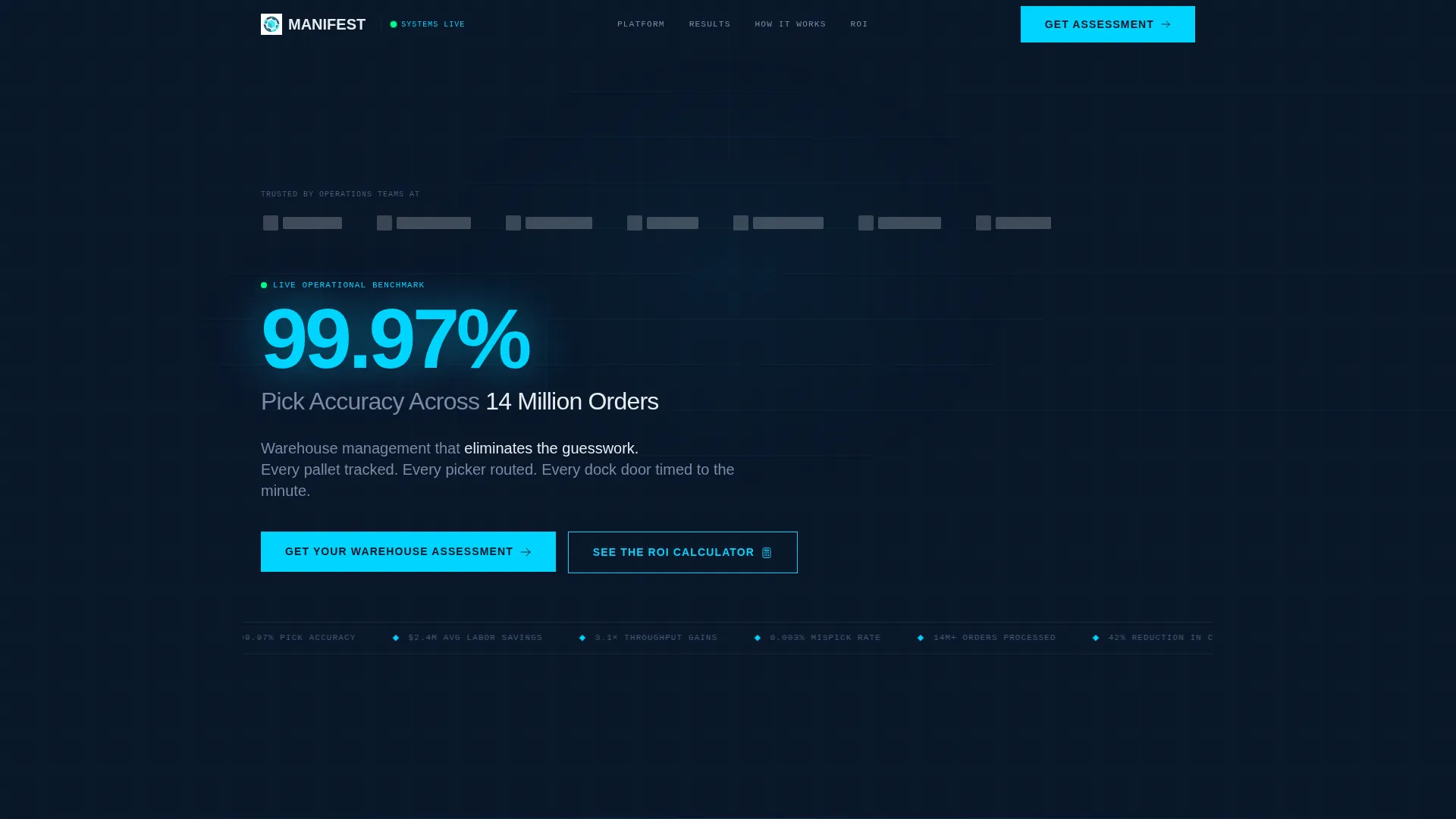
- A stat-first header with a logo bar, billboard accuracy figure, and one-line subhead in signal white
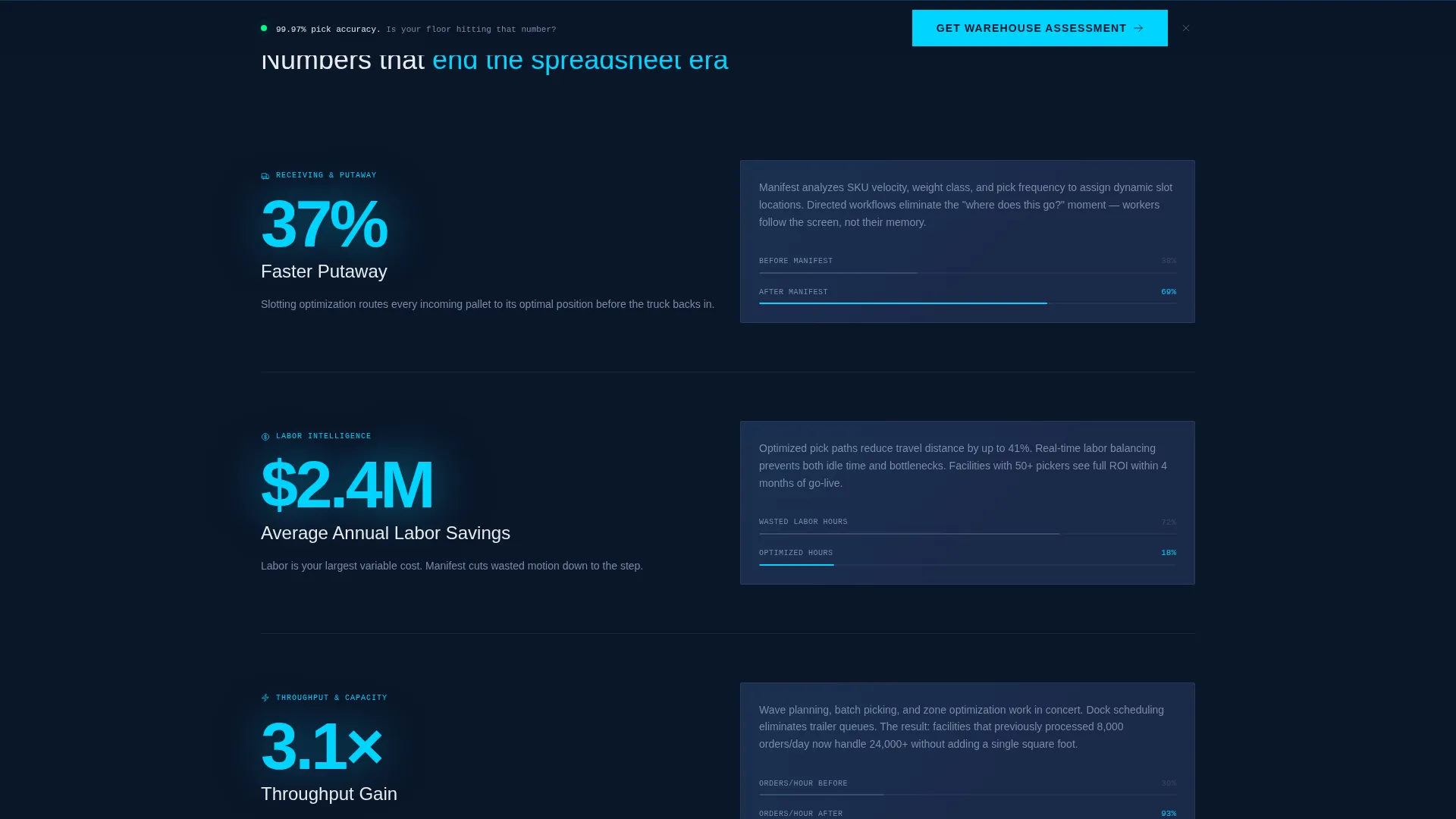
- Four progressive scroll reveal sections, each introducing a key operational metric before its explanation
- A lead generation form with warehouse-specific inputs and a secondary ROI calculator call to action (call to action)
Feature list
This template includes the following built-in sections and functional components drawn directly from the design brief.
Stats-First Hero Header
The header opens with a horizontal logo bar of enterprise-scale brand silhouettes above a single stat rendered at billboard size: "99.97% Pick Accuracy Across 14M Orders." No hero image, no illustration. A one-line subhead in signal white sits below. The restraint signals confidence without explanation.
Progressive Scroll Reveal Sections
Each scroll reveal section drops a new operational metric into view before its supporting explanation appears. Metrics such as "37% Faster Putaway" materialize in live-data cyan first, then the section progressively builds out the context behind the number. The effect mirrors data populating a live screen.
Real-Time Dashboard Mockup Block
After the individual KPI reveals, the page includes a full-facility section featuring a dashboard mockup. It shows all tracked metrics converging into a single operational score, reinforcing the platform's promise of unified visibility across the warehouse floor.
Lead Generation Assessment Form
The primary call to action is "Get Your Warehouse Assessment." The form opens with warehouse square footage, a low-friction number operators know immediately. It then collects daily order volume, current warehouse management system (WMS) via dropdown, and work email last. This sequencing reduces abandonment and increases completion rates.
Sticky Bottom call to action Bar
The "Get Your Warehouse Assessment" call to action repeats as a persistent sticky bar at the bottom of the page. Visitors who scroll past the inline form always have a visible path to convert without needing to scroll back up.
ROI Calculator Secondary Path
A secondary call to action labeled "See the ROI Calculator" links to an interactive tool that estimates labor and accuracy savings. This giving-before-asking approach provides genuine value to buyers who are not yet ready to submit a form.
Page sections overview
| Section | Purpose |
|---|---|
| Logo Bar Header | Establish enterprise credibility with recognizable brand silhouettes and a headline accuracy stat |
| Pick Accuracy Reveal | Introduce the first operational metric with progressive scroll animation |
| Labor Savings Reveal | Surface labor efficiency gains as the second metric reveal |
| Throughput Gains Reveal | Highlight facility-wide throughput improvements as the third metric |
| Assessment Form call to action | Capture leads after three proof points using a structured low-friction form |
| Dashboard Mockup Block | Show all metrics unified in a single operational score view |
| Sticky Bottom Bar | Keep the primary call to action visible throughout the full scroll experience |
| ROI Calculator Path | Offer a value-first secondary conversion path for undecided visitors |
Design & branding system
The visual identity follows a Data Command theme. Every color choice reinforces the feeling of a live monitoring room: cool, authoritative, and always on.
- Background in deep terminal navy (#0A1628), card surfaces in operational slate (#1B2A4A), metrics and interactive highlights in live-data cyan (#00D4FF), and body text in signal white (#E8ECF1)
- Typography and layout are stripped of decorative elements, using clean hierarchy to let numbers and proof points carry the visual weight
- The overall palette evokes a dimly lit operations center at 2 a.m., where every number on the screen matters
Mobile & speed optimization
The scroll reveal structure is built to remain readable and functional across screen sizes. The layout prioritizes the metrics and form above other visual elements on smaller viewports.
- Progressive reveal sections reflow cleanly so metric callouts remain dominant on mobile screens
- The sticky bottom call to action bar is sized and positioned to remain accessible on touch devices without obscuring content
- Lean section structure with no hero imagery keeps the initial page load light and fast
How this template helps you convert
Every layout decision in this template is aimed at moving warehouse operations buyers from skeptical visitors to qualified leads.
- The stat-first header establishes proof before the visitor reads a single sentence of marketing copy, reducing early bounce from skeptical buyers.
- The progressive scroll structure builds momentum by releasing one KPI at a time, keeping attention engaged through each reveal before the form appears.
- The form sequence starts with square footage, a number every operations professional knows instantly, so the first input is effortless and completion feels natural from there.
Other information about this template
This template is part of a broader library of scroll reveal and lead generation landing page templates designed for software and SaaS products. It is specifically matched to the warehouse management system (WMS) niche and built with enterprise buyer psychology in mind.
- The Midnight Blue color system is distinct enough to stand out from generic SaaS blue palettes while remaining professional and trust-building
- The template style is classified as Scroll Reveal (Progressive), meaning each content block appears as the visitor reaches it, reinforcing the data-populating-a-screen metaphor throughout
- Buyers evaluating platforms like those in the logistics and supply chain software space will find this layout credible and immediately relevant to their buying context

Theme
Data Command
Creative direction
Stats-First Impact
Color system
Midnight Blue
Style
Scroll Reveal (Progressive)
Direction
Lead Generation
Page Sections
Stats-first Hero with Logo Bar
Progressive Scroll Reveal Layout
Lead Generation Assessment Form
Sticky Bottom Call to Action Bar
ROI Calculator Secondary Call to Action
Unified Dashboard Mockup Section
Related questions
Can I customize the stats and metrics shown in each scroll reveal section?
Does the lead form connect to any external tools?
Is the ROI calculator included in the template?
Who is this template best suited for?
Can this template work for logistics software that is not strictly a WMS?



