Complete Consulting Digital Presence Professional Website Template
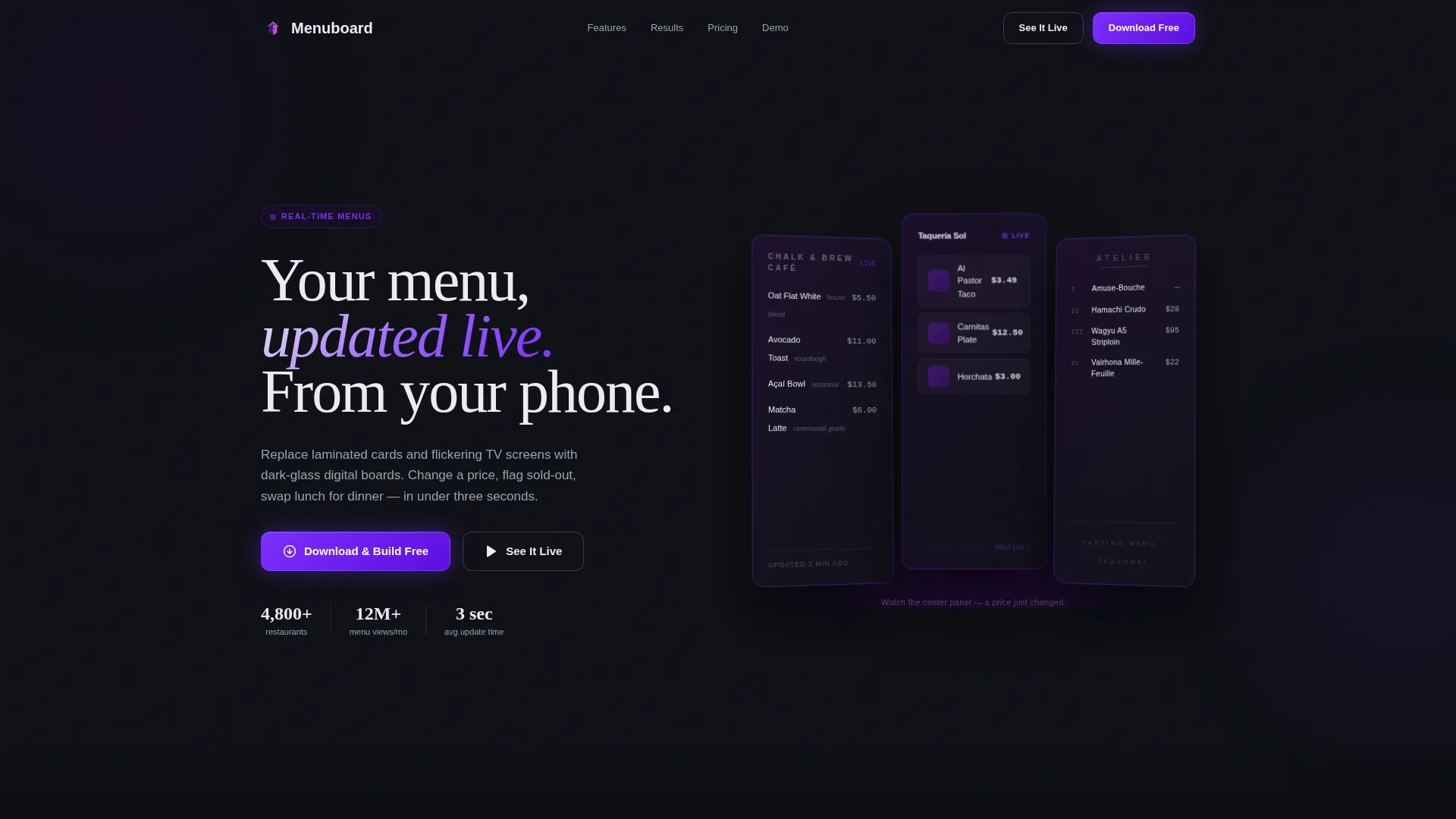
Menuboard is a sleek digital menu landing page template built for food and beverage operators who want to ditch printed menus for good. It showcases real-time price updates, daypart switching, multi-location sync, and sold-out automation inside a bold Tech Glass visual design. One tap starts the free download and build process.
by Rocket studio
Quick summary
Menuboard is a split-screen landing page template for a digital menu platform. It targets restaurant owners, franchise managers, and food hall vendors who need live menu control from a phone. The Tech Glass design and Feature Matrix layout turn a feature walkthrough into a compelling case that manual menu management is already obsolete.
Who this template is for
This template is built for operators and builders who manage menus at any scale. It speaks directly to the people who feel the daily friction of outdated printed boards.
- Independent restaurant and taco shop owners who update specials between rushes
- Franchise operations managers pushing new limited-time offers to dozens of locations at once
- Food hall vendors whose entire concept changes every few months
What problem this template solves
Printed menus and static TV screens create constant operational drag. Prices change, items sell out, and dayparts shift, but the menu on the wall stays frozen. This template promotes a platform that eliminates that gap entirely.
- Operators lose revenue and credibility when menus show wrong prices or unavailable items
- Multi-location teams waste hours coordinating manual updates across every site
- New operators have no clear path to a modern, professional menu presence without heavy setup
What you get with this template
You get a fully structured, single-page layout that presents the digital menu platform in a deliberate, trust-building sequence. Every section is designed to move a skeptical visitor toward a confident download tap.
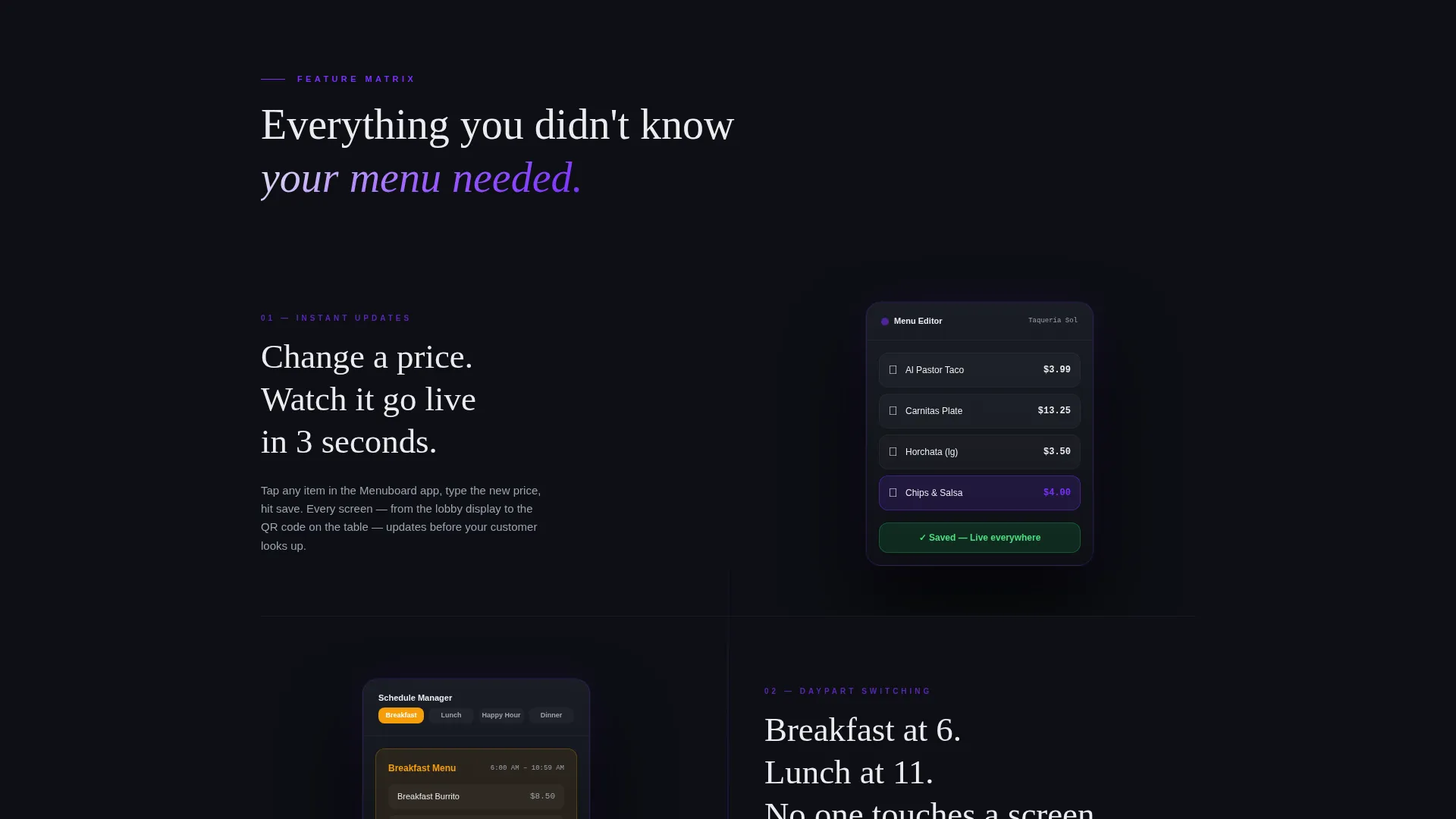
- A split-screen Feature Matrix that pairs each capability with a live dark-glass device mockup
- Two strategically placed calls to action: one floating after the header and one anchored at the final matrix row
- A secondary "See It Live" path linking to an interactive web demo pre-loaded with a sample restaurant
Feature list
This template is built around a Feature Matrix creative direction. Each row of the matrix introduces a new capability, and the complexity escalates deliberately so visitors keep discovering what the platform can do.
Real-Time Price Updates
The header panel shows a menu item's price changing live, with a subtle animation that registers only after a beat. This sets the tone instantly: the platform updates in seconds, not hours.
Scheduled Daypart Menus
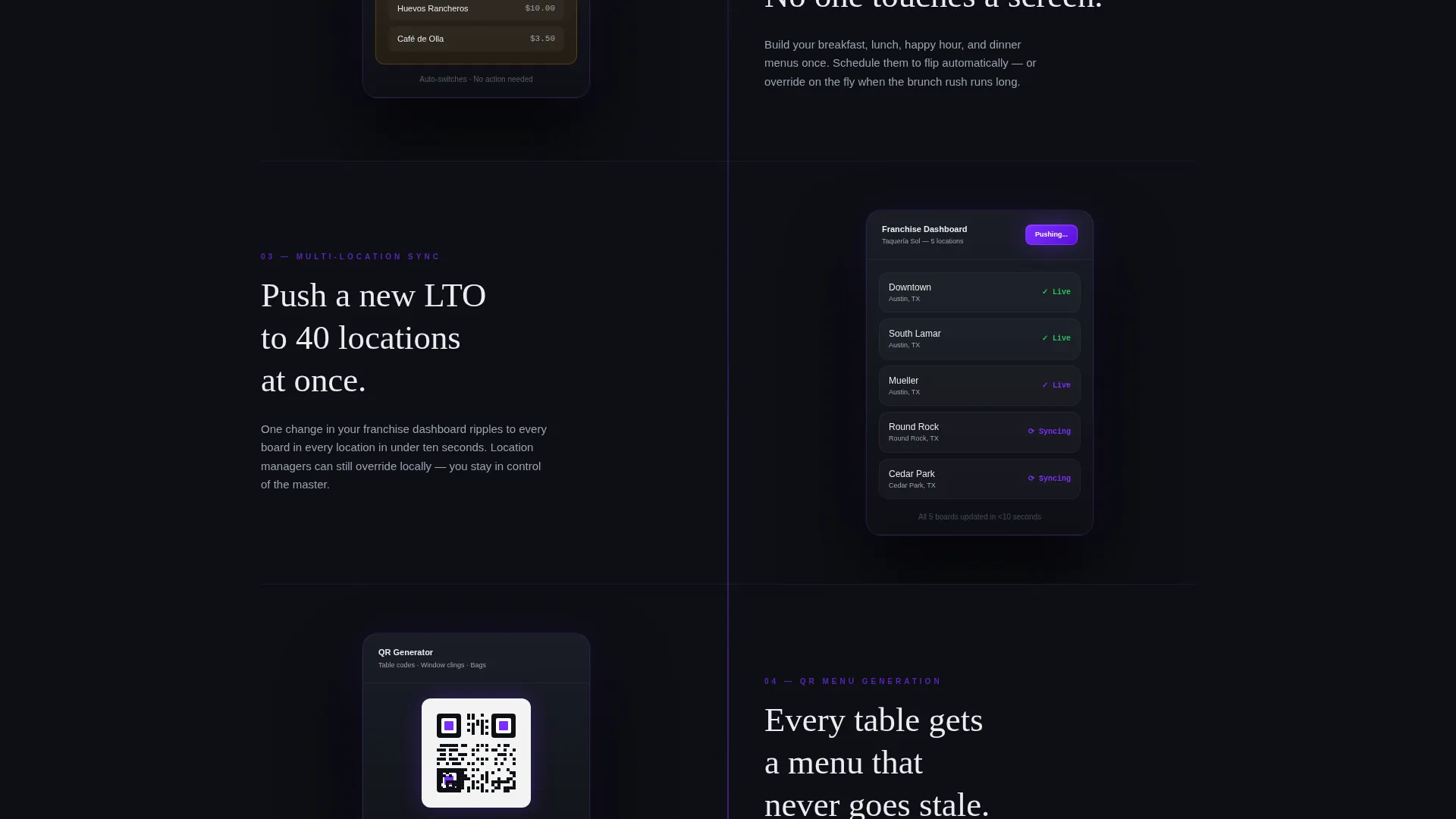
A dedicated matrix row presents daypart switching as a first-class feature. Operators see exactly how the platform handles breakfast-to-lunch-to-dinner transitions without manual intervention.
Multi-Location Sync
The matrix includes a row for franchise and multi-site operators. It visualizes pushing a single update to forty locations simultaneously, making the scale of the platform immediately legible.
QR Code Generation
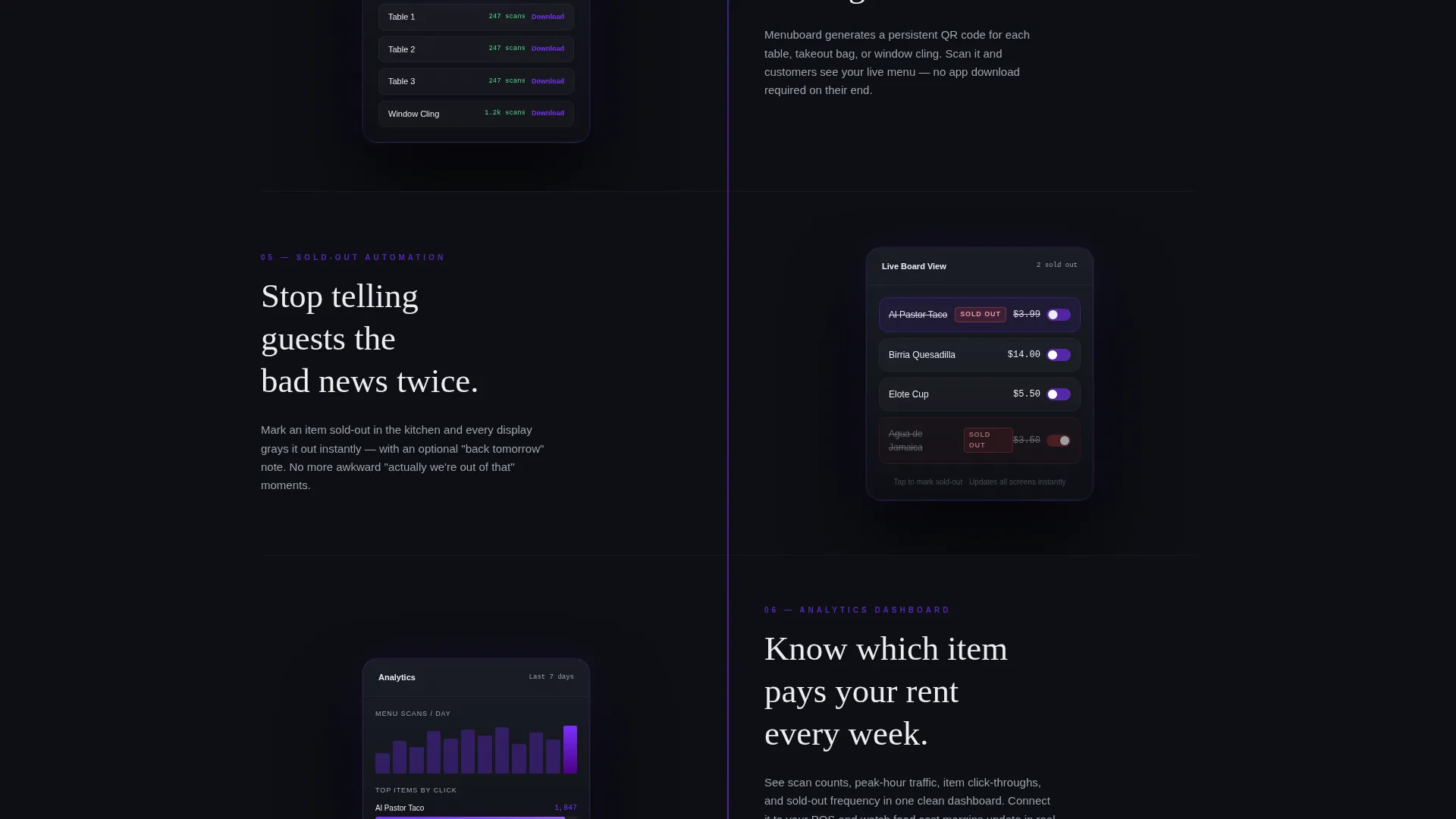
A matrix row covers built-in QR code output so guests can access the digital menu on their own devices. The mockup shows the code alongside a live menu preview.
Sold-Out Automation
Operators can tag items as sold out and the change reflects instantly across all active boards. The matrix row renders this state visibly inside the device mockup so visitors grasp the workflow at a glance.
Analytics Dashboard
The final matrix row introduces the analytics view. It closes the feature sequence by showing operators the data layer behind their menu, reinforcing that the platform does more than display content.
Page sections overview
| Section | Purpose |
|---|---|
| Dark Glass Header | Introduces the platform with three angled dark-glass menu panels and a live price-edit animation |
| Floating call to action Row | Delivers the primary download call to action immediately after the header reveal |
| Feature Matrix Grid | Walks visitors through six capabilities in escalating complexity using split-screen device mockups |
| QR Code Row | Highlights guest-facing QR access alongside a live menu preview mockup |
| Analytics Dashboard Row | Closes the matrix with the data and reporting view to reinforce platform depth |
| Final call to action Anchor | Repeats the primary download call to action with App Store and Google Play badges and a secondary demo link |
Design & branding system
The visual identity follows a Tech Glass theme built on an Electric Indigo color system. Every color choice is intentional, creating the feeling of a flagship phone's screen glowing in a dark room.
- Deep panel black (#0D0F14) as the base, with translucent indigo (#4B0082) frosted-glass overlays on every panel
- Bright electric violet (#7B2FFF) applied to all interactive elements and hover states to guide the eye
- Crisp interface white (#EAECF0) for all typography and divider lines, keeping text sharp against dark surfaces
Mobile & speed optimization
The split-screen layout and device mockup rows are designed to feel native on any screen size. The template's structure supports a confident mobile browsing experience from the first scroll.
- Device mockups are rendered as dark-glass interface panels that scale cleanly within the split-screen grid
- The single-tap App Store and Google Play call to action removes all form friction, making conversion fast on mobile
- Typography in interface white stays legible at every viewport without color contrast compromise
How this template helps you convert
The layout is engineered to build conviction progressively. By the time a visitor reaches the final call to action, they have already watched the product work.
- The Feature Matrix shows every capability in motion inside a device mockup, so visitors feel like users before they download anything
- The "See It Live" secondary path gives skeptics a risk-free way to touch the product through an interactive demo, removing the last hesitation before committing
- The dual call to action placement, once floating after the header and once anchored at the matrix's end, catches both early believers and visitors who needed the full walkthrough to decide
Other information about this template
This template is built for the consulting digital presence niche within the broader technology category. It is a strong fit for agencies or consultants who build and pitch digital menu solutions to food and beverage clients.
- The template style is Split Screen (50/50), making it easy to adapt for presentations, sales decks, or client pitches
- The header concept uses Dark Glass Panels with soft indigo reflections, giving the page an immediate premium signal without relying on real restaurant photography
- The landing page direction is App Download, so no lead capture form is required and the conversion path stays frictionless
- The creative direction is Feature Matrix, which naturally supports consulting engagements where a clear capability breakdown builds client confidence faster than a generic features list
Theme
Tech Glass
Creative direction
Feature Matrix
Color system
Electric Indigo
Style
Split Screen (50/50)
Direction
App Download
Page Sections
Split-screen Feature Matrix Layout
Dual Call to Action Placement with App Store Badges
Dark Glass Panel Header
Interactive Demo Secondary Path
Sold-out and Daypart Mockup Rows
Tech Glass Visual Identity System
Related questions
Do I need a restaurant to use this template?
Can I update the colors to match a different brand?
How does the secondary 'See It Live' path work?
Is this template suitable for a franchise operator with many locations?
Does this template include the digital menu app itself?



