E-Commerce Digital Presence Professional Website Template
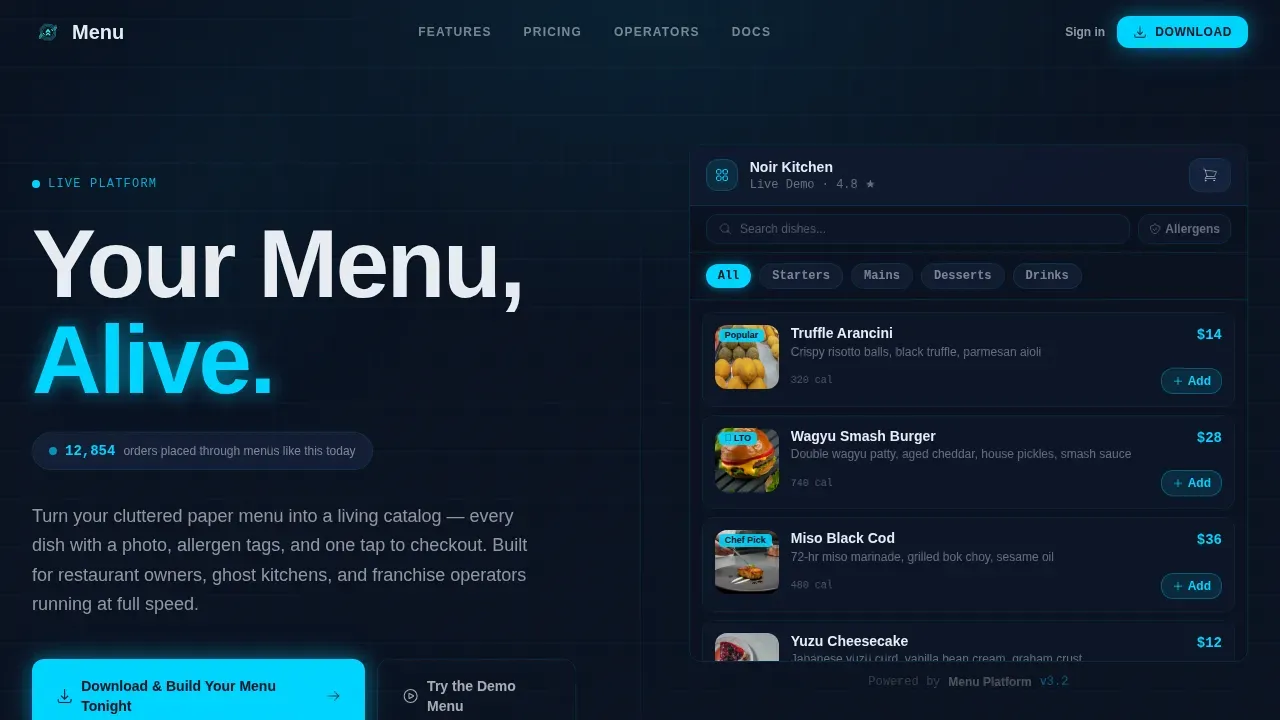
The Menucommand live digital ordering landing page template transforms a static food menu into a live, interactive experience. Built on a split-screen layout with a Data Command visual identity, it puts a fully tappable food ordering website on the right and a persuasive owner pitch on the left. Restaurant owners, ghost kitchen operators, and franchise managers can see the product before they ever sign up.
by Rocket studio
Quick summary
This landing page template is built for a digital food ordering platform that replaces paper menus and static PDFs with a living, searchable food menu. The split-screen web design puts a functioning food ordering website directly in the hero, letting visitors tap, scroll, and add to cart before a single word of copy asks them to commit.
Who this template is for
This template serves operators who need a high-converting food delivery website fast. It is designed for teams running real food businesses under real pressure.
- Restaurant owners managing weekend rushes who need a reliable online ordering system to replace outdated setups
- Ghost kitchen operators running multiple food brands from one address who need a single, unified food menu interface
- Franchise managers who must push a limited-time food offer across dozens of locations with near-instant publishing
What problem this template solves
Most food ordering website designs fail because they describe the product instead of demonstrating it. Visitors read about features, lose interest, and leave. The bounce rate climbs. Downloads never happen.
- Static mockups and device frames cannot communicate the speed and responsiveness of a live food ordering website
- Restaurant owners and operators do not have time to read long landing page copy during a busy shift
- Franchise managers need to see how quickly a food menu change ripples across locations before they trust the platform
What you get with this template
You get a complete, production-ready landing page structured around interactivity and conversion. Every section of this food website is designed to demonstrate the product in motion, not just describe it.
- A 50/50 split-screen hero with a live, tappable food menu on the right and a headline-driven pitch on the left
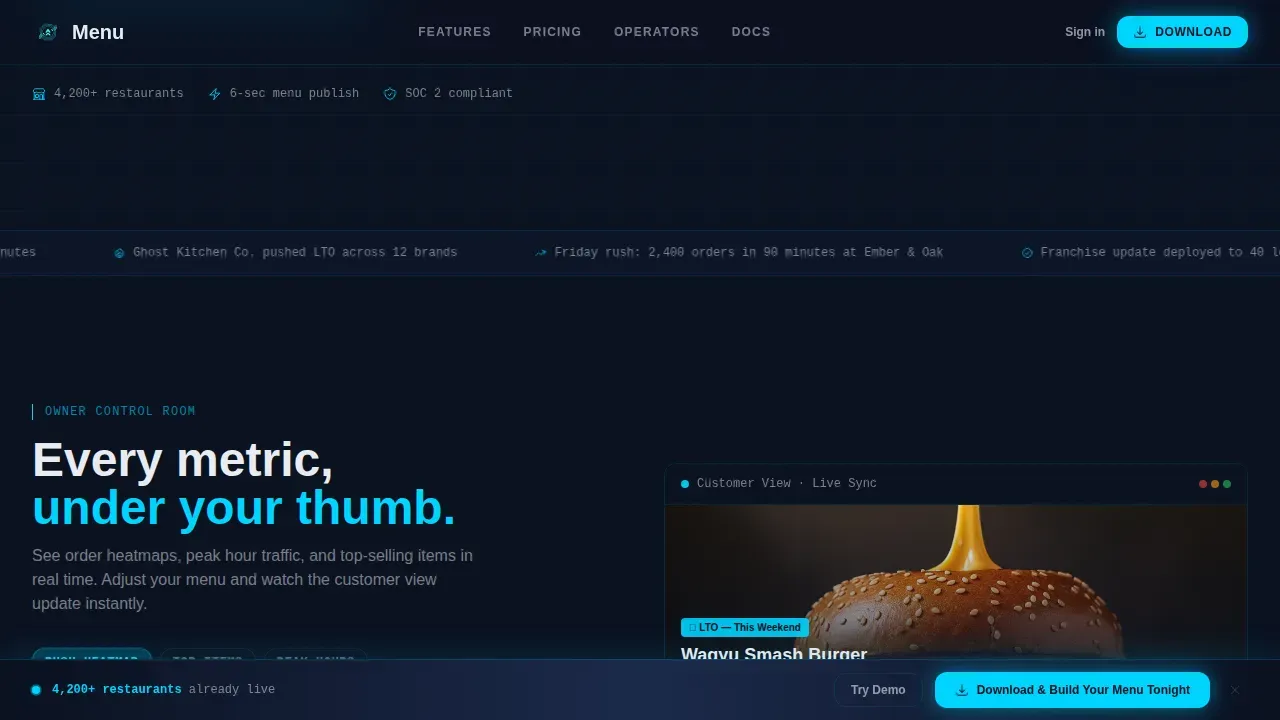
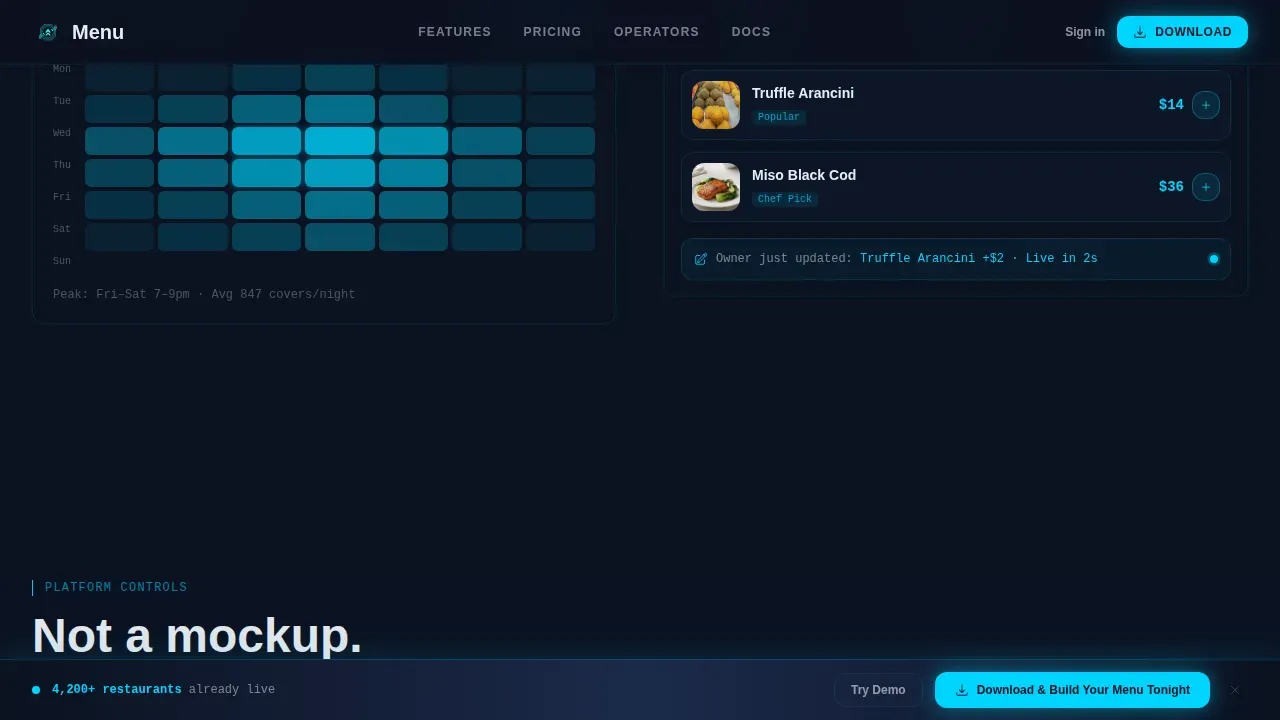
- A scroll-linked dashboard section where owner analytics and customer food menu views update in sync
- A sticky app-download call-to-action bar paired with App Store and Google Play badges and a secondary demo path
Feature list
This template ships with six core design and interaction capabilities. Each one is grounded in what a food ordering website needs to convert a curious visitor into an active user.
Live Interactive Food Menu Hero
The right half of the hero renders a fully functional food ordering interface. Categories are tappable, the food menu is scrollable, and a cart badge increments in real time. Visitors experience the product immediately, without needing a device frame or a static image to imagine it.
Split-Screen Dashboard Control Section
Below the hero, the left panel shifts to an owner analytics view showing order patterns and top-selling food items. The right panel keeps the customer-facing food menu in sync. Every owner action taken in the left panel reshapes the diner's view on the right, making the relationship between control and experience immediately visible.
Asymmetric Feature Bento Grid
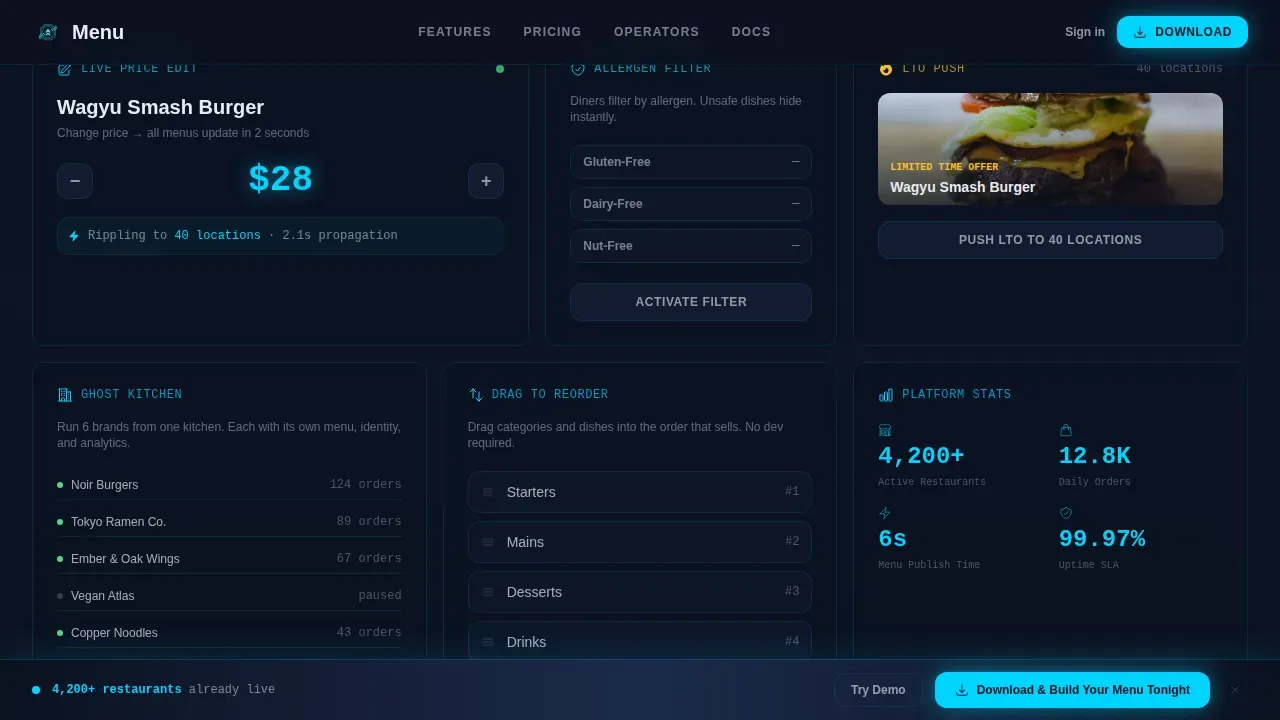
An asymmetric grid section presents core food ordering capabilities as interactive moments. Visitors can drag to reorder food categories, toggle allergen filters, watch a price change ripple across the food menu live, and simulate a limited-time offer push across multiple locations.
Sticky App Download Call-to-Action Bar
A persistent call-to-action bar appears after the visitor's first interactive moment. It carries the primary download prompt alongside App Store and Google Play badges. Persistent call-to-action placement at key scroll points gives users easy access to the conversion path at multiple stages.
Social Proof Stats Bar and Testimonials
A dedicated section displays a live order counter, operator testimonials, and platform metrics. Displaying customer reviews and real operator quotes helps establish credibility. Clear key performance indexes like orders placed per day and publish speed reinforce trust without requiring the visitor to take anything on faith.
Secondary Demo Path with Email Capture
Visitors not ready to download can click "Try the Demo Menu" to access a sandbox food ordering experience in exchange for their email. This secondary path captures intent early and provides a lower-commitment entry point for food delivery operators who need more time before committing.
Page sections overview
| Section | Purpose |
|---|---|
| Hero Split Screen | Introduce live food menu and headline |
| Dashboard Control View | Show owner analytics synced with customer food menu |
| Feature Bento Grid | Demonstrate food ordering controls interactively |
| Social Proof Bar | Build credibility with metrics and operator quotes |
| App Download Call-to-Action | Drive primary conversion via sticky download bar |
| Demo Menu Path | Capture emails from undecided food delivery visitors |
| Footer Flow | Provide navigation and platform links |
Design & branding system
The visual identity follows a Data Command theme. Every color choice, font, and animation in this food website earns its place because it communicates something meaningful, just like instruments on a cockpit dashboard.
- Color palette: deep terminal navy (#0B1120) for backgrounds, tactical slate (#1B2A4A) for card surfaces, bright interface cyan (#00D4FF) for active states and food menu highlights, and lunar white (#E8ECF2) for typography
- Typography: DM Sans for headings, JetBrains Mono for stats and data displays, Manrope for body copy across the food ordering website
- Animation system: scroll-linked panel transitions, CSS keyframe glows on active food menu elements, staggered section reveals, and a live cart badge increment
Mobile & speed optimization
Over 60% of web traffic is mobile, and restaurant owners operate on phones during busy shifts. This food ordering website template is built mobile-first so the layout works under real-world conditions, not just in a browser preview.
- Vertical scrolling and thumb-friendly button sizing ensure that users on mobile devices can navigate efficiently without pinching or zooming
- Server Components handle static food website sections while Client Components manage the interactive food menu, keeping the experience responsive
- The mobile layout prioritizes the food ordering interface and call-to-action bar so visitors reach the most important actions first
How this template helps you convert
An effective food delivery website landing page must blend strong visuals with a streamlined ordering process. This template is engineered to reduce friction and raise intent before any commitment is asked.
- The live food ordering demo activates ownership instinct. By the time the sticky bar appears, visitors have already built something inside the food menu, making the download feel like a natural next step rather than a cold ask.
- Social proof elements, including a live order counter and operator testimonials, give visitors the confidence that real food delivery services and restaurant owners already trust this platform.
- The secondary demo path with email capture ensures that visitors who need more time are not lost. They receive a sandbox food ordering link and stay in the funnel.
Other information about this template
This template is a strong foundation for any food delivery website or food ordering website project where interactivity drives conversion. It is fully customizable, so teams can easily customize colors, food menu content, copy, and section order to match their brand identity without extensive coding knowledge.
- The food website design supports content creation workflows, making it straightforward to update food menu items, swap stunning images of dishes, and refresh limited-time food offers
- Users can find detailed information about each food item through allergen tags and clear pricing displayed in large, readable fonts across the food menu
- The template is compatible with social media platforms for campaign promotion, and the landing page structure supports ad campaigns that send traffic directly to the interactive food ordering experience
- The food ordering website provides visitors with a seamless experience from first tap to checkout, which supports a better user experience and reduces drop-off at key conversion points
- Teams building a restaurant website for an italian restaurant, a fast food brand, or a multi-concept ghost kitchen can adapt this template to their specific food menu structure and delivery food workflow
- For builders who want to understand the platform's data behavior: the site can store information about session activity to help the website's performance tracking, and certain functions rely on consent preferences for analytics analytical cookies and other third party features
- Analytics tools like Google Analytics can track unique visitors, traffic source data, campaign data, and key performance indexes when properly configured alongside the template. The site's analytics report can help teams measure how visitors interact with the food ordering website over time
- A randomly generated number may be used for duration session description purposes in certain analytics setups. Cookie stores information anonymously in those configurations, and a cookie stores information flag ensures that personally identifiable data is not collected without user consent
- Tools such as cloudflare bot management and support cloudflare bot management integrations can be added for security. Providing secure log in and secure log in flows, always active necessary cookies, and preferences accept settings are configurable based on your platform's consent category and consent preferences requirements
- The template can provide visitors with the option to visit anonymously or manage their own consent preferences, and certain functionalities like collecting feedback or enabling users to navigate efficiently rely on those settings being active. The user's browser supports cookies setting determines whether basic features like session tracking function correctly
Theme
Data Command
Creative direction
Interactive Explorer
Color system
Midnight Blue
Style
Split Screen (50/50)
Direction
App Download
Page Sections
Live Interactive Food Menu Hero
Synced Dashboard and Customer View
Asymmetric Feature Bento Grid
Sticky App Download Bar
Social Proof Stats and Testimonials
Secondary Demo Path with Email Capture
Related questions
Can I use this template without coding experience?
Does the interactive food menu work on mobile devices?
Can franchise operators adapt this for multiple food brands?
What conversion paths does this landing page include?
How does the social proof section support credibility?



