Daycare Digital Menu App Landing Page Template
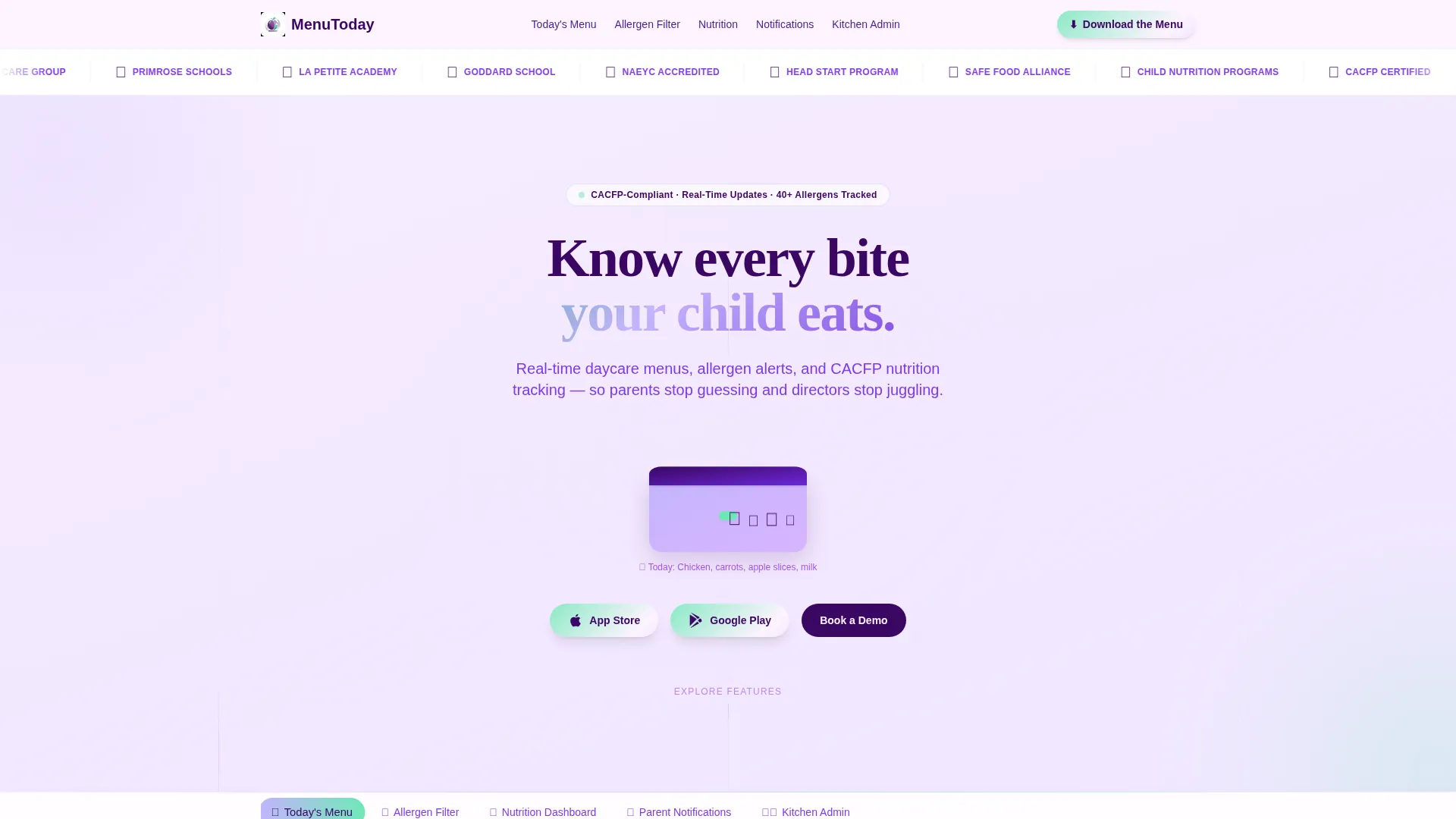
Menutoday is a hub-and-spoke landing page template built for daycare digital menu apps. It combines five interactive feature spokes, a trust-building logo bar header, and an iridescent motion design system to move parents and daycare directors from first scroll to app download. Every section doubles as a live product demo.
by Rocket studio
Quick summary
Menutoday is a single-page, anchor-nav landing page template for a daycare digital menu app. It opens with a compliance-badge logo bar, launches into five interactive feature spokes, and closes every section with a pulsing app download call to action. The design feels alive, tactile, and purpose-built for parents and daycare professionals alike.
Who this template is for
This template was built for the people who live inside the daily lunch cycle. It speaks directly to the professionals and parents who need real-time meal visibility and dietary control in one place.
- Daycare directors managing dozens of dietary restrictions across multiple classrooms
- Kitchen managers prepping bulk meals with Child and Adult Care Food Program (CACFP) compliance requirements
- Parents who want to know exactly what their child is eating before the tray hits the table
What problem this template solves
Most daycare apps describe features with static screenshots and generic copy. That approach creates doubt, not downloads. This template solves the trust gap by letting visitors interact with the product before they install it.
- Parents cannot confirm allergen or nutrition details without opening the real app
- Directors struggle to communicate compliance credentials and menu updates in one visible place
- Generic app landing pages fail to differentiate a daycare-specific tool from a broad food-tech product
What you get with this template
You get a fully structured, motion-forward landing page built around five clickable feature spokes. Each spoke contains a working micro-interaction so visitors experience the app, not just read about it.
- A logo bar header with daycare partner logos, CACFP badges, and USDA icons in a slow infinite marquee
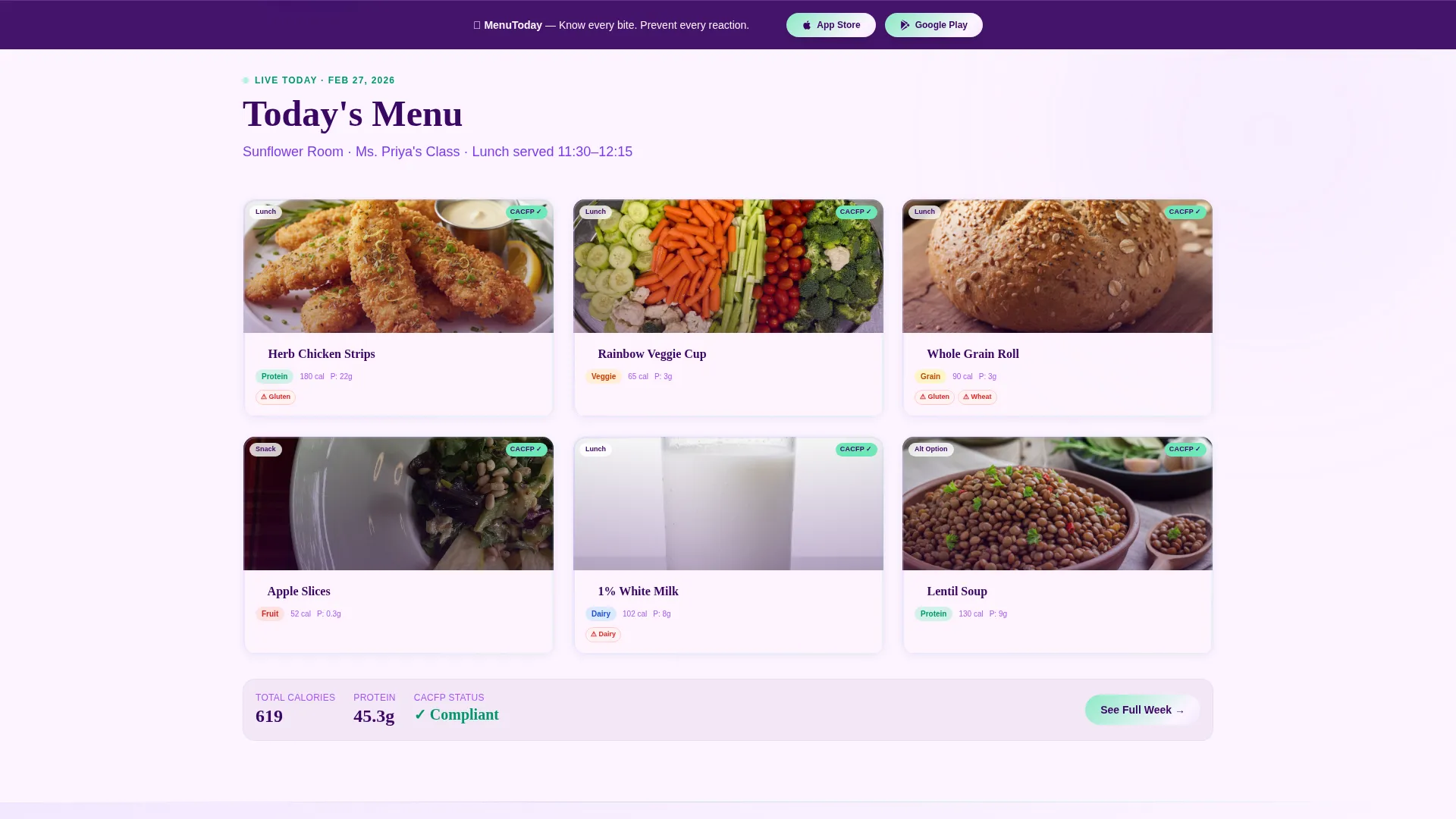
- Five anchor-nav spokes covering Today's Menu, Allergen Filter, Nutrition Dashboard, Parent Notifications, and Kitchen Admin
- Dual conversion paths: a primary app download call to action and a secondary demo booking email capture
Feature list
This template packs purposeful interactivity into every section. Each feature below maps directly to a real visitor need.
Anchor Navigation Hub
Five labeled spokes sit in a persistent anchor nav. Clicking any spoke smooth-scrolls the visitor to that feature section. The hub keeps orientation clear on a long, content-rich page.
Interactive Feature Spokes
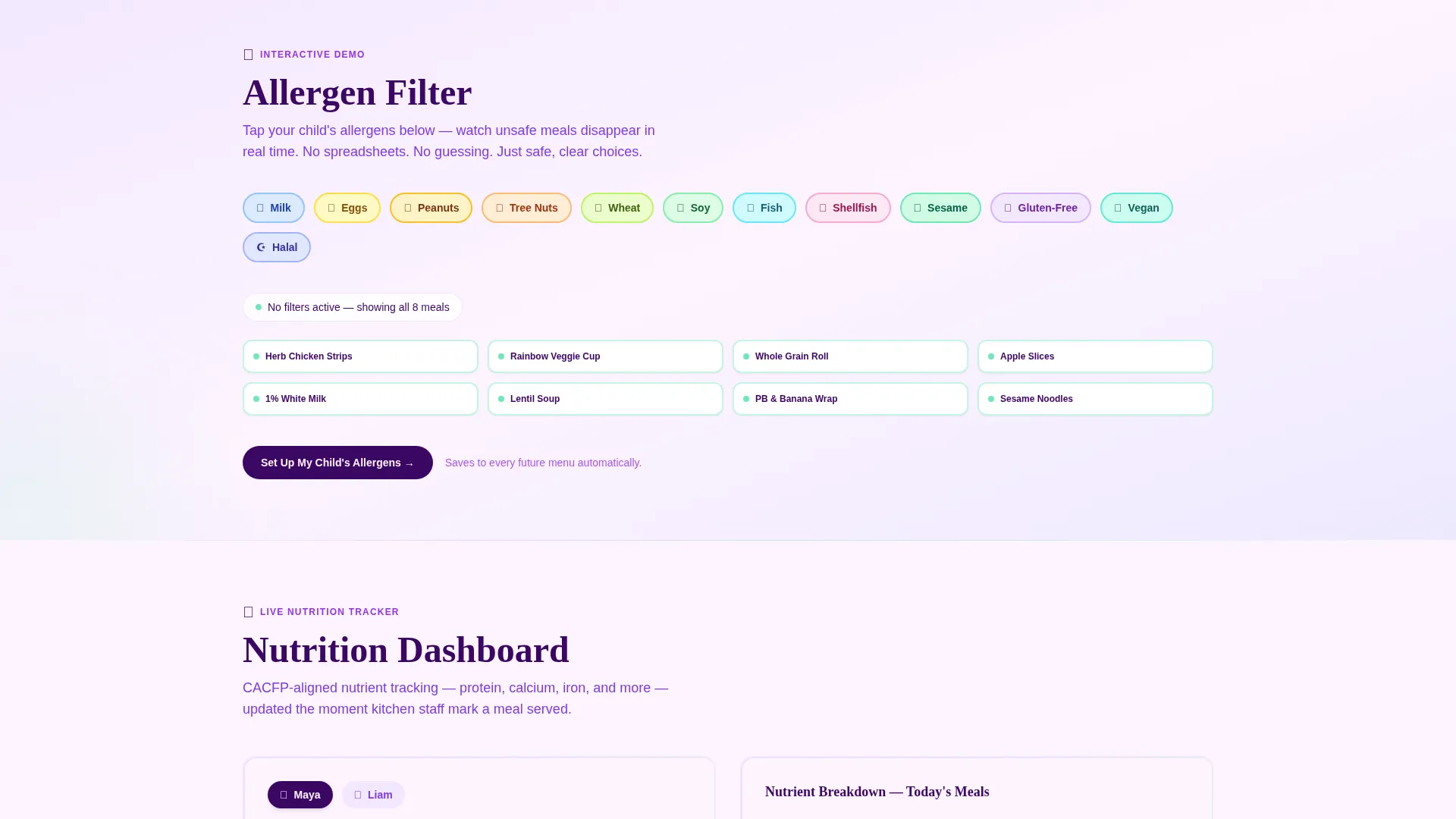
Each of the five spokes contains a functional micro-interaction. Visitors can drag to filter allergens, spin a nutrition wheel, and trigger a push notification simulator. The page behaves like a product demo, not a brochure.
Logo Bar with Compliance Badges
The header opens with a slow infinite marquee of daycare brand logos, CACFP compliance badges, and USDA icons against pearl white. This builds institutional trust before a visitor reads a single word of body copy.
Animated Lunchbox Hero Unit
Below the logo bar, the app name appears in oversized deep plum type alongside an animated lunchbox icon that opens and closes to reveal a tiny illustrated meal. It earns the scroll without requiring a hero image.
Dual Call-to-Action System
The primary call to action, "Download the Menu," pairs App Store and Google Play badges with a gentle iridescent pulse. A sticky bottom bar reinforces the download prompt after the second spoke. A secondary path captures director emails for demo booking.
Push Notification Simulator
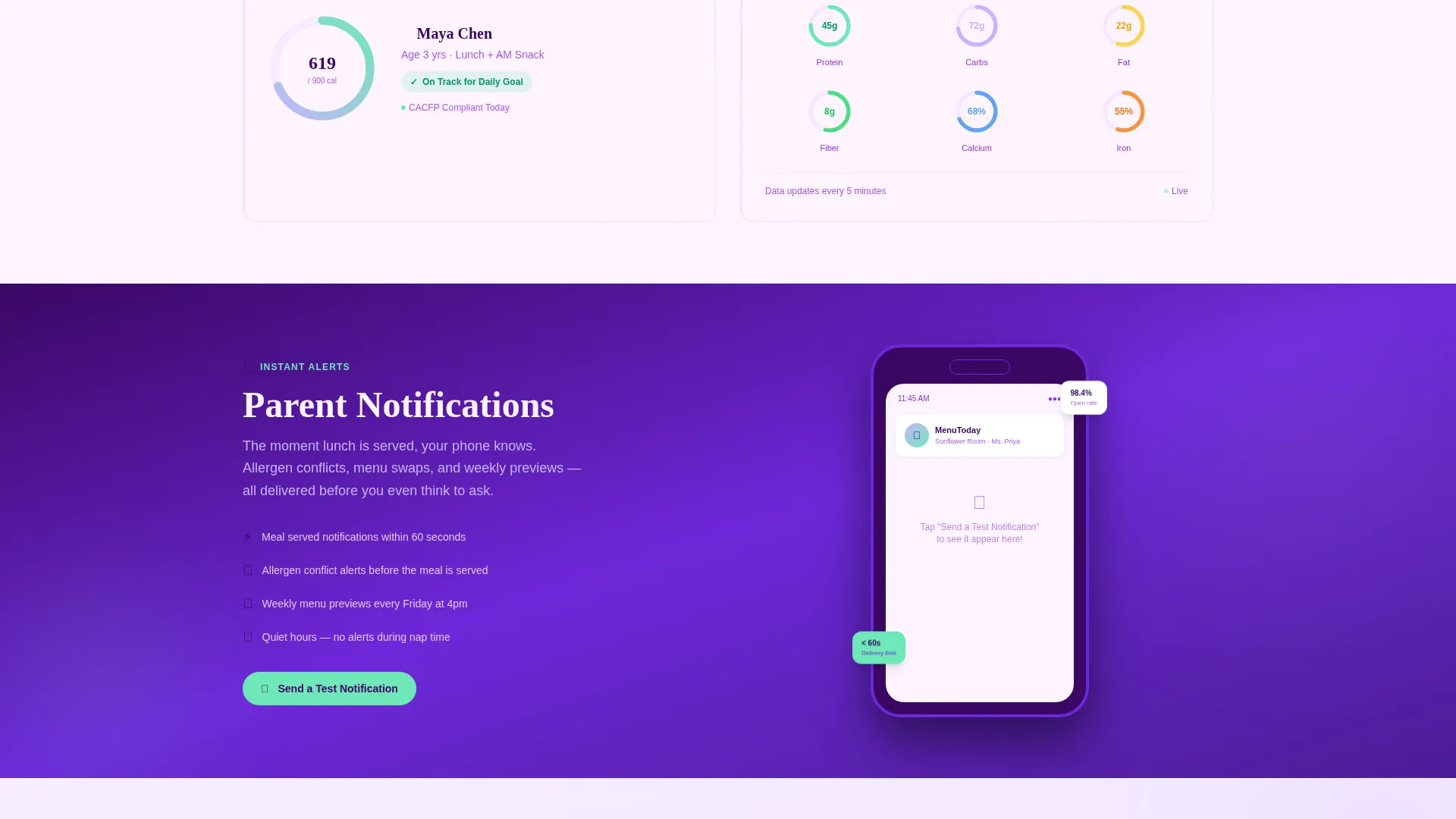
Inside the Parent Notifications spoke, a simulator pings the visitor's screen in real time. This single interaction communicates the app's core alert value faster than any written description could.
Page sections overview
| Section | Purpose |
|---|---|
| Logo Bar Header | Builds trust with compliance badges and partner logos |
| App Name Unit | Introduces brand with animated lunchbox illustration |
| Anchor Nav Hub | Routes visitors to five feature spokes |
| Today's Menu Spoke | Shows rotating meal display interaction |
| Allergen Filter Spoke | Demonstrates drag-to-filter dietary wall |
| Nutrition Dashboard Spoke | Features spinning nutrition wheel interaction |
| Parent Notifications Spoke | Runs live push notification simulator |
| Kitchen Admin Spoke | Previews bulk meal and admin controls |
| Primary Download call to action | Drives App Store and Google Play installs |
| Sticky Bottom Bar | Resurfaces download prompt after second spoke |
| Demo Booking Form | Captures director emails for buy-in conversations |
Design & branding system
The visual identity follows a Dynamic Motion theme built on an AI Iridescent color system. Every color choice has a functional role, not just an aesthetic one.
- Soft holographic lilac (#C4B5FD) and warm pearl white (#FDF4FF) form the background gradient canvas, shifting between sections to keep the page feeling alive
- Shimmering seafoam (#6EE7B7) marks interactive hotspots and success states, giving visitors instant visual feedback on hover and tap
- Deep plum (#3B0764) anchors all text and navigation elements for strong legibility against the lighter palette, with hover states delivering a subtle iridescent shimmer on every button
Mobile & speed optimization
The template is structured for the way parents actually use it: quickly, on a phone, usually around lunchtime. Every interactive element is built for touch-first behavior.
- Touchscreen mosaic layout makes rotating meal trays and allergen badges finger-friendly on small screens
- The sticky bottom bar and pulsing download badges remain accessible without scrolling back to the top
- Micro-interactions are scoped to individual spoke sections so the page loads context progressively as a visitor scrolls
How this template helps you convert
Every design and structural decision points toward one outcome: a visitor who downloads the app or books a demo. The page earns that action in stages.
- The logo bar and compliance icons establish credibility in the first two seconds, reducing drop-off before the first scroll
- The five interactive spokes give visitors a free taste of the real product, building purchase confidence through direct experience rather than persuasive copy
- The sticky download bar and dual call-to-action system keep the conversion option visible at every stage of the page, catching visitors who are ready at different moments
Other information about this template
This template sits at the intersection of daycare digital presence and app marketing. A few practical details worth knowing before you build with it.
- The template style is Hub and Spoke with Anchor Navigation, making it easy to extend with additional spokes if the app adds new features over time
- The CACFP (Child and Adult Care Food Program) and USDA badge slots in the logo bar are pre-positioned for real compliance assets, giving kitchen managers a natural place to surface their credentials
- The secondary demo booking form uses a single email field, keeping the director conversion path low-friction for stakeholders who need organizational sign-off before downloading
- The iridescent shimmer on hover states is achieved through the Dynamic Motion theme, which is consistent across buttons, badges, and interactive spoke elements throughout the page
Theme
Dynamic Motion
Creative direction
Interactive Explorer
Color system
AI Iridescent
Style
Hub & Spoke (Anchor Nav)
Direction
App Download
Page Sections
Anchor Navigation with Five Feature Spokes
Live Micro-interactions Per Spoke
Compliance Logo Bar Header
Animated Lunchbox Brand Unit
Dual Conversion Call-to-action System
Related questions
Who is this landing page template designed for?
Can I add more than five feature spokes to the anchor nav?
Does this template include the push notification simulator as a ready-to-use component?
What conversion paths does this template support?
Is this template suitable for a daycare that does not yet have a published app?



