Data Mesh Technology Cost Estimator Website Template
Mesh is a hub-and-spoke landing page template built for data mesh training and certification platforms. It opens with an animated metrics wall, moves directly into an interactive ROI calculator, and guides visitors through curriculum, certification tracks, and alumni outcomes via a sticky anchor nav. The design uses a deep terminal slate and sky-blue palette that feels like a production monitoring dashboard.
by Rocket studio
Quick summary
Mesh is a single-page, anchor-nav landing page template designed for data mesh training and certification platforms. It leads with live enrollment stats, delivers an ROI calculator before any pitch copy, and escalates through curriculum, certification tracks, and alumni outcomes. The Slate and Sky color system keeps the interface sharp and focused for a technical audience.
Who this template is for
This template is built for organizations and individuals running data mesh training programs or certification platforms. It speaks directly to the technically literate buyers who need to see evidence before they read a single marketing headline.
- Platform engineering leads who need to modernize bottlenecked central data teams
- Chief Technology Officers evaluating tools to move away from legacy lakehouses
- Individual contributors studying for promotion cycles who need a recognized credential
What problem this template solves
Most training platform pages bury the value proposition under generic hero images and vague benefit statements. Technical buyers switch off fast when a page cannot quantify its promise. This template solves that trust gap by leading with numbers and giving visitors a way to calculate their own return before they read the sales copy.
- Visitors arrive skeptical and leave before reaching the curriculum details
- There is no quantified business case to justify enrolling or recommending the program
- Sticky navigation is absent, so visitors lose context as they scroll through a long page
What you get with this template
You get a fully structured, single-page hub-and-spoke layout with a sticky anchor navigation system and every spoke already organized around the buyer journey of a data professional. The page flows from hard evidence to practical details to social proof, so no section feels out of place.
- An animated metrics wall header with four live-style stat cards showing enrollment, pass rates, salary uplift, and alumni outcomes
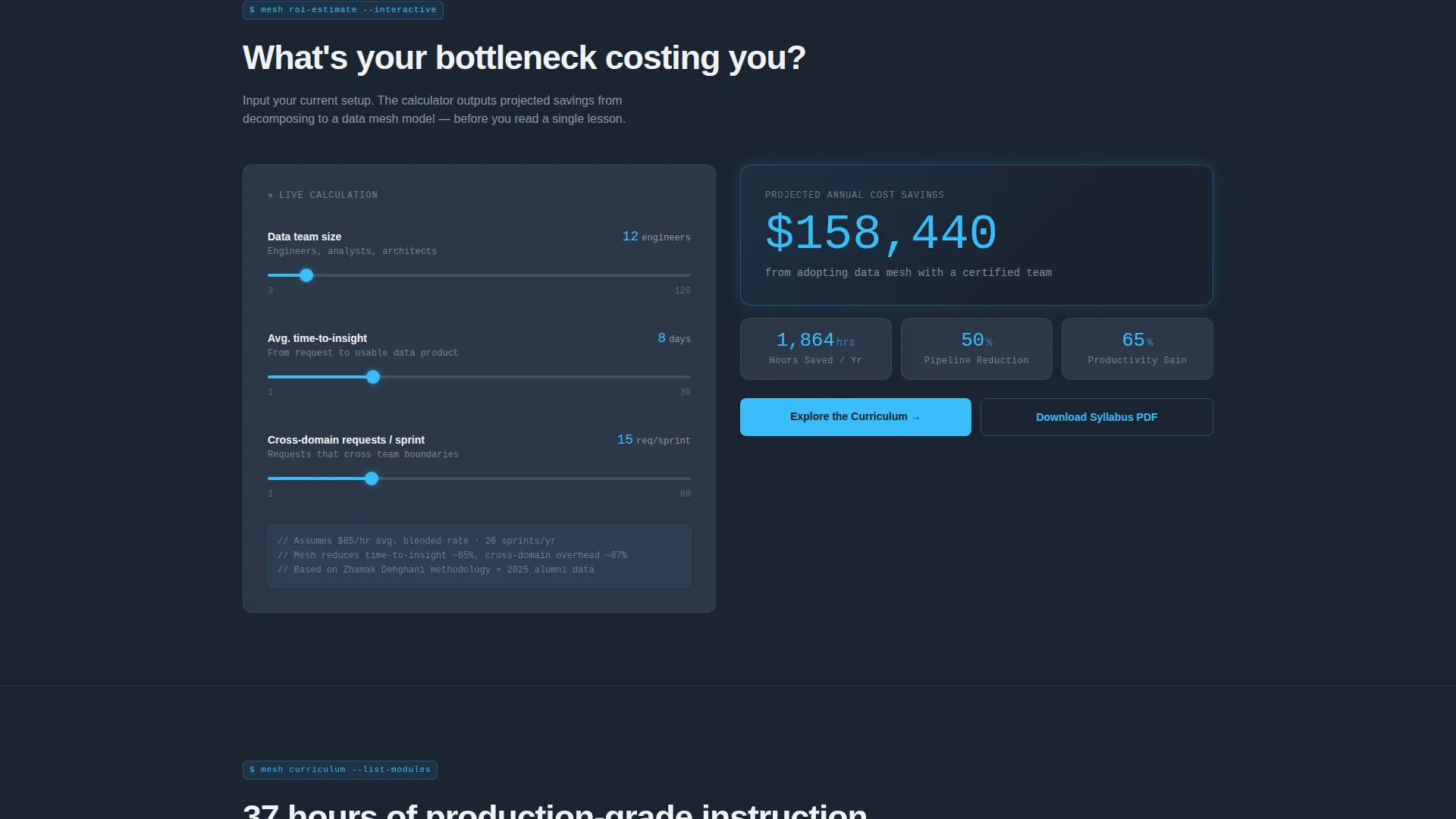
- An interactive ROI calculator as the first spoke, with inputs for team size, time-to-insight, and cross-domain requests per sprint
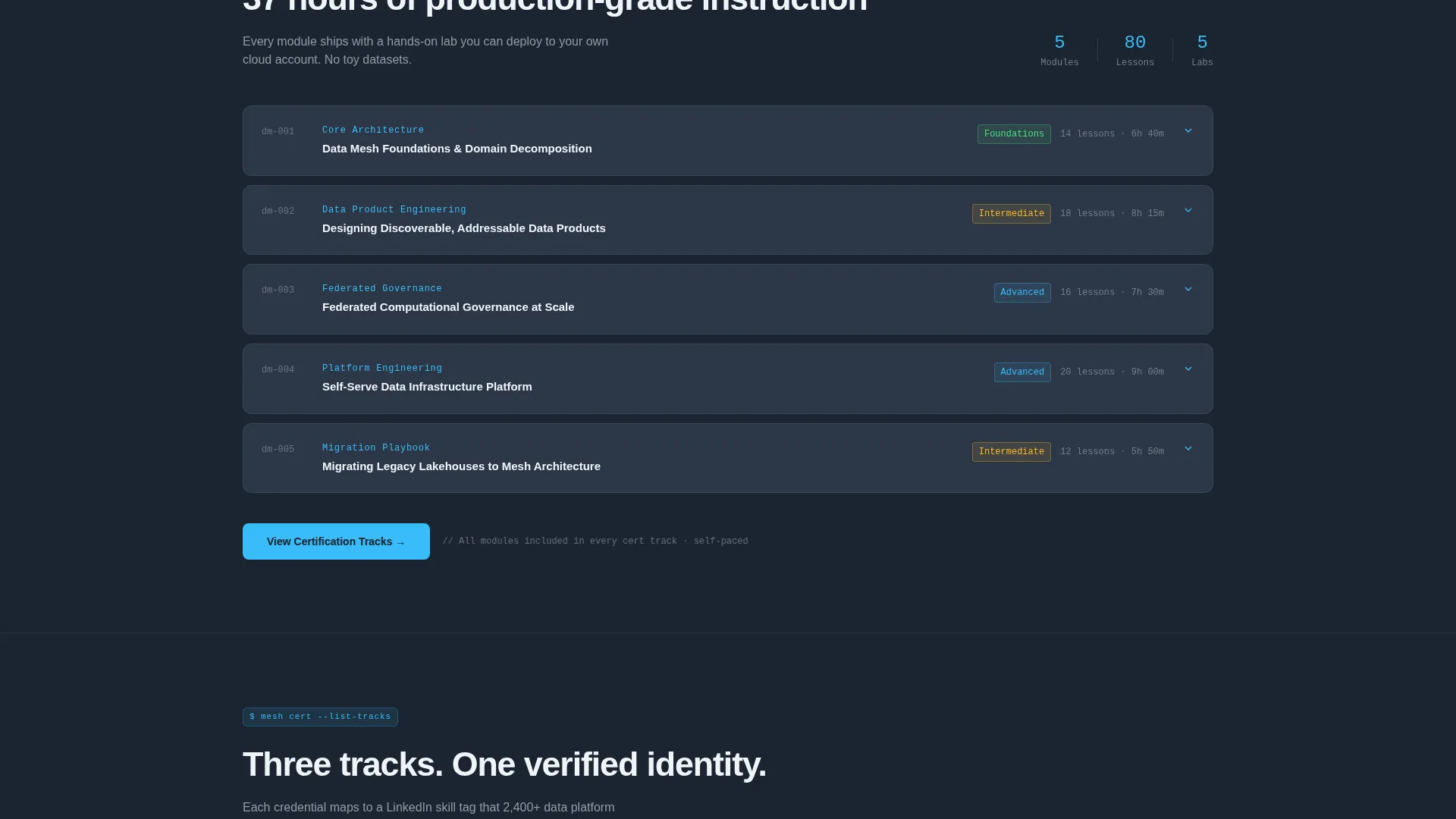
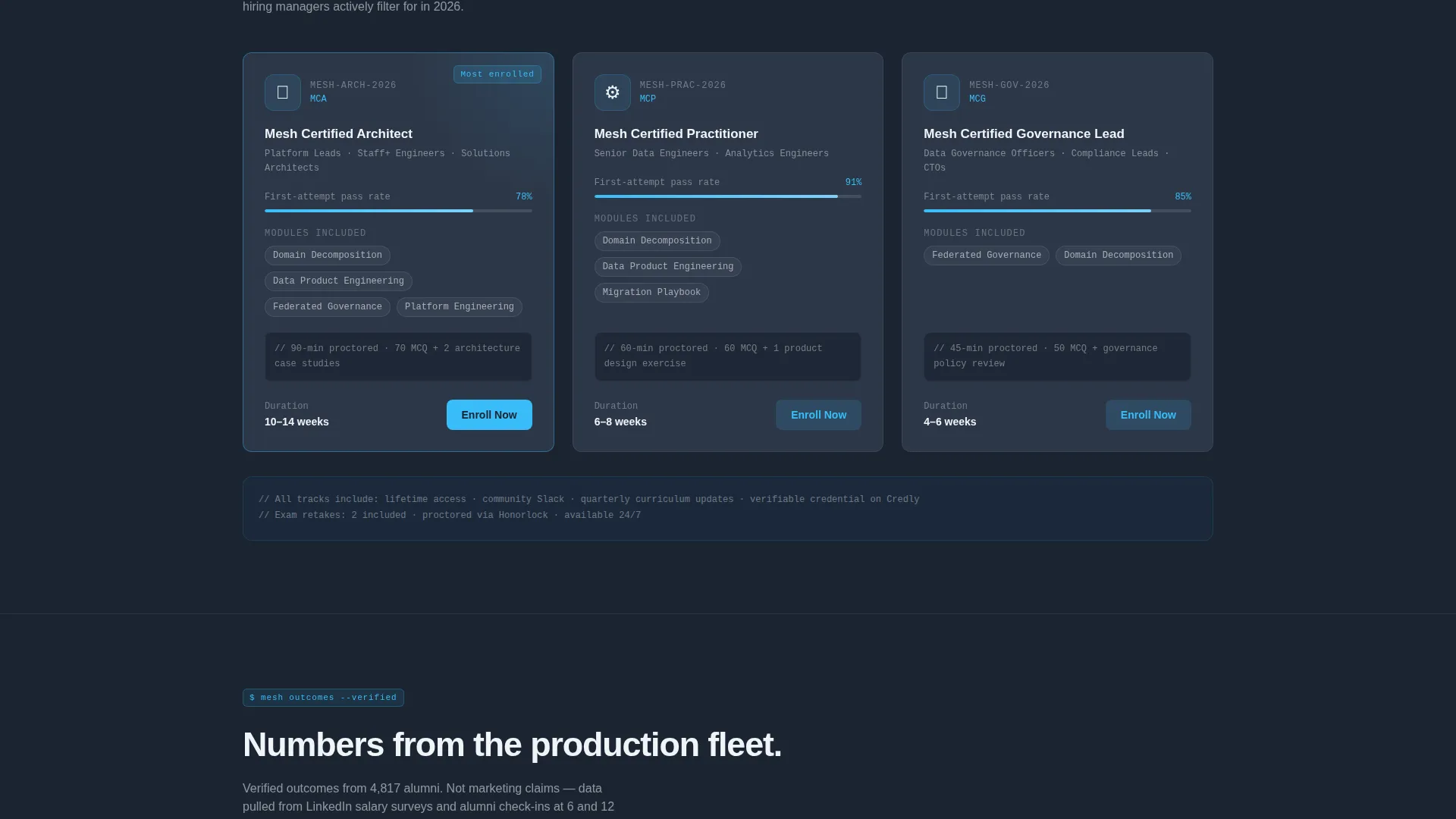
- Curriculum breakdown, certification track, instructor profiles, and alumni outcomes spokes with domain-native anchor labels
Feature list
This template ships with a focused set of components built specifically for a data mesh certification platform. Every feature below is present in the template as described in the source brief.
Animated Metrics Wall Header
Four oversized metric cards open the page with real enrollment numbers, certification pass rates, average salary uplift post-certification, and total data products shipped by alumni. Each number animates upward on page load using a counter effect, rendered in sky-blue on deep slate with micro-labels in cloud white. No hero image or stock photography is used.
Interactive ROI Calculator
The first spoke of the anchor nav is a fully interactive calculator. Visitors input their current team size, average time-to-insight in days, and the number of cross-domain data requests per sprint. The tool instantly outputs projected hours saved, pipeline reduction percentage, and estimated annual cost savings from adopting a data mesh model.
Sticky Anchor Navigation
A persistent navigation bar stays visible as visitors scroll through all spokes of the page. Labels use domain-native language such as Curriculum, Cert Tracks, and Outcomes. The primary call to action, "Explore the Curriculum," is embedded directly into the sticky nav for constant visibility.
Dual Call-to-Action System
The primary call to action routes visitors to a detailed course catalog page where they select a track and enroll. A secondary call to action, "Download the Syllabus PDF," captures email addresses for visitors who are not yet ready to commit. Both actions are positioned strategically around the calculator output.
Hub and Spoke Section Architecture
Each spoke covers a distinct stage of the buyer journey: curriculum breakdown, certification path details, instructor profiles, and alumni outcomes. The scroll sequence moves from quantified problem to structured solution to verified results. This architecture keeps visitors oriented and reduces drop-off at each stage.
Page sections overview
| Section | Purpose |
|---|---|
| Metrics Wall Header | Display live enrollment and outcome stats |
| ROI Calculator Spoke | Quantify team-level savings before pitch copy |
| Curriculum Breakdown | Detail course modules and learning path |
| Certification Tracks | Explain available credential paths and requirements |
| Instructor Profiles | Build trust through instructor background and credibility |
| Alumni Outcomes | Show salary uplift data and career results |
| Sticky Anchor Nav | Maintain orientation and surface primary call to action |
| Syllabus PDF Capture | Collect email from visitors not ready to enroll |
Design & branding system
The visual identity follows a Dashboard Pro theme built around a Slate and Sky color system. The palette is designed to feel like a well-configured monitoring dashboard: dark enough for long reading sessions, with blue signals that guide the eye to high-value interactions.
- Deep terminal slate (#1B2432) dominates backgrounds and card surfaces throughout the page
- Sky-blue (#38BDF8) marks every interactive element, progress indicator, and animated counter
- Cloud white (#F0F4F8) is used for body text and data labels, sitting cleanly against all dark surfaces
Mobile & speed optimization
The template is structured to deliver a clean, readable experience on smaller screens without losing the data-dense visual language of the desktop layout. The metric cards and calculator inputs are arranged to reflow gracefully on mobile viewports.
- Metric cards stack vertically on mobile while preserving counter animations and label hierarchy
- The sticky anchor nav collapses cleanly so it does not obstruct content on narrow screens
- Calculator input fields and output results are sized for touch interaction without layout breakage
How this template helps you convert
The conversion strategy in this template is built around a single principle: quantify the problem before making the ask. By the time a visitor reaches the primary call to action, they have already seen their own numbers in the calculator output.
- The ROI calculator runs before any pitch copy appears, so visitors calculate their own business case and arrive at the curriculum section already convinced
- The primary call to action, "Explore the Curriculum," appears in the sticky nav and immediately after the calculator output, making the next step visible at every scroll position
- The email capture for the syllabus PDF gives hesitant visitors a low-commitment option, keeping them in the funnel without requiring immediate enrollment
Other information about this template
This template is purpose-built for the data mesh training and certification niche. It is designed to serve platforms teaching engineers to decompose monolithic pipelines into domain-owned data products with federated governance. The layout logic reflects how technical buyers evaluate a training investment: they want evidence first and marketing copy second.
- The template is categorized under Technology, specifically the Data Mesh Technology subcategory
- The hub-and-spoke structure makes it straightforward to extend or reorder spokes without disrupting the overall page flow
- The Dashboard Pro theme and Slate and Sky color system are designed to feel native to practitioners already working in data infrastructure tooling
- Page type is a single-page landing page with anchor-based internal navigation, not a multi-page website

Theme
Dashboard Pro
Creative direction
Calculator/Tool First
Color system
Slate & Sky
Style
Hub & Spoke (Anchor Nav)
Direction
Click-Through
Page Sections
Animated Metrics Wall Header
Interactive ROI Calculator
Sticky Anchor Navigation
Dual Call-to-action System
Hub and Spoke Section Architecture
Related questions
Who is this landing page template designed for?
What does the ROI calculator actually do?
What are the two calls to action included in this template?
Can I change the color system to match my own brand?
Is this template suitable for a solo instructor or a larger training organization?



