Mesh - Electric Spatial Landing Page Template
Mesh is a hub-and-spoke landing page template built for an open-source spatial computing toolkit. It combines a live stats dashboard header, an anchor navigation rail, and five interactive explorer sections into a single bold page. The Electric Indigo color system and animated telemetry elements make the project feel alive before a visitor reads a single line of documentation.
by Rocket studio
Quick summary
Mesh is a single-page, hub-and-spoke landing page template designed for an open-source spatial computing project. It opens with an animated metrics dashboard, guides visitors through five interactive concept sections via a fixed anchor nav, and closes with a dual-call to action download path. The design runs on an Electric Indigo palette against void black for a sharp, high-contrast developer aesthetic.
Who this template is for
This template is built for technical builders who want a landing page that feels as capable as the project it represents. It speaks directly to developers and contributors who are done with closed-platform lock-in.
- XR engineers and indie developers prototyping mixed-reality or spatial computing apps
- Research labs and open-source contributors who want a credible, high-energy project hub
- Developer-tool maintainers who need a page that drives repo clones and app downloads
What problem this template solves
Open-source spatial computing projects often launch with a README and nothing else. A flat documentation page does not communicate the energy, capability, or community behind a framework that lets people build hand-tracked interfaces and room-scale overlays.
- Visitors cannot understand the project's scope from a static text page alone
- There is no clear path from curiosity to first install without a guided, interactive structure
- Community momentum metrics like stars, commits, and contributors are buried rather than celebrated
What you get with this template
This template gives you a complete, ready-to-customize landing page with interactive sections, a live-data header, and a clear download funnel. Every major section has a defined purpose, and the structure rewards both linear scrollers and curious explorers.
- Animated stats dashboard header pulling real repo metrics like commits, contributors, and GitHub stars
- Five interactive spoke sections covering Track, Map, Place, Share, and Ship with browser-based demos
- Platform-detecting download path with copy-ready package manager commands and a companion app button
Feature list
This template delivers a focused set of purpose-built components. Each one supports a specific part of the visitor journey, from first impression to first install.
Animated Telemetry Dashboard Header
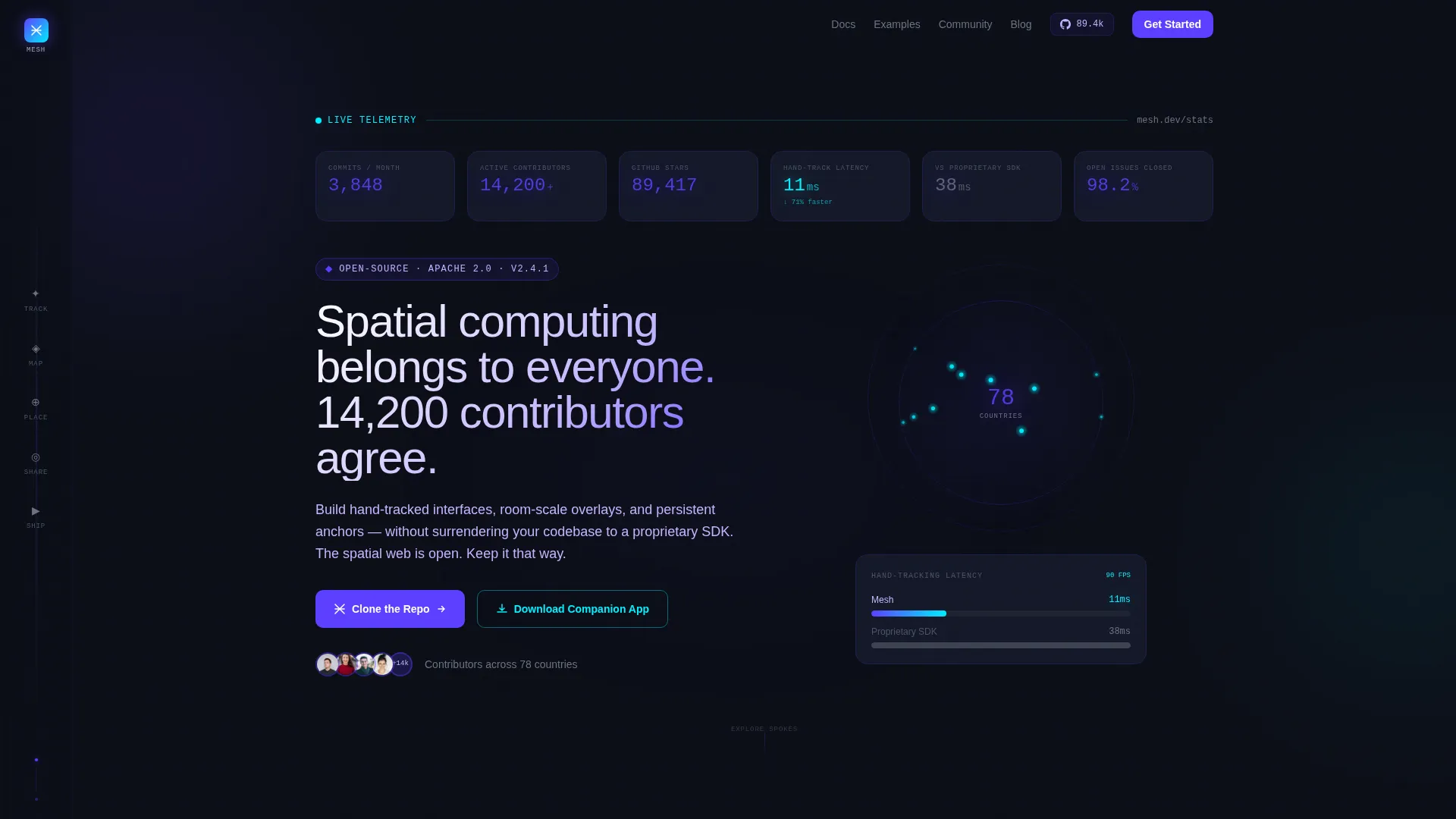
The header is a live metrics wall, not a static hero image. Oversized monospace numbers display total commits, active contributors on a spinning globe dot-map, GitHub stars updating in real time, and hand-tracking latency benchmarks. Numbers pulse faintly against void black to signal that the project is alive and moving.
Fixed Hub-and-Spoke Anchor Navigation
A left-rail anchor nav stays fixed as visitors scroll. Five spokes labeled with spatial verbs, Track, Map, Place, Share, and Ship, each scroll directly to their corresponding interactive section. The structure lets visitors jump to the concept they care about most without losing their place on the page.
Five Interactive Explorer Sections
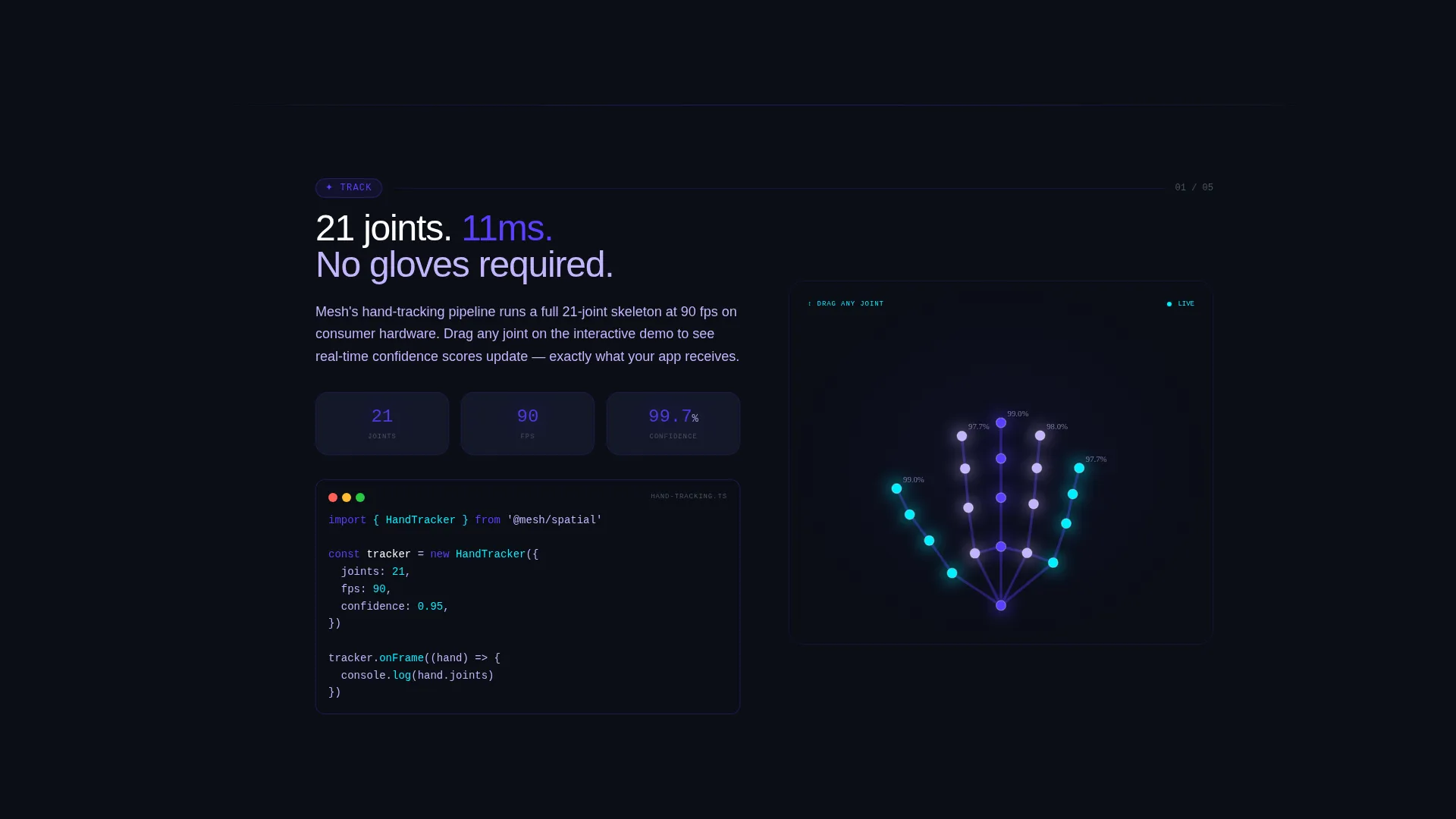
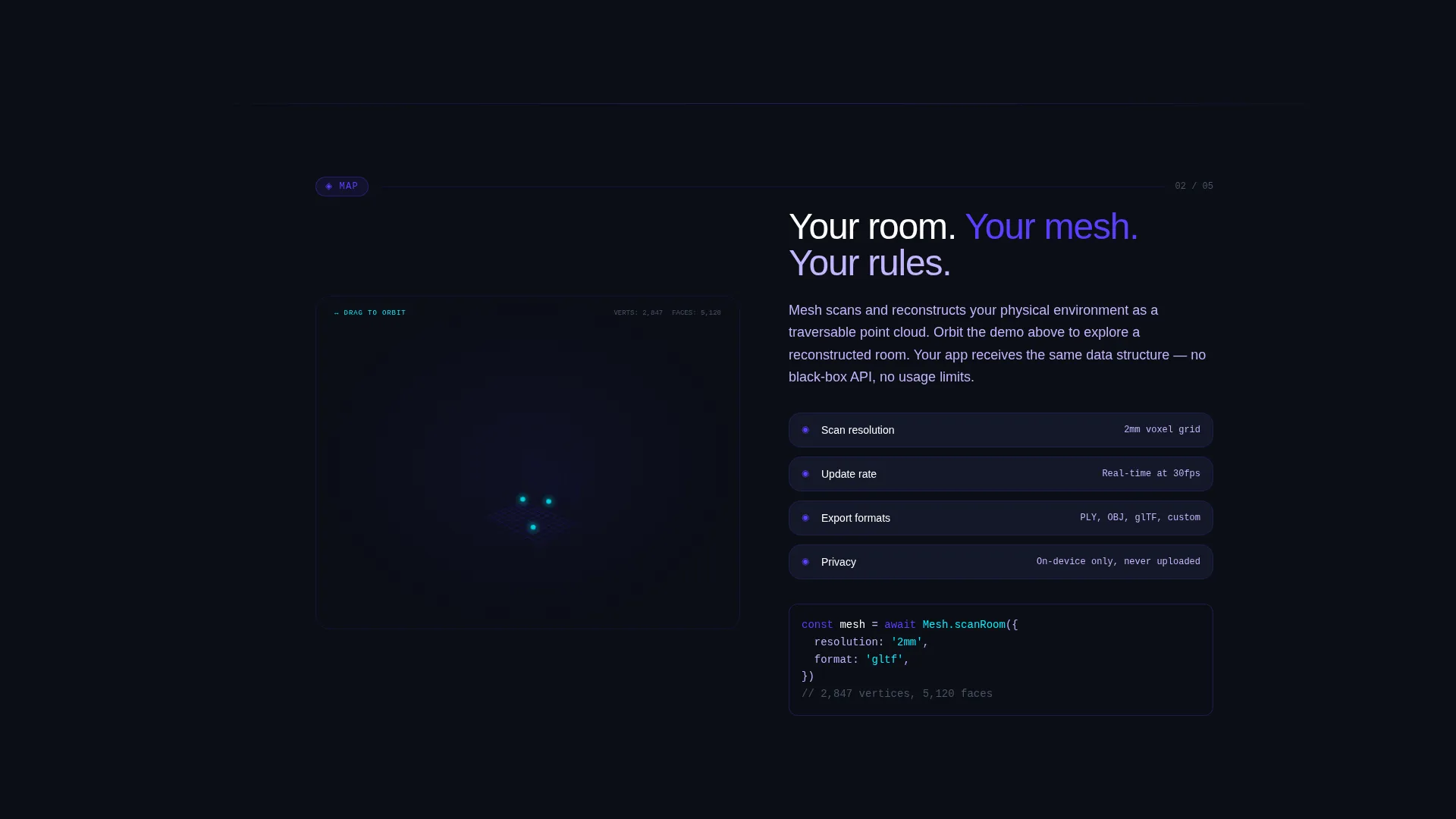
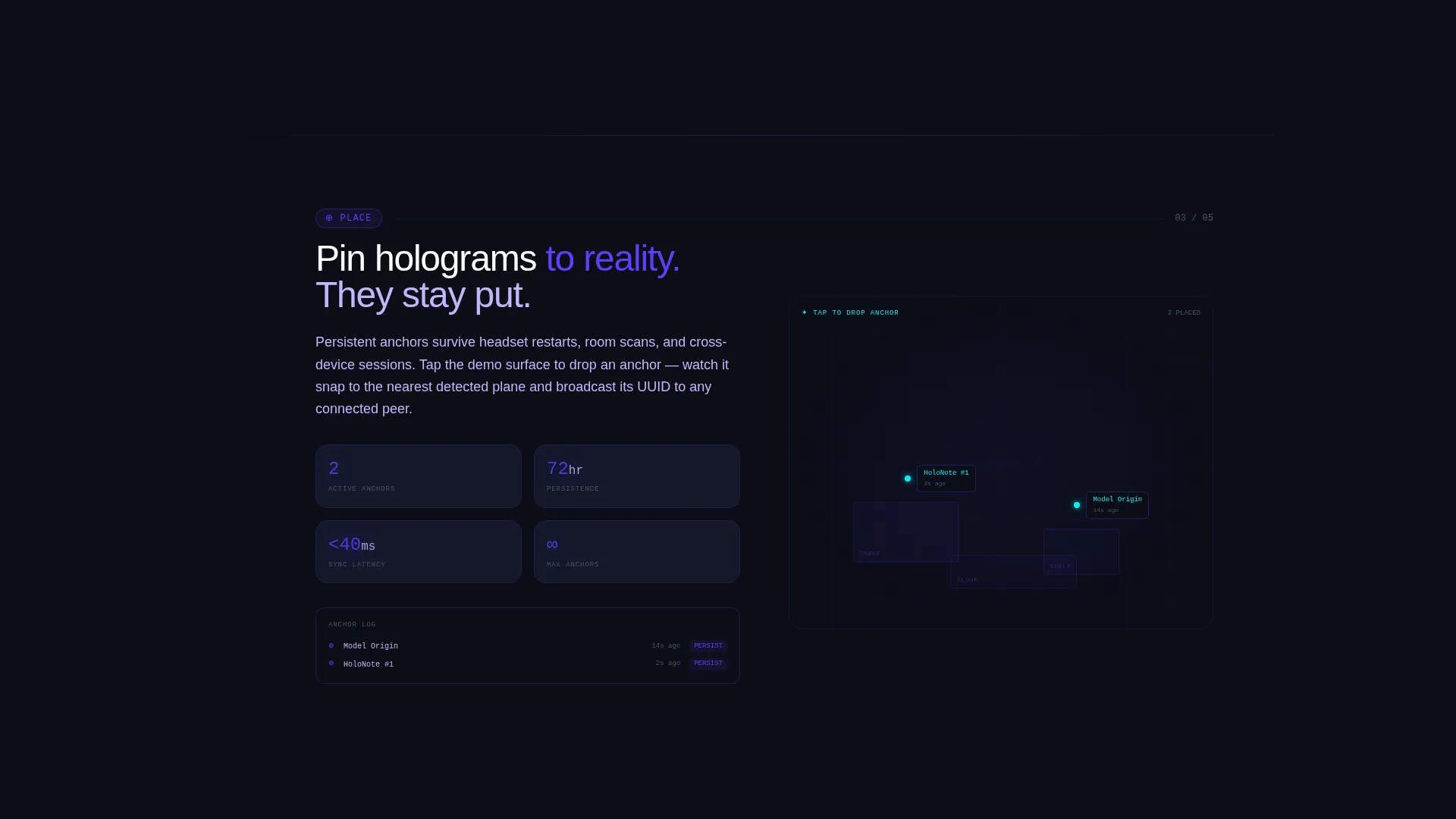
Each spoke destination is more than a description block. Visitors interact with a draggable three-dimensional hand skeleton for Track, an orbitable room-mesh wireframe for Map, and a tap-to-drop anchor demo for Place. These browser-based interactions demonstrate the framework's capability in real time.
Platform-Detecting Download Path
The primary call-to-action is a "Clone the Repo" button. Below it, a secondary button offers "Download the Companion App" for the on-headset visual debugger. The download block auto-detects the visitor's platform and displays the correct package manager command, brew, apt, or npm, in a copy-ready code block.
Friction-Killing Video Tutorial Section
Below the fold, a "First Spatial App in 7 Minutes" video tutorial removes hesitation. It shows the install is real, the documentation is approachable, and the first build completes quickly. This section converts curious visitors into active developers.
Self-Typing Headline with Community Proof
The hero headline types itself onto the screen: "Spatial computing belongs to everyone. 14,200 contributors agree." The animated text pairs community scale with a direct philosophical statement, building trust before a visitor scrolls anywhere.
Page sections overview
| Section | Purpose |
|---|---|
| Stats Dashboard Header | Displays live repo metrics and animated contributor activity |
| Self-Typing Headline | Delivers the core project statement with community proof |
| Anchor Nav Rail | Provides fixed left-side navigation to all five spoke sections |
| Track Explorer | Interactive draggable hand skeleton demonstrating hand-tracking |
| Map Explorer | Orbitable room-mesh wireframe for spatial mapping concept |
| Place Explorer | Tap-to-drop anchor demo for persistent surface pinning |
| Share Explorer | Deepens the collaborative spatial layer technical story |
| Ship Explorer | Covers the build-to-deploy narrative for shipping spatial apps |
| Download call to action Block | Dual-button path with platform-detecting package manager commands |
| Video Tutorial Section | "First Spatial App in 7 Minutes" walkthrough to reduce install friction |
Design & branding system
The template uses a four-color Electric Indigo system built around a void black canvas. Every color carries a specific role, so the page never feels arbitrary or decorative for its own sake.
- Void black (#0B0E17) is the primary background, making every glow and highlight feel intentional
- Electric indigo (#5B3FFF) drives interactive elements, anchor nav highlights, and focal call-to-action moments
- Phosphor lilac (#C4B5FD) handles secondary text, diagram labels, and supporting copy
- Signal cyan (#00F0FF) is reserved strictly for live data readouts and hover state feedback
Mobile & speed optimization
The template is structured to work across device sizes without losing the interactive character that makes it compelling. Responsive behavior is built into the layout system.
- The hub-and-spoke anchor nav adapts for smaller screens so key sections remain reachable
- Interactive explorer sections and animated header elements are scoped to load progressively
- The platform-detecting download block and copy-ready code snippets render cleanly on mobile viewports
How this template helps you convert
Every structural decision in this template points toward a single outcome: turning a curious visitor into an active contributor or app installer.
- The live metrics dashboard establishes credibility in the first seconds, showing real community scale before anyone reads a feature description
- The interactive explorer sections prove capability directly in the browser, removing the need for a visitor to imagine what the framework can do
- The dual-path download block with platform detection removes the final friction point between interest and first install
Other information about this template
This template is part of the Startup Velocity theme family, which applies high-energy visual design to technical and developer-focused projects. A few additional details worth knowing before you use it:
- The template style is hub and spoke with anchor navigation, meaning visitors can explore sections in any order rather than following a strict scroll path
- The creative direction is Interactive Explorer, so the page is built around in-browser demos rather than screenshots or video placeholders
- The header concept is a Stats and Metrics dashboard, which requires a live data source or a real-time data feed to display accurate repo numbers
- The landing page direction is App Download, so the primary and secondary call-to-action blocks are optimized for driving installs and repo clones
- The Startup Velocity theme is well-suited for open-source projects that want to signal momentum and community trust alongside technical depth
Theme
Startup Velocity
Creative direction
Interactive Explorer
Color system
Electric Indigo
Style
Hub & Spoke (Anchor Nav)
Direction
App Download
Page Sections
Animated Telemetry Dashboard Header
Fixed Hub-and-spoke Anchor Navigation
Five Interactive Explorer Sections
Platform-detecting Download Block
Friction-killing Video Tutorial
Related questions
Can I customize the color palette in this template?
Do the interactive explorer sections require a specific framework to run?
What do I need to connect the live stats dashboard?
Can visitors navigate this page without using the anchor nav?
Is this template suitable for a spatial computing project that is not open source?



