Meter - Powerful Utility Landing Page Template
Meter is a hub and spoke landing page template built for utility booking services. It leads with an interactive booking calculator, guides visitors through three quick selections, and surfaces an estimated price range before asking for contact details. The design uses a dark navy and cyan palette with amber calls to action, making the page feel live, authoritative, and built to convert.
by Rocket studio
Quick summary
Meter is a single-page utility booking template with an anchor navigation rail and a calculator-first layout. Visitors select property type, service, and preferred week in three steps. The page then reveals service breakdowns, a coverage map, landlord testimonials, and a compliance deadline ticker. Every section connects through purposeful motion that makes a complex booking flow feel instant.
Who this template is for
This template is built for utility service businesses that need to turn website visitors into booked appointments without a long back-and-forth process.
- Letting agents managing compliance certificates across multiple rental properties
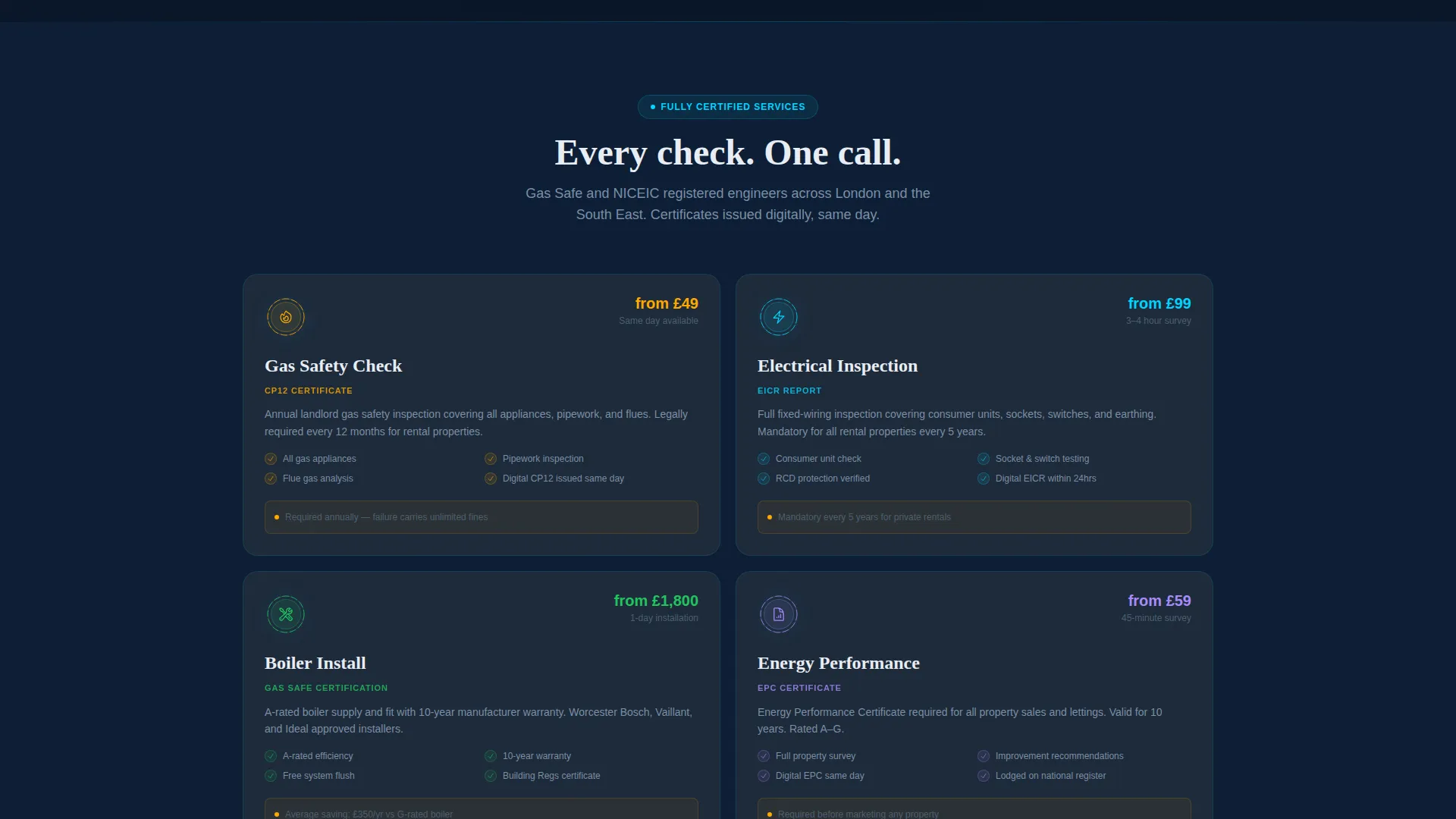
- Utility contractors offering gas safety checks, electrical inspections, boiler installs, and Energy Performance Certificate assessments
- Facilities managers scheduling recurring property inspections for commercial buildings
What problem this template solves
Booking a utility inspection usually means phone calls, emailed forms, and waiting for a quote that never arrives quickly enough. This template removes that friction by leading with the tool itself.
- Visitors get an estimated price range before they share any personal details
- The progressive form captures postcode, service type, property count, and preferred contact method in a clear sequence
- A secondary lead path offers a downloadable landlord compliance checklist for visitors who are planning but not yet ready to book
What you get with this template
You get a fully structured, single-page booking landing page with five anchor-linked spoke sections and a floating call-to-action button that follows the visitor on scroll.
- An interactive three-step booking calculator with micro-animations and a progress ring
- A sticky anchor navigation rail with five labeled spokes: Book, Quote, Services, Areas, and Contact
- A compliance deadline ticker, a postcode coverage map, and a testimonials section with certificate thumbnails
Feature list
This template packages every element a utility booking business needs to go from first impression to confirmed lead.
Three-Step Booking Calculator
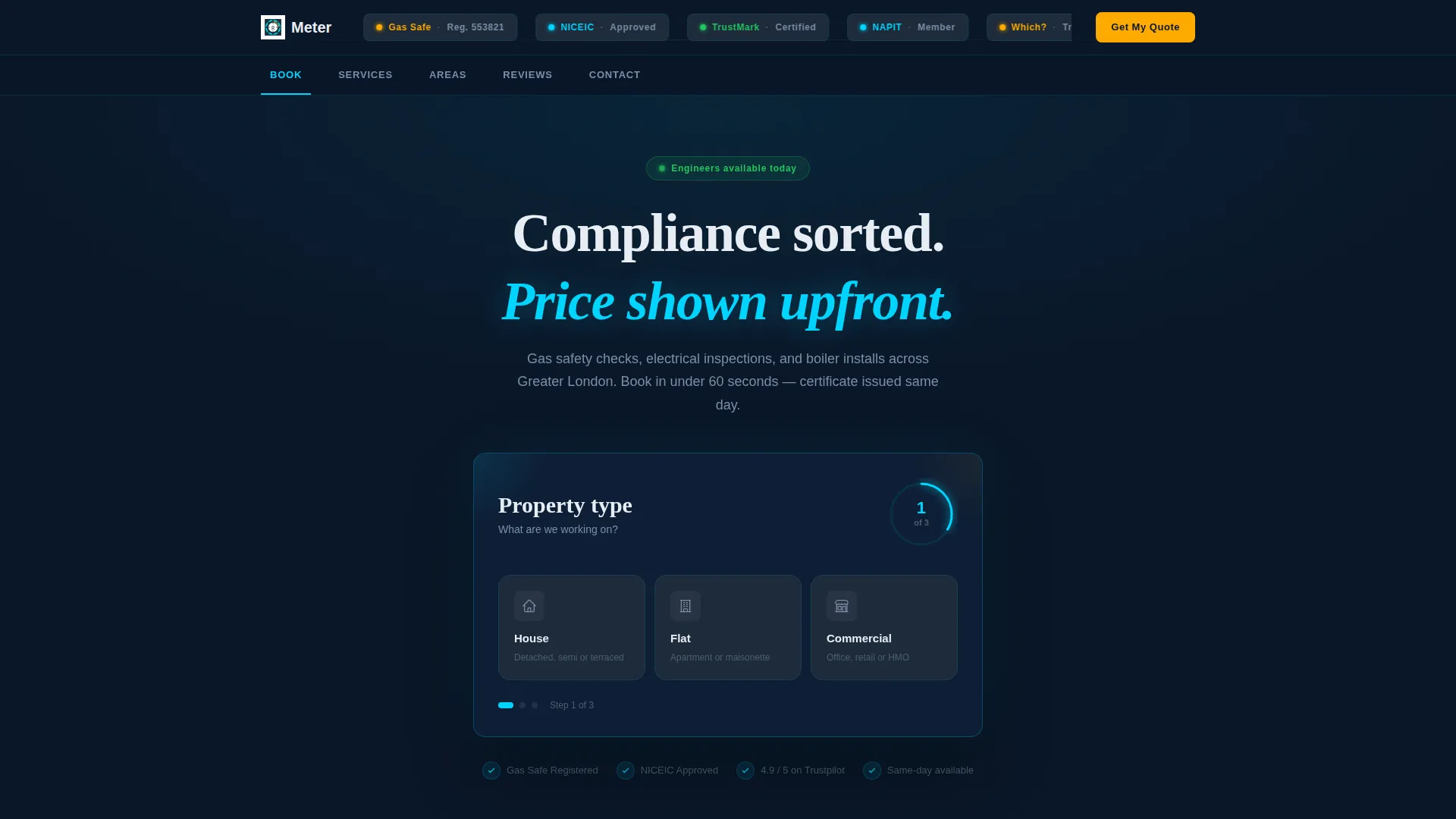
The calculator opens immediately after the logo bar, asking three questions in sequence: property type, service needed, and preferred week. Each selection triggers a card-slide animation and a filling progress ring. The amber call-to-action button brightens only after the third selection, so the visitor feels earned momentum before they click.
Animated Service Breakdown
Below the calculator, each service category uses iconography that assembles on scroll like a circuit diagram coming to life. Gas, electrical, boiler, and Energy Performance Certificate services each get a dedicated visual treatment. This section doubles as a trust signal, showing the full scope of work the business handles.
Postcode Coverage Map
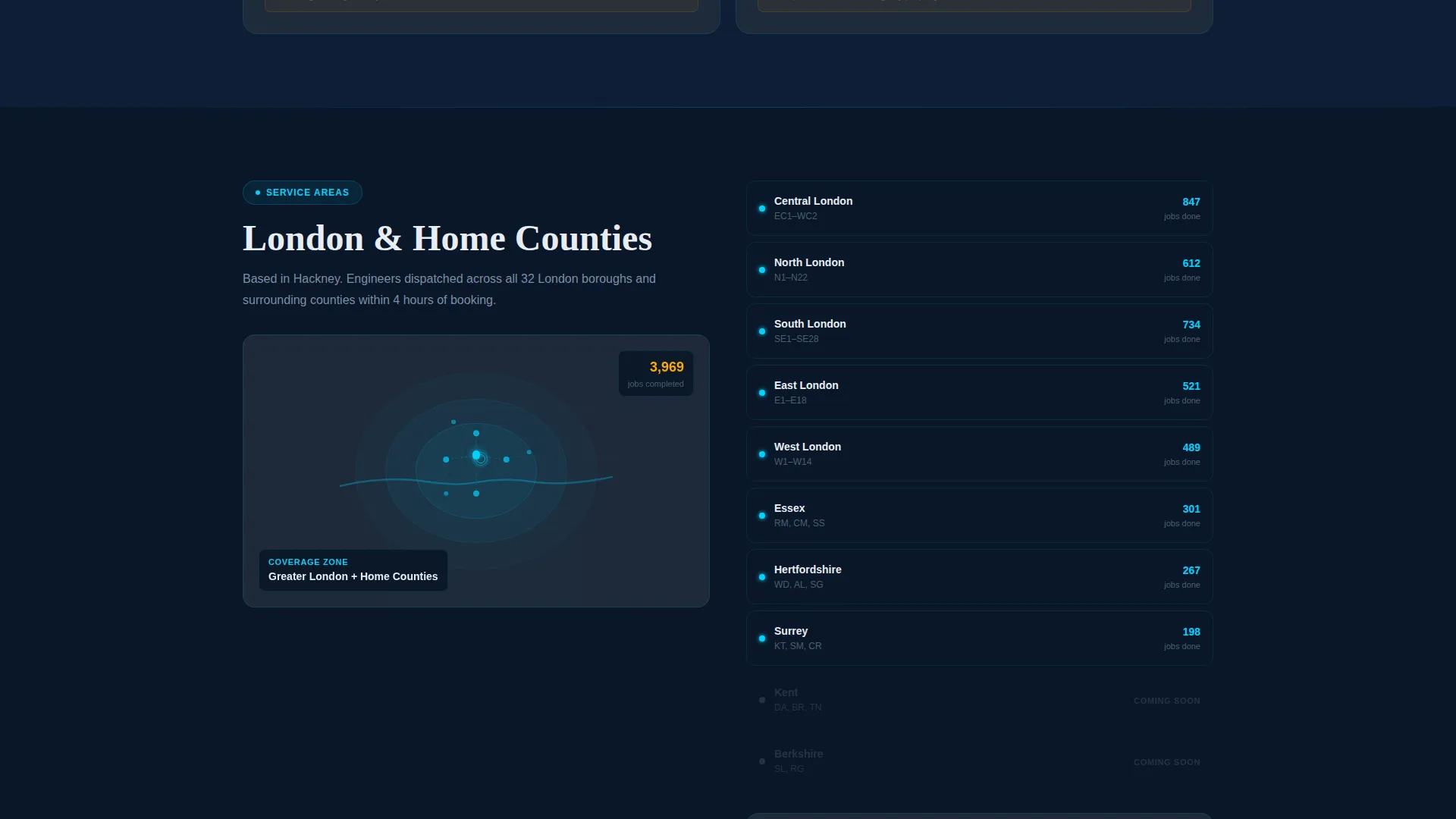
A pulsing map radiates outward from the company's operational base to show which areas are covered. Visitors can quickly confirm they are within range without needing to call or search through text. The pulse animation reinforces the live, active feel of the overall design system.
Compliance Deadline Ticker
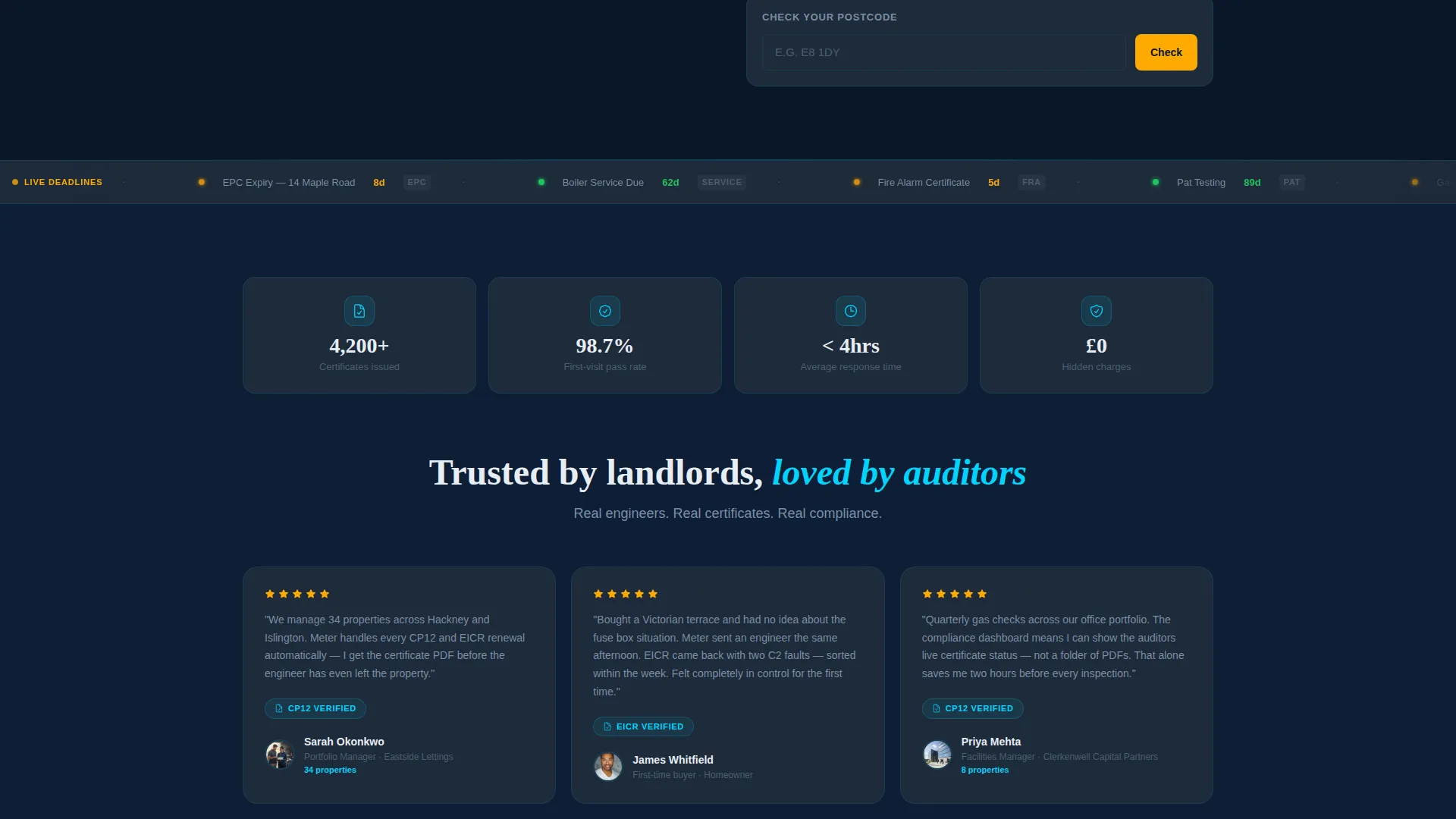
A dedicated display shows the number of days remaining until common regulatory deadlines. This is aimed directly at landlords and facilities managers who need to act before an audit or certificate expiry. The urgency is visual and data-driven, not just a generic warning banner.
Gated Checklist Lead Capture
A secondary conversion path offers a downloadable landlord compliance checklist. It sits behind a single email field, giving cautious visitors a low-commitment reason to share their details. This path captures planning-stage leads that the primary booking form would otherwise miss.
Floating Amber call to action Button
The primary "Get My Quote" call-to-action appears first inside the calculator and then reappears as a persistent floating button as the visitor scrolls. It uses the safety-rated amber color exclusively, so it stands out against every background section on the page without visual noise.
Page sections overview
| Section | Purpose |
|---|---|
| Logo Bar Header | Displays company mark and trusted certification badges with kinetic drift |
| Sticky Anchor Nav | Keeps five spoke links visible and highlights the active section on scroll |
| Booking Calculator | Guides visitors through three selections and shows a price estimate |
| Service Breakdown | Presents each service with animated circuit-style iconography |
| Coverage Map | Shows operational postcode areas with a pulsing radial animation |
| Landlord Testimonials | Builds trust with real quotes and certificate thumbnail images |
| Compliance Ticker | Shows days remaining to key regulatory deadlines |
| Checklist Lead Capture | Gates a compliance checklist behind an email field for planning-stage leads |
| Contact Spoke | Closes the page with a direct contact form and preferred contact method selector |
Design & branding system
The template runs on a Midnight Blue color system that feels like a smart-meter display glowing in a dark utility cupboard. Every color has an assigned role and does not drift outside it.
- Deep control-panel navy (#0A1628) dominates all background sections, charcoal (#1E2A3A) grounds body cards and text areas, and live-wire cyan (#00D4FF) traces interactive paths, progress indicators, and active navigation states
- Safety-rated amber (#FFAA00) appears exclusively on call-to-action buttons and compliance urgency flags, making every required action immediately visible
- The Dynamic Motion theme ties sections together through purposeful animation: progress rings, card slides, circuit-assembly iconography, and the pulsing map all imply energy moving through a connected system
Mobile & speed optimization
The layout is built around a single-page scroll structure, which keeps the navigation path short and the interaction model consistent across screen sizes.
- The sticky anchor nav condenses cleanly for smaller viewports, keeping the five spoke labels accessible without taking up reading space
- The booking calculator uses progressive disclosure, showing one question at a time with no scroll required inside the form, which keeps the interaction comfortable on a phone screen
- The floating call-to-action button is sized and positioned for thumb reach, ensuring the primary conversion trigger is always within easy tap distance
How this template helps you convert
The page is designed around a single principle: earn the click before asking for the commitment.
- The calculator shows a price range estimate before requesting any personal information, which removes the most common reason visitors leave without engaging
- The compliance deadline ticker and amber urgency flags create genuine time-based motivation for landlords and facilities managers who have a real regulatory deadline approaching
- The dual lead-capture paths, the booking form and the gated checklist, mean the page converts both ready-to-book visitors and early-research visitors in the same session
Other information about this template
This template is categorized under Technology and the Utility Company Vertical SaaS subcategory, reflecting its positioning as a purpose-built booking tool rather than a generic service page.
- The hub and spoke structure with anchor navigation makes it straightforward to adapt spoke labels and section order to match a specific service territory or business focus
- The certification badge strip in the logo bar is designed to accommodate Gas Safe, NICEIC, and TrustMark marks, which are the standard trust signals in the United Kingdom utility compliance market
- The template style is a single landing page, not a multi-page site, so all content lives in one scrollable document connected by the sticky nav rail
Theme
Dynamic Motion
Creative direction
Calculator/Tool First
Color system
Midnight Blue
Style
Hub & Spoke (Anchor Nav)
Direction
Lead Generation
Page Sections
Three-step Booking Calculator
Compliance Deadline Ticker
Animated Service Breakdown
Postcode Coverage Map
Gated Compliance Checklist
Floating Amber Call to Action Button
Related questions
Who is this template designed for?
Does the booking calculator show pricing before asking for contact details?
Can I use this template to capture leads who are not ready to book yet?
What services does the template cover out of the box?
How does the anchor navigation work?



