Instant Performance Analytics Landing Page Template
Pulse is a split-screen analytics landing page template built for real-time data platforms. It pairs static feature explanations with live, interactive mini-dashboards that visitors can actually hover, filter, and click. With a dark Data Command visual identity and an app-download flow built around a one-line install command, this template turns curiosity into confident action.
by Rocket studio
Quick summary
Pulse is a single-page template designed for real-time analytics platforms. It uses a 50/50 split-screen layout where every left panel explains a feature and every right panel is a working, interactive demo. Visitors touch the product before they read a call to action. The Electric Indigo color system and terminal-style header make the platform feel alive from the first scroll.
Who this template is for
This template is built for technical product teams launching or repositioning a real-time analytics platform. It speaks directly to the people who evaluate tools under pressure and need proof before they commit.
- DevOps engineers monitoring deployment pipelines and infrastructure health in real time
- Growth product managers tracing conversion leaks between sprint cycles
- Data team leads who need to demonstrate return on investment to executive stakeholders
What problem this template solves
Most analytics product pages describe capability without demonstrating it. Visitors read bullet points about speed and insight but leave with nothing proven. Pulse solves that gap by putting interactive visualizations inside the page itself.
- Static screenshots fail to communicate the speed and responsiveness of a real-time platform
- Generic hero sections do not establish trust with technical audiences who evaluate tools critically
- A buried or generic call to action wastes the momentum built by strong feature copy
What you get with this template
You get a fully structured, single-page layout designed to move technical buyers from curiosity to install. Every section is purposefully sequenced to build confidence before asking for action.
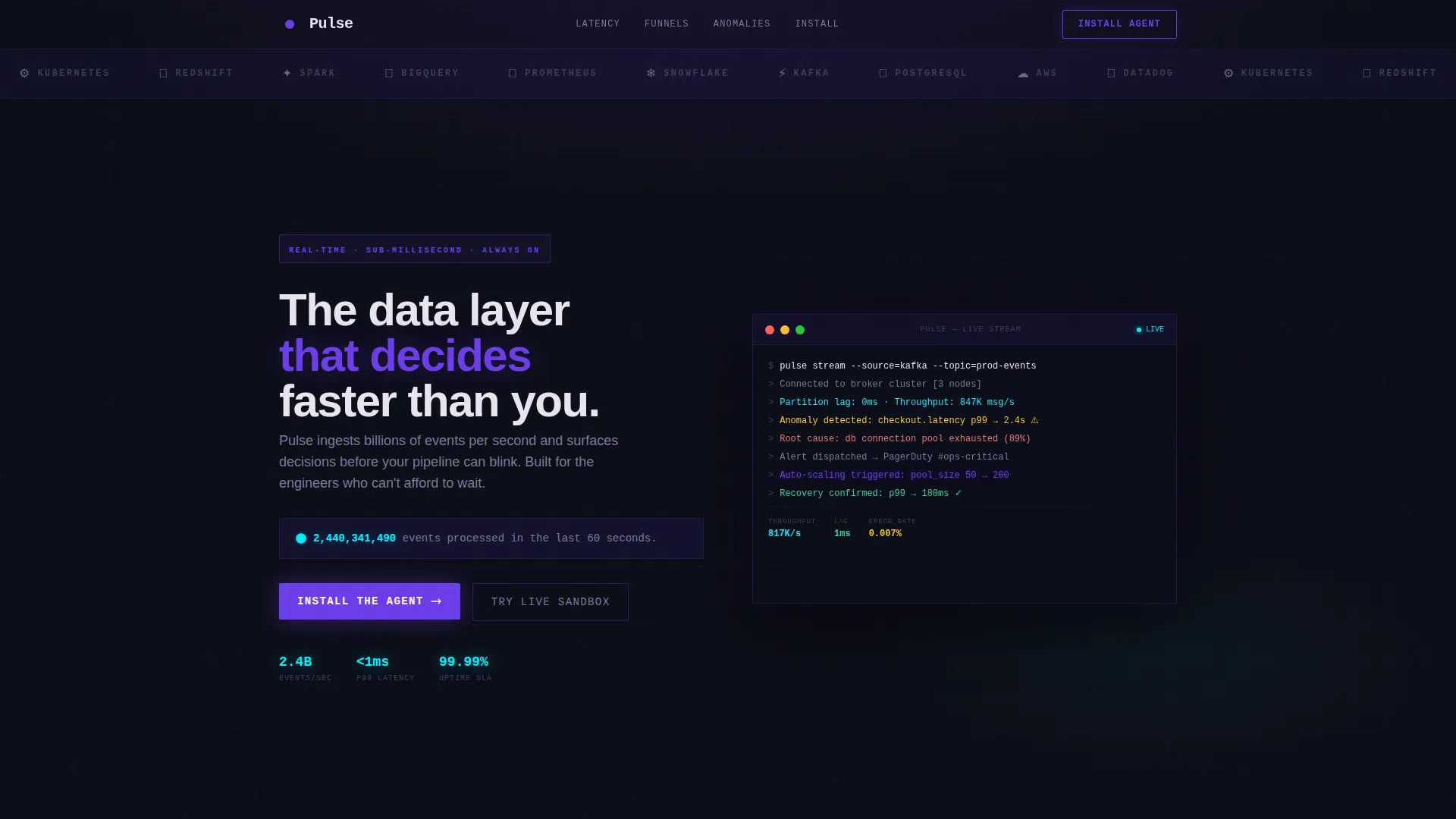
- A terminal-style animated header with a live event counter and an integration logo bar
- Three interactive split-screen feature sections with hoverable, filterable, and draggable visualizations
- A platform-aware install call to action block with a macOS, Linux, and Docker toggle and a copyable install command
Feature list
This template ships with purpose-built components that work together to demonstrate a real-time analytics platform in a way that static pages simply cannot.
Animated Terminal Header
The header opens with a monospaced typewriter line that renders character by character, simulating a live terminal output. The event count ticks upward in real time, making the platform's processing power the very first thing a visitor experiences.
Integration Logo Bar
A horizontal strip of recognizable integration logos scrolls at a deliberate pace against the void-black background. It establishes technical credibility within the first half-second of the page load, before a visitor reads a single word of copy.
Interactive Latency Histogram
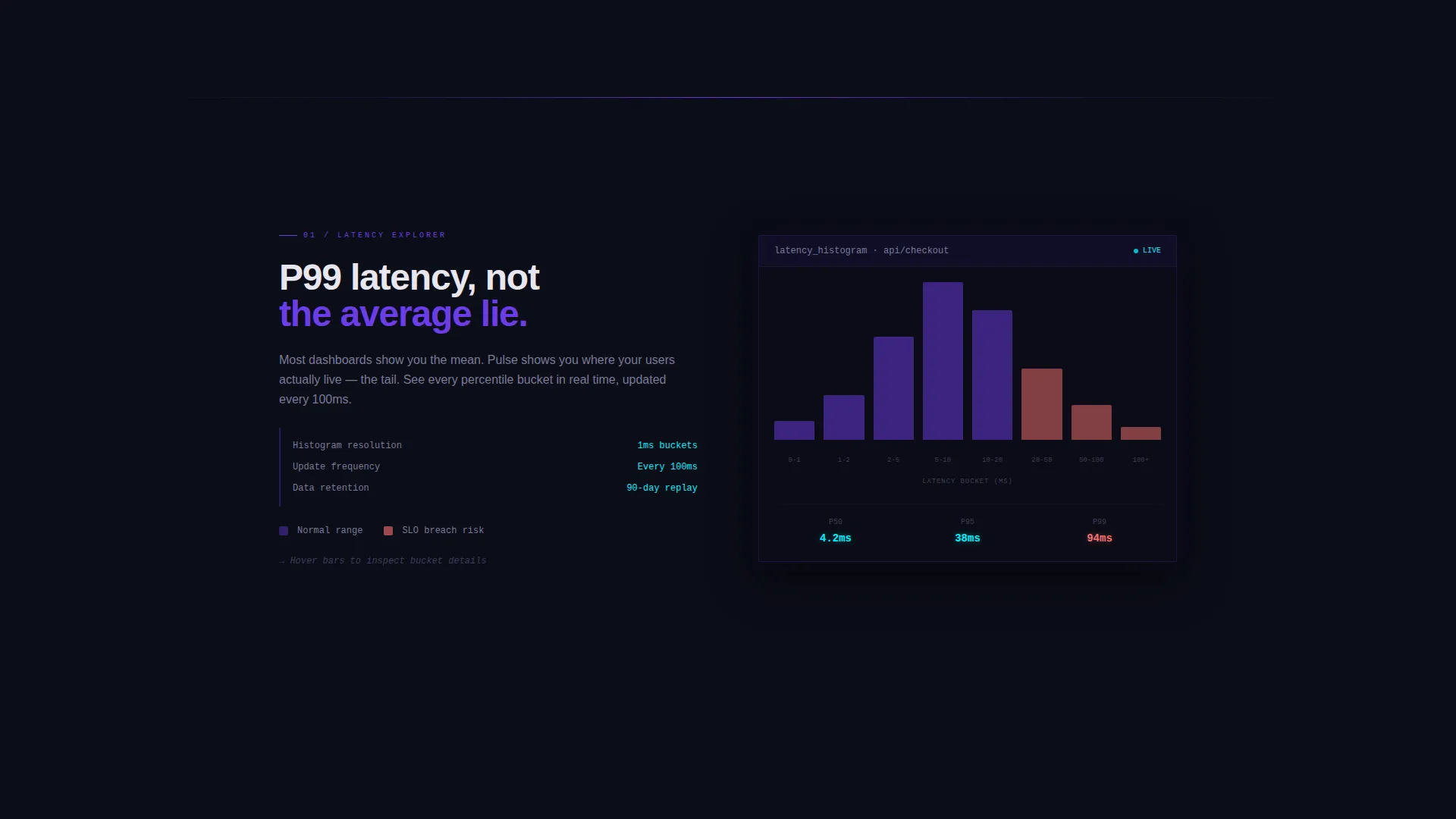
The first split-screen section features an animated bar chart that responds to scroll. Bars animate into view as the visitor enters the section, turning a passive scroll into an active demonstration of latency data behavior.
Draggable Funnel Visualization
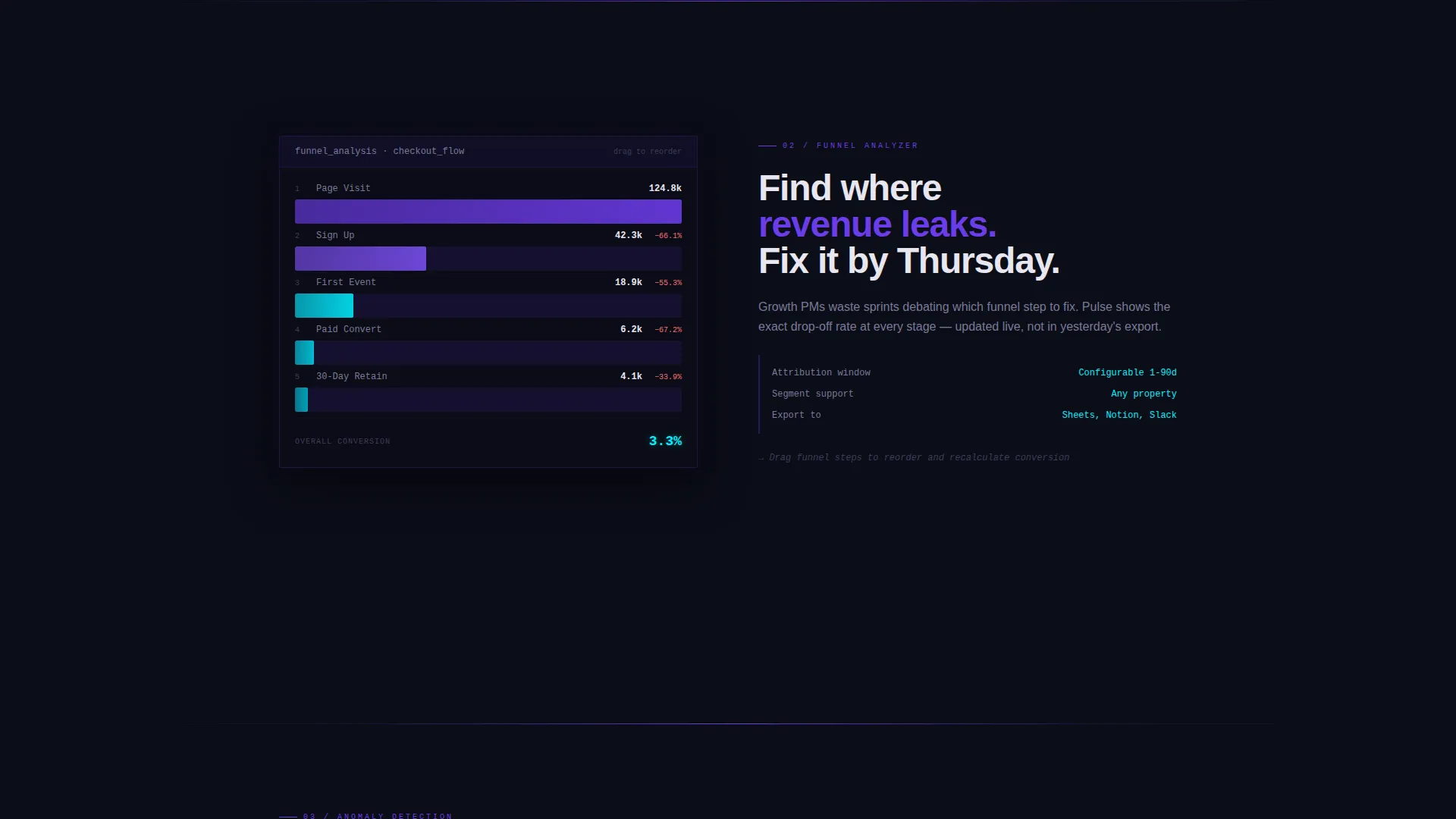
The second split-screen section presents a conversion funnel that visitors can reorder by dragging segments. This hands-on interaction teaches the product's analytical flexibility without requiring a signup or a sales call.
Anomaly Detection Timeline
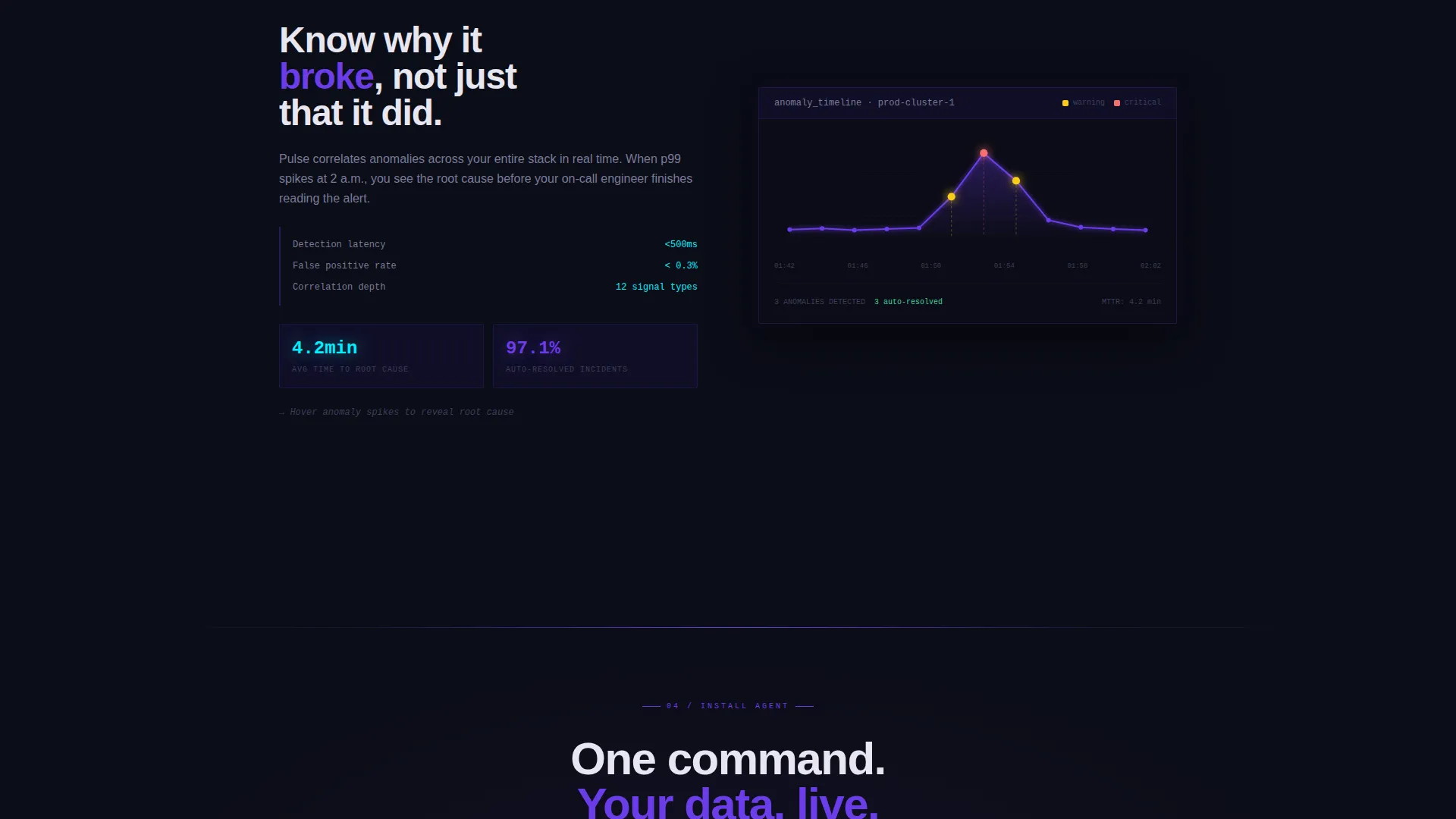
The third interactive panel shows a timeline of events with spike markers. Hovering over any spike reveals a root-cause annotation, mimicking the exact workflow a data engineer or on-call responder would use inside the real product.
Platform-Toggle Install call to action
The primary call-to-action block features a toggle between macOS, Linux, and Docker. Selecting a platform dynamically swaps the displayed install command, which visitors can copy in one click. A secondary link directs users to a no-signup browser sandbox.
Page sections overview
| Section | Purpose |
|---|---|
| Integration Logo Bar | Establish credibility with recognizable tool logos |
| Terminal Event Counter | Show live processing scale immediately |
| Latency Histogram Panel | Animate scroll-triggered bar chart |
| Funnel Visualization Panel | Enable drag-to-reorder funnel interaction |
| Anomaly Detection Panel | Reveal root-cause data on hover |
| Install Command call to action | Drive app download with platform toggle |
| Live Sandbox Link | Offer a no-signup secondary conversion path |
Design & branding system
The visual identity follows a Data Command theme that makes every color feel earned by something actively computing. The palette is dark, precise, and purposefully technical.
- Void black (#0B0D17) as the primary background, deep indigo (#1A1440) for card surfaces and section breaks, electric violet (#6C3CE9) for interactive elements and hover states, and phosphor cyan (#00F0FF) for live data accents and metric highlights
- Monospaced typography used in the terminal header to reinforce a command-line aesthetic and signal familiarity to technical audiences
- A deliberate absence of hero imagery, with data visualizations serving as the visual centerpiece throughout the page
Mobile & speed optimization
The template is structured with a single-page scroll flow that keeps layout complexity manageable across screen sizes. Interactive panels are designed to adapt without losing the core demonstration value.
- Split-screen sections are built to reflow gracefully on smaller viewports so feature explanations remain readable
- The install call to action block and platform toggle are positioned to stay prominent and functional regardless of screen size
How this template helps you convert
Pulse earns the conversion by letting visitors use the product before they commit. The page is sequenced to escalate from observation to interaction to intent.
- The terminal header and live event counter set immediate credibility, so visitors understand the platform's scale in the first few seconds of the page
- Three interactive feature panels build progressive familiarity, moving the visitor from watching animated data to dragging and hovering inside live visualizations
- The install call to action arrives after that earned trust, offering a specific platform-matched command and a no-signup sandbox as a lower-friction alternative path
Other information about this template
Pulse is a strong fit for real-time analytics platform teams that need a landing page capable of communicating both technical depth and product confidence. It is especially relevant for platforms built on event-driven architectures where demonstrating speed and responsiveness is central to the sales conversation.
- The template style is Split Screen (50/50), making it straightforward to adapt copy and visuals for different feature angles without restructuring the layout
- The Interactive Explorer creative direction means the right-side panels can be updated with new visualization types as the product evolves
- The App Download landing page direction makes this template a practical fit for developer-focused go-to-market campaigns where a frictionless install path is the primary conversion goal
Theme
Data Command
Creative direction
Interactive Explorer
Color system
Electric Indigo
Style
Split Screen (50/50)
Direction
App Download
Page Sections
Animated Terminal Header with Live Counter
Scrolling Integration Logo Bar
Three Interactive Split-screen Panels
Anomaly Detection Timeline with Hover Annotations
Platform-toggle Install Command Block
No-signup Sandbox Secondary Call to Action
Related questions
Can I update the integration logos in the header?
Do I need design experience to customize the color system?
Is the platform-toggle install command functional out of the box?
Can I replace the interactive panels with static visuals?
Who is the secondary call to action designed for?



