Stripe Documentation Cost Calculator Website Template
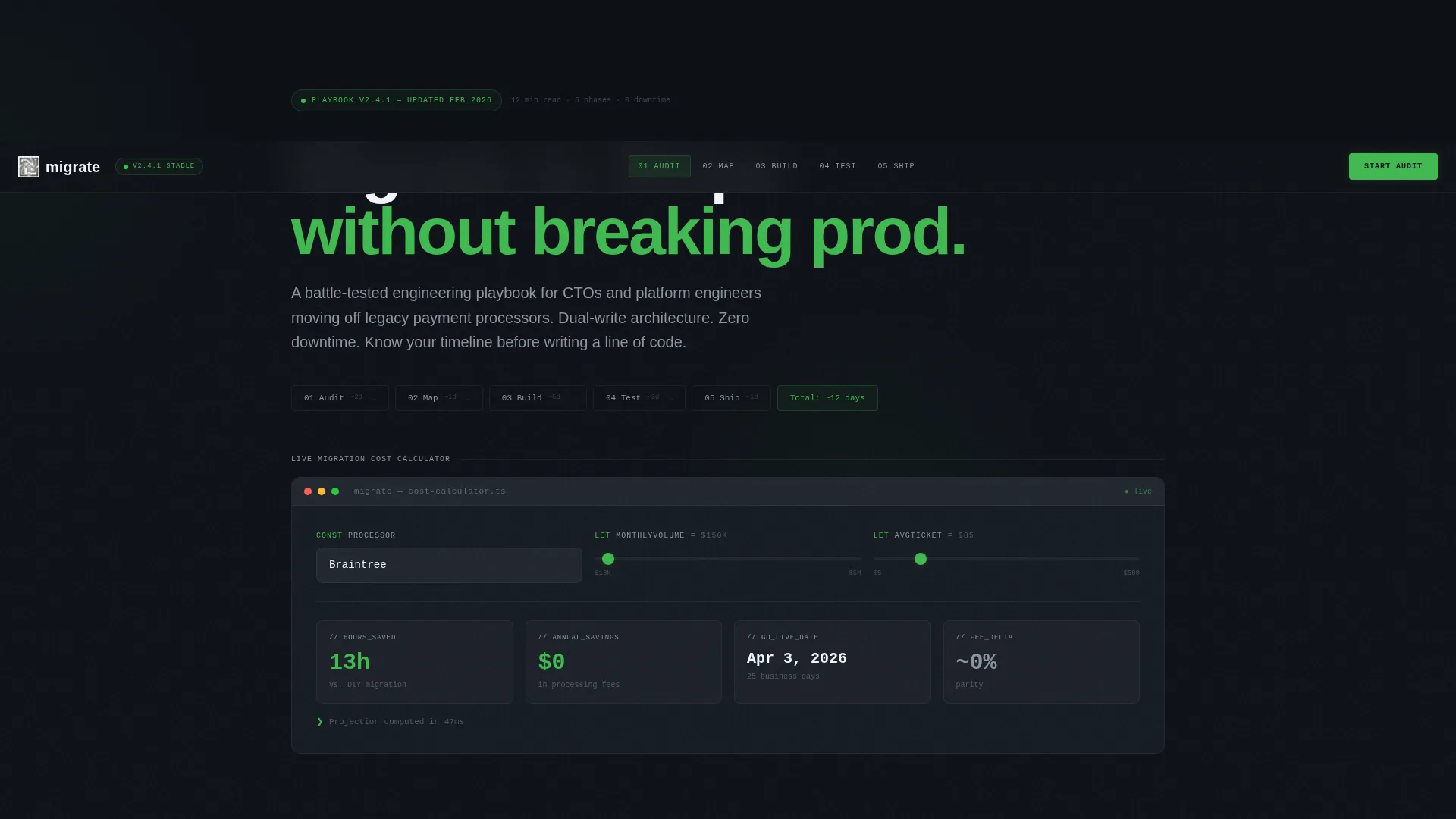
Migrate is a hub-and-spoke landing page template built for engineering teams switching payment processors. It opens with an interactive Migration Cost Calculator, then guides visitors through five pipeline-style sections: Audit, Map, Build, Test, and Ship. The design runs on a dark monochrome steel palette with electric green calls to action, and converts on a free audit plus PDF playbook model.
by Rocket studio
Quick summary
Migrate is a single-page, anchor-nav landing page template for payment migration guides. It pairs an interactive cost calculator with a pipeline-structured content flow across five phases: Audit, Map, Build, Test, and Ship. The dark terminal aesthetic and hot-deploy green calls to action create a developer-native experience that moves technical readers from curiosity to conversion without friction.
Who this template is for
This template is built for technical founders and engineering leaders who need to communicate a complex migration process clearly and convert visitors on a free tool or downloadable resource.
- CTOs at early-stage startups who have outgrown their current payment processor and need a clear migration path
- Solo founders managing a payment stack on their own who want a structured guide to follow step by step
- Platform engineers at marketplace businesses who need to explain and execute processor onboarding quickly
What problem this template solves
Payment migration documentation is dense, scary, and often scattered across multiple tools and docs. Visitors arrive stressed and leave without acting. This template solves that by turning a technical process into a confidence-building experience.
- It replaces a wall of documentation with a phased, pipeline-style flow that feels manageable as visitors scroll
- It removes the "where do I even start" barrier with an interactive calculator that makes the business case instantly visible
- It eliminates high-friction conversion paths by offering a free audit and a simple email-only PDF download
What you get with this template
You get a fully structured, single-page landing page template that combines interactive tooling, phased documentation, and two distinct conversion paths into one cohesive layout.
- An interactive Migration Cost Calculator in the header, a sticky anchor nav, and five phase-based content sections
- A sticky bottom bar with the primary call to action and a secondary PDF download gate requiring only an email address
- A dark monochrome steel design system with terminal-style typography and hot-deploy green reserved for active states and calls to action
Feature list
This template is engineered around one idea: make a technically intimidating process feel inevitable and fast.
Interactive Migration Cost Calculator
The header features a live estimator where visitors input their current processor, monthly transaction volume, and average ticket size. Outputs animate in real time, showing hours saved, fees reduced, and a projected go-live date. The experience mimics a deployment log streaming results, which immediately earns trust from a technical audience.
Pipeline-Style Anchor Navigation
A sticky anchor nav locks to the top of the page after the header. Each nav item maps to a migration phase: Audit, Map, Build, Test, and Ship. This structure lets visitors jump to any phase instantly and reinforces the sense that the migration is a defined, completable process.
Terminal-Style Section Openers
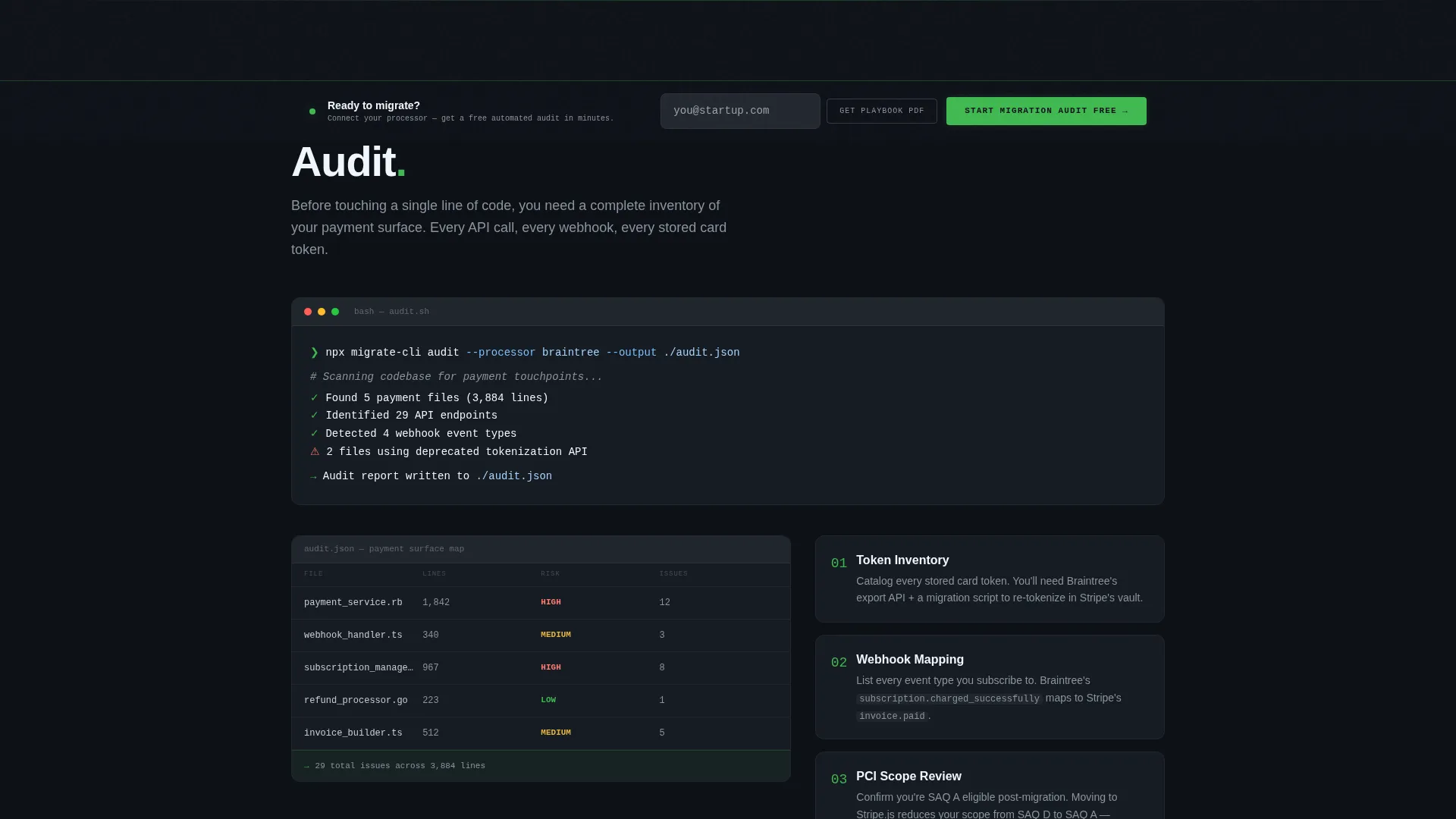
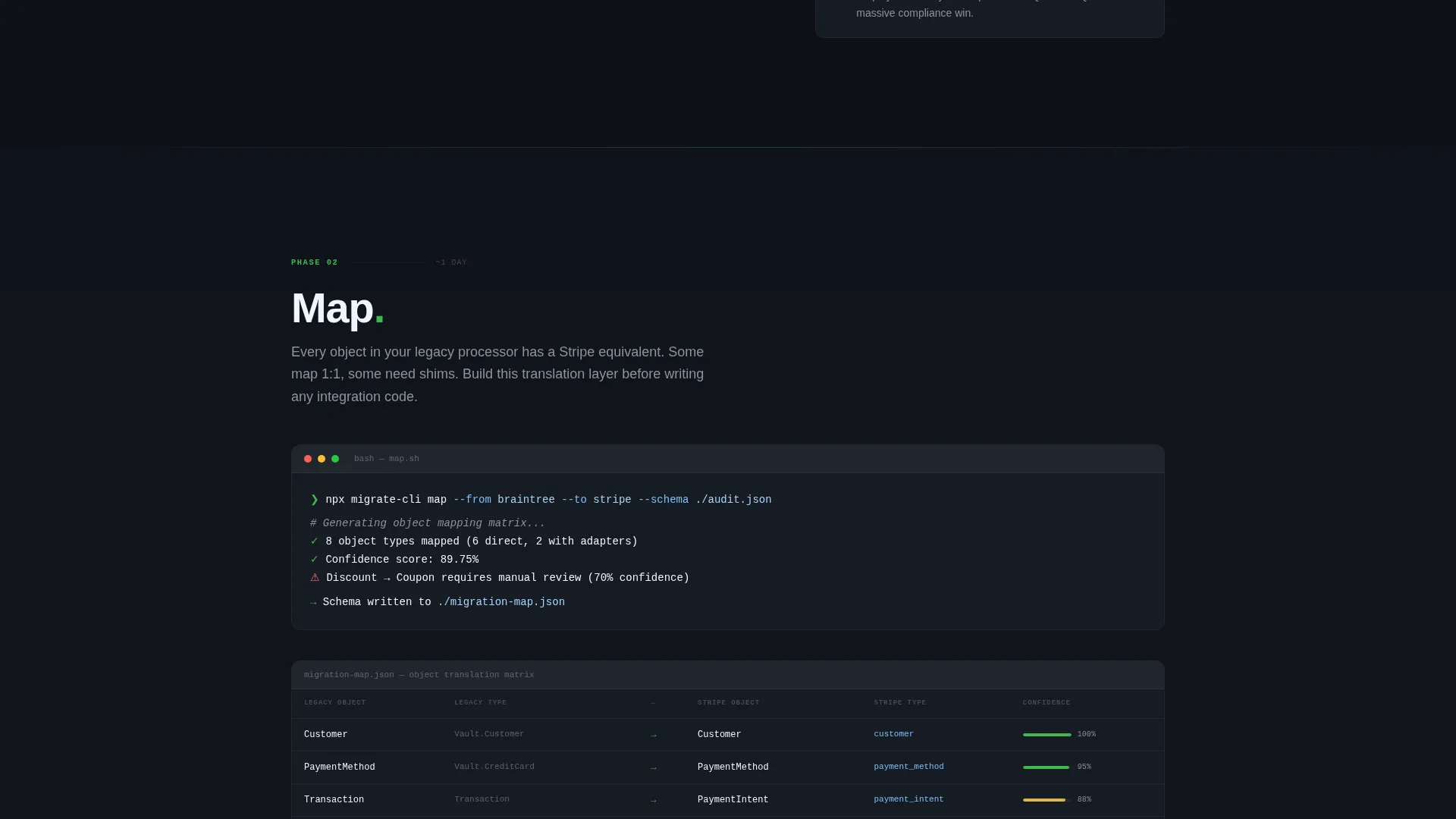
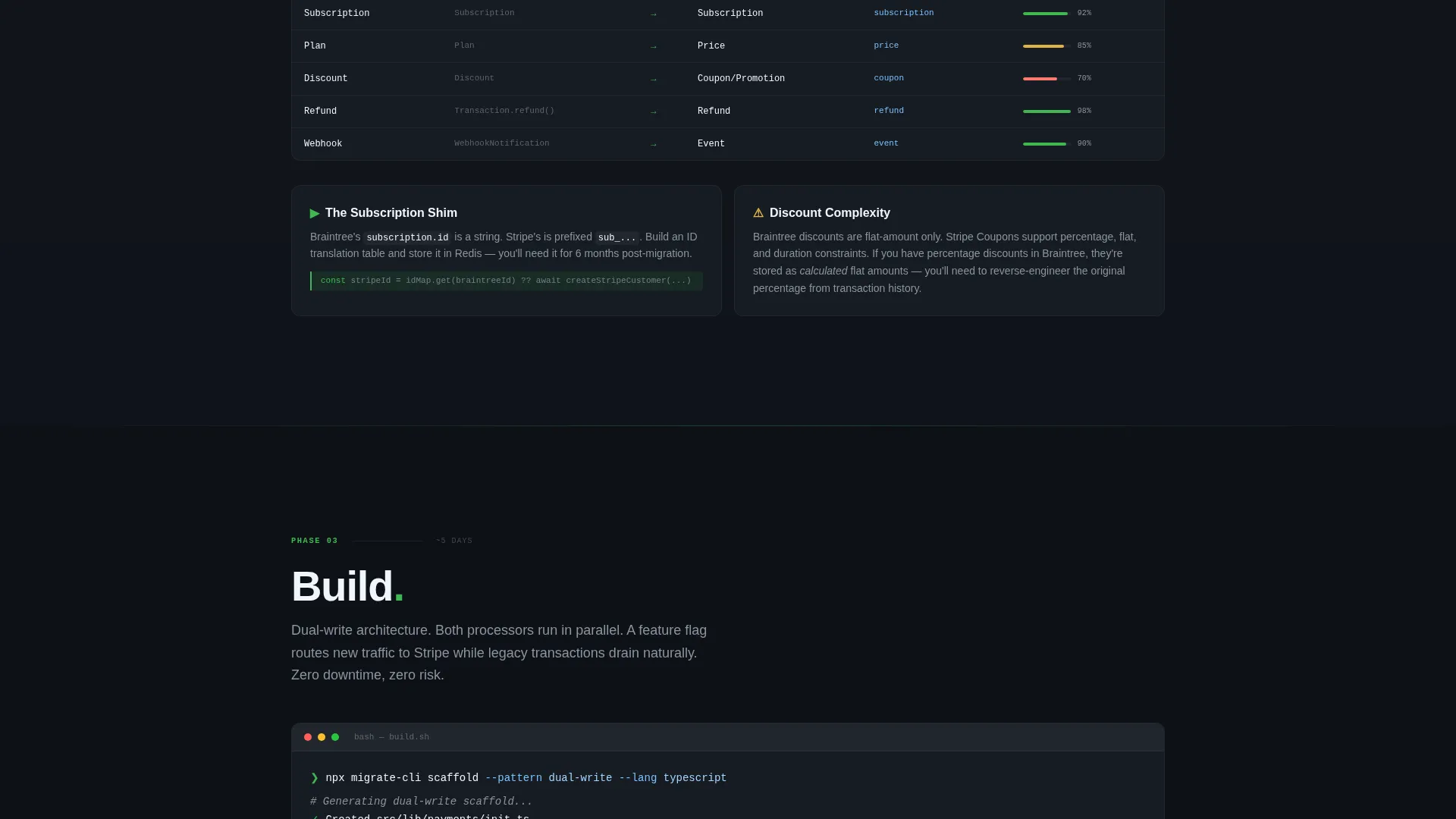
Each of the five phase sections opens with a terminal-style command line snippet. A human explanation expands beneath it. This rhythm appeals directly to engineers and signals that the content was written by people who have actually run a migration, not a marketing team.
Escalating Scroll Momentum
Early sections are intentionally dense with warnings and edge cases. Sections get progressively shorter and faster toward the end. The Ship section resolves into a checklist and a confetti moment, so visitors feel the weight of the migration lifting as they scroll.
Two-Path Conversion Flow
The primary conversion path opens a two-step OAuth flow: connect the existing processor, then receive an automated audit report with a complexity score, estimated timeline, and flagged edge cases. The secondary path offers a full playbook PDF download gated behind an email address only, with no name, company, or phone required.
Sticky Bottom call to action Bar
A persistent bottom bar appears after the visitor interacts with the calculator. It anchors the primary call to action on screen throughout the rest of the scroll, keeping the conversion moment always one tap away without interrupting the reading flow.
Page sections overview
| Section | Purpose |
|---|---|
| Migration Cost Calculator | Interactive header estimator for hours, fees, and go-live date |
| Sticky Anchor Nav | Pipeline nav locking Audit, Map, Build, Test, Ship phases |
| Audit Phase | Opens with terminal command, covers discovery warnings and edge cases |
| Map Phase | Explains data mapping decisions and dependency flags |
| Build Phase | Details integration build steps and configuration guidance |
| Test Phase | Covers sandbox testing patterns and validation checkpoints |
| Ship Phase | Resolves into a final checklist and confetti completion moment |
| Sticky Bottom Bar | Persistent call to action appearing after calculator interaction |
Design & branding system
The visual identity is built on a Monochrome Steel color system designed to feel like a well-configured developer environment at midnight. Every color decision has a strict role, and nothing decorative competes with the content.
- Terminal black (#0E1117) owns all backgrounds; documentation white (#F0F6FC) handles body text; brushed steel (#8B949E) carries secondary text and divider lines
- Hot-deploy green (#3FB950) fires only on progress indicators, active navigation states, and call-to-action elements, so every green element signals momentum or action
- No stock photography and no illustration appear anywhere; the visual language is pure inputs, outputs, and typographic hierarchy
Mobile & speed optimization
The layout is built to remain fully usable on smaller screens, where many engineers will reference it mid-migration from a phone or tablet.
- The sticky anchor nav collapses gracefully on narrow viewports so phase navigation stays accessible without consuming screen space
- The calculator inputs and animated output readouts are sized and spaced for touch interaction, not just desktop cursor use
- Section density decreases progressively toward the Ship phase, which keeps the page feeling lighter and faster to complete on any device
How this template helps you convert
The conversion architecture is deliberate. Every element either builds confidence or removes a reason to hesitate.
- The calculator does the selling before any call to action appears, because visitors who see their own numbers become self-qualified leads motivated to act
- The free audit offer removes the commitment barrier entirely, since visitors receive a real complexity score and timeline before spending anything
- The PDF download path captures email addresses from visitors who are not ready to connect their processor, so no traffic leaves without a follow-up opportunity
Other information about this template
This template sits at the intersection of technical documentation and conversion-focused landing page design. It is purpose-built for the payment migration guide niche and fits naturally within a documentation and support content category.
- The template style is hub and spoke with anchor navigation, making it straightforward to adapt the five phases to other multi-step technical processes
- The creative direction follows a Launch Energy principle: dense and cautious early, fast and confident late, with the Ship section functioning as a genuine emotional payoff
- The Startup Velocity theme is expressed through the IDE-at-midnight aesthetic, the deployment-log animation metaphor, and the phase-based pipeline structure
- This template is suitable for teams migrating from processors such as Braintree or Paddle, and the calculator and audit flow are designed with those switching scenarios in mind
Theme
Startup Velocity
Creative direction
Launch Energy
Color system
Monochrome Steel
Style
Hub & Spoke (Anchor Nav)
Direction
Freemium/Trial
Page Sections
Interactive Migration Cost Calculator
Pipeline-style Anchor Navigation
Terminal-style Section Openers
Escalating Scroll Momentum
Two-path Conversion Flow
Sticky Bottom Call to Action Bar
Related questions
Can I adapt the five phases to a different technical process?
Does the PDF download require more than an email address?
What triggers the sticky bottom call to action bar to appear?
Does the calculator require a backend to function?
Who is this landing page template designed for?



