Church & Religious Org Premium Professional Website Template
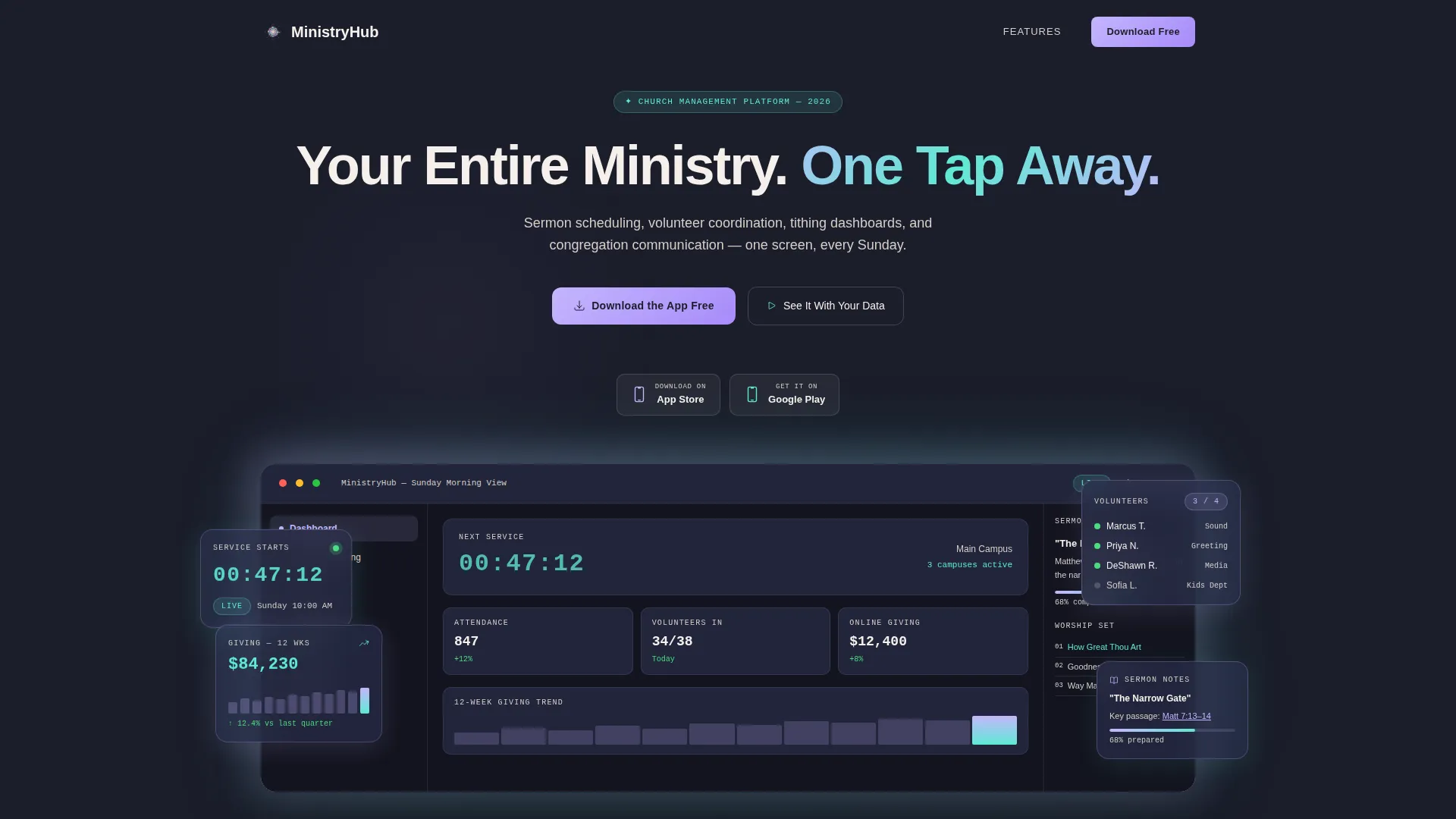
Ministryhub is a hub-and-spoke landing page template built for church management platforms. It opens with a full-width dashboard screenshot and guides visitors through five dedicated feature modules: Worship Planning, Giving and Finance, Groups and Volunteers, Communication, and Insights. The primary call to action drives app downloads, supported by App Store and Google Play badges throughout the page.
by Rocket studio
Quick summary
Ministryhub is a single-page, anchor-nav landing page template designed for church management apps. It leads with a live dashboard screenshot, walks visitors through five spoke sections, and closes every module with a clear app download prompt. The layout is built for ministry leaders who need proof before they commit.
Who this template is for
This template is built for teams marketing church management software to real ministry operators. It speaks directly to the people doing the hardest logistical work inside a congregation.
- Executive pastors coordinating Sunday operations across multiple campuses
- Youth ministry directors who track attendance and volunteer schedules week to week
- Bivocational small-church leaders who manage everything from bulletins to benevolence funds between day jobs
What problem this template solves
Church administrators often rely on scattered tools: spreadsheets for giving records, group chats for volunteer coordination, and paper schedules for worship sets. A landing page needs to replace that doubt with immediate clarity. Ministryhub does that by leading with visual proof and following it with spec-level detail.
- Visitors arrive skeptical and need to see the product before reading about it
- Ministry leaders need answers to Saturday-night questions like swapping a worship set at 11 PM
- A generic feature list does not build trust; a module-by-module breakdown does
What you get with this template
You get a fully structured, single-page layout with a pinned anchor navigation bar and five scrollable spoke sections. Each section is self-contained and carries its own feature grid, icon-stat pairs, and micro-screenshots. The page is ready to receive your product copy, screenshots, and download links.
- A full-width product screenshot header with headline and dual app download badges
- Five named anchor-nav spokes: Worship Planning, Giving and Finance, Groups and Volunteers, Communication, and Insights
- A sticky bottom bar that repeats the primary call to action after the second spoke section
Feature list
This template packages every layout decision around one goal: earning the app download before the visitor scrolls away.
Full-Width Dashboard Header
The header displays a pixel-perfect product screenshot on a deep charcoal background with an iridescent glow behind the device frame. A live countdown timer, volunteer check-in sidebar, tithing graph, and sermon notes panel are all visible at a glance. The headline "Your Entire Ministry. One Tap Away." fades in above the image.
Pinned Anchor Navigation Bar
The anchor nav pins to the top of the page as the visitor scrolls. Each of the five spoke labels, Worship Planning, Giving and Finance, Groups and Volunteers, Communication, and Insights, jumps directly to its matching section. Active states use holographic lavender to show the visitor exactly where they are.
Spec Sheet Spoke Sections
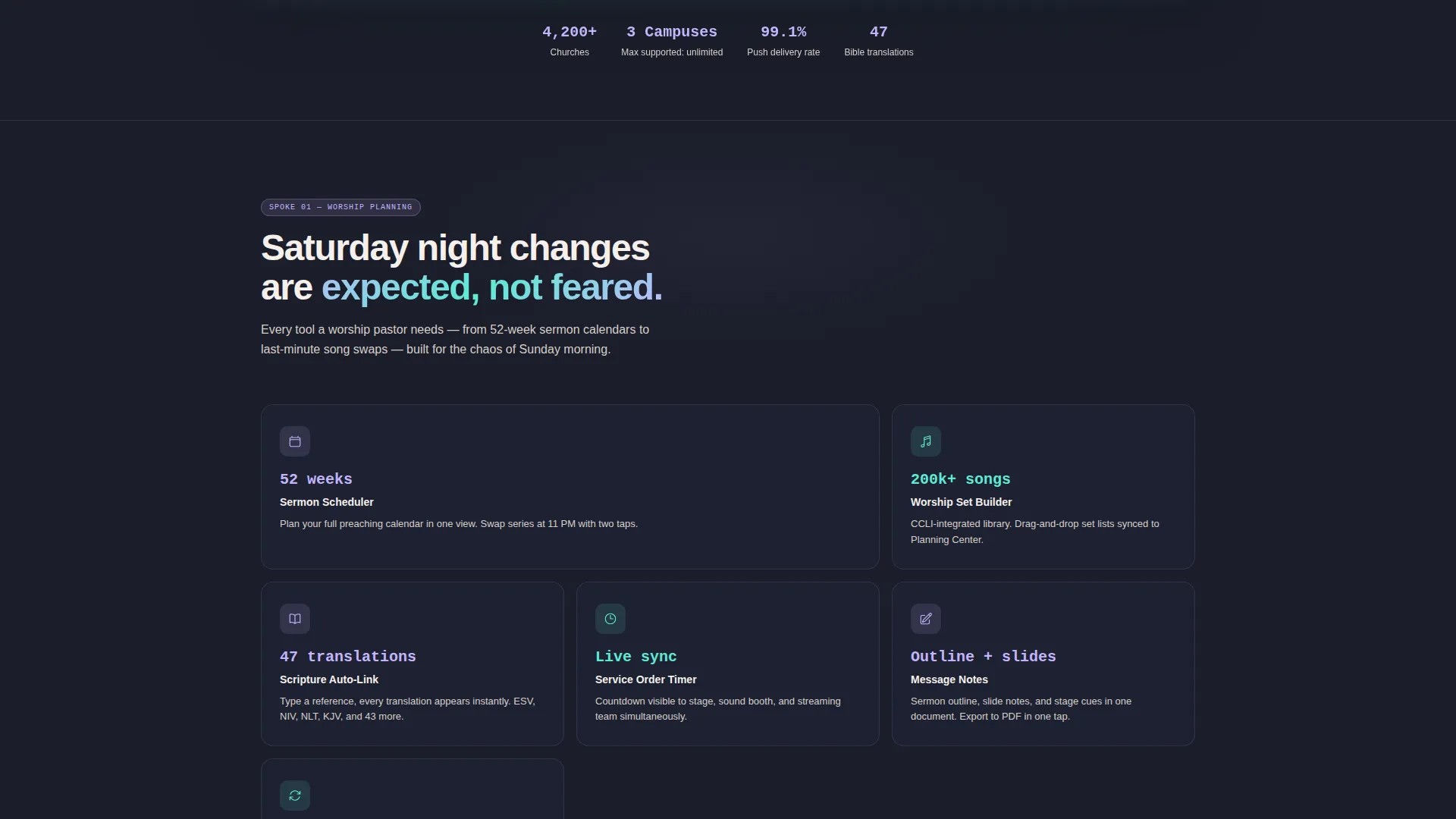
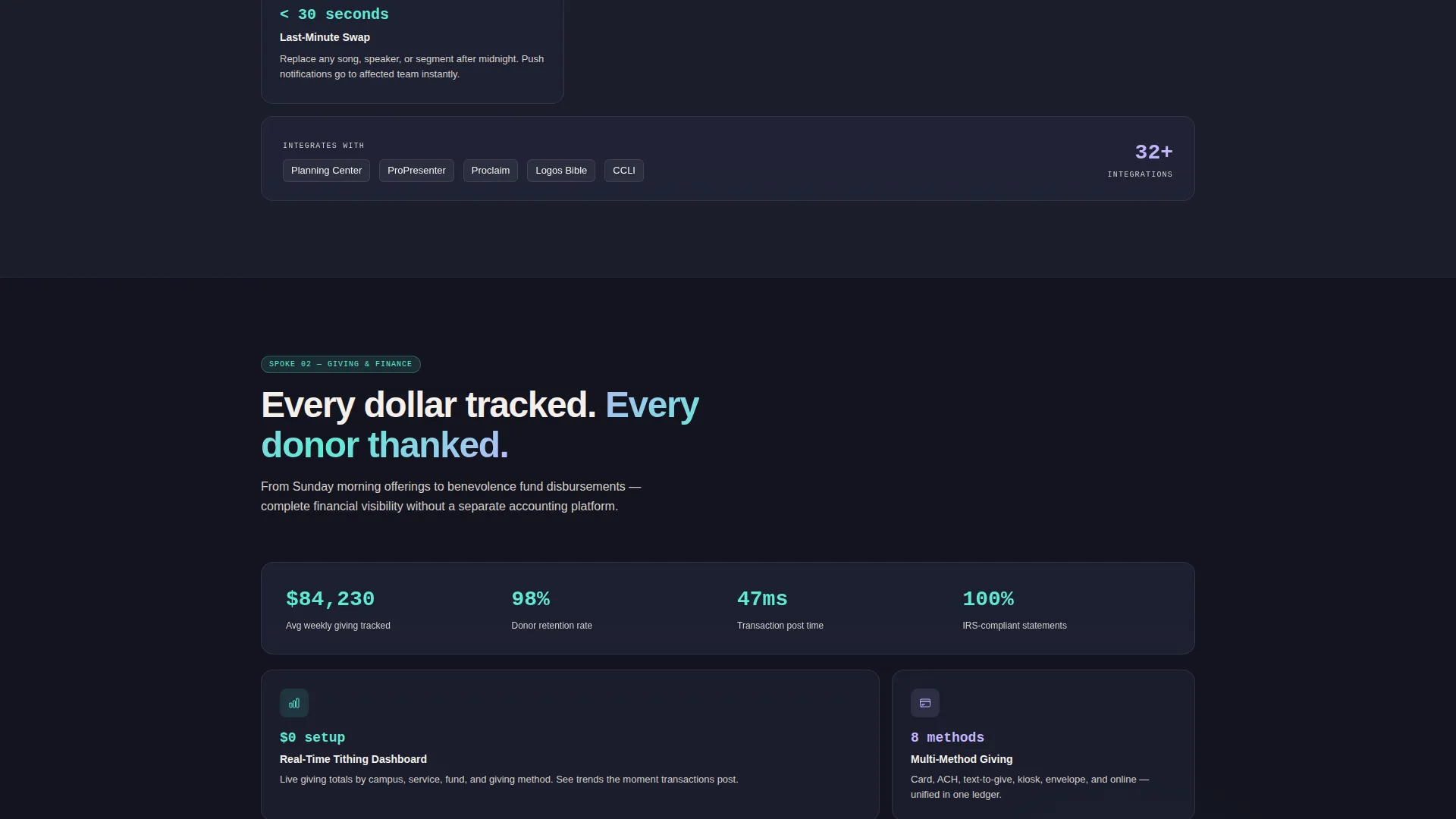
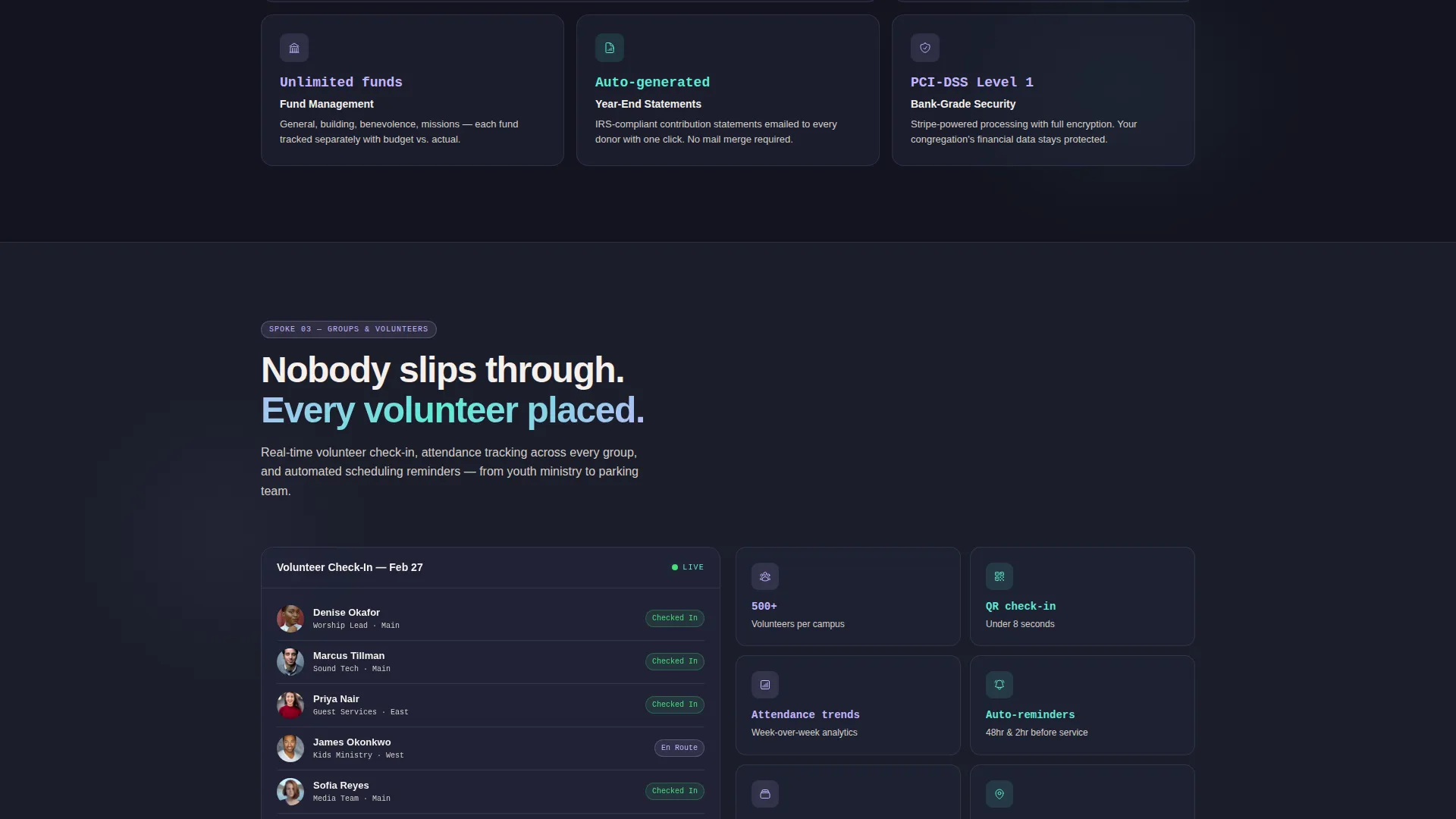
Each spoke section uses a feature grid of icon-stat pairs. Stats include concrete capability figures such as supported Bible translations, maximum campuses, and push notification delivery rates. Every grid is paired with a micro-screenshot that answers a real operational question with visible proof.
App Download Call-to-Action System
The primary call to action "Download the App Free" appears first beneath the header and repeats as a sticky bottom bar after the second spoke. App Store and Google Play badges sit alongside the button. A secondary path labeled "See It With Your Data" links to a guided demo that imports a sample church calendar.
Iridescent Color System
The color palette uses deep sanctuary charcoal as the primary background, holographic lavender for active navigation and data highlights, celestial teal on metric badges and progress indicators, and warm pearl for card surfaces and body text. The result feels like stained glass refracted through a modern atrium.
Page sections overview
| Section | Purpose |
|---|---|
| Header Screenshot | Leads with the live dashboard view and primary app download call to action |
| Anchor Nav Bar | Pins to the top and links each spoke label to its dedicated module section |
| Worship Planning | Shows sermon scheduling capabilities with icon-stat pairs and a micro-screenshot |
| Giving and Finance | Displays tithing dashboards and twelve-week giving trend data |
| Groups and Volunteers | Covers volunteer coordination, check-in status, and attendance tracking |
| Communication | Details congregation messaging and push notification delivery |
| Insights | Presents analytics and reporting metrics for ministry leaders |
| Sticky Download Bar | Repeats the primary call to action as a persistent bottom bar |
| Demo Secondary Path | Offers a guided demo entry point using a sample church calendar |
Design & branding system
The visual identity follows a Dashboard Pro theme rendered through an AI Iridescent color system. Every color has a specific role and shifts slightly in context, the way light passes through a prism.
- Deep sanctuary charcoal (#1B1D2A) as the primary page background
- Holographic lavender (#C4B5FD) for active navigation states and data highlights; celestial teal (#5EEAD4) on metric badges and progress indicators; warm pearl (#F5F0EB) for card surfaces and readable body text
Mobile & speed optimization
The template is structured to present cleanly on any screen size. The pinned anchor nav and sticky bottom bar are especially important on mobile, where thumb-reach drives conversion.
- The sticky bottom bar keeps the app download call to action reachable without scrolling back to the top
- Feature grids and icon-stat pairs are laid out in a format that adapts naturally from desktop to smaller screens
How this template helps you convert
The page is architected as a trust-building sequence. Every section removes a reason not to download before the visitor reaches the end.
- The dashboard screenshot at the top provides immediate visual proof of a real, working product rather than abstract promises.
- The spoke sections answer specific operational concerns, like last-minute worship set changes or volunteer check-in at the door, with concrete stats and micro-screenshots before the visitor ever needs to ask.
- The secondary "See It With Your Data" demo path captures visitors who are interested but not yet ready to download, keeping them in the funnel with a lower-commitment next step.
Other information about this template
This template fits naturally into a broader church technology marketing stack. It can serve as the primary acquisition page for a church management app targeting congregations of any size.
- Template style: Hub and Spoke with Anchor Navigation
- Theme: Dashboard Pro
- Color system: AI Iridescent
- Header concept: Product Screenshot
- Primary call-to-action direction: App Download
- Category: Church and Religious Organization Website Templates
- Suitable for platforms serving single-campus churches as well as multi-campus ministry networks
Theme
Dashboard Pro
Creative direction
Spec Sheet
Color system
AI Iridescent
Style
Hub & Spoke (Anchor Nav)
Direction
App Download
Page Sections
Full-width Product Screenshot Header
Pinned Anchor Navigation Bar
Spec Sheet Spoke Sections
App Download Call-to-action System
Iridescent Dashboard Color System
Related questions
What type of page is Ministryhub?
Who is the target audience for this template?
Can I customize the color palette and branding?
Does the template include both app store download badges?
What is the secondary demo call-to-action path?



