Culinary Arts Institute Landing Page Template
Mise is a hub-and-spoke landing page template built for culinary arts institutes. It opens with an animated stats wall, then guides visitors through six FAQ-driven sections that answer every real enrollment question. A sticky saffron call-to-action and a two-path conversion layout make it easy for prospective students to book a kitchen tour or download a curriculum guide.
by Rocket studio
Quick summary
Mise is a single-page, anchor-nav landing page template for culinary schools and cooking institutes. It leads with bold animated metrics, then walks visitors through six honest FAQ sections covering curriculum, schedule, cost, instructors, and graduate outcomes. Two conversion paths keep every visitor moving forward, whether they are ready to book a tour or just beginning their research.
Who this template is for
This template is built for culinary education programs that need to turn curious visitors into enrolled students. It works equally well for established cooking institutes and newer culinary training programs launching their first professional web presence.
- Career-change programs targeting adults who want to enter the food industry
- Culinary schools recruiting recent high school graduates and working line cooks
- Restaurant groups or hospitality organizations that run structured culinary training
What problem this template solves
Most culinary school pages bury the answers that prospective students actually need. Visitors bounce before they find tuition details, schedule flexibility, or instructor credentials. This template puts every critical question front and center, in the order a real person would ask it.
- Prospective students leave pages that feel vague or hard to navigate
- Parents and career-changers need cost, timeline, and outcome data before they commit
- Programs lose leads when the enrollment form appears before trust is established
What you get with this template
You get a complete, ready-to-customize landing page structured around six anchor-linked FAQ sections. Every section is designed to answer one real objection before the next appears, so the form at the bottom of the page feels like a natural next step rather than a cold ask.
- An animated stats header with four kinetic counters and staggered load animation
- Six FAQ-driven spoke sections, each with space for a narrative paragraph, a supporting visual, and a pull-quote
- A sticky call-to-action button in the navigation and a full-width conversion block at the page end
- A secondary lead capture path with a gated PDF curriculum guide form
Feature list
A brief overview of the standout components built into this template.
Animated Metrics Header
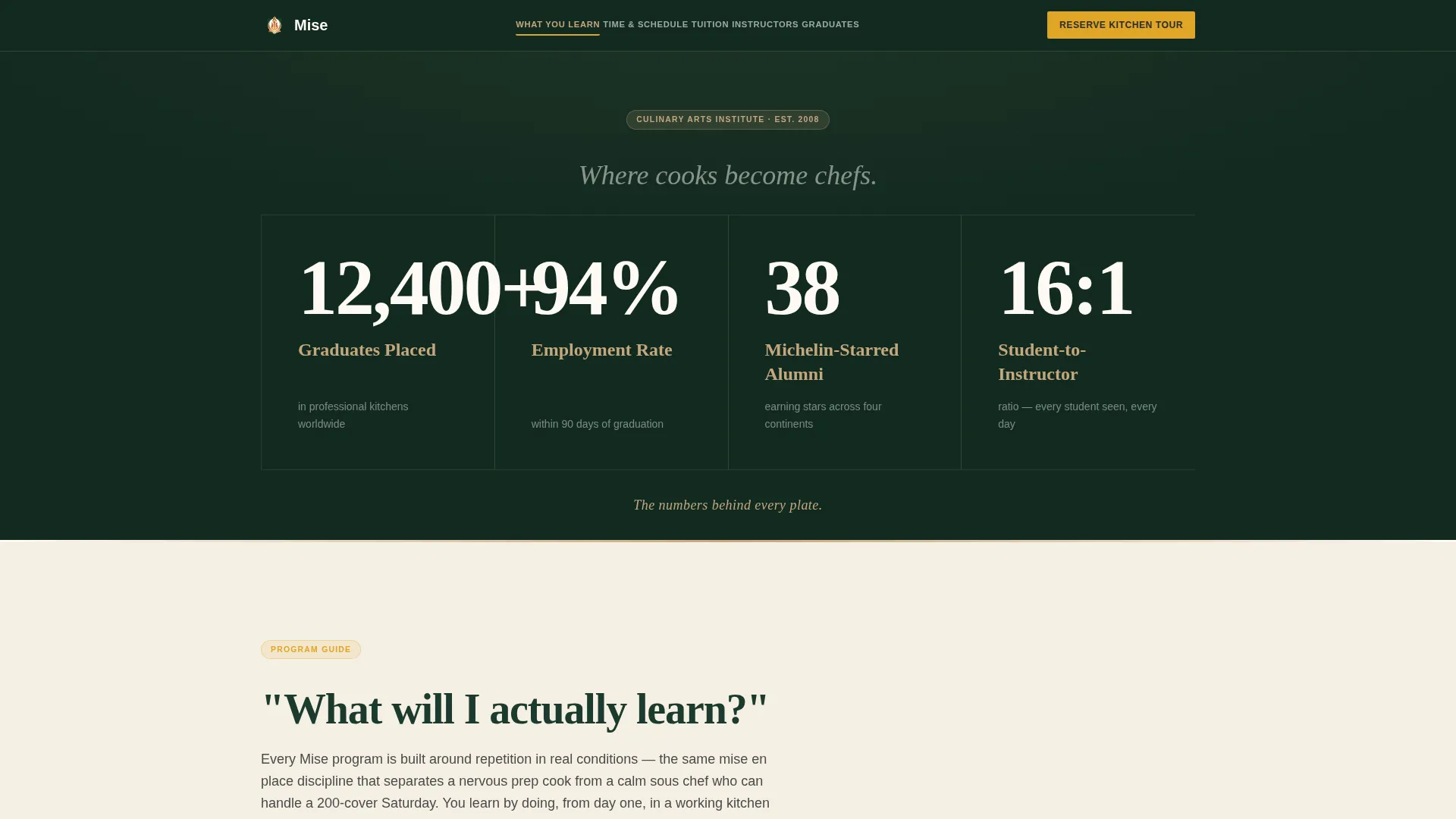
Four oversized counters tick upward on page load against a deep evergreen background. Each stat, graduates placed, employment rate, Michelin-starred alumni, and student-to-instructor ratio, reaches its final value in a staggered sequence. The effect gives every number its own moment of attention.
Anchor Navigation with Sticky call to action
The navigation bar lists the six FAQ questions as direct anchor links. A saffron "Reserve Your Kitchen Tour" button stays fixed in the nav as visitors scroll. This keeps the primary conversion action visible at every point in the page journey.
FAQ-Driven Spoke Sections
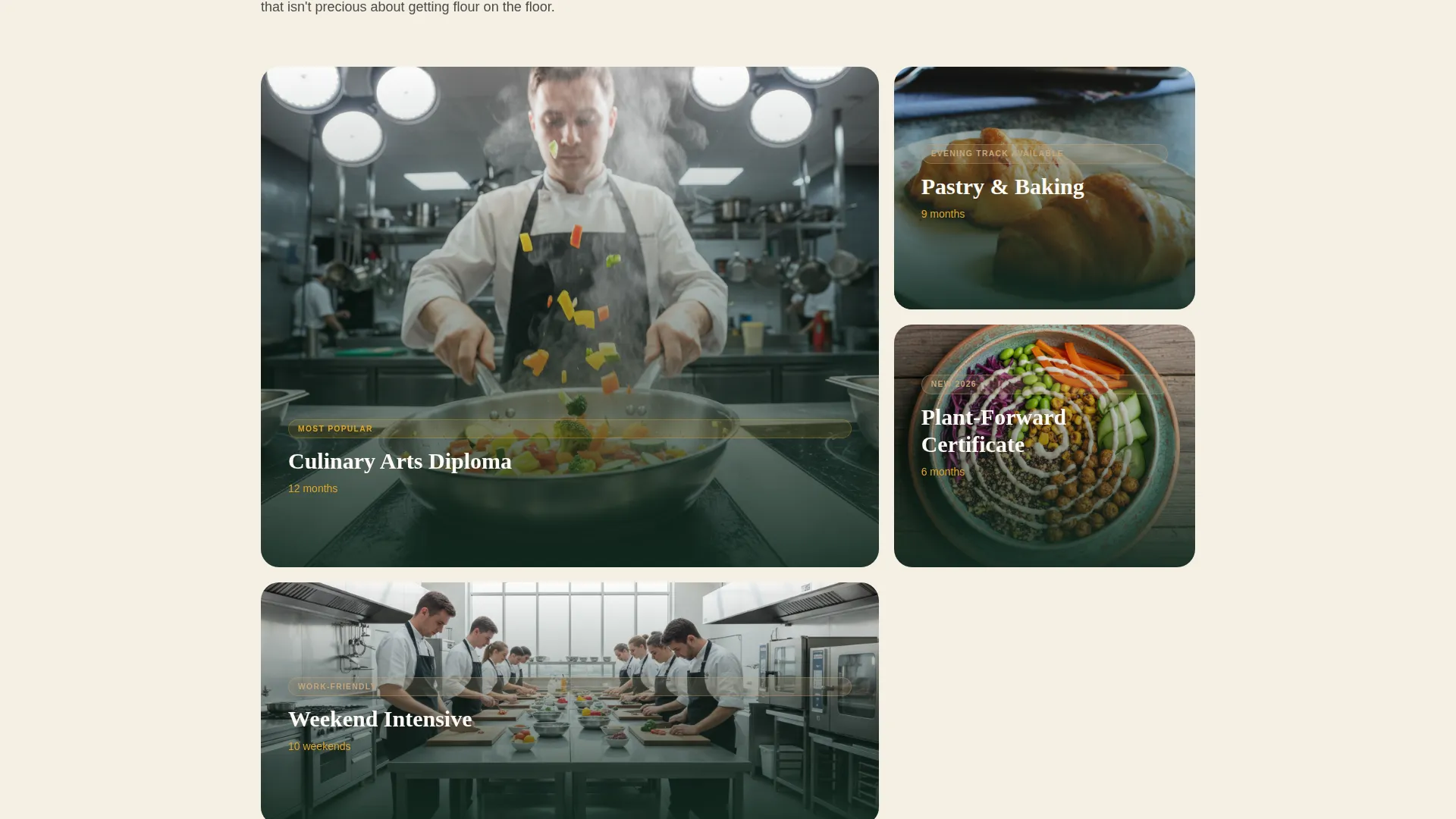
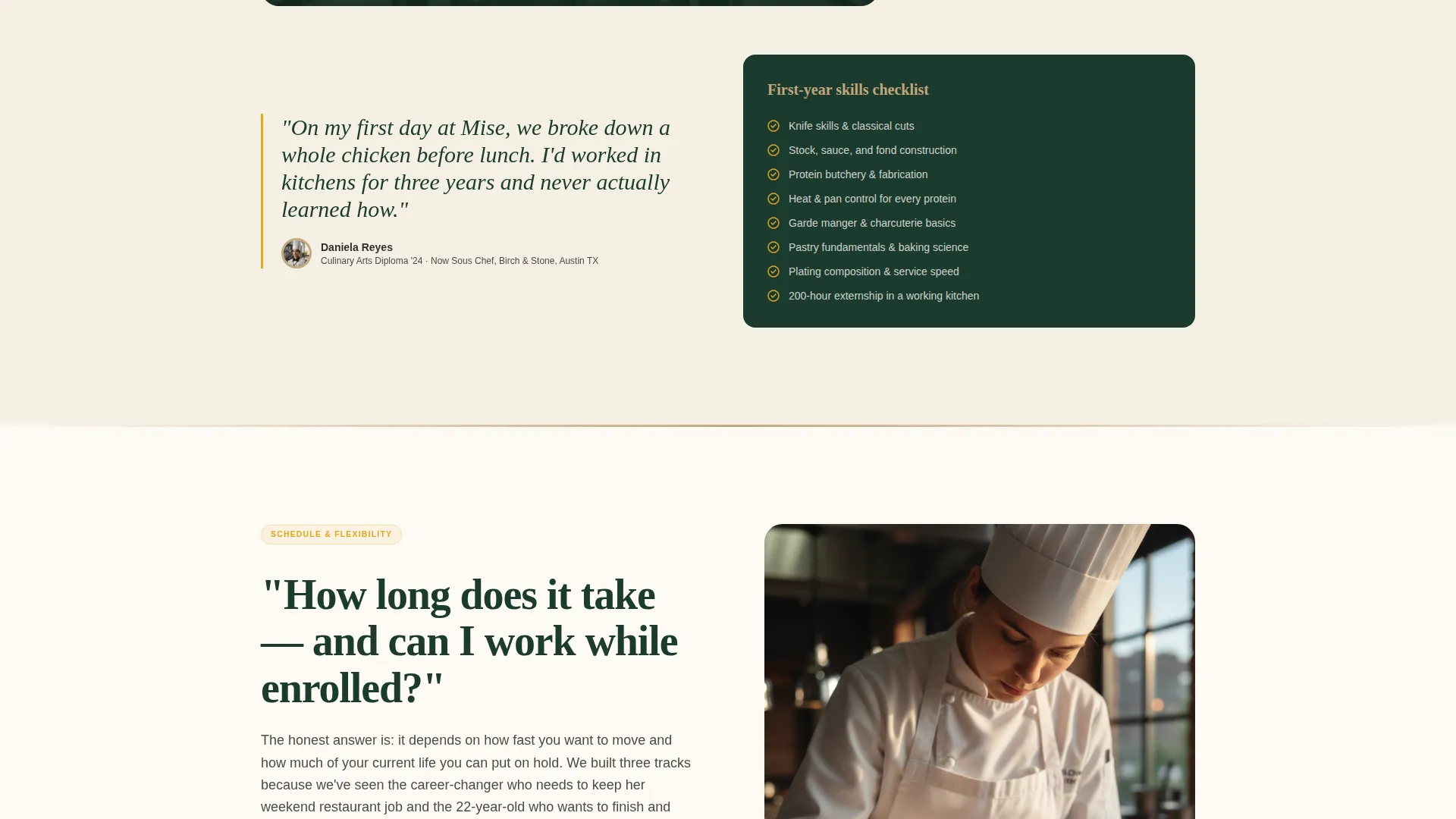
Each of the six sections opens with a real prospect question as its heading. The layout supports a short narrative answer, a kitchen or curriculum image, and a pull-quote from a student or graduate. The structure mirrors a natural admissions conversation.
Dual Conversion Layout
The template includes two distinct lead capture paths. The primary path is a three-field tour reservation form. The secondary path is an email-gated PDF download for visitors who want to review a curriculum guide before committing to a visit.
Community Hearth Visual System
The color palette uses deep evergreen for the nav and footer, warm hearthstone for alternating section backgrounds, cast-iron charcoal for body text, and bright saffron reserved strictly for calls to action. The result is a warm, grounded aesthetic that feels purposeful rather than decorative.
Page sections overview
| Section | Purpose |
|---|---|
| Stats Metrics Header | Opens with four animated counters to establish instant credibility |
| Anchor Navigation Bar | Lets visitors jump directly to any FAQ section with a persistent call to action |
| What You Learn | Answers curriculum questions with a narrative and supporting visual |
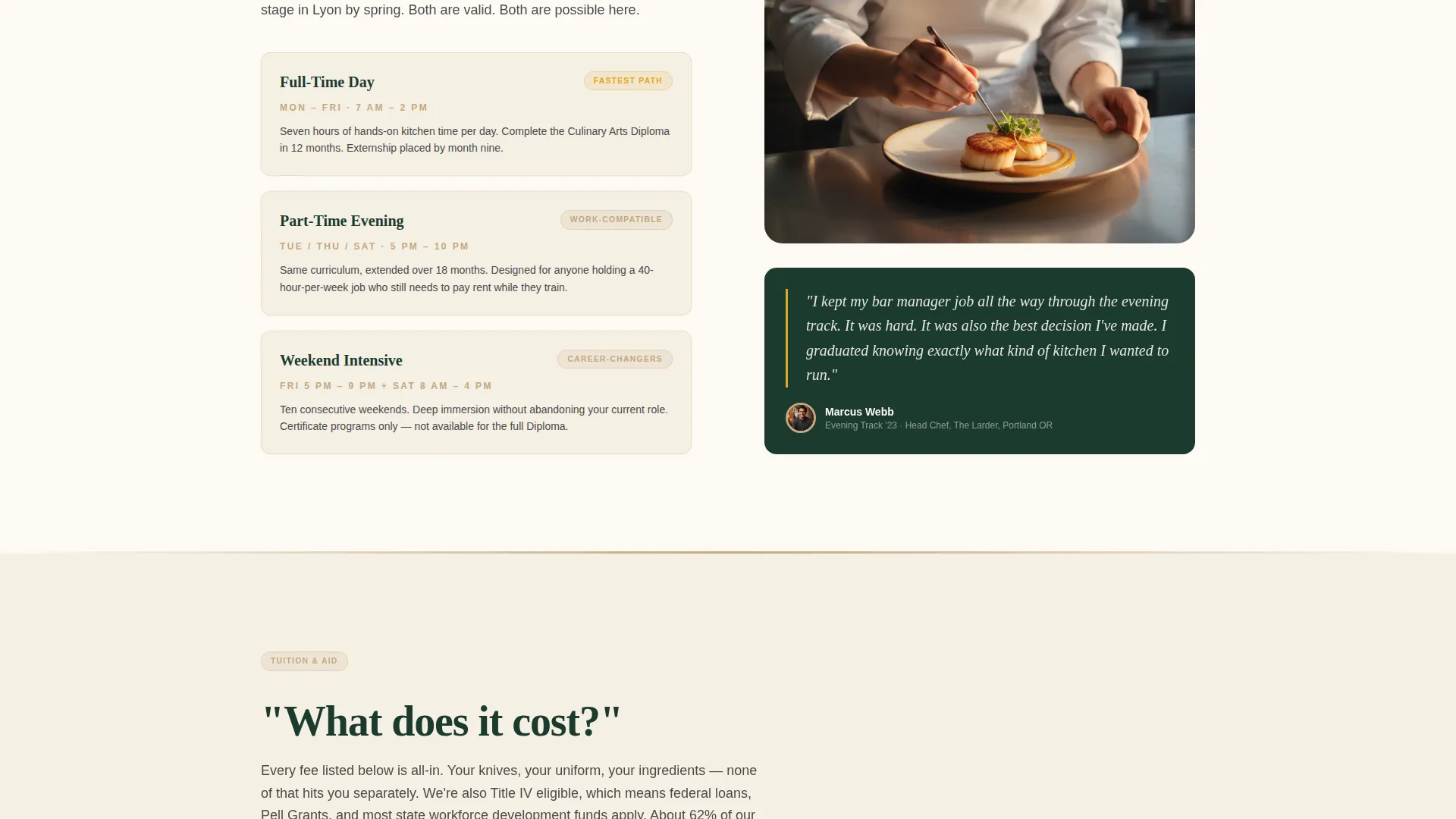
| How Long It Takes | Covers program length and schedule options clearly |
| Work While Enrolled | Addresses flexibility concerns for working adults |
| What It Costs | Presents tuition information with transparency |
| Meet the Instructors | Builds trust through chef instructor credentials and portraits |
| Graduate Outcomes | Shows placement data and alumni proof with pull-quotes |
| Tour Reservation Form | Primary lead capture with three fields only |
| PDF Curriculum Download | Secondary email-gated conversion path |
| Footer | Closes with evergreen branding and supporting navigation |
Design & branding system
The template uses a Forest Trust color system built around four intentional roles. Each color is assigned a specific job, so the palette stays cohesive even when content is swapped out.
- Deep evergreen (#1B3A2D) anchors the navigation bar and footer for a grounded, trustworthy frame
- Warm hearthstone (#C4A77D) warms alternating section backgrounds and accent surfaces throughout the page
- Cast-iron charcoal (#2E2E2E) keeps long-form body text sharp and legible against lighter backgrounds
- Bright saffron (#E0A526) appears only on calls to action and interactive highlights, so every button stands out
Mobile & speed optimization
The template is designed to stay readable and functional across screen sizes. The sticky navigation and anchor links are especially useful on smaller screens where scrolling long pages is the norm.
- The anchor nav collapses cleanly for mobile viewports, keeping the sticky call to action accessible at all times
- Section layouts are structured with single-column stacking in mind so images and pull-quotes reflow without breaking the reading order
- The three-field tour form stays compact and easy to complete on a phone without zooming or awkward input handling
How this template helps you convert
The page is engineered so that every section earns the next scroll. By the time a visitor reaches the form, they have already answered their own objections through the content itself.
- The stats header creates immediate credibility before a single word of marketing copy appears, so visitors start from a position of trust rather than skepticism
- The FAQ spoke structure mirrors how prospective students actually research programs online, which means the page feels helpful rather than promotional
- Two conversion paths, tour booking and curriculum download, capture visitors at different levels of readiness so fewer leads are lost to indecision
Other information about this template
This template is part of a broader collection of education-focused landing page designs built for niche training programs and vocational institutes. A few additional points worth noting before you customize:
- The pull-quote component in each spoke section is flexible and can support text from current students, recent graduates, or chef instructors
- The PDF lead magnet section is designed to work as a standalone secondary conversion block without interfering with the primary tour form flow
- The template name "Mise" is a reference to mise en place, the culinary principle of having everything prepared and in its right place before cooking begins, and that philosophy is reflected in the page structure itself
- This template is well suited for culinary arts diploma programs, pastry and baking schools, plant-forward certificate courses, and weekend intensive formats, exactly the four program types shown in the tour form dropdown
Theme
Community Hearth
Creative direction
FAQ-Driven
Color system
Forest Trust
Style
Hub & Spoke (Anchor Nav)
Direction
Lead Generation
Page Sections
Animated Stats Metrics Wall
Sticky Anchor Navigation
Faq-driven Spoke Sections
Three-field Tour Reservation Form
Email-gated Curriculum PDF Download
Community Hearth Color System
Related questions
Can I use this template for a pastry school or baking program?
How many fields does the tour reservation form include?
Can visitors get a curriculum guide without booking a tour?
What does the anchor navigation do?
Is this template a good fit for career-change culinary programs?



