Intelligent Service Operations Landing Page Template
Dispatch is a smart home landing page template built around a dark-glass dashboard interface that simulates a live home services app. It blends mission-control design with interactive scroll behavior to drive mobile app downloads. The template targets first-time homeowners, landlords, and busy families who need vetted local pros fast.
by Rocket studio
Quick summary
Dispatch is a single-page, dashboard-style smart home landing page template designed to promote an on-demand home services mobile app. It uses a dark cockpit aesthetic, animated data tiles, and interactive scroll sections to build trust before the call to action ever appears. Every design choice earns its place.
Who this template is for
This template speaks directly to builders and founders launching a smart home services mobile app or marketplace. The landing page is built for teams who want to convert skeptical visitors into app downloads without relying on stock photography or generic hero imagery.
- First-time homeowners who need quick, trustworthy repair help
- Landlords managing multiple properties who need fast dispatch
- Dual-income families with tight schedules and urgent maintenance needs
What problem this template solves
Getting visitors to download a mobile app is hard when they do not yet trust the product. A generic landing page with a headline and a button rarely converts. This smart home landing page solves that by letting visitors interact with the app's interface before the download prompt appears.
- Low trust in unfamiliar home services apps with no proof of quality
- Visitors leaving before understanding the app's real value
- No clear path from curiosity to install for mobile users
What you get with this template
This template delivers a complete, ready-to-customize smart home landing page with high interactivity and a focused app download goal. Every section is designed to streamline the conversion journey from first scroll to final tap.
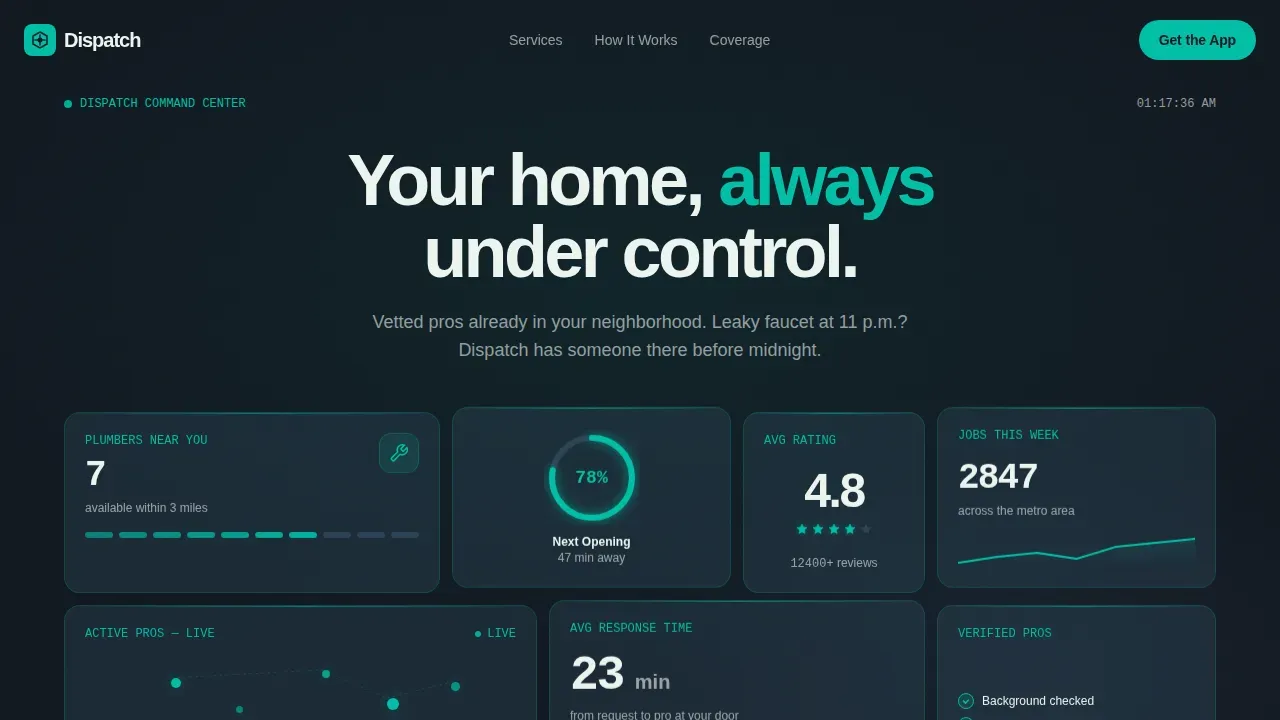
- A dark-glass bento hero grid with live-looking service metrics and pulsing teal indicators
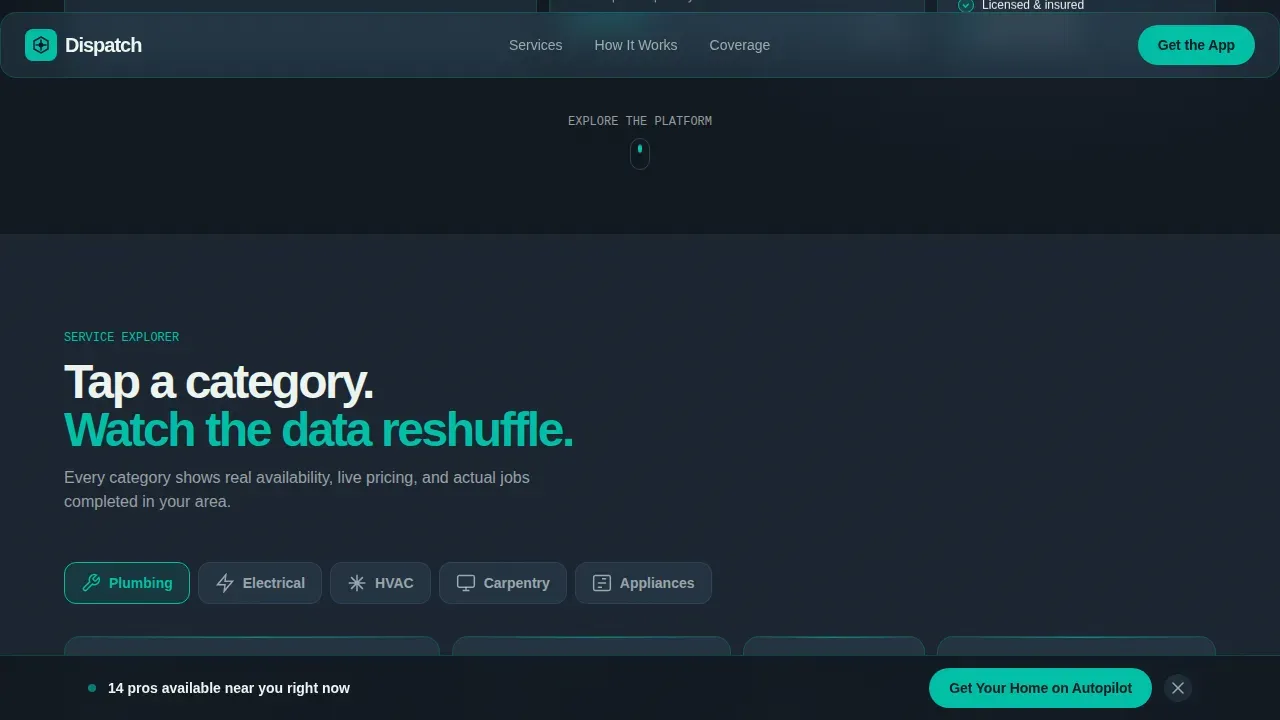
- An interactive service category explorer that reshuffles dashboard tiles on click
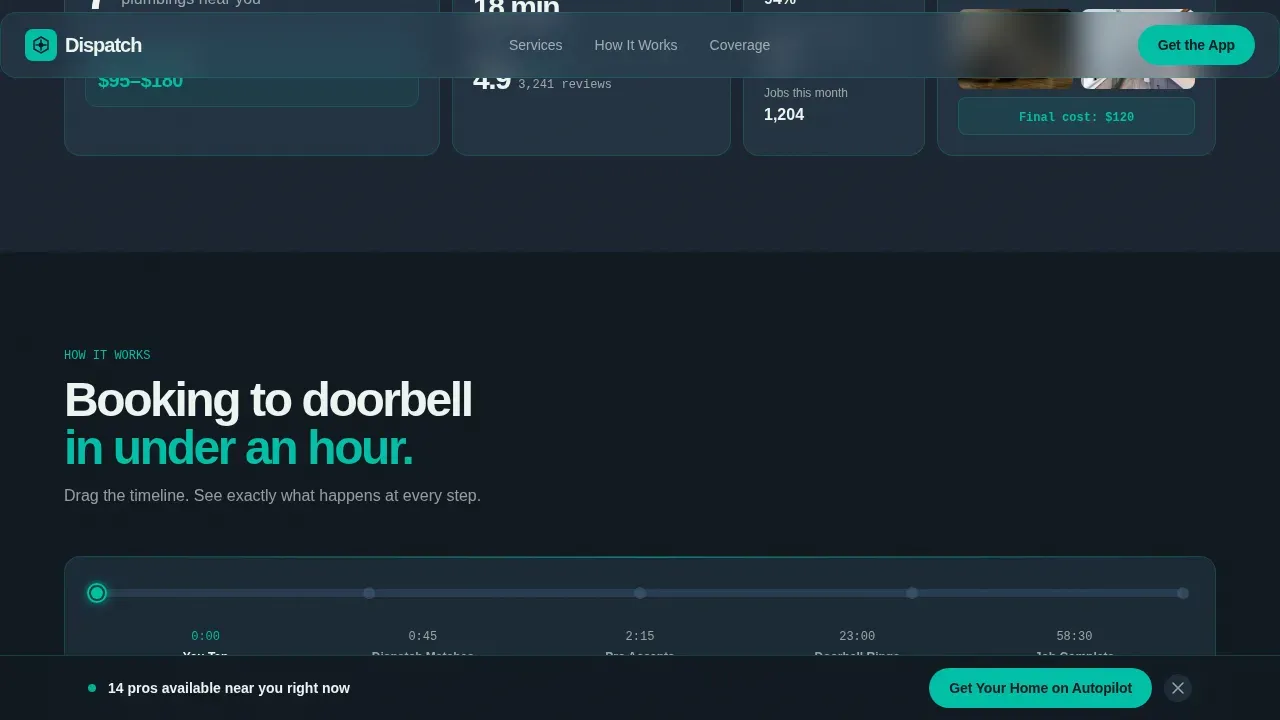
- A draggable booking timeline, neighborhood heat map, and a sticky app download call-to-action section
Feature list
This template includes purpose-built features that help teams launch a high-converting smart home landing page fast. Each feature reflects the app design direction stated in the source brief.
Dark Glass Panel Hero Grid
The hero section uses frosted, translucent glass panels arranged in a staggered bento grid. Each panel displays a live-looking metric: available pros near you, a radial progress ring for next availability, a map pin cluster, and an aggregate 4.8-star rating. The app user interface is the hero, not a photograph.
Interactive Service Category Explorer
Visitors can tap service categories such as Electrical, Plumbing, and HVAC. Each tap reshuffles the dashboard tiles to show availability, average cost ranges, and a recent job photo carousel. This app design approach lets the landing page demonstrate intelligence before the download ask.
Animated Booking Timeline
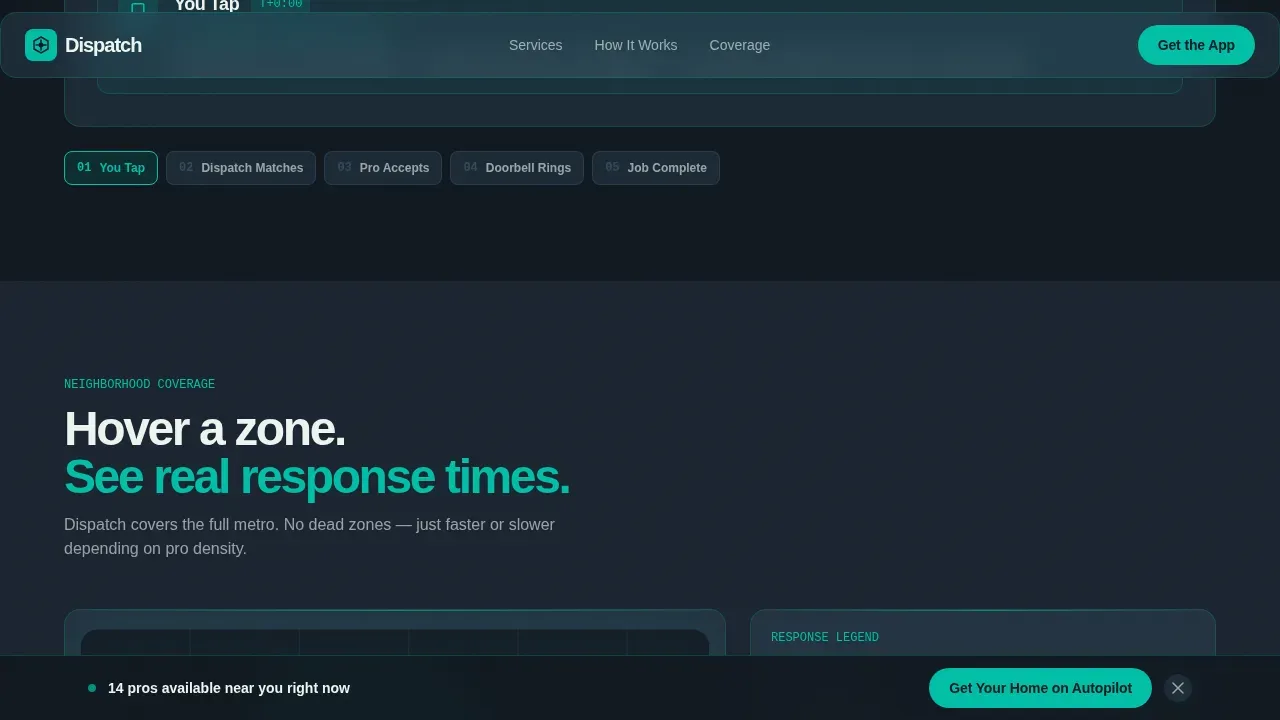
A draggable timeline walks visitors through the full service journey: booking request, technician dispatch, doorbell arrival, and digital invoice. Micro-interactions and subtle animations keep the experience engaging and easy to follow on any screen size.
Neighborhood Heat Map Section
Visitors can hover over zones on a stylized neighborhood map to see real response times by area. Geo-location personalization makes the landing feel relevant and local, building credibility for the app's core promise of nearby, vetted professionals.
Sticky App Download Call to Action
A teal pill button reading "Get Your Home on Autopilot" stays pinned to the bottom of the viewport after the first scroll. Tapping it reveals a slim zip code input, iOS and Android store badges, a desktop QR code, and a "Text Me the Link" SMS fallback field.
Trust and Social Proof Layer
The template surfaces a 4.8-star aggregate rating, job count metrics, and a recent job carousel throughout the scroll. All technician references frame professionals as vetted and background-checked, helping visitors feel confident before they ever tap download.
Page sections overview
| Section | Purpose |
|---|---|
| Hero Bento Grid | Display live-looking service metrics in dark glass panels |
| Service Category Explorer | Let visitors filter the dashboard by repair category |
| How It Works Timeline | Show the booking-to-invoice flow with drag interaction |
| Neighborhood Heat Map | Visualize local response times by zone |
| App Download Call to Action | Capture downloads via zip code, QR code, or SMS |
| Footer Linear Row | Close the page with a clean single-row footer |
Design & branding system
The visual identity uses a Teal Catalyst color system built for a mission-control feeling. The app design relies on glassmorphism layered over a deep charcoal background, making every data tile appear to float like a cockpit instrument.
- Deep charcoal (#1B2430) for background planes, electric teal (#00BFA6) for interactive states, cool slate (#3D5A73) for card surfaces, and signal white (#EDF5F0) for text
- Plus Jakarta Sans for headings and JetBrains Mono for data metrics, giving the web interface a sharp, technical rhythm
- Illustrations, icons, and user interface elements carry the dark-glass aesthetic throughout, with no reliance on photography or stock imagery
Mobile & speed optimization
This is a mobile-first template. The app download goal means the smart home landing page must perform well on smartphones above all else. The design prioritizes fast load behavior and thumb-friendly tap targets.
- Sticky call-to-action visibility is maintained as users scroll on mobile devices
- All interactive web components, including the category switcher and timeline scrubber, adapt to touch input
- The minimalistic design keeps the layout focused on a single clear goal, reducing friction for mobile users
How this template helps you convert
A high-converting smart home landing page must blend trust-building elements with a clear, fast booking experience. This template earns the download by making visitors feel they are already inside the app.
- The interactive dashboard lets visitors explore real data before seeing any download prompt, building confidence through transparency rather than persuasion.
- The sticky teal call-to-action button keeps the primary goal visible at all times, while the SMS fallback and QR code reduce friction for every device type.
Other information about this template
This template is part of the Dispatch smart home services app landing page template collection and pairs well with other smart home landing design resources. It draws inspiration from dashboard-driven app design patterns seen across the web and mobile app landscape.
- Design inspiration for smart home landing pages can be found on platforms like Dribbble, where similar dark-user interface mobile app concepts are widely shared
- The template's app user interface structure is compatible with design tools such as Figma, which offers a high-quality user interface kit environment for smart home applications; teams can also use Uizard to streamline smart home app design and support easy collaboration with team members
- Uizard allows teams to adapt designs to suit their brand using a drag-and-drop editor, making sharing early design concepts with stakeholders straightforward
- The layout draws from established smart home app templates like Homelogy and AiHome, both of which help streamline home automation presentation for mobile-first audiences
- A scannable service list in this template can be extended to cover Smart Locks, Cameras, Network Setup, and other home automation categories
Theme
Startup Velocity
Creative direction
Interactive Explorer
Color system
Teal Catalyst
Style
Dashboard/Data Grid
Direction
App Download
Page Sections
Dark Glass Panel Hero Grid
Interactive Service Category Explorer
Animated Booking Timeline
Neighborhood Heat Map
Sticky App Download Call to Action
Trust and Social Proof Layer
Related questions
Can I customize the color system and typography?
Does this template include real app functionality?
How does the sticky call-to-action button work?
Is this template optimized for mobile users?
Can I add or remove page sections?



