Live Security Operations Landing Page Template
Dispatch is a hub-and-spoke landing page template built for security guard CRM platforms. It leads with an interactive ROI calculator, moves through side-by-side comparison panels, and closes every spoke with a strong call to action. The Monochrome Steel color system and Dynamic Motion theme create a command-center atmosphere that resonates instantly with operations managers and security agency leaders.
by Rocket studio
Quick summary
Dispatch is a single-page, anchor-nav landing page template designed for security guard CRM and operations management platforms. The page opens with a competitor logo bar, drops visitors into an ROI calculator, then walks them through comparison panels and compliance proof before delivering a clear call to action at every spoke.
Who this template is for
This template is built for teams that sell or operate security management software targeting field-heavy organizations. It speaks directly to the people who live inside dispatch boards and shift logs every day.
- Operations managers responsible for forty to eighty guards across multiple sites who need a faster way to track every post in real time.
- Franchise owners scaling from one security contract to five who want to display their platform's advantages clearly without a long sales call.
- Compliance officers and supervisors who must produce timestamped incident reporting before an audit date arrives.
What problem this template solves
Regional security agencies waste hours each week managing guards through spreadsheets, radio calls, and pen-and-clipboard logs. The gap between scattered tools and a live operations board costs these teams missed incidents, billing errors, and compliance risk.
- Managers cannot monitor guard status, location, and incident type across large amounts of data without a unified dashboard.
- Supervisors struggle to communicate urgent alert updates to on-duty officers when tools do not connect in real time.
- Security agencies lose potential clients because their website fails to display the platform's reporting capabilities clearly.
What you get with this template
You get a fully structured, high-interactivity landing page template ready to customize for any security guard CRM product. Every section is purposefully ordered to move visitors from curiosity to confirmed interest.
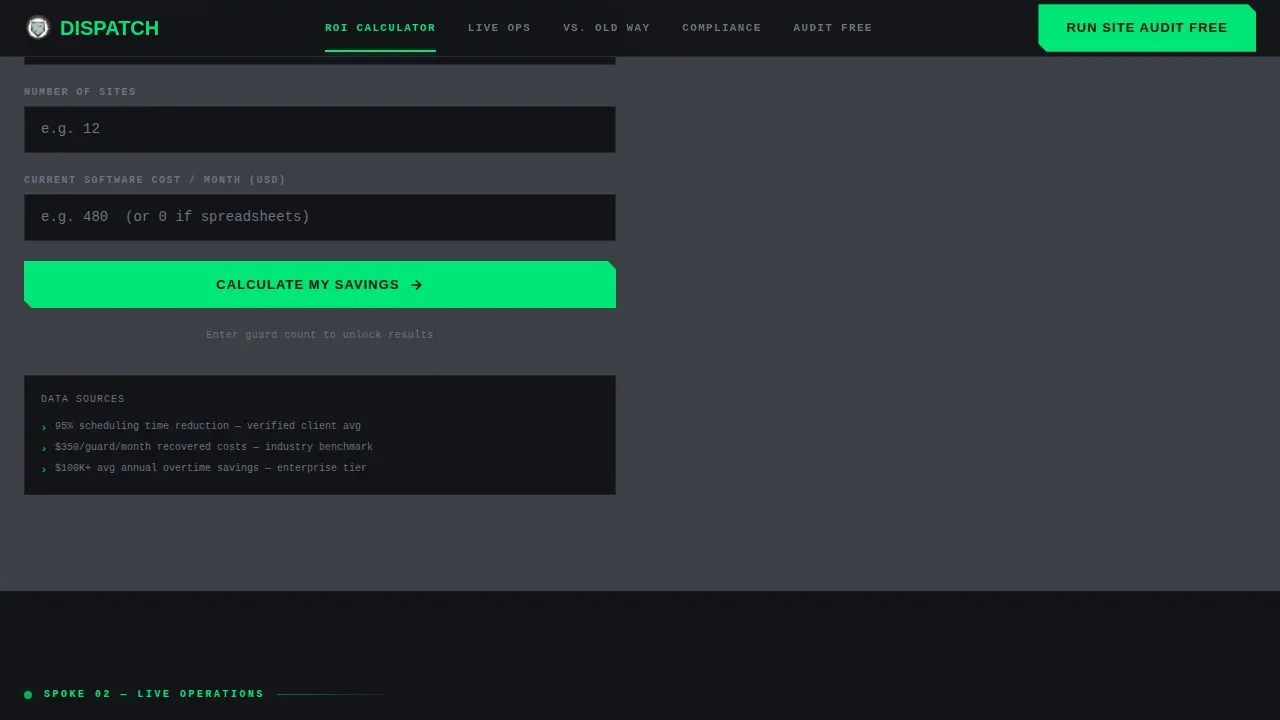
- An interactive ROI calculator as the first anchor spoke, collecting guard count, site count, and current software cost to output hours saved and annual savings.
- Three comparison toggle panels letting users flip between the old way and the Dispatch way, covering spreadsheets, legacy CRM, and pen-and-clipboard duties.
- A competitor logo bar header, compliance and social proof section, and a repeating "Run Your Site Audit Free" call to action with a secondary gated PDF download path.
Feature list
This template packages essential features into a focused set of components that operations-focused teams will recognize immediately.
Interactive ROI Calculator Spoke
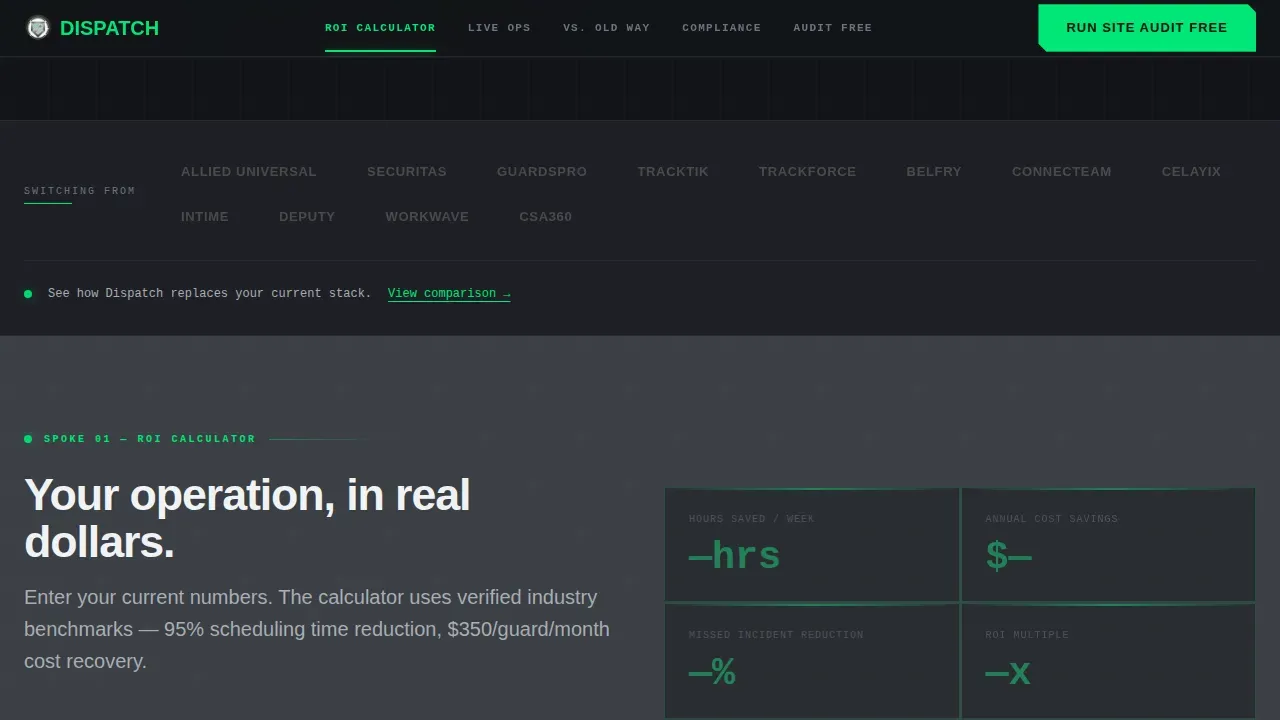
The calculator is the first anchor section visitors reach. They input the number of active guards, number of sites, and current software cost. The tool outputs hours saved per week, missed-incident reduction, and projected annual savings, making the business case before any feature pitch begins.
Comparison Toggle Panels
Three side-by-side panels let users toggle between the current approach and the platform's approach. Each panel covers a different incumbent: spreadsheets, legacy CRM software, and pen-and-clipboard workflows. Panels slide laterally like security camera feeds switching channels, reinforcing the command-center design direction.
Competitor Logo Bar Header
The header opens with a horizontal strip of recognizable security industry names presented as platforms users are switching from. Each logo is desaturated by default and activates on hover. A single line below the bar frames every subsequent scroll as a direct comparison conversation.
Live Ops Board Section
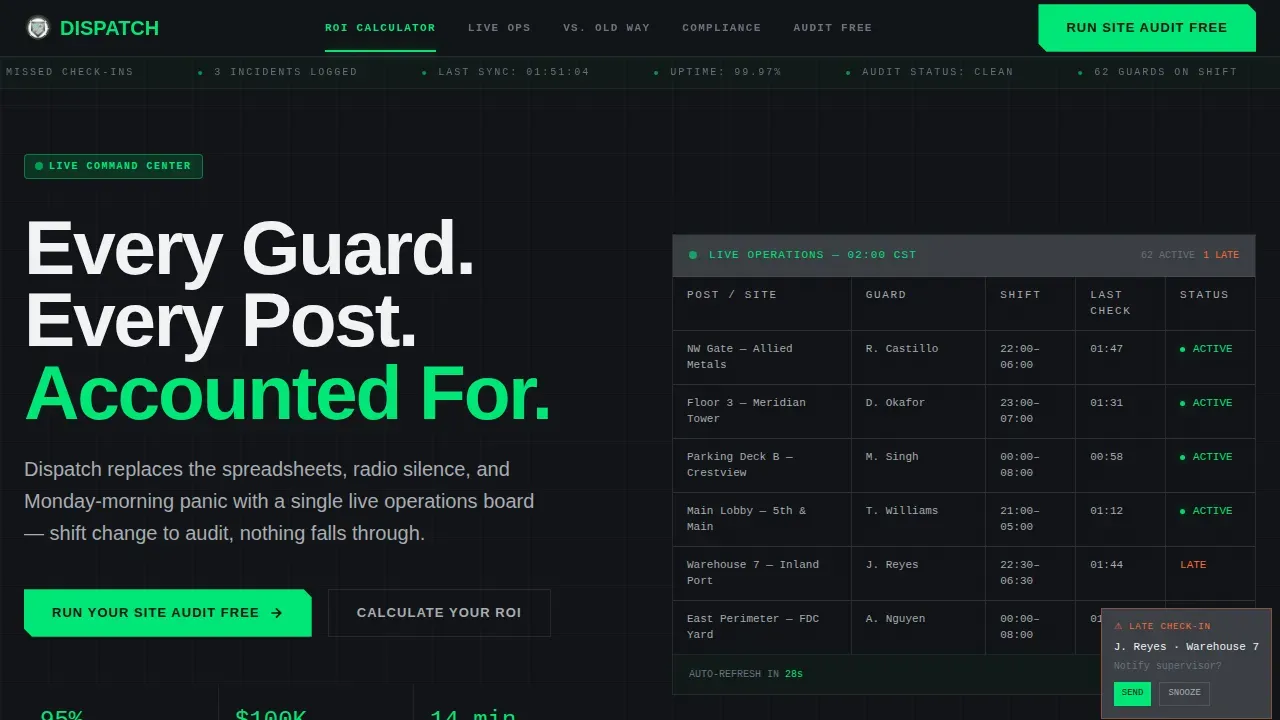
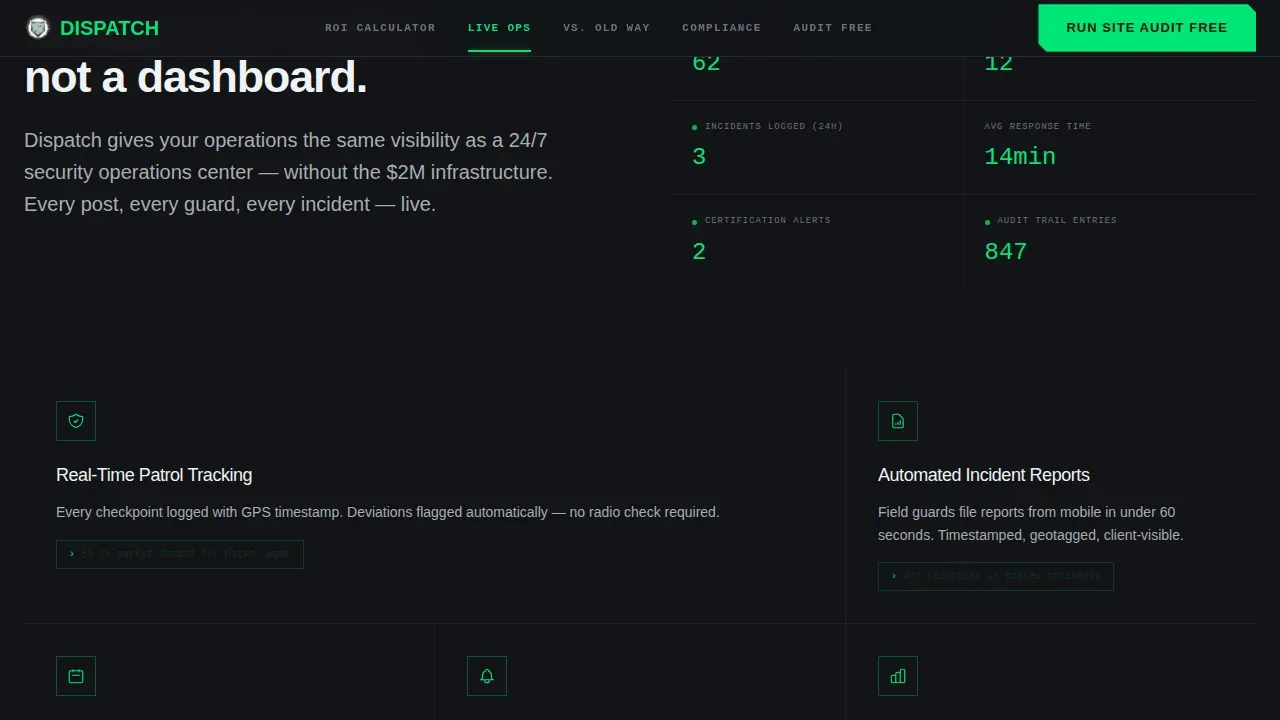
An animated dashboard showcase uses counter tick-ups and live status pulses to display real-time guard management data. Key performance indicators are positioned for immediate visibility, giving supervisors and managers a visual representation of how the platform tracks every post and incident across every site.
Compliance and Social Proof Spoke
This anchor section surfaces audit trail details, role-based testimonials, and trust signals. It is designed to address the specific concerns of compliance officers who need timestamped incident reporting ready before an audit. Specific metrics like scheduling time saved and overtime cost reduction are displayed here.
Gated PDF Secondary call to action
Visitors not yet ready to request a demo can download a "Switchover Checklist" PDF. The form captures contact details and current tool preference, creating a secondary conversion path that keeps cautious ops managers inside the funnel without forcing an immediate commitment.
Page sections overview
| Section | Purpose |
|---|---|
| Hero / Control Room | Opens with cinematic full-bleed command center aesthetic and primary call to action |
| Competitor Logo Bar | Frames the page as a versus conversation from the first scroll |
| ROI Calculator Spoke | Lets visitors input guard and site data to see personalized savings output |
| Live Ops Board | Animated dashboard showcasing real-time security operation data and alert status |
| Comparison Toggle Panels | Side-by-side toggles contrasting Dispatch against legacy tools and spreadsheets |
| Compliance and Proof | Audit trail details, testimonials, and timestamped incident reporting evidence |
| Footer Strip | Linear single-row footer with contact links and secondary download path |
Design & branding system
The visual identity follows a Dynamic Motion theme built on a Monochrome Steel color system. Every design decision serves a functional purpose, with zero decorative marks and a matte, utilitarian finish that feels native to a security operations command center.
- Colors: tactical black (#121417) for backgrounds, gunmetal (#3B3F45) for panels, brushed aluminum (#A8ADB3) for text, and signal green (#00E676) reserved exclusively for live status indicators, active alert states, and clickable call to action elements.
- Typography: Manrope in bold and black weights for all headings and display text; JetBrains Mono for data counters, live stats, and incident log indicators to reinforce the command-center layout.
- Motion: lateral slide transitions between comparison panels, counter tick-ups on live data figures, scroll-linked section reveals, and pulsing status indicators that communicate urgency without noise.
Mobile & speed optimization
The template is built desktop-first to match the primary use case of operations managers working at workstations during shift change, while remaining fully responsive for access on tablets or phones in the field.
- Static sections use server-rendered components to keep the page fast, while the ROI calculator, comparison toggles, and animations run as client components to maintain interactivity without blocking the initial display.
- The layout adapts across devices so supervisors can access the page on a phone or tablet and still track the key information clearly without losing the command-center visual identity.
How this template helps you convert
The page is structured around a Comparison/Versus conversion strategy. Every design and content decision is made to help visitors confirm a decision they are already moving toward.
- The ROI calculator at spoke one does the selling before any feature copy appears. By the time visitors see their own numbers, the primary call to action "Run Your Site Audit Free" feels like the next logical step rather than a sales ask.
- Comparison toggle panels at spoke two remove doubt by making the before-and-after concrete, directly addressing each incident type, reporting gap, and management pain point with a visual side-by-side.
- The compliance and social proof spoke at spoke three delivers the final push for cautious buyers. Role-based testimonials, audit trail evidence, and specific performance metrics build the trust needed to convert security agency decision-makers who manage risk carefully.
Other information about this template
This template is one of the more specialized security agency website templates available for SaaS platforms in the vertical security operations space. It is designed to enhance the online presence of security agencies selling command-center software to enterprise and mid-market clients.
- Security guard companies can use the editable template structure to standardize their marketing operations and reduce administrative work involved in building a comparison-focused website from scratch.
- The page is built to house large amounts of live data indicators and animated components without sacrificing the matte, utilitarian aesthetic that resonates with the security industry.
- Customization is straightforward: teams can update the color system, swap competitor logos, adjust the calculator output labels, and launch the page without rebuilding the layout from the ground up.
- The template supports implementing a gated PDF download path alongside the primary demo call to action, giving agencies two distinct strategies for capturing leads at different stages of the buying decision.
- Unified customer profiles within the CRM layer of the platform this template promotes can provide a 360-degree view of service history and incident patterns, reinforcing the personalized service angle that resonates with security agency customers.
- The dispatch live operations command security guard crm landing page template is purpose-built for this niche, making it a practical starting point for any SaaS team ready to launch a conversion-focused security management website.
Theme
Dynamic Motion
Creative direction
Calculator/Tool First
Color system
Monochrome Steel
Style
Hub & Spoke (Anchor Nav)
Direction
Comparison/Versus
Page Sections
Interactive ROI Calculator
Comparison Toggle Panels
Competitor Logo Bar Header
Live Ops Board with Animated Counters
Compliance and Social Proof Section
Gated PDF Secondary Conversion Path
Related questions
Who is this landing page template designed for?
Can I customize the ROI calculator inputs and outputs?
Does the template support a secondary lead capture path?
How does the comparison toggle section work?
Is the template suitable for desktop-first security operations teams?



