Mobilize - Powerful Franchise Volunteer Landing Page Template
Mobilize is a scroll-reveal landing page template built for franchise volunteer management platforms. It guides visitors from the frustration of scattered rosters and group-text chaos to the clarity of a unified dashboard. With a dark Void and Violet visual identity, animated comparison sections, and a focused lead-capture form, the template is designed to turn qualified prospects into demo requests.
by Rocket studio
Quick summary
Mobilize is a single-page, scroll-driven landing page template for franchise volunteer management software. It opens with a live-feel dashboard preview, walks visitors through an animated before-and-after transformation, and closes with a sharp comparison table and a short lead-capture form. The design uses deep blacks and electric violet to create a mission-control atmosphere that feels urgent and credible.
Who this template is for
This template is built for software teams and platform founders selling volunteer coordination tools to multi-location franchise operations. It speaks directly to the people responsible for keeping dozens of sites staffed, credentialed, and compliant.
- Franchise operations directors managing forty or more locations with large volunteer pools
- Regional coordinators currently running availability through group texts and shared spreadsheets
- Brand compliance officers who need auditable proof that every active volunteer holds current clearances
What problem this template solves
Franchise volunteer programs fall apart at scale. Availability lives in group chats, credentials expire in filing cabinets, and shift coverage becomes a daily scramble. This template gives platforms a page that names those exact pains and shows how one dashboard replaces all of them.
- No single place to show real-time headcounts, shift gaps, and credential status across locations
- Compliance officers cannot quickly surface clearance records during an audit
- Operations teams spend more time chasing updates than running programs
What you get with this template
The template delivers a complete, conversion-focused landing page structured around progressive disclosure. Each scroll step dismantles a familiar operational mess and replaces it with the platform's solution, so visitors build understanding as they move down the page.
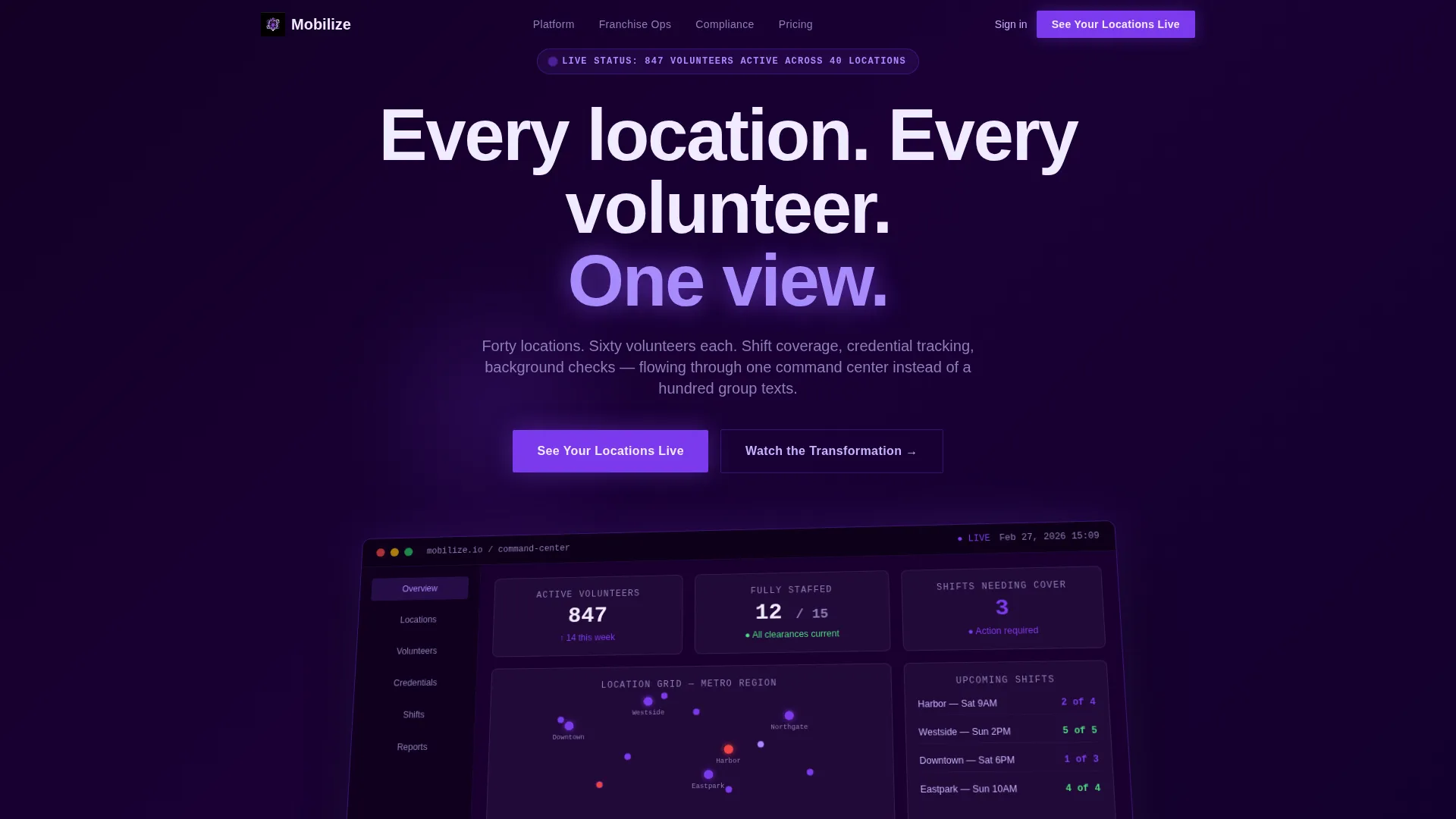
- An animated Dashboard Preview header showing a live volunteer grid with real-time numbers and location pins
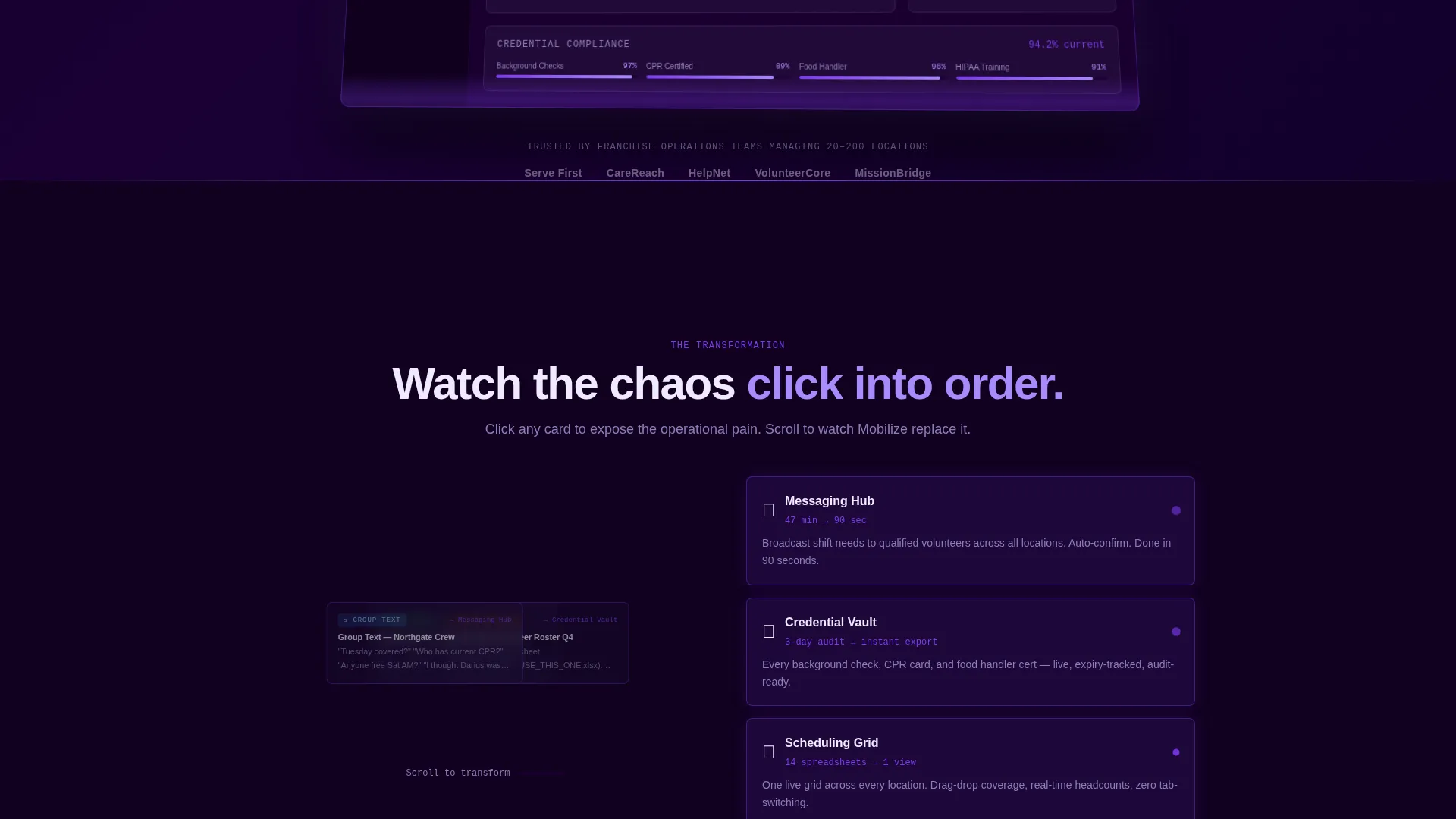
- An Interactive Explorer section that transforms chaotic inboxes, spreadsheets, and filing cabinets into platform modules on scroll
- A mid-page Comparison table benchmarking eight operational dimensions against legacy spreadsheet workflows
- A lead-capture form collecting franchise location count, volunteer range, and primary pain point
- A secondary conversion path offering a downloadable Franchise Ops Comparison PDF for internal stakeholders
Feature list
This section covers the key functional and visual building blocks included in the template.
Scroll Reveal Progressive Layout
Every section of the page enters on scroll. Content is hidden until the visitor reaches it, which keeps attention focused and makes the narrative feel earned rather than dumped all at once.
Animated Before-and-After Explorer
The Interactive Explorer lets visitors click through simulated chaos before seeing the solution. Text messages, email chains, and spreadsheet screenshots are stacked and overlapping. As the visitor scrolls, each element compresses and slots into the corresponding platform module using violet motion trails.
Live Dashboard Preview Header
The header renders a perspective-angled, floating dashboard interface showing a multi-location volunteer grid. Avatar dots move across franchise map pins, numbers tick upward, and flagged shifts glow violet. Subtle cursor-driven parallax makes the interface feel three-dimensional.
Eight-Row Comparison Table
A persistent split-view section anchors the middle of the page. The left column shows legacy metrics in muted gray ("47 minutes average" to fill a shift). The right column shows the platform's counters in violet. Each row animates on scroll across eight dimensions including onboarding speed, compliance readiness, and brand risk exposure.
Dual Conversion Path
The primary call to action ("See Your Locations Live") appears after the comparison table and again as a floating button on final scroll. A short form collects three inputs. A secondary path offers the PDF download for stakeholders building an internal business case.
Void and Violet Branding System
The full color system is built in and ready to apply. Void black dominates backgrounds, electric violet pulses on active states and progress indicators, nebula purple washes section transitions, and plasma white lifts card containers. Every color decision is intentional and consistent throughout the page.
Page sections overview
| Section | Purpose |
|---|---|
| Dashboard Preview Header | Opens with animated volunteer grid and live-feel numbers to establish platform credibility immediately |
| Interactive Explorer | Walks visitors through the before-and-after transformation, converting chaos into platform modules on scroll |
| Messaging Hub Module | Shows how scattered communications collapse into a single coordinated channel |
| Scheduling Grid Module | Replaces spreadsheet screenshots with a structured shift-coverage view |
| Credential Vault Module | Converts filing-cabinet metaphor into a searchable clearance tracking interface |
| Comparison Table Section | Splits legacy workflow against platform across eight operational metrics with animated counters |
| Primary call to action Block | Anchors the first "See Your Locations Live" prompt with the lead-capture form |
| PDF Download Path | Offers a secondary stakeholder-friendly conversion for visitors not yet ready to book a demo |
| Floating call to action Button | Persists on final scroll to recapture visitors who reached the bottom without converting |
Design & branding system
The visual identity runs on a Void and Violet color system that feels like a mission control room at 2 AM. Dark backgrounds dominate while violet and purple accents carry all meaningful activity, so the eye goes exactly where the content needs it to go.
- Void black (#0B0014) fills all primary backgrounds, electric violet (#7C3AED) marks active states and progress pulses, nebula purple (#A78BFA) transitions between sections, and plasma white (#F0EAFF) surfaces card containers and body text
- The Dynamic Motion theme governs all animation: scroll reveals, violet motion trails on the Interactive Explorer transitions, and parallax depth on the header dashboard
- Typography and spacing follow a high-contrast dark-interface convention, keeping every label readable against the deep backgrounds without competing with the color accents
Mobile & speed optimization
The template is structured for responsive display so the scroll-reveal narrative holds together across screen sizes. Animated sections are built to degrade gracefully on smaller viewports without losing the core message.
- The perspective-angled dashboard header and parallax effects are contained in a way that works on both desktop and mobile viewports
- The comparison table is designed to reflow cleanly on narrower screens so all eight metric rows remain legible
- The floating call-to-action button stays accessible at the bottom of the viewport on mobile, keeping the conversion path within reach throughout the scroll
How this template helps you convert
The page is built around a deliberate conversion architecture. Visitors move from recognition of the problem to evidence of the solution before they ever see a form.
- The before-and-after Interactive Explorer creates genuine investment in the outcome. Visitors who click through the chaos and watch it resolve are more likely to see themselves as buyers.
- The eight-row comparison table gives operations directors and compliance officers a ready-made business case. Concrete metrics like shift-fill time and audit readiness reduce the internal selling effort required before a demo request.
- The dual conversion path captures both decision-ready visitors and internal stakeholders. The form targets people ready to act now, and the PDF download serves the person who needs to convince a committee first.
Other information about this template
The Mobilize template is part of a broader library of franchise software landing page templates designed around real operational contexts. A few additional details worth knowing before you build with it.
- The template style is Scroll Reveal (Progressive), meaning each section is designed to appear in sequence as the visitor scrolls, not all at once on page load
- The header concept is a Dashboard Preview, a specific creative direction that leads with the product interface rather than abstract messaging
- The lp direction is Comparison and Versus, which means the mid-page split-view section is a core structural element, not an optional add-on
- The Interactive Explorer creative direction is baked into the scroll logic of the entire page, so the storytelling and the layout are inseparable
- This template sits in the Technology category under the Franchise Software subcategory, making it particularly relevant for platforms targeting franchise operations at scale


Theme
Dynamic Motion
Creative direction
Interactive Explorer
Color system
Void & Violet
Style
Scroll Reveal (Progressive)
Direction
Comparison/Versus
Page Sections
Scroll Reveal Progressive Layout
Animated Before-and-after Explorer
Live Dashboard Preview Header
Eight-row Comparison Table
Dual Conversion Path
Void and Violet Branding System
Related questions
Who is the primary audience this landing page template is built for?
What does the lead-capture form collect from visitors?
Is the eight-row comparison table content customizable?
What is the purpose of the secondary PDF download path?
Does the scroll-reveal animation work on mobile viewports?



