Advanced Directory & Marketplace Platforms Comparison Website Template
Navigate is a bento grid landing page template built for driving instructor directories. It pairs a cinematic dark header with a dynamic, filterable instructor grid, a side-by-side comparison panel, and a sticky comparison bar. The result is a focused, conversion-ready page that helps learner drivers find, compare, and book the right local instructor without friction.
by Rocket studio
Quick summary
Navigate is a single-page driving instructor directory template built on a bento grid layout. It opens with a full-bleed cinematic header, moves through a filterable instructor grid, and closes with a sticky "Compare and Book a Lesson" bar. Every design decision serves one goal: help a visitor find and commit to the right instructor, fast.
Who this template is for
This template is built for anyone launching or refreshing a driving instructor directory. It suits operators who want a polished, visually sharp page without building from scratch.
- Driving school owners listing multiple instructors across postcodes
- Directory operators targeting learner drivers, parents, and career-changers booking intensive courses
- Freelance instructors or agencies wanting a comparison-first booking experience
What problem this template solves
Choosing a driving instructor is a surprisingly stressful decision. Learners and parents scroll through flat lists with no easy way to compare pricing, pass rates, or availability side by side. This template removes that friction directly.
- Visitors can filter and compare instructors without leaving the page or opening new tabs
- The comparison panel surfaces key differences in price, pass rate, and availability at a glance
- A postcode search field returns an instant results count, proving local value before any sign-up
What you get with this template
Navigate delivers a fully designed, single-page layout ready for a driving instructor directory. Every section is purpose-built for comparison and booking.
- A full-bleed cinematic header with a floating postcode search bar and lesson type dropdown
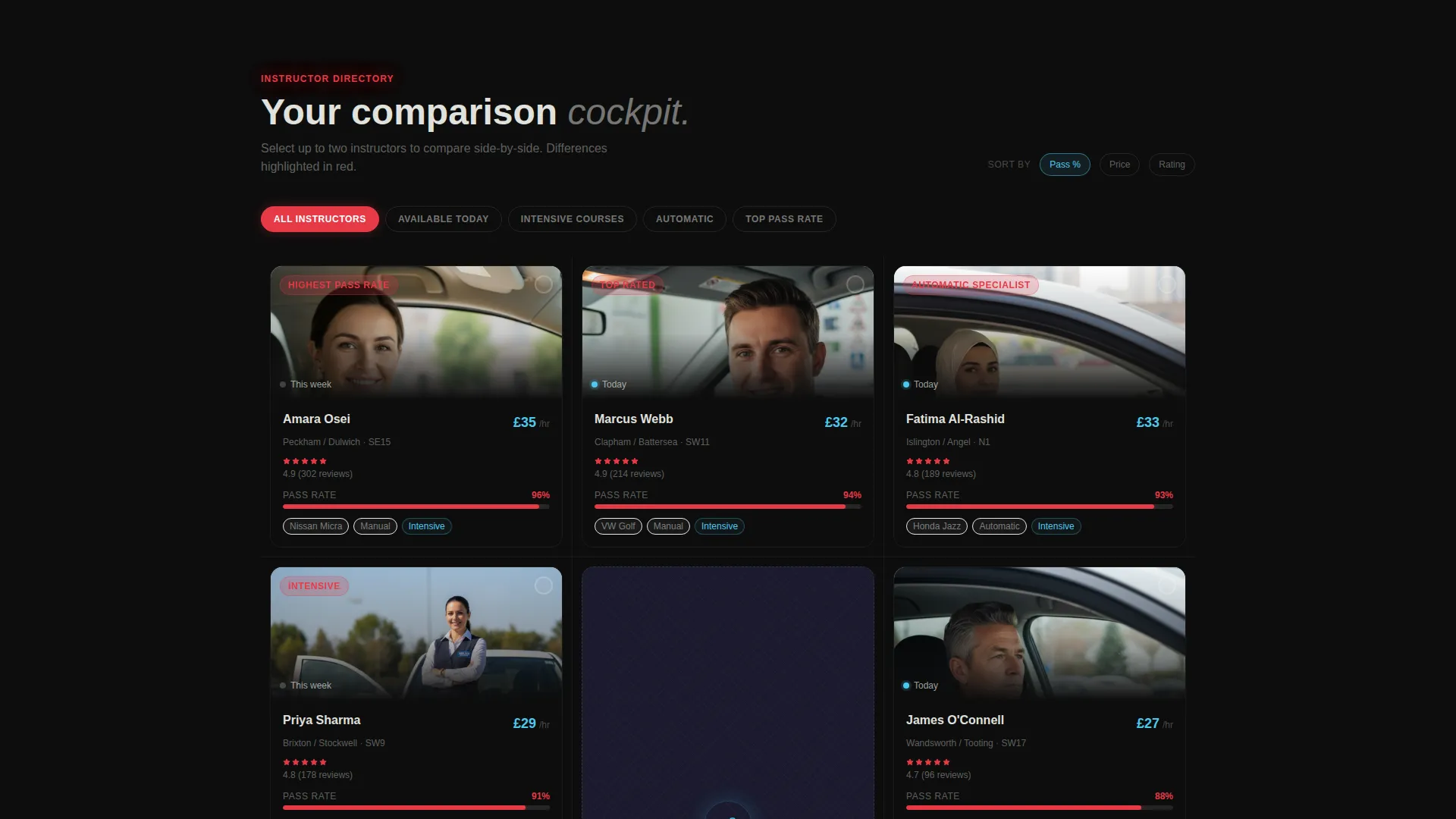
- A dynamic bento grid that rearranges instructor cards as visitors filter by price, pass rate, car type, and availability
- A live side-by-side comparison panel, testimonial tile row, interactive map tile, and a sticky comparison booking bar
Feature list
This template ships with a focused set of interactive and visual components. Each one is built specifically for the comparison-first directory experience described below.
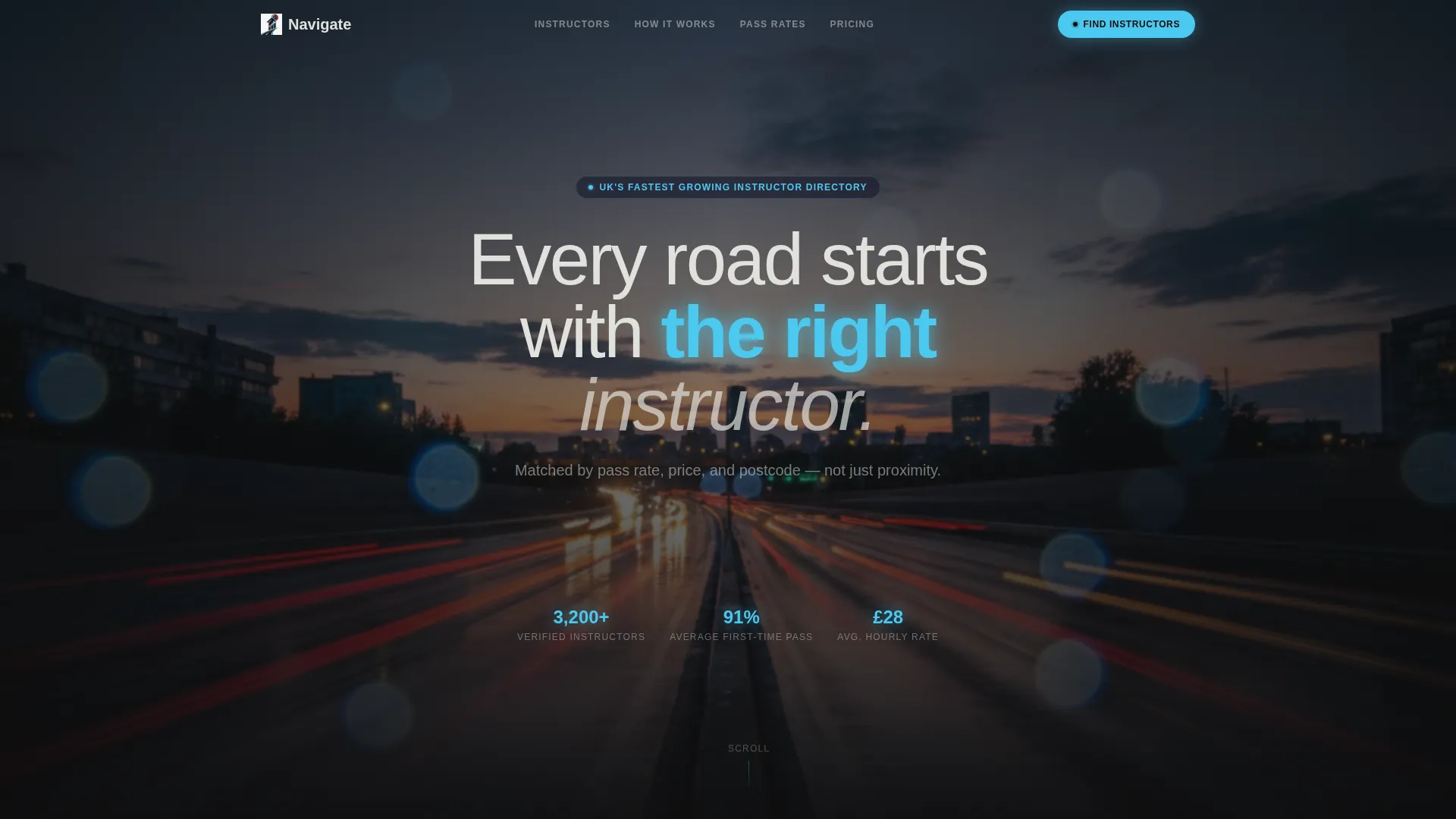
Full-Bleed Cinematic Header
The header fills the entire viewport edge to edge with a rain-slicked dual carriageway scene at twilight. A glowing search bar floats centre-frame with a postcode field, a lesson type dropdown, and a "Find Instructors" button. The headline appears above in thin luminous sans-serif type.
Dynamic Filterable Bento Grid
Instructor cards sit in a bento grid that rearranges and resizes as visitors apply filters. Filters include price, pass rate, car type, and availability. Tiles slide and resize like a telemetry dashboard recalibrating in real time.
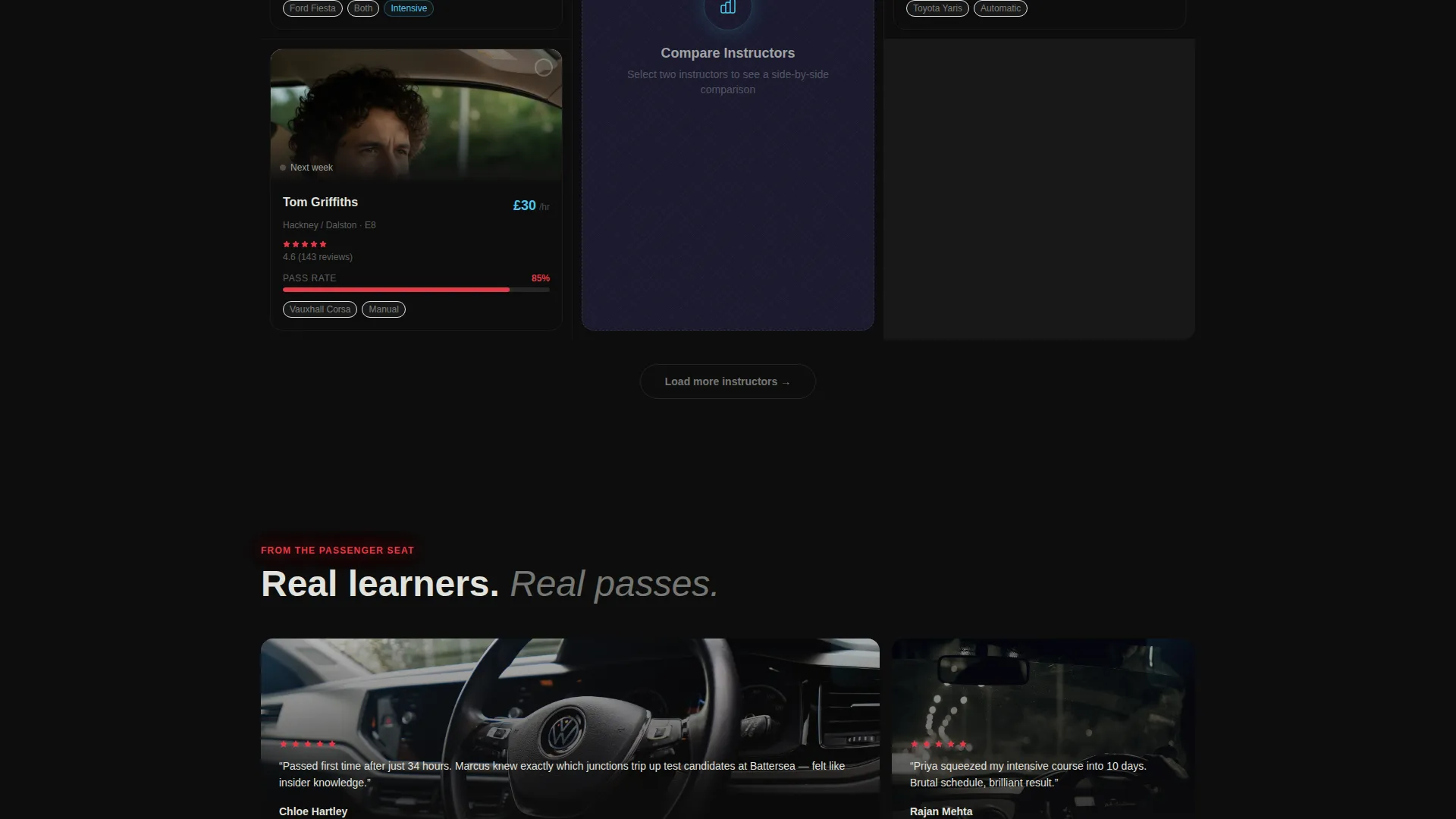
Side-by-Side Comparison Panel
One oversized bento tile runs a live comparison of two instructors in adjacent columns. Metrics stack vertically: hourly rate, first-time pass percentage, average hours to test-ready, vehicle make, and cancellation policy. Differences are highlighted in tachometer red so the eye catches every gap instantly.
Instant Postcode Results Count
A single postcode field in the header returns an immediate results count before any commitment is required. The response reads like "14 instructors near SW11", proving local coverage quickly and reducing drop-off at the top of the page.
Sticky Comparison Booking Bar
A sticky bottom bar appears only after two or more instructors are selected. Instructor thumbnail avatars queue like browser tabs inside the bar. The primary call to action, "Compare and Book a Lesson", anchors the bar and leads to a short form asking only for name, phone number, and preferred first-lesson date.
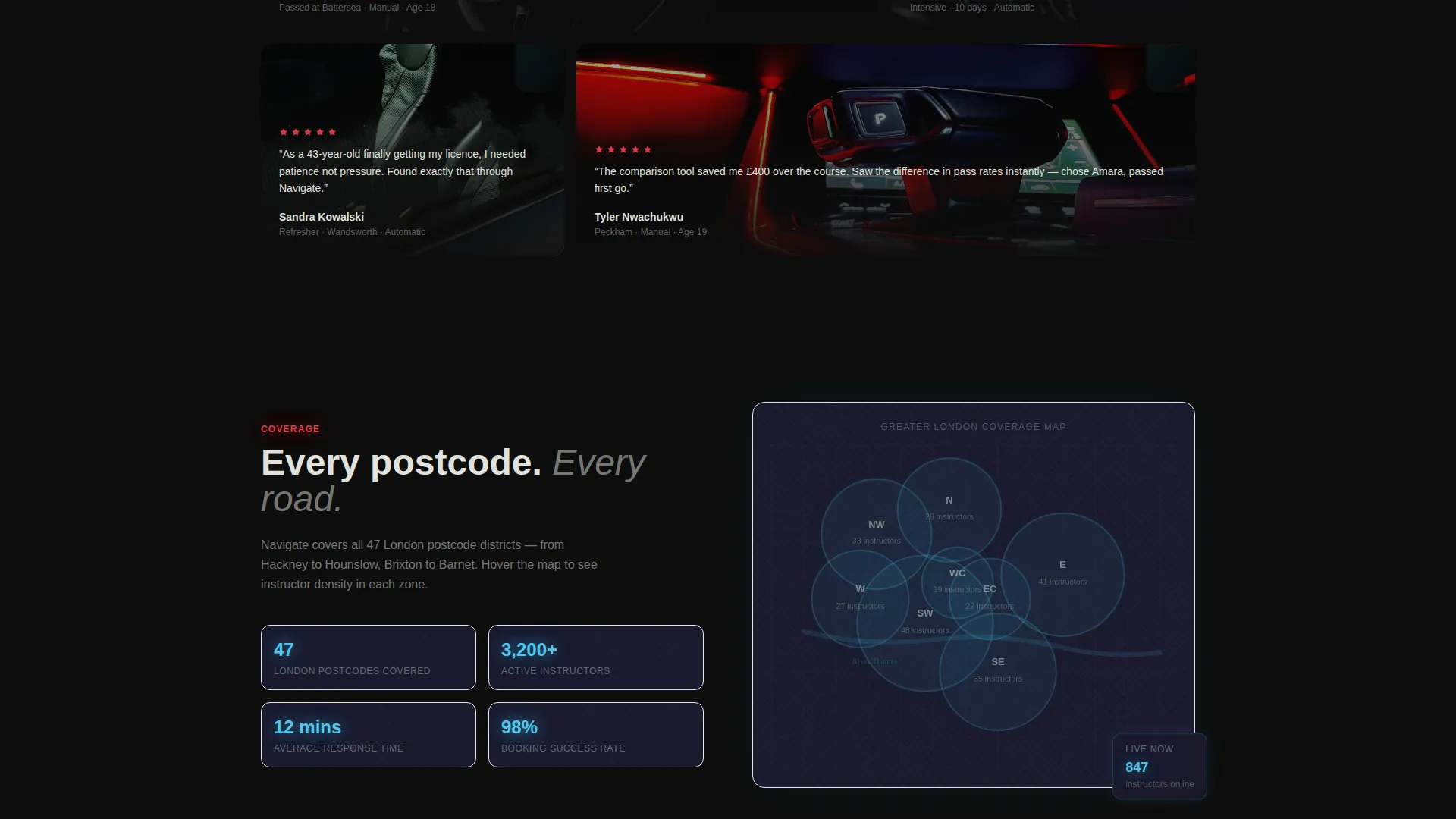
Testimonial and Map Tiles
Scrolling deeper, the bento grid shifts to testimonial snapshot tiles. Each tile shows a quote overlaid on a blurred car interior photo. An interactive map tile follows, lighting up coverage zones in xenon blue as the cursor drifts across postcodes.
Page sections overview
| Section | Purpose |
|---|---|
| Cinematic Hero Header | Full-bleed scene with floating postcode search and headline |
| Filterable Instructor Grid | Bento cards rearranging by price, pass rate, car type, availability |
| Comparison Panel Tile | Side-by-side instructor stats with colour-coded differences |
| Testimonial Snapshot Tiles | Quote overlays on blurred car interior photos |
| Interactive Coverage Map | Postcode zone highlights lighting up on cursor movement |
| Sticky Booking Bar | Persistent call to action bar appearing after two instructors are selected |
Design & branding system
The visual identity follows a Dynamic Motion theme built on a Carbon Fiber color system. The palette reads like a cockpit at night: matte darkness layered with luminous instrument-panel accents.
- Core colors are deep asphalt black (#0D0D0D), woven carbon weave gray (#1A1A2E), tachometer red (#E63946), xenon headlamp blue (#4CC9F0), and cool silver-white (#E0E1DD) for body text
- Backgrounds stay in the darkest registers; hover states pulse with xenon blue like indicators ticking before a lane change
- Typography runs in thin, luminous sans-serif styles that keep the cockpit-at-night mood without sacrificing readability
Mobile & speed optimization
The bento grid layout is structured to adapt across screen sizes. On smaller viewports, tiles restack naturally to keep comparison functionality accessible without horizontal scrolling.
- Filter controls and the comparison panel reflow into a vertical stacked layout on mobile
- The sticky booking bar remains anchored at the bottom of the screen on all device sizes
- The postcode search field stays prominently placed above the fold on both desktop and mobile
How this template helps you convert
Navigate is built around a Comparison and Versus conversion model. Every section is sequenced to move a visitor from curiosity to commitment without pressure.
- The postcode search at the top delivers an instant results count, giving visitors proof of local value before they scroll further or enter any personal details.
- The comparison panel makes differences between instructors visceral through contrasting colors and progress bars racing side by side, so visitors feel informed rather than sold to.
- The sticky booking bar appears only after the visitor has already selected two instructors, meaning the call to action lands when intent is highest, and the final form asks for only three fields.
Other information about this template
Navigate is categorised under Technology, specifically within the Directory and Marketplace Platforms subcategory. It is purpose-designed for the driving instructor directory niche and carries an intersection match score of 13 across its combined theme, style, and direction attributes.
- Template style: Bento Grid, paired with a Dynamic Motion theme and Carbon Fiber color system
- Creative direction: Interactive Explorer, with a Dark Full-Bleed and Glow header concept
- Landing page direction: Comparison and Versus model, optimised for directory and marketplace use cases
- This template can support driving school networks, independent instructor listings, and intensive course providers within the same single-page layout
Theme
Dynamic Motion
Creative direction
Interactive Explorer
Color system
Carbon Fiber
Style
Bento Grid
Direction
Comparison/Versus
Page Sections
Full-bleed Cinematic Header with Search
Dynamic Filterable Bento Grid
Side-by-side Instructor Comparison Panel
Instant Postcode Results Count
Sticky Comparison and Booking Bar
Testimonial Tiles and Coverage Map
Related questions
Who is the primary audience for this template?
Can this template display multiple instructors at once?
What does the sticky booking bar do?
Is the layout built for a full directory or a single instructor?
What does the booking form ask for?



