Advanced AI & Machine Learning Cost Estimator Website Template
Tensor is a split-screen landing page template built for AI model marketplaces. It pairs a live cost-and-performance estimator with an animated model leaderboard, giving machine learning engineers an instant path from requirement to ranked result. The Tech Glass visual identity, carbon fiber color system, and terminal-sharp typography make every data point feel credible and every click feel earned.
by Rocket studio
Quick summary
Tensor is a single-page landing page template designed for AI model discovery platforms. It uses a 50/50 split-screen layout to place a working cost estimator beside a live, re-ranking model leaderboard. The design follows a Tech Glass aesthetic with a Carbon Fiber color system. Every section adds a new data layer, guiding analytical visitors from first impression to a confident "Explore Models Free" click.
Who this template is for
This template is built for teams and individuals who need to present, compare, and deploy pre-trained models without spending months on training compute. It bridges technical credibility with a user-friendly value proposition, making it suitable for a range of builders and buyers in the machine learning space.
- ML engineers at mid-stage startups who need to ship fast and stay within inference budget constraints
- Solo researchers fine-tuning on a single GPU who want benchmark-driven model selection rather than raw guesswork
- Enterprise architects who must evaluate foundation models before committing to large-scale deployment contracts
What problem this template solves
Finding the right pre-trained model is harder than it should be. Common pain points include high training costs, slow inference, and difficulty locating models that match specific tensor precision requirements like FP32, FP16, INT8, or BF16. Other platforms scatter this information across disconnected pages, forcing engineers to compile raw data manually before they can even begin comparing options.
- Engineers waste hours cross-referencing benchmark scores, VRAM footprint, and license details across multiple sources
- Decision-makers lack a structured way to evaluate cost-per-inference against accuracy thresholds before committing resources
- Model providers have no clean, credibility-first surface to showcase their available models to a high-intent technical audience
What you get with this template
Tensor delivers a fully structured, high-interactivity landing page built around an estimator-first flow. The page is ready to customize with your own model catalog details, branding files, and copy. Every component serves a specific conversion purpose, from the animated leaderboard in the hero to the persistent call-to-action bar that appears after the second scroll section.
- A 50/50 split-screen hero with slider-driven estimator on the left and a dynamic, auto-reranking model leaderboard on the right
- Four scroll sections covering marketplace statistics, a filterable model comparison table, deployment case studies, and a persistent call-to-action bar
- A Carbon Fiber color system with JetBrains Mono and DM Sans typography, single-pixel cyan dividers, and glassy frost hover states throughout
Feature list
This section walks through the core functional components built into the Tensor template. Each feature is prompt-grounded and describes what the template actually delivers.
Split-Screen Cost and Performance Estimator
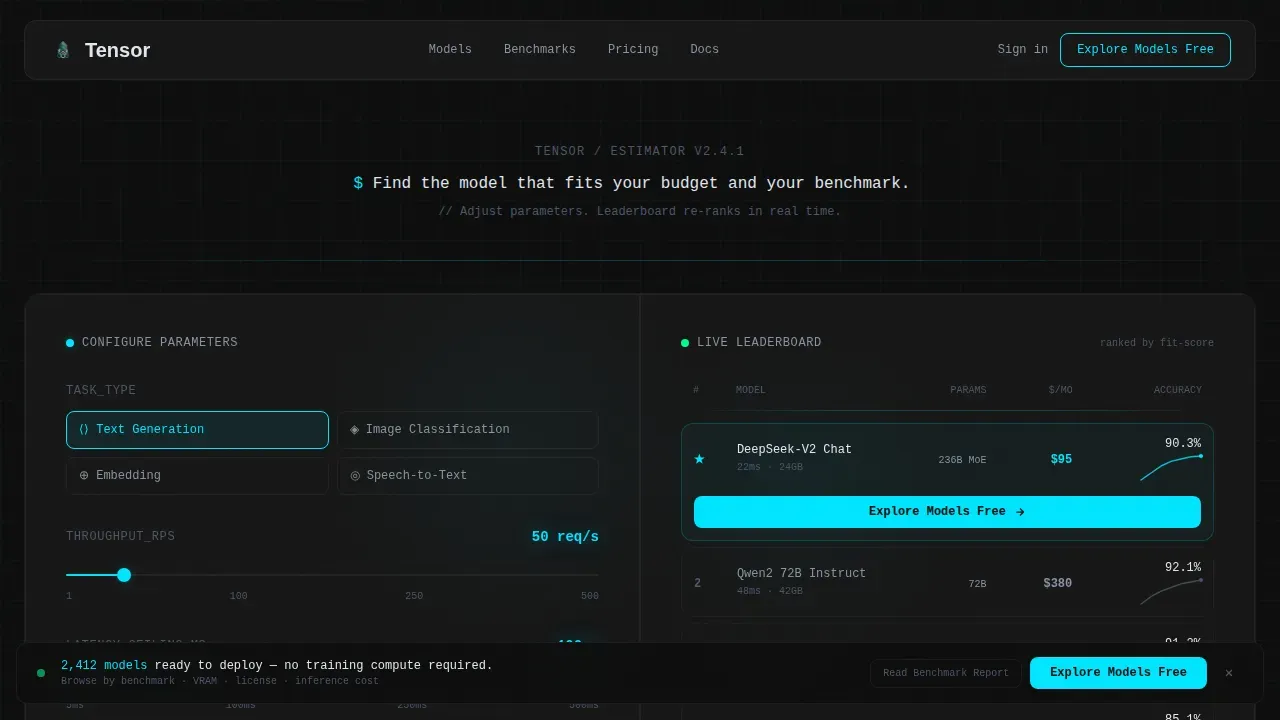
The hero occupies the full viewport as a 50/50 split. The left panel gives users real-time sliders to set task type, desired throughput in requests per second, and acceptable latency ceiling. Cyan value readouts update instantly. The right panel responds dynamically, re-ranking the top five models by estimated monthly inference cost and benchmark accuracy spark-lines. This interactive demo of the estimator concept lets visitors interact with the page rather than just read it.
Animated Model Leaderboard
The leaderboard lives in the right half of the hero and updates its model rankings with each slider adjustment. Each row displays the model name, parameter count, estimated cost, and an animated spark-line. This dynamic output creates a data-dense, terminal-style experience that communicates depth before a visitor scrolls past the fold.
Kinetic Marketplace Statistics Section
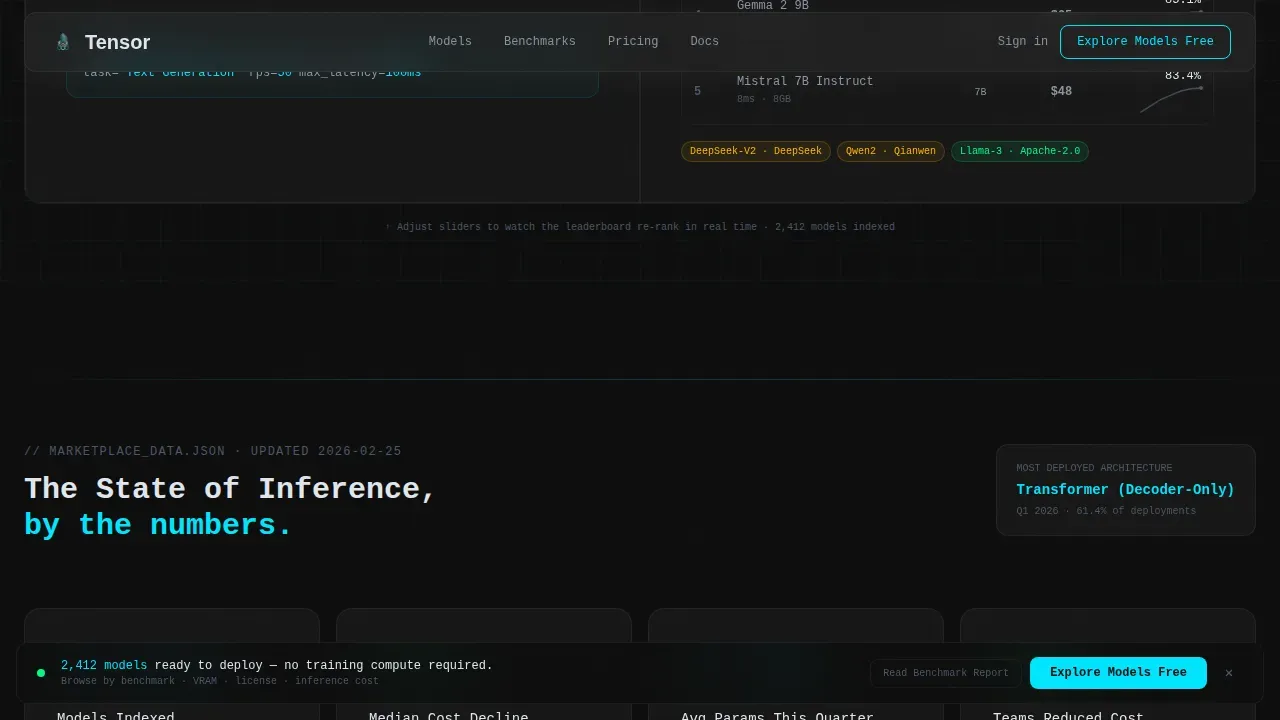
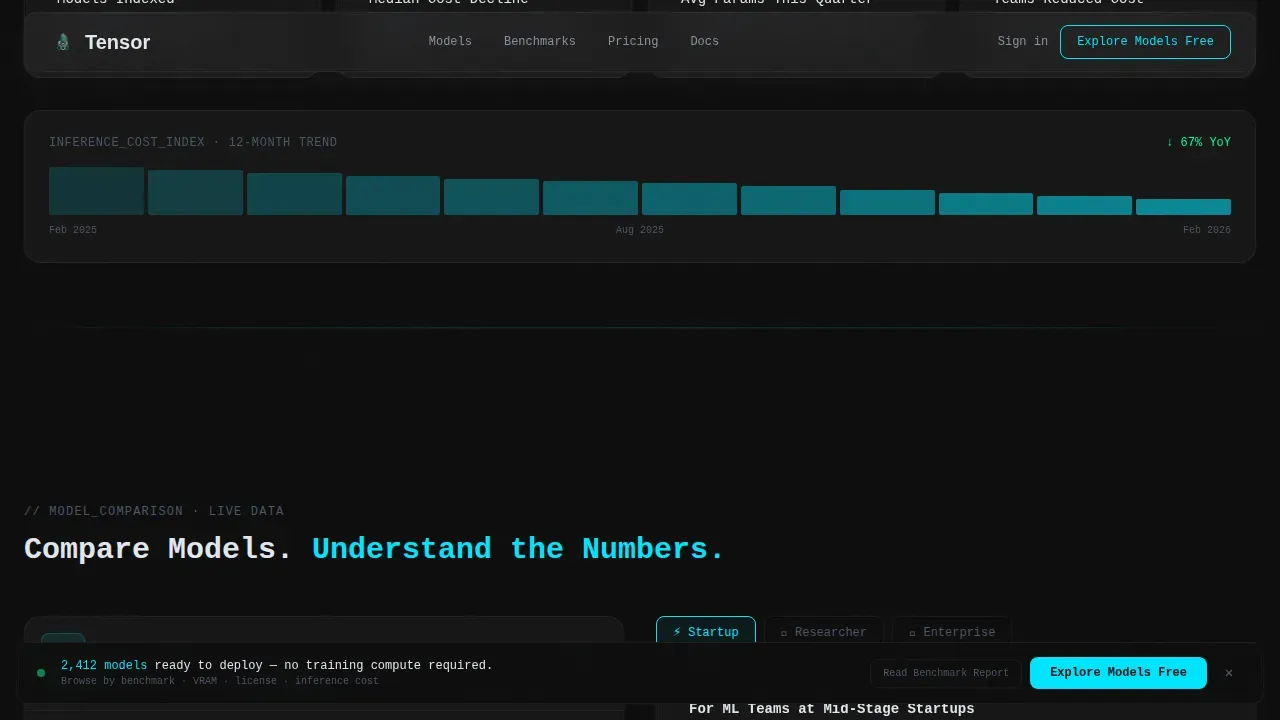
Below the hero, the page surfaces aggregate marketplace data using GSAP ScrollTrigger count-up animations. Large kinetic statistics cover total models listed, median inference cost decline over twelve months, and the most-deployed architecture this quarter. These figures bring the industry-report creative direction to life and give users confidence in the platform's scope and network of available models.
Filterable Model Comparison Table
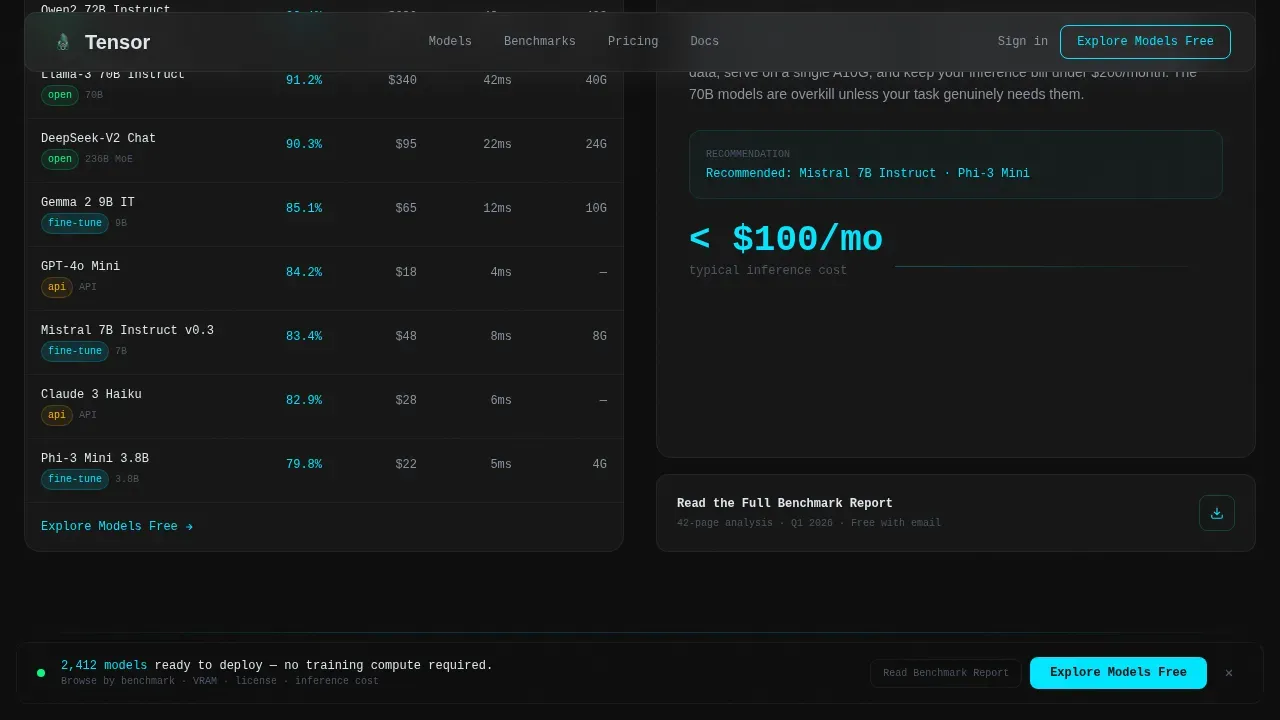
The third scroll section uses another split layout. The left side hosts a filterable model comparison table. The right side carries a narrative explainer that contextualizes what the numbers mean for different team sizes. This method of pairing raw data with editorial guidance helps users of varying experience levels learn what they are looking at, evaluate their options, and advance toward a decision.
Deployment Case Study Snapshots
Three deployment stories appear in a dedicated section. Each case study is told in two sentences with before-and-after latency and cost metrics. These specific, grounded examples give enterprise architects and startup engineers alike a concrete path from browsing to trusting. Social proof through real usage details is one of the most effective ways to reduce hesitation and generate response from high-intent visitors.
Persistent Call-to-Action Bar and Secondary Capture
The primary call-to-action, "Explore Models Free," attaches to the top-ranked model row inside the estimator results. It reappears as a persistent bottom bar after the second scroll section. A secondary call-to-action, "Read the Full Benchmark Report," links to a gated resource that collects only an email address. This two-path structure accounts for both ready-to-browse users and researchers who want to review the full data before they explore.
Page sections overview
| Section | Purpose |
|---|---|
| Split-Screen Estimator Hero | Live cost and performance model ranking with interactive sliders |
| Kinetic Marketplace Stats | Scroll-triggered count-up aggregate data for network credibility |
| Model Comparison Split | Filterable model table paired with a narrative context panel |
| Deployment Case Studies | Three before-and-after stories with latency and cost details |
| Persistent call to action Bar | Fixed bottom bar driving "Explore Models Free" after scroll depth |
| Secondary Benchmark call to action | Email-gated PDF capture for high-intent research-focused visitors |
| Developer Minimal Footer | Clean GitHub-style footer with pattern 8 layout |
Design & branding system
Tensor follows a Tech Glass theme built on a Carbon Fiber color system. The palette feels like a polished carbon fiber panel under halogen light: matte darkness interrupted by razor-thin reflections. Every color decision serves readability and data clarity in an engineering context.
- Background layers stay in the deep carbon black (#0D0D0D) to woven graphite (#1A1A2E) range, with translucent panel overlays using #FFFFFF0A over dark surfaces
- Electric cyan (#00E5FF) powers all interactive states, data highlights, slider readouts, and single-pixel section dividers, while body text renders in cool white (#E0E6ED)
- JetBrains Mono handles all headlines and numerical data for a terminal-sharp feel; DM Sans handles body copy for readable clarity; hover states bloom with a glassy frost blur behind tooltips and dropdowns
Mobile & speed optimization
Tensor is designed desktop-first to match the workstation-based workflow of its primary audience: machine learning engineers who work at high-resolution monitors. Static sections use server-side rendering for fast initial paint, while interactive components like the estimator use client-side rendering only where needed. The design prioritizes clarity and trust on every device.
- Static content sections are structured for fast load, targeting sub-3-second delivery to reduce bounce from developer-impatient users
- Interactive estimator and leaderboard components load as isolated client components, keeping the critical rendering path lean and the initial page response quick
- The layout adapts to smaller device widths without breaking the data-dense structure, ensuring the model comparison details remain readable on any screen
How this template helps you convert
The conversion path in Tensor is built on analytical trust. By the time a visitor reaches the call-to-action, the estimator and the industry data have already demonstrated that the platform organizes available models the way an engineering brain wants them organized. The page earns the click rather than asking for it.
- The estimator gives users a personalized, dynamic result before they scroll, making the primary call-to-action feel like a natural next section rather than an interruption
- The kinetic statistics and filterable comparison table build platform credibility progressively, so enterprise architects and startup engineers can both find a reason to trust the data before they deploy
- The persistent call to action bar ensures the "Explore Models Free" option is always visible for users who are ready to act, while the secondary benchmark report path captures researchers who need to learn more before committing
Other information about this template
Tensor is built to serve the full scope of an AI model marketplace audience, from students and solo researchers exploring their first fine-tune to enterprise teams who need to train, test, and publicly deploy production models at scale. The following section covers additional context that helps buyers understand how this template fits into the broader landscape.
- The template structure is designed to host model card details prominently. Model cards should detail functionality and benchmarks to improve user trust and reduce hesitation, and Tensor's layout provides clear visual space for that information on each model row.
- Model providers can use this template to create a credibility-first surface that showcases their models publicly, sets the context for pricing, and gives users a clear, low-friction path to explore and interact with listings. TensorOpera Model Marketplace and similar platforms demonstrate that model providers who prioritize direct access to users gain a meaningful benefit over those relying on other platforms with less control.
- Dynamic graph techniques are relevant context for advanced users who train or fine-tune models on graph-structured data. Dynamic graph learning captures temporal evolution patterns and is more complex than static graph learning because it must account for changing network structure over time. A tensor-based graph neural network model can learn global graph structural information throughout the graph evolution history, and the ACM research community has produced benchmark datasets for temporal link prediction that refer to these methods.
- Model serialization is a key concern for teams who deploy large models to production servers. Efficient serialization and deserialization from endpoints like HTTP/HTTPS and S3 keeps container sizes small and improves loading times. Tensorizer supports concurrent reads to enhance deserialization performance, and its network-bound speed makes optimizing the network path a priority for production-ready deployment.
- No-code platforms allow users to create and manage AI agents without any coding experience. Pre-built templates in no-code platforms enable instant deployment of agents for specific use cases, and users can customize agent behavior, voice, and capabilities without traditional programming. This template can support a landing page for no-code-accessible agent-deployment products as well as fully technical model marketplaces.
- The version of this template is optimized for single-page use. Customization files are included for color, typography, and copy. Teams can advance the design by updating the carbon fiber palette tokens and swapping in their own benchmark data and case study details.
- Note that you are responsible for reviewing and complying with any applicable license terms before publishing third-party model details or benchmark figures on a live site built from this template.
Theme
Tech Glass
Creative direction
Industry Report
Color system
Carbon Fiber
Style
Split Screen (50/50)
Direction
Click-Through
Page Sections
Split-screen Interactive Estimator
Dynamic Animated Leaderboard
GSAP Kinetic Statistics Section
Filterable Model Comparison Table
Deployment Case Study Snapshots
Two-path Conversion Structure
Related questions
Can I customize the color system and typography in this template?
Does the estimator work as a static prototype or does it require live data?
How does the template handle the two call-to-action paths?
Is this template suitable for model providers who want to list their models publicly?
What animation and interactivity does this template include?



