Nexus — Compliance Platform Landing Page Template
Comply is a split-screen landing page template built for home services compliance software. It pairs a dramatic before-and-after interactive header with scrolling industry-report sections that make the cost of non-compliance impossible to ignore. The design uses a dark Carbon Fiber palette with status-driven color cues, guiding HVAC, plumbing, and electrical businesses straight to an app download.
by Rocket studio
Quick summary
Comply is a single-page, app-download-focused landing page template for home services compliance software. It splits every screen 50/50 between the problem and the solution, uses live-feeling data callouts to build urgency, and funnels visitors into a two-step download flow. The result is a dark, purposeful page that earns trust before it asks for a tap.
Who this template is for
This template is built for software teams and founders selling compliance tools to trade contractors. If your buyers are the owners, office managers, or operations leads keeping licensed crews in the field, this template speaks their language directly.
- Home services software companies targeting HVAC, plumbing, or electrical contractors
- SaaS founders whose product manages permit tracking, license renewals, or inspection scheduling
- Marketing teams that need a high-converting app download page with a strong visual hook
What problem this template solves
Trade contractors lose jobs, revenue, and reputation when a single credential lapses unnoticed. A generic software landing page cannot convey that urgency. Comply is designed specifically to close that gap.
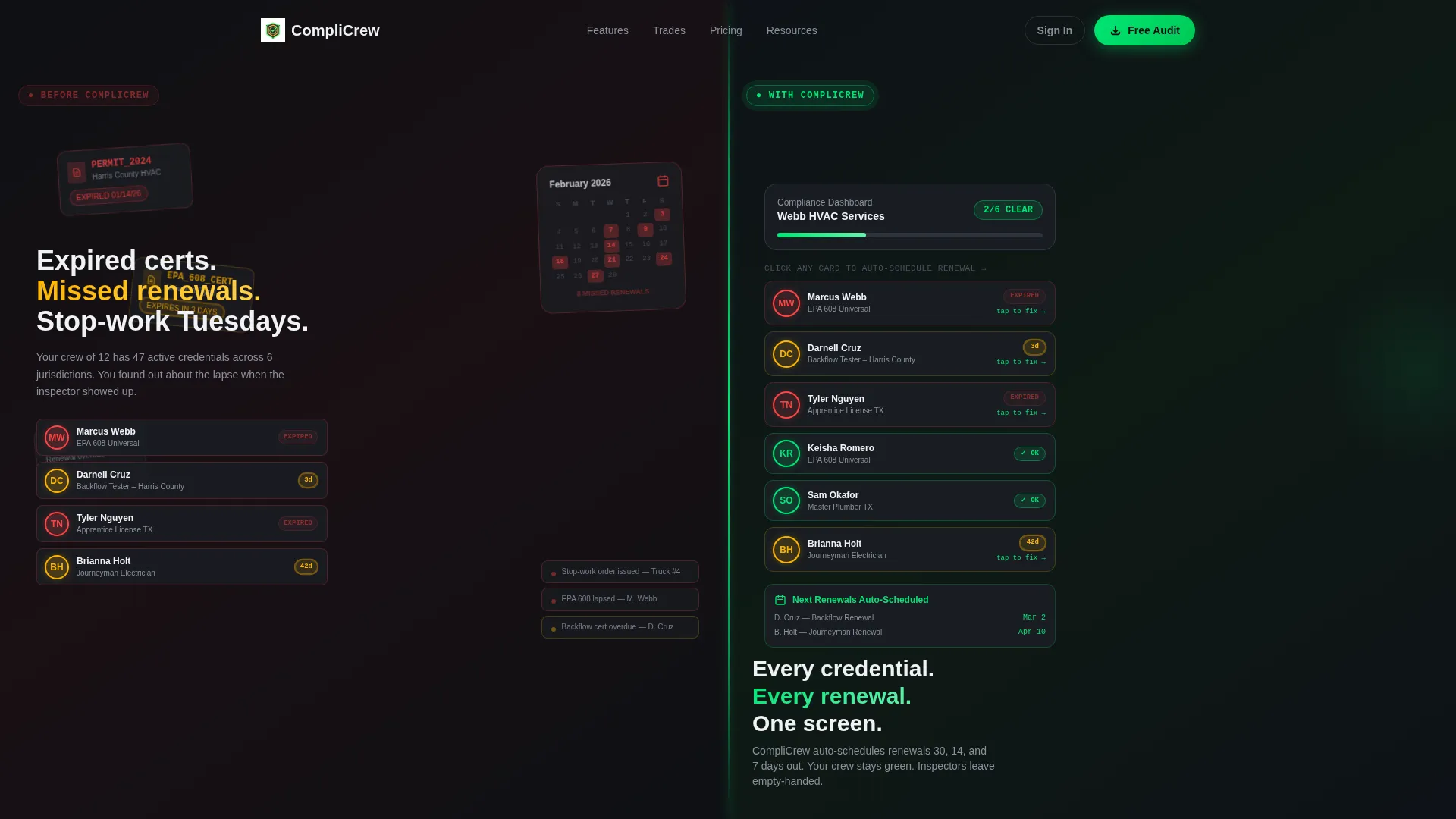
- It replaces abstract feature lists with side-by-side proof: raw permit chaos on the left, clean compliance status on the right
- It uses animated industry statistics to show visitors exactly what non-compliance costs per truck roll and per month
- It reduces download friction with a two-step trade-selector flow so the app pre-loads the right compliance templates on first open
What you get with this template
You get a fully structured, single-page layout built around the app download objective. Every section is purpose-designed to move a skeptical contractor from awareness to install.
- An interactive split-screen header where visitors click technician avatars and watch compliance status resolve in real time
- Scrolling Industry Report sections with animated charts, count-up statistics, and paired feature panels
- A pinned bottom call-to-action bar, a two-step download flow with trade selector and platform badges, and a secondary SMS deep-link path for desktop visitors
Feature list
This template ships with six purpose-built components that work together to drive app downloads from trade contractors.
Interactive Split-Screen Header
The header fills the full viewport and divides it down the center. The left half renders permit chaos: overlapping PDF stacks, amber-pulsing expired license badges, and a calendar showing missed deadlines in red. The right half shows the same data resolved inside the app with clean cards and green compliance badges. Visitors can click individual technician avatars to trigger a real-time status animation, watching cards snap from amber to green with a micro-animation that feels like a lock clicking shut.
Animated Industry Report Sections
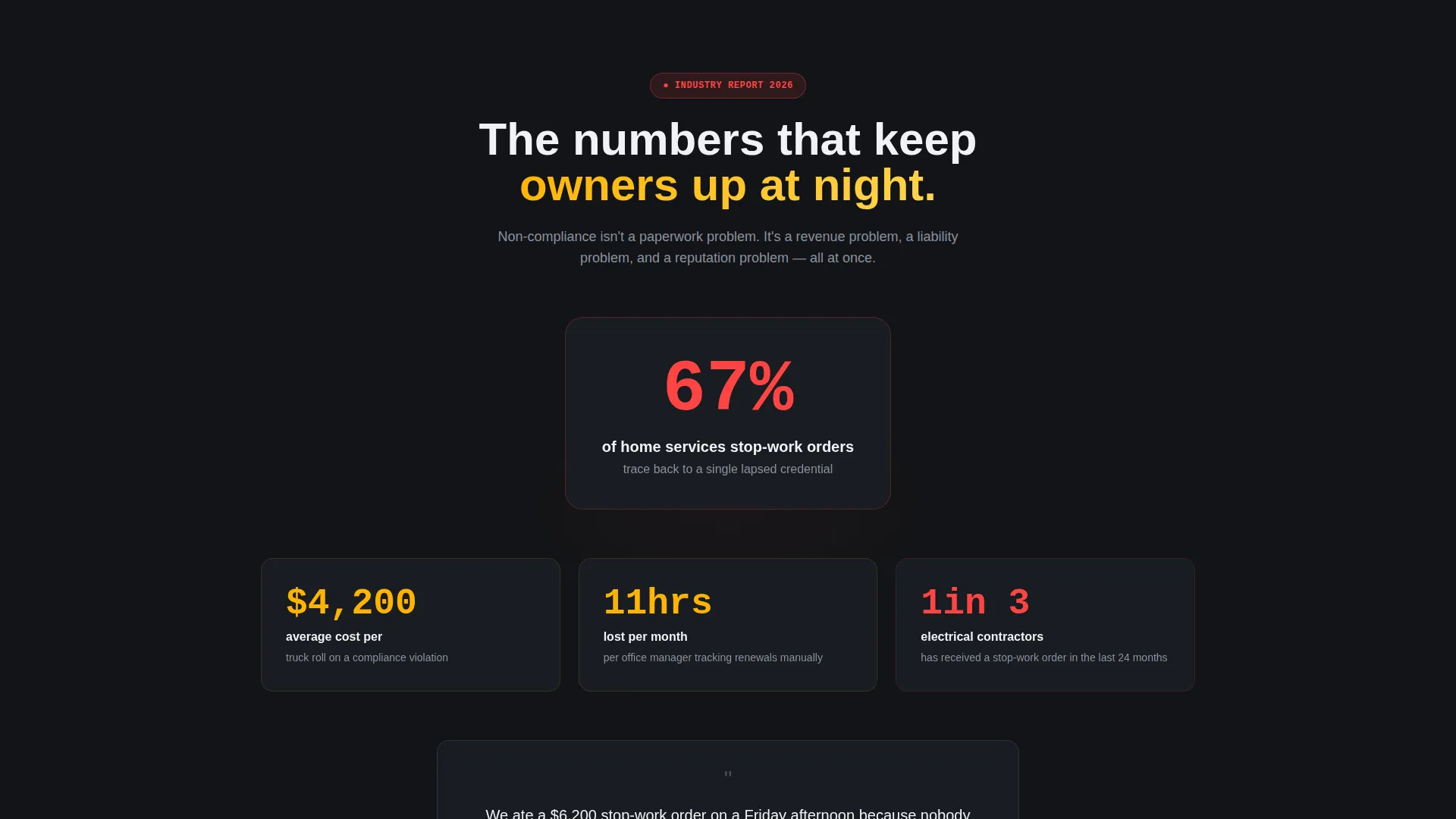
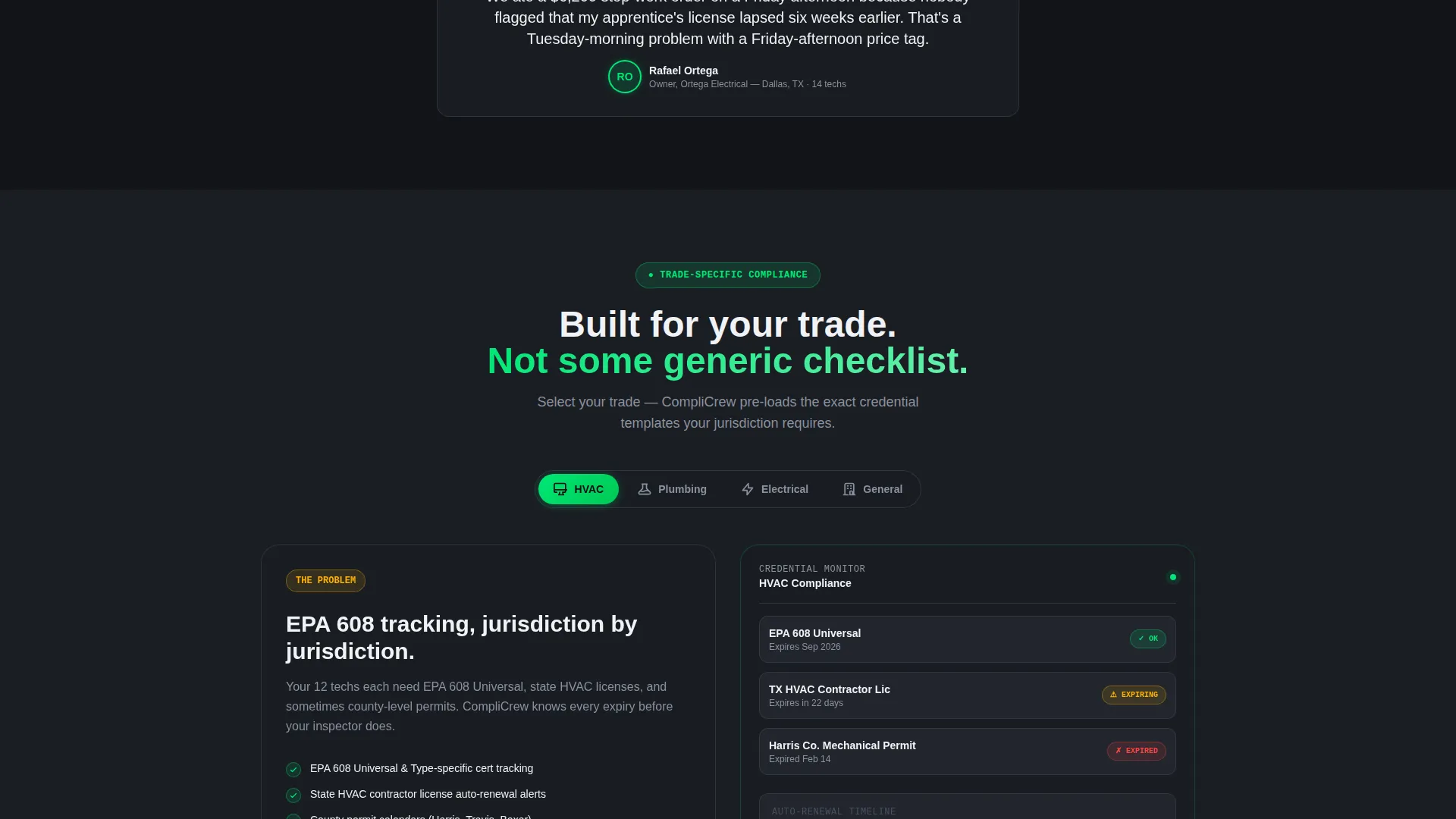
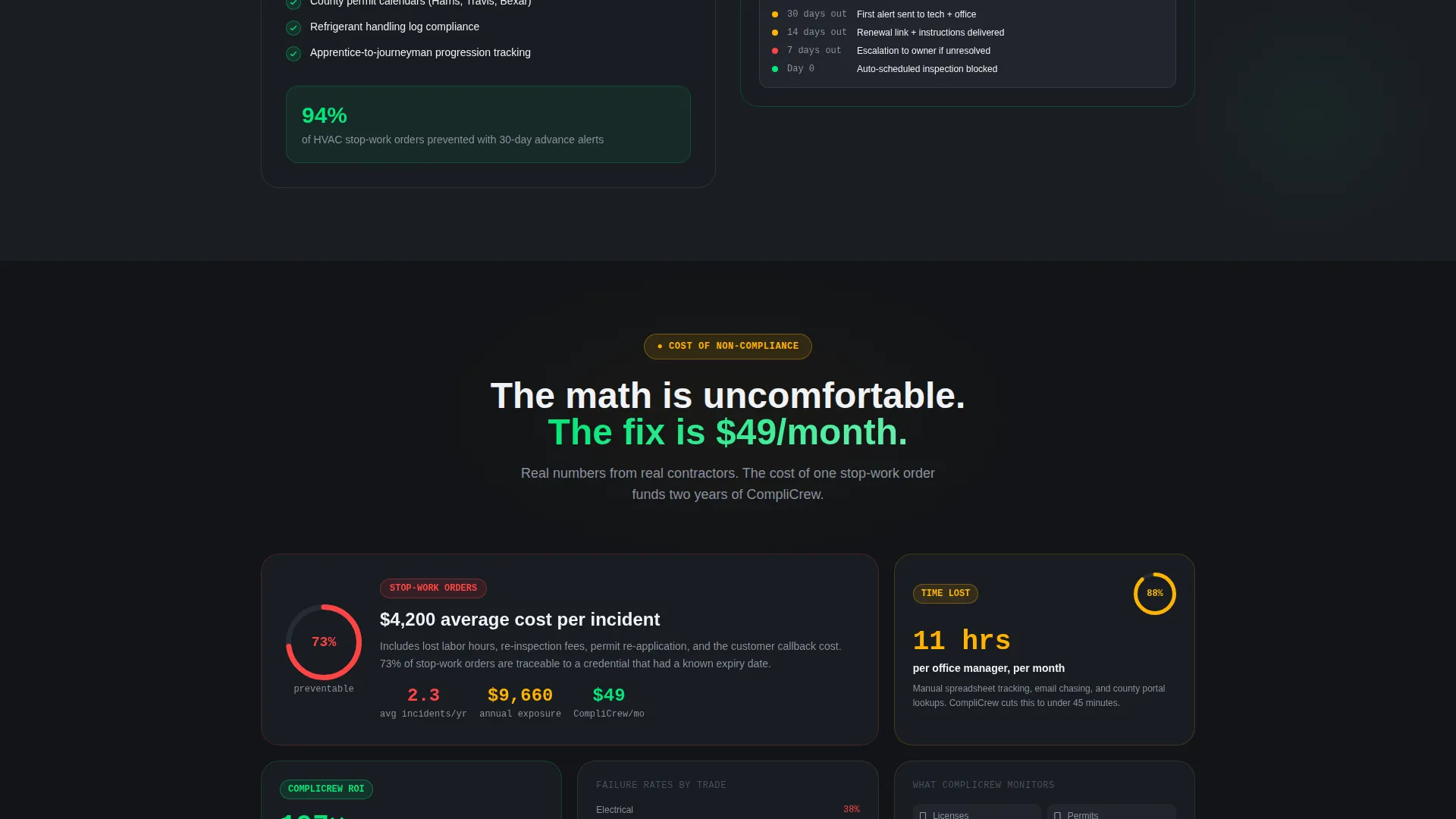
Below the header, bold data callouts set the stakes. The opening line reads "67% of home services stop-work orders trace back to a single lapsed credential." Each subsequent section pairs an animated chart on the left with the app feature that neutralizes that exact problem on the right. Numbers count up, progress rings fill, and cards slide into place as the visitor scrolls, building urgency section by section.
Pinned Download Call-to-Action Bar
After the visitor scrolls past the header, a slim bar pins itself to the bottom of the viewport. The primary call to action reads "Download and Run Your First Audit Free." Tapping or clicking it opens a two-step flow without leaving the page.
Two-Step Trade Selector Flow
Step one asks the visitor to choose their trade: HVAC, plumbing, electrical, or general contracting. This selection tells the app which compliance templates to pre-load on first open. Step two presents paired App Store and Google Play badges. The flow is short, intentional, and removes the guesswork for first-time users.
SMS Deep-Link Conversion Path
Desktop visitors see a secondary option labeled "Email Me the Link." It accepts a phone number and delivers an SMS deep-link in under ten seconds. This path captures buyers who discover the page on a laptop but prefer to download on a mobile device.
Dynamic Motion Design System
Motion is constant but disciplined throughout the page. Animated charts build themselves in real time, status badges pulse with color-coded meaning, and card transitions use precise micro-animations. The pacing accelerates as the visitor scrolls deeper, compounding the perceived cost of inaction before the final download prompt.
Page sections overview
| Section | Purpose |
|---|---|
| Interactive Header | Show chaos versus resolved compliance side by side at full viewport scale |
| Data Callout Block | Land the opening statistic and set the cost-of-inaction tone immediately |
| Report Section One | Pair animated chart on non-compliance cost per truck roll with the app's corresponding feature |
| Report Section Two | Pair animated chart on manual permit tracking time lost with the app's scheduling feature |
| Report Section Three | Pair animated chart on trade-specific failure rates with the app's credential management panel |
| Pinned call to action Bar | Keep the download action visible throughout the entire scroll journey |
| Two-Step Download Flow | Guide visitors through trade selection and platform choice in two quick steps |
| SMS Capture Field | Offer a phone-number field that sends an SMS deep-link for desktop visitors |
Design & branding system
The visual identity follows a Dynamic Motion theme built on a Carbon Fiber color system. The palette feels like a work truck dashboard at night: dark and purposeful, with color used only where it earns attention.
- Core colors: deep graphite weave (#1A1D23) for structure, brushed titanium mid-tone (#3D4350) for surfaces, and matte charcoal (#121417) as the base field
- Status colors: status-green pulse (#00E676) marks compliant credentials, while caution amber (#FFB300) is reserved strictly for alerts, expired badges, and secondary accents
- Motion language: micro-animations on card state changes, count-up number sequences, self-building animated charts, and progress rings that fill on scroll entry
Mobile & speed optimization
The split-screen layout is designed to adapt cleanly from desktop to mobile without losing the core before-and-after visual concept. The pinned call-to-action bar and two-step flow are particularly suited to thumb-friendly mobile interaction.
- The trade selector and platform badge step are sized for touch targets, making the download flow fast to complete on a phone screen
- The SMS deep-link path bridges the gap for visitors on desktop who want to finish the install on a mobile device
- Animated sections are timed to trigger on scroll entry, keeping motion purposeful rather than distracting on smaller screens
How this template helps you convert
Every design and copy decision in Comply points toward a single action: getting a qualified trade contractor to download the app and run their first audit.
- The interactive header creates immediate emotional recognition. Contractors see their own permit chaos reflected on the left half of the screen, which makes the right-half resolution feel personally relevant before a single word of body copy is read.
- The scrolling Industry Report sections replace feature-list fatigue with escalating stakes. Each animated statistic makes the cost of inaction more concrete, so by the time visitors reach the pinned call-to-action bar, downloading feels like the obvious next step rather than a commitment.
- The two-step trade selector reduces post-install drop-off by promising a relevant first experience. Knowing the app will pre-load their specific compliance templates lowers the perceived effort of starting, which directly supports download-to-activation rates.
Other information about this template
Comply is a template, not a live software product. The interactive animations, avatar click behavior, and status transitions shown in the header are part of the page design and are intended to demonstrate what the underlying software can do. Your development team will need to wire the interactive elements to real data after implementation.
- The template is categorized under Technology, specifically the Home Services Software and SaaS subcategory, making it a strong fit for compliance-focused product launches in the trades
- The split-screen layout supports custom brand color overrides while preserving the Carbon Fiber motion system as a foundation
- The Industry Report creative direction can be refreshed by swapping the statistical callouts with your own verified compliance data for each trade vertical you serve
- The page is designed as a single landing page with one primary conversion goal, so it works best when traffic arrives from paid or organic channels with a specific app download intent
Theme
Dynamic Motion
Creative direction
Industry Report
Color system
Carbon Fiber
Style
Split Screen (50/50)
Direction
App Download
Page Sections
Interactive Split-screen Header
Scrolling Industry Report Sections
Pinned Download Call to Action Bar
Two-step Trade Selector Flow
SMS Deep-link Path
Dynamic Motion Design System
Related questions
Can I customize the trade options in the two-step download flow?
Do the animated charts and count-up numbers require a specific framework?
Is the pinned call-to-action bar visible throughout the entire page?
How does the SMS deep-link option work for desktop visitors?
Is this template suitable for a single trade vertical or multiple trades?



