AI Manufacturing Execution System Landing Page Template
Nexus is a split-screen landing page template built for an AI-powered manufacturing execution system. It combines a high-fidelity product screenshot header, three interactive scroll-driven demos, and a focused app download funnel. The dynamic motion design uses deep graphite tones, iridescent gradients, and signal magenta calls to action to match the precision of an intelligent plant floor.
by Rocket studio
Quick summary
Nexus is a single-page landing page template designed for an AI-powered manufacturing execution system (MES). It opens with a split-screen product screenshot header, guides visitors through three hands-on interactive sections, and closes with a direct app download call to action. The visual system uses dark graphite, shimmer violet, and electric cyan to reflect the precision of an intelligent factory floor.
Who this template is for
This template is built for teams marketing advanced manufacturing software to industrial operators and plant leadership. It speaks directly to people who manage real production environments and need to demonstrate intelligent system capabilities at a glance.
- Plant managers running continuous multi-shift operations on legacy SCADA systems
- Continuous improvement engineers looking to replace slow CSV-based reporting
- Operations vice presidents who need real-time overall equipment effectiveness dashboards they can access anywhere
What problem this template solves
Most manufacturing software landing pages look like data sheets. They list features without ever letting a visitor feel the product. Nexus solves that by letting buyers interact with the system three times before reaching any call to action.
- Visitors often leave before trusting that AI-driven production tools actually work as described
- Generic templates fail to communicate the urgency and precision that plant operations demand
- Static screenshots cannot show how anomaly detection, batch scheduling, and parameter correction actually behave in real time
What you get with this template
You get a complete, structured landing page layout built around a single product and a single conversion goal. Every section is purpose-designed for an AI-powered MES audience.
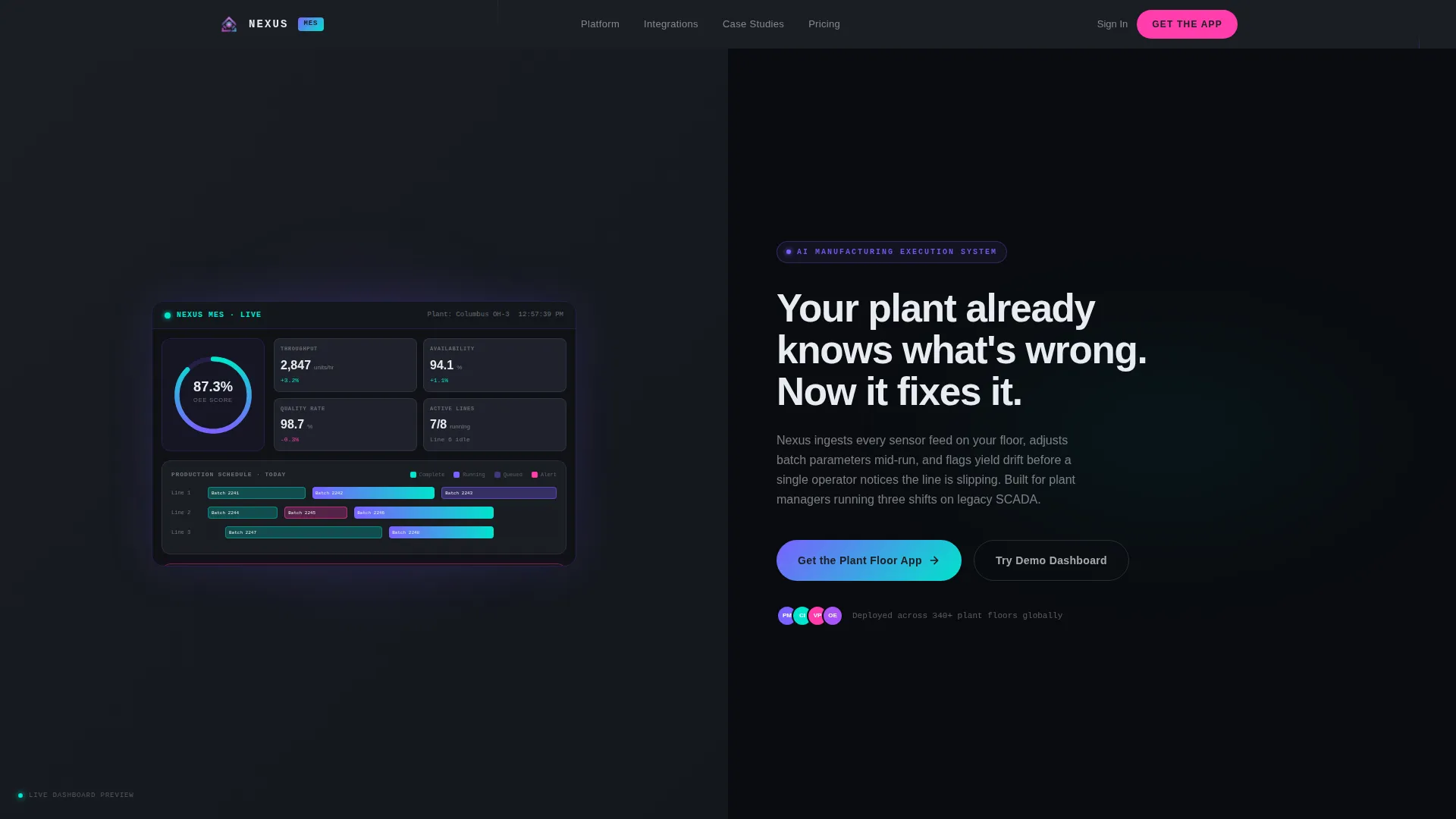
- A 50/50 split-screen hero with a realistic MES dashboard screenshot on the left and an animated typewriter headline on the right
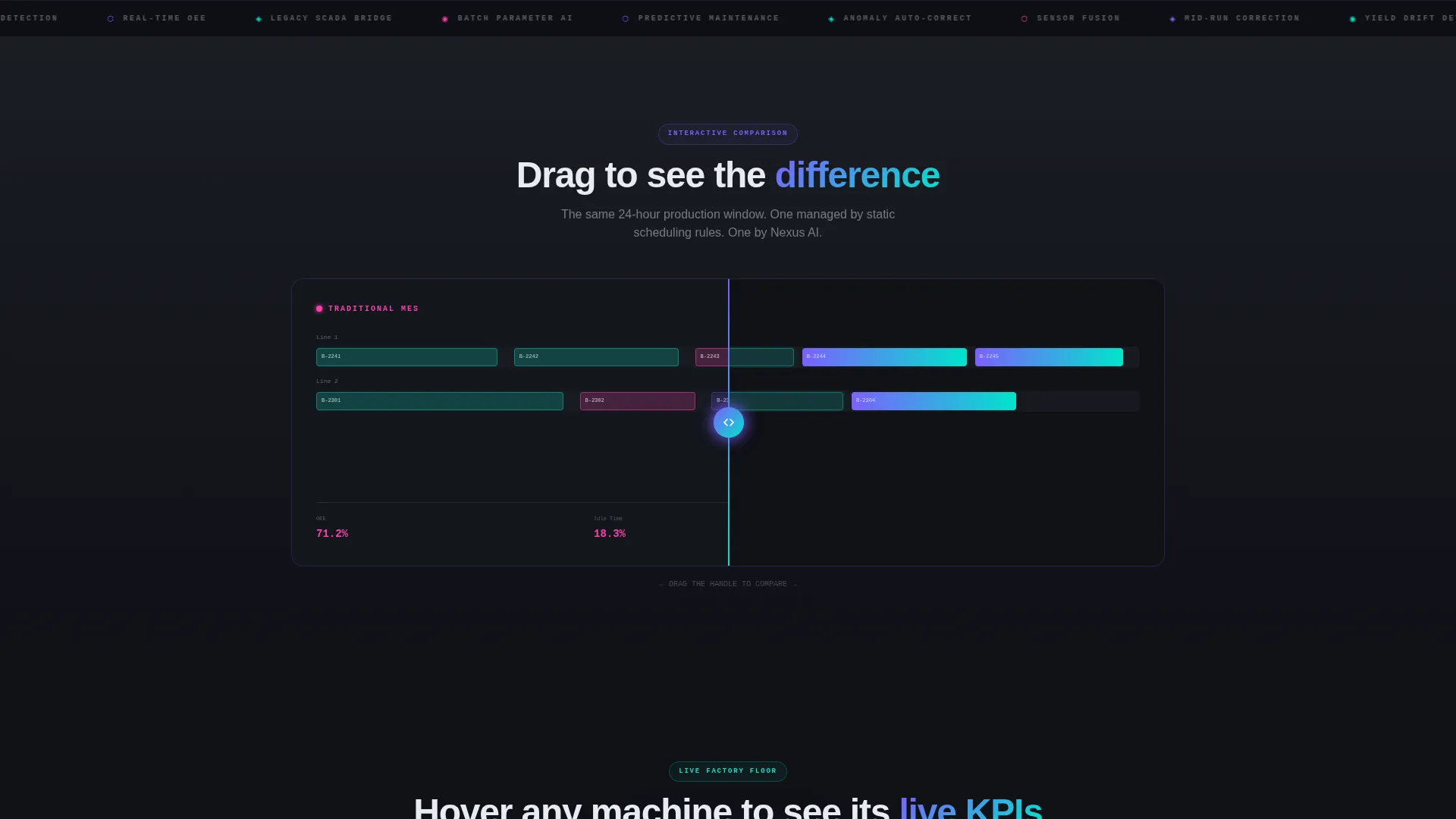
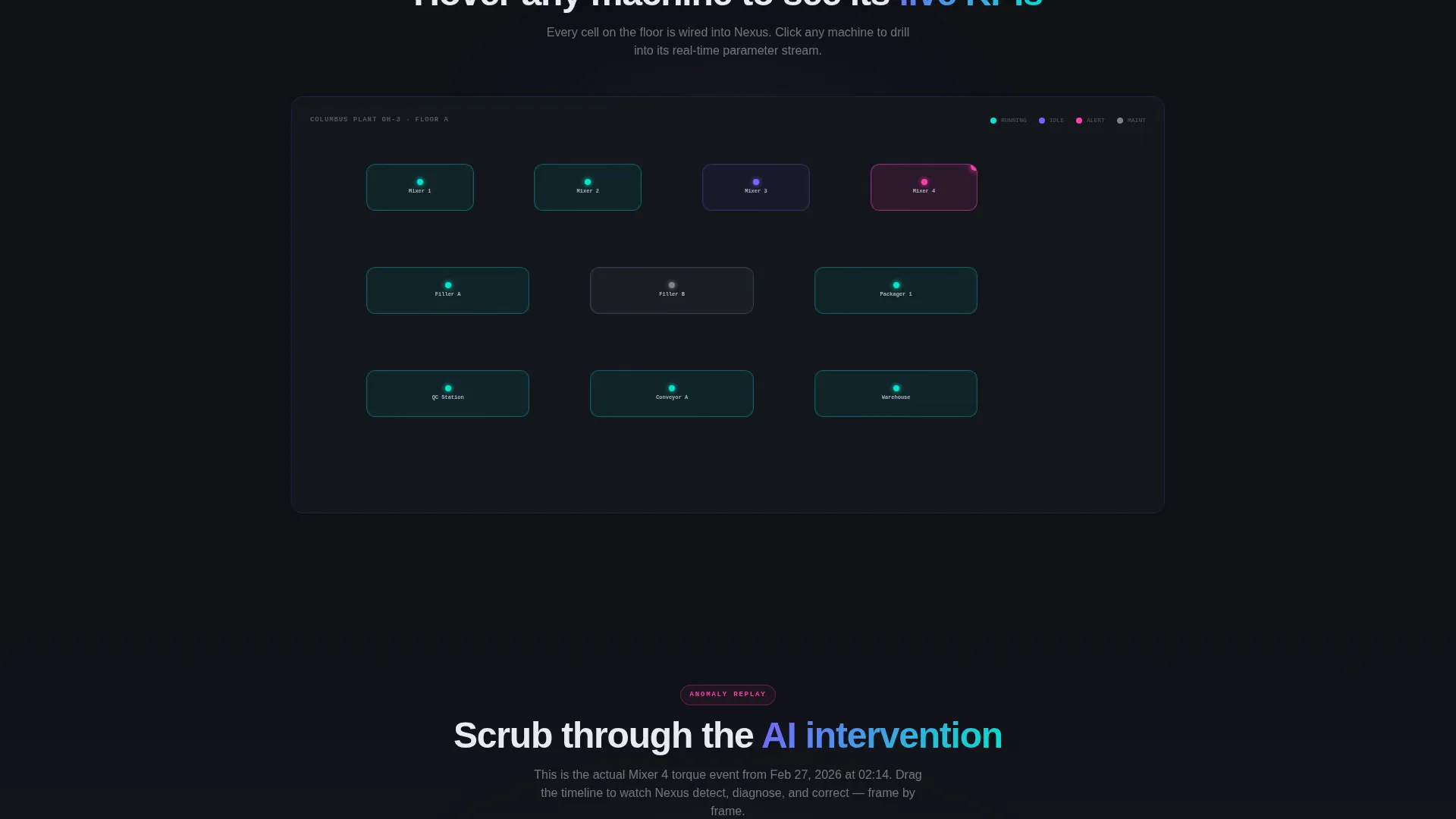
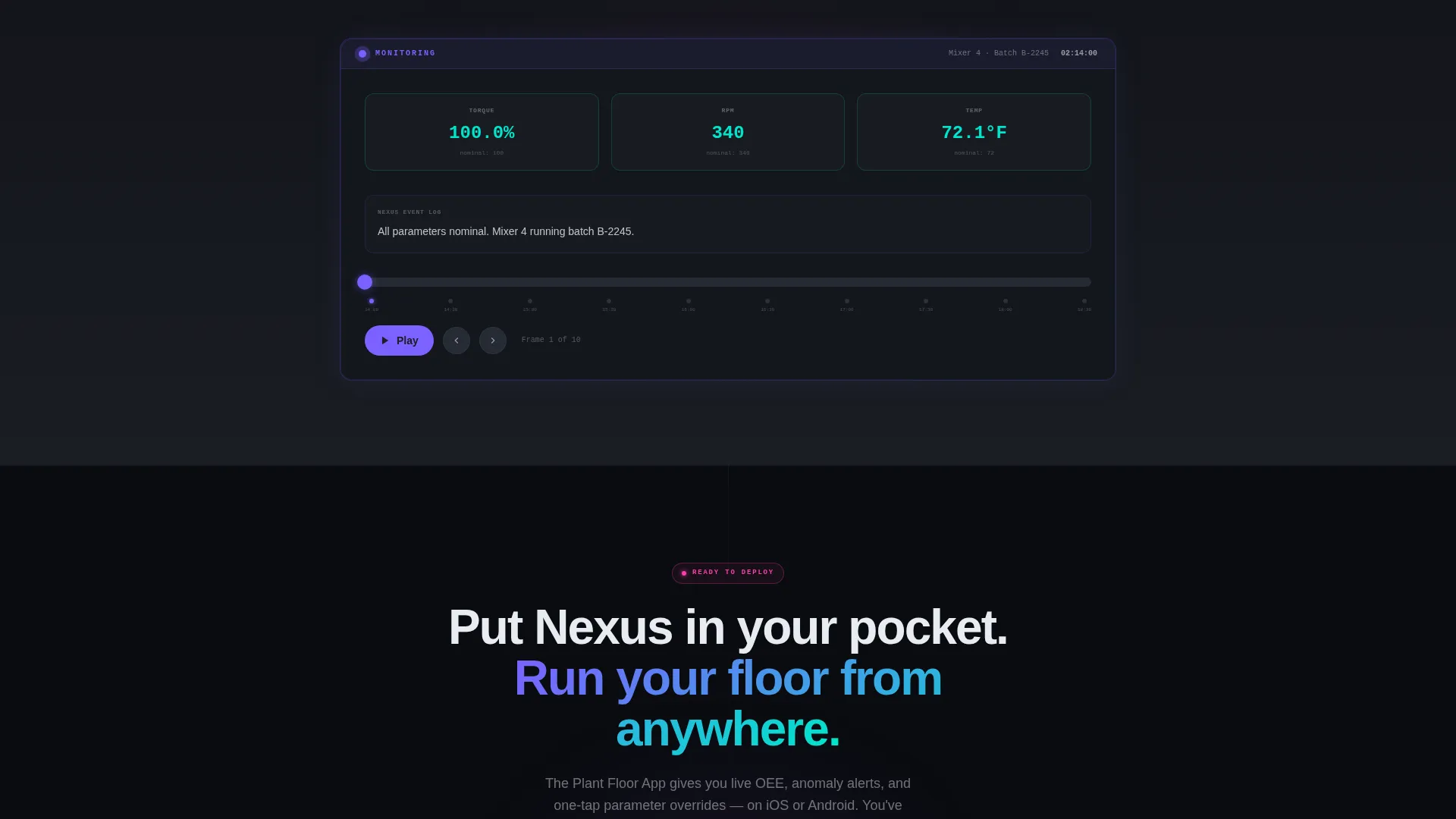
- Three interactive scroll sections: a drag-to-compare timeline, a clickable factory floor map with live KPI cards, and a scrubbable anomaly replay
- An app download section with platform toggle pills for iOS and Android, a single email field for link delivery, and a secondary path to a browser-based demo sandbox
Feature list
This section covers the core built-in components and interaction patterns included in the Nexus template.
Split-Screen Product Screenshot Header
The hero section divides the full viewport into two equal halves. The left panel displays a high-fidelity MES dashboard render showing a live overall equipment effectiveness gauge at 87.3%, a Gantt-style production schedule with color-coded batch blocks, and an AI anomaly card. The right panel holds a typewriter-animated headline on a black background with a pulsing iridescent pill button below it.
Drag-to-Compare Production Timeline
The first interactive scroll section presents a side-by-side comparison of a traditional MES schedule against the AI-optimized version. Visitors drag a handle to reveal batch blocks rearranging in real time. This interaction communicates scheduling intelligence without a single line of explanation.
Interactive Factory Floor Map
A clickable plant floor diagram lets visitors hover over individual machine cells. Each cell reveals a live KPI card showing that machine's current performance metrics. The layout mirrors how a plant manager would actually scan a floor from a mezzanine level.
Scrubbable Anomaly Replay
Visitors can move through a simulated anomaly event frame by frame. The replay shows the AI detecting a deviation, diagnosing the cause, and applying a correction. It builds concrete confidence in the system's autonomous response capability.
App Download Conversion Section
The closing section is built around a single, focused download goal. It includes platform toggle pills for iOS and Android, an email input field labeled for link delivery, and a secondary call-to-action button linking to a browser-based demo dashboard. The section earns its ask after three prior product interactions.
Dynamic Motion Visual System
Hover and scroll-triggered iridescent gradients animate across interactive surfaces using the shimmer violet to electric cyan spectrum. Backgrounds stay in deep graphite. Signal magenta is reserved exclusively for alerts and primary call-to-action elements. Data visualizations encode severity using the same violet-to-cyan color range.
Page sections overview
| Section | Purpose |
|---|---|
| Split-screen hero | Introduce the product with a realistic dashboard screenshot and animated headline |
| Drag-compare timeline | Show AI scheduling improvements through a hands-on interactive comparison |
| Factory floor map | Let visitors explore machine-level KPI data by hovering over a plant diagram |
| Anomaly replay scrubber | Demonstrate AI detection and correction through a frame-by-frame simulation |
| App download call to action | Drive installs with platform toggles, email link delivery, and a demo sandbox path |
Design & branding system
The Nexus visual identity uses the AI Iridescent color system layered over a Dynamic Motion theme. Every color choice is intentional and functional, mimicking the look of light refracting through a polished silicon wafer.
- Deep graphite (#1A1D23) forms all backgrounds, keeping the interface dark, precise, and focused
- Shimmer violet (#7B61FF) gradients to electric cyan (#00E5CC) on hover and scroll-triggered interactive surfaces, while cool-white (#E8ECF1) handles all body and headline text
- Hot signal magenta (#FF3CAC) is reserved strictly for alerts and primary call-to-action buttons, ensuring critical actions always stand out
Mobile & speed optimization
The template is structured for responsive display so that interactive elements adapt across screen sizes without losing clarity or function.
- The 50/50 split-screen hero stacks vertically on smaller viewports, keeping the dashboard screenshot and headline both fully visible
- Interactive components such as the factory floor map and anomaly scrubber are designed to function on touch-enabled devices
- Iridescent gradient animations are scoped to hover and scroll-triggered events, keeping visual motion purposeful rather than constant
How this template helps you convert
Nexus is built around a principle of earned trust. Visitors interact with the product three times before they see any download request, which means the call to action arrives after genuine product familiarity has already formed.
- Three sequential interactive sections let visitors touch the AI system directly, building conviction through experience rather than through marketing copy alone
- The app download section presents a frictionless dual-path conversion: instant platform download or an email link for visitors who are not yet on their mobile device, plus a secondary demo sandbox option for those who want more exploration before committing
Other information about this template
This template is categorized under Technology, specifically within the AI-Powered Enterprise Software subcategory, targeting the AI-Powered MES niche. It is designed as a standalone single-page landing page, not a multi-page website.
- The template style is Split Screen (50/50), the theme is Dynamic Motion, and the creative direction follows an Interactive Explorer pattern
- The header concept is Product Screenshot, and the landing page conversion direction is App Download
- The intersection match score for this template's category, subcategory, and niche alignment is 13, reflecting a highly specific audience fit
- This template is best suited for SaaS product teams, digital agencies building manufacturing technology clients, and in-house marketing teams at industrial software companies
Theme
Dynamic Motion
Creative direction
Interactive Explorer
Color system
AI Iridescent
Style
Split Screen (50/50)
Direction
App Download
Page Sections
Split-screen Animated Hero
Drag-to-compare Timeline
Clickable Factory Floor Map
Frame-by-frame Anomaly Replay
App Download Conversion Section
AI Iridescent Visual System
Related questions
Can I replace the dashboard screenshot with my own product visuals?
Do the interactive sections require coding knowledge to customize?
Is this template suitable for a B2B audience, or is it consumer-facing?
Can I use this template if my product is not a manufacturing execution system?
What is the primary conversion goal this template is designed for?



